Page 224 of 475
If you need to arrange roadside assistance for yourself, Ford Motor
Company will reimburse a reasonable amount for towing to the nearest
dealership within 35 miles (56 kilometers). To obtain reimbursement
information, U.S. Ford vehicle customers call 1-800-241-3673. Customers
will be asked to submit their original receipts.
Vehicles Sold in Canada : Getting Roadside Assistance
Canadian customers who require roadside assistance, call 1–800–665–2006.
Vehicles Sold in Canada : Using Roadside Assistance
Complete the roadside assistance identification card and place it in your
wallet for quick reference. In Canada, the card is found in the warranty
information in the glove box.
Canadian Roadside coverage and benefits may differ from the U.S.
coverage. Please see your warranty information or visit our website at
www.ford.ca for information on Canadian services and benefits.
Canadian customers who need to obtain roadside information, call
1-800-665-2006 or visit our website at www.ford.ca.
HAZARD WARNING FLASHERS
The hazard flasher control is located on the instrument panel
by the radio. Use it when your vehicle is disabled and is
creating a safety hazard for other motorists.
•Press the flasher control and all front and rear direction signals will
flash.
•Press the flasher control again to turn them off.
Note:With extended use, the flashers may run down your 12 volt
battery.
FUEL CUT-OFF SWITCH
WARNING:Failure to inspect and if necessary repair fuel leaks
after a collision may increase the risk of fire and serious injury.
Ford Motor Company recommends that the fuel system be inspected by
an authorized dealer after any collision.
In the event of a moderate to severe collision, this vehicle is equipped
with a fuel pump shut-off feature that stops the flow of fuel to the
engine. Not every impact will cause a shut-off.
224Roadside Emergencies
2013 Focus(foc)
Owners Guide gf, 1st Printing
USA(fus)
Page 247 of 475
Working with the Engine On
WARNING:To reduce the risk of vehicle damage and/or personal
burn injuries, do not start your engine with the air cleaner
removed and do not remove it while the engine is running.
1. For vehicles equipped with an automatic transmission, set the parking
brake and shift to P (Park). For vehicles equipped with a manual
transmission, set the parking brake, press and hold the clutch pedal, shift
in N (Neutral), and release the clutch pedal.
2. Block the wheels.
OPENING AND CLOSING THE HOOD
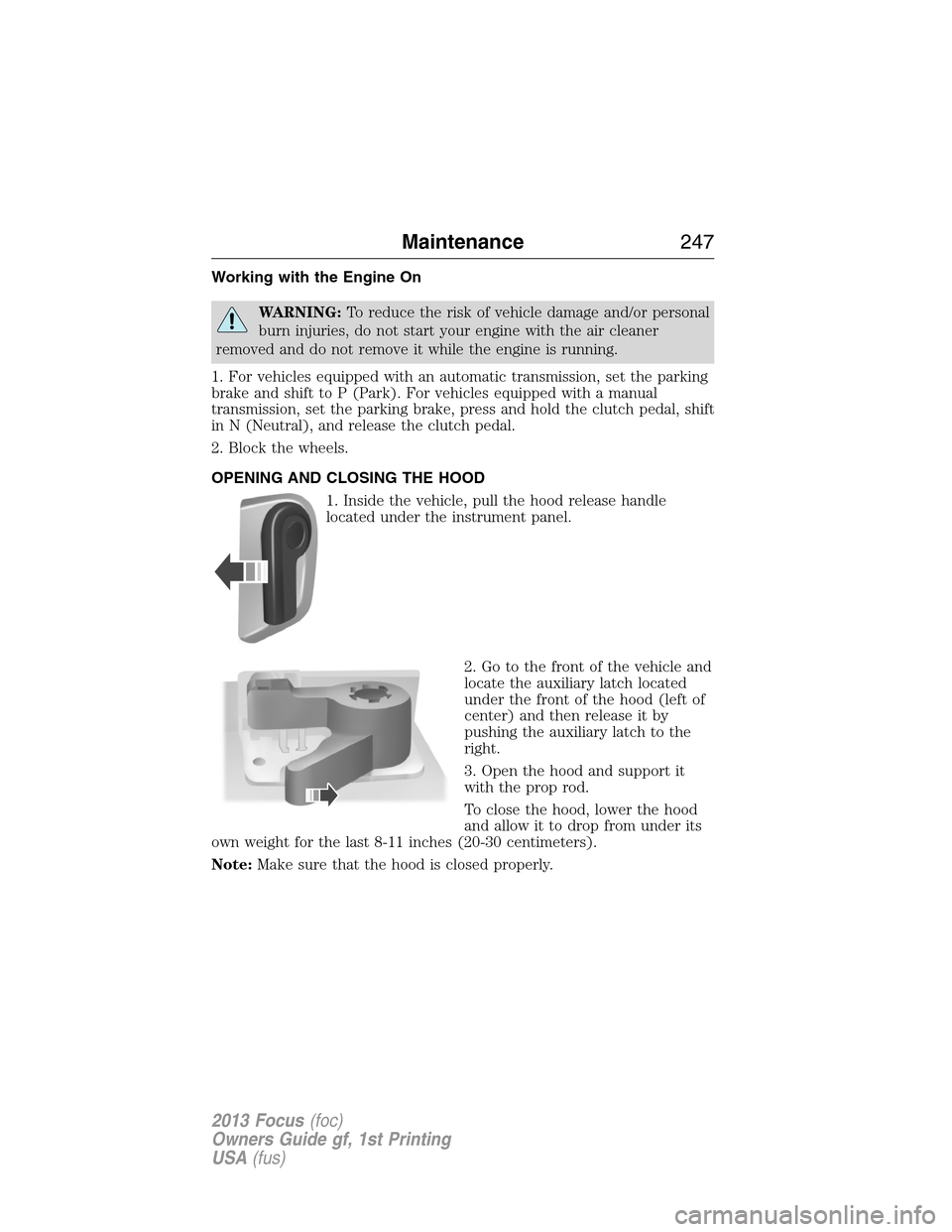
1. Inside the vehicle, pull the hood release handle
located under the instrument panel.
2. Go to the front of the vehicle and
locate the auxiliary latch located
under the front of the hood (left of
center) and then release it by
pushing the auxiliary latch to the
right.
3. Open the hood and support it
with the prop rod.
To close the hood, lower the hood
and allow it to drop from under its
own weight for the last 8-11 inches (20-30 centimeters).
Note:Make sure that the hood is closed properly.
Maintenance247
2013 Focus(foc)
Owners Guide gf, 1st Printing
USA(fus)
Page 267 of 475
BULB SPECIFICATION CHART
Replacement bulbs are specified in the chart below. Headlamp bulbs
must be marked with an authorized “D.O.T.” for North America to ensure
lamp performance, light brightness and pattern and safe visibility. The
correct bulbs will not damage the lamp assembly or void the lamp
assembly warranty and will provide quality bulb burn time.
Function Trade number
Headlamp high beam H1LL
Headlamp low beam (halogen) H11LL
Headlamp low beam (HID) D8S
Turn lamp (front) W21W
Park/Side marker lamp (front) 168NA
Fog lamps (if equipped) H11LL
Stop/tail lamp 3157K
Turn lamp 3757AK
Backup lamp 921
Dome lamp H5W
* License plate lamp LED
* High-mount brake lamp LED
* To replace these lamps - see your authorized dealer.
To replace all instrument panel lights - see your authorized dealer
Maintenance267
2013 Focus(foc)
Owners Guide gf, 1st Printing
USA(fus)
Page 272 of 475
CLEANING THE INTERIOR
WARNING:Do not use cleaning solvents, bleach or dye on the
vehicle’s safety belts, as these actions may weaken the belt webbing.
WARNING:On vehicles equipped with seat-mounted airbags, do
not use chemical solvents or strong detergents. Such products
could contaminate the side airbag system and affect performance of the
side airbag in a collision.
For fabric, carpets, cloth seats, safety belts and seats equipped with side
airbags:
•Remove dust and loose dirt with a vacuum cleaner.
•Remove light stains and soil with Motorcraft�Professional Strength
Carpet & Upholstery Cleaner.
•If grease or tar is present on the material, spot-clean the area first
with Motorcraft�Spot and Stain Remover. In Canada, use Motorcraft�
Multi-Purpose Cleaner.
•If a ring forms on the fabric after spot cleaning, clean the entire area
immediately (but do not oversaturate) or the ring will set.
•Do not use household cleaning products or glass cleaners, which can
stain and discolor the fabric and affect the flame retardant abilities of
the seat materials.
CLEANING THE INSTRUMENT PANEL AND INSTRUMENT
CLUSTER LENS
WARNING:Do not use chemical solvents or strong detergents
when cleaning the steering wheel or instrument panel to avoid
contamination of the airbag system.
Clean the instrument panel and cluster lens with a clean, damp, white
cotton cloth, then use a clean and dry white cotton cloth to dry these areas.
•Avoid cleaners or polishes that increase the gloss of the upper portion
of the instrument panel. The dull finish in this area helps protect the
driver from undesirable windshield reflection.
•
Be certain to wash or wipe your hands clean if you have been in contact
with certain products such as insect repellent and suntan lotion in order
to avoid possible damage to the interior painted surfaces.
272Vehicle Care
2013 Focus(foc)
Owners Guide gf, 1st Printing
USA(fus)
Page 273 of 475
•Do not use household or glass cleaners as these may damage the
finish of the instrument panel, interior trim and cluster lens.
•Do not allow air fresheners and hand sanitizers to spill on interior
surfaces. If a spill occurs, wipe off immediately. Damage may not be
covered by your warranty.
If a staining liquid like coffee/juice has been spilled on the instrument
panel or on interior trim surfaces, clean as follows:
1. Wipe up spilled liquid using a clean, white, cotton cloth.
2. Wipe the surface with a damp, clean, white cotton cloth. For more
thorough cleaning, use a mild soap and water solution. If the spot cannot
be completely cleaned by this method, the area may be cleaned using a
commercially available cleaning product designed for automotive
interiors.
3. If necessary, apply more soap and water solution or cleaning product
to a clean, white, cotton cloth and press the cloth onto the soiled
area–allow this to set at room temperature for 30 minutes.
4. Remove the soaked cloth, and if it is not soiled badly, use this cloth to
clean the area by using a rubbing motion for 60 seconds.
5. Following this, wipe area dry with a clean, white, cotton cloth.
CLEANING LEATHER SEATS (IF EQUIPPED)
•Remove dust and loose dirt with a vacuum cleaner.
•Clean spills and stains as quickly as possible.
•For routine cleaning, wipe the surface with a soft, damp cloth. For
more thorough cleaning, wipe the surface with a mild soap and water
solution. In Canada, use Motorcraft�Vinyl Cleaner . Dry the area with
a soft cloth.
•If the leather cannot be completely cleaned using a mild soap and
water solution, the leather may be cleaned using a commercially
available leather cleaning product designed for automotive interiors.
•To check for compatibility, first test any cleaner or stain remover on
an inconspicuous part of the leather.
•Do not use household cleaning products, alcohol solutions, solvents or
cleaners intended for rubber, vinyl and plastics, or oil/petroleum-based
leather conditioners. These products may cause premature wearing or
damage to the leather.
Vehicle Care273
2013 Focus(foc)
Owners Guide gf, 1st Printing
USA(fus)
Page 308 of 475
VEHICLE IDENTIFICATION NUMBER
The vehicle identification number is
located on the driver side
instrument panel.
Please note that in the graphic,
XXXX is representative of your
vehicle identification number.
The Vehicle Identification Number (VIN) contains the following
information:
A. World manufacturer identifier
B. Brake system / Gross Vehicle
Weight Rating (GVWR) / Restraint
Devices and their location
C. Make, vehicle line, series, body
type
D. Engine type
E. Check digit
F. Model year
G. Assembly plant
H. Production sequence number
XXXXXXXXXXXXXXXXX
308Capacities and Specifications
2013 Focus(foc)
Owners Guide gf, 1st Printing
USA(fus)
Page 401 of 475

CD Voice Commands
If you are listening to a CD, press the voice button on the
steering wheel control. When prompted, say any of the
commands in the following chart.
If you are not listening to a CD, press the voice button and, after the
tone, say “CD”, then any of the commands in the following chart.
“CD”
“Pause” “Repeat off”
“Play” “Repeat track”
“Play next track” “Shuffle”
“Play previous track” “Shuffle CD”
*
“Play track <1–512>” “Shuffle folder”*
“Repeat” “Shuffle off”
“Repeat folder”*“Help”
*WMA or MP3 only.
SD Card Slot and USB Port
SD Card Slot
Note:Your SD card slot is spring-loaded. To remove the SD card, press
the card in and the system ejects it. Do not attempt to pull the card to
remove it as this could cause damage.
The card slot can be used for your navigation card (if equipped). See
Navigation systemlater in this chapter for more information.
The slot is located either in the center console
or behind a small access door in the
instrument panel. To access and play music
from your SD card slot, press the lower left
corner of the touchscreen.
SD logo is a trademark of SD-3C,
LLC.
MyFord Touch�(If Equipped)401
2013 Focus(foc)
Owners Guide gf, 1st Printing
USA(fus)
Page 402 of 475
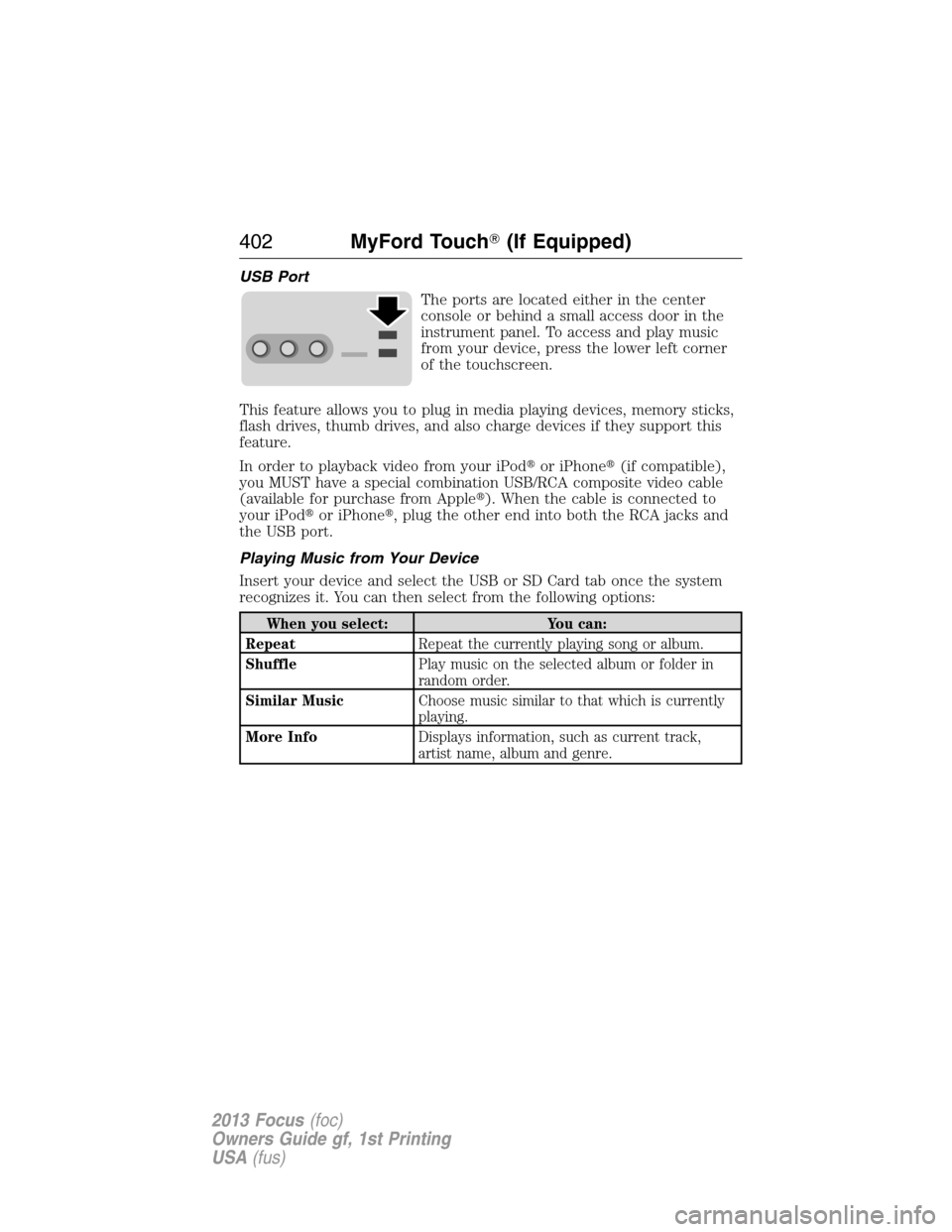
USB Port
The ports are located either in the center
console or behind a small access door in the
instrument panel. To access and play music
from your device, press the lower left corner
of the touchscreen.
This feature allows you to plug in media playing devices, memory sticks,
flash drives, thumb drives, and also charge devices if they support this
feature.
In order to playback video from your iPod�or iPhone�(if compatible),
you MUST have a special combination USB/RCA composite video cable
(available for purchase from Apple�). When the cable is connected to
your iPod�or iPhone�, plug the other end into both the RCA jacks and
the USB port.
Playing Music from Your Device
Insert your device and select the USB or SD Card tab once the system
recognizes it. You can then select from the following options:
When you select: You can:
RepeatRepeat the currently playing song or album.
ShufflePlay music on the selected album or folder in
random order.
Similar MusicChoose music similar to that which is currently
playing.
More InfoDisplays information, such as current track,
artist name, album and genre.
402MyFord Touch�(If Equipped)
2013 Focus(foc)
Owners Guide gf, 1st Printing
USA(fus)

