2013 FORD FOCUS ELECTRIC ECU
[x] Cancel search: ECUPage 156 of 386
used by the intended user. The only way to reset this to zero is by
resetting the keys. If the mileage is lower than the last time you
checked, then the key system has been recently reset.
•# MYKEY(S):Indicates how many restricted keys are programmed
to the vehicle. Can also be used to detect deletion of a restricted key.
•# ADMIN KEY(S):Indicates how many admin keys are programmed
to the vehicle. Can also be used to detect if an additional key has
been programmed to the vehicle.
Using MyKey with Remote Start Systems
MyKey is NOT compatible with non-Ford-approved aftermarket remote
start systems. If you choose to install a remote start system please see
your Ford authorized dealer for a Ford-approved remote start system.
The following information MAY help customers who choose to use a
non-Ford-approved remote start system. The actions provided below do
NOT make MyKey compatible with non-Ford-approved remote start
system, but it MAY help you to retain some MyKey functions.
Vehicles Equipped with Traditional Keys
When using a non-Ford-approved remote start system, the default
settings may recognize the remote start system as an additional admin
key with its associated privileges. This makes it NOT compatible with
MyKey. Restart the vehicle when you insert a key into the ignition
cylinder it may help you to retain some MyKey functions.
In addition to the key that has been programmed as a MyKey, owners of
vehicles equipped with traditional keys have the option to program the
non-Ford-approved remote start system as a MyKey if the remote start
fob is used by the MyKey driver.
To program a non-Ford-approved remote start system as a MyKey, do the
following:
1. Enter the vehicle and close all doors.
2. Remote start the vehicle using a non-Ford approved remote start fob.
3. Follow Steps 1-5 in theCreating a MyKeysection.
Vehicles Equipped with Intelligent Access Key (Push Button Start)
Note:It is not possible to program the remote start system as a MyKey
on vehicles equipped with intelligent access key (push button start).
Therefore, you should treat the remote start fob as you would any other
admin key. When the vehicle is started using remote start, the system
will stall the vehicle when you either enter the vehicle or shift the
vehicle into gear. Prior to the stall, the vehicle will have administrative
156Locks and Security
2013 Focus Electric Vehicle(fob)
Owners Guide gf, 1st Printing
USA(fus)
Page 157 of 386
privileges. When you restart the vehicle, the vehicle will identify the user
as an admin or MyKey driver depending on the settings of the actual key
used to start the vehicle.
Note:For all vehicles, the number of MYKEY(S) PROGRAMMED or
ADMIN KEYS PROGRAMMED that is displayed in the MyKey system
status menus may include the non-Ford-approved remote start system as
an additional key in the total count. See theChecking system status
section.
For all vehicles with a non-Ford-approved remote start installed, it is
possible to program all “real” keys as MyKeys, in which case, you will
need to use your remote start system to clear all MyKeys (which
removes all restrictions and returns them to admin key status) by doing
the following:
1. Enter the vehicle and close all doors.
2. Remote start the vehicle using your non-Ford-approved remote start
fob.
3. Follow Steps 1-3 in theClearing all keyssection.
MyKey Troubleshooting
Condition Potential Causes
I cannot program a
key•The key does not have admin privileges.
•The key is the only admin key (there always
has to be at least one admin key).
•The intelligent access key is not held close
enough to the steering column.
•SecuriLock passive anti-theft system is
disabled or in unlimited mode.
•The vehicle has been started using a remote
start system that is not programmed with
admin privileges. Refer toUsing MyKey with
remote start systems.
I cannot program the
optional settings•The key does not have admin privileges.
•No keys are programmed to the vehicle.
Refer toCreating a MyKey.
•The vehicle has been started using a remote
start system that is not programmed with
admin privileges. Refer toUsing MyKey with
remote start systems.
Locks and Security157
2013 Focus Electric Vehicle(fob)
Owners Guide gf, 1st Printing
USA(fus)
Page 158 of 386
Condition Potential Causes
I cannot clear the
restricted keys•Key does not have admin privileges.
•No restricted keys are programmed to the
vehicle. Refer toCreating a MyKey.
•The vehicle has been started using a remote
start system that is not programmed with
admin privileges. Refer toUsing MyKey with
remote start systems.
I lost the only admin
key•Purchase a new key from your authorized
dealer.
I lost a key•Program spare keys as outlined under
SecuriLockin theSecuritychapter.
I accidentally
programmed all keys
as restricted keys•The vehicle has a remote start system that
is recognized as an admin key. Refer to the
Using MyKey with remote start systems
section to reset all restricted keys using
remote start.
No restricted key
functions with
intelligent access key
(push button start)•An admin key is present at vehicle start-up.
•No restricted keys are programmed to the
vehicle. Refer toCreating a MyKey
Restricted key
programmed total
includes one additional
key•An unknown key has been programmed to
the vehicle as a restricted key.
•The vehicle is equipped with a remote start
system. Refer toUsing MyKey with remote
start systems.
Admin keys
programmed total
includes one additional
key•An unknown key has been programmed to
the vehicle as an admin key.
•Vehicle is equipped with a remote start
system. Refer toUsing MyKey with remote
start systems.
MyKey miles do not
accumulate•The restricted key is not being used by the
intended user.
•The key system has been reset.
158Locks and Security
2013 Focus Electric Vehicle(fob)
Owners Guide gf, 1st Printing
USA(fus)
Page 159 of 386
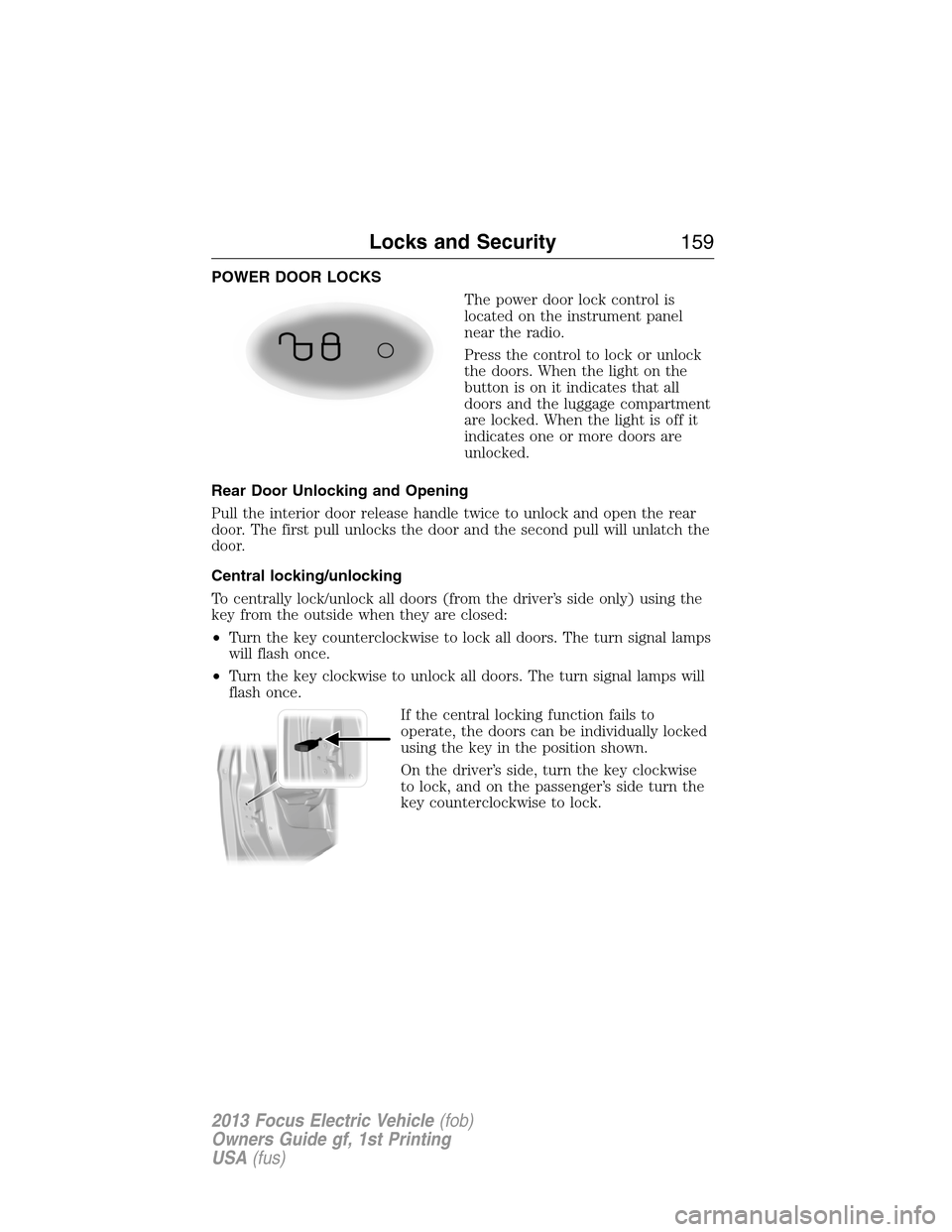
POWER DOOR LOCKS
The power door lock control is
located on the instrument panel
near the radio.
Press the control to lock or unlock
the doors. When the light on the
button is on it indicates that all
doors and the luggage compartment
are locked. When the light is off it
indicates one or more doors are
unlocked.
Rear Door Unlocking and Opening
Pull the interior door release handle twice to unlock and open the rear
door. The first pull unlocks the door and the second pull will unlatch the
door.
Central locking/unlocking
To centrally lock/unlock all doors (from the driver’s side only) using the
key from the outside when they are closed:
•Turn the key counterclockwise to lock all doors. The turn signal lamps
will flash once.
•Turn the key clockwise to unlock all doors. The turn signal lamps will
flash once.
If the central locking function fails to
operate, the doors can be individually locked
using the key in the position shown.
On the driver’s side, turn the key clockwise
to lock, and on the passenger’s side turn the
key counterclockwise to lock.
Locks and Security159
2013 Focus Electric Vehicle(fob)
Owners Guide gf, 1st Printing
USA(fus)
Page 160 of 386
Autolock and Unlock (If Equipped)
The autolock feature will lock all the doors when:
•all doors are closed,
•the ignition is on,
•you shift into any gear putting the vehicle in motion, and
•the vehicle attains a speed greater than 4 mph (7 km/h).
When autounlock is enabled, all doors will unlock when the driver door is
opened.
Enabling or Disabling Autolock and Autounlock
Note:Your authorized dealer can perform this procedure, or you can do
the procedure yourself.
To enable or disable these features, do the following:
Note:You will have 30 seconds to complete the procedure.
1. Switch the ignition on.
2. Press the power door lock button three times.
3. Switch the ignition off.
4. Press the power door lock button three times.
5. Switch the ignition on. The horn will chirp indicating the programming
mode has been entered.
Autolock:Once in programming mode, each subsequent short press
(less than 1 second) of the power door lock button will toggle autolock
between on and off.
Autounlock:Each subsequent long press (more than 2 seconds) of the
power door lock button will toggle autounlock between on and off.
Note:The autounlock feature can be enabled or disabled independently
of the autolock feature.
160Locks and Security
2013 Focus Electric Vehicle(fob)
Owners Guide gf, 1st Printing
USA(fus)
Page 161 of 386
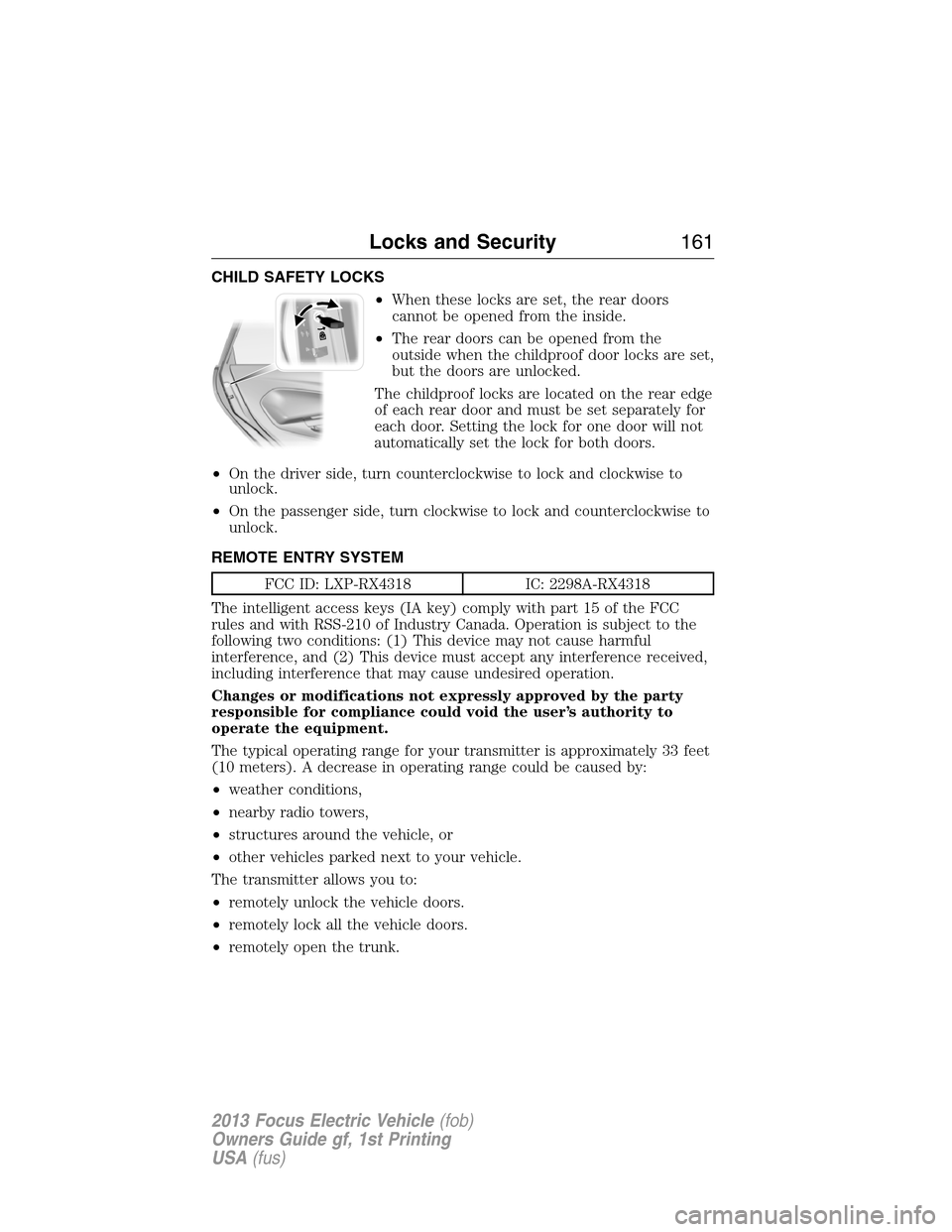
CHILD SAFETY LOCKS
•When these locks are set, the rear doors
cannot be opened from the inside.
•The rear doors can be opened from the
outside when the childproof door locks are set,
but the doors are unlocked.
The childproof locks are located on the rear edge
of each rear door and must be set separately for
each door. Setting the lock for one door will not
automatically set the lock for both doors.
•On the driver side, turn counterclockwise to lock and clockwise to
unlock.
•On the passenger side, turn clockwise to lock and counterclockwise to
unlock.
REMOTE ENTRY SYSTEM
FCC ID: LXP-RX4318 IC: 2298A-RX4318
The intelligent access keys (IA key) comply with part 15 of the FCC
rules and with RSS-210 of Industry Canada. Operation is subject to the
following two conditions: (1) This device may not cause harmful
interference, and (2) This device must accept any interference received,
including interference that may cause undesired operation.
Changes or modifications not expressly approved by the party
responsible for compliance could void the user’s authority to
operate the equipment.
The typical operating range for your transmitter is approximately 33 feet
(10 meters). A decrease in operating range could be caused by:
•weather conditions,
•nearby radio towers,
•structures around the vehicle, or
•other vehicles parked next to your vehicle.
The transmitter allows you to:
•remotely unlock the vehicle doors.
•remotely lock all the vehicle doors.
•remotely open the trunk.
Locks and Security161
2013 Focus Electric Vehicle(fob)
Owners Guide gf, 1st Printing
USA(fus)
Page 162 of 386
•arm and disarm the perimeter anti-theft system.
•activate the panic alarm.
•operate the illuminated entry feature.
•remotely start the vehicle.
The remote entry lock/unlock feature operates in any power mode
except when the vehicle is running and vehicle speed is more than
4 mph (7 km/h).
If there are problems with the remote entry system, make sure to take
ALL intelligent access keyswith you to the authorized dealer in order
to aid in troubleshooting the problem.
Intelligent access
The intelligent access system uses a radio frequency (RF) signal to
communicate with your vehicle and authorize your vehicle to unlock
when commanded (either by touching the inside of any exterior door
handle, the luggage compartment handle, or a button on the transmitter
itself). If excessive RF interference is present in the area, or if your
vehicle battery is low, it may be necessary to mechanically unlock your
door. The mechanical key blade in your IA key can be used to open the
driver’s door in this situation (refer toIntelligent access keyin this
chapter for more information on the location and use of the mechanical
key blade).
Your vehicle will allow you to unlock and enter your vehicle without
actively using a key or transmitter. You can use the intelligent access
feature at any door or at the liftgate. You can activate the intelligent
access feature as long as you have one of your IA keys within range of
the front doors or the liftgate.
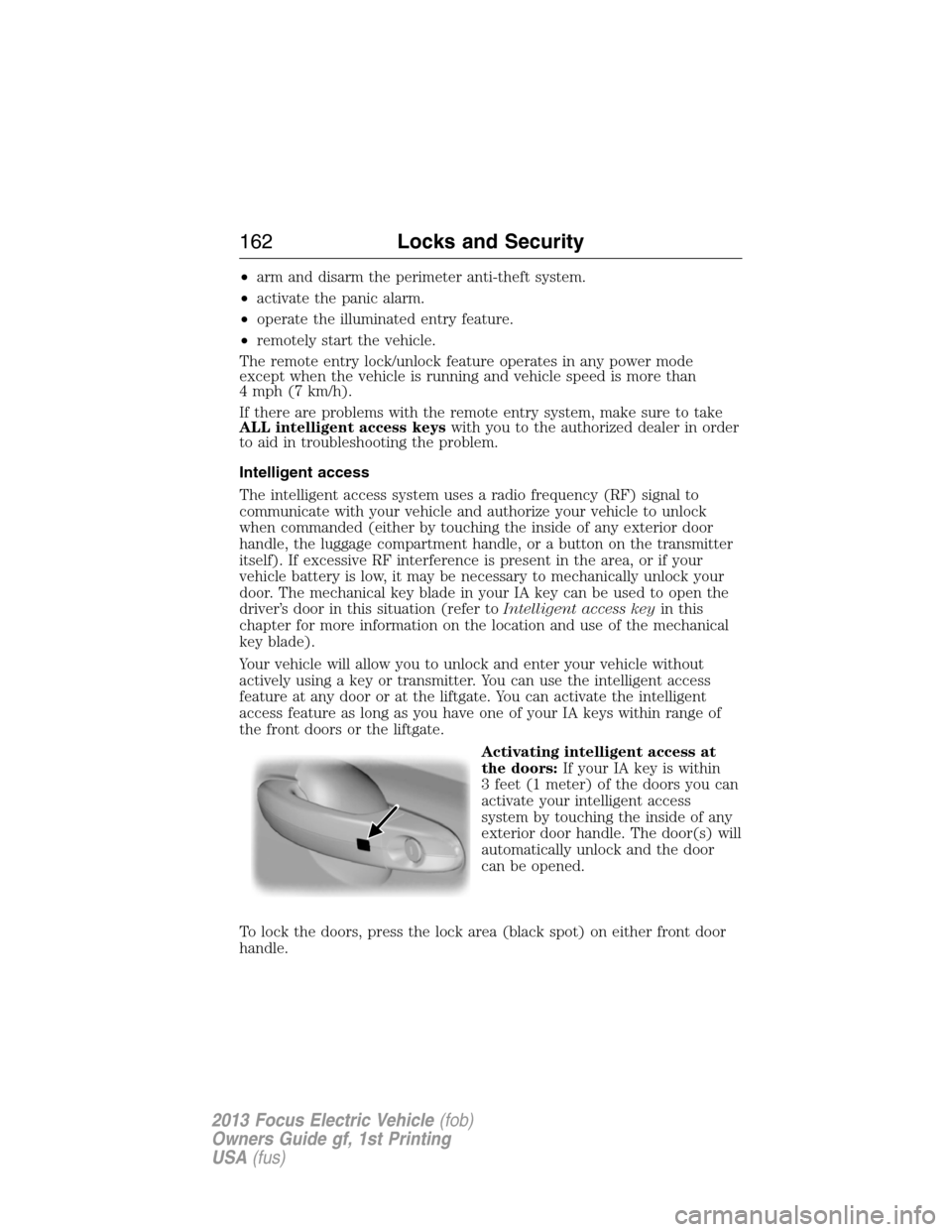
Activating intelligent access at
the doors:If your IA key is within
3 feet (1 meter) of the doors you can
activate your intelligent access
system by touching the inside of any
exterior door handle. The door(s) will
automatically unlock and the door
can be opened.
To lock the doors, press the lock area (black spot) on either front door
handle.
162Locks and Security
2013 Focus Electric Vehicle(fob)
Owners Guide gf, 1st Printing
USA(fus)
Page 163 of 386
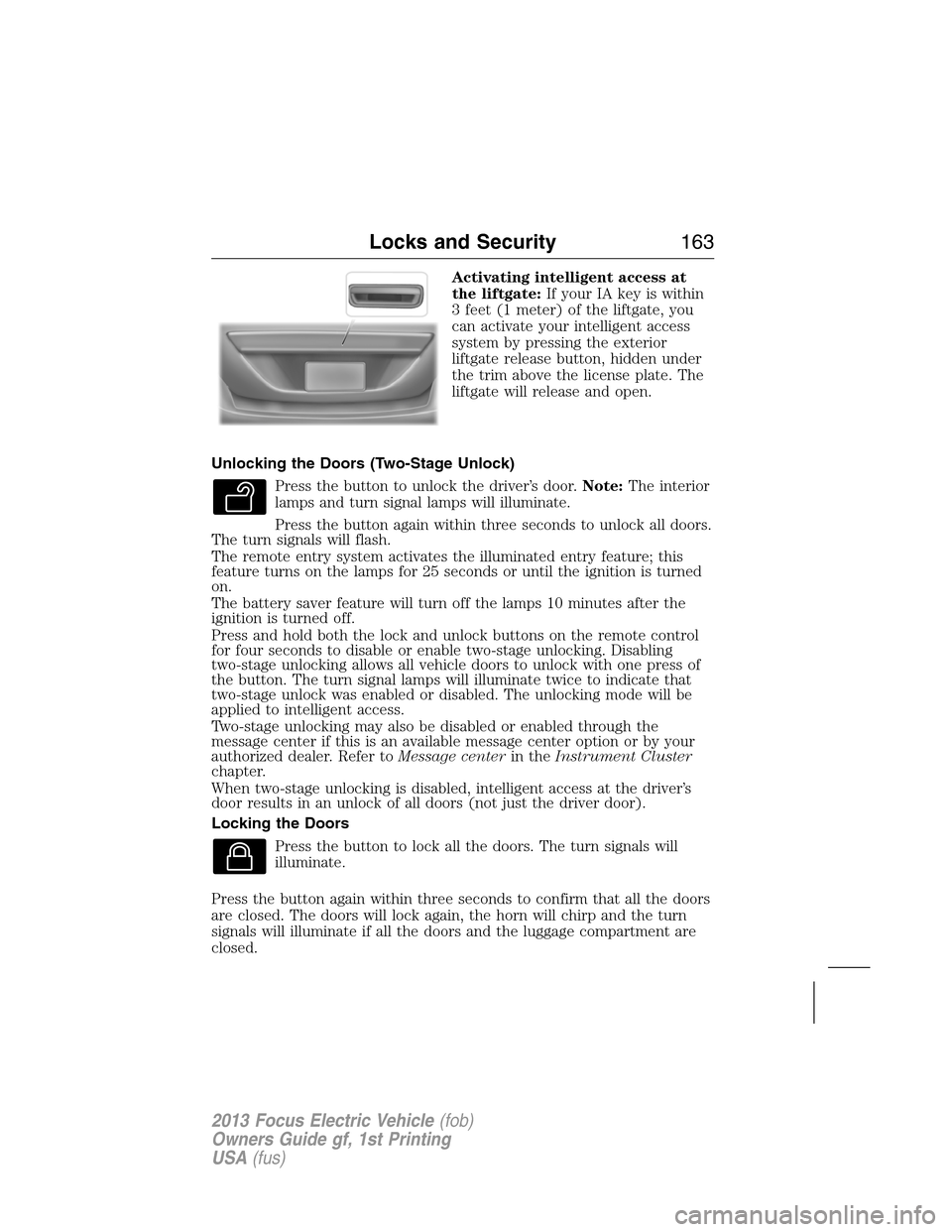
Activating intelligent access at
the liftgate:If your IA key is within
3 feet (1 meter) of the liftgate, you
can activate your intelligent access
system by pressing the exterior
liftgate release button, hidden under
the trim above the license plate. The
liftgate will release and open.
Unlocking the Doors (Two-Stage Unlock)
Press the button to unlock the driver’s door.Note:The interior
lamps and turn signal lamps will illuminate.
Press the button again within three seconds to unlock all doors.
The turn signals will flash.
The remote entry system activates the illuminated entry feature; this
feature turns on the lamps for 25 seconds or until the ignition is turned
on.
The battery saver feature will turn off the lamps 10 minutes after the
ignition is turned off.
Press and hold both the lock and unlock buttons on the remote control
for four seconds to disable or enable two-stage unlocking. Disabling
two-stage unlocking allows all vehicle doors to unlock with one press of
the button. The turn signal lamps will illuminate twice to indicate that
two-stage unlock was enabled or disabled. The unlocking mode will be
applied to intelligent access.
Two-stage unlocking may also be disabled or enabled through the
message center if this is an available message center option or by your
authorized dealer. Refer toMessage centerin theInstrument Cluster
chapter.
When two-stage unlocking is disabled, intelligent access at the driver’s
door results in an unlock of all doors (not just the driver door).
Locking the Doors
Press the button to lock all the doors. The turn signals will
illuminate.
Press the button again within three seconds to confirm that all the doors
are closed. The doors will lock again, the horn will chirp and the turn
signals will illuminate if all the doors and the luggage compartment are
closed.
Locks and Security163
2013 Focus Electric Vehicle(fob)
Owners Guide gf, 1st Printing
USA(fus)