Page 37 of 284
2
Multifunction screens
35
This displays the following information:
- time,
- date,
- ambient temperature
(this flashes if there isa risk of ice),
- state of the openings (doors, boot, etc.),
- trip computer (refer to the end of the section).
Warning messages or information messagesmay appear temporarily. These can be clearedby pressing the "Back"button.
Monochrome screen A (without audio equipment)
Controls
Main menu
There are three display control buttons: -"Back"
to abandon the operation inprogress,-
"MENU"to scroll through the menus or sub-menus,
- "OK"
to select the menu or sub-menu required.
)
Press the "MENU"
button to scroll through
the various menus of the main menu :
- vehicle configuration,
- options,
- display adjust,
- language,
- units.)
Press the "OK"button to select the menurequired.
Displays in the screen
Page 39 of 284
2
Multifunction screens
37
Monochrome screen A
Controls
Displa
ys in the screen
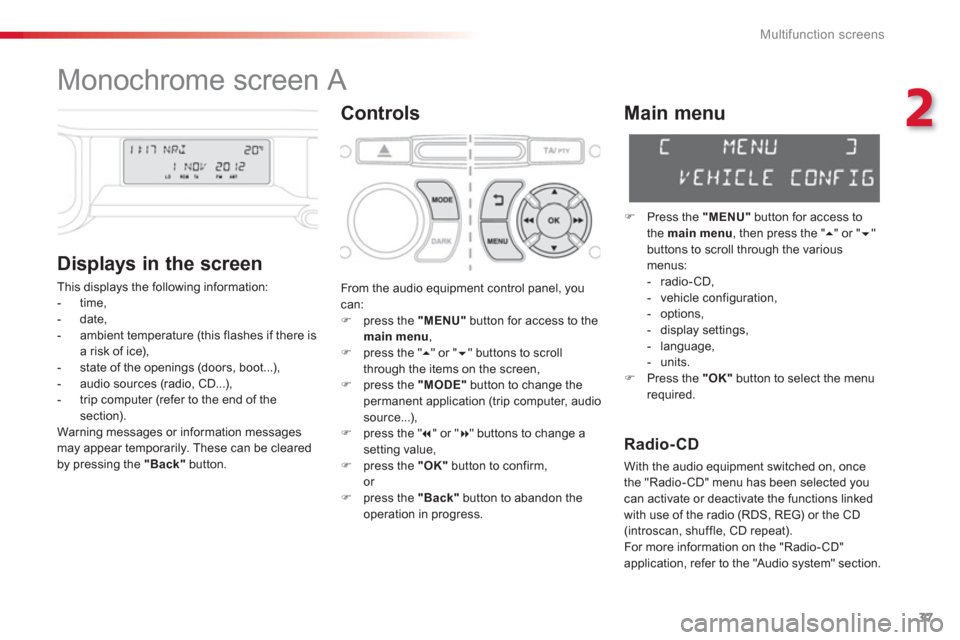
This displays the following information:
- time,
- date,
- ambient temperature
(this flashes if there isa risk of ice),
- state of the openings (doors, boot...),
- audio sources (radio, CD...),
- trip computer (refer to the end of the section).
Warning messages or information messagesmay appear temporarily. These can be cleared
by pressing the "Back"button.
Main menu
)
Press the "MENU"
button for access to
the main menu
, then press the " � " or "�"buttons to scroll through the variousmenus:
- radio-CD,
- vehicle configuration,
- options,
- displa
y settings,
- language,
- units.)
Press the "OK"button to select the menurequired.
From the audio equipment control panel, youcan: )
press the "MENU"
button for access to themain menu
, )
press the " �
" or " �" buttons to scroll
through the items on the screen, ) press the "MODE"
button to change the
permanent application (trip computer, audiosource...),) press the " � " or "� " buttons to change asetting value,)
press the "OK"button to confirm,or )
press the "Back"button to abandon the
operation in progress.
Radio-CD
With the audio equipment switched on, once
the "Radio-CD" menu has been selected youcan activate or deactivate the functions linkedwith use of the radio (RDS, REG) or the CD(introscan, shuffle, CD repeat).
For more information on the "Radio- CD"
application, refer to the "Audio s
ystem" section.
Page 43 of 284
2
Multifunction screens
41
Options
Once the "Options" menu has been selected, you can star t diagnostics of the status of the
equipment (active, not active, faulty).
Language
Once the "Languages" menu has been
selected, you can change the language used
by the display (Français, Italiano, Nederlands,
Portugues, Portugues-Brasil, Deutsch, English,
Espanol).
Units
Once the "Units" menu has been selected, you can change the units of the followingparameters:
- temperature (°C or °F),
- fuel consumption (l/10 0km, mpg or km/l).
The chosen language will also be usedby the eMyWay system colour screen.
For safety reasons, configuration of the multifunction screen by the driver mustonly be done when stationary.
Once the fuel consumption unit has been changed to mpg, the informationrelating to speed and distance also changes to miles.
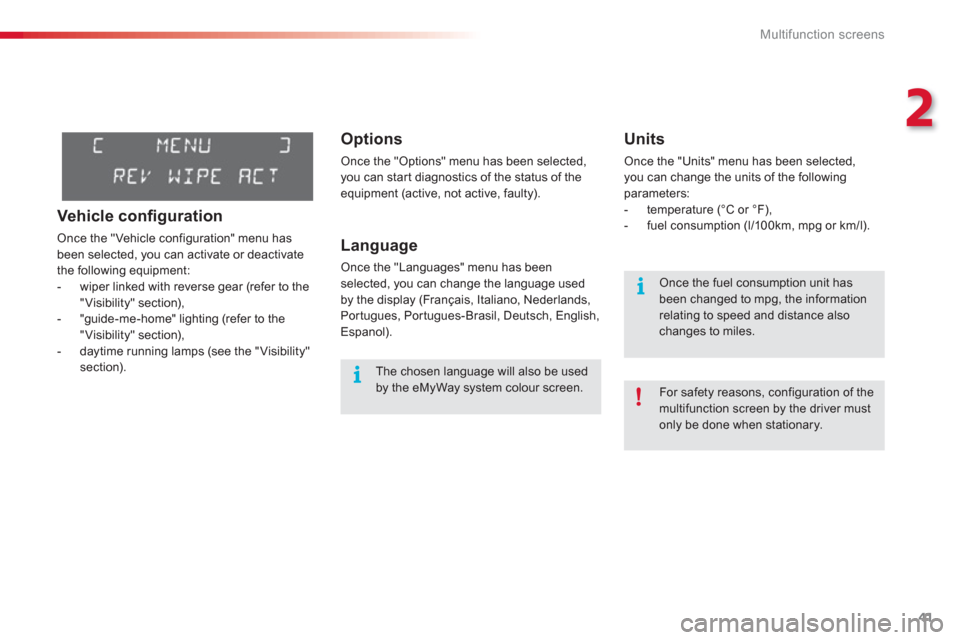
Vehicle confi guration
Once the "Vehicle configuration" menu has
been selected, you can activate or deactivate
the following equipment:
- wiper linked with reverse gear (refer to the
"Visibility" section),
- "guide-me-home" lighting (refer to the
"Visibility" section),
- daytime running lamps (see the "Visibility" section).
Page 44 of 284

Multifunction screens
42
Displays in the eMyWay
s
ystem colour screen
Display confi guration
This menu allows you to adjust the brightness
of the display, the display contrast and the colour of the map (day/night and auto mode), to
set the date and time, the date format, the time format... Set the date and time) Press the SETUP button.)
Select the "Date & Time" function and
press the dial to confirm.
) Select the "Set date & time" function and
press the dial to confirm.
Voice synthesis
This menu allows you to manage the voicesynthesis.
For more information, refer to the "Audio and
telematics" section.
Vehicle parameters
This menu allows you to activate or deactivatecertain systems. This displa
ys the following information:
- time,
- date,
- audio functions,
- navigation system information.
"SETUP" menu
Press the SETUP button to access the
"SETUP"
menu. It gives you access to thefollowing functions:
- Display configuration,
- Voice synthesis,
- Vehicle parameters,
- Tr i p c o m p u t e r.
For safety reasons, configuration of the multifunction screen by the driver mustonly be done when stationary.
Tr ip computer
This menu allows you to display trip computer
information.
)Adjust the settings using the directionalarrows one by one, confirming with the dial.)Select the "Date format" function and press
the dial to confirm. )Confirm the desired format with the dial. )Select the "Time format" function andpress the dial to confirm. )Confirm the desired format with the dial.
Page 45 of 284
2
Multifunction screens
43
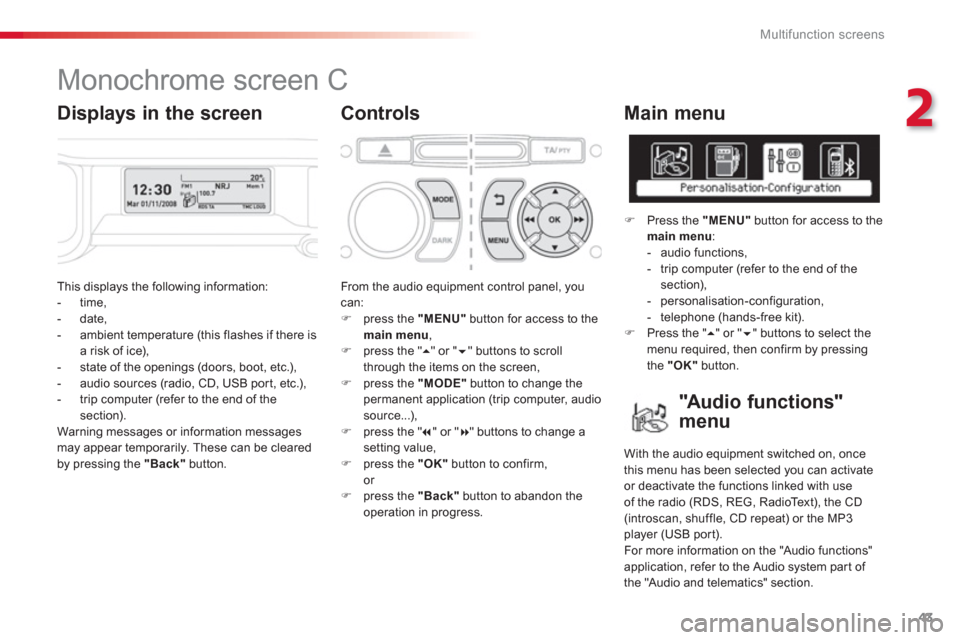
This displays the following information:
- time,
- date,
- ambient temperature (this flashes if there isa risk of ice),
- state of the openings (doors, boot, etc.),
- audio sources (radio, CD, USB port, etc.),
- trip computer (refer to the end of the section).
Warnin
g messages or information messagesmay appear temporarily. These can be clearedby pressing the "Back"button.
From the audio equipment control panel, youcan: )
press the "MENU"
button for access to themain menu
, )
press the " �
" or " �" buttons to scroll
through the items on the screen, ) press the "MODE"
button to change the
permanent application (trip computer, audiosource...),
) press the " � " or "� " buttons to change asetting value,)
press the "OK"button to confirm,
or ) press the "Back"button to abandon the
operation in progress.
Main menu
)
Press the "MENU"
button for access to themain menu
:
- audio functions,
- trip computer
(refer to the end of the section),
- personalisation-configuration,
- telephone (hands-free kit). )
Press the " � " or " � " buttons to select themenu required, then confirm by pressing
the "OK"
button.
Monochrome screen C
Controls
"Au d i o f u n c t i o n s"
menu
With the audio equipment switched on, once
this menu has been selected you can activate or deactivate the functions linked with useof the radio (RDS, REG, RadioText), the CD (introscan, shuffle, CD repeat) or the MP3
player (USB por t).
For more information on the "Audio functions"
application, refer to the Audio system part of
the "Audio and telematics" section.
Displays in the screen
Page 46 of 284

Multifunction screens
44
"Trip computer" menu
Alert log
This summarises the active warning messages,
displaying them in succession in the multifunction screen. Once this menu has been selected,
you canconsult information concerning the status of the
vehicle (alert log, status of functions, etc.)
Defi ne the vehicle parameters
Once this menu has been selected, you can
activate or deactivate the following equipment:
- wiper linked with reverse gear (refer to the
"Visibility" section),
- daytime running lamps, (refer to the
"Visibility" section),
- guide-me-home lighting
"Personalisation-
Confi
guration" menu
Once this menu has been selected, you can gain access to the following functions:
- define the vehicle parameters,
- display configuration,
- choice of language. Status of functions
This summarises the status (active or inactive)of the vehicle's functions.
Enter distance to destination
This allows you to enter an approximate
distance until your final destination.
)
Press the "MENU"button for access to the
main menu. ) Press the arrows, then the "OK"
button toselect the " Trip computer
" menu.
)
In the "Trip computer" menu, select one of
the following applications:
Page 47 of 284

2
Multifunction screens
45
Display confi guration
Once this menu has been selected, you can
gain access to the following settings:
- brightness-video setting,
- date and time setting,
- selection of the units.
Example: setting of the duration of the guide-me-home lighting
)Press the " � " or " � " buttons, then
the "OK"
button to select the menu required.
)Press the " �
" or " �
" buttons, then
the "OK"
button to select the "Guide-me-home headlamps" line.
)
Press the " �" or " �" buttons to set the
value required (15, 30 or 60 seconds), then
press the "OK"button to confirm.
) Press the "
�" or "�" buttons, then
the "OK"button to select the "OK"
box
and confirm or press the "Back" button tocancel.
Once the fuel consumption unit has been changed to mpg, the informationrelating to speed and distance also changes to miles.
Ad
just the date and time) Select the "Date and time adjustment"
function using the " �
" or "�
" button.)
Press the "OK"button to confirm the selection. )
Adjust the settings one by one usingthe " � " or " �
" button then confirm with
the "OK"
button. )
Then select the "OK"box in the screenand then confirm.
Page 49 of 284
2
Multifunction screens
47
Tr i p c o m p u t e r
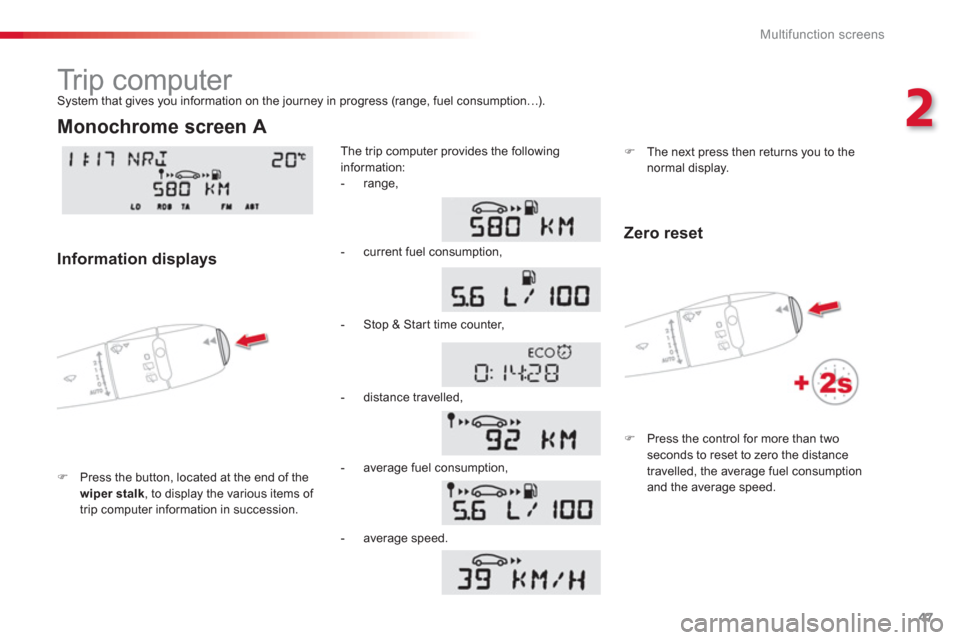
)Press the button, located at the end of the
wiper stalk, to display the various items of
trip computer information in succession.The trip computer provides the
following
information:
S
ystem that gives you information on the journey in progress (range, fuel consumption…).
Monochrome screen A
Information displays
- range,
- current
fuel consumption,
-
Stop & Start time counter,
- distance travelled,
- avera
ge fuel consumption,
)
The next press then returns you to thenormal display.
- average speed.
Zero reset
)
Press the control for more than twoseconds to reset to zero the distancetravelled, the average fuel consumption
and the average speed.