Page 613 of 860
613
3-8. Other interior features
3
Interior features
SIENNA_U (OM45477U)
■
Programming an entry gate (f or U.S.A. owners)/Programming
all devices in the Canadian market
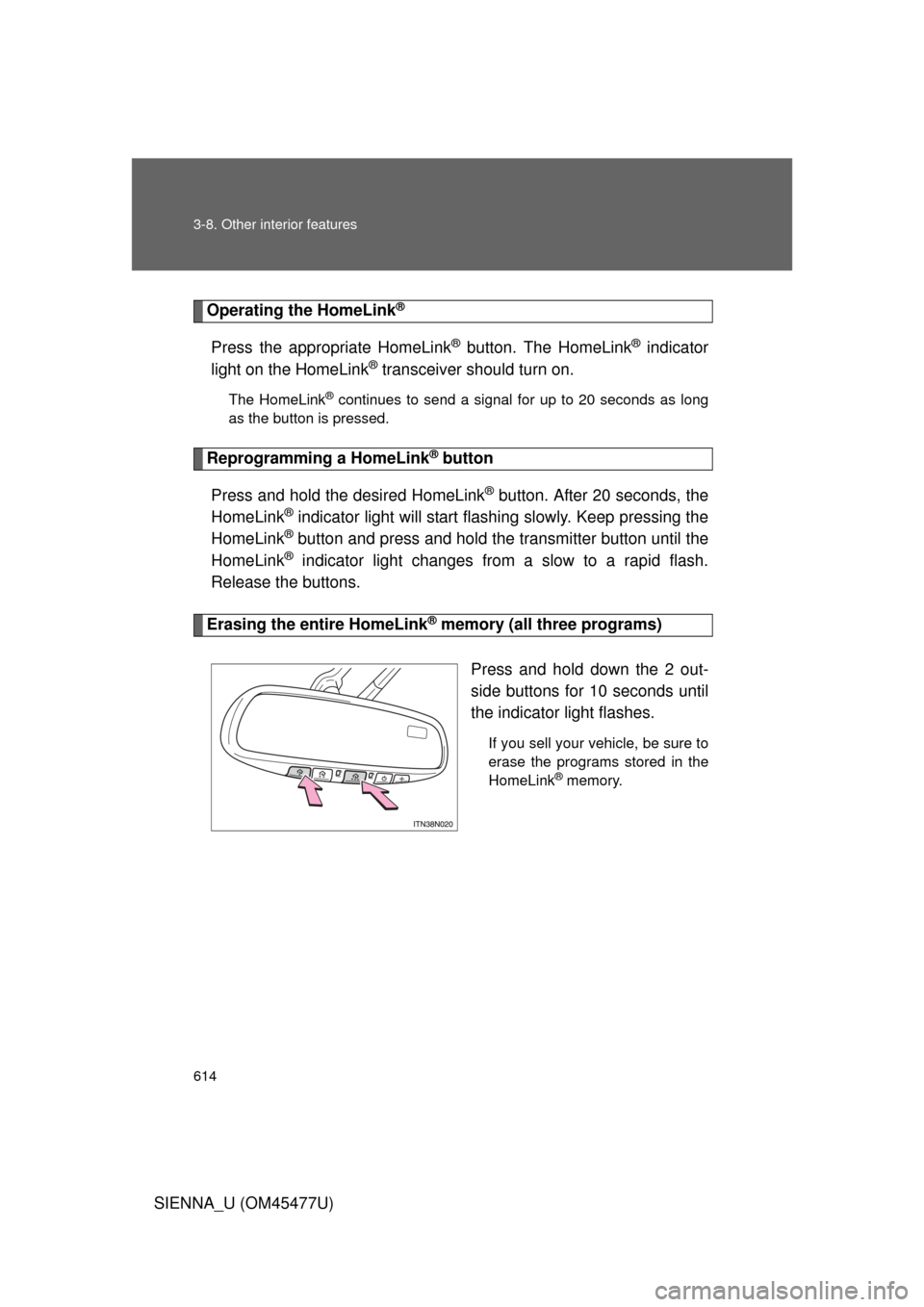
Place your transmitter 1 to 3 in. (25 to 75 mm) away from the
surface of the HomeLink
®.
Keep the indicator light on the HomeLink® in view while programming.
Press and hold the selected HomeLink® button.
Repeatedly press and releas e (cycle) the device’s remote
control button for two seconds each until step 4 is complete.
When the indicator light on the HomeLink
® compatible trans-
ceiver starts to flashing ra pidly, release the buttons.
Test the operation of the HomeLink
® by pressing the newly
programmed button. Check to see if the gate/device operates
correctly.
Repeat the steps above to program another device for each of
the remaining HomeLink
® buttons.
■ Programming other devices
To program other devices such as home security systems, home
door locks or lighting, contact your authorized Toyota dealer for
assistance.
■ Reprogramming a button
The individual HomeLink
® buttons cannot be erased but can be
reprogrammed. To reprogram a button, follow the programming
instructions.
STEP1
STEP2
STEP3
STEP4
STEP5
STEP6
Page 614 of 860
614 3-8. Other interior features
SIENNA_U (OM45477U)
Operating the HomeLink®
Press the appropriate HomeLink® button. The HomeLink® indicator
light on the HomeLink
® transceiver should turn on.
The HomeLink® continues to send a signal for up to 20 seconds as long
as the button is pressed.
Reprogramming a HomeLink® button
Press and hold the desired HomeLink
® button. After 20 seconds, the
HomeLink
® indicator light will start flas hing slowly. Keep pressing the
HomeLink
® button and press and hold the transmitter button until the
HomeLink
® indicator light changes from a slow to a rapid flash.
Release the buttons.
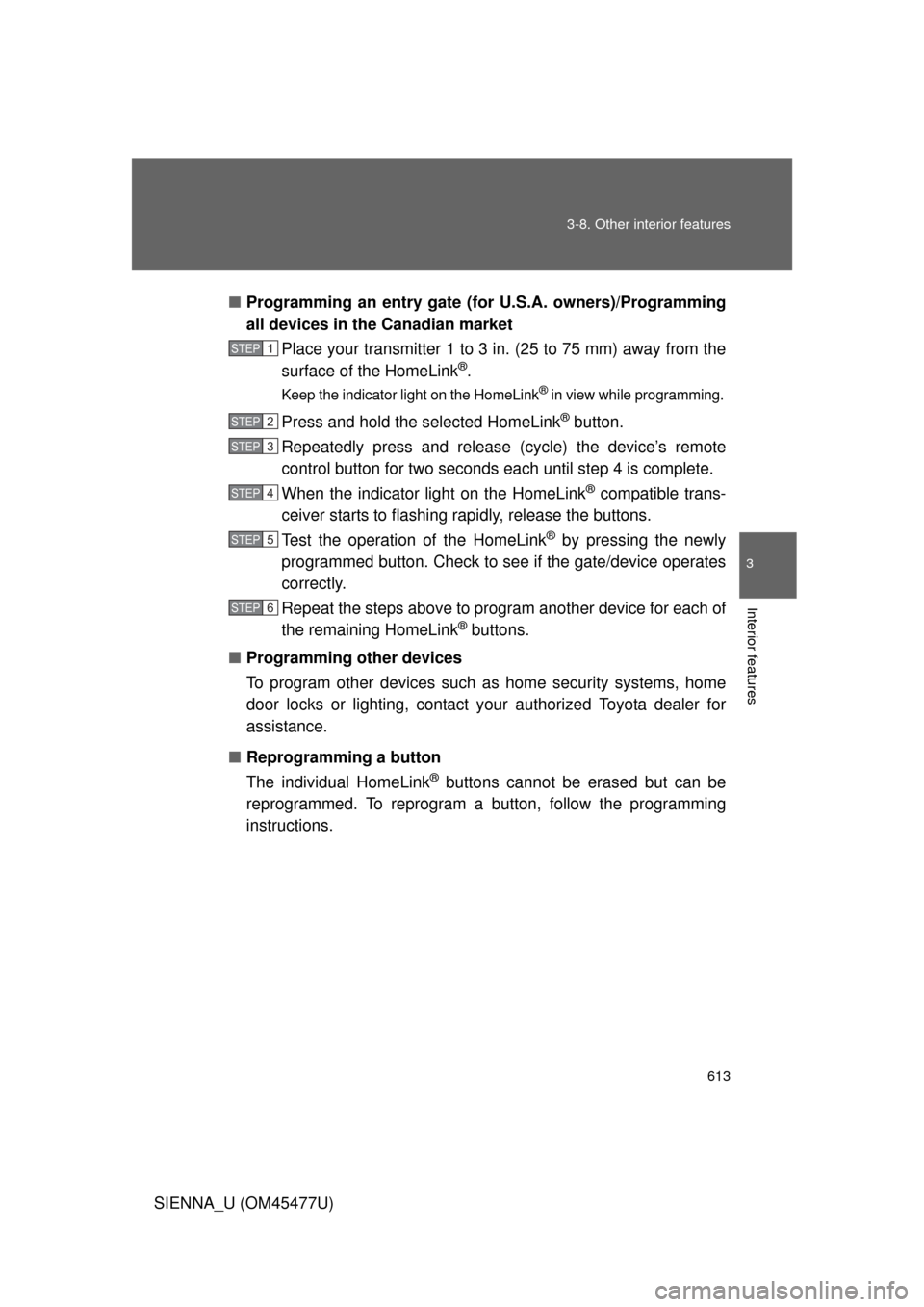
Erasing the entire HomeLink® memory (all three programs)
Press and hold down the 2 out-
side buttons for 10 seconds until
the indicator light flashes.
If you sell your vehicle, be sure to
erase the programs stored in the
HomeLink
® memory.
Page 625 of 860
625
3-8. Other interior features
3
Interior features
SIENNA_U (OM45477U)
Safety Connect LE
D light Indicators
When the engine switch is turned to the “ON” position (vehicles with-
out a smart key system) or the “ENGINE START STOP” switch is
turned to IGNITION ON mode (vehicl es with a smart key system), the
red indicator light comes on for 2 seconds then turns off. Afterward,
the green indicator light comes on, indicating that the service is
active.
The following indicator light patter ns indicate specific system usage
conditions:
● Green indicator light on = Active service
● Green indicator light flashing = Safety Connect call in process
● Red indicator light (except at v ehicle start-up) = System malfunc-
tion (contact your Toyota dealer)
● No indicator light (off) = Safety Connect service not active
Safety Connect services
■ Automatic Collision Notification
In case of either airbag deployment or severe rear-end collision,
the system is design ed to automatically call the response center.
The responding agent receives th e vehicle’s location and attempts
to speak with the vehicle occupant s to assess the level of emer-
gency. If the occupants are unable to communicate, the agent
automatically treats the call as an emergency, contacts the nearest
emergency services provider to describe the situation, and
requests that assistance be sent to the location.
Page 640 of 860
640 4-2. Maintenance
SIENNA_U (OM45477U)
■Allow inspection and repairs to be performed by a Toyota dealer
● Toyota technicians are well-trained specialists and are kept up to date
with the latest service information. They are well informed about the
operations of all systems on your vehicle.
● Keep a copy of the repair order. It proves that the maintenance that has
been performed is under warranty coverage. If any problem should arise
while your vehicle is under warranty, your Toyota dealer will promptly
take care of it.
■ Reset the maintenance data (U.S.A. only)
After the required maintenance is preformed according to the maintenance
schedule, please reset the maintenance data.
To reset the data, follow the procedures described below:
Vehicles without a smart key system
Switch the display to the trip meter A ( P. 244) and then turn the
engine switch off.
Vehicles with a smart key system
Switch the display to the trip meter A ( P. 244) and then turn the
“ENGINE START STOP” switch off.
Vehicles without a smart key system
While pressing the trip meter reset button ( P. 244), turn the
engine switch to the “ON” position.
Vehicles with a smart key system
While pressing the trip meter reset button ( P. 244), turn the
“ENGINE START STOP” switch to IGNITION ON mode.
Vehicles without a multi-information display
Continue to press and hold the button until the trip meter A displays
“000000”.
Vehicles with a multi-information display
Continue to press and hold the button until “COMPLETE” appears
on the multi-information display.
STEP1
STEP2
STEP3
Page 649 of 860
649
4-3. Do-it-yourself maintenance
4
Maintenance and care
SIENNA_U (OM45477U)
CAUTION
The engine compartment contains many mechanisms and fluids that may
move suddenly, become hot, or become electrically energized. To avoid death
or serious injury, observe the following precautions:
■
When working on the engine compartment:
● Keep hands, clothing and tools away from the moving fan and engine
drive belt.
● Be careful not to touch the engine, radiator, exhaust manifold, etc. right
after driving as they may be hot. Oil and other fluids may also be hot.
● Do not leave anything that may burn easily, such as paper and rags, in the
engine compartment.
● Do not smoke, cause sparks or expose an open flame to fuel or the bat-
tery. Fuel and battery fumes are flammable.
● Be extremely cautious when working on the battery. It contains poisonous
and corrosive sulfuric acid.
■ When working near the electric c ooling fans or radiator grille
Vehicles without a smart key system: Be sure the engine switch is off. With
the engine switch in the “ON” position, the electric cooling fans may auto-
matically start to run if the air conditioning is on and/or the coolant tempera-
ture is high. ( P. 664)
Vehicles with a smart key system: Be sure the “ENGINE START STOP”
switch is off. With the “ENGINE START STOP” switch in IGNITION ON
mode, the electric cooling fans may automatically start to run if the air condi-
tioning is on and/or the coolant temperature is high. ( P. 664)
Page 654 of 860
654 4-3. Do-it-yourself maintenance
SIENNA_U (OM45477U)
CAUTION
■When raising your vehicle
Make sure to observe the following precautions to reduce the possibility of
death or serious injury:
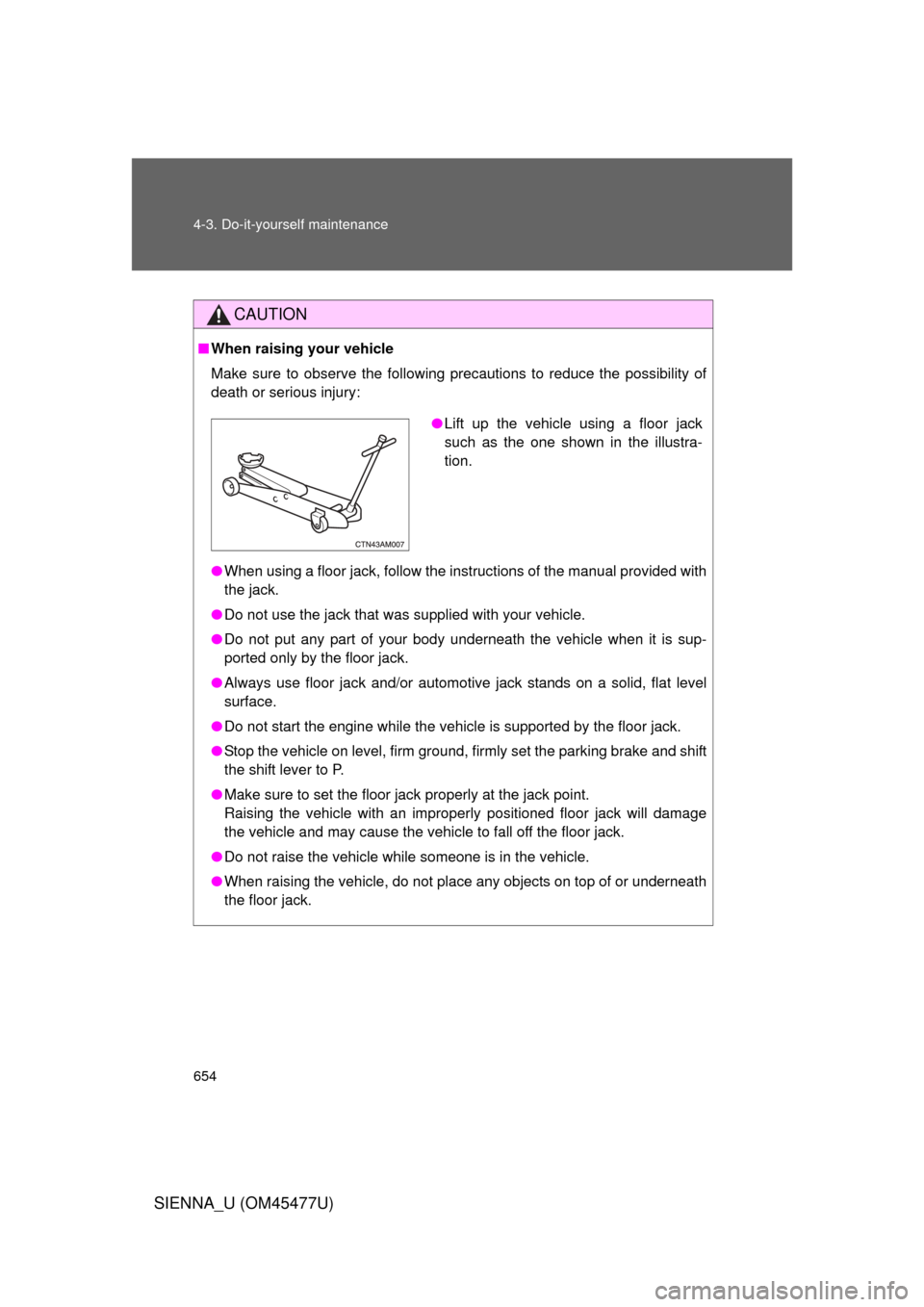
● When using a floor jack, follow the instructions of the manual provided with
the jack.
● Do not use the jack that was supplied with your vehicle.
● Do not put any part of your body underneath the vehicle when it is sup-
ported only by the floor jack.
● Always use floor jack and/or automotive jack stands on a solid, flat level
surface.
● Do not start the engine while the vehicle is supported by the floor jack.
● Stop the vehicle on level, firm ground, firmly set the parking brake and shift
the shift lever to P.
● Make sure to set the floor jack properly at the jack point.
Raising the vehicle with an improperly positioned floor jack will damage
the vehicle and may cause the vehicle to fall off the floor jack.
● Do not raise the vehicle while someone is in the vehicle.
● When raising the vehicle, do not place any objects on top of or underneath
the floor jack.
●Lift up the vehicle using a floor jack
such as the one shown in the illustra-
tion.
Page 664 of 860
664 4-3. Do-it-yourself maintenance
SIENNA_U (OM45477U)
Radiator and condenserCheck the radiator and condenser and clear away any foreign
objects.
If either of the above parts is extr emely dirty or you are not sure of
their condition, have your vehicle inspected by your Toyota dealer.
CAUTION
■When the engine is hot
Do not touch the radiator or condenser as they may be hot and cause seri-
ous injuries, such as burns.
■ When the electric cooling fan is operating
Do not touch the engine compartment.
Vehicles without a smart key system: With the engine switch in the “ON”
position, the electric cooling fans may automatically start to run if the air con-
ditioning is on and/or the coolant temperature is high. Be sure the engine
switch is in the “LOCK” position when working near the electric cooling fan or
radiator grille.
Vehicles with a smart key system: With the “ENGINE START STOP” switch
in IGNITION ON mode, the electric cooling fans may automatically start to
run if the air conditioning is on and/or the coolant temperature is high. Be
sure the “ENGINE START STOP” switch is OFF when working near the elec-
tric cooling fans or radiator grille.
Page 668 of 860
668 4-3. Do-it-yourself maintenance
SIENNA_U (OM45477U)
■After recharging/reconnecting the battery (vehicles with a smart key
system)
● Unlocking the doors using the smart key system may not be possible
immediately after reconnecting the battery. If this happens, use the wire-
less remote control or the mechanical key to lock/unlock the doors.
● Start the engine with the “ENGINE START STOP” switch in ACCES-
SORY mode. The engine may not start with the “ENGINE START STOP”
switch turned OFF. However, the engine will operate normally from the
second attempt.
● The “ENGINE START STOP” switch mode is recorded by the vehicle. If
the battery is reconnected, the vehicle will return the “ENGINE START
STOP” switch mode to the status it was in before the battery was discon-
nected. Make sure to turn off the power before disconnecting the battery.
Take extra care when connecting the battery if the “ENGINE START
STOP” switch mode prior to discharge is unknown.
If the system will not start even after multiple attempts, contact your Toyota
dealer.
■ Disconnecting the battery (vehic les with an AUTO ACCESS SEAT)
Do not disconnect the battery while operating the AUTO ACCESS SEAT.
The AUTO ACCESS SEAT will become inoperable.
For details, refer to “AUTO ACCESS SEAT OWNER’S MANUAL”.