Page 494 of 860
494 3-4. Using the rear audio system
SIENNA_U (OM45477U)
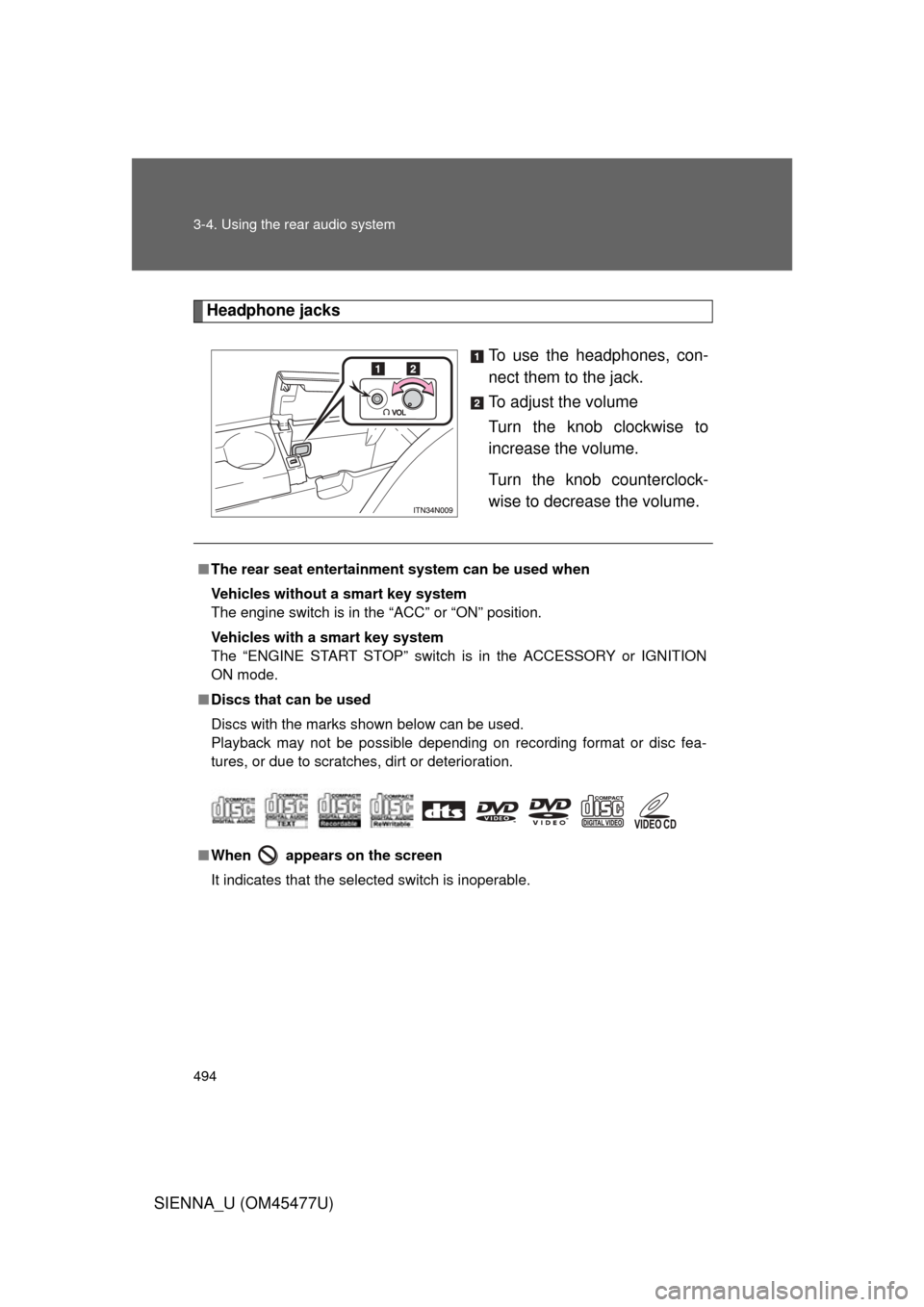
Headphone jacksTo use the headphones, con-
nect them to the jack.
To adjust the volume
Turn the knob clockwise to
increase the volume.
Turn the knob counterclock-
wise to decrease the volume.
■The rear seat entertainmen t system can be used when
Vehicles without a smart key system
The engine switch is in the “ACC” or “ON” position.
Vehicles with a smart key system
The “ENGINE START STOP” switch is in the ACCESSORY or IGNITION
ON mode.
■ Discs that can be used
Discs with the marks shown below can be used.
Playback may not be possible depending on recording format or disc fea-
tures, or due to scratches, dirt or deterioration.
■ When appears on the screen
It indicates that the selected switch is inoperable.
Page 501 of 860
501
3-4. Using the rear audio system
3
Interior features
SIENNA_U (OM45477U)
NOTICE
■
Cleaning the display
Wipe the display with a dry soft cloth.
If the screen is wiped with a rough cloth, the surface of the screen may be
scratched.
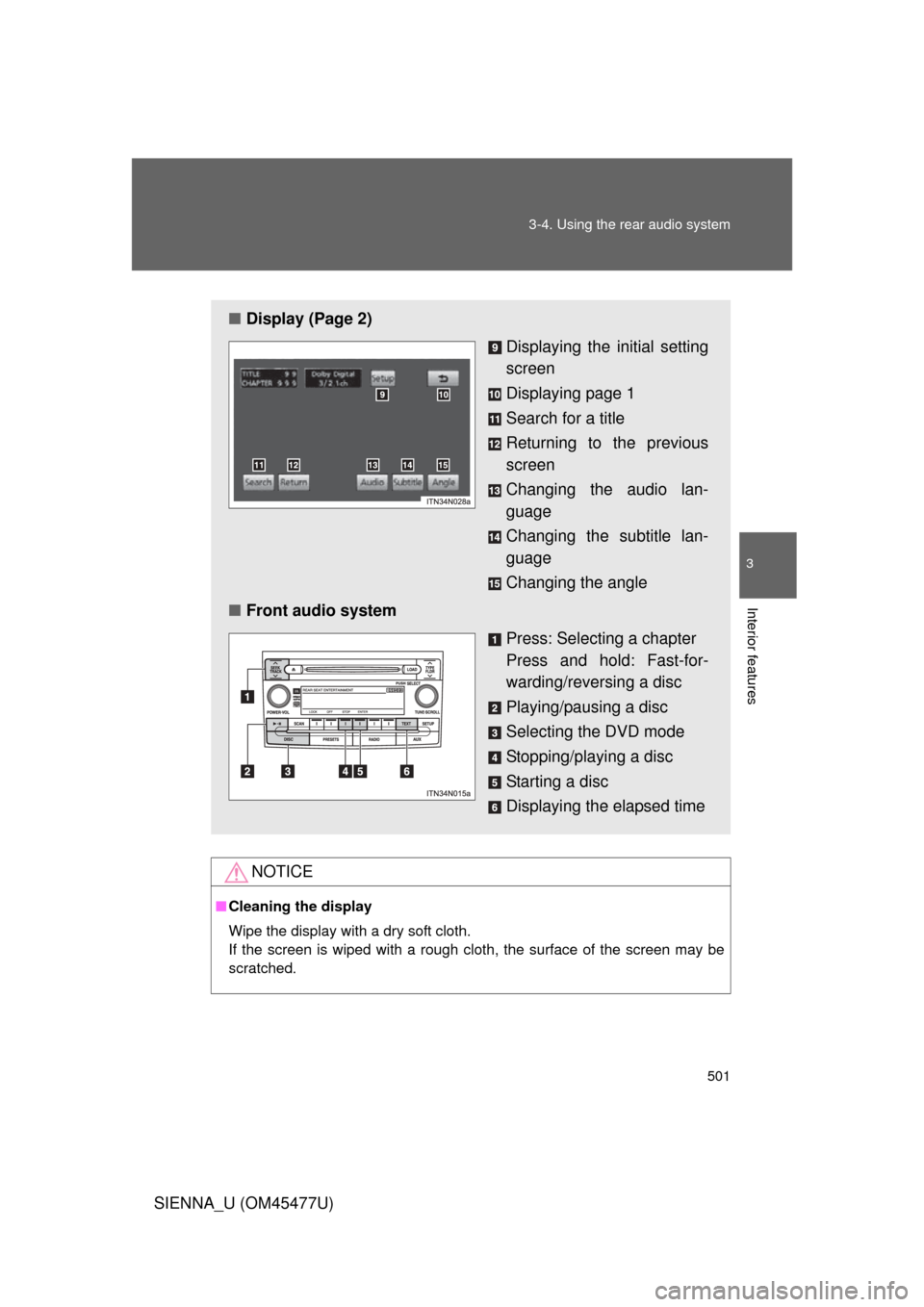
■ Display (Page 2)
Displaying the initial setting
screen
Displaying page 1
Search for a title
Returning to the previous
screen
Changing the audio lan-
guage
Changing the subtitle lan-
guage
Changing the angle
■ Front audio system
Press: Selecting a chapter
Press and hold: Fast-for-
warding/reversing a disc
Playing/pausing a disc
Selecting the DVD mode
Stopping/playing a disc
Starting a disc
Displaying the elapsed time
Page 510 of 860
510 3-4. Using the rear audio system
SIENNA_U (OM45477U)
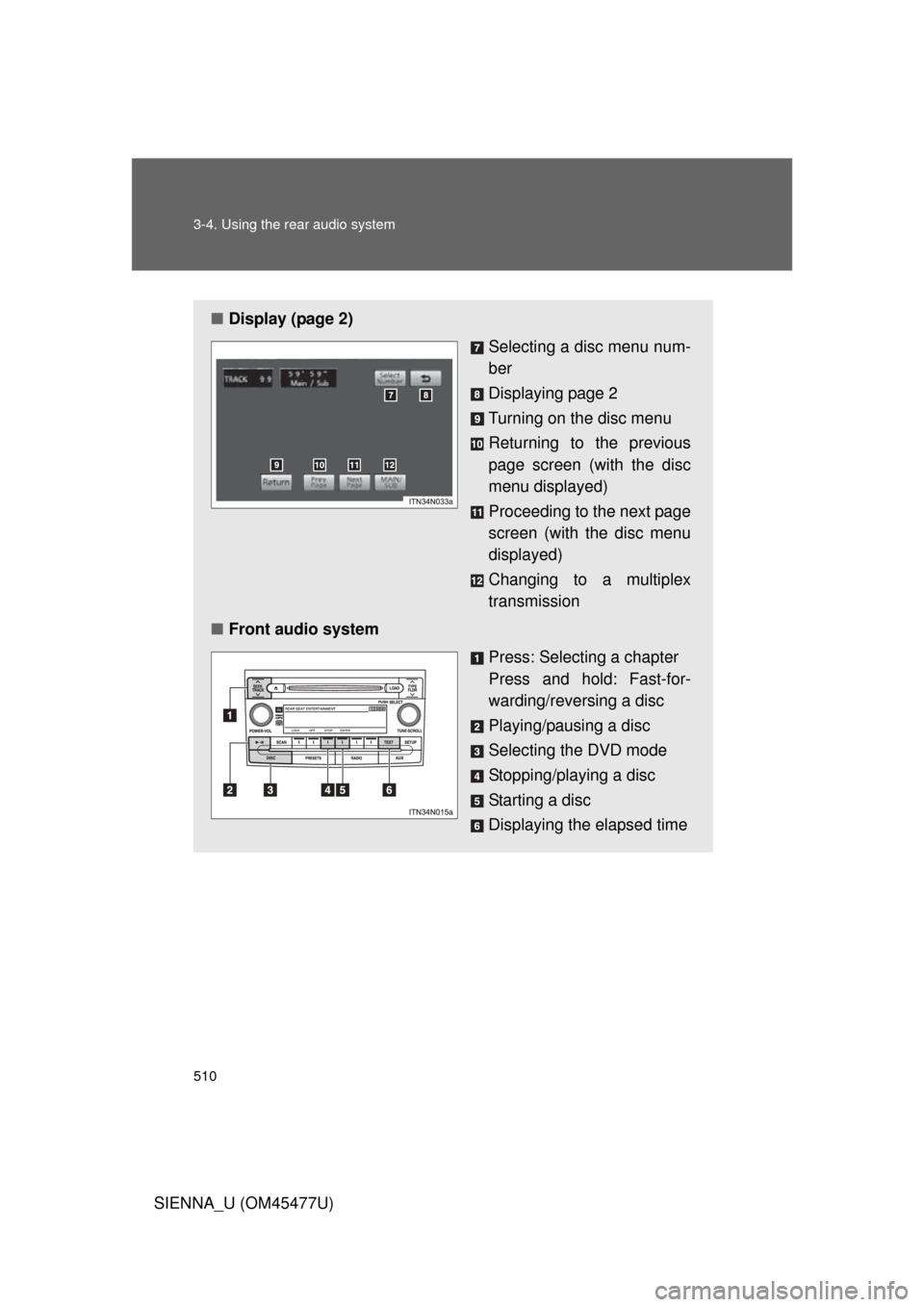
■Display (page 2)
Selecting a disc menu num-
ber
Displaying page 2
Turning on the disc menu
Returning to the previous
page screen (with the disc
menu displayed)
Proceeding to the next page
screen (with the disc menu
displayed)
Changing to a multiplex
transmission
■ Front audio system
Press: Selecting a chapter
Press and hold: Fast-for-
warding/reversing a disc
Playing/pausing a disc
Selecting the DVD mode
Stopping/playing a disc
Starting a disc
Displaying the elapsed time
Page 571 of 860
571
3-6. Using the interior lights
3
Interior features
SIENNA_U (OM45477U)
■
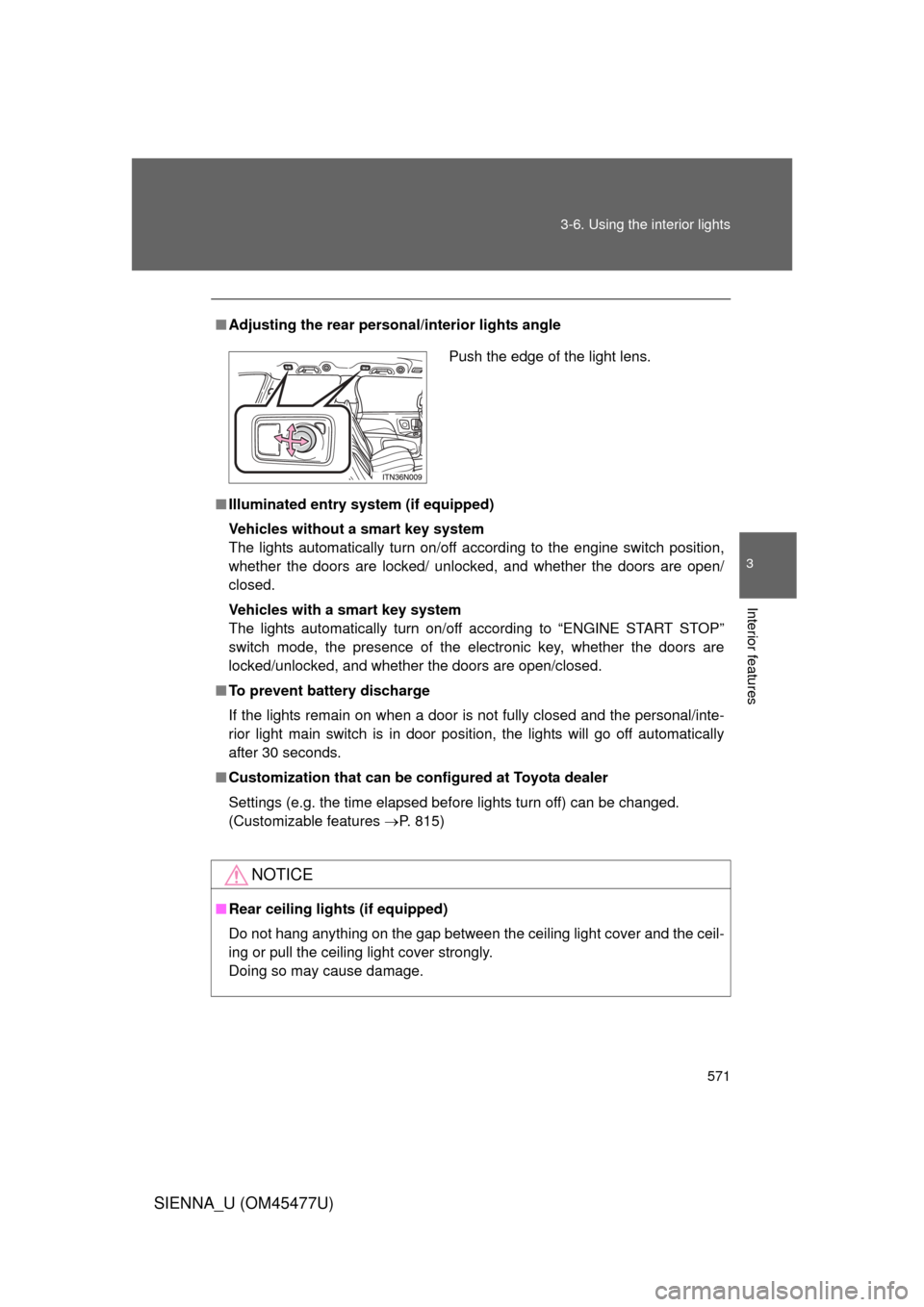
Adjusting the rear person al/interior lights angle
■ Illuminated entry system (if equipped)
Vehicles without a smart key system
The lights automatically turn on/off according to the engine switch position,
whether the doors are locked/ unlocked, and whether the doors are open/
closed.
Vehicles with a smart key system
The lights automatically turn on/off according to “ENGINE START STOP”
switch mode, the presence of the electronic key, whether the doors are
locked/unlocked, and whether the doors are open/closed.
■ To prevent battery discharge
If the lights remain on when a door is not fully closed and the personal/inte-
rior light main switch is in door position, the lights will go off automatically
after 30 seconds.
■ Customization that can be co nfigured at Toyota dealer
Settings (e.g. the time elapsed before lights turn off) can be changed.
(Customizable features P. 815)
NOTICE
■Rear ceiling lights (if equipped)
Do not hang anything on the gap between the ceiling light cover and the ceil-
ing or pull the ceiling light cover strongly.
Doing so may cause damage.
Push the edge of the light lens.
Page 592 of 860
592
3-8. Other interior features
SIENNA_U (OM45477U)
Clock
: If equipped
■The clock is displayed when
Vehicles without a smart key system
The engine switch is in the “ACC” or “ON” position.
Vehicles with a smart key system
The “ENGINE START STOP” switch is in ACCESSORY or IGNITION ON
mode.
■ When disconnecting and reco nnecting battery terminals
The time display will automatically be set to 1:00.
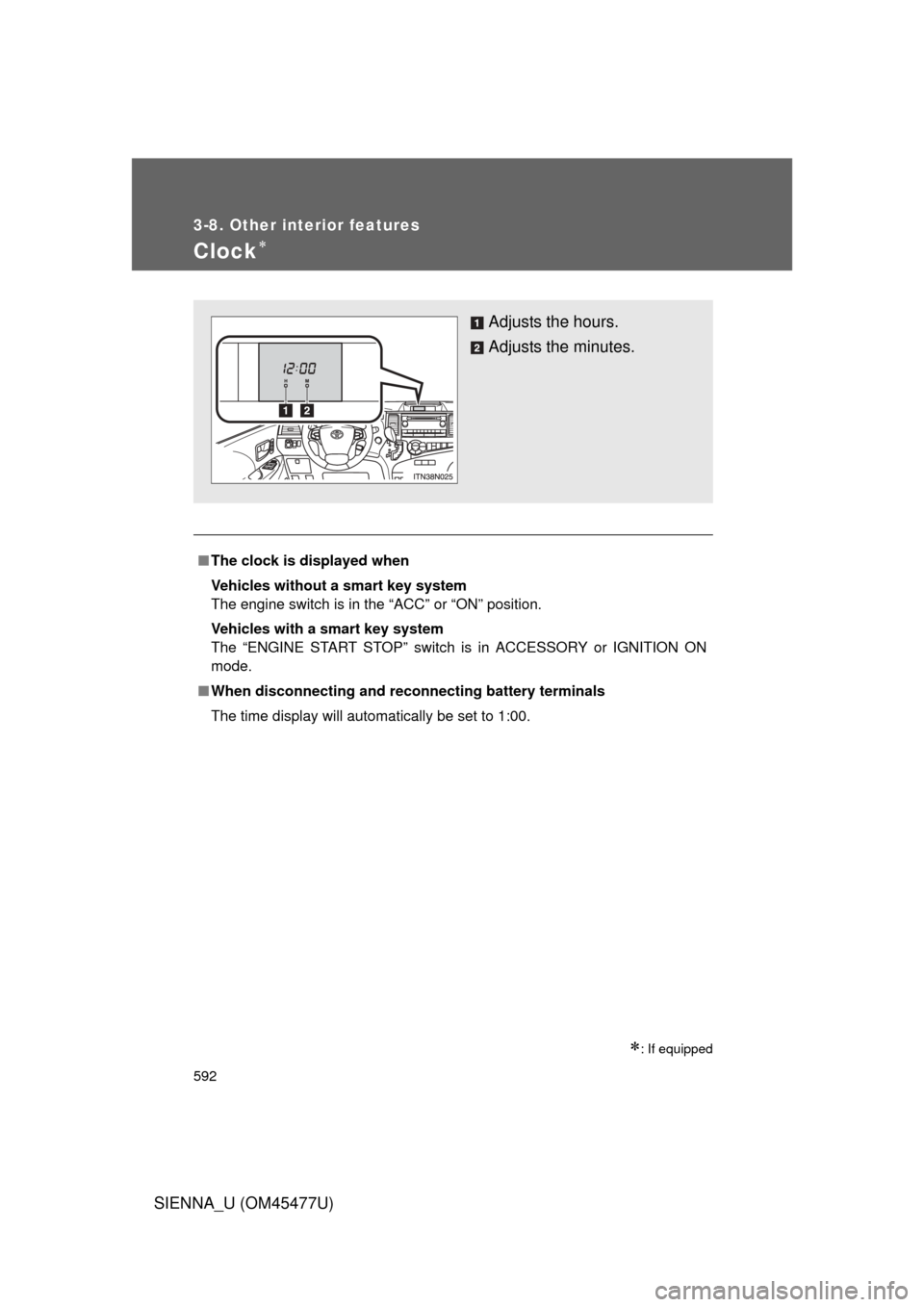
Adjusts the hours.
Adjusts the minutes.
Page 596 of 860
596 3-8. Other interior features
SIENNA_U (OM45477U)
■The power outlet can be used when
Vehicles without a smart key system
12 V: The engine switch is in the “ACC” or “ON” position.
120 V AC: The engine switch is in the “ON” position.
Vehicles with a smart key system
12 V: The “ENGINE START STOP” switch is in ACCESSORY or IGNITION
ON mode.
120 V AC: The “ENGINE START STOP” switch is in IGNITION ON mode.
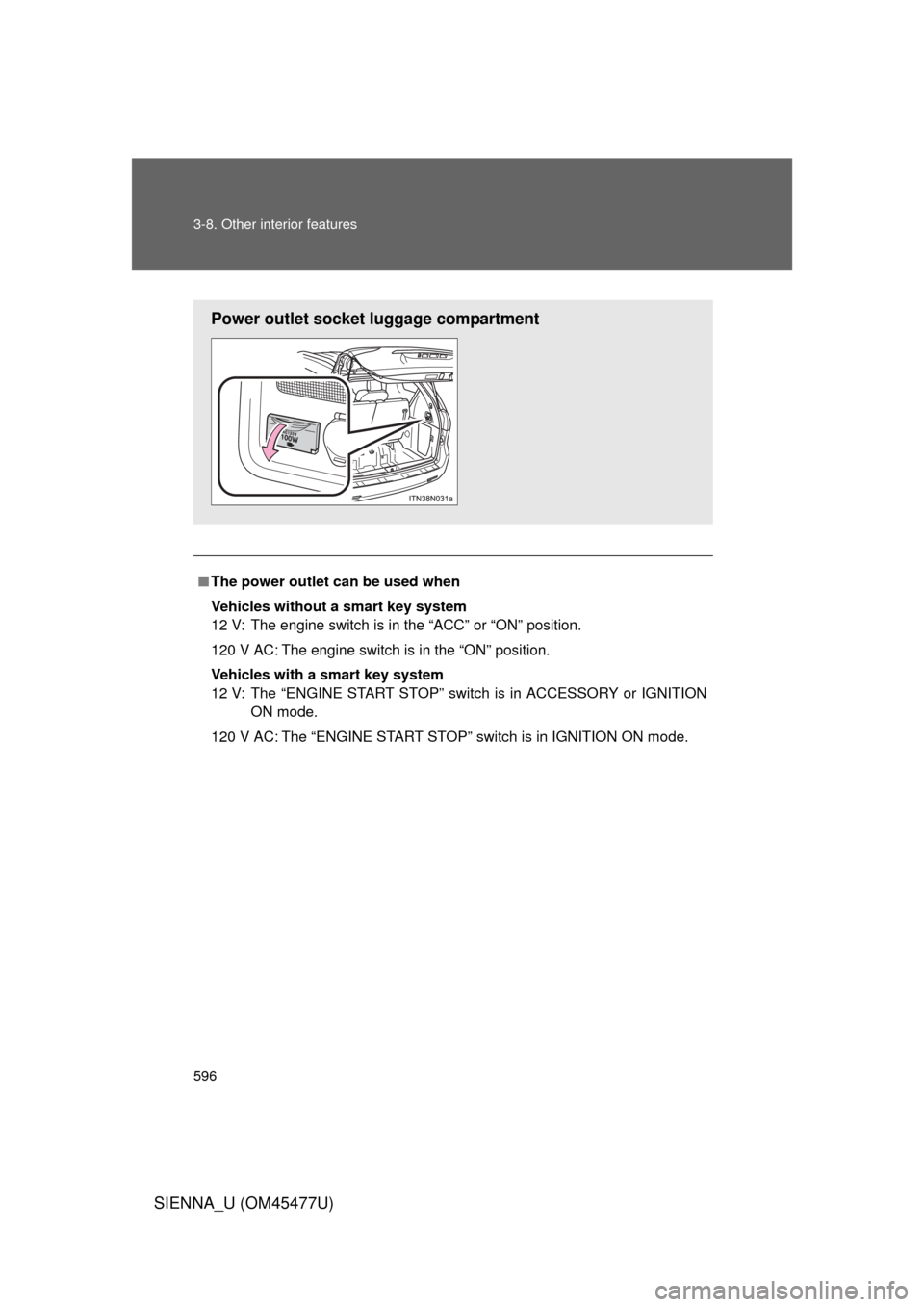
Power outlet socket luggage compartment
Page 598 of 860
598
3-8. Other interior features
SIENNA_U (OM45477U)
Seat heaters
: If equipped
■The seat heaters can be used when
Vehicles without a smart key system
The engine switch is in the “ON” position.
Vehicles with a smart key system
The “ENGINE START STOP” switch is in IGNITION ON mode.
■ When not in use
Move the dial fully downward. The indicator light turns off.
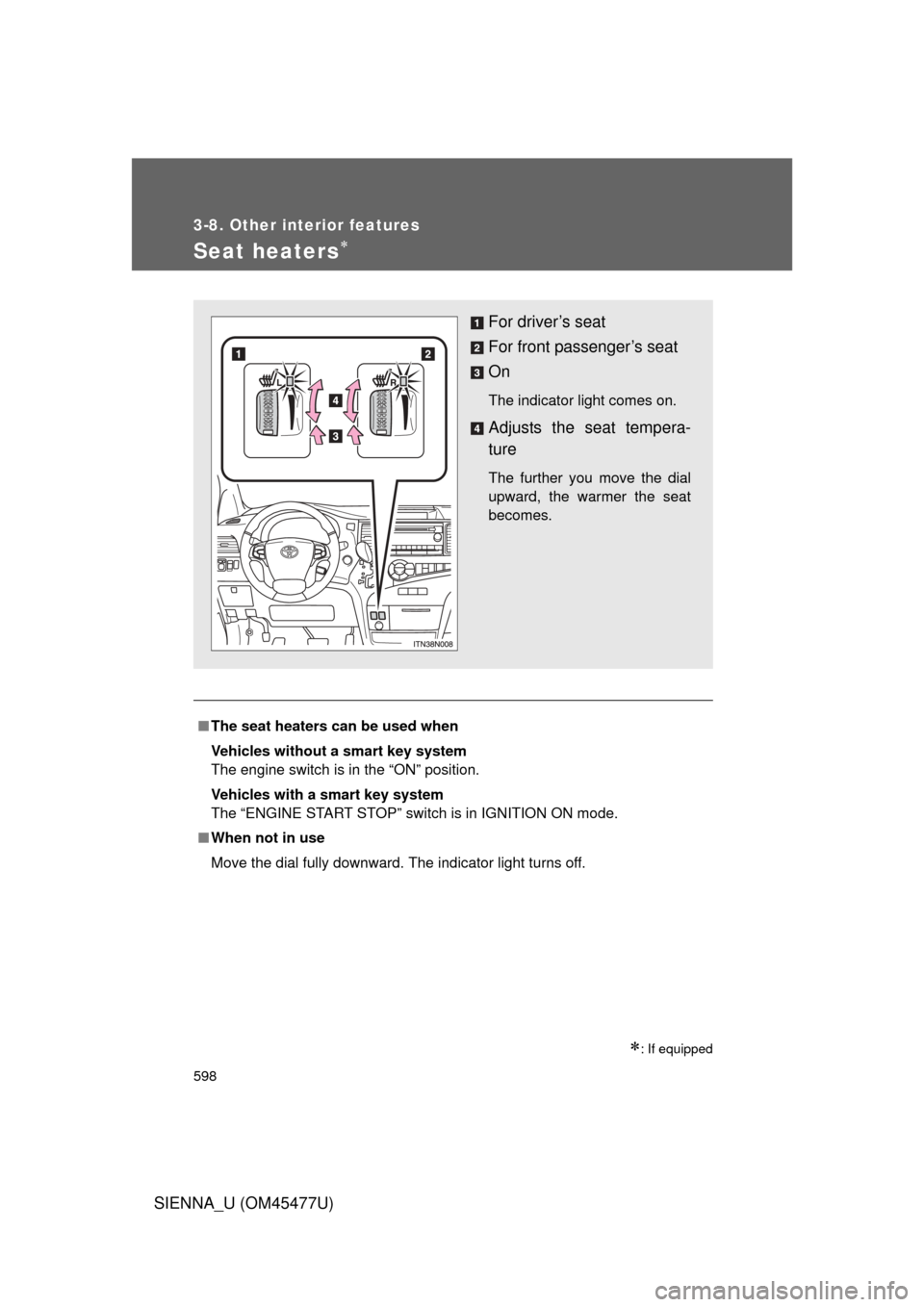
For driver’s seat
For front passenger’s seat
On
The indicator light comes on.
Adjusts the seat tempera-
ture
The further you move the dial
upward, the warmer the seat
becomes.
Page 625 of 860
625
3-8. Other interior features
3
Interior features
SIENNA_U (OM45477U)
Safety Connect LE
D light Indicators
When the engine switch is turned to the “ON” position (vehicles with-
out a smart key system) or the “ENGINE START STOP” switch is
turned to IGNITION ON mode (vehicl es with a smart key system), the
red indicator light comes on for 2 seconds then turns off. Afterward,
the green indicator light comes on, indicating that the service is
active.
The following indicator light patter ns indicate specific system usage
conditions:
● Green indicator light on = Active service
● Green indicator light flashing = Safety Connect call in process
● Red indicator light (except at v ehicle start-up) = System malfunc-
tion (contact your Toyota dealer)
● No indicator light (off) = Safety Connect service not active
Safety Connect services
■ Automatic Collision Notification
In case of either airbag deployment or severe rear-end collision,
the system is design ed to automatically call the response center.
The responding agent receives th e vehicle’s location and attempts
to speak with the vehicle occupant s to assess the level of emer-
gency. If the occupants are unable to communicate, the agent
automatically treats the call as an emergency, contacts the nearest
emergency services provider to describe the situation, and
requests that assistance be sent to the location.