Page 263 of 636
263
2-3. Operating the lights and windshield wipers
2
When driving
■
The rear window wiper and washer can be operated when
The “POWER” switch is in ON mode.
■ If no washer fluid sprays
Check that the washer nozzles are not blocked if there is washer fluid in the
washer fluid reservoir.
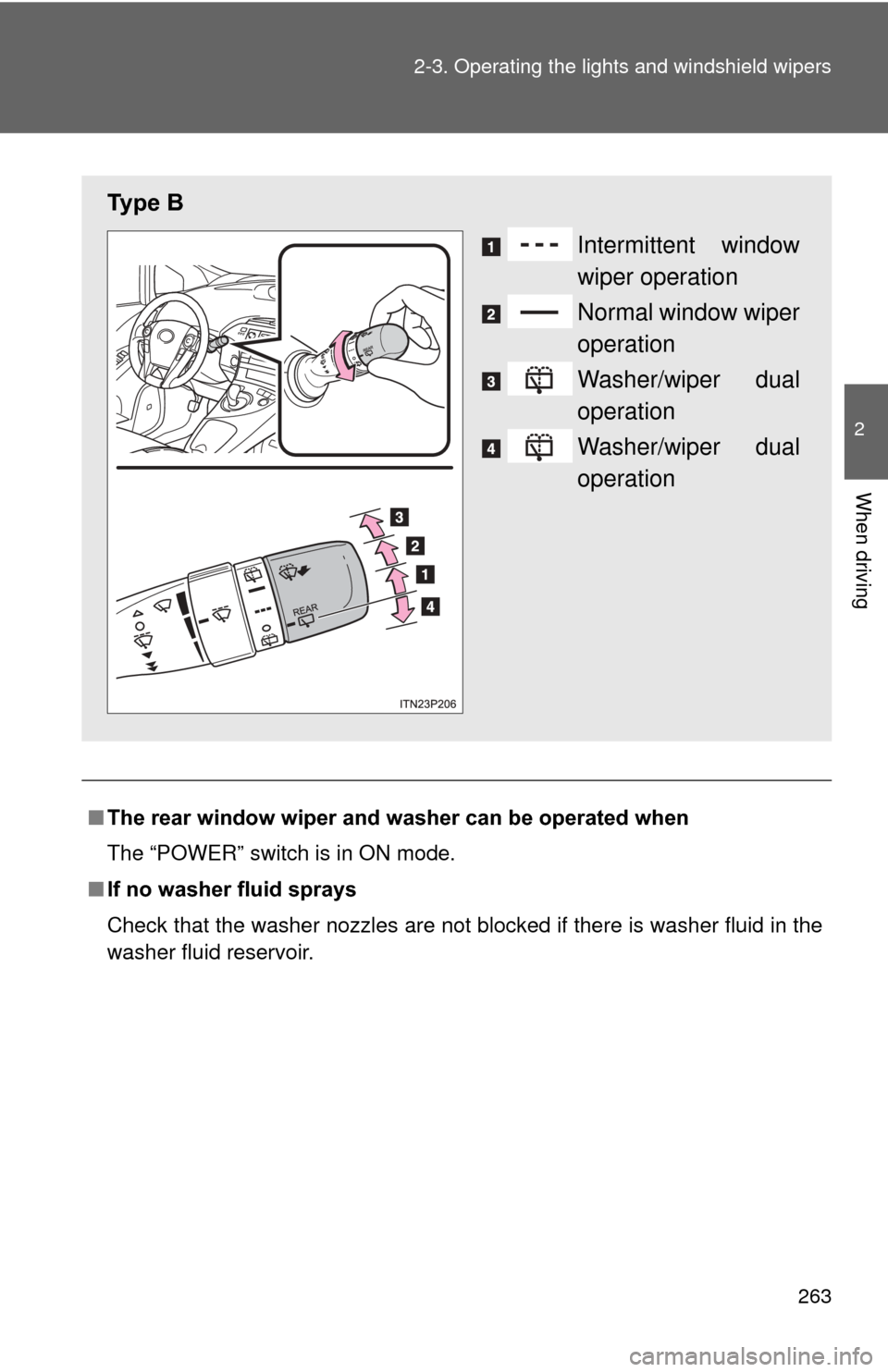
Ty p e B
Intermittent window
wiper operation
Normal window wiper
operation
Washer/wiper dual
operation
Washer/wiper dual
operation
Page 264 of 636
264 2-3. Operating the lights and windshield wipers
NOTICE
■When the rear window is dry
Do not use the wiper, as it may damage the rear window.
■ When the washer fluid tank is empty
Do not operate the switch continually as the washer fluid pump may over-
heat.
Page 265 of 636
265
2-3. Operating the lights and windshield wipers
2
When driving
Headlight cleaner switch
: If equipped
■The headlight cleaners can be operated when
The “POWER” switch is in ON mode and the headlight switch is turned on.
If equipped, the headlight switch is in the “AUTO” position and the headlight
is on.
■ Windshield washer linked operation
Only for the first time when the windshield washer is operated with the
“POWER” switch in ON mode and the headlights on, the headlight cleaners
will operate once. ( P. 258)
NOTICE
■When the washer fluid tank is empty
Do not press the switch continually as the washer fluid pump may overhea\
t.
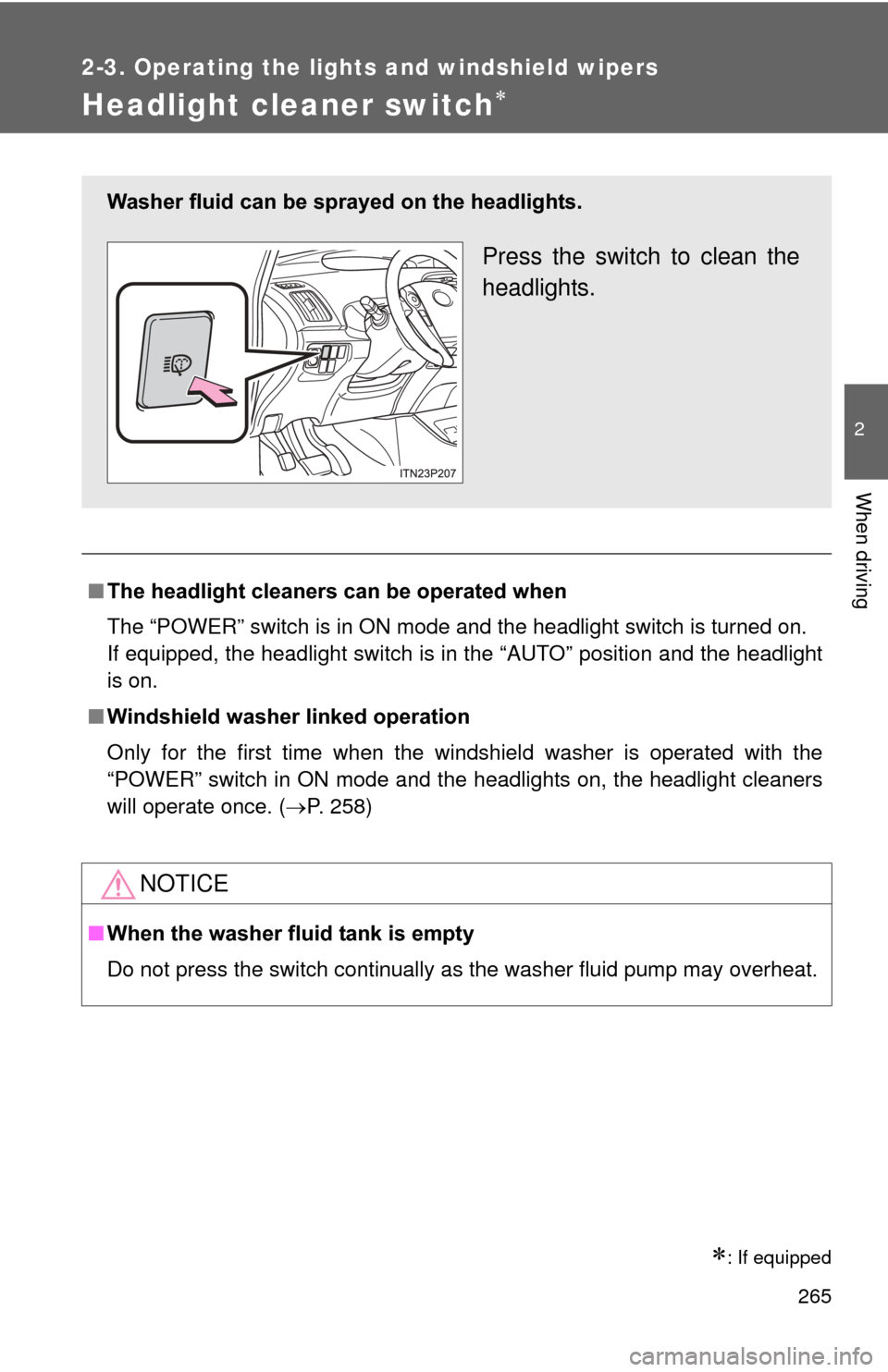
Washer fluid can be sprayed on the headlights.
Press the switch to clean the
headlights.
Page 281 of 636

281
2-4. Using other
driving systems
2
When driving
■Warning lights, messages and buzze rs for dynamic radar cruise con-
trol
Warning lights, warning messages and buzzers are used to indicate a sys-
tem malfunction or to inform the driver of the need for caution while driving.
■ Certification
For vehicles sold in the U.S.A.
FCC ID: HYQDNMWR004
This device complies with part 15 of the FCC Rules. Operation is subject to
the following two conditions: (1) This device may not cause harmful interfer-
ence, and (2) this device must accept any interference received, including
interference that may cause undesired operation.
FCC WARNING
Changes or modifications not expressly approved by the party responsible
for compliance could void the user’s authority to operate the equipment.
Radiofrequency radiation exposure Information:
This equipment complies with FCC radiation exposure limits set forth for an
uncontrolled environment.
This equipment should be installed and operated with minimum distance of
20 cm between the radiator (antenna) and your body.
This transmitter must not be co-located or operating in conjunction with any
other antenna or transmitter.
For vehicles sold in Canada
Operation is subject to the following two conditions: (1) this device may not
cause interference, and (2) this device must accept any interference, includ-
ing interference that may cause undesired operation of the device.
Page 291 of 636

291
2-4. Using other
driving systems
2
When driving
■No-handed driving warning
If the steering wheel is not operated for about 15 seconds on a straight road
or about 5 seconds on a curve, the buzzer will beep twice, indicators on the
multi-information display will flash, and the lane keeping assist function will
be temporarily canceled. If you drive the vehicle with your hands lightly
touching the steering wheel, this may also be detected as no-handed driv-
ing.
■ When the vehicle has been parked in the sun
The LKA system functions may not be available for a while after driving has
started. In such cases, turn the LKA system off and turn it on again after nor-
mal temperature returns. When the temperature in the cabin decreases and
the temperature around the camera sensor becomes suitable for its opera-
tion, the functions will begin to operate.
■ Warning lights and warning messages for LKA
Warning lights and messages are used to indicate a system malfunction or
to inform the driver of the need for caution while driving. ( P. 496, 510)
CAUTION
■Before using the LKA system
Do not rely on the LKA system to remain within a selected lane. The LKA
system is not designed to enable inattentive driving. The steering wheel
should be operated by the driver to mainta in the vehicle in a suitable position
within its lane. Always drive carefully.
Page 294 of 636
294 2-4. Using other driving systems
NOTICE
●When driving in a location where the light level changes rapidly, such as
the entrance to or exit from a tunnel.
● When sunlight or the headlights of oncoming vehicles are shining directly
into the camera lens.
● When driving on roads that are branching or merging.
● When pavement lane markers are difficult to see due to rain, snow, fog,
etc.
● When driving on a road surface that is wet due to rain, previous rainfall,
standing water, etc.
● When the vehicle experiences strong up-and-down motion such as when
driving on an extremely rough road or on a seam in the pavement.
● When headlight brightness is reduced due to dirt on the lenses, or when
the headlights are misaligned.
● When driving with a strong crosswind.
Page 301 of 636
301
2-4. Using other driving systems
2
When driving
Hill-start assist control
■Hill-start assist control can be operated when
●The shift position is in a position other than P.
● The parking brake is not applied.
● The accelerator pedal is not depressed.
■ Hill-start assist control
●While hill-start assist control is operating, the brakes remain automati-
cally applied after the driver releases the brake pedal. The stop lights and
the high mounted stoplight turn on.
● Hill-start assist control operates for about 2 seconds after the brake pedal
is released.
● If the slip indicator does not flash and the buzzer does not sound when
the brake pedal is further depressed, slightly reduce the pressure on the
brake pedal (do not allow the vehicl e to roll backward) and then firmly
depress it again. If the system still does not operate, check if the operat-
ing conditions explained above have been met.
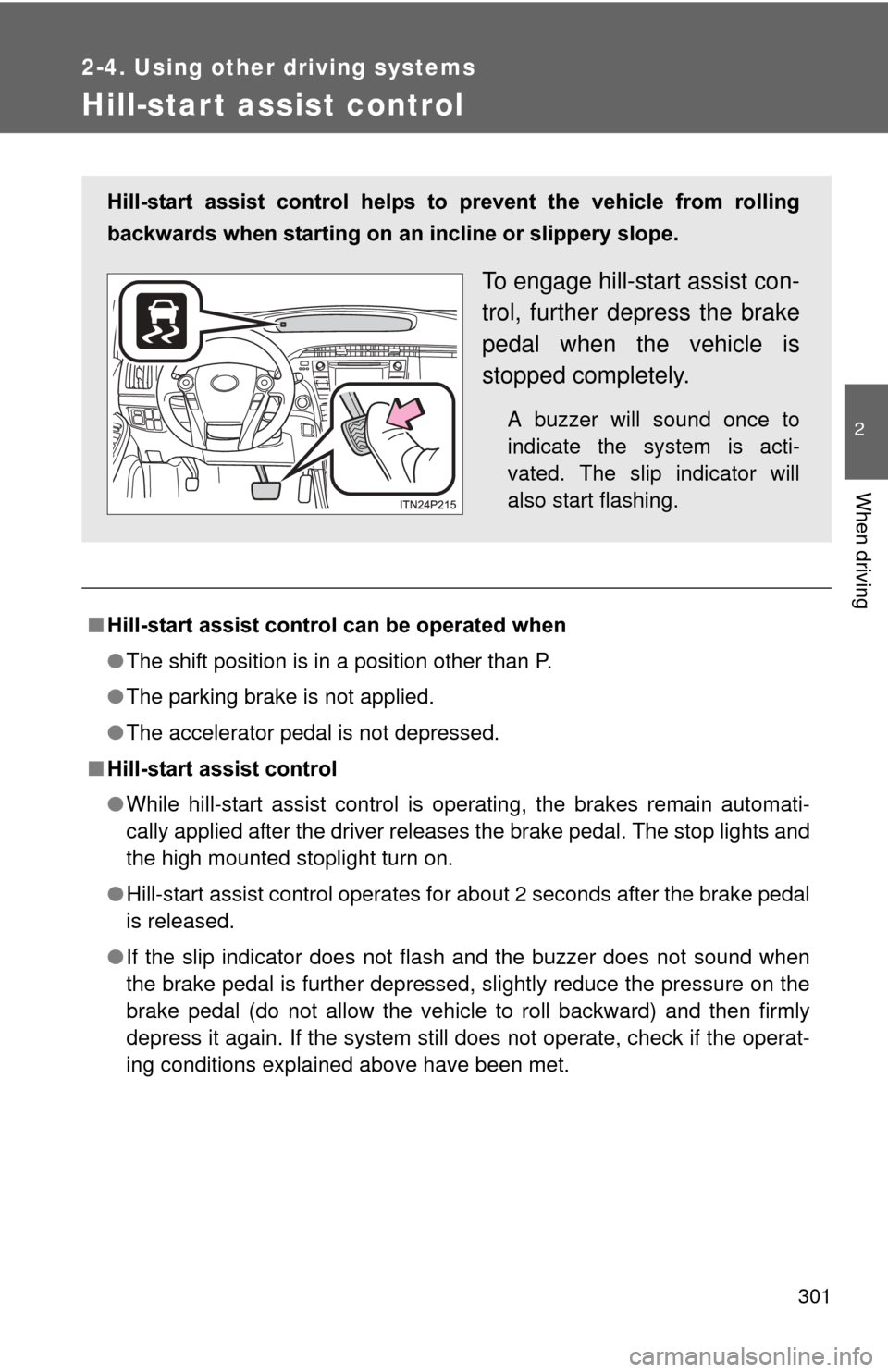
Hill-start assist control helps to prevent the vehicle from rolling
backwards when starting on an incline or slippery slope.
To engage hill-start assist con-
trol, further depress the brake
pedal when the vehicle is
stopped completely.
A buzzer will sound once to
indicate the system is acti-
vated. The slip indicator will
also start flashing.
Page 307 of 636

307
2-4. Using other
driving systems
2
When driving
■Obstacles not detected
The sensor cannot detect plastic obstacles such as traffic cones. There may
also be occasions when the sensor cannot detect pedestrians, animals,
bicycles, motorcycles, trees, or snowdrifts.
■ Situations in which the pre-collis ion system does not function properly
The system may not function effectively in situations such as the following:
● On roads with sharp bends or uneven surfaces
● If a vehicle suddenly moves in front of vehicle, such as at an intersection
● If a vehicle suddenly cuts in front of vehicle, such as when overtaking
● In inclement weather such as heavy rain, fog, snow or sand storms
● When your vehicle is skidding with the VSC system off
● When an extreme change in vehicle height occurs
● When the axis of the radar is out of adjustment
■ Automatic cancelation of the pre-collision system
When a malfunction occurs due to sensor contamination, etc. that results in
the sensors being unable to detect obstacles, the pre-collision system will be
automatically disabled. In this case, the system will not activate even if there
is a collision possibility.
■ When there is a malfunction in the system
Warning lights and/or warning messages will turn on or flash. ( P. 496, 509)