Page 269 of 529
269
3-2. Using the audio system
3
Interior features
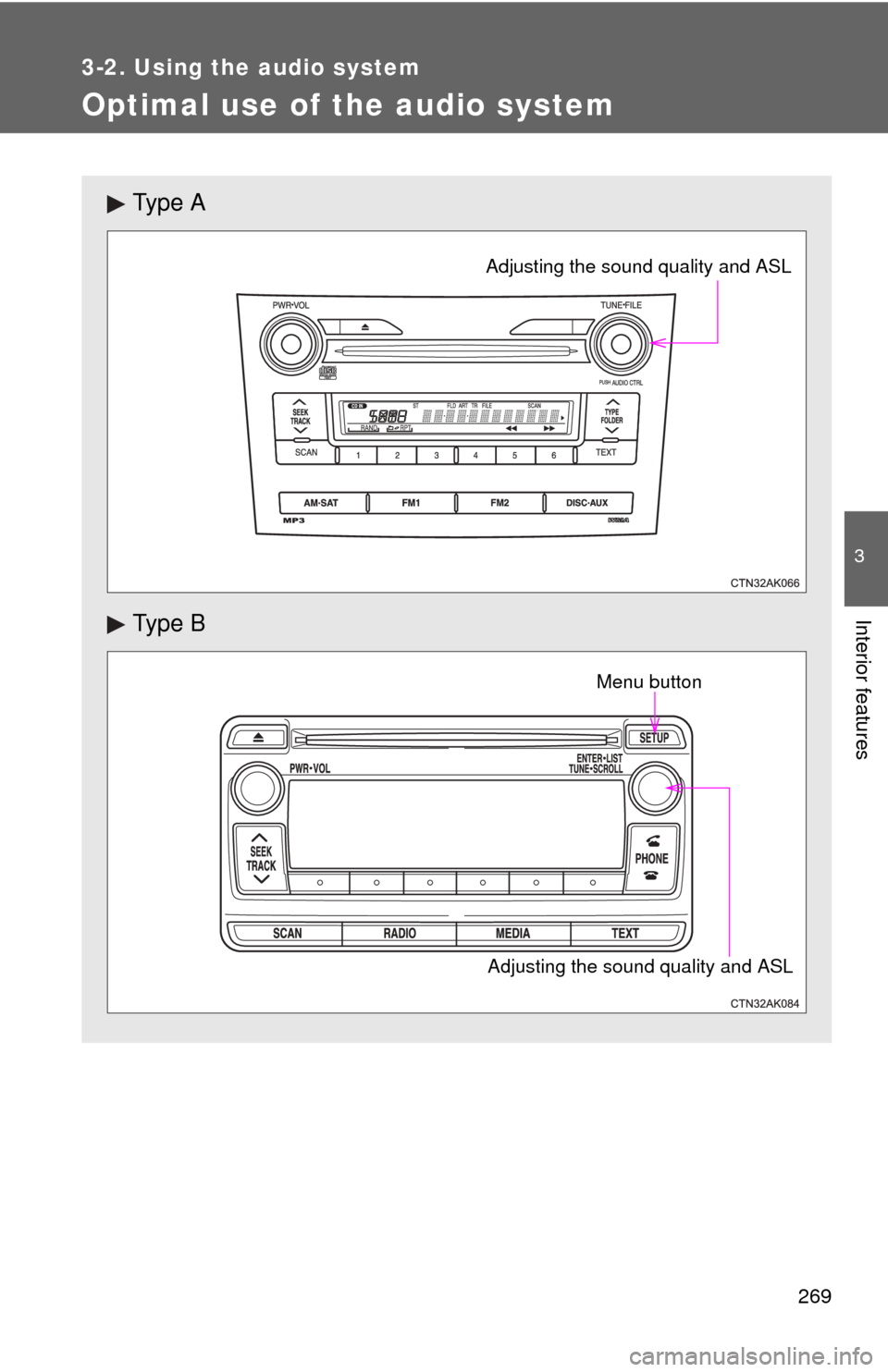
Optimal use of the audio system
Ty p e A
Ty p e B
Adjusting the sound quality and ASL
Adjusting the sound quality and ASLMenu button
Page 271 of 529
271
3-2. Using the audio system
3
Interior features
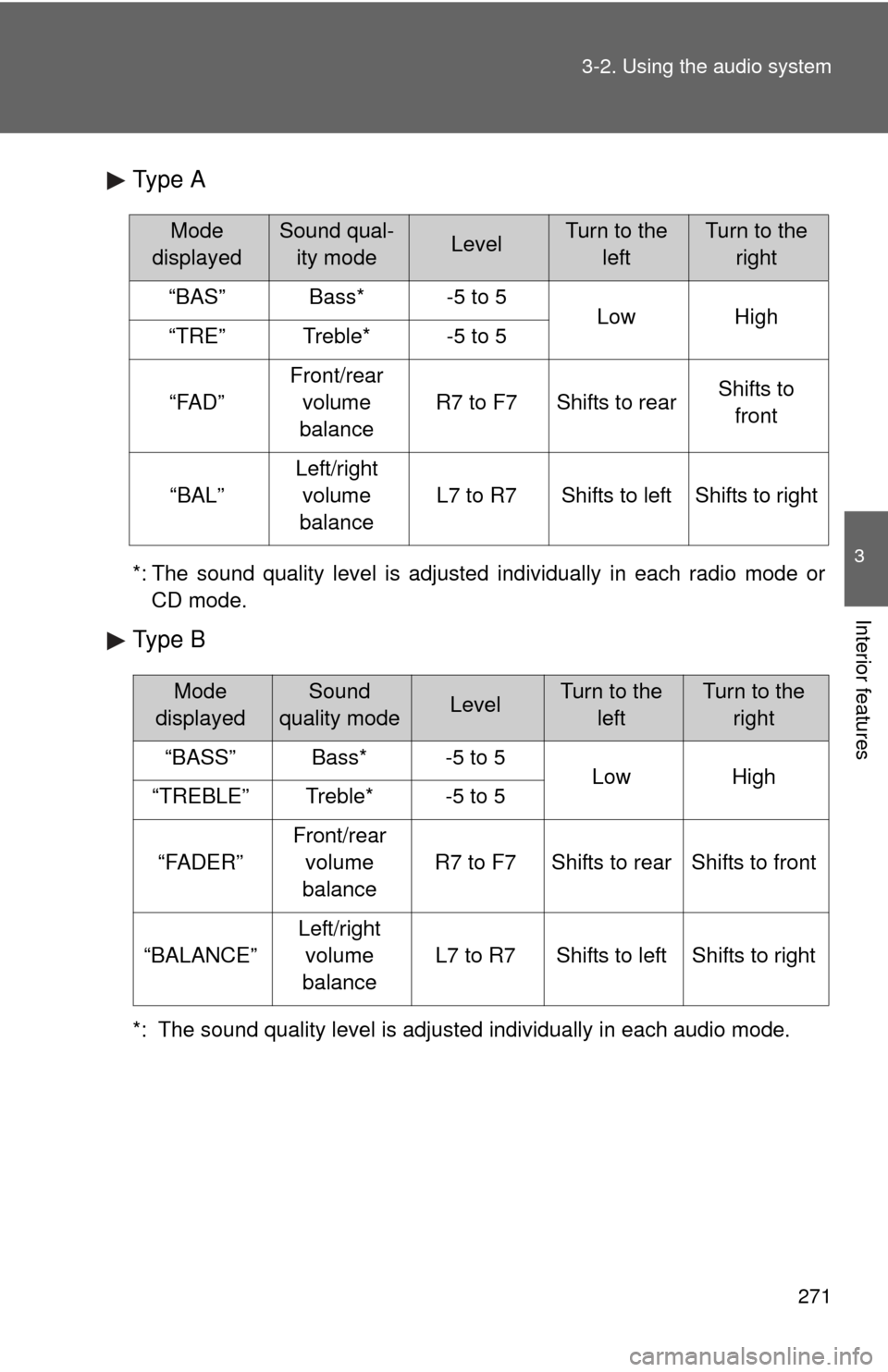
Type A
*: The sound quality level is adjusted individually in each radio mode or
CD mode.
Type B
*: The sound quality level is adjusted individually in each audio mode.
Mode
displayedSound qual- ity modeLevelTurn to the leftTurn to the right
“BAS”Bass*-5 to 5LowHigh“TRE”Treble*-5 to 5
“FAD”
Front/rear volume
balance
R7 to F7Shifts to rearShifts to front
“BAL”
Left/right volume
balance
L7 to R7Shifts to leftShifts to right
Mode
displayedSound
quality modeLevelTurn to the leftTurn to the right
“BASS”Bass*-5 to 5LowHigh“TREBLE”Treble*-5 to 5
“FADER”
Front/rear volume
balance
R7 to F7Shifts to rearShifts to front
“BALANCE”
Left/right volume
balance
L7 to R7Shifts to leftShifts to right
Page 273 of 529
273
3-2. Using the audio system
3
Interior features
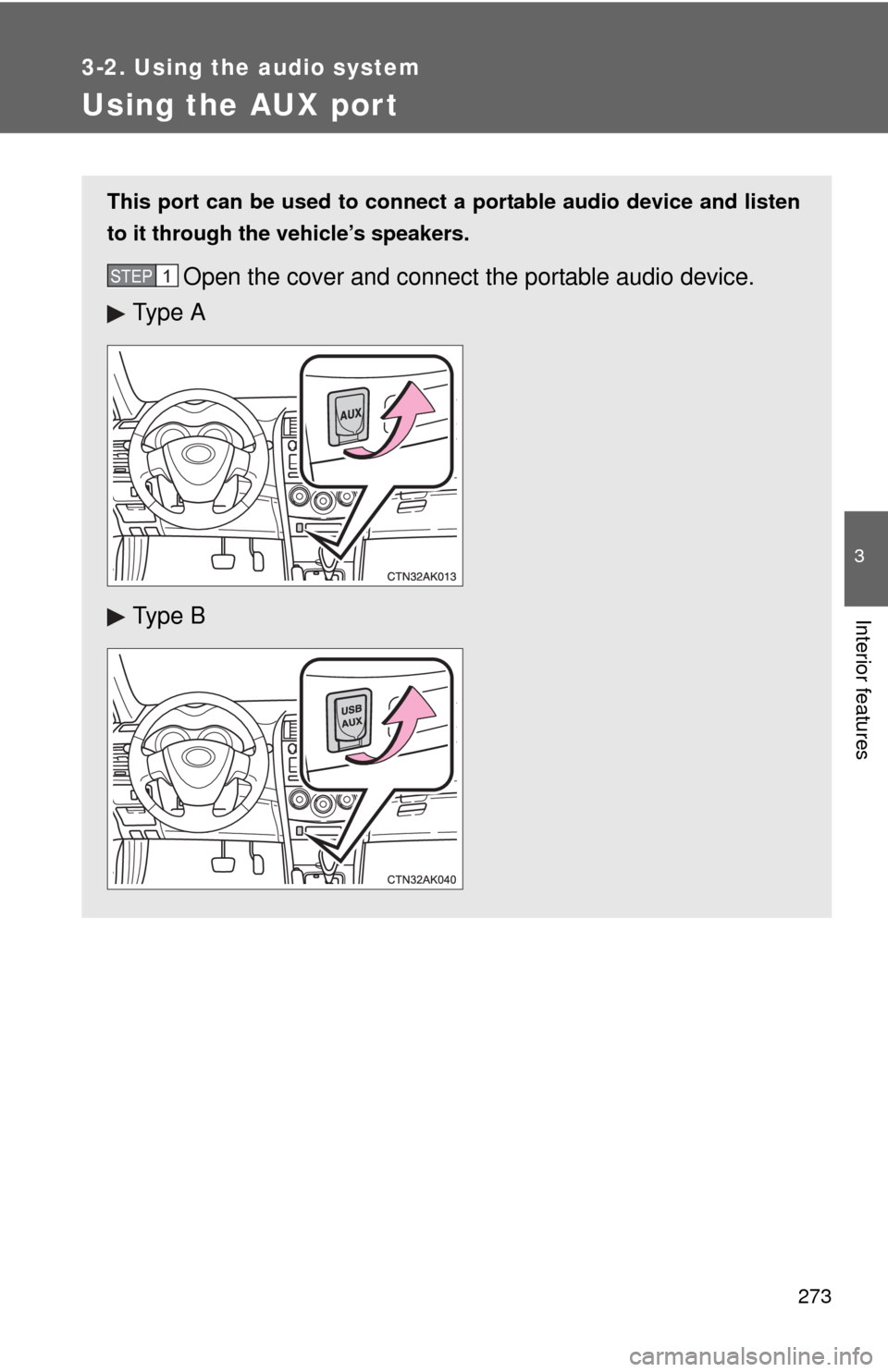
Using the AUX port
This port can be used to connect a portable audio device and listen
to it through the vehicle’s speakers.
Open the cover and connect the portable audio device.
Ty p e A
Ty p e BSTEP 1
Page 275 of 529
275
3-2. Using the audio system
3
Interior features
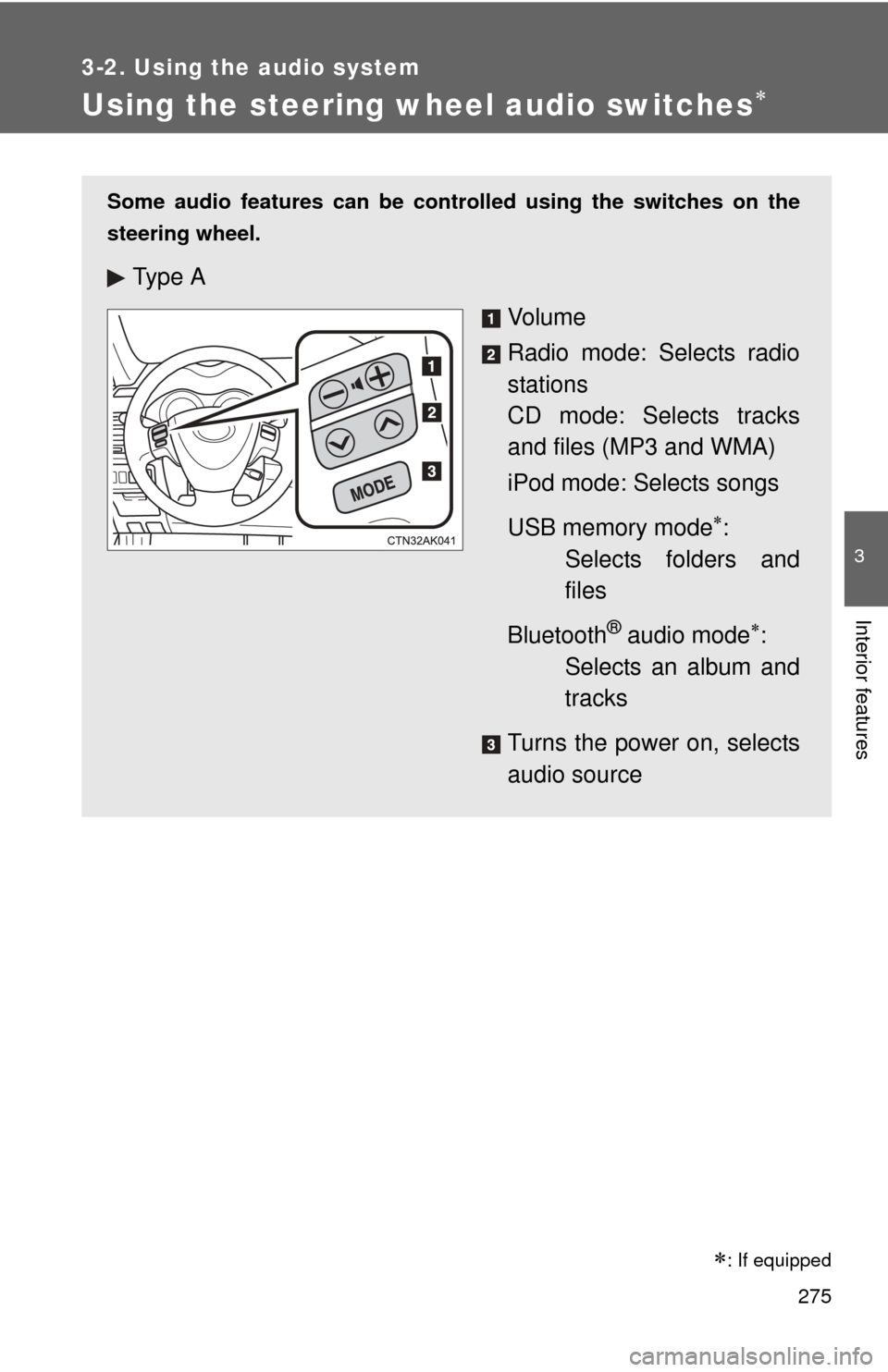
Using the steering wheel audio switches
: If equipped
Some audio features can be controlled using the switches on the
steering wheel.
Ty p e A
Vo l u m e
Radio mode: Selects radio
stations
CD mode: Selects tracks
and files (MP3 and WMA)
iPod mode: Selects songs
USB memory mode
:
Selects folders and
files
Bluetooth
® audio mode:
Selects an album and
tracks
Turns the power on, selects
audio source
Page 277 of 529
277
3-2. Using the audio system
3
Interior features
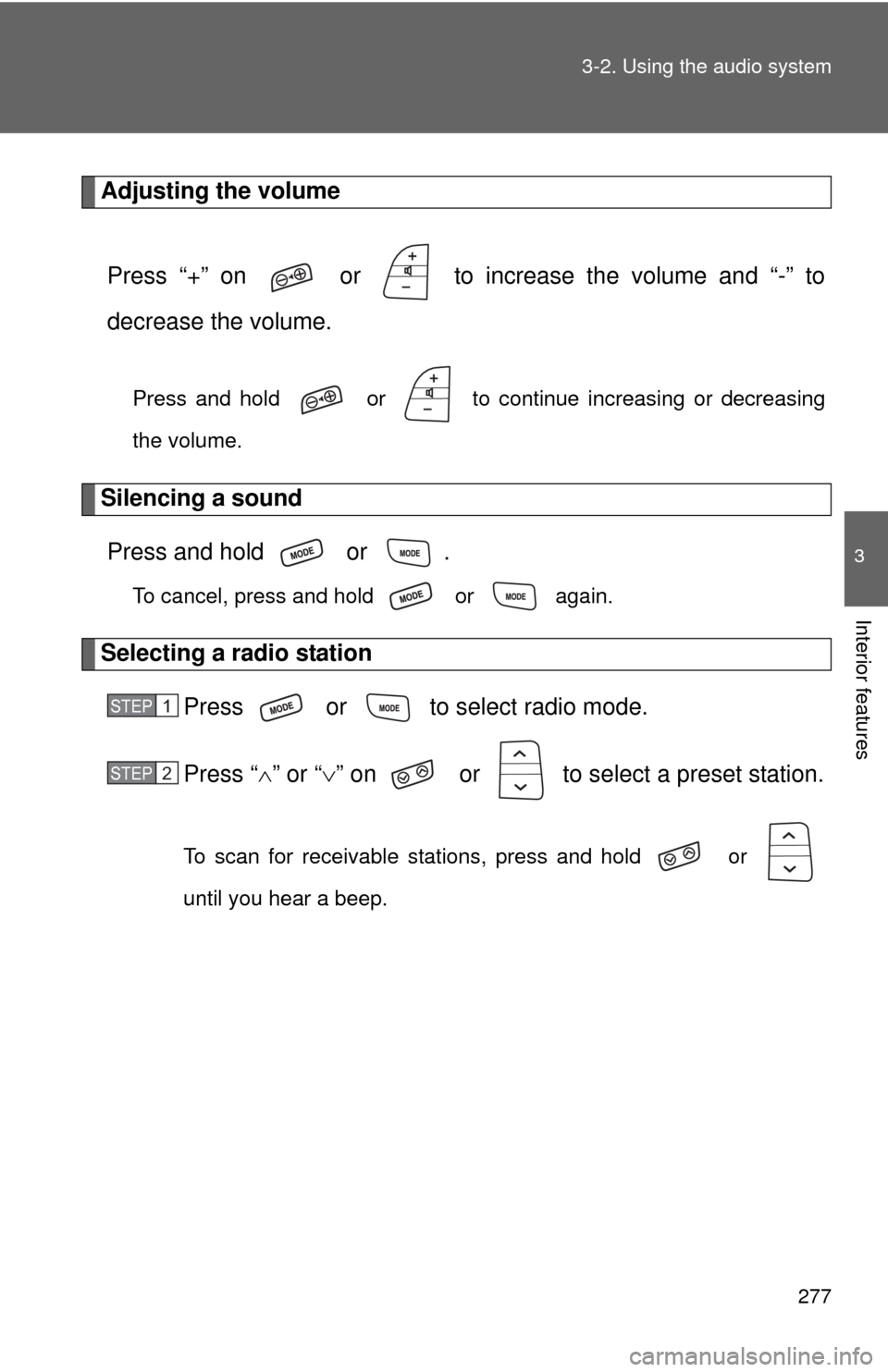
Adjusting the volume
Press “+” on or to increase the volume and “-” to
decrease the volume.
Press and hold or to continue increasing or decreasing
the volume.
Silencing a soundPress and hold or .
To cancel, press and hold or again.
Selecting a radio station Press or to select radio mode.
Press “” or “ ” on or to select a preset station.
To scan for receivable stations, press and hold or
until you hear a beep.
STEP 1
STEP 2
Page 279 of 529
279
3
Interior features
3-3. Using the Bluetooth® audio system
Bluetooth® audio/phone
■Conditions affecting operation
The Bluetooth
® audio/phone may not operate normally in the following situa-
tions:
● The portable player does not support Bluetooth
®
●The cellular phone is located outside the service area
● The Bluetooth
® device is switched off
● The Bluetooth
® device has a low battery
● The Bluetooth
® device is not connected to the system
● The Bluetooth
® device is behind the seat or in the glove box or console
box, or metal material covers or touches the device
■ Bluetooth® audio
The Bluetooth
® audio system enables yo u to enjoy music played
on a portable digital audio player (portable player) from the vehi-
cle speakers via wireless communication.
This audio system supports Bluetooth
®, a wireless data system
capable of playing portable audi o music without cables. If your
portable player does not support Bluetooth
®, the Bluetooth®
audio system will not function.
■ Bluetooth
® phone (hands-free phone system)
This system supports Bluetooth
®, which allows you to make or
receive calls without using cables to connect a cellular phone
and the system, and without operating the cellular phone.
: If equipped
Page 281 of 529
281
3-3. Using the Bluetooth
® audio system
3
Interior features
NOTICE
■
To prevent damage to Bluetooth® device
Do not leave Bluetooth
® device in the vehicle. The temperature inside the
vehicle may become high, resulting in damage to the device.
Page 283 of 529
283
3-3. Using the Bluetooth
® audio system
3
Interior features
■
Steering wheel switches
P. 275
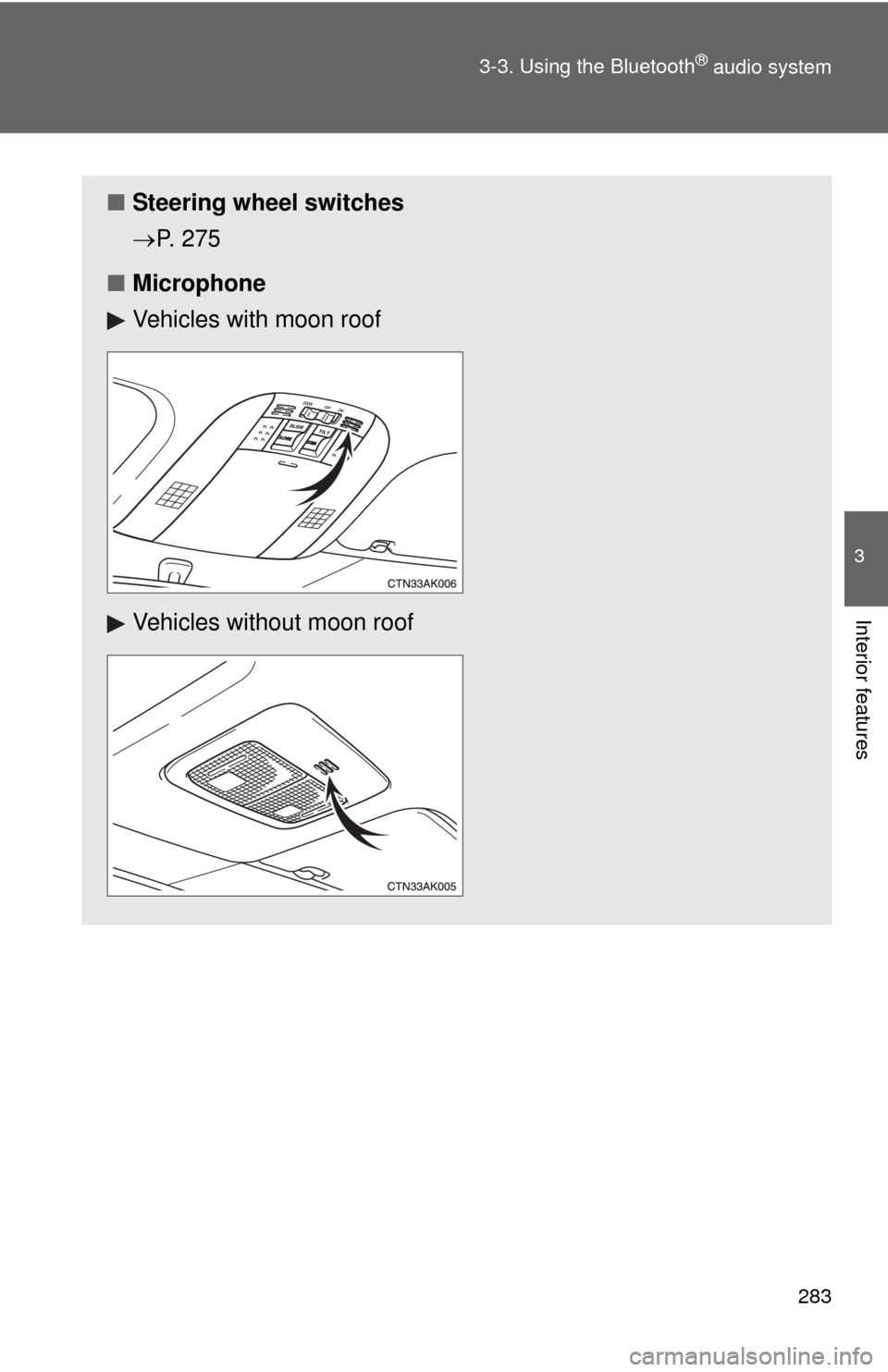
■ Microphone
Vehicles with moon roof
Vehicles without moon roof