Page 113 of 453
The flashers will operate with the ignition switch
placed in any position.
Some state laws may prohibit the use of
the hazard warning flasher switch while
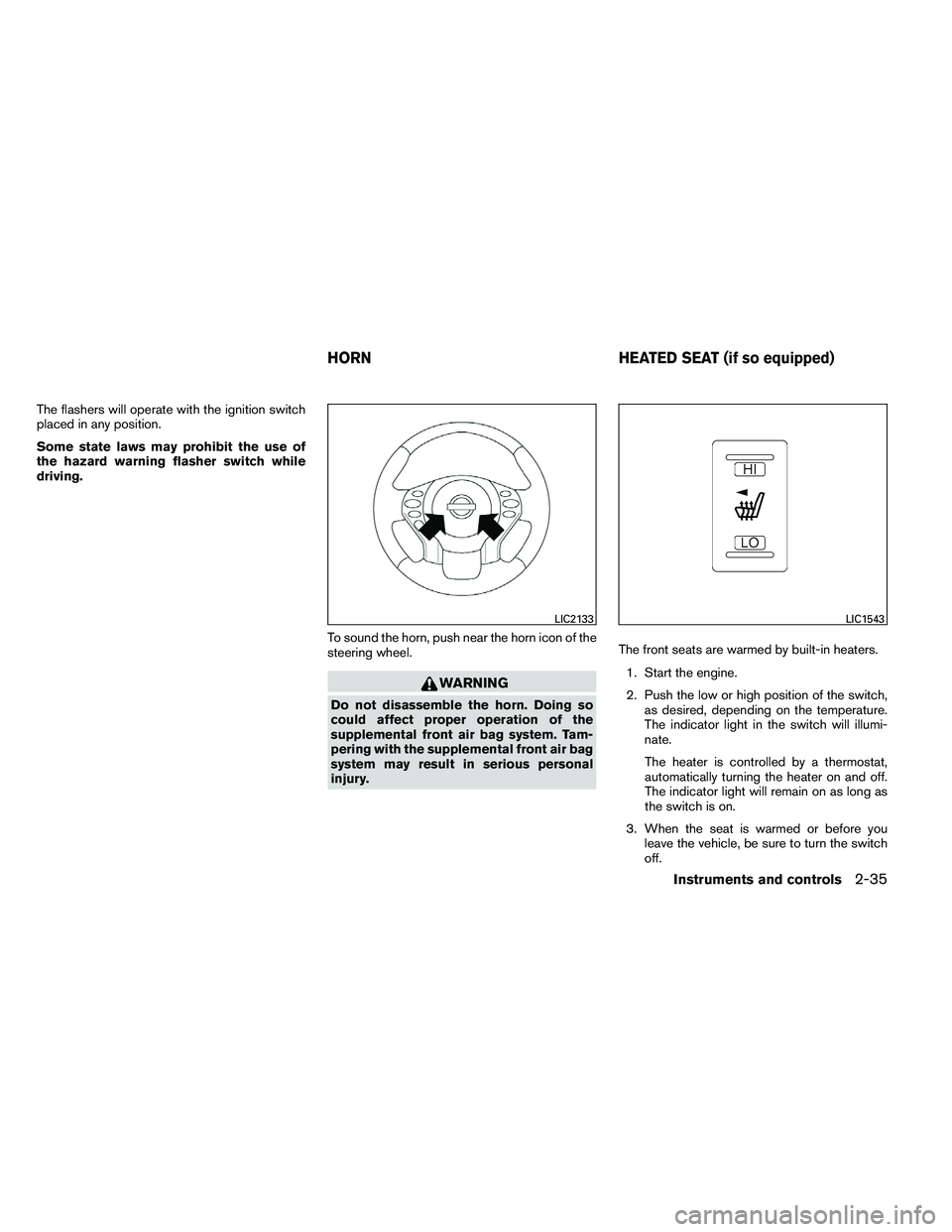
driving.To sound the horn, push near the horn icon of the
steering wheel.
Page 123 of 453

Rear power window switch (sedan
only)
The rear power window switches open or close
only the corresponding windows. To open the
window, push the switch and hold it down
�1.To
close the window, pull the switch up
�2.
Locking passengers’ windows
When the window lock button is depressed, only
the driver’s side window can be opened or
closed. Push it again to cancel the window lock
function.
Automatic operation
To fully open a window equipped with automatic
operation, press the window switch down (only
driver’s side shown) to the second detent and
release it; it need not be held. The window auto-
matically opens all the way. To stop the window,
lift the switch up while the window is opening.
To fully close a window equipped with automatic
operation, pull the switch up to the second detent
and release it; it need not be held. To stop the
window, press the switch down while the window
is closing.
Auto-reverse function
If the control unit detects something caught in the
window as it is closing, the window will be imme-
diately lowered.
The auto-reverse function can be activated when
the window is closed by automatic operation
when the ignition switch is placed in the ON
position or for 45 seconds after the ignition
switch is placed in the OFF position.
Depending on the environment or driving
conditions, the auto-reverse function may
be activated if an impact or load similar to
something being caught in the window oc-
curs.
Page 124 of 453
When power window switch does not
operate
If the power window automatic function (closing
only) does not operate properly, perform the fol-
lowing procedure to initialize the power window
system:1. Place the ignition switch in the ON position.
2. Open the window more than halfway by operating the power window switch.
3. Pull the power window switch and hold it to close the window, and then hold the switch
more than 3 seconds after the window is
closed.
4. Release the power window switch. Operate the window by the automatic function to
confirm the initialization is complete. The
power window automatically opens or
closes depending on if the automatic down
or up function is selected.
5. Perform steps 2 through 4 above for other windows.
If the power window function does not operate
properly after performing the above procedure,
see a NISSAN dealer for assistance.
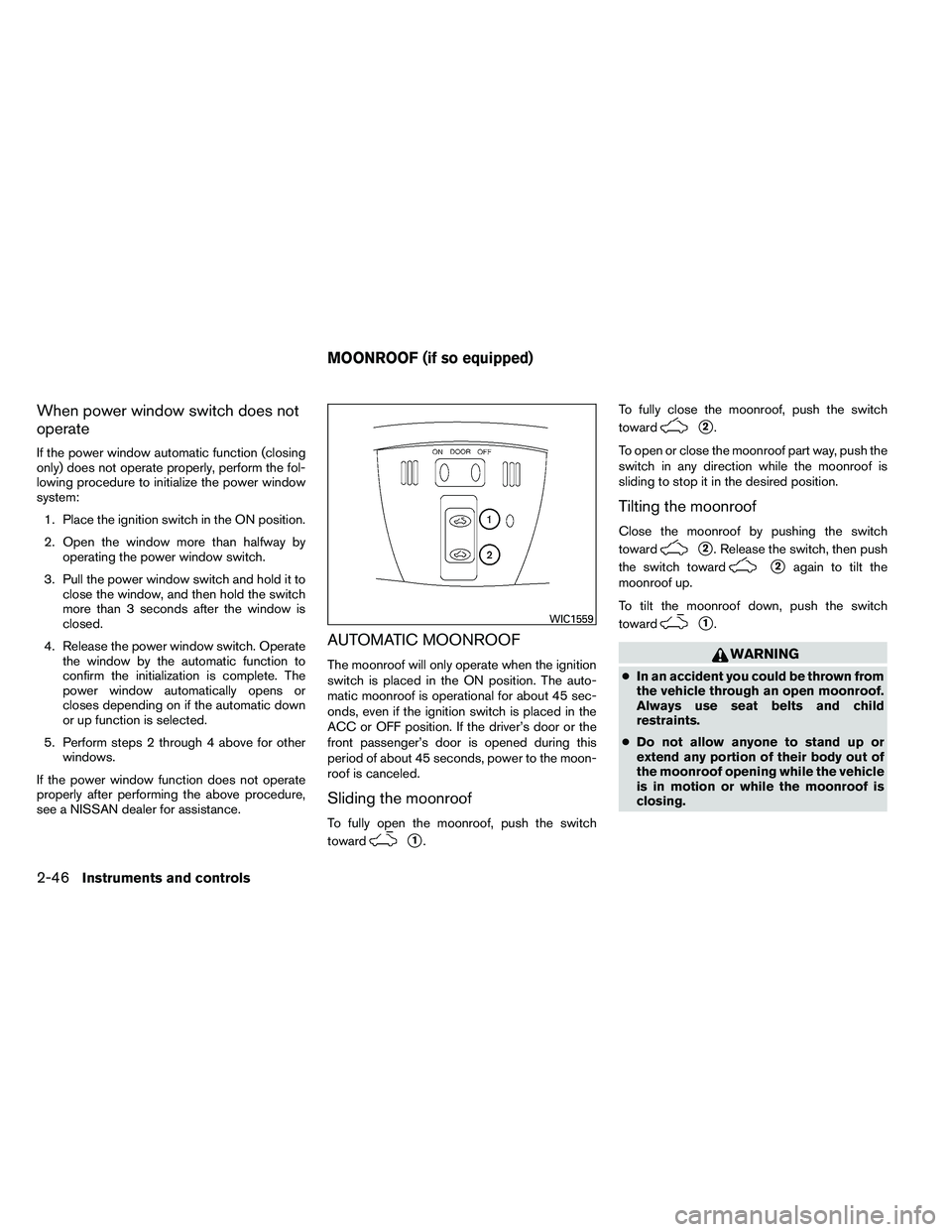
AUTOMATIC MOONROOF
The moonroof will only operate when the ignition
switch is placed in the ON position. The auto-
matic moonroof is operational for about 45 sec-
onds, even if the ignition switch is placed in the
ACC or OFF position. If the driver’s door or the
front passenger’s door is opened during this
period of about 45 seconds, power to the moon-
roof is canceled.
Sliding the moonroof
To fully open the moonroof, push the switch
toward
Page 125 of 453
CAUTION
●Remove water drops, snow, ice or sand
from the moonroof before opening.
● Do not place heavy objects on the
moonroof or surrounding area.
Resetting the moonroof switch
The moonroof switch may not operate properly
and need to be reset if any of the following
conditions have occurred:
● the moonroof has been manually moved,
● the moonroof motor has been removed and
reinstalled after the moonroof has been re-
positioned or adjusted,
● the moonroof glass panel has been adjusted
or changed, or
● the electrical supply interrupted and/or
some malfunction has been detected.
Use the following reset procedure to return the
moonroof operation to normal. 1. Place the ignition switch in the ON position.
2. Push and hold the moonroof switch toward
Page 137 of 453
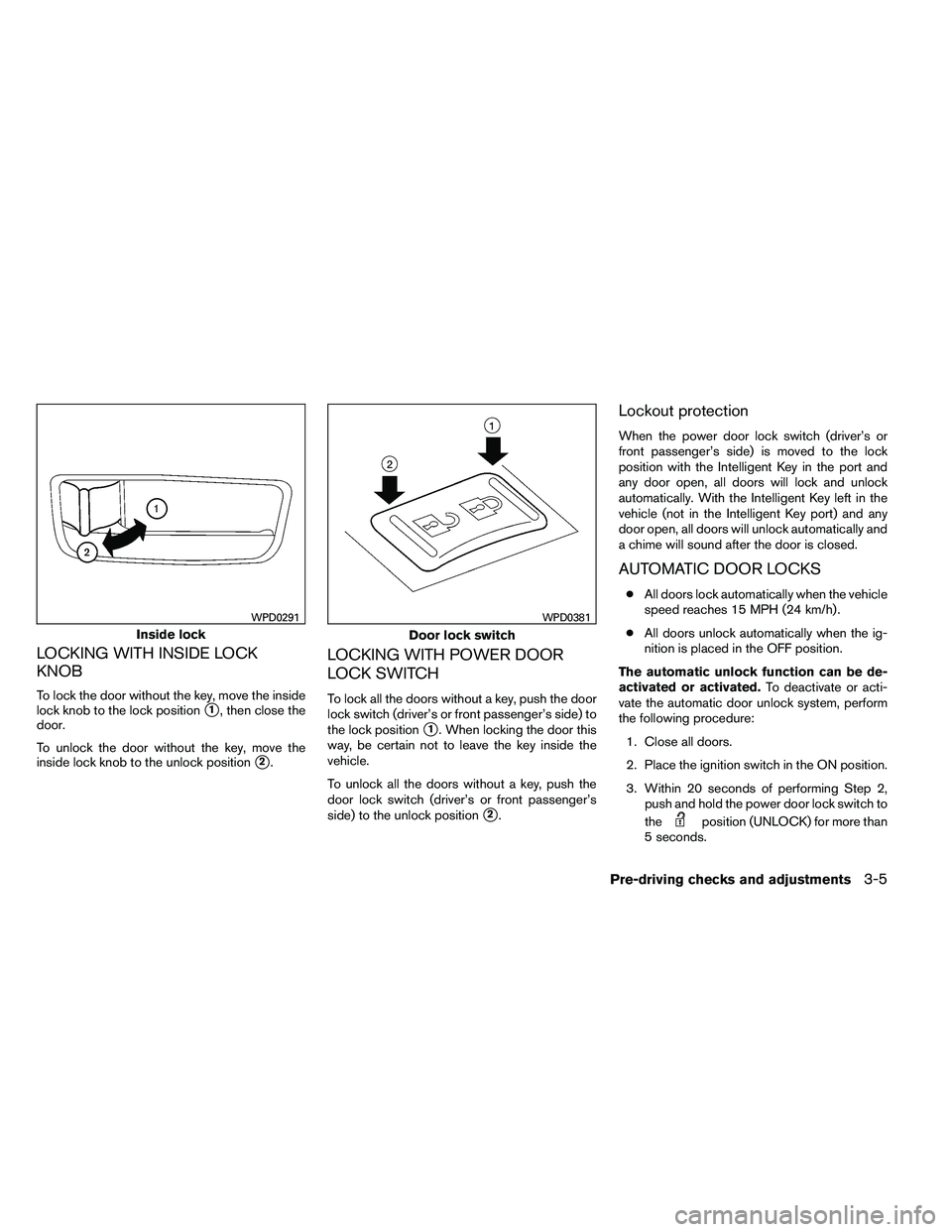
LOCKING WITH INSIDE LOCK
KNOB
To lock the door without the key, move the inside
lock knob to the lock position
�1, then close the
door.
To unlock the door without the key, move the
inside lock knob to the unlock position
�2.
LOCKING WITH POWER DOOR
LOCK SWITCH
To lock all the doors without a key, push the door
lock switch (driver’s or front passenger’s side) to
the lock position
�1. When locking the door this
way, be certain not to leave the key inside the
vehicle.
To unlock all the doors without a key, push the
door lock switch (driver’s or front passenger’s
side) to the unlock position
�2.
Lockout protection
When the power door lock switch (driver’s or
front passenger’s side) is moved to the lock
position with the Intelligent Key in the port and
any door open, all doors will lock and unlock
automatically. With the Intelligent Key left in the
vehicle (not in the Intelligent Key port) and any
door open, all doors will unlock automatically and
a chime will sound after the door is closed.
AUTOMATIC DOOR LOCKS
● All doors lock automatically when the vehicle
speed reaches 15 MPH (24 km/h) .
● All doors unlock automatically when the ig-
nition is placed in the OFF position.
The automatic unlock function can be de-
activated or activated. To deactivate or acti-
vate the automatic door unlock system, perform
the following procedure:
1. Close all doors.
2. Place the ignition switch in the ON position.
3. Within 20 seconds of performing Step 2, push and hold the power door lock switch to
the
Page 138 of 453
4. When activated, the hazard indicator willflash twice. When deactivated, the hazard
indicator will flash once.
5. The ignition switch must be placed in the OFF and ON position again between each
setting change.
When the automatic door unlock system is deac-
tivated, the doors do not unlock when the ignition
switch is placed in the OFF position. To unlock
the door manually, use the inside lock knob or the
power door lock switch (driver’s or front passen-
ger’s side) .
CHILD SAFETY REAR DOOR LOCK
(Sedan only)
Child safety locks help prevent the rear doors
from being opened accidentally, especially when
small children are in the vehicle.
The child safety lock levers are located on the
edge of the rear doors.
When the lever is in the unlock position
�1, the
door can be opened from the outside or the
inside.
When the lever is in the LOCK position
�2,
the door can be opened only from the out-
side.
Page 142 of 453
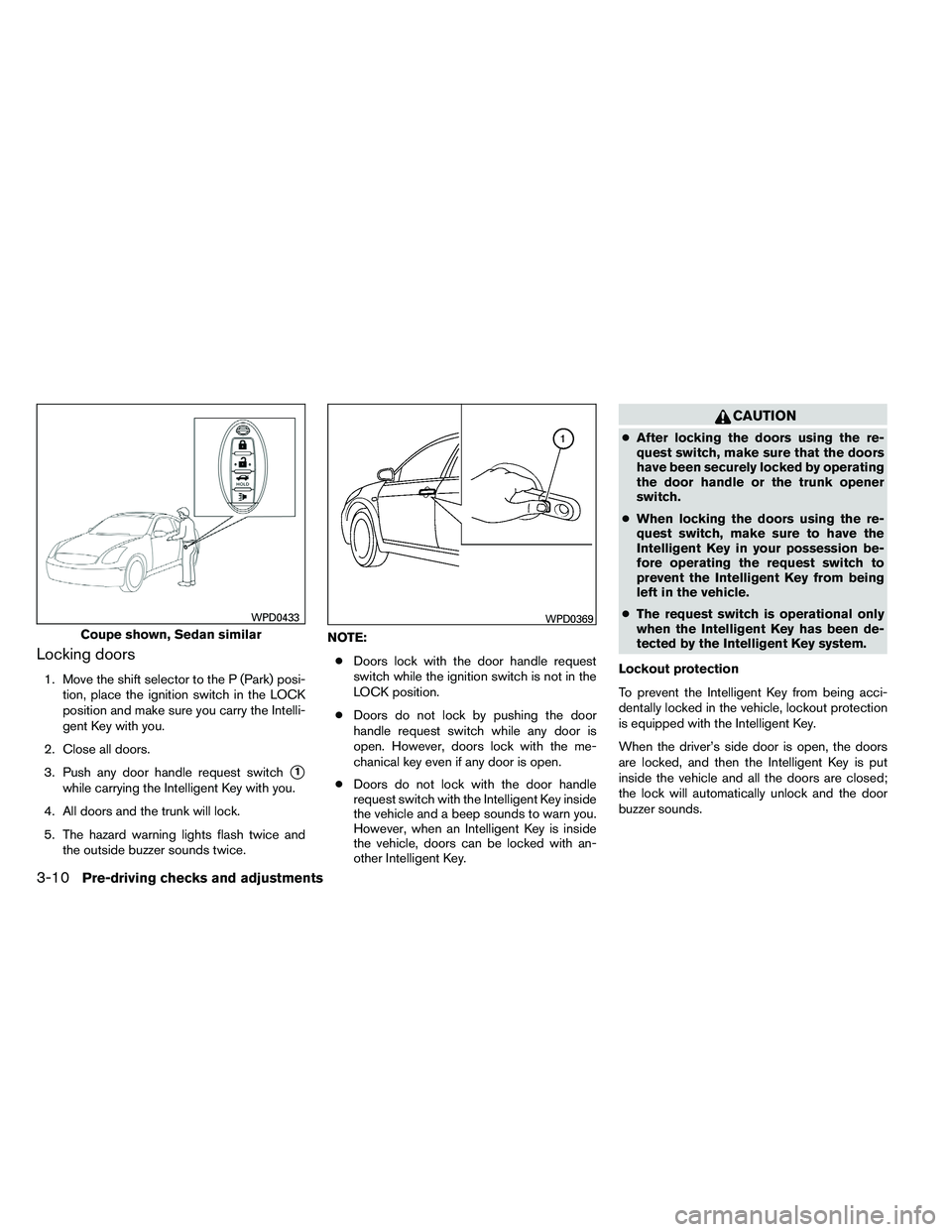
Locking doors
1. Move the shift selector to the P (Park) posi-tion, place the ignition switch in the LOCK
position and make sure you carry the Intelli-
gent Key with you.
2. Close all doors.
3. Push any door handle request switch
�1
while carrying the Intelligent Key with you.
4. All doors and the trunk will lock.
5. The hazard warning lights flash twice and the outside buzzer sounds twice. NOTE:
● Doors lock with the door handle request
switch while the ignition switch is not in the
LOCK position.
● Doors do not lock by pushing the door
handle request switch while any door is
open. However, doors lock with the me-
chanical key even if any door is open.
● Doors do not lock with the door handle
request switch with the Intelligent Key inside
the vehicle and a beep sounds to warn you.
However, when an Intelligent Key is inside
the vehicle, doors can be locked with an-
other Intelligent Key.
Page 144 of 453
●Placing the ignition switch in the ON posi-
tion.
● Locking the doors with the remote controller.
● Switching the room light switch to the OFF
position.
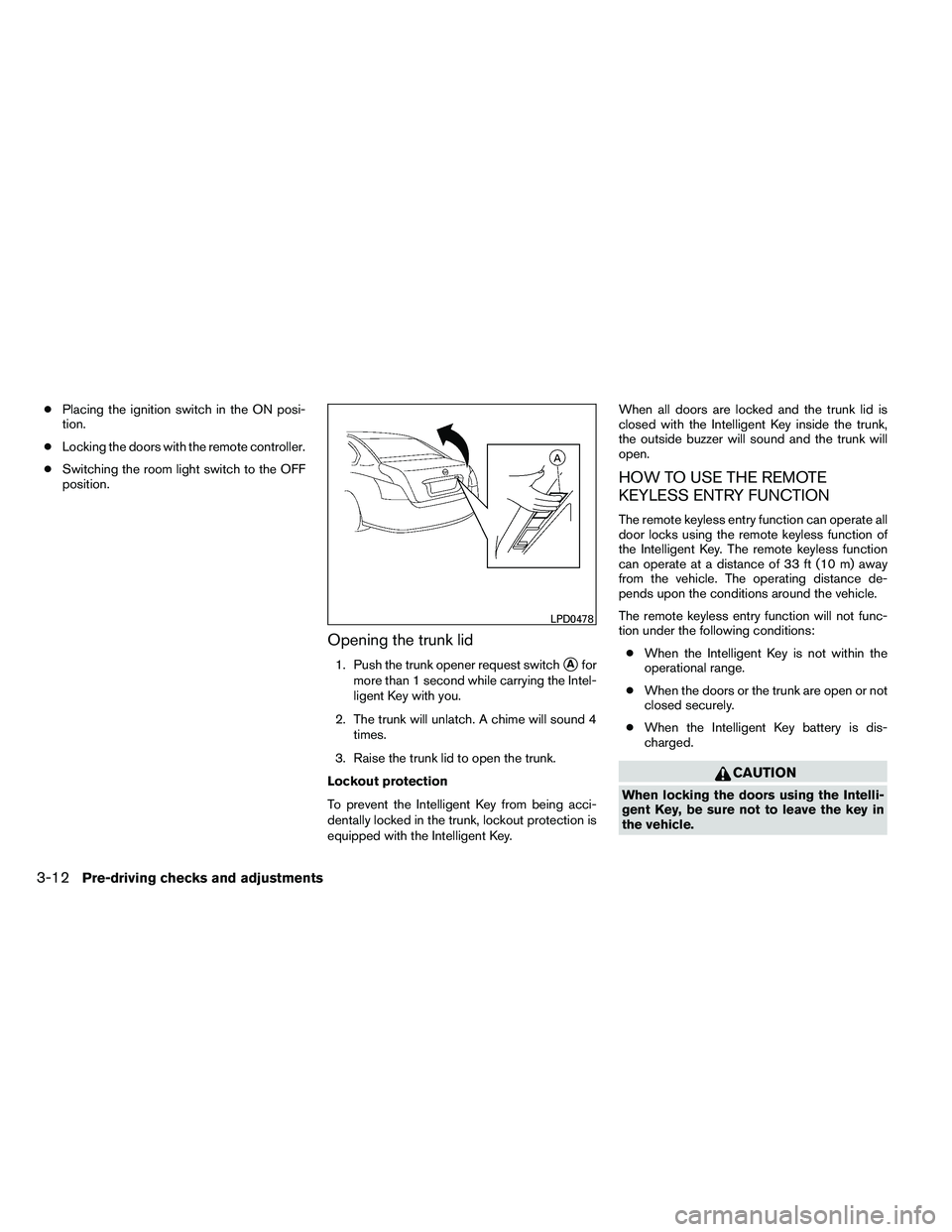
Opening the trunk lid
1. Push the trunk opener request switch�Afor
more than 1 second while carrying the Intel-
ligent Key with you.
2. The trunk will unlatch. A chime will sound 4 times.
3. Raise the trunk lid to open the trunk.
Lockout protection
To prevent the Intelligent Key from being acci-
dentally locked in the trunk, lockout protection is
equipped with the Intelligent Key. When all doors are locked and the trunk lid is
closed with the Intelligent Key inside the trunk,
the outside buzzer will sound and the trunk will
open.
HOW TO USE THE REMOTE
KEYLESS ENTRY FUNCTION
The remote keyless entry function can operate all
door locks using the remote keyless function of
the Intelligent Key. The remote keyless function
can operate at a distance of 33 ft (10 m) away
from the vehicle. The operating distance de-
pends upon the conditions around the vehicle.
The remote keyless entry function will not func-
tion under the following conditions:
● When the Intelligent Key is not within the
operational range.
● When the doors or the trunk are open or not
closed securely.
● When the Intelligent Key battery is dis-
charged.