Page 271 of 714
3-156 Features and controls
3
General information
N00533000180
Your tire pressure monitoring system operates on a radio fre-
quency subject to Federal Communications Commission
(FCC) Rules (For vehicles sold in U.S.A.) and Industry Canada
Rules (For vehicles sold in Canada). This device complies with
Part 15 of the FCC Rules and RSS-Gen of the Industry Canada
Rules.
Operation is subject to the following two conditions.
�This device may not cause harmful interference.
�This device must accept any interference received, includ-
ing interference that may cause undesired operation.
Rear-view camera
(if so equipped)
N00546200098
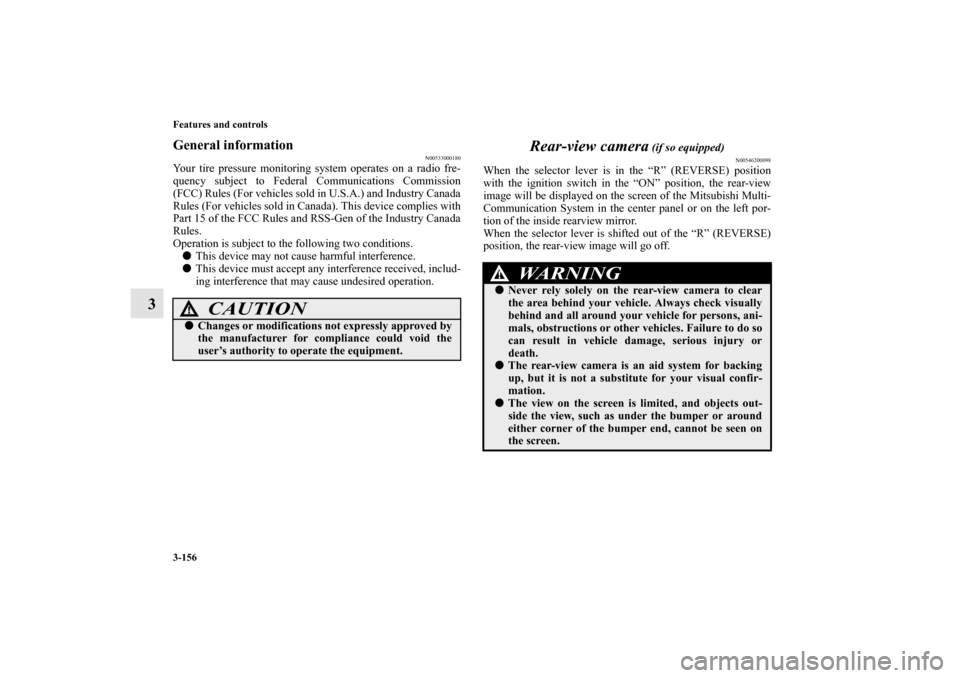
When the selector lever is in the “R” (REVERSE) position
with the ignition switch in the “ON” position, the rear-view
image will be displayed on the screen of the Mitsubishi Multi-
Communication System in the center panel or on the left por-
tion of the inside rearview mirror.
When the selector lever is shifted out of the “R” (REVERSE)
position, the rear-view image will go off.
CAUTION
!�Changes or modifications not expressly approved by
the manufacturer for compliance could void the
user’s authority to operate the equipment.
WA R N I N G
!�Never rely solely on the rear-view camera to clear
the area behind your vehicle. Always check visually
behind and all around your vehicle for persons, ani-
mals, obstructions or other vehicles. Failure to do so
can result in vehicle damage, serious injury or
death.�The rear-view camera is an aid system for backing
up, but it is not a substitute for your visual confir-
mation.�The view on the screen is limited, and objects out-
side the view, such as under the bumper or around
either corner of the bumper end, cannot be seen on
the screen.
BK0138000US.book 156 ページ 2011年4月13日 水曜日 午前11時17分
Page 275 of 714
3-160 Features and controls
3
Change language or turn off the inside rearview
mirror screen
N00568900037
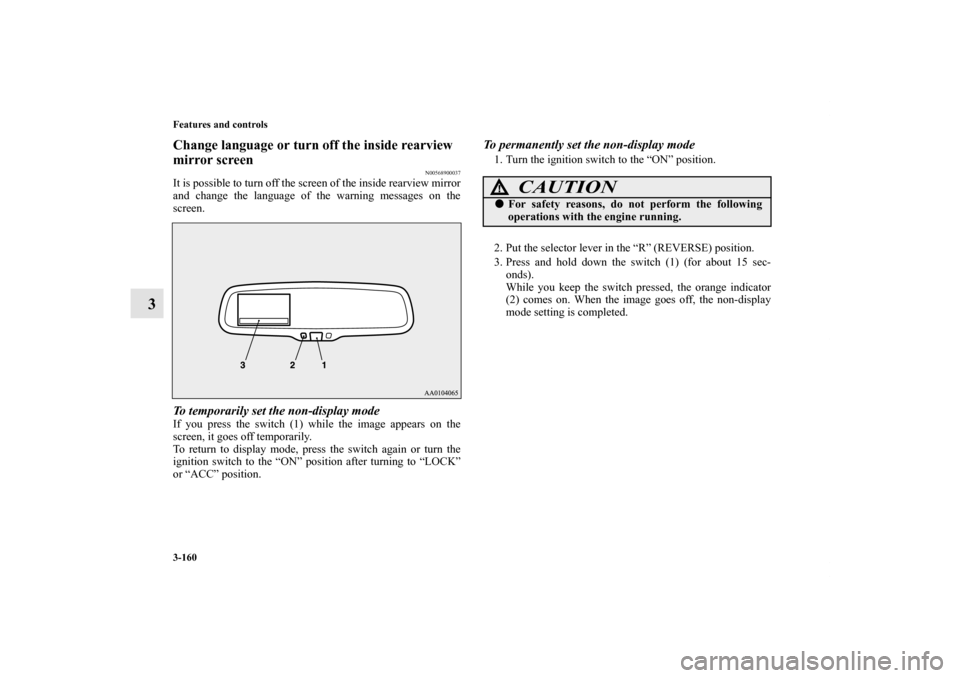
It is possible to turn off the screen of the inside rearview mirror
and change the language of the warning messages on the
screen.To temporarily set the non-display modeIf you press the switch (1) while the image appears on the
screen, it goes off temporarily.
To return to display mode, press the switch again or turn the
ignition switch to the “ON” position after turning to “LOCK”
or “ACC” position.
To permanently set the non-display mode1. Turn the ignition switch to the “ON” position.
2. Put the selector lever in the “R” (REVERSE) position.
3. Press and hold down the switch (1) (for about 15 sec-
onds).
While you keep the switch pressed, the orange indicator
(2) comes on. When the image goes off, the non-display
mode setting is completed.
CAUTION
!�For safety reasons, do not perform the following
operations with the engine running.
BK0138000US.book 160 ページ 2011年4月13日 水曜日 午前11時17分
Page 276 of 714
Features and controls
3-161
3
To change the language of warning text (3)1. Turn the ignition switch to the “ON” position.
2. Put the selector lever in the “R” (REVERSE) position.
3. Press and hold down the switch (1) to enter language
selection mode (for 6 to 11 seconds).
In this mode, the image appears and the green indicator
(2) comes on.
4. Press the switch until the desired language appears on the
display.
Each time you press the switch, the language will change
to the next one. When the warning text flashes, setting is
completed.
Instrument cluster
N00519000359
CAUTION
!�For safety reasons, do not perform the following
operations with the engine running.
1- Tachometer → P.3-163
2- Multi-information display → P.3-165
Information screen display list → P.3-198
3- Speedometer → P.3-162
4- Rheostat meter illumination button → P.3-163
BK0138000US.book 161 ページ 2011年4月13日 水曜日 午前11時17分
Page 278 of 714
Features and controls
3-163
3
Tachometer
N00519200250
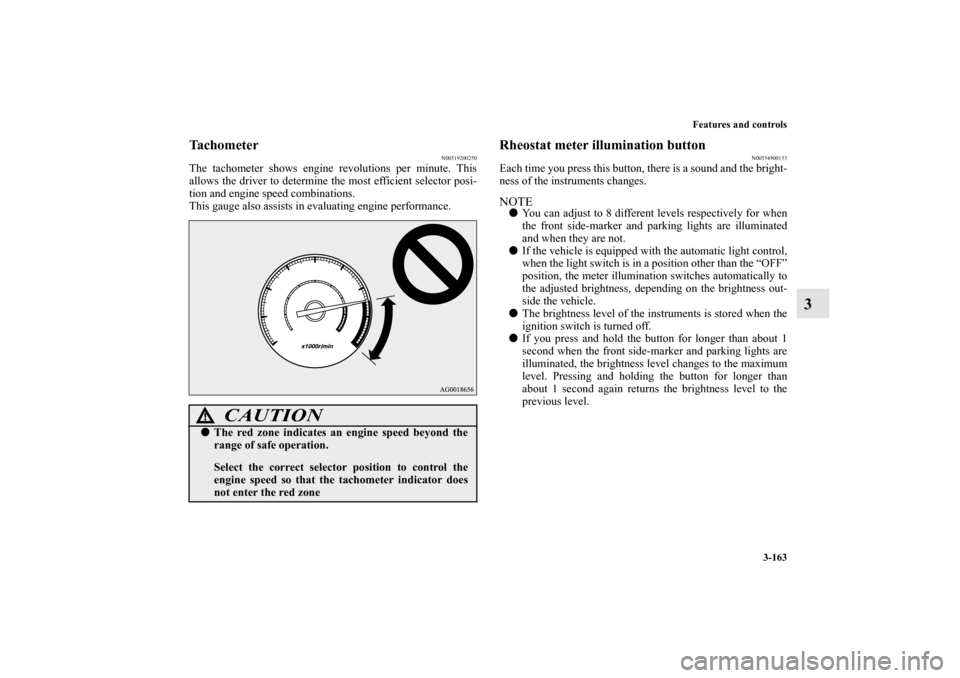
The tachometer shows engine revolutions per minute. This
allows the driver to determine the most efficient selector posi-
tion and engine speed combinations.
This gauge also assists in evaluating engine performance.
Rheostat meter illumination button
N00554900153
Each time you press this button, there is a sound and the bright-
ness of the instruments changes.NOTE�You can adjust to 8 different levels respectively for when
the front side-marker and parking lights are illuminated
and when they are not.
�If the vehicle is equipped with the automatic light control,
when the light switch is in a position other than the “OFF”
position, the meter illumination switches automatically to
the adjusted brightness, depending on the brightness out-
side the vehicle.
�The brightness level of the instruments is stored when the
ignition switch is turned off.
�If you press and hold the button for longer than about 1
second when the front side-marker and parking lights are
illuminated, the brightness level changes to the maximum
level. Pressing and holding the button for longer than
about 1 second again returns the brightness level to the
previous level.
CAUTION
!�The red zone indicates an engine speed beyond the
range of safe operation.
Select the correct selector position to control the
engine speed so that the tachometer indicator does
not enter the red zone
BK0138000US.book 163 ページ 2011年4月13日 水曜日 午前11時17分
Page 280 of 714
Features and controls
3-165
3 Multi-information display
N00555000223
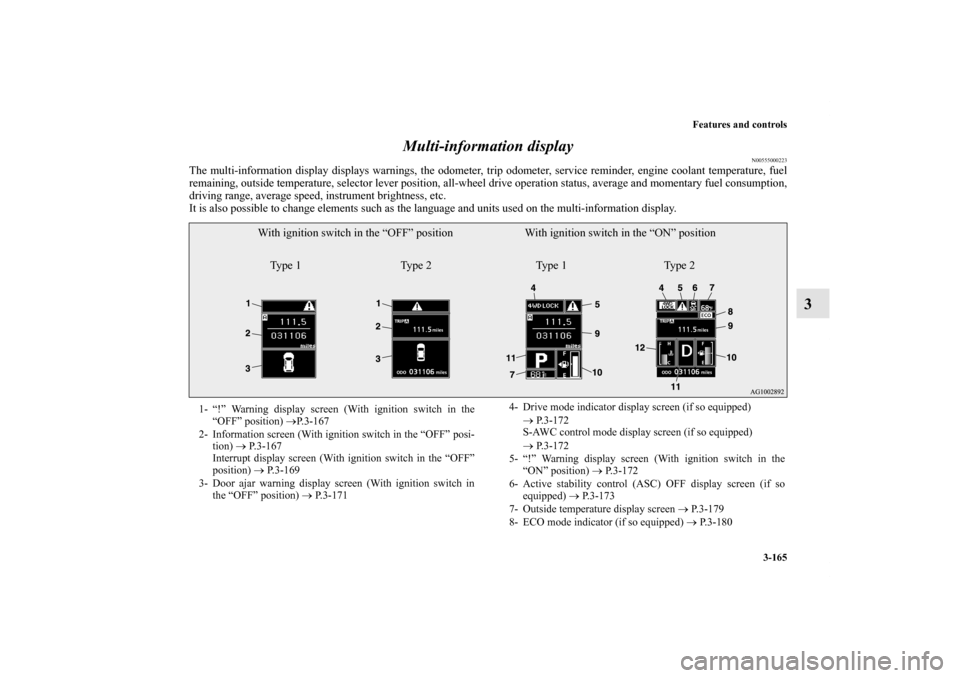
The multi-information display displays warnings, the odometer, trip odometer, service reminder, engine coolant temperature, fuel
remaining, outside temperature, selector lever position, all-wheel drive operation status, average and momentary fuel consumption,
driving range, average speed, instrument brightness, etc.
It is also possible to change elements such as the language and units used on the multi-information display.
With ignition switch in the “OFF” position With ignition switch in the “ON” position
Type 1 Type 2 Type 1 Type 2
1- “!” Warning display screen (With ignition switch in the
“OFF” position) →P. 3 - 1 6 7
2- Information screen (With ignition switch in the “OFF” posi-
tion) → P.3-167
Interrupt display screen (With ignition switch in the “OFF”
position) → P.3-169
3- Door ajar warning display screen (With ignition switch in
the “OFF” position) → P.3-1714- Drive mode indicator display screen (if so equipped)
→ P. 3 - 1 7 2
S-AWC control mode display screen (if so equipped)
→ P. 3 - 1 7 2
5- “!” Warning display screen (With ignition switch in the
“ON” position) → P.3-172
6- Active stability control (ASC) OFF display screen (if so
equipped) → P. 3 - 1 7 3
7- Outside temperature display screen → P.3-179
8- ECO mode indicator (if so equipped) → P. 3 - 1 8 0
BK0138000US.book 165 ページ 2011年4月13日 水曜日 午前11時17分
Page 281 of 714

3-166 Features and controls
3
NOTE�The fuel units, temperature units, display language, and
other settings can be changed.
Refer to “Changing the function settings (With ignition
switch in the “ON” position)” on page 3-183.
�The display screen is different depending on whether the
ignition switch in the “OFF” or “ON” position.
Refer to “Information screen (With ignition switch in the
“OFF” position)” on page 3-167.
Refer to “Warning display list (With ignition switch in the
“OFF” position)” on page 3-199.
Refer to “Information screen (With ignition switch turned
from “OFF” to “ON”)” on page 3-171.
Refer to “Information screen (With ignition switch in the
“ON” position)” on page 3-173.
Refer to “Warning display list (With ignition switch in the
“ON” position)” on page 3-202.Multi-information meter switch
N00555100152
The multi-information meter switch is a button marked
“INFO” on the left side of the dash.Each time the multi-information meter switch is operated, a
sound is emitted and the multi-information display changes
between information such as warnings, odometer (Type1), trip
odometer, service reminder, engine coolant temperature (Type
1), average and momentary fuel consumption, driving range,
and average speed.
It is also possible to change elements such as the language and
units used on the multi-information display by operating the
multi-information meter switch.9- Information screen (With ignition switch in the “ON” posi-
tion) → P.3-173
Interrupt display screen (With ignition switch in the “ON”
position) → P.3-177
10- Fuel remaining display screen → P. 3 - 1 7 9
11- Selector lever position display screen → P.3-178
12- Engine coolant temperature display (if so equipped)
→ P. 3 - 1 7 3
BK0138000US.book 166 ページ 2011年4月13日 水曜日 午前11時17分
Page 282 of 714

Features and controls
3-167
3
“!” Warning display screen (With ignition switch
in the “OFF” position)
N00555200166
If you press the multi-information meter switch and return
from the warning display screen to the previous screen, the “!”
warning is displayed.
Refer to “Returning to the display screen from before the warn-
ing display” on page 3-169.
This mark is also displayed if there is another warning other
than the one displayed. When the cause of the warning display
is eliminated, the “!” warning goes out automatically.NOTE�When the “!” warning is displayed, the warning display
screen can be redisplayed on the information screen.
Refer to “Information screen (With ignition switch in the
“OFF” position)” on page 3-167.
Refer to “Information screen (With ignition switch in the
“ON” position)” on page 3-173.Information screen (With ignition switch in the
“OFF” position)
N00555300138
Each time you lightly press the multi-information meter
switch, the display screen switches in the following order.
When there is no
warning display
When there is a
warning display Ty p e 1
Ty p e 2
When there is no
warning display
When there is a
warning display
BK0138000US.book 167 ページ 2011年4月13日 水曜日 午前11時17分
Page 284 of 714

Features and controls
3-169
3
NOTE�If there is no warning display, the switching sequence is:
odometer/trip odometer → odometer/trip odometer
→ service reminder → odometer/trip odometer .
�Both trip odometers and can count up to 9999.9
miles/kilometers.
When a trip odometer goes past 9999.9 miles/kilometers,
it returns to 0.0 miles/kilometers.
�When disconnecting the battery terminal, the memories of
trip odometer displays and are cleared, and their
displays return to “0.0 miles/kilometers”.Service reminder
N00555500013
Shows the distance and number of months until the next peri-
odic inspection.
Refer to “Service reminder” on page 3-180.
Interrupt display screen (With ignition switch in
the “OFF” position)
N00559600197
When there is information to be announced, such as a key
reminder, the buzzer sounds and switches to the warning dis-
play screen. Refer to the appropriate page and take the neces-
sary measures.
When the cause of the warning display is eliminated, the warn-
ing display goes out automatically.
Refer to “Warning display list (With ignition switch in the
“OFF” position)” on page 3-199.1- Information generated
2- Cause eliminatedTy p e 1
Ty p e 2
BK0138000US.book 169 ページ 2011年4月13日 水曜日 午前11時17分
