Page 304 of 714
Features and controls
3-189
3
3. Press and hold the multi-information meter switch (for
about 2 seconds or more) to change in sequence from °F
→ °C → °F.
The setting is changed to the selected temperature unit.NOTE�If the battery is disconnected, the memory of the unit set-
ting is erased and is automatically set to °F (°C).
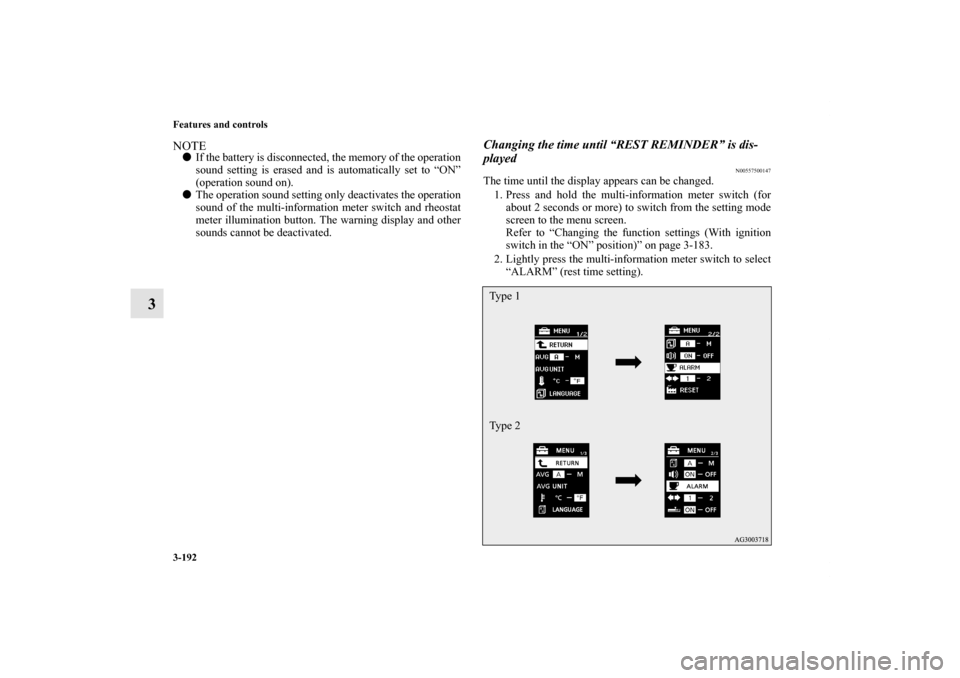
Changing the display language
N00557300132
The language of the multi-information display can be changed.
1. Press and hold the multi-information meter switch (for
about 2 seconds or more) to change from the setting mode
screen to the menu screen.
Refer to “Changing the function settings (With ignition
switch in the “ON” position)” on page 3-183.
2. Lightly press the multi-information meter switch to select
“LANGUAGE” (language setting).Type 1
Type 2
BK0138000US.book 189 ページ 2011年4月13日 水曜日 午前11時17分
Page 305 of 714
3-190 Features and controls
3
3. Press and hold the multi-information meter switch (for
about 2 seconds or more) to display “LANGUAGE” (lan-
guage setting).
4. Lightly press the multi-information meter switch to select
the desired language.
5. Press and hold the multi-information meter switch (for
about 2 seconds or more) to change the setting to the
selected language.NOTE�If the battery is disconnected, the memory of the language
setting is erased and is automatically set to ENGLISH.
�If “---” is selected in the language setting, a warning mes-
sage is not displayed when there is a warning display or
interrupt display.Changing the language on Mitsubishi Multi-Communi-
cation System or Bluetooth
® 2.0 interface to match the
multi-information display
(if so equipped)
N00529800204
The language used in Mitsubishi Multi-Communication Sys-
tem (if so equipped) or Bluetooth
® 2.0 interface (if so
equipped) can be changed automatically to the same language
as that shown in the multi-information display.
1. Press and hold the multi-information meter switch (for
about 2 seconds or more) to switch from the setting mode
screen to the menu screen. Refer to “Changing the func-
tion settings (With ignition switch in the “ON” position)”
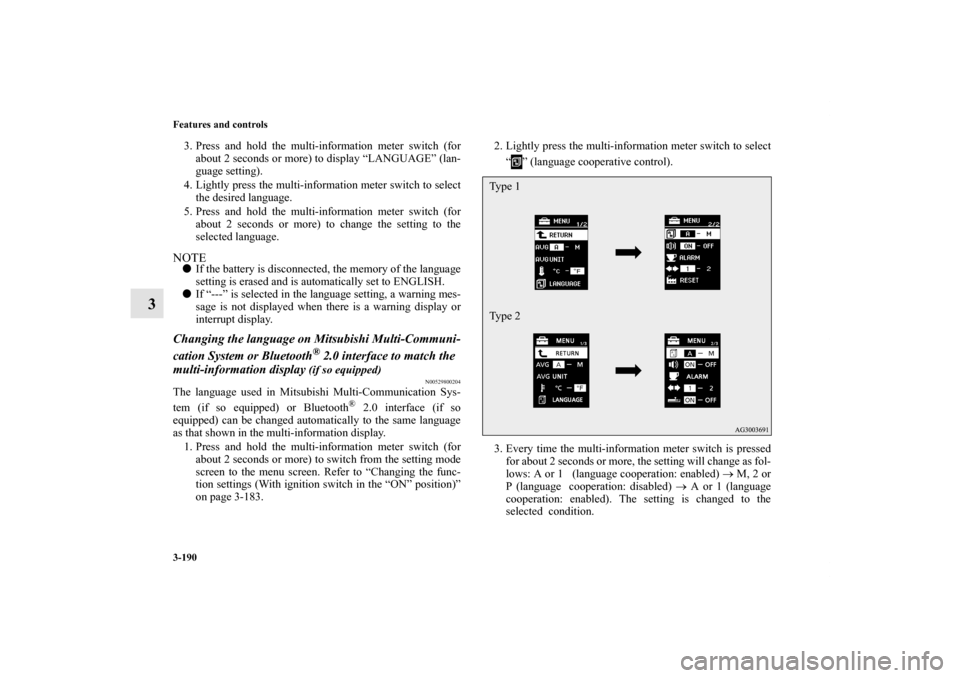
on page 3-183. 2. Lightly press the multi-information meter switch to select
“ ” (language cooperative control).
3. Every time the multi-information meter switch is pressed
for about 2 seconds or more, the setting will change as fol-
lows: A or 1 (language cooperation: enabled) → M, 2 or
P (language cooperation: disabled) → A or 1 (language
cooperation: enabled). The setting is changed to the
selected condition.
Type 1
Type 2
BK0138000US.book 190 ページ 2011年4月13日 水曜日 午前11時17分
Page 306 of 714
Features and controls
3-191
3
NOTE�If the battery is disconnected, the language cooperative
control is automatically set to “A or 1” (language coopera-
tion: enabled).
�The language cooperation setting can be switched in the
following manner.
• When “A or 1” (language cooperation: enabled) has
been selected, the language for Mitsubishi Multi-Com-
munication System (if so equipped) or Bluetooth
® 2.0
interface (if so equipped) is automatically changed to
the language selected for the multi-information display.
• When “M, 2 or P” (language cooperation: disabled) has
been selected, the language for Mitsubishi Multi-Com-
munication System (if so equipped) or Bluetooth® 2.0
interface (if so equipped) is not automatically changed
to match the language selected for the multi-information
display.
Operation sound setting
N00557400146
You can turn off the operation sounds of the multi-information
meter switch and rheostat meter illumination button.
1. Press and hold the multi-information meter switch (for
about 2 seconds or more) to switch from the setting mode
screen to the menu screen.
Refer to “Changing the function settings (With ignition
switch in the “ON” position)” on page 3-183.
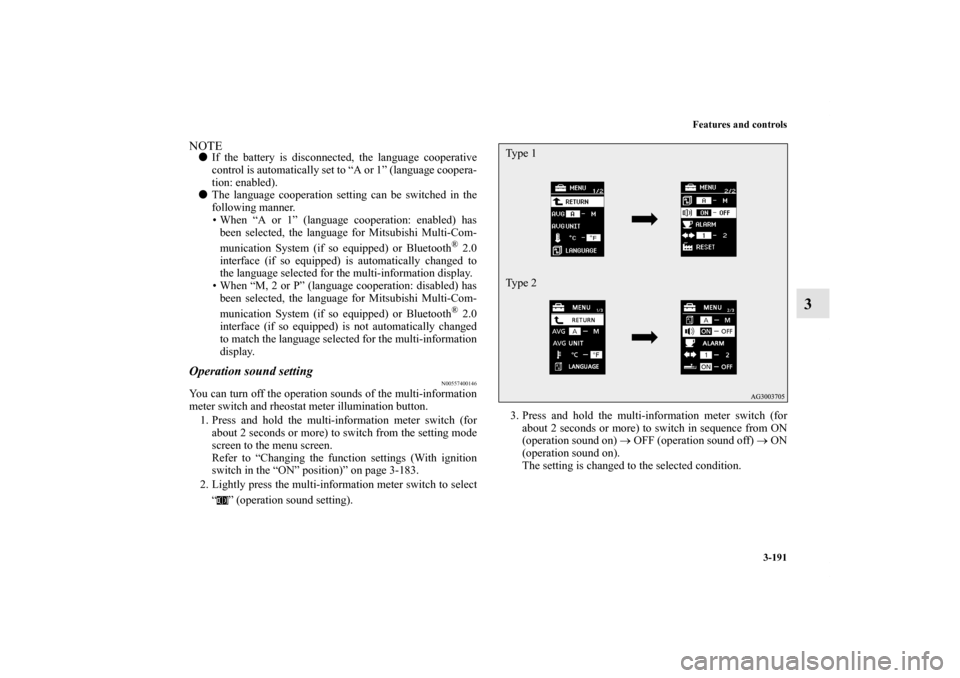
2. Lightly press the multi-information meter switch to select
“ ” (operation sound setting).3. Press and hold the multi-information meter switch (for
about 2 seconds or more) to switch in sequence from ON
(operation sound on) → OFF (operation sound off) → ON
(operation sound on).
The setting is changed to the selected condition.
Type 1
Type 2
BK0138000US.book 191 ページ 2011年4月13日 水曜日 午前11時17分
Page 307 of 714
3-192 Features and controls
3
NOTE�If the battery is disconnected, the memory of the operation
sound setting is erased and is automatically set to “ON”
(operation sound on).
�The operation sound setting only deactivates the operation
sound of the multi-information meter switch and rheostat
meter illumination button. The warning display and other
sounds cannot be deactivated.
Changing the time until “REST REMINDER” is dis-
played
N00557500147
The time until the display appears can be changed.
1. Press and hold the multi-information meter switch (for
about 2 seconds or more) to switch from the setting mode
screen to the menu screen.
Refer to “Changing the function settings (With ignition
switch in the “ON” position)” on page 3-183.
2. Lightly press the multi-information meter switch to select
“ALARM” (rest time setting).Type 1
Type 2
BK0138000US.book 192 ページ 2011年4月13日 水曜日 午前11時17分
Page 308 of 714
Features and controls
3-193
3
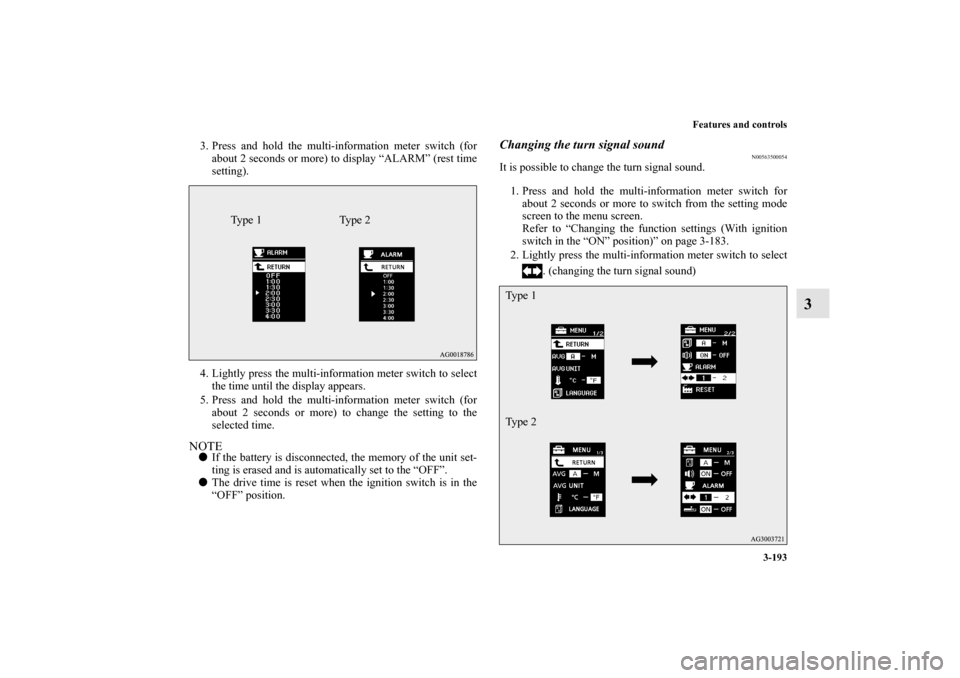
3. Press and hold the multi-information meter switch (for
about 2 seconds or more) to display “ALARM” (rest time
setting).
4. Lightly press the multi-information meter switch to select
the time until the display appears.
5. Press and hold the multi-information meter switch (for
about 2 seconds or more) to change the setting to the
selected time.NOTE�If the battery is disconnected, the memory of the unit set-
ting is erased and is automatically set to the “OFF”.
�The drive time is reset when the ignition switch is in the
“OFF” position.
Changing the turn signal sound
N00563500054
It is possible to change the turn signal sound.
1. Press and hold the multi-information meter switch for
about 2 seconds or more to switch from the setting mode
screen to the menu screen.
Refer to “Changing the function settings (With ignition
switch in the “ON” position)” on page 3-183.
2. Lightly press the multi-information meter switch to select
. (changing the turn signal sound)
Ty p e 1 Ty p e 2
Ty p e 1
Ty p e 2
BK0138000US.book 193 ページ 2011年4月13日 水曜日 午前11時17分
Page 309 of 714
3-194 Features and controls
3
3. Press and hold the multi-information meter switch for
about 2 seconds or more to switch in sequence from 1
(turn signal sound 1) → 2 (turn signal sound 2) → 1 (turn
signal sound 1).
The setting changes to the selected turn signal sound.
Changing the momentary fuel consumption display
(Type 2)
N00563600013
It is possible to change the bar graph setting of the momentary
fuel consumption display.
1. Press and hold the multi-information meter switch for
about 2 seconds or more to switch from the setting mode
screen to the menu screen.
Refer to “Changing the function settings (With ignition
switch in the “ON” position)” on page 3-183.
2. Lightly press the multi-information meter switch to select
. (changing the momentary fuel consumption display)
BK0138000US.book 194 ページ 2011年4月13日 水曜日 午前11時17分
Page 310 of 714
Features and controls
3-195
3
3. Press and hold the multi-information meter switch for
about 2 seconds or more to switch in sequence from ON
(with the green bar graph) → OFF (without the green bar
graph) → ON (with the green bar graph).
The setting changes to the selected bar graph setting.
Returning to the factory settings
N00557600164
All of the function settings can be returned to their factory set-
tings.
1. Press and hold the multi-information meter switch (for
about 2 seconds or more) to switch from the setting mode
screen to the menu screen.
Refer to “Changing the function settings (With ignition
switch in the “ON” position)” on page 3-183.
BK0138000US.book 195 ページ 2011年4月13日 水曜日 午前11時17分
Page 313 of 714
3-198 Features and controls
3
Information screen display list
N00557900079
When there is information to be announced, such as light reminder, the tone sounds and the screen switches to the displays shown
below. Refer to the appropriate page and take the necessary measures.
When the cause of the warning display is eliminated, the warning display goes out automatically.
Refer to Warning display list (With ignition switch in the “OFF” position) on page 3-199.
Refer to Warning display list (With ignition switch in the “ON” position) on page 3-202.
Refer to Other interrupt displays (With ignition switch in the “ON” position) on page 3-208.NOTE�In the following cases, a warning may be displayed on the information screen and the buzzer may sound for a few seconds, at
times.
This is caused by the system picking up interference such as strong electromagnetic waves or noise, and is not a functional
problem.
• An extremely strong electromagnetic wave is received from a source such as an illegal radio set, a spark from a wire, or a
radar station.
• Abnormal voltage or a static electricity discharge is generated by the operation of your vehicle’s electronics (including after-
market parts).
If the warning display has occurred a number of times, take your vehicle to an authorized Mitsubishi Motors dealer or a repair
facility of your choice and have the system checked.
BK0138000US.book 198 ページ 2011年4月13日 水曜日 午前11時17分