2012 MERCEDES-BENZ B-CLASS change wheel
[x] Cancel search: change wheelPage 137 of 340

Do not switch off the ignition while driving.
G
WARNING
If the parking brake has not been fully
released when driving,
the parking brake can:
R overheat and cause a fire
R lose its hold function.
There is a risk of fire and an accident. Release
the parking brake fully before driving off.
! Warm up the engine quickly. Do not use
the engine's full performance until it has
reached operating temperature.
Only shift the automatic transmission to
the desired drive position when the vehicle
is stationary.
Where possible, avoid spinning the drive
wheels when pulling away on slippery
roads. You could otherwise damage the
drive train. Key positions
g
To remove the SmartKey
(shift the transmission to position P)
1 Power supply for some consumers, such
as the windshield wipers
2 Ignition (power supply for all consumers)
and drive position
3 To start the engine
i The SmartKey can be turned in the
ignition lock even if it is not the correct
SmartKey for the
vehicle. The ignition is not
switched on. The engine cannot be started. Starting the engine
Important safety notes G
WARNING
Combustion engines emit poisonous exhaust
gases such as carbon monoxide. Inhaling
these exhaust gases
leads to poisoning. There
is a risk of fatal injury. Therefore never leave
the engine running in enclosed spaces
without sufficient ventilation. G
WARNING
Flammable materials introduced through
environmental influence or by animals can
ignite if in
contact with the exhaust system or
parts of the engine that heat up. There is a risk
of fire.
Carry out regular checks to make sure that
there are no flammable foreign materials in
the engine compartment or in the exhaust
system.
! Do not depress the accelerator pedal
when starting the engine.
i During a cold start, the engine runs at
higher speeds to enable the catalytic
converter to reach its operating
temperature. The sound of the engine may
change during this time.
Automatic transmission X
Shift the transmission to position P.
Transmission position display
P
is shown in
the multifunction display.
i When the transmission is in position N,
you can also
start the engine with the brake
pedal depressed.
Starting procedure X
Turn the SmartKey to position 3 in the
ignition lock (
Y page 135) and release it as
soon as the engine is running. Driving
135
Driving and parking Z
ProCarManuals.com
Page 144 of 340
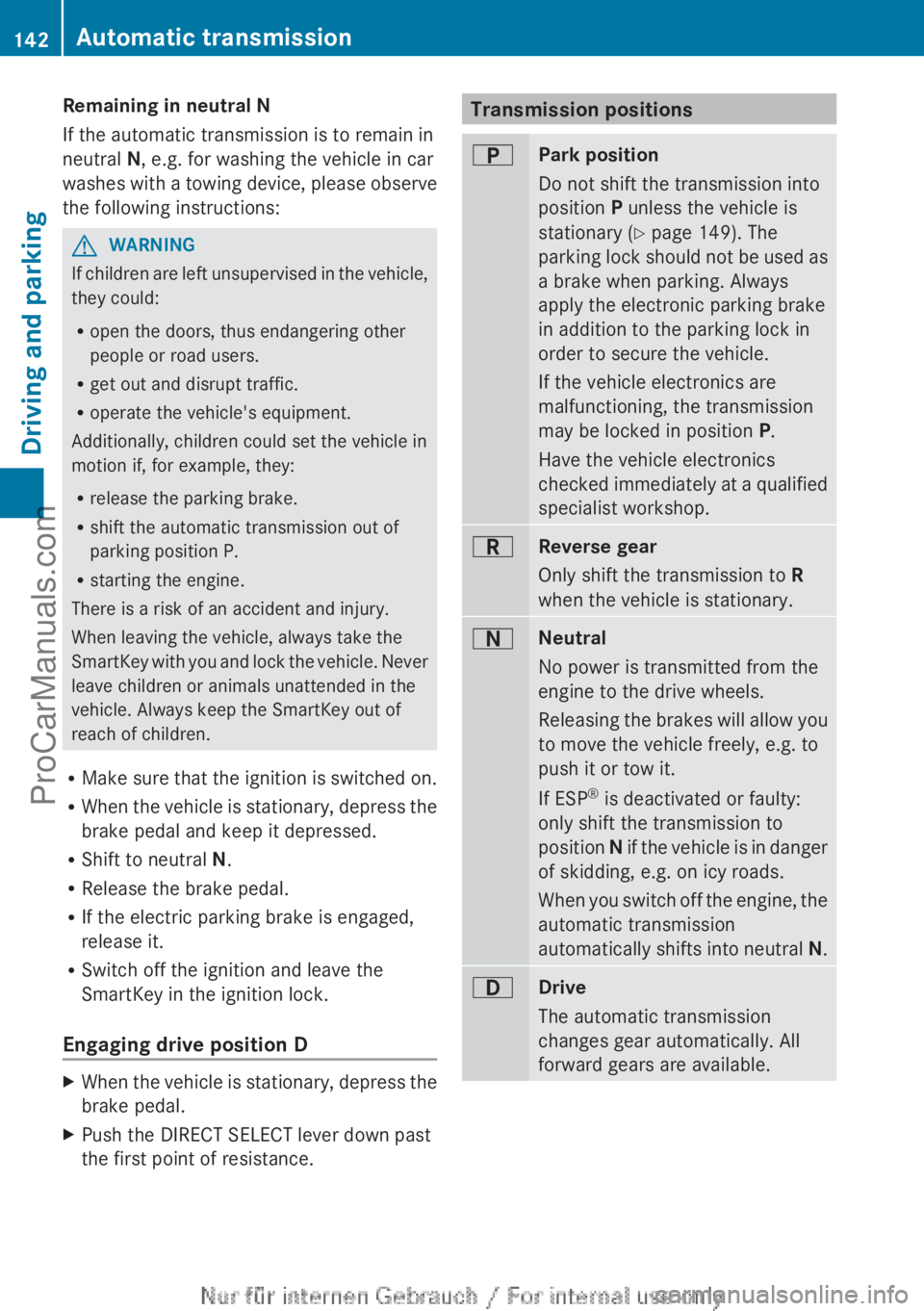
Remaining in neutral N
If the automatic transmission is to remain in
neutral N, e.g. for washing the vehicle in car
washes with
a
towing device, please observe
the following instructions: G
WARNING
If children are left unsupervised in the vehicle,
they could:
R open the doors, thus endangering other
people or road users.
R get out and disrupt traffic.
R operate the vehicle's equipment.
Additionally, children could set the vehicle in
motion if, for example, they:
R release the parking brake.
R shift the automatic transmission out of
parking position P.
R starting the engine.
There is a risk of an accident and injury.
When leaving the vehicle, always take the
SmartKey with you
and lock the vehicle. Never
leave children or animals unattended in the
vehicle. Always keep the SmartKey out of
reach of children.
R Make sure that the ignition is switched on.
R When the vehicle is stationary, depress the
brake pedal and keep it depressed.
R Shift to neutral N.
R Release the brake pedal.
R If the electric parking brake is engaged,
release it.
R Switch off the ignition and leave the
SmartKey in the ignition lock.
Engaging drive position D X
When the vehicle is stationary, depress the
brake pedal.
X Push the DIRECT SELECT lever down past
the first point of resistance. Transmission positions
B
Park position
Do not shift the transmission into
position P unless the vehicle is
stationary (
Y page 149). The
parking lock should
not be used as
a brake when parking. Always
apply the electronic parking brake
in addition to the parking lock in
order to secure the vehicle.
If the vehicle electronics are
malfunctioning, the transmission
may be locked in position P.
Have the vehicle electronics
checked immediately at a qualified
specialist workshop. C
Reverse gear
Only shift the transmission to
R
when the vehicle is stationary. A
Neutral
No power is transmitted from the
engine to the drive wheels.
Releasing the
brakes
will allow you
to move the vehicle freely, e.g. to
push it or tow it.
If ESP ®
is deactivated or faulty:
only shift the transmission to
position N if the vehicle is in danger
of skidding, e.g. on icy roads.
When you switch off the engine, the
automatic transmission
automatically shifts into neutral N. 7
Drive
The automatic transmission
changes gear automatically. All
forward gears are available.142
Automatic transmission
Driving and parking
ProCarManuals.com
Page 146 of 340
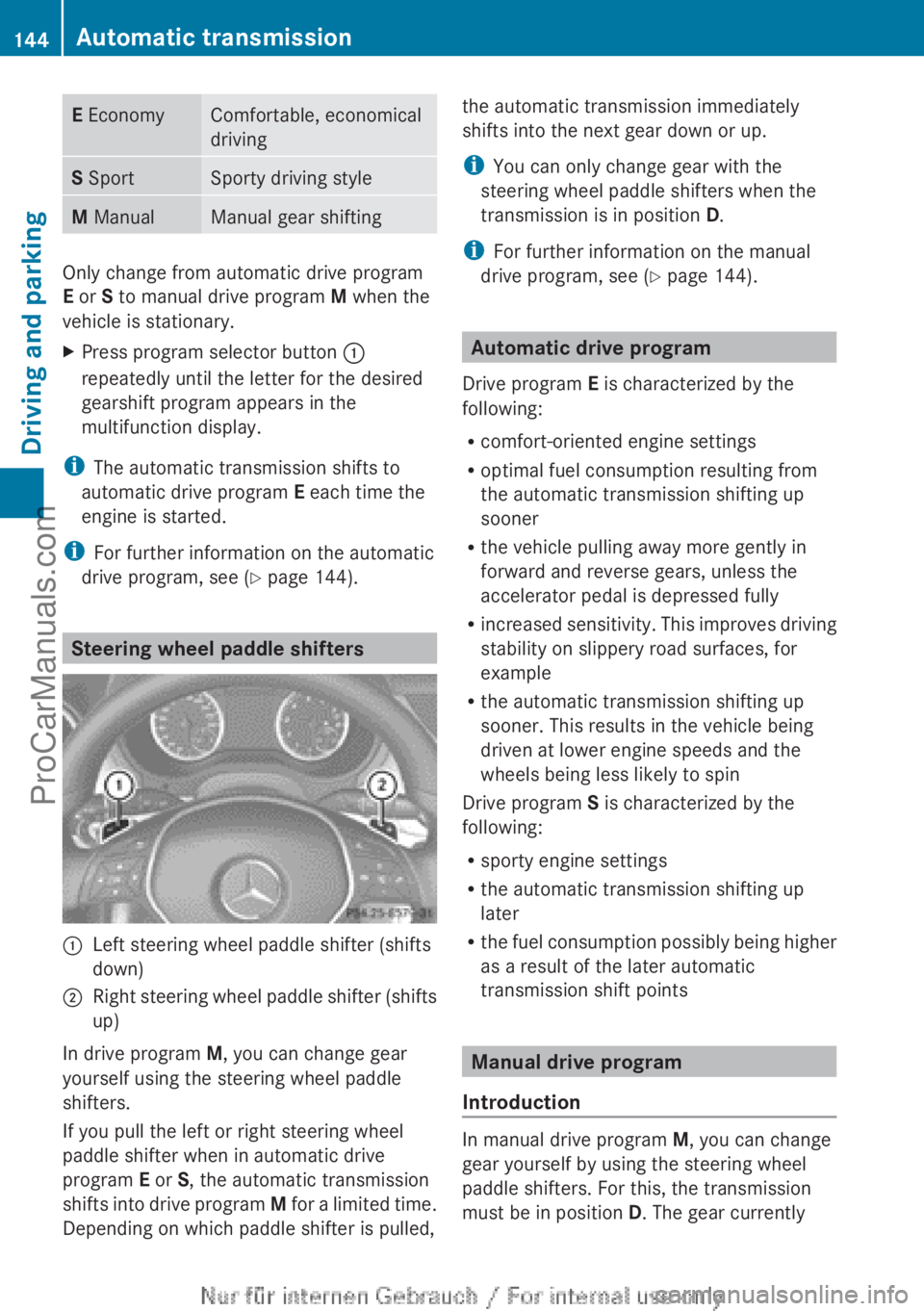
E Economy Comfortable, economical
driving
S Sport Sporty driving style
M Manual Manual gear shifting
Only change from automatic drive program
E or S to manual drive program
M when the
vehicle is stationary.
X Press program selector button :
repeatedly until the letter for the desired
gearshift program appears in the
multifunction display.
i The automatic transmission shifts to
automatic drive program E each time the
engine is started.
i For further information on the automatic
drive program, see ( Y page 144). Steering wheel paddle shifters
:
Left steering wheel paddle shifter (shifts
down)
; Right steering wheel paddle shifter (shifts
up)
In drive program M, you can change gear
yourself using the steering wheel paddle
shifters.
If you pull the left or right steering wheel
paddle shifter when in automatic drive
program E or S, the automatic transmission
shifts into drive
program M for a limited time.
Depending on which paddle shifter is pulled, the automatic transmission immediately
shifts into the next gear down or up.
i
You can only change gear with the
steering wheel paddle shifters when the
transmission is in position D.
i For further information on the manual
drive program, see ( Y page 144). Automatic drive program
Drive program E is characterized by the
following:
R comfort-oriented engine settings
R optimal fuel consumption resulting from
the automatic transmission shifting up
sooner
R the vehicle pulling away more gently in
forward and reverse gears, unless the
accelerator pedal is depressed fully
R increased sensitivity. This
improves driving
stability on slippery road surfaces, for
example
R the automatic transmission shifting up
sooner. This results in the vehicle being
driven at lower engine speeds and the
wheels being less likely to spin
Drive program S is characterized by the
following:
R sporty engine settings
R the automatic transmission shifting up
later
R the fuel consumption possibly being higher
as a result of the later automatic
transmission shift points Manual drive program
Introduction In manual drive program
M, you can change
gear yourself by using the steering wheel
paddle shifters. For this, the transmission
must be in position D. The gear currently 144
Automatic transmission
Driving and parking
ProCarManuals.com
Page 147 of 340
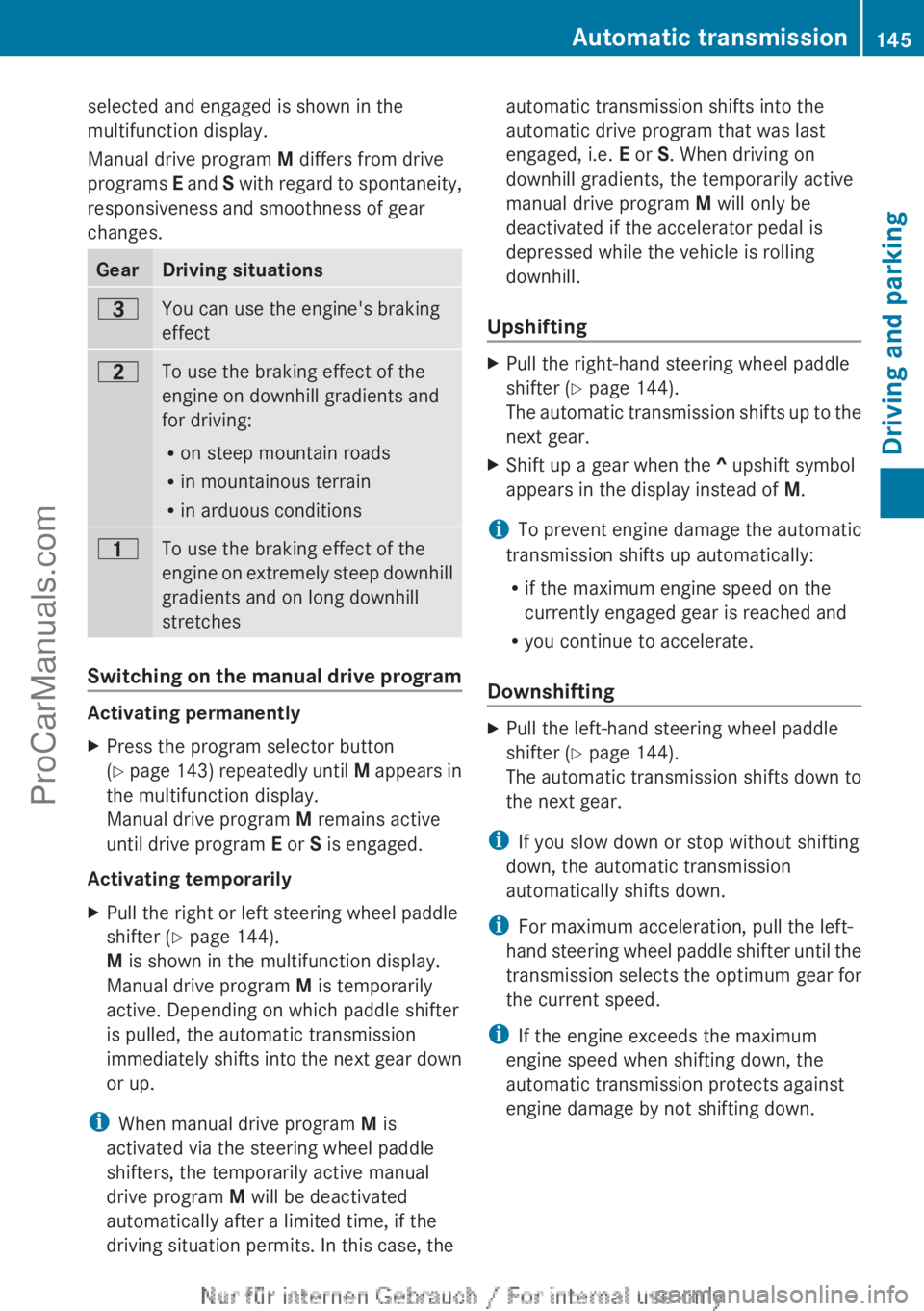
selected and engaged is shown in the
multifunction display.
Manual drive program
M differs from drive
programs E and S
with regard to spontaneity,
responsiveness and smoothness of gear
changes. Gear Driving situations
=
You can use the engine's braking
effect
5
To use the braking effect of the
engine on downhill gradients and
for driving:
R
on steep mountain roads
R in mountainous terrain
R in arduous conditions 4
To use the braking effect of the
engine on
extremely
steep downhill
gradients and on long downhill
stretches Switching on the manual drive program
Activating permanently
X
Press the program selector button
(Y page 143)
repeatedly until M appears in
the multifunction display.
Manual drive program M remains active
until drive program E or S is engaged.
Activating temporarily
X Pull the right or left steering wheel paddle
shifter (Y page 144).
M is shown in the multifunction display.
Manual drive program M is temporarily
active. Depending on which paddle shifter
is pulled, the automatic transmission
immediately shifts into
the next gear down
or up.
i When manual drive program M is
activated via the steering wheel paddle
shifters, the temporarily active manual
drive program M will be deactivated
automatically after a limited time, if the
driving situation permits. In this case, the automatic transmission shifts into the
automatic drive program that was last
engaged, i.e.
E or S. When driving on
downhill gradients, the temporarily active
manual drive program M will only be
deactivated if the accelerator pedal is
depressed while the vehicle is rolling
downhill.
Upshifting X
Pull the right-hand steering wheel paddle
shifter (Y page 144).
The automatic transmission
shifts up to the
next gear.
X Shift up a gear when the ^ upshift symbol
appears in the display instead of M.
i To prevent engine damage the automatic
transmission shifts up automatically:
R if the maximum engine speed on the
currently engaged gear is reached and
R you continue to accelerate.
Downshifting X
Pull the left-hand steering wheel paddle
shifter (Y page 144).
The automatic transmission
shifts down to
the next gear.
i If you slow down or stop without shifting
down, the automatic transmission
automatically shifts down.
i For maximum acceleration, pull the left-
hand steering wheel
paddle shifter until the
transmission selects the optimum gear for
the current speed.
i If the engine exceeds the maximum
engine speed when shifting down, the
automatic transmission protects against
engine damage by not shifting down. Automatic transmission
145
Driving and parking Z
ProCarManuals.com
Page 148 of 340
Kickdown
You can also use kickdown for maximum
acceleration in manual drive program
M.
X Depress the accelerator pedal beyond the
pressure point.
The transmission shifts to a lower gear
depending on the engine speed.
X Shift back up once the desired speed is
reached.
i During kickdown, you
cannot change gear
using the steering wheel paddle shifters.
i If you apply full throttle, the automatic
transmission shifts up to the next gear
when the maximum engine speed is
reached. This prevents the engine from
overrevving.
Switching off the manual drive program X
Press the program selector button
(Y page 143) repeatedly until E or S
appears in the multifunction display.
Deactivating the temporary manual drive
program
X Pull and hold the right-hand steering wheel
paddle shifter until the automatic
transmission shifts into the last active
automatic drive program: E or S.
i If manual drive
program M is deactivated,
the automatic transmission in automatic
drive program E or S may shift from the
current gear into a higher or lower gear.
This is dependent on the position of the
accelerator pedal, speed and load. 146
Automatic transmission
Driving and parking
ProCarManuals.com
Page 156 of 340

i
On long journeys
at a constant speed, e.g.
on the highway, only the bar for Constant
will change.
i The ECO display summaries the driving
characteristics from the start of the journey
to its completion. For this reason, the bars
change dynamically at the beginning of the
journey. On longer journeys, there are
fewer changes. For more dynamic changes,
carry out a manual reset.
Further information on the ECO display
(Y page 190). Brakes
Important safety notes G
WARNING
If you shift down on a slippery road surface in
an attempt to increase the engine's braking
effect, the drive wheels could lose their grip.
There is an increased danger of skidding and
accidents.
Do not shift down for additional engine
braking on a slippery road surface.
Downhill gradients !
On long and steep gradients, you must
reduce the load
on the brakes by shifting to
a lower gear in good time. This allows you
to take advantage of the engine's braking
effect. For this, you need to have selected
manual drive program M. This helps you to
avoid overheating the brakes and wearing
them out excessively.
When you take advantage of the engine's
braking effect, a drive wheel may not turn
for some time, e.g. on a slippery road
surface. This could cause damage to the
drive train. This type of damage is not
covered by the Mercedes-Benz warranty.
i Briefly depressing the accelerator pedal
on downhill gradients while the manual
drive program M is temporarily activated:
the automatic transmission may switch to the last active automatic drive program
E
or S. The automatic
transmission may shift
to a higher gear. This can reduce the
engine's braking effect.
Heavy and light loads G
WARNING
If you rest your foot on the brake pedal while
driving, the braking
system can overheat. This
increases the stopping distance and can even
cause the braking system to fail. There is a
risk of an accident.
Never use the brake pedal as a footrest. Never
depress the brake pedal and the accelerator
pedal at the same time.
! Depressing the brake pedal constantly
results in excessive and premature wear to
the brake pads.
If the brakes have been subjected to a heavy
load, do not stop the vehicle immediately.
Drive on for a short while. This allows the
airflow to cool the brakes more quickly.
Wet roads If you have driven for a long time in heavy rain
without braking, there may be a delayed
reaction from
the
brakes when braking for the
first time. This may also occur after the
vehicle has been washed or driven through
deep water.
You have to depress the brake pedal more
firmly. Maintain a greater distance from the
vehicle in front.
After driving on a wet road or having the
vehicle washed, brake firmly while paying
attention to the traffic conditions. This will
warm up the brake discs, thereby drying them
more quickly and protecting them against
corrosion.
Limited braking performance on salt-
treated roads If you drive on salted roads, a layer of salt
residue may form on the brake discs and154
Driving tips
Driving and parking
ProCarManuals.com
Page 159 of 340

Winter driving
General notes G
WARNING
If you shift down on a slippery road surface in
an attempt to increase the engine's braking
effect, the drive wheels could lose their grip.
There is an increased danger of skidding and
accidents.
Do not shift down for additional engine
braking on a slippery road surface. G
DANGER
If the exhaust pipe is blocked or adequate
ventilation is not possible, poisonous gases
such as carbon
monoxide (CO) may enter the
vehicle. This is the case, e.g. if the vehicle
becomes trapped in snow. There is a risk of
fatal injury.
If you leave the engine or the auxiliary heating
running, make sure the exhaust pipe and area
around the vehicle are clear of snow. To
ensure an adequate supply of fresh air, open
a window on the side of the vehicle that is not
facing into the wind.
Have your vehicle winterproofed at a qualified
specialist workshop at the onset of winter.
Observe the notes in the "Winter operation"
section ( Y page 300).
Driving with summer tires Observe the notes in the "Winter operation"
section (
Y page 300).
Slippery road surfaces G
WARNING
If you shift down on a slippery road surface in
an attempt to increase the engine's braking
effect, the drive wheels could lose their grip.
There is an increased danger of skidding and
accidents.
Do not shift down for additional engine
braking on a slippery road surface. If the vehicle threatens to skid or cannot be
stopped when moving at low speed:
X
Shift the transmission to position N.
Drive particularly carefully on slippery road
surfaces. Avoid sudden
acceleration, steering
and braking maneuvers. Do not use the cruise
control or DISTRONIC PLUS.
The outside temperature indicator is not
designed to serve as an ice-warning device
and is therefore unsuitable for that purpose.
Changes in the outside temperature are
displayed after a short delay.
Indicated temperatures just above the
freezing point do not guarantee that the road
surface is free of ice. The road may still be icy,
especially in wooded areas or on bridges. You
should pay special attention to road
conditions when temperatures are around
freezing point.
i For more information on driving with
snow chains, see ( Y page 301). Driving systems
Cruise control
Important safety notes If you fail to adapt your driving style, cruise
control can neither reduce the risk of an
accident nor override the laws of physics.
Cruise control cannot take into account the
road, traffic and weather conditions. Cruise
control is only
an aid. You are responsible for
the distance to the vehicle in front, for vehicle
speed, for braking in good time and for
staying in your lane.
Do not use cruise control:
R in road and traffic conditions which do not
allow you to maintain a constant speed e.g.
in heavy traffic or on winding roads
R on slippery road surfaces. Braking or
accelerating could cause the drive wheels Driving systems
157
Driving and parking Z
ProCarManuals.com
Page 162 of 340

In such cases, DISTRONIC PLUS may:
R
give an unnecessary warning and then
brake the vehicle
R neither give a warning nor intervene
R accelerate unexpectedly
There is a risk of an accident.
Continue to drive carefully and be ready to
brake, in particular when warned to do so by
DISTRONIC PLUS. G
WARNING
DISTRONIC PLUS brakes your vehicle with up
to 40% of the maximum braking force. If this
braking force is
insufficient, DISTRONIC PLUS
warns you visually and audibly. There is a risk
of an accident.
In such cases, apply the brakes yourself and
try to take evasive action.
! If DISTRONIC PLUS or the HOLD function
is activated, the vehicle brakes
automatically in certain situations. To
prevent damage to the vehicle, deactivate
DISTRONIC PLUS and the HOLD function in
the following or other similar situations:
R when towing the vehicle
R in the car wash
If you fail to adapt your driving style,
DISTRONIC PLUS can neither reduce the risk
of accident nor override the laws of physics.
DISTRONIC PLUS cannot take into account
the road, traffic and weather conditions.
DISTRONIC PLUS is only an aid. You are
responsible for the distance to the vehicle in
front, for vehicle speed, for braking in good
time and for staying in your lane.
Do not use DISTRONIC PLUS:
R in road and traffic conditions which do not
allow you to maintain a constant speed e.g.
in heavy traffic or on winding roads
R on slippery road surfaces. Braking or
accelerating could cause the drive wheels to lose traction and the vehicle could then
skid
R when there is
poor visibility, e.g. due to fog,
heavy rain or snow
DISTRONIC PLUS may not detect narrow
vehicles driving in front, e.g. motorcycles, or
vehicles driving on a different line.
In particular, the detection of obstacles can
be impaired if:
R dirt on the sensors or anything else
covering the sensors
R snow or heavy rain
R interference by other radar sources
R strong radar reflections, for example, in
parking garages
If DISTRONIC PLUS no longer detects a
vehicle in front, DISTRONIC PLUS may
unexpectedly accelerate the vehicle to the
stored speed.
This speed may:
R be too high if you are driving in a filter lane
or an exit lane
R be so high when driving in the right-hand
lane that you overtake vehicles in the left-
hand lane
R be so high when driving in the left-hand lane
that you overtake vehicles in the right-hand
lane
If there is a change of drivers, advise the new
driver of the speed stored.
General notes DISTRONIC PLUS regulates the speed and
automatically helps you maintain the
distance to the vehicle detected in front.
DISTRONIC PLUS brakes automatically so
that the set speed is not exceeded.
On long and steep downhill gradients,
especially if the vehicle is laden, you must
select a low gear in good time. For this, you
will need to have selected manual drive
program
M(Y page 154).
By doing so, you will
make use of the braking effect of the engine.
This relieves the load on the brake system and 160
Driving systems
Driving and parking
ProCarManuals.com