Page 415 of 914
4055-1. Remote Touch screen
5
Interior features
GS350/250_EE (OM30C36E)Say the command displayed
on the screen.
If a desired outcome is not shown,
or if no selections are available,
perform one of the following to
return to the previous screen:
• Say “Go back”.
• Select “Go back”.
•Press .
To cancel, select “Cancel”, or
press and hold .
Speech command example (search for a track using artist name
or album name)
Press .
“Play artist ” and “Play album ” are displayed in the
“Shortcuts” screen.
Say “Play artist ” or “Play album ”.
Say the desired artist name or album name in the place of the “<>”.
A confirmation screen will be displayed showing the recognition
results. If multiple matching items are found, a selection screen will be
displayed.
When “Play artist ” is used to play music, the first track is
selected randomly. (P. 432)
Say “Yes” or select “Yes”.
3
1
2
3
Page 416 of 914
4065-1. Remote Touch screen
GS350/250_EE (OM30C36E)Recognizable speech commands and their actions are shown below.
For devices that are not installed in the vehicle, the related com-
mands will not be displayed in the “Shortcuts” screen. Also,
according to conditions, other commands may not be displayed
in the “Shortcuts” screen.
Voice recognition language can be changed. (P. 386)
Commands that have a “O” in the “Shortcuts” column in the fol-
lowing table can be recognized from the “Shortcuts” screen.
Calling a Telephone (P. 561)
Command list
CommandActionShortcuts
“Call ”
Calls made by saying a name from
the phonebook.
For example: Say “Call John Smith”,
“Call John Smith, mobile” etc.
O
“Dial ”
Calls made by saying the Telephone
number.
For example: Say “Dial
0123456789” etc.
O
Page 417 of 914
4075-1. Remote Touch screen
5
Interior features
GS350/250_EE (OM30C36E)
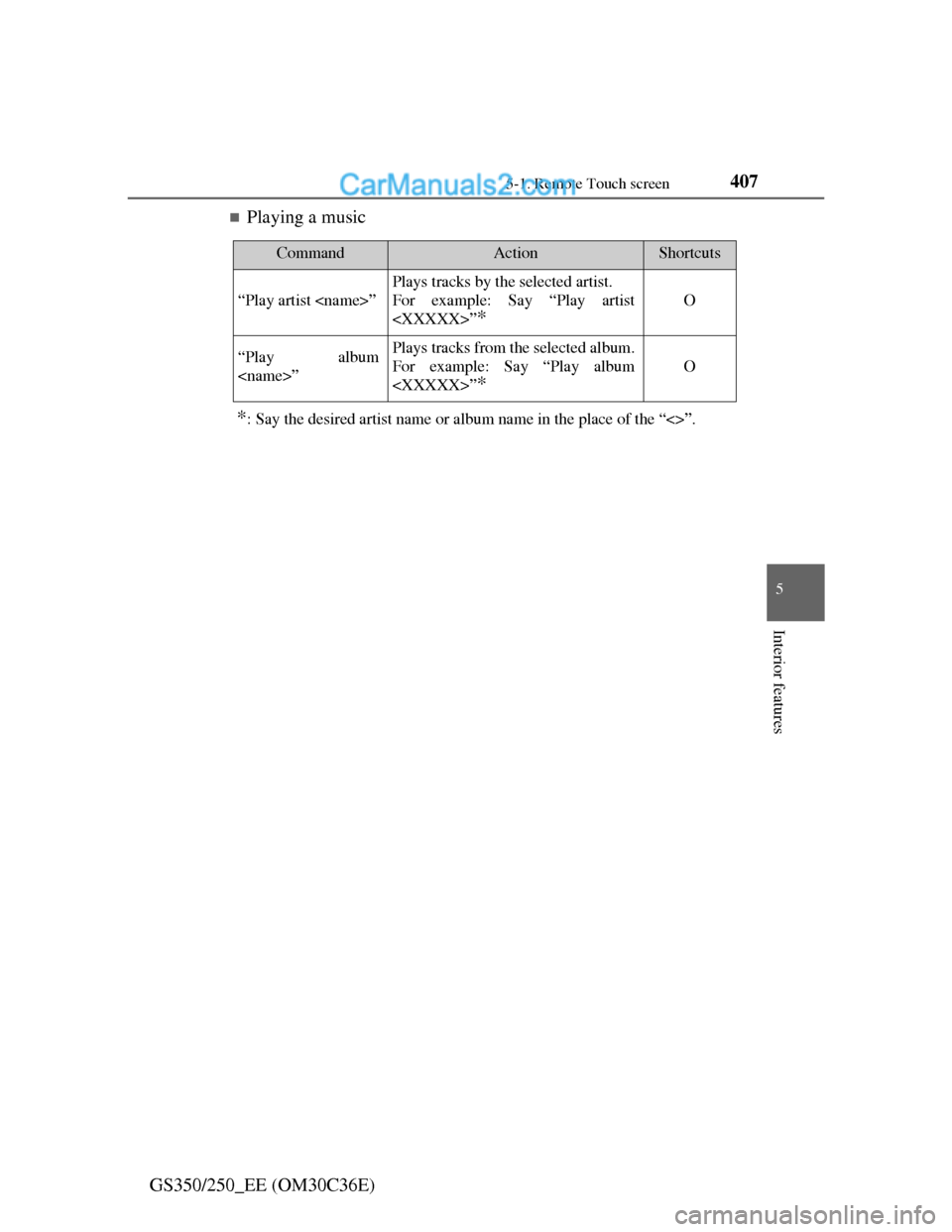
Playing a music
*: Say the desired artist name or album name in the place of the “<>”.
CommandActionShortcuts
“Play artist ”
Plays tracks by the selected artist.
For example: Say “Play artist
”
*
O
“Play album
”Plays tracks from the selected album.
For example: Say “Play album
”
*
O
Page 418 of 914

4085-1. Remote Touch screen
GS350/250_EE (OM30C36E)
Speech command system
Commands that are not displayed in the “Shortcuts” screen can be operated
from the “Main menu” screen.
If the system does not respond or the confirmation screen does not disap-
pear, press and try again.
Speech guidance can be canceled by setting voice prompts to off. Use this
setting when it is desirable to say a command immediately after pressing
and hearing a beep.
If a speech command cannot be recognized
If a speech command cannot be recognized within 6 seconds, voice guid-
ance will say “Pardon?” (“Command not recognized.” will be displayed on
the screen) and speech command reception will restart.
If a speech command cannot be recognized 2 consecutive times, the speech
command guidance system will say “Paused. To restart voice recognition,
push the talk switch. To cancel voice recognition, push and hold the talk
switch.” Voice recognition will then be suspended. Select “Cancel” or “Go
back”, or press .
When selecting “Voice Prompts”
The voice recognition prompt can be set to on or off. This setting can also
be changed on the “Voice settings” screen. (P. 398)
Voice recognition will be temporarily suspended. Press again.
Page 419 of 914

4095-1. Remote Touch screen
5
Interior features
GS350/250_EE (OM30C36E)
When using the microphone
It is unnecessary to speak directly into the microphone when giving a com-
mand.
Wait for the confirmation beep before speaking a command.
Speech commands may not be recognized if:
• Spoken too quickly.
• Spoken at a low or high volume.
• The roof or windows are open.
• Passengers are talking while speech commands are spoken.
• The air conditioning speed is set high.
• The air conditioning vents are turned towards the microphone.
In the following conditions, the system may not recognize the command
properly and using speech commands may not be possible:
• The command is incorrect or unclear. Note that certain words, accents or
speech patterns may be difficult for the system to recognize.
• There is excessive background noise, such as wind noise.
When searching for a track
A USB memory or iPod must be connected to enable track searching and
playback. (P. 510, 521)
When a USB memory or iPod is connected, recognition data is created so
tracks can be searched using speech commands.
Recognition data is updated under the following conditions:
• When the USB memory or iPod data has changed.
• When the voice recognition language is changed. (P. 386)
While the recognition data is being created or being updated, a track search
cannot be performed using a speech command.
When “Play music” is dimmed in the “Shortcuts” screen, it is not possible
to search for a track using a speech command. In this situation, reduce the
amount of music data in the USB memory or iPod and update the recogni-
tion data to enable searching by speech command.
Page 420 of 914
409
5 5-2. Using the air conditioning system and defogger
Interior features
GS350/250_EE (OM30C36E)
Front automatic air conditioning system
Air outlets and fan speed are automatically adjusted according to
the temperature setting.
Vehicles with a 12.3-inch display: The air conditioning system can
be displayed and operated on the “Side Display”. For details, refer
to the “Navigation System Owner’s Manual”.
Press the “MENU” button on the Remote Touch, then select “Cli-
mate” to display the air conditioning operation screen.
The illustrations below are for left-hand drive vehicles.
The button positions and shapes will differ for right-hand drive
vehicles.
Also, the display and button positions will differ depending on the
type of the system.
Page 442 of 914
431
5 5-2. Using the air conditioning system and defogger
Interior features
GS350/250_EE (OM30C36E)
Windshield wiper de-icer
Press the “MENU” button on the Remote Touch. (P. 368)
Select “Climate” on the
“Menu” screen.
ON/OFF
Select to turn on the wind-
shield wiper de-icer. The wind-
shield wiper de-icer will
automatically turn off after
approximately 15 minutes. Select-
ing again also turns the de-
icer off.
Operating conditions
The engine switch must be in the IGNITION ON mode.
: If equipped
This feature is used to prevent ice from building up on the wind-
shield and wiper blades.
1
2
3
CAUTION
When the windshield wiper de-icer is on
Do not touch the glass at the lower part of the windshield or to the side of
the front pillars as the surfaces can become very hot and burn you.
Page 443 of 914
4325-3. Using the audio system
GS350/250_EE (OM30C36E)
Audio system type
CD and DVD player with AM/FM radio
Vehicles with a 12.3-inch display: The audio functions can be dis-
played and operated on the “Side Display”. For details, refer to the
“Navigation System Owner’s Manual”.
The illustration below is for left-hand drive vehicles with a 8-inch
display.
The button positions and shapes will differ for right-hand drive
vehicles.
Also, the display and button positions will differ depending on the
type of the system.
Using the instrument panel
Press the “RADIO” or “MEDIA” button to display the audio
control screen.
Using the Remote Touch
Press the “MENU” button on the Remote Touch, select
“Audio” and select each tab to display the audio control screen.