2012 HYUNDAI VELOSTER smart key
[x] Cancel search: smart keyPage 59 of 385

341
Safety features of your vehicle
WARNING
Do not install or place any acces-
sories (drink holder, CD or discs
holder, sticker, etc.) on the front
passenger's panel above the
glove box in a vehicle with a pas-
senger's air bag. Such objects
may become dangerous projec-
tiles and cause injury if the pas-
senger's air bag inflates.
When installing a container of liq-
uid air freshener inside the vehi-
cle, do not place it near the
instrument cluster nor on the
instrument panel surface.
It may become a dangerous pro-
jectile and cause injury if the pas-
senger's air bag inflates.
B240B05L
Passenger’s front air bag
WARNING
If an air bag deploys, there may
be a loud noise followed by a fine
dust released in the vehicle.
These conditions are normal and
are not hazardous - the air bags
are packed in this fine powder.
The dust generated during air
bag deployment may cause skin
or eye irritation as well as aggra-
vate asthma for some persons.
Always wash all exposed skin
areas thoroughly with lukewarm
water and a mild soap after an
accident in which the air bags
were deployed.
The SRS can function only when
the ignition switch is in the ON
position. If the SRS air bag warn-
ing light " " does not illumi-
nate, or continuously remains on
after illuminating for about 6 sec-
onds when the ignition switch is
turned to the ON position, or after
the engine is started, comes on
while driving, the SRS is not
working properly. If this occurs,
have your vehicle immediately
inspected by an authorized
HYUNDAI dealer.
(Continued)
(Continued)
Before you replace a fuse or dis-
connect a battery terminal, turn
the ignition switch to the LOCK
position and remove the ignition
key for ignition key, and turn the
engine start/stop button to the
OFF position for smart key. Never
remove or replace the air bag
related fuse(s) when the ignition
switch is in the ON position.
Failure to heed this warning will
cause the SRS air bag warning
light to illuminate.
Page 80 of 385
4
Keys / 4-3
Smart key / 4-6
Remote keyless entry / 4-12
Theft-alarm system / 4-15
Door locks / 4-19
Trunk / 4-23
Windows / 4-25
Hood / 4-29
Fuel filler lid / 4-31
Sunroof / 4-34
Steering wheel / 4-38
Mirrors / 4-40
Instrument cluster / 4-43
Rear view camera / 4-60
Hazard warning flasher / 4-60
Lighting / 4-61
Wipers and washers / 4-66
Interior light / 4-68
Defroster / 4-70
Manual climate control system / 4-71
Automatic climate control system / 4-80
Features of your vehicle
Page 85 of 385

Features of your vehicle
6 4
Smart key function
1. Door lock
2. Door unlock
3. Trunk unlock
4. Panic
With a smart key, you can lock or unlock
a door (and trunk) and even start the
engine without inserting the key.
Refer to the following for more details.
Locking
Using the door handle button
1. Close all doors, engine hood and
trunk.
2. Press the button of the outside door
handle.
3. The hazard warning lights will blink
and the chime will sound once.
4. Make sure that doors are locked by
checking the door lock button inside
the vehicle or pulling the outside door
handle.
✽ ✽
NOTICE
• The button will only operate when the
smart key is within 28~40in. (0.7~1m)
from the outside door handle.
• Even though you press the outside
door handle button, the doors will not
lock and the chime will sound for 3
seconds if any of following occur:
- The smart key is in the vehicle.
- The engine start/stop button is in
ACC or ON position.
- Any door except the trunk is open.
SMART KEY (IF EQUIPPED)
OYF049213
WARNING- Smart key
Leaving children unattended in a
vehicle with the smart key is dan-
gerous. Children copy adults and
they could press the engine
start/stop button. It would enable
children to operate power windows
or other controls, or even make the
vehicle move, which could result in
serious bodily injury or even death.
Never leave the keys in your vehicle
with unsupervised children.
OFS040008
Page 86 of 385
47
Features of your vehicle
Using the button on the smart key
1 Close all doors, engine hood and
trunk.
2. Press the lock button(1).
3. The hazard warning lights will blink
and the chime will sound once.
4. Make sure that doors are locked by
checking the door lock button inside or
pulling the outside door handle.Unlocking
Using the door handle
1. Press the button of the driver's outside
door handle.
2. The driver’s door will unlock. The haz-
ard warning lights will blink and the
chime will sound two times.
3. Press the button once more with in 4
seconds.
4. All doors will unlock and the hazard
warning lights will blink and the chime
will sound two times.
❈If you press the button of the front pas-
senger’s outside door handle while
carrying the smart key, all doors will
unlock.
✽ ✽
NOTICE
• The button will only operate when the
smart key is within 28~40in. (0.7~1m)
from the outside door handle.
• When the smart key is recognized in
the area of 28~40in. (0.7~1m) from the
front outside door handle, other peo-
ple can also open the doors.
• After unlocking the driver’s door or
all doors, the door(s) will lock auto-
matically unless the door is opened.
Using the button on the smart key
1. Press the unlock button (2) of the
smart key.
2. The driver’s door will unlock. The haz-
ard warning lights will blink and the
chime will sound two times.
3. Press the unlock button (2) once more
within 4 seconds.
4. All doors will unlock. The hazard warn-
ing lights will blink and the chime will
sound two times.
✽ ✽
NOTICE
After pressing the button, the doors will
lock automatically unless any door is
opened.
Page 87 of 385

Features of your vehicle
8 4
Trunk unlocking
Using the trunk handle button
1. Carry the smart key.
2. Press the trunk handle button.
3. When all doors are locked, the hazard
warning lights will blink two times.
Once the trunk is opened and then
closed, the trunk will lock automatical-
ly.
✽ ✽
NOTICE
The button will only operate when the
smart key is within 28~40in. (0.7~1m)
from the trunk handle.
Using the button on the smart key
1. Press the trunk unlock button(3) for
more than 1 second.
2. When all doors are locked, the hazard
warning lights will blink two times.
Panic
1. Press the panic button(4) for more than
1.5 second.
2. The horn sounds and hazard warning
light flash for about 30 seconds.
✽ ✽
NOTICE
To stop the horn and lights, press any
button on the smart key.
Start-up
You can start the engine without inserting
the key. For detailed information refer to
the “Engine start/stop button” in section 5.
Loss of the smart key
A maximum of 2 smart keys can be reg-
istered to a single vehicle.
If you happen to lose your smart key, you
will not be able to start the engine. You
should immediately take the vehicle and
remaining key to your authorized
HYUNDAI dealer(tow the vehicle, if nec-
essary) to protect it from potential theft.
Smart key precautions
The smart key will not work if any of
the following occur:
- The smart key is close to a radio
transmitter such as a radio station or
an airport which can interfere with
normal operation of the smart key.
- The smart key is near a mobile two
way radio system or a cellular phone.
- Another vehicle’s smart key is being
operated close to your vehicle.
When the smart key does not work cor-
rectly, open and close the door with the
mechanical key and contact an author-
ized HYUNDAI dealer.
CAUTION
Keep the smart key away from
water or any liquid. If the keyless
entry system is inoperative due to
exposure to water or other liquids,
it will not be covered by your manu-
facturer’s vehicle warranty.
Page 88 of 385

49
Features of your vehicle
Immobilizer system
Your vehicle is equipped with an electron-
ic engine immobilizer system to reduce
the risk of unauthorized vehicle use.
Your immobilizer system is comprised of
a small transponder in the smart key and
electronic devices inside the vehicle.
With the immobilizer system, whenever
you turn the engine start/stop button to
the ON position by pressing the button
while carrying the smart key, it checks
and determines and verifies if the smart
key is valid or not.
If the key is determined to be valid, the
engine will start.
If the key is determined to be invalid, the
engine will not start.
To deactivate the immobilizer sys-
tem:
Turn the engine start/stop button to the
ON position by pressing the button while
carrying the smart key.
To activate the immobilizer system:
Turn the engine start/stop button to the
OFF position. The immobilizer system
activates automatically. Without a valid
smart key for your vehicle, the engine will
not start.
✽ ✽
NOTICE
When starting the engine, do not use the
key with other immobilizer keys around.
Otherwise the engine may not start or
may stop soon after it starts. Keep each
key separate in order to avoid a starting
malfunction.
✽ ✽
NOTICE
If you need additional keys or lose your
keys, consult an authorized HYUNDAI
dealer.
CAUTION
Do not put metal accessories near
the smart key.
The engine may not start because
the metal accessories may interrupt
the transponder signal from trans-
mitting normally.
WARNING
In order to prevent theft of your
vehicle, do not leave spare keys
anywhere in your vehicle. Your
Immobilizer password is a cus-
tomer unique password and should
be kept confidential. Do not leave
this number anywhere in your vehi-
cle.
Page 89 of 385

Features of your vehicle
10 4
This device complies with Part 15 of
the FCC rules.
Operation is subject to the following two
conditions:
1. This device may not cause harmful
interference, and
2. This device must accept any interfer-
ence received, including interference
that may cause undesired operation.
Battery replacement
A smart key battery should last for sever-
al years, but if the smart key is not work-
ing properly, try replacing the battery with
a new one. If you are unsure how to use
your smart key or replace the battery,
contact an authorized HYUNDAI dealer.
✽ ✽
NOTICE
The circuit inside the smart key can
have a problem if exposed to moisture
or static electricity. If you are unsure
how to use your smart key or replace the
battery, contact an authorized
HYUNDAI dealer.
WARNING
Changes or modifications not
expressly approved by the party
responsible for compliance could
void the user’s authority to operate
the equipment. If the keyless entry
system is inoperative due to
changes or modifications not
expressly approved by the party
responsible for compliance, it will
not be covered by your manufactur-
er’s vehicle warranty.OBH048004
CAUTION
The transponder in your smart key
is an important part of the immobi-
lizer system. It is designed to give
years of trouble-free service, how-
ever you should avoid exposure to
moisture, static electricity and
rough handling. Immobilizer sys-
tem malfunction could occur.
CAUTION
Do not change, alter or adjust the
immobilizer system because it
could cause the immobilizer sys-
tem to malfunction and should only
be serviced by an authorized
HYUNDAI dealer.
Malfunctions caused by improper
alterations, adjustments or modifi-
cations to the immobilizer system
are not covered by your vehicle
manufacturer warranty.
Page 90 of 385
411
Features of your vehicle
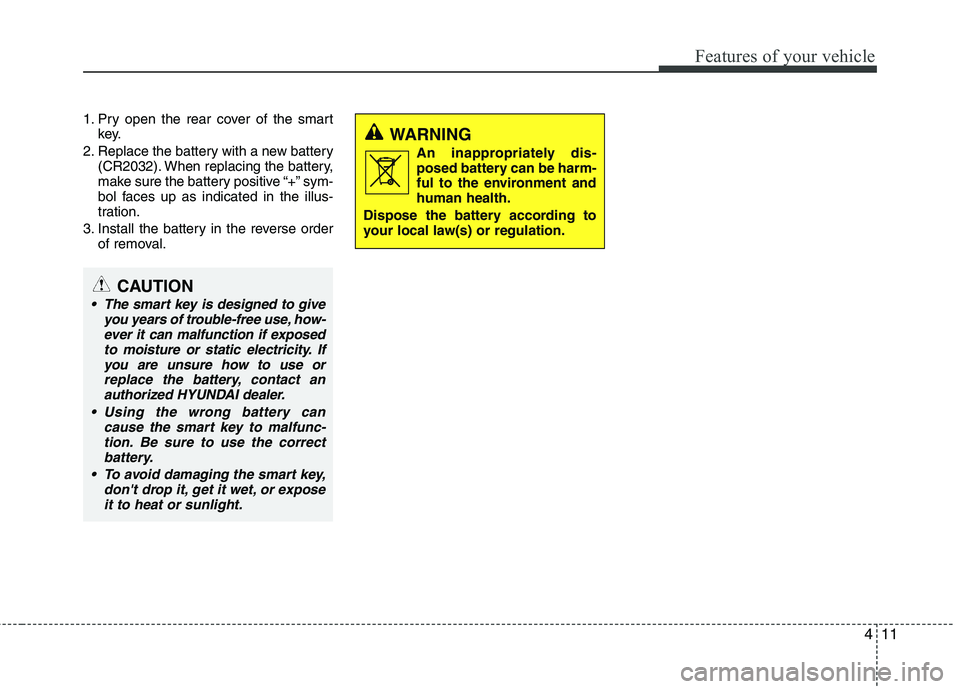
1. Pry open the rear cover of the smart
key.
2. Replace the battery with a new battery
(CR2032). When replacing the battery,
make sure the battery positive “+” sym-
bol faces up as indicated in the illus-
tration.
3. Install the battery in the reverse order
of removal.
CAUTION
The smart key is designed to give
you years of trouble-free use, how-
ever it can malfunction if exposed
to moisture or static electricity. If
you are unsure how to use or
replace the battery, contact an
authorized HYUNDAI dealer.
Using the wrong battery can
cause the smart key to malfunc-
tion. Be sure to use the correct
battery.
To avoid damaging the smart key,
don't drop it, get it wet, or expose
it to heat or sunlight.
WARNING
An inappropriately dis-
posed battery can be harm-
ful to the environment and
human health.
Dispose the battery according to
your local law(s) or regulation.