4101
Features of your vehicle
Manual heating and air condition-
ing
The heating and cooling system can be
controlled manually by pressing buttons
or turning knob(s) other than the AUTO
button. In this case, the system works
sequentially according to the order of
buttons or knob(s) selected.
1. Start the engine.
2. Set the mode to the desired position.
For improving the effectiveness of
heating and cooling;
- Heating:
- Cooling:
3. Set the temperature control to the
desired position.
4. Set the air intake control to the outside
(fresh) air position.
5. Set the fan speed control to the
desired speed.
6. If air conditioning is desired, turn the
air conditioning system on.
Press the AUTO button in order to con-
vert to full automatic control of the sys-
tem.
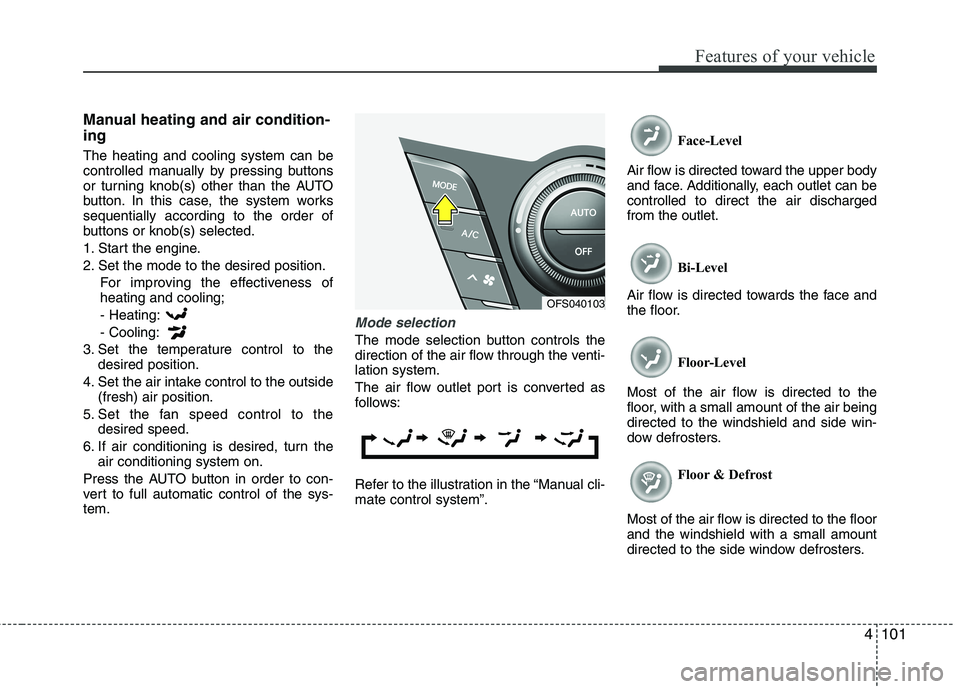
Mode selection
The mode selection button controls the
direction of the air flow through the venti-
lation system.
The air flow outlet port is converted as
follows:
Refer to the illustration in the “Manual cli-
mate control system”.Face-Level
Air flow is directed toward the upper body
and face. Additionally, each outlet can be
controlled to direct the air discharged
from the outlet.
Bi-Level
Air flow is directed towards the face and
the floor.
Floor-Level
Most of the air flow is directed to the
floor, with a small amount of the air being
directed to the windshield and side win-
dow defrosters.
Floor & Defrost
Most of the air flow is directed to the floor
and the windshield with a small amount
directed to the side window defrosters.
OFS040103
Features of your vehicle
132 4
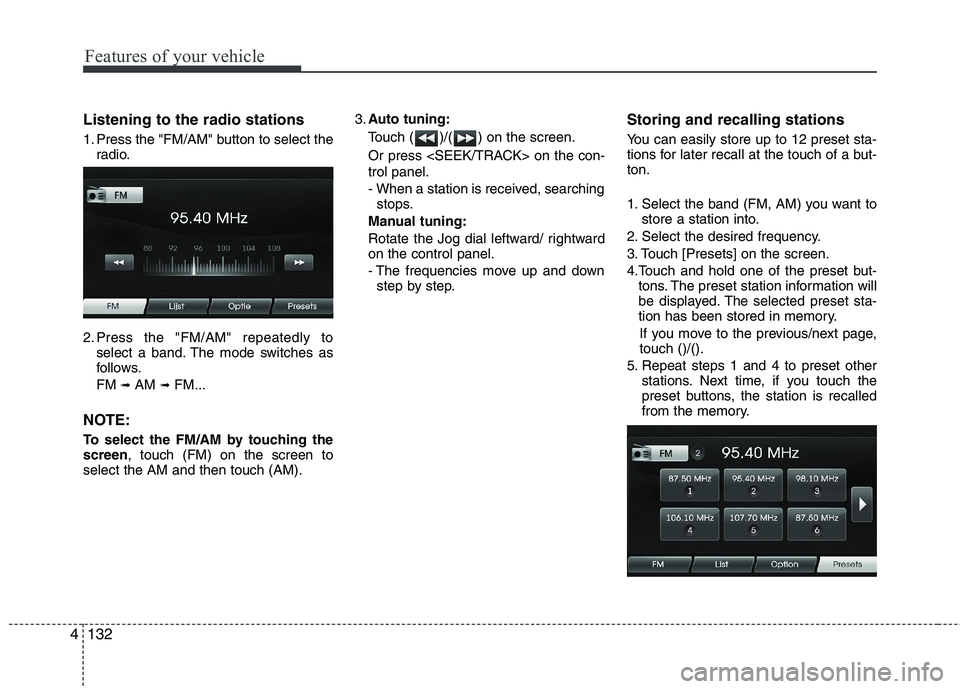
Listening to the radio stations
1. Press the "FM/AM" button to select the
radio.
2. Press the "FM/AM" repeatedly to
select a band. The mode switches as
follows.
FM
➟AM ➟FM...
NOTE:
To select the FM/AM by touching the
screen, touch (FM) on the screen to
select the AM and then touch (AM).3.Auto tuning:
Touch ( )/( ) on the screen.
Or press on the con-
trol panel.
- When a station is received, searching
stops.
Manual tuning:
Rotate the Jog dial leftward/ rightward
on the control panel.
- The frequencies move up and down
step by step.
Storing and recalling stations
You can easily store up to 12 preset sta-
tions for later recall at the touch of a but-
ton.
1. Select the band (FM, AM) you want to
store a station into.
2. Select the desired frequency.
3. Touch [Presets] on the screen.
4.Touch and hold one of the preset but-
tons. The preset station information will
be displayed. The selected preset sta-
tion has been stored in memory.
If you move to the previous/next page,
touch ()/().
5. Repeat steps 1 and 4 to preset other
stations. Next time, if you touch the
preset buttons, the station is recalled
from the memory.