Page 106 of 429

Push the lever up to lock the
steering wheel in position.
Make sure you have securely
locked the steering wheel in place
by trying to move it up and down.
Make any steering wheel adjustment
bef ore you start driving.
Move the steering wheel so it
points toward your chest, not
toward your f ace. Make sure you
can see the instrument panel
gauges and indicators.
Push the lever on the lef t side of
the steering column all the way
down.
Pushthebuttontoturnonthe
hazard warning lights (f our-way
flashers). This causes all four
outside turn signals and both turn
indicators in the instrument panel to
f lash. Use the hazard warning lights
if you need to park in a dangerous
area near heavy traffic, or if your
vehicle is disabled. 3. 4.
1. 2.
Steering Wheel A djustment
Hazard Warning Button
Hazard Warning Button, Steering Wheel A djustment
Inst rument s and Cont rols
99
Adjusting the steering wheel
position while driving may
cause you to lose control of the
vehicle and be seriously injured
inacrash.
Adjust the steering wheel only
when the vehicle is stopped.
Main MenuTable of Contents
Page 138 of 429
Turnthekeyclockwiseagain,and
hold it. All f our side windows start
to open. To stop the windows,
release the key.
To open the windows f urther, turn
andholdthekeyagain(within
10 seconds).The moonroof has two positions: it
can be tilted up in the back f or
ventilation, or it can slide back into
the roof. Use the switch near the left
dashboard vent to operate the
moonroof . The ignition switch must
be in the ON (II) position.
If the windows stop bef ore
the desired position, repeat steps 2
and 3. To close the windows f urther, turn
andholdthekeyagain(within
10 seconds).
To close: If the windows stop bef ore
the desired position, repeat steps 2
and 3.
Insert the key in the driver
Page 198 of 429
The indicators above the disc
buttons of the empty positions will
blink, and the green load indicator
above the CD slot comes on.If you press the LOAD button while
a CD is playing, the system will stop
playing that CD and start the loading
sequence. It will then play the CD
just loaded.Repeat this until all six positions
are loaded. The system will then
begin playing the f irst CD loaded.
If you stop loading CDs bef ore all six
positions are f illed, the system will
wait f or 10 seconds, then stop the
load operation and begin playing the
last CD loaded.
You can also load a CD into an empty
position while a CD is playing by
pressing the appropriate disc button.
Select an empty disc button (the
indicator above the button is of f ),
and press the button. The system
will stop playing the current CD and
start the loading sequence. It will
then play the CD just loaded.
You cannot load and play 3-inch
(8-cm)discsinthissystem.
Do not try to insert a disc until
‘‘LOAD
Page 281 of 429
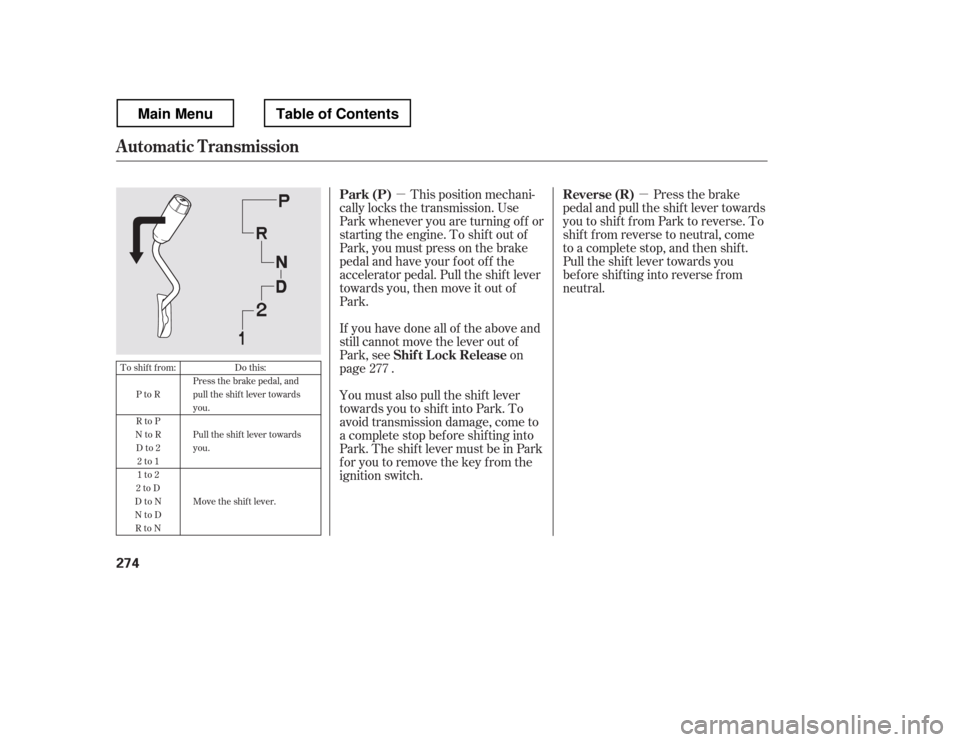
�µ�µThis position mechani-
cally locks the transmission. Use
Park whenever you are turning of f or
starting the engine. To shif t out of
Park, you must press on the brake
pedal and have your f oot of f the
accelerator pedal. Pull the shif t lever
towards you, then move it out of
Park.
If you have done all of the above and
still cannot move the lever out of
Park, see on
page .
You must also pull the shif t lever
towards you to shift into Park. To
avoid transmission damage, come to
a complete stop bef ore shif ting into
Park.TheshiftlevermustbeinPark
for you to remove the key from the
ignition switch. Press the brake
pedal and pull the shif t lever towards
you to shif t f rom Park to reverse. To
shif t f rom reverse to neutral, come
to a complete stop, and then shif t.
Pull the shif t lever towards you
bef ore shif ting into reverse f rom
neutral.
277
To shift from:
PtoR
RtoP
NtoR
Dto2 2to1
1to2
2toD
DtoN
NtoD RtoN Do this:
Press the brake pedal, and
pull the shift lever towardsyou.
Pull the shif t lever towards you.
Move the shift lever.
Automatic Transmission
Park (P)
Shif t L ock Release Reverse (R)
274
Main MenuTable of Contents
Page 282 of 429
�µ
�µ
CONT INUED
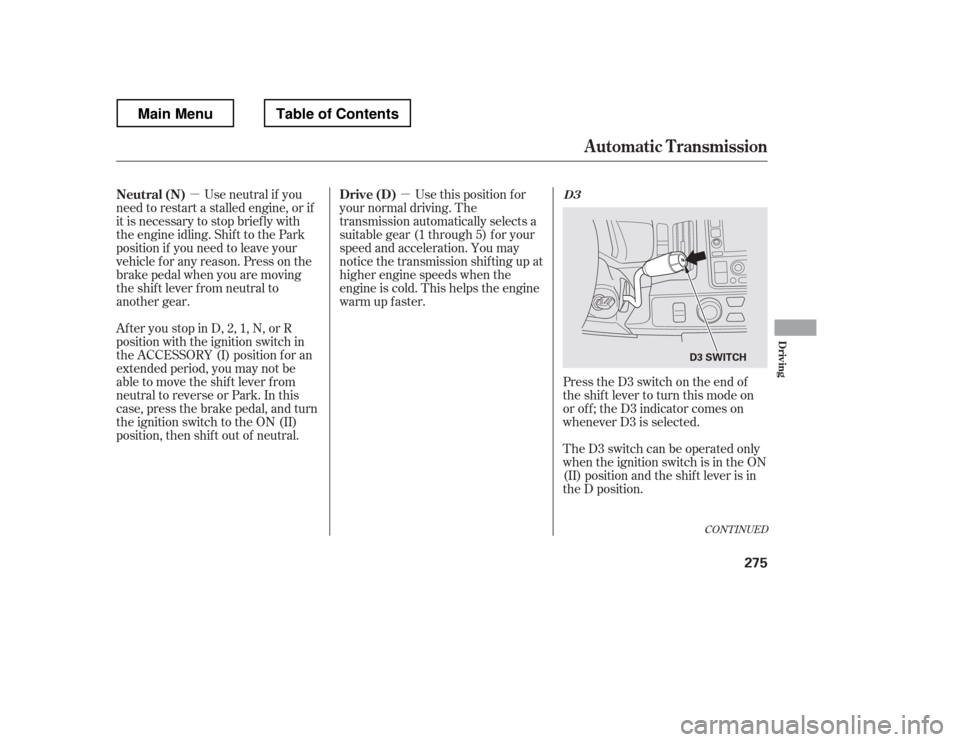
Press the D3 switch on the end of
the shif t lever to turn this mode on
or of f ; the D3 indicator comes on
whenever D3 is selected.
TheD3switchcanbeoperatedonly
when the ignition switch is in the ON
(II) position and the shif t lever is in
the D position.
Use this position f or
your normal driving. The
transmission automatically selects a
suitable gear (1 through 5) f or your
speed and acceleration. You may
notice the transmission shif ting up at
higher engine speeds when the
engine is cold. This helps the engine
warm up f aster.
Af ter you stop in D, 2, 1, N, or R
position with the ignition switch in
the ACCESSORY (I) position f or an
extended period, you may not be
able to move the shift lever from
neutral to reverse or Park. In this
case, press the brake pedal, and turn
the ignition switch to the ON (II)
position, then shif t out of neutral. Use neutral if you
need to restart a stalled engine, or if
it is necessary to stop brief ly with
the engine idling. Shif t to the Park
position if you need to leave your
vehicle for any reason. Press on the
brake pedal when you are moving
the shift lever from neutral to
another gear.
Automatic Transmission
D3Drive (D)
Neutral (N)
Driving
275
D3 SWITCH
Main MenuTable of Contents
Page 283 of 429
�µTo shif t to second,
pull the shif t lever towards you, then
shif t to the lower gear. This position
locks the transmission in second
gear. It does not downshif t to f irst
gear when you come to a stop.
Use second gear:
For more power when climbing.
To increase engine braking when
going down steep hills.
For starting out on a slippery
surf ace or in deep snow.
To help reduce wheel spin.
When driving downhill with a
trailer.
This will increase the
automatic transmission f luid
temperature and may cause
overheating.
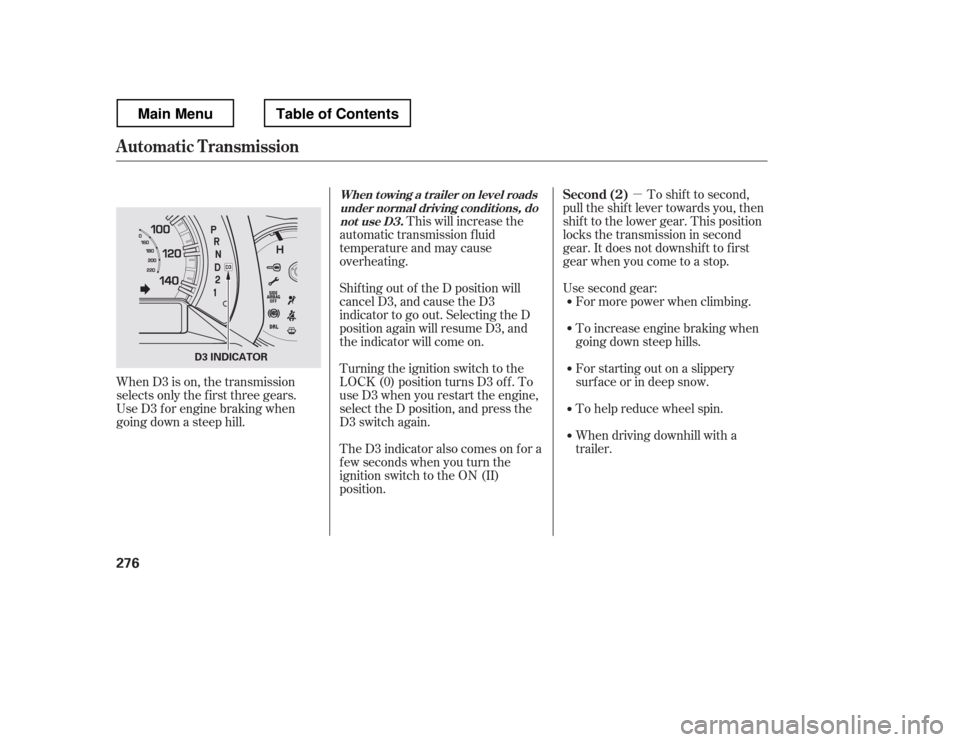
Shif ting out of the D position will
cancel D3, and cause the D3
indicator to go out. Selecting the D
position again will resume D3, and
the indicator will come on.
Turning the ignition switch to the
LOCK (0) position turns D3 of f . To
use D3 when you restart the engine,
select the D position, and press the
D3 switch again.
TheD3indicatoralsocomesonfora
f ew seconds when you turn the
ignition switch to the ON (II)
position.
When D3 is on, the transmission
selects only the f irst three gears.
Use D3 f or engine braking when
going down a steep hill.
Automatic Transmission
Second (2)When t owing a t railer on level roads
under normal driving condit ions, do not use D3.
276
D3 INDICATOR
Main MenuTable of Contents
Page 317 of 429
Forbettertractiononallsurfaces,
accelerate slowly and gradually build
up speed. If you try to start too fast
on wet soil, mud, snow, or ice, you
might not have enough traction to
get underway, and you may dig
yourself a hole. Starting with the
shif t lever in second (2) gear will
help you have a smoother start on
snow or ice.
Keep in mind that you will usually
need more time and distance to
brake to a stop on unpaved surf aces.
Avoid hard braking. Do not ‘‘pump
Page 319 of 429
Use a nylon strap to attach your
vehicle to the recovery vehicle, and
caref ully take out the slack in the
strap. Once the strap is tight, the
recovery vehicle should apply f orce.
Remember that the recovery vehicle
needs good traction to avoid
becoming stuck, too.
You should never use a jack to try to
get unstuck. Your vehicle could
easily slip of f the jack and hurt you
or someone else.You may saf ely tow a trailer of f -road
if you f ollow these guidelines:
Do not exceed the trailer weight
or tongue limits (see page ).
Stay on smooth, level dirt roads,
and avoid driving in hilly terrain.
Allow extra room f or starting,
stopping, and turning.
Slow down if you encounter bumps
or other obstacles. 297
Towing a Trailer Off-Road
Of f -Highway Driving Guidelines
312
Main MenuTable of Contents