Page 215 of 429
If equipped
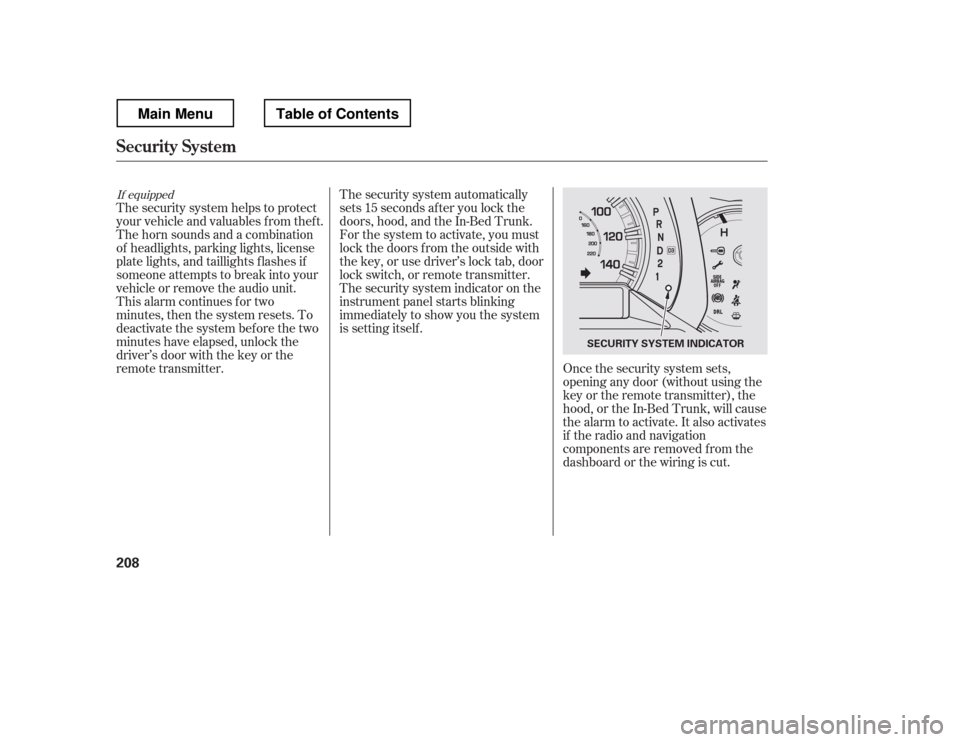
The security system helps to protect
your vehicle and valuables f rom thef t.
The horn sounds and a combination
of headlights, parking lights, license
plate lights, and taillights f lashes if
someone attempts to break into your
vehicle or remove the audio unit.
This alarm continues for two
minutes, then the system resets. To
deactivate the system before the two
minutes have elapsed, unlock the
driver
Page 216 of 429
The security system does not set if
the hood, In-Bed Trunk, or any door
is not f ully closed. If the system will
not set, check the door and tailgate
open monitor and In-Bed Trunk open
indicator on the instrument panel
(see pages and ) to see if the
doors and In-Bed Trunk are f ully
closed. Since it is not part of the
monitor display, manually check thehood.Use the remote transmitter
to quickly check that the hood,
In-Bed Trunk, and all doors are
closed. Push the lock button twice
within f ive seconds. There should be
an audible conf irmation beep.
Do not attempt to alter this system
or add other devices to it.
11 75
Security System
Features
209
NOTE:
Main MenuTable of Contents
Page 276 of 429
This section gives you tips on
starting the engine under various
conditions, and how to operate the
automatic transmission. It also
includes important inf ormation on
parking your vehicle, the braking
system, the Variable Torque
Management
4-wheel drive
(VTM-4
) system, the vehicle
stability assist (VSA
), aka
Electronic Stability Control (ESC),
system, the tire pressure monitoring
system (TPMS), and f acts you need
if you are planning to tow a trailer or
drive of f -highway. ........................
Driving Guidelines . 270
........................
Preparing to Drive . 271
.......................
Starting the Engine . 272
..............
Automatic Transmission . 273
Variable Torque Management
...........
4WD (VTM-4) System . 278
Tire Pressure Monitoring System
......................................
(TPMS) . 280
...........................................
Parking . 288
.............................
Braking System . 290
...............
Anti-lock Brakes (ABS) . 291
Vehicle Stability Assist (VSA
),
aka Electronic Stability Control .......................
(ESC), System . 292
.................
Towing Weight Limits . 295
..........
Towing Weight Guidelines . 297
...........................
Towing a Trailer . 298
Of f -Highway Driving
..................................
Guidelines . 308
Driving
Driving
269
Main MenuINDEX
Page 278 of 429
Youshoulddothefollowingchecks
and adjustments bef ore you drive
your vehicle.Make sure all windows, mirrors,
and outside lights are clean and
unobstructed. Remove f rost, snow,
or ice.
Check that the hood is f ully closed.
Check that the tailgate is f ully
closed when it is not used as an
extended pickup bed.
Visually check the tires. If a tire
looks low, use a gauge to check its
pressure.
Check that any items you may be
carrying are stored properly or
f astened down securely. Check the adjustment of the
inside and outside mirrors (see
page ).
Check the steering wheel
adjustment (see page ).
Make sure the doors and In-Bed
Trunk are securely closed and
locked.
Fasten your seat belt. Check that
your passengers have f astened
their seat belts (see page ).
Check the seat adjustment (see
pages and ). When you start the engine, check
the gauges and indicators in the
instrument panel, and the
messages on the inf ormation
display or multi-inf ormation
display (depending on the model)(
s e e pag es,,, an d
).
1. 2. 3. 4.5. 6. 8.
7. 9.
10. 11.
121 133
99
16
61 76 77
119 89
Preparing to Drive
Driving
271
Main MenuTable of Contents
Page 281 of 429
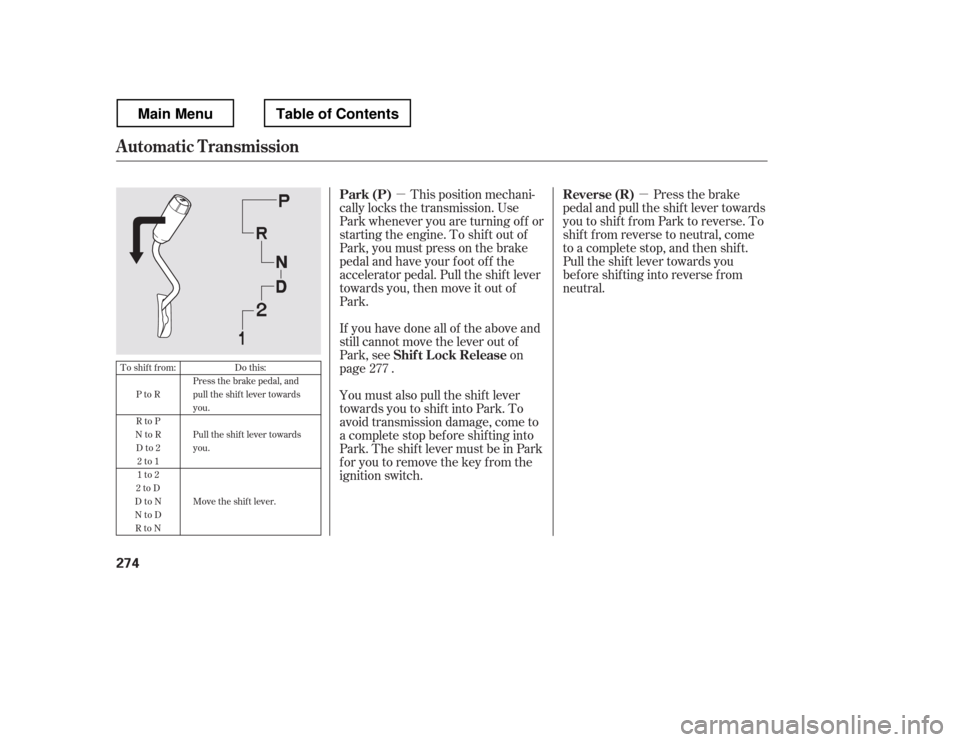
�µ�µThis position mechani-
cally locks the transmission. Use
Park whenever you are turning of f or
starting the engine. To shif t out of
Park, you must press on the brake
pedal and have your f oot of f the
accelerator pedal. Pull the shif t lever
towards you, then move it out of
Park.
If you have done all of the above and
still cannot move the lever out of
Park, see on
page .
You must also pull the shif t lever
towards you to shift into Park. To
avoid transmission damage, come to
a complete stop bef ore shif ting into
Park.TheshiftlevermustbeinPark
for you to remove the key from the
ignition switch. Press the brake
pedal and pull the shif t lever towards
you to shif t f rom Park to reverse. To
shif t f rom reverse to neutral, come
to a complete stop, and then shif t.
Pull the shif t lever towards you
bef ore shif ting into reverse f rom
neutral.
277
To shift from:
PtoR
RtoP
NtoR
Dto2 2to1
1to2
2toD
DtoN
NtoD RtoN Do this:
Press the brake pedal, and
pull the shift lever towardsyou.
Pull the shif t lever towards you.
Move the shift lever.
Automatic Transmission
Park (P)
Shif t L ock Release Reverse (R)
274
Main MenuTable of Contents
Page 283 of 429
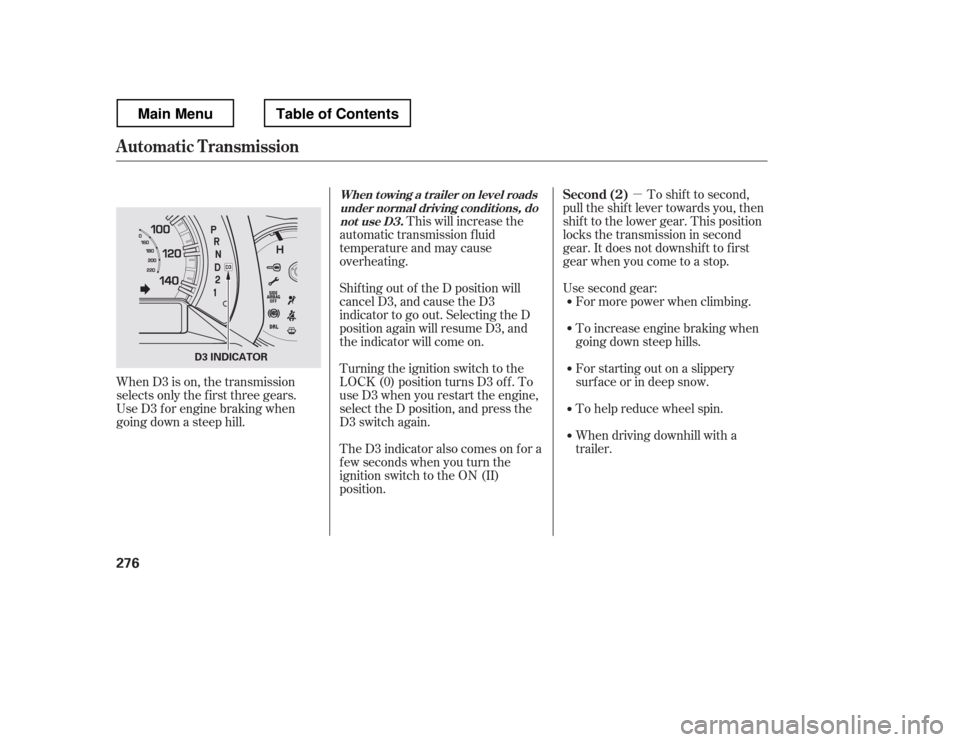
�µTo shif t to second,
pull the shif t lever towards you, then
shif t to the lower gear. This position
locks the transmission in second
gear. It does not downshif t to f irst
gear when you come to a stop.
Use second gear:
For more power when climbing.
To increase engine braking when
going down steep hills.
For starting out on a slippery
surf ace or in deep snow.
To help reduce wheel spin.
When driving downhill with a
trailer.
This will increase the
automatic transmission f luid
temperature and may cause
overheating.
Shif ting out of the D position will
cancel D3, and cause the D3
indicator to go out. Selecting the D
position again will resume D3, and
the indicator will come on.
Turning the ignition switch to the
LOCK (0) position turns D3 of f . To
use D3 when you restart the engine,
select the D position, and press the
D3 switch again.
TheD3indicatoralsocomesonfora
f ew seconds when you turn the
ignition switch to the ON (II)
position.
When D3 is on, the transmission
selects only the f irst three gears.
Use D3 f or engine braking when
going down a steep hill.
Automatic Transmission
Second (2)When t owing a t railer on level roads
under normal driving condit ions, do not use D3.
276
D3 INDICATOR
Main MenuTable of Contents
Page 284 of 429
�µTo shif t f rom second to
first, pull the shift lever towards you,
then shif t to the lower gear. This
position locks the transmission in
f irst gear. By upshif ting and
downshif ting through 1, 2, and D,
you can operate the transmission
much like a manual transmission
without a clutch pedal.
If you shif t into f irst position when
the vehicle speed is above 28 mph
(45 km/h), the transmission shif ts
into second gear first to avoid
sudden engine braking. If you exceed the maximum speed
f or the gear you are in, the engine
speed will enter into the tachometer
Page 285 of 429
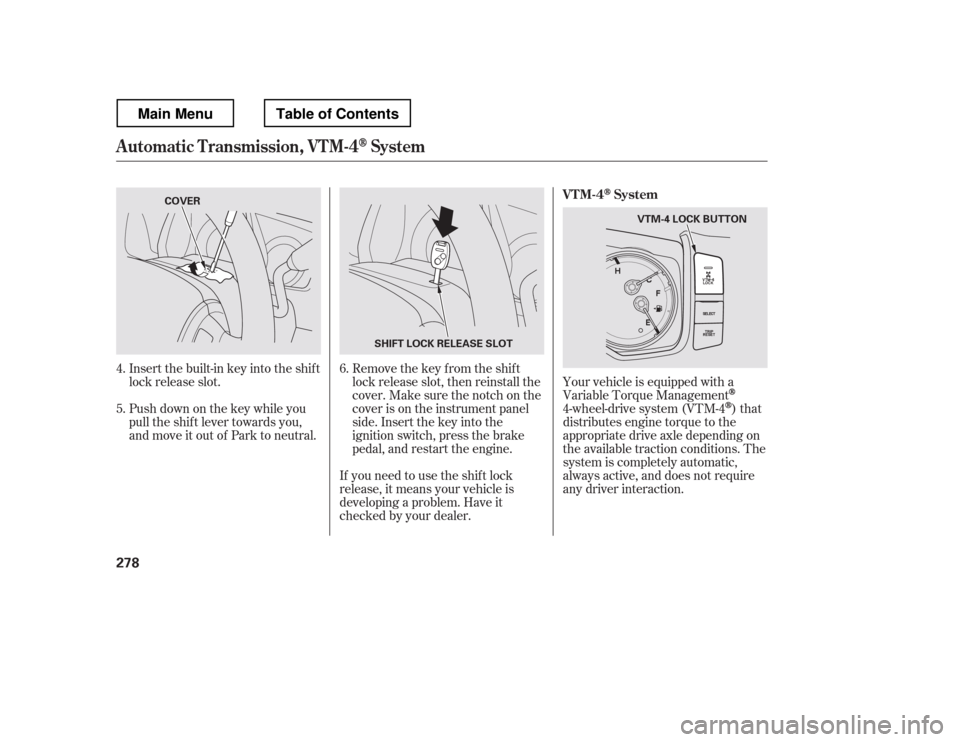
Insert the built-in key into the shift
lock release slot.
Push down on the key while you
pull the shif t lever towards you,
and move it out of Park to neutral.Remove the key from the shift
lock release slot, then reinstall the
cover. Make sure the notch on the
cover is on the instrument panel
side. Insert the key into the
ignition switch, press the brake
pedal, and restart the engine.Your vehicle is equipped with a
Variable Torque Management
4-wheel-drive system (VTM-4)that
distributes engine torque to the
appropriate drive axle depending on
the available traction conditions. The
system is completely automatic,
always active, and does not require
any driver interaction.
If you need to use the shif t lock
release, it means your vehicle is
developing a problem. Have it
checked by your dealer.
6.
4. 5.
Automatic Transmission, VTM-4System
VTM-4System
278
SHIFT LOCK RELEASE SLOT
COVER
VTM-4 LOCK BUTTON
Main MenuTable of Contents