Page 106 of 429

Push the lever up to lock the
steering wheel in position.
Make sure you have securely
locked the steering wheel in place
by trying to move it up and down.
Make any steering wheel adjustment
bef ore you start driving.
Move the steering wheel so it
points toward your chest, not
toward your f ace. Make sure you
can see the instrument panel
gauges and indicators.
Push the lever on the lef t side of
the steering column all the way
down.
Pushthebuttontoturnonthe
hazard warning lights (f our-way
flashers). This causes all four
outside turn signals and both turn
indicators in the instrument panel to
f lash. Use the hazard warning lights
if you need to park in a dangerous
area near heavy traffic, or if your
vehicle is disabled. 3. 4.
1. 2.
Steering Wheel A djustment
Hazard Warning Button
Hazard Warning Button, Steering Wheel A djustment
Inst rument s and Cont rols
99
Adjusting the steering wheel
position while driving may
cause you to lose control of the
vehicle and be seriously injured
inacrash.
Adjust the steering wheel only
when the vehicle is stopped.
Main MenuTable of Contents
Page 109 of 429
�µ�µ
�µ �µ
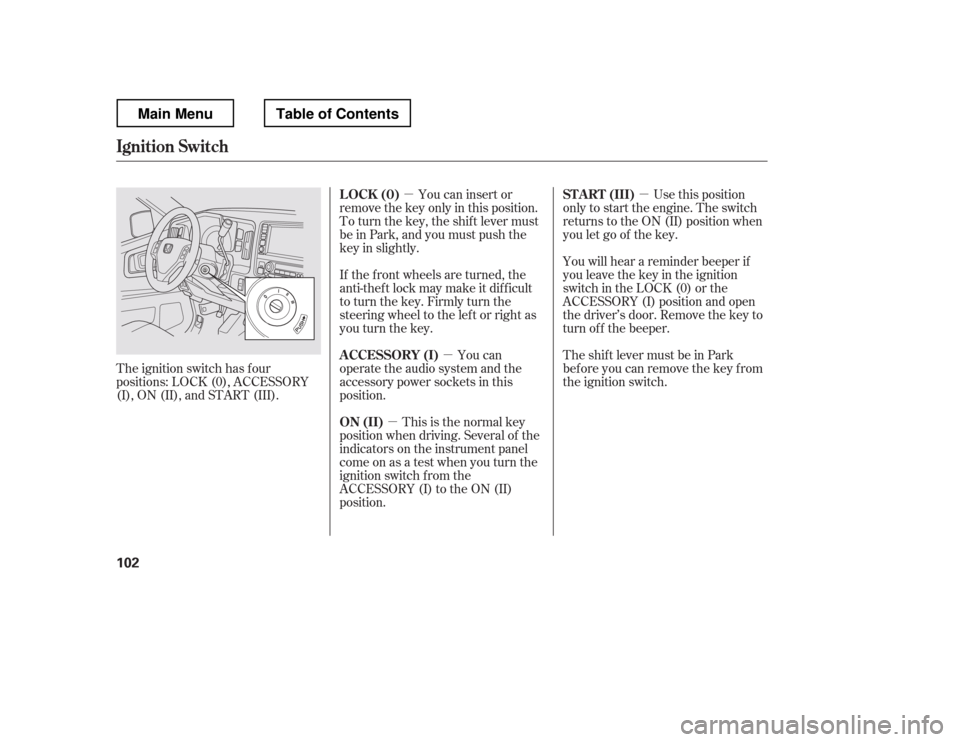
The ignition switch has f our
positions: LOCK (0), ACCESSORY
(I), ON (II), and START (III). You can insert or
remove the key only in this position.
To turn the key, the shift lever must
be in Park, and you must push the
key in slightly.
If the f ront wheels are turned, the
anti-theft lock may make it difficult
to turn the key. Firmly turn the
steering wheel to the lef t or right as
you turn the key.
You can
operate the audio system and the
accessory power sockets in this
position.
This is the normal key
position when driving. Several of the
indicators on the instrument panel
come on as a test when you turn the
ignition switch f rom the
ACCESSORY (I) to the ON (II)
position. Use this position
only to start the engine. The switch
returns to the ON (II) position when
you let go of the key.
You will hear a reminder beeper if
you leave the key in the ignition
switch in the LOCK (0) or the
ACCESSORY (I) position and open
the driver
Page 122 of 429

See page for information on
cargo loading and weight limits.
You can also store and lock items in
the In-Bed Trunk (see page ).
If you do not f asten the seat belt, you
f irst hear the seat belt reminder
alarm, then the tailgate reminder
beeper sounds.
The indicator does not monitor the
tailgate when it is dropped open.
Do not allow anyone to hang on the
swung open tailgate. This could
damage the tailgate.
Do not leave the tailgate swung open.
The tailgate may swing and shut
accidentally. This could cause
serious injuries.
Thebedlightscomeonwhenyou
swing open the tailgate. You can also
turn the bed lights on or off by
pushing the bed light switch on the
dashboard (see page ).
If the tailgate is swung open or not
closed tightly when the ignition
switch is in the ON (II) position, you
will hear six beeps and see the
indicator blinking. The indicator
stays on until you close the tailgate.
The beeper also sounds and the
indicator blinks when you move the
shif t lever out of the Park or neutral
position.
This indicator is in the door and
tailgate open monitor on the
instrument panel. It comes on when
the tailgate is swung open or it is not
completely closed. This indicator
worksevenif thekeyisnotinthe
ignition switch.
The tailgate open indicator appears
on the multi-information display (see
page ).
11
144
116
261
On models without navigation system
On models with navigation system
L oading Cargo
T ailgat e Open Indicat or
Dual-Action Tailgate
Inst rument s and Cont rols
115
Main MenuTable of Contents
Page 139 of 429
You can open and close the
moonroof f or up to 10 minutes af ter
you turn of f the ignition switch.
Opening either f ront door cancels
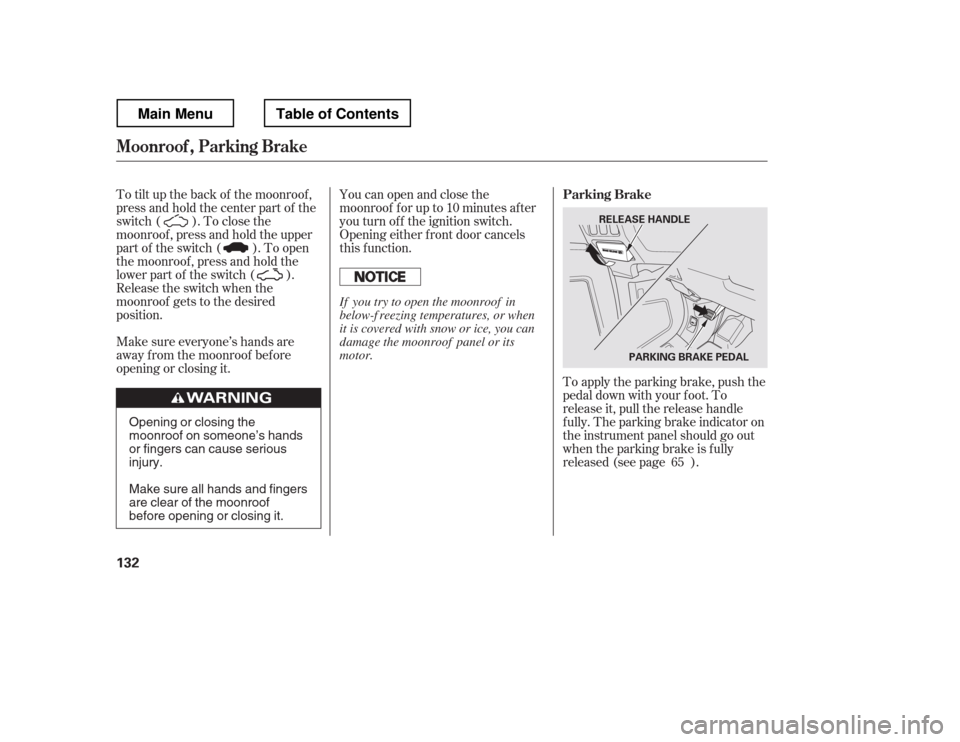
this function.To apply the parking brake, push the
pedal down with your f oot. To
release it, pull the release handle
f ully. The parking brake indicator on
the instrument panel should go out
when the parking brake is f ully
released (see page ).
To tilt up the back of the moonroof ,
press and hold the center part of the
switch ( ). To close the
moonroof , press and hold the upper
part of the switch ( ). To open
the moonroof , press and hold the
lower part of the switch ( ).
Release the switch when the
moonroof gets to the desired
position.
Make sure everyone
Page 143 of 429
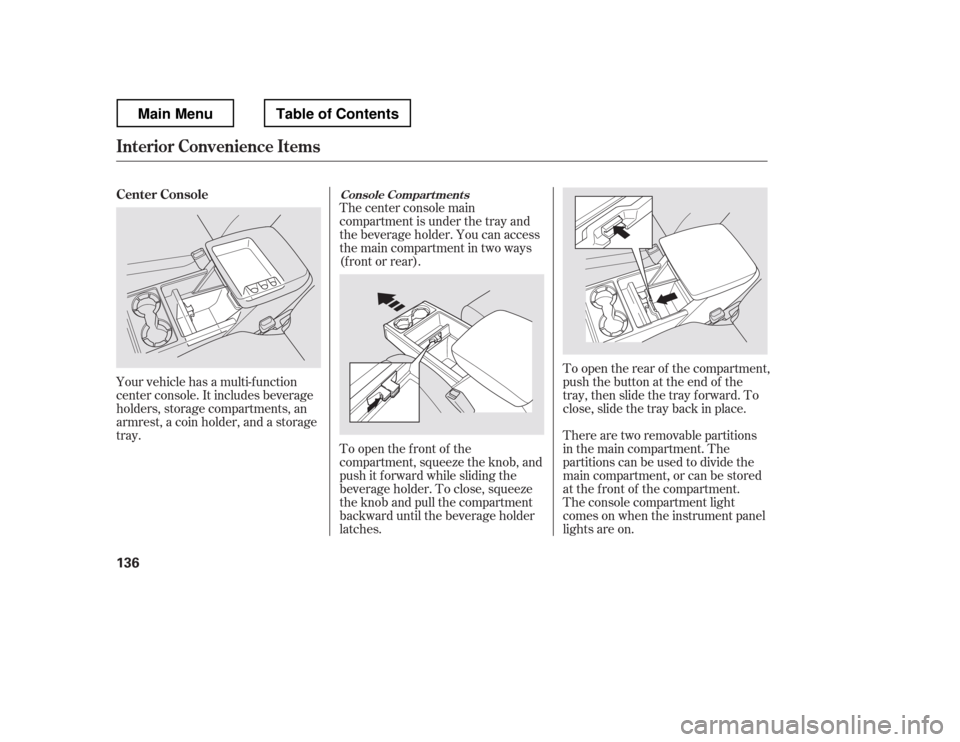
Your vehicle has a multi-f unction
center console. It includes beverage
holders, storage compartments, an
armrest, a coin holder, and a storage
tray.Thecenterconsolemain
compartment is under the tray and
the beverage holder. You can access
the main compartment in two ways
(f ront or rear).
To open the f ront of the
compartment, squeeze the knob, and
push it f orward while sliding the
beverage holder. To close, squeeze
the knob and pull the compartment
backward until the beverage holder
latches.
To open the rear of the compartment,
push the button at the end of the
tray, then slide the tray forward. To
close, slide the tray back in place.
The console compartment light
comesonwhentheinstrumentpanel
lights are on.
There are two removable partitions
in the main compartment. The
partitions can be used to divide the
main compartment, or can be stored
at the f ront of the compartment.
Center Console
Console Compart ment s
Interior Convenience Items
136
Main MenuTable of Contents
Page 151 of 429
If you turn the ignition switch to
ACCESSORY (I) or LOCK (0)
without turning of f the bed lights,
the lights and the indicator will
remain on, then go of f af ter 20
minutes (see page ).
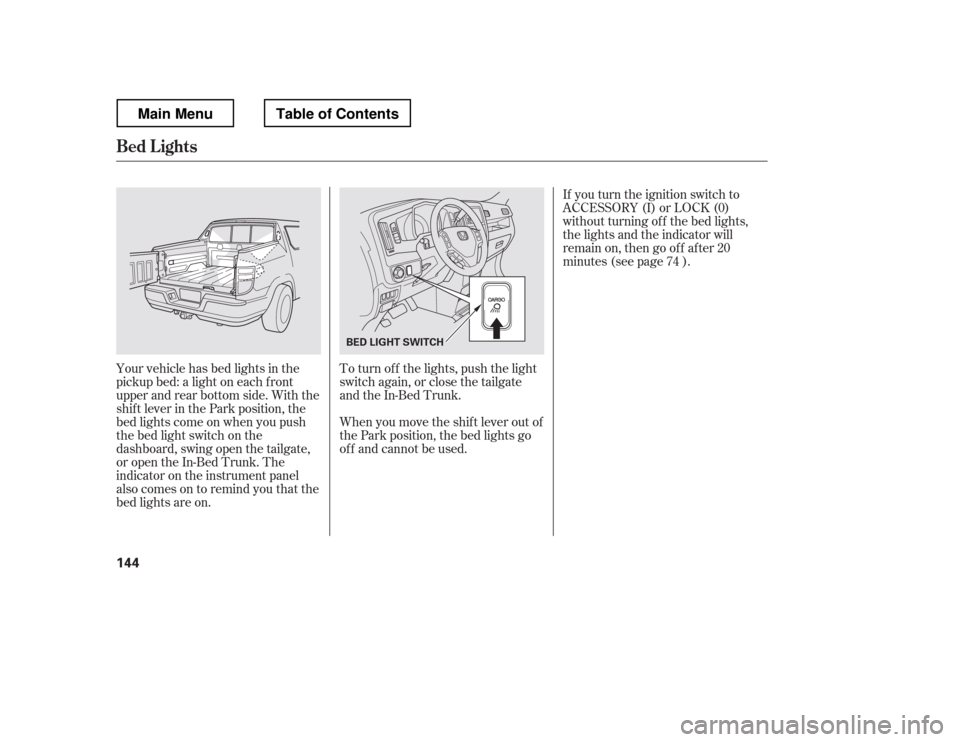
Your vehicle has bed lights in the
pickup bed: a light on each f ront
upper and rear bottom side. With the
shif t lever in the Park position, the
bed lights come on when you push
the bed light switch on the
dashboard, swing open the tailgate,
or open the In-Bed Trunk. The
indicator on the instrument panel
alsocomesontoremindyouthatthe
bed lights are on. To turn of f the lights, push the light
switch again, or close the tailgate
and the In-Bed Trunk.
When you move the shif t lever out of
the Park position, the bed lights go
of f and cannot be used. 74
Bed L ights
144
BED LIGHT SWITCH
Main MenuTable of Contents
Page 216 of 429
The security system does not set if
the hood, In-Bed Trunk, or any door
is not f ully closed. If the system will
not set, check the door and tailgate
open monitor and In-Bed Trunk open
indicator on the instrument panel
(see pages and ) to see if the
doors and In-Bed Trunk are f ully
closed. Since it is not part of the
monitor display, manually check thehood.Use the remote transmitter
to quickly check that the hood,
In-Bed Trunk, and all doors are
closed. Push the lock button twice
within f ive seconds. There should be
an audible conf irmation beep.
Do not attempt to alter this system
or add other devices to it.
11 75
Security System
Features
209
NOTE:
Main MenuTable of Contents
Page 217 of 429
Cruise control allows you to maintain
asetspeedabove25mph(40km/h)
without keeping your f oot on the
accelerator pedal. It should be used
f or cruising on straight, open
highways. It is not recommended f or
city driving, winding roads, slippery
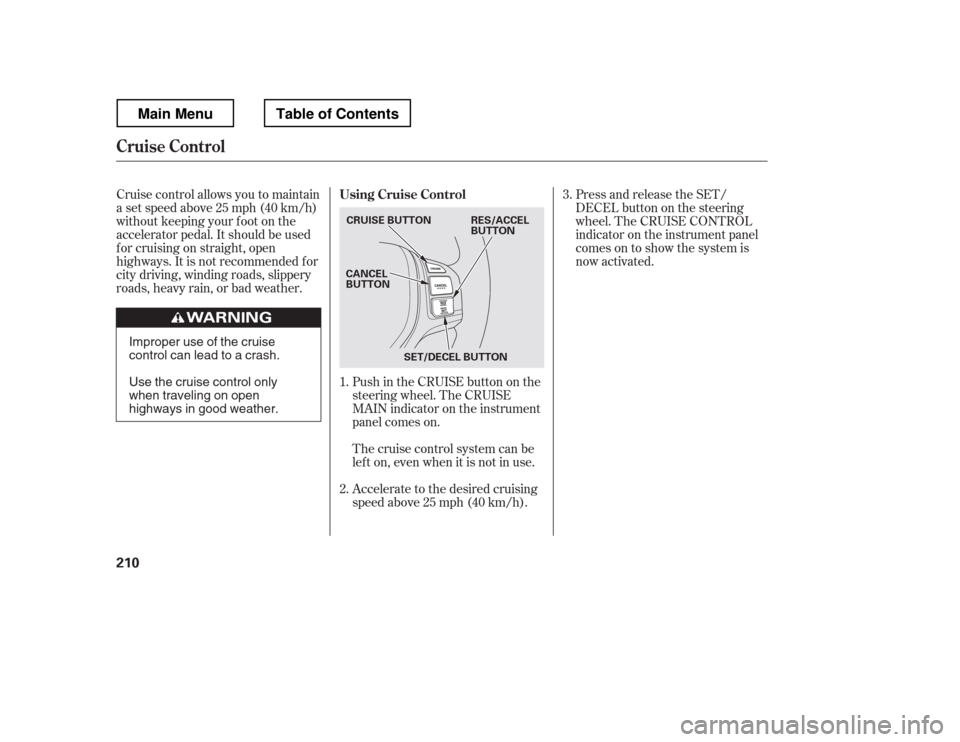
roads, heavy rain, or bad weather.Push in the CRUISE button on the
steering wheel. The CRUISE
MAIN indicator on the instrument
panel comes on.Press and release the SET/
DECELbuttononthesteering
wheel. The CRUISE CONTROL
indicator on the instrument panel
comes on to show the system is
now activated.
Accelerate to the desired cruising
speedabove25mph(40km/h).
Thecruisecontrolsystemcanbe
lefton,evenwhenitisnotinuse.
1. 2. 3.
Using Cruise Control
Cruise Control
210
CRUISE BUTTON
CANCEL
BUTTON
SET/DECEL BUTTON RES/ACCEL
BUTTON
Improper use of the cruise
control can lead to a crash.
Use the cruise control only
when traveling on open
highways in good weather.
Main MenuTable of Contents