2012 GMC SIERRA 1500 rear
[x] Cancel search: rearPage 40 of 556
Black plate (34,1)GMC Sierra Owner Manual - 2012 - CRC - 11/15/11
1-34 In Brief
Crew Cab
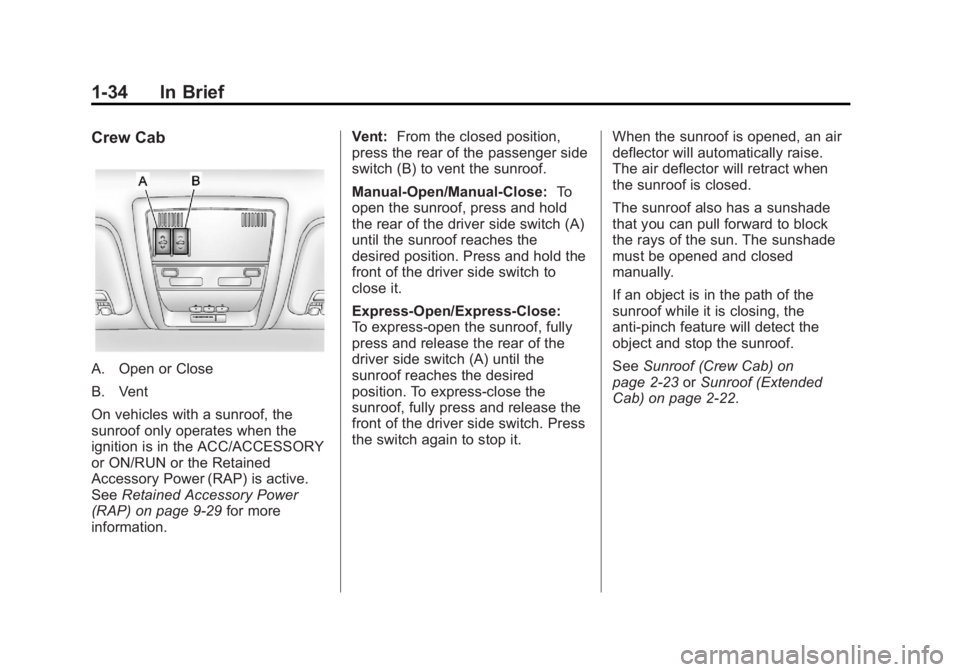
A. Open or Close
B. Vent
On vehicles with a sunroof, the
sunroof only operates when the
ignition is in the ACC/ACCESSORY
or ON/RUN or the Retained
Accessory Power (RAP) is active.
SeeRetained Accessory Power
(RAP) on page 9‑29 for more
information. Vent:
From the closed position,
press the rear of the passenger side
switch (B) to vent the sunroof.
Manual-Open/Manual-Close: To
open the sunroof, press and hold
the rear of the driver side switch (A)
until the sunroof reaches the
desired position. Press and hold the
front of the driver side switch to
close it.
Express-Open/Express-Close:
To express-open the sunroof, fully
press and release the rear of the
driver side switch (A) until the
sunroof reaches the desired
position. To express-close the
sunroof, fully press and release the
front of the driver side switch. Press
the switch again to stop it. When the sunroof is opened, an air
deflector will automatically raise.
The air deflector will retract when
the sunroof is closed.
The sunroof also has a sunshade
that you can pull forward to block
the rays of the sun. The sunshade
must be opened and closed
manually.
If an object is in the path of the
sunroof while it is closing, the
anti-pinch feature will detect the
object and stop the sunroof.
See
Sunroof (Crew Cab) on
page 2‑23 orSunroof (Extended
Cab) on page 2‑22.
Page 45 of 556

Black plate (1,1)GMC Sierra Owner Manual - 2012 - CRC - 11/15/11
Keys, Doors, and Windows 2-1
Keys, Doors, and
Windows
Keys and Locks
Keys . . . . . . . . . . . . . . . . . . . . . . . . . . 2-2
Remote Keyless Entry (RKE)System . . . . . . . . . . . . . . . . . . . . . . 2-2
Remote Keyless Entry (RKE) System Operation . . . . . . . . . . . 2-3
Remote Vehicle Start . . . . . . . . . 2-5
Door Locks . . . . . . . . . . . . . . . . . . . 2-7
Power Door Locks . . . . . . . . . . . . 2-8
Delayed Locking . . . . . . . . . . . . . . 2-8
Automatic Door Locks . . . . . . . . . 2-8
Lockout Protection . . . . . . . . . . . . 2-9
Safety Locks . . . . . . . . . . . . . . . . . . 2-9
Doors
Rear Doors (Extended Cab) . . . . . . . . . . . . . . 2-9
Tailgate . . . . . . . . . . . . . . . . . . . . . . 2-10
Vehicle Security
Vehicle Security . . . . . . . . . . . . . . 2-11
Anti-theft Alarm System . . . . . . 2-11
Immobilizer . . . . . . . . . . . . . . . . . . 2-12
Immobilizer Operation . . . . . . . 2-13
Exterior Mirrors
Convex Mirrors . . . . . . . . . . . . . . 2-14
Manual Mirrors . . . . . . . . . . . . . . . 2-14
Trailer-Tow Mirrors . . . . . . . . . . . 2-15
Power Mirrors . . . . . . . . . . . . . . . . 2-15
Folding Mirrors . . . . . . . . . . . . . . . 2-16
Heated Mirrors . . . . . . . . . . . . . . . 2-17
Park Tilt Mirrors . . . . . . . . . . . . . . 2-17
Interior Mirrors
Manual Rearview Mirror . . . . . . 2-18
Automatic Dimming Rearview Mirror . . . . . . . . . . . . . . . . . . . . . . . 2-18
Windows
Windows . . . . . . . . . . . . . . . . . . . . . 2-19
Manual Windows . . . . . . . . . . . . 2-19
Power Windows . . . . . . . . . . . . . 2-20
Rear Windows . . . . . . . . . . . . . . . 2-21
Sun Visors . . . . . . . . . . . . . . . . . . . 2-21
Roof
Sunroof (Extended Cab) . . . . . 2-22
Sunroof (Crew Cab) . . . . . . . . . 2-23
Page 49 of 556

Black plate (5,1)GMC Sierra Owner Manual - 2012 - CRC - 11/15/11
Keys, Doors, and Windows 2-5
3. Insert the new battery, positiveside facing down. Replace with a
CR2032 or equivalent battery.
4. Snap the transmitter back together.
Remote Vehicle Start
If available, this feature allows you
to start the engine from outside of
the vehicle. It may also start up the
vehicle's heating or air conditioning
systems and rear window defogger.
Normal operation of the system will
return after the key is turned to the
ON/RUN position.
If the vehicle has an automatic
climate control system, the climate
control system will default to a
heating or cooling mode depending
on the outside temperatures. If the
vehicle does not have an automatic
climate control system, the system
will turn on at the setting the vehicle
was set to when the vehicle was
last turned off. During a remote start, if the vehicle
has an automatic climate control
system and heated seats, the
heated seats will turn on during
colder outside temperatures and will
shut off when the key is turned to
ON/RUN. If the vehicle does not
have an automatic climate control
system, during remote start,
manually turn the heated seats on
and off. See
Heated and Ventilated
Front Seats on page 3‑9 for
additional information.
Laws in some communities may
restrict the use of remote starters.
For example, some laws may
require a person using the remote
start to have the vehicle in view
when doing so. Check local
regulations for any requirements on
remote starting of vehicles.
Do not use the remote start feature
if the vehicle is low on fuel. The
vehicle may run out of fuel. If the vehicle has the remote start
feature, the RKE transmitter
functions will have an increased
range of operation. However, the
range may be less while the vehicle
is running.
There are other conditions which
can affect the performance of the
transmitter. See
Remote Keyless
Entry (RKE) System on page 2‑2 for
additional information.
/(Remote Start): This button will
be on the RKE transmitter if the
vehicle has remote start.
To start the vehicle using the remote
start feature:
1. Aim the RKE transmitter at the
vehicle.
2. Press and release
Q.
3. Immediately press and hold
/until the turn signal
lamps flash. If you cannot see
the vehicle's lamps, press and
hold
/for two to four seconds.
Page 53 of 556
Black plate (9,1)GMC Sierra Owner Manual - 2012 - CRC - 11/15/11
Keys, Doors, and Windows 2-9
Lockout Protection
If the driver side power door lock
switch is pressed when the driver
door is open and the key is in the
ignition, all of the doors will lock and
then the driver door will unlock.
If the passenger side power door
lock switch is pressed when the
front passenger door is open and
the key is in the ignition, all of the
doors will lock and then the front
passenger door will unlock.
Safety Locks
The vehicle has rear door security
locks to prevent passengers from
opening the rear doors from the
inside.
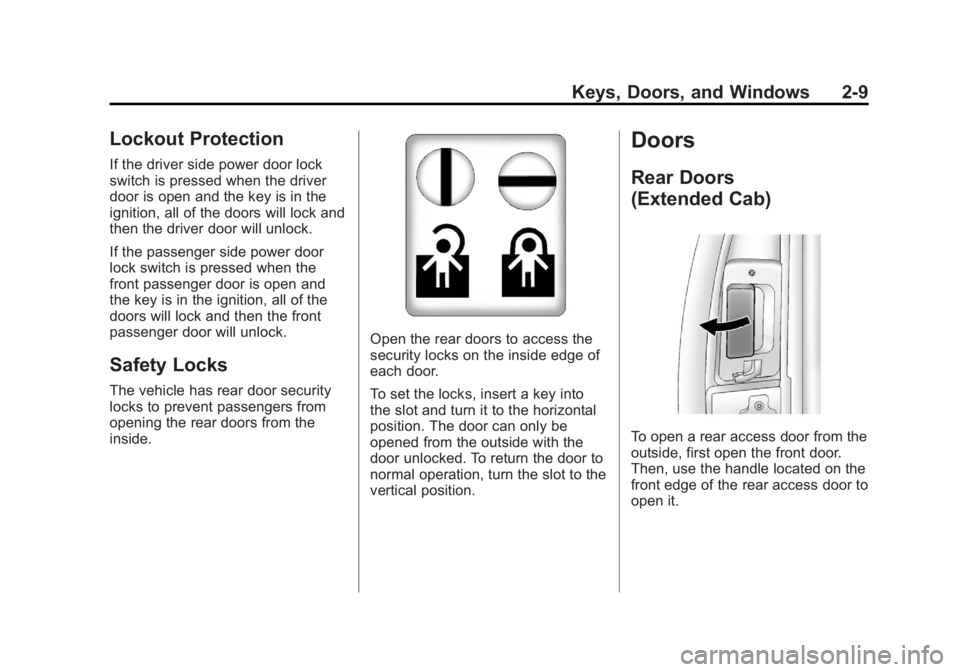
Open the rear doors to access the
security locks on the inside edge of
each door.
To set the locks, insert a key into
the slot and turn it to the horizontal
position. The door can only be
opened from the outside with the
door unlocked. To return the door to
normal operation, turn the slot to the
vertical position.
Doors
Rear Doors
(Extended Cab)
To open a rear access door from the
outside, first open the front door.
Then, use the handle located on the
front edge of the rear access door to
open it.
Page 54 of 556
Black plate (10,1)GMC Sierra Owner Manual - 2012 - CRC - 11/15/11
2-10 Keys, Doors, and Windows
The rear access door must be
closed before the front door can
close.
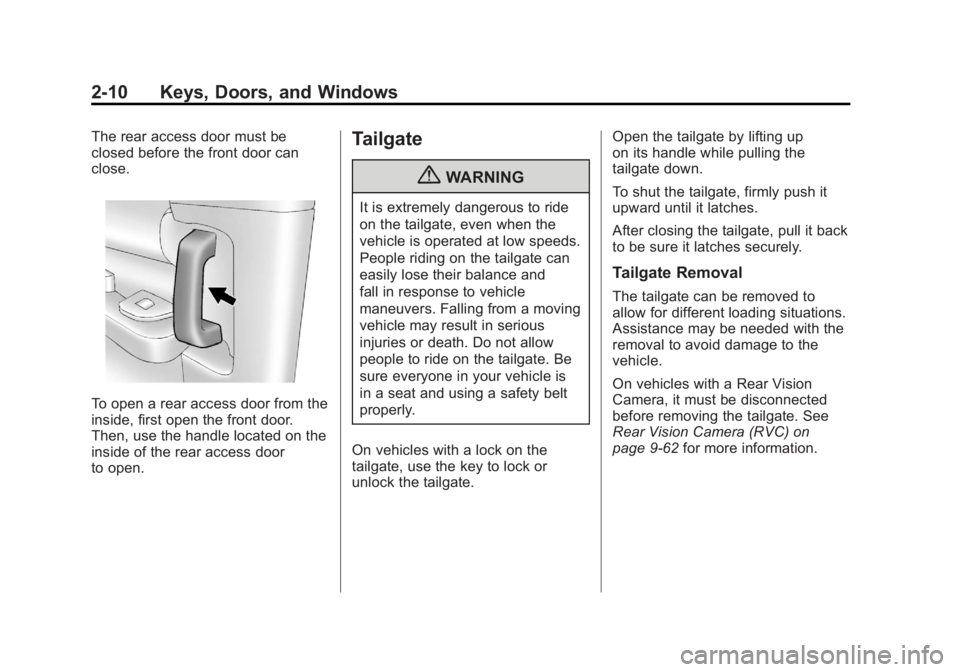
To open a rear access door from the
inside, first open the front door.
Then, use the handle located on the
inside of the rear access door
to open.
Tailgate
{WARNING
It is extremely dangerous to ride
on the tailgate, even when the
vehicle is operated at low speeds.
People riding on the tailgate can
easily lose their balance and
fall in response to vehicle
maneuvers. Falling from a moving
vehicle may result in serious
injuries or death. Do not allow
people to ride on the tailgate. Be
sure everyone in your vehicle is
in a seat and using a safety belt
properly.
On vehicles with a lock on the
tailgate, use the key to lock or
unlock the tailgate. Open the tailgate by lifting up
on its handle while pulling the
tailgate down.
To shut the tailgate, firmly push it
upward until it latches.
After closing the tailgate, pull it back
to be sure it latches securely.
Tailgate Removal
The tailgate can be removed to
allow for different loading situations.
Assistance may be needed with the
removal to avoid damage to the
vehicle.
On vehicles with a Rear Vision
Camera, it must be disconnected
before removing the tailgate. See
Rear Vision Camera (RVC) on
page 9‑62
for more information.
Page 61 of 556
Black plate (17,1)GMC Sierra Owner Manual - 2012 - CRC - 11/15/11
Keys, Doors, and Windows 2-17
Manual Folding
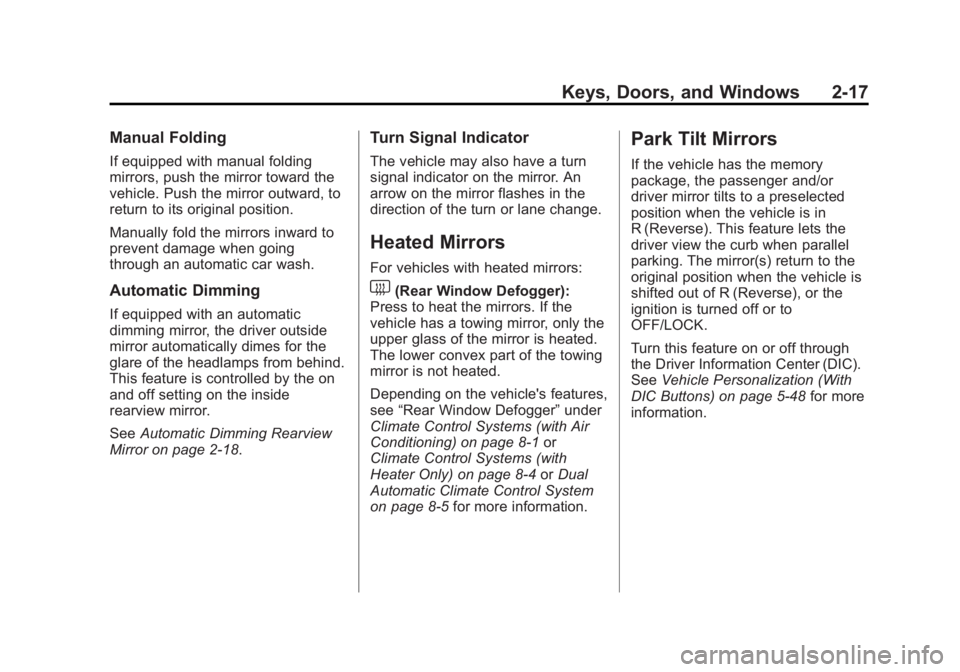
If equipped with manual folding
mirrors, push the mirror toward the
vehicle. Push the mirror outward, to
return to its original position.
Manually fold the mirrors inward to
prevent damage when going
through an automatic car wash.
Automatic Dimming
If equipped with an automatic
dimming mirror, the driver outside
mirror automatically dimes for the
glare of the headlamps from behind.
This feature is controlled by the on
and off setting on the inside
rearview mirror.
SeeAutomatic Dimming Rearview
Mirror on page 2‑18.
Turn Signal Indicator
The vehicle may also have a turn
signal indicator on the mirror. An
arrow on the mirror flashes in the
direction of the turn or lane change.
Heated Mirrors
For vehicles with heated mirrors:
1(Rear Window Defogger):
Press to heat the mirrors. If the
vehicle has a towing mirror, only the
upper glass of the mirror is heated.
The lower convex part of the towing
mirror is not heated.
Depending on the vehicle's features,
see “Rear Window Defogger” under
Climate Control Systems (with Air
Conditioning) on page 8‑1 or
Climate Control Systems (with
Heater Only) on page 8‑4 orDual
Automatic Climate Control System
on page 8‑5 for more information.
Park Tilt Mirrors
If the vehicle has the memory
package, the passenger and/or
driver mirror tilts to a preselected
position when the vehicle is in
R (Reverse). This feature lets the
driver view the curb when parallel
parking. The mirror(s) return to the
original position when the vehicle is
shifted out of R (Reverse), or the
ignition is turned off or to
OFF/LOCK.
Turn this feature on or off through
the Driver Information Center (DIC).
SeeVehicle Personalization (With
DIC Buttons) on page 5‑48 for more
information.
Page 62 of 556
Black plate (18,1)GMC Sierra Owner Manual - 2012 - CRC - 11/15/11
2-18 Keys, Doors, and Windows
Interior Mirrors
Manual Rearview Mirror
To adjust the inside rearview mirror,
hold the rearview mirror in the
center and move it to view the area
behind the vehicle.
For vehicles with a manual rearview
mirror, push the tab forward for
daytime use and pull it for nighttime
use to avoid glare from the
headlamps from behind.
Vehicles with OnStar
®have three
control buttons at the bottom of the
mirror. See a dealer for more
information about OnStar and how
to subscribe to it. See OnStar
Overview on page 14‑1.
Automatic Dimming
Rearview Mirror
The vehicle may have an automatic
dimming inside rearview mirror.
To adjust the inside rearview mirror,
hold the rearview mirror in the
center and move it to view the area
behind the vehicle.
The automatic dimming rearview
mirror will automatically reduce the
glare from the headlamps from
behind. The dimming feature comes
on when the vehicle is started.
O(On/Off): Press to turn the
dimming feature on or off.
The vehicle may also have a Rear
Vision Camera (RVC). See Rear
Vision Camera (RVC) on page 9‑62
for more information. If the vehicle has a RVC,
the
Obutton for turning the
dimming feature on or off will
not be available.
Vehicles with OnStar have three
additional control buttons for the
OnStar system. See a dealer for
more information about OnStar and
how to subscribe to it. See OnStar
Overview on page 14‑1.
Cleaning the Mirror
Do not spray glass cleaner directly
on the mirror. Use a soft towel
dampened with water.
Page 64 of 556
Black plate (20,1)GMC Sierra Owner Manual - 2012 - CRC - 11/15/11
2-20 Keys, Doors, and Windows
Power Windows
{WARNING
Leaving children in a vehicle with
the keys is dangerous for many
reasons. Children or others could
be badly injured or even killed.
They could operate the power
windows or other controls or even
make the vehicle move. The
windows will function and they
could be seriously injured or killed
if caught in the path of a closing
window. Do not leave keys in a
vehicle with children.
When there are children in the
rear seat use the window lockout
button to prevent unintentional
operation of the windows.
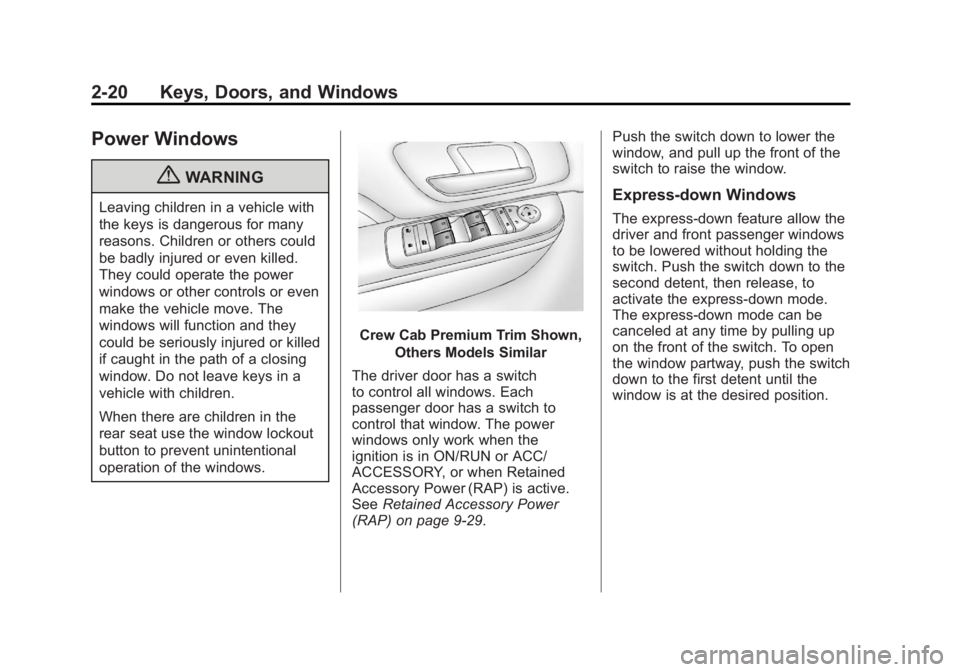
Crew Cab Premium Trim Shown,Others Models Similar
The driver door has a switch
to control all windows. Each
passenger door has a switch to
control that window. The power
windows only work when the
ignition is in ON/RUN or ACC/
ACCESSORY, or when Retained
Accessory Power (RAP) is active.
See Retained Accessory Power
(RAP) on page 9‑29. Push the switch down to lower the
window, and pull up the front of the
switch to raise the window.
Express-down Windows
The express-down feature allow the
driver and front passenger windows
to be lowered without holding the
switch. Push the switch down to the
second detent, then release, to
activate the express-down mode.
The express-down mode can be
canceled at any time by pulling up
on the front of the switch. To open
the window partway, push the switch
down to the first detent until the
window is at the desired position.