2012 GMC SIERRA 1500 ECO mode
[x] Cancel search: ECO modePage 3 of 556
Black plate (3,1)GMC Sierra Owner Manual - 2012 - CRC - 11/15/11
Introduction iii
The names, logos, emblems,
slogans, vehicle model names, and
vehicle body designs appearing in
this manual including, but not limited
to, GM, the GM logo, GMC, the
GMC Truck Emblem, and SIERRA
are trademarks and/or service
marks of General Motors LLC, its
subsidiaries, affiliates, or licensors.
This manual describes features that
may or may not be on your specific
vehicle either because they are
options that you did not purchase
or due to changes subsequent to
the printing of this owner manual.Please refer to the purchase
documentation relating to your
specific vehicle to confirm each of
the features found on your vehicle.
For vehicles first sold in Canada,
substitute the name
“General
Motors of Canada Limited” for GMC
Division wherever it appears in this
manual.
If the vehicle has the Duramax
®
diesel engine, see the Duramax
diesel supplement for additional and
specific information on this engine.
If the vehicle is a hybrid, see
the hybrid supplement for more
information.
Keep this manual in the vehicle for
quick reference.
Canadian Vehicle Owners
Propriétaires Canadiens
A French language copy of this
manual can be obtained from your
dealer or from:
On peut obtenir un exemplaire de
ce guide en français auprès du
concessionnaire ou à l'adresse
suivante:
Helm, Incorporated
Attention: Customer Service
47911 Halyard Drive
Plymouth, MI 48170
Litho in U.S.A.
Part No. 20902916 B Second Printing©2011 General Motors LLC. All Rights Reserved.
Page 49 of 556

Black plate (5,1)GMC Sierra Owner Manual - 2012 - CRC - 11/15/11
Keys, Doors, and Windows 2-5
3. Insert the new battery, positiveside facing down. Replace with a
CR2032 or equivalent battery.
4. Snap the transmitter back together.
Remote Vehicle Start
If available, this feature allows you
to start the engine from outside of
the vehicle. It may also start up the
vehicle's heating or air conditioning
systems and rear window defogger.
Normal operation of the system will
return after the key is turned to the
ON/RUN position.
If the vehicle has an automatic
climate control system, the climate
control system will default to a
heating or cooling mode depending
on the outside temperatures. If the
vehicle does not have an automatic
climate control system, the system
will turn on at the setting the vehicle
was set to when the vehicle was
last turned off. During a remote start, if the vehicle
has an automatic climate control
system and heated seats, the
heated seats will turn on during
colder outside temperatures and will
shut off when the key is turned to
ON/RUN. If the vehicle does not
have an automatic climate control
system, during remote start,
manually turn the heated seats on
and off. See
Heated and Ventilated
Front Seats on page 3‑9 for
additional information.
Laws in some communities may
restrict the use of remote starters.
For example, some laws may
require a person using the remote
start to have the vehicle in view
when doing so. Check local
regulations for any requirements on
remote starting of vehicles.
Do not use the remote start feature
if the vehicle is low on fuel. The
vehicle may run out of fuel. If the vehicle has the remote start
feature, the RKE transmitter
functions will have an increased
range of operation. However, the
range may be less while the vehicle
is running.
There are other conditions which
can affect the performance of the
transmitter. See
Remote Keyless
Entry (RKE) System on page 2‑2 for
additional information.
/(Remote Start): This button will
be on the RKE transmitter if the
vehicle has remote start.
To start the vehicle using the remote
start feature:
1. Aim the RKE transmitter at the
vehicle.
2. Press and release
Q.
3. Immediately press and hold
/until the turn signal
lamps flash. If you cannot see
the vehicle's lamps, press and
hold
/for two to four seconds.
Page 64 of 556
Black plate (20,1)GMC Sierra Owner Manual - 2012 - CRC - 11/15/11
2-20 Keys, Doors, and Windows
Power Windows
{WARNING
Leaving children in a vehicle with
the keys is dangerous for many
reasons. Children or others could
be badly injured or even killed.
They could operate the power
windows or other controls or even
make the vehicle move. The
windows will function and they
could be seriously injured or killed
if caught in the path of a closing
window. Do not leave keys in a
vehicle with children.
When there are children in the
rear seat use the window lockout
button to prevent unintentional
operation of the windows.
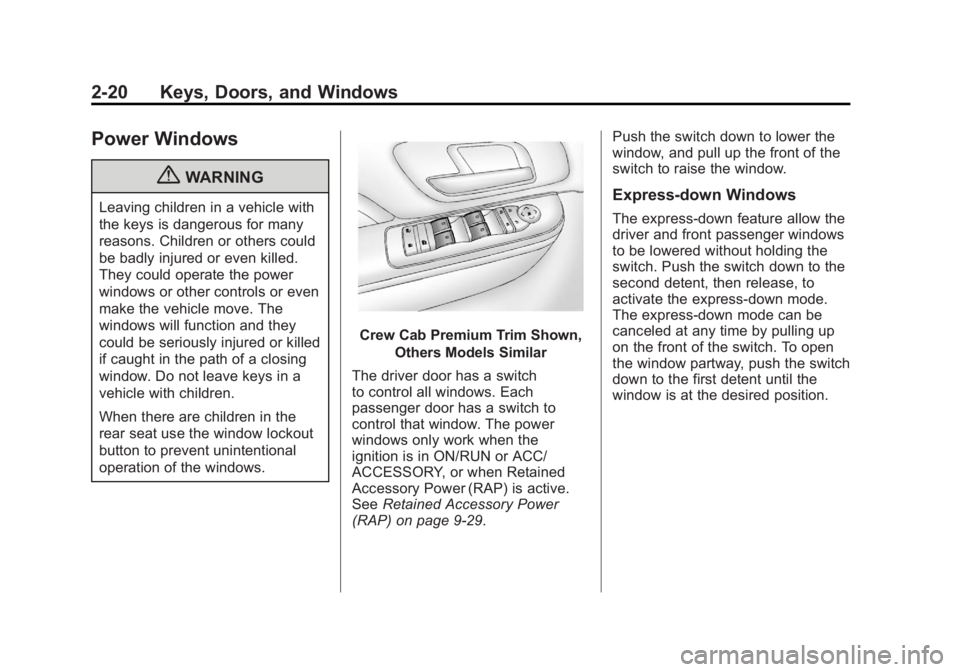
Crew Cab Premium Trim Shown,Others Models Similar
The driver door has a switch
to control all windows. Each
passenger door has a switch to
control that window. The power
windows only work when the
ignition is in ON/RUN or ACC/
ACCESSORY, or when Retained
Accessory Power (RAP) is active.
See Retained Accessory Power
(RAP) on page 9‑29. Push the switch down to lower the
window, and pull up the front of the
switch to raise the window.
Express-down Windows
The express-down feature allow the
driver and front passenger windows
to be lowered without holding the
switch. Push the switch down to the
second detent, then release, to
activate the express-down mode.
The express-down mode can be
canceled at any time by pulling up
on the front of the switch. To open
the window partway, push the switch
down to the first detent until the
window is at the desired position.
Page 95 of 556
Black plate (27,1)GMC Sierra Owner Manual - 2012 - CRC - 11/15/11
Seats and Restraints 3-27
rollover event, roof-rail airbag
deployment is determined by the
direction of the roll.
What Makes an Airbag
Inflate?
In a deployment event, the sensing
system sends an electrical signal
triggering a release of gas from the
inflator. Gas from the inflator fills the
airbag causing the bag to break out
of the cover and deploy. The inflator,
the airbag, and related hardware are
all part of the airbag module.
Frontal airbag modules are located
inside the steering wheel and
instrument panel. For vehicles with
seat‐mounted side impact airbags,
there are airbags modules in the
side of the front seatbacks closest
to the door. For vehicles with
roof-rail airbags, there are airbag
modules in the ceiling of the vehicle,
near the side windows that have
occupant seating positions.
How Does an Airbag
Restrain?
In moderate to severe frontal or
near frontal collisions, even belted
occupants can contact the steering
wheel or the instrument panel. In
moderate to severe side collisions,
even belted occupants can contact
the inside of the vehicle.
Airbags supplement the protection
provided by safety belts. Frontal
airbags distribute the force of the
impact more evenly over the
occupant's upper body, stopping
the occupant more gradually.
Seat‐mounted side impact and
roof-rail airbags distribute the force
of the impact more evenly over the
occupant's upper body.
Rollover capable roof-rail airbags
are designed to help contain the
head and chest of occupants in the
outboard seating positions in the
first and second rows. The rollover
capable roof-rail airbags are
designed to help reduce the risk offull or partial ejection in rollover
events, although no system can
prevent all such ejections.
But airbags would not help in
many types of collisions, primarily
because the occupant's motion
is not toward those airbags. See
When Should an Airbag Inflate? on
page 3‑25
for more information.
Airbags should never be regarded
as anything more than a supplement
to safety belts.
What Will You See after
an Airbag Inflates?
After the frontal airbags and
seat-mounted side impact airbags
inflate, they quickly deflate, so
quickly that some people may not
even realize an airbag inflated.
Roof-rail airbags may still be at least
partially inflated for some time after
they deploy. Some components of
the airbag module may be hot for
several minutes. For location of the
airbag modules, see What Makes
an Airbag Inflate? on page 3‑27.
Page 120 of 556
Black plate (52,1)GMC Sierra Owner Manual - 2012 - CRC - 11/15/11
3-52 Seats and Restraints
{WARNING
Children can be seriously injured
or strangled if a shoulder belt is
wrapped around their neck and
the safety belt continues to
tighten. Buckle any unused safety
belts behind the child restraint so
children cannot reach them. Pull
the shoulder belt all the way out
of the retractor to set the lock,
if the vehicle has one, after the
child restraint has been installed.
Notice: Do not let the LATCH
attachments rub against the
vehicle’ s safety belts. This may
damage these parts. If necessary,
move buckled safety belts to
avoid rubbing the LATCH
attachments.
Do not fold the empty rear seat
with a safety belt buckled. This
could damage the safety belt or
the seat. Unbuckle and return the
safety belt to its stowed position,
before folding the seat. Regular Cab Models
1. If the child restraint manufacturer
recommends that the top tether
be attached, attach and tighten
the top tether to the top tether
anchor, if your vehicle has one.
Refer to the child restraint
instructions and the following
steps:
1.1. Pull the passenger seatback forward by pulling
the recliner handle upward
to access the top tether
anchor. See Reclining
Seatbacks on page 3‑5 for
additional information.
1.2. Find the top tether anchor.
1.3. Remove the cover to expose the anchor. 1.4. Route, attach, and tighten
the top tether according
to your child restraint
instructions and the
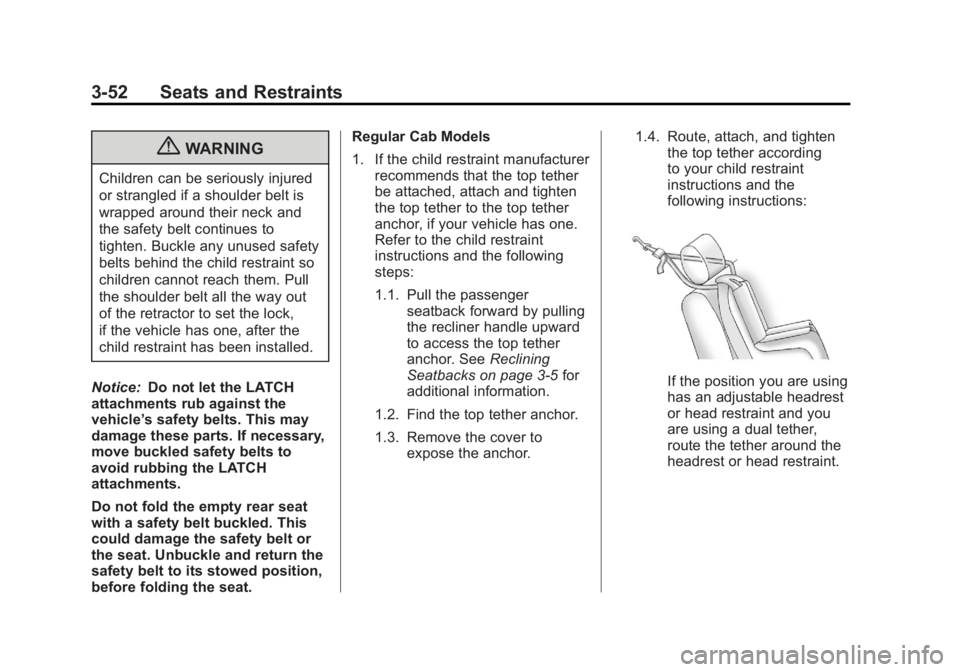
following instructions:
If the position you are using
has an adjustable headrest
or head restraint and you
are using a dual tether,
route the tether around the
headrest or head restraint.
Page 142 of 556
Black plate (4,1)GMC Sierra Owner Manual - 2012 - CRC - 11/15/11
5-4 Instruments and Controls
3. Press and release¨to move up
one track within the selected
category.
b/g(Mute/Push to Talk): Press
to silence the vehicle speakers only.
Press again to turn the sound on.
For vehicles with Bluetooth or
OnStar systems, press and hold for
longer than two seconds to interact
with those systems. See Bluetooth
on page 7‑48 andOnStar Overview
on page 14‑1 for more information.
SRCE (Source/Voice
Recognition): Press to switch
between the radio and CD, and for
equipped vehicles, the DVD, front
auxiliary, and rear auxiliary.
For vehicles with the navigation
system, press and hold this button
for longer than one second to
initiate voice recognition. See “Voice
Recognition” in the Navigation
System manual for more
information.
¨(Seek): Press to go to the
next radio station while in AM,
FM, or XM™.
For vehicles with or without a
navigation system:
Press
¨to go to the next track or
chapter while sourced to the CD or
DVD slot.
Press
¨to select a track or a folder
when navigating folders on an iPod
or USB device.
For vehicles with a navigation
system:
1. Press and hold
¨until a beep is
heard, to place the radio into
SCAN mode. A station will play
for five seconds before moving
to the next station.
2. To stop the SCAN function, press
¨again. While listening to a CD/DVD, press
and hold
¨to quickly move forward
through the tracks. Release to stop
on the desired track.
+
e: Press to increase volume.
−
e: Press to decrease volume.
Horn
To sound the horn, press the center
pad on the steering wheel.
Windshield Wiper/Washer
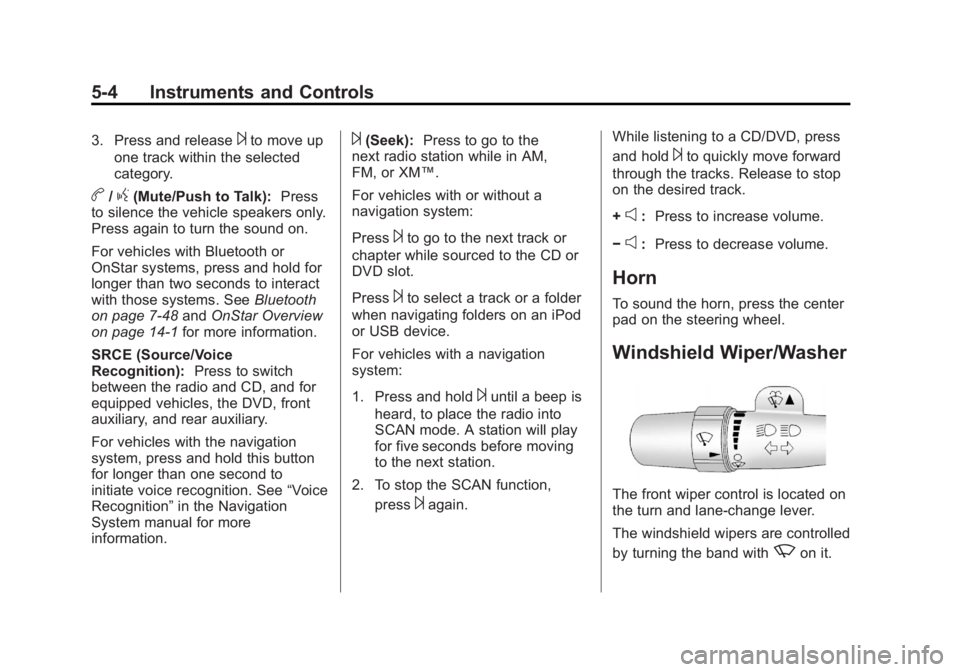
The front wiper control is located on
the turn and lane‐change lever.
The windshield wipers are controlled
by turning the band with
zon it.
Page 151 of 556
Black plate (13,1)GMC Sierra Owner Manual - 2012 - CRC - 11/15/11
Instruments and Controls 5-13
For vehicles with a DURAMAX®
Diesel engine, see the DURAMAX®
Diesel Supplement for more
information.
For vehicles with a Hybrid, see the
Hybrid Supplement for more
information.
Speedometer
The speedometer shows the
vehicle's speed in either kilometers
per hour (km/h) or miles per
hour (mph).
Odometer
The odometer shows how far the
vehicle has been driven, in either
kilometers or miles.
Engine Hour Meter Display
The Driver Information Center (DIC)
can also display the number of
hours the engine has run. To display
the engine hours, turn the ignition
off, then press and hold the reset
button for at least four seconds.The hour meter displays for up to
30 seconds, or until the ignition is
turned on. See
Driver Information
Center (DIC) on page 5‑30 for more
information.
Trip Odometer
The trip odometer shows how far
the vehicle has been driven since
the trip odometer was last set
to zero.
Press the reset button, located on
the instrument panel cluster next to
the voltmeter, to toggle between
the trip odometer and the regular
odometer. Holding the reset button
for approximately one second while
the trip odometer is displayed will
reset it. To display the odometer reading
with the ignition off, press the reset
button.
See
Driver Information Center (DIC)
on page 5‑30 for more information.
Tachometer
The tachometer displays the engine
speed in revolutions per minute
(rpm). For a description of how
Grade Braking affects vehicle
speed while the Tow/Haul Mode is
activated, see Tow/Haul Mode on
page 9‑39 for more information.
If the vehicle is a hybrid, see the
hybrid supplement for more
information.
Page 155 of 556
Black plate (17,1)GMC Sierra Owner Manual - 2012 - CRC - 11/15/11
Instruments and Controls 5-17
When the engine is running, this
gauge shows the condition of the
charging system. The gauge can
transition from a higher to lower or a
lower to higher reading. This is
normal. If the vehicle is operating
outside the normal operating range,
the charging system light comes on.
SeeCharging System Light on
page 5‑22 for more information. The
voltmeter gauge may also read
lower when in fuel economy mode.
This is normal.
Readings outside the normal
operating range can also occur
when a large number of electrical
accessories are operating in the
vehicle and the engine is left idling
for an extended period. This
condition is normal since the
charging system is not able to
provide full power at engine idle. As engine speeds are increased,
this condition should correct itself as
higher engine speeds allow the
charging system to create maximum
power.
The vehicle can only be driven for a
short time with the readings outside
the normal operating range. If the
vehicle must be driven, turn off all
accessories, such as the radio and
air conditioner.
Readings outside the normal
operating range indicate a possible
problem in the electrical system.
Have the vehicle serviced as soon
as possible.Safety Belt Reminders
Driver Safety Belt Reminder
Light
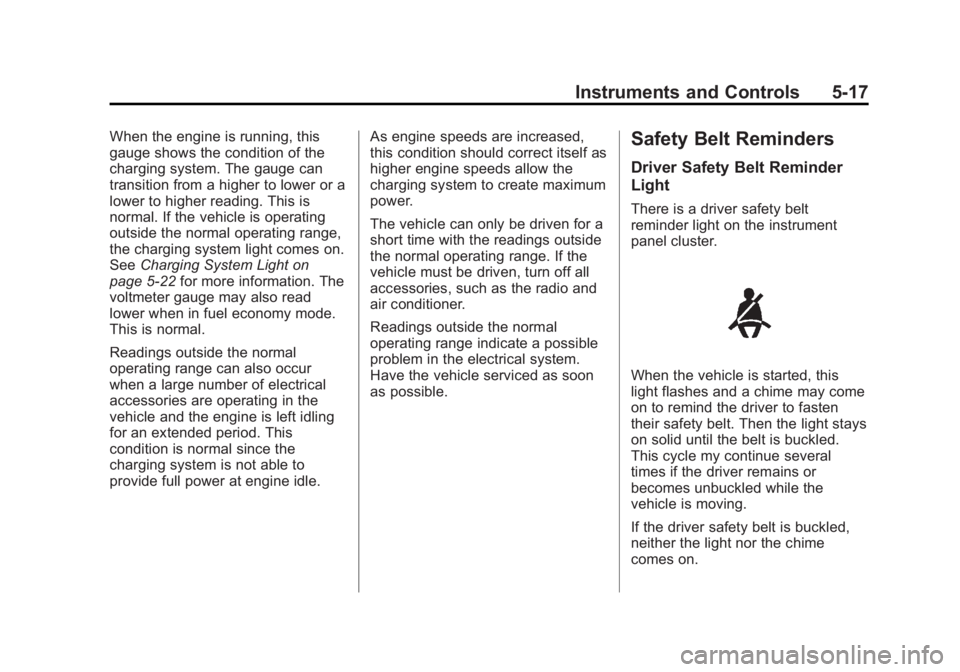
There is a driver safety belt
reminder light on the instrument
panel cluster.
When the vehicle is started, this
light flashes and a chime may come
on to remind the driver to fasten
their safety belt. Then the light stays
on solid until the belt is buckled.
This cycle my continue several
times if the driver remains or
becomes unbuckled while the
vehicle is moving.
If the driver safety belt is buckled,
neither the light nor the chime
comes on.