Page 77 of 454
•Terrain: Hills, mountains, tall buildings, bridges, tunnels, freeway
overpasses, parking garages, dense tree foliage and thunderstorms can
interfere with your reception.
•Station overload: When you pass a ground based broadcast repeating
tower, a stronger signal may overtake a weaker one and result in an
audio mute.
Unlike AM/FM audible static, you will hear an audio mute when there is
a satellite radio signal interference. Your radio display may display NO
SIGNAL to indicate the interference.
SIRIUS�satellite radio service:SIRIUS�satellite radio is a
subscription based satellite radio service that broadcasts music, sports,
news and entertainment programming. A service fee is required in order
to receive SIRIUS�service. Vehicles that are equipped with a factory
installed SIRIUS�satellite radio system include hardware and a limited
subscription term, which begins on the date of sale or lease of the
vehicle.
For information on extended subscription terms, the online media player
and other SIRIUS�features, please contact SIRIUS�at 1–888–539–7474.
Note:SIRIUS�reserves the unrestricted right to change, rearrange, add
or delete programming including canceling, moving or adding particular
channels, and its prices, at any time, with or without notice to you. Ford
Motor Company shall not be responsible for any such programming
changes.
Satellite radio electronic serial number (ESN):This 12–digit
Satellite Serial Number is needed to activate, modify or track your
satellite radio account. You will need this number when communicating
with SIRIUS�. While in satellite radio mode, you can view this number on
the radio display by pressing the AUX and preset 1 controls
simultaneously.
Radio Display Condition Action Required
ACQUIRING Radio requires more
than two seconds to
produce audio for the
selected channel.No action required.
This message should
disappear shortly.
SAT FAULT Internal module or
system failure
present.If this message does
not clear within a short
period of time, or with
an ignition key cycle,
your receiver may have
a fault. See your
authorized dealer for
service.
Entertainment Systems
77
2012 F-250/350/450/550(f23)
Owners Guide, 1st Printing
USA(fus)
Page 79 of 454
Radio Display Condition Action Required
UPDATING Update of channel
programming in
progress.No action required. The
process may take up to
three minutes.
CALL SIRIUS�
1–888–539–7474Satellite service has
been deactivated by
SIRIUS�satellite
radio.Call SIRIUS�at
1–888–539–7474 to
re-activate or resolve
subscription issues.
NAVIGATION SYSTEM (IF EQUIPPED)
Your vehicle may be equipped with a navigation system. Refer to the
Navigation Systemsupplement for further information.
SYNC�(IF EQUIPPED)
Your vehicle may be equipped with SYNC�, a hands-free communications
and entertainment system with special phone and media features. For
more information, please refer to theSYNC�supplement or to the
SYNC�section in theNavigation Systemsupplement (if equipped).
Entertainment Systems
79
2012 F-250/350/450/550(f23)
Owners Guide, 1st Printing
USA(fus)
Page 94 of 454
Rear dome/map lamps
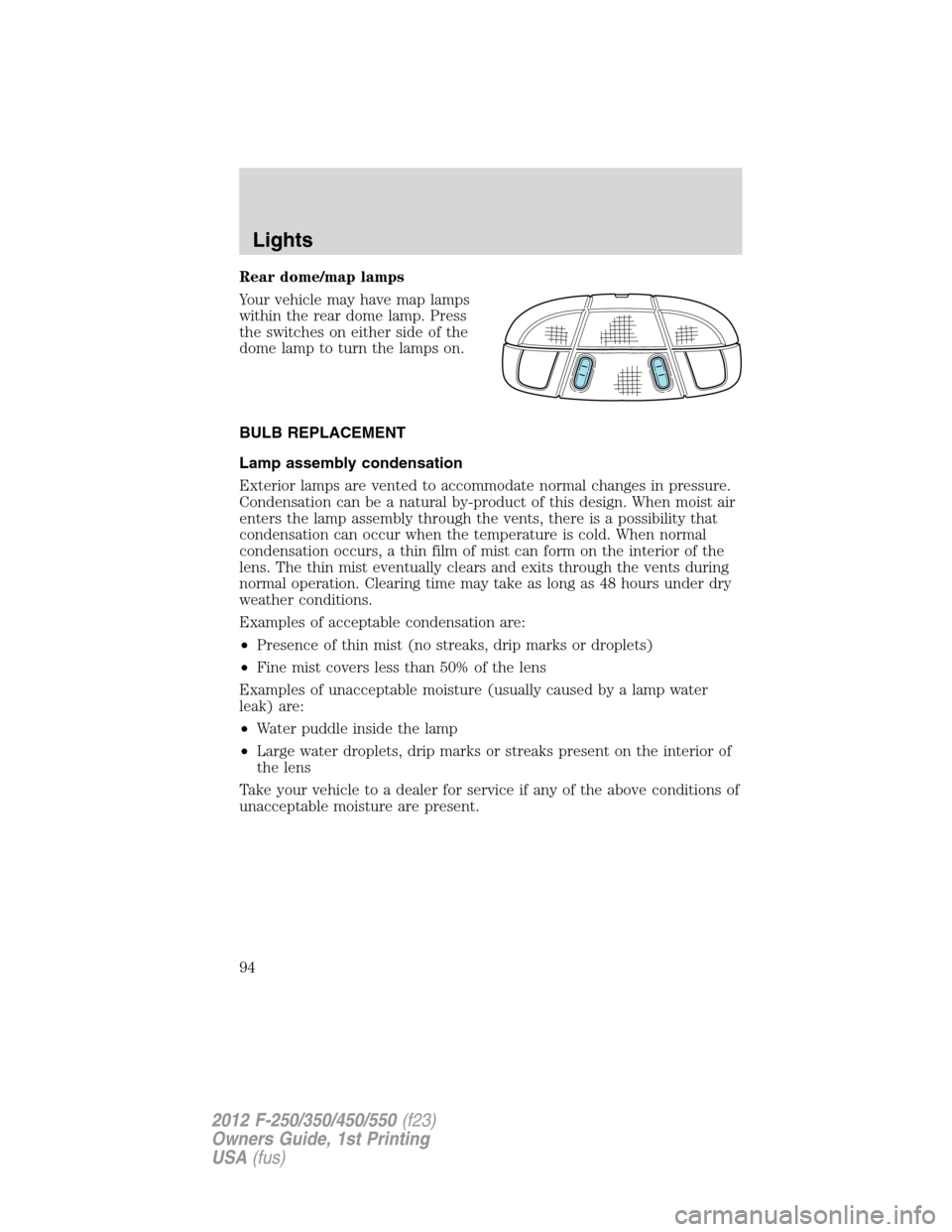
Your vehicle may have map lamps
within the rear dome lamp. Press
the switches on either side of the
dome lamp to turn the lamps on.
BULB REPLACEMENT
Lamp assembly condensation
Exterior lamps are vented to accommodate normal changes in pressure.
Condensation can be a natural by-product of this design. When moist air
enters the lamp assembly through the vents, there is a possibility that
condensation can occur when the temperature is cold. When normal
condensation occurs, a thin film of mist can form on the interior of the
lens. The thin mist eventually clears and exits through the vents during
normal operation. Clearing time may take as long as 48 hours under dry
weather conditions.
Examples of acceptable condensation are:
•Presence of thin mist (no streaks, drip marks or droplets)
•Fine mist covers less than 50% of the lens
Examples of unacceptable moisture (usually caused by a lamp water
leak) are:
•Water puddle inside the lamp
•Large water droplets, drip marks or streaks present on the interior of
the lens
Take your vehicle to a dealer for service if any of the above conditions of
unacceptable moisture are present.
Lights
94
2012 F-250/350/450/550(f23)
Owners Guide, 1st Printing
USA(fus)
Page 117 of 454
For further information on the Navigation system/SYNC�system, refer to
theNavigation SystemandSYNC�supplements.
UPFITTER CONTROLS (IF EQUIPPED)
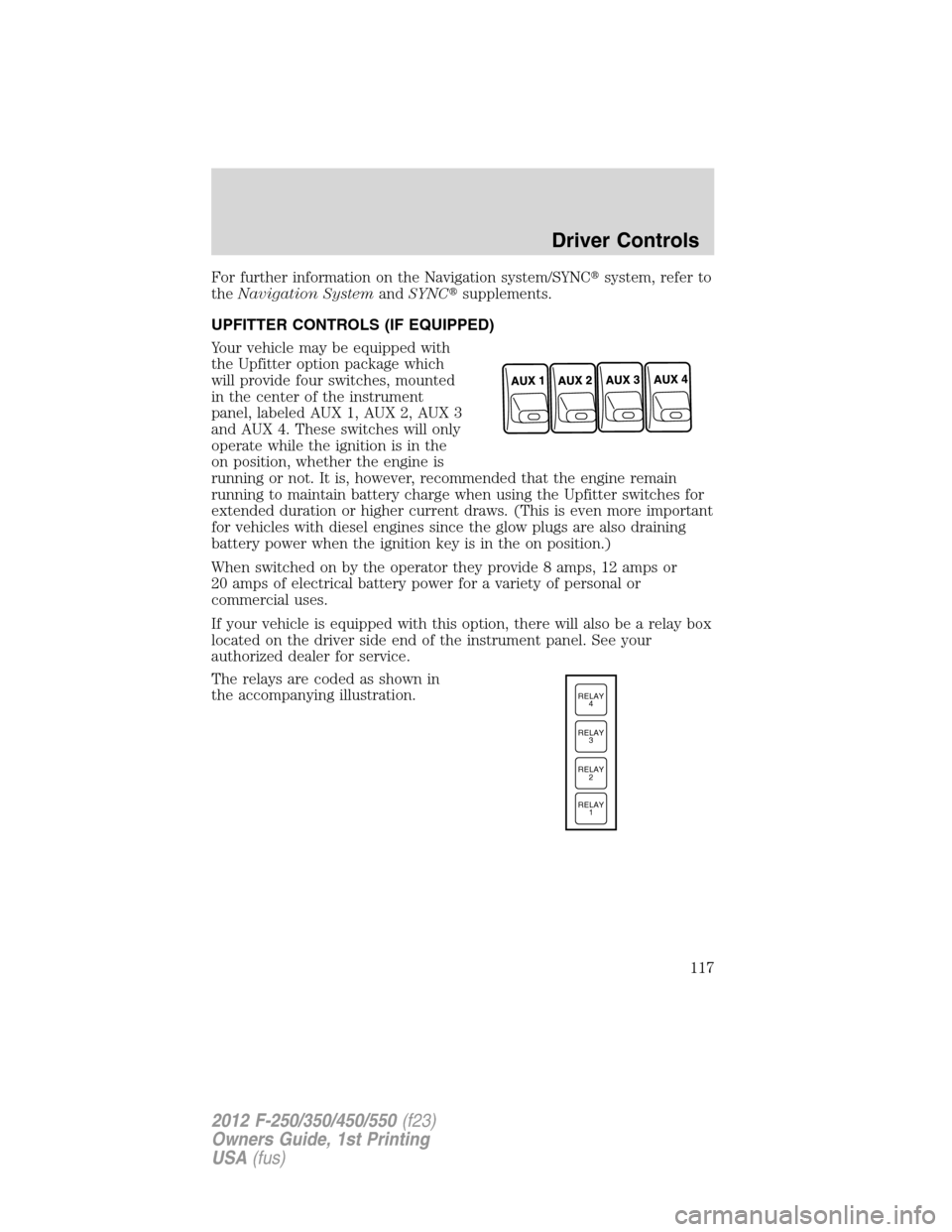
Your vehicle may be equipped with
the Upfitter option package which
will provide four switches, mounted
in the center of the instrument
panel, labeled AUX 1, AUX 2, AUX 3
and AUX 4. These switches will only
operate while the ignition is in the
on position, whether the engine is
running or not. It is, however, recommended that the engine remain
running to maintain battery charge when using the Upfitter switches for
extended duration or higher current draws. (This is even more important
for vehicles with diesel engines since the glow plugs are also draining
battery power when the ignition key is in the on position.)
When switched on by the operator they provide 8 amps, 12 amps or
20 amps of electrical battery power for a variety of personal or
commercial uses.
If your vehicle is equipped with this option, there will also be a relay box
located on the driver side end of the instrument panel. See your
authorized dealer for service.
The relays are coded as shown in
the accompanying illustration.
RELAY
1 RELAY
2 RELAY
3 RELAY
4
Driver Controls
117
2012 F-250/350/450/550(f23)
Owners Guide, 1st Printing
USA(fus)
Page 125 of 454

Erasing the Car2U�Home Automation System buttons
Note:The system allows for three devices to be programmed. If you
need to change or replace any of the three devices after it has been
initially programmed, it will be necessary to erase the current settings
using the procedure below and then reprogramming all of the devices
being used.
To erase programming on the Car2U�system (individual buttons cannot
be erased), use the following procedure:
1. Firmly press the two outside
Car2U�system buttons
simultaneously for approximately
20 seconds until the indicator lights
begin to blink rapidly. The indicator
lights are located directly above the
buttons.
2. Once the indicator lights begin to
blink, release your fingers from the
buttons. The codes for all buttons
are erased.
If you sell your vehicle equipped with the Car2U�system, it is
recommended that you erase the programming for security reasons.
FCC and RSS-210 Industry Canada Compliance
The Car2U�system complies with Part 15 of the FCC rules and with
RSS-210 of Industry Canada. Operation is subject to the following two
conditions: (1) This device may not cause harmful interference, and (2)
This device must accept any interference received including interference
that may cause undesired operation.
Changes and modifications to the Car2U�system transmitter by other
than an authorized service facility could void authorization to use the
equipment.
Driver Controls
125
2012 F-250/350/450/550(f23)
Owners Guide, 1st Printing
USA(fus)
Page 130 of 454
Note:
•Fully close and latch the tailgate step before moving the vehicle.
•Never drive with the step or grab handle deployed.
•Replace slip resistance tape (serviceable item) if worn out.
•Replace handle molding (serviceable item) if damaged.
•Do not tow with grab handle or step frame.
Bed extender (if equipped)
Your vehicle may be equipped with a cargo management feature in the
truck bed.
Note:This feature is not intended for off-road usage.
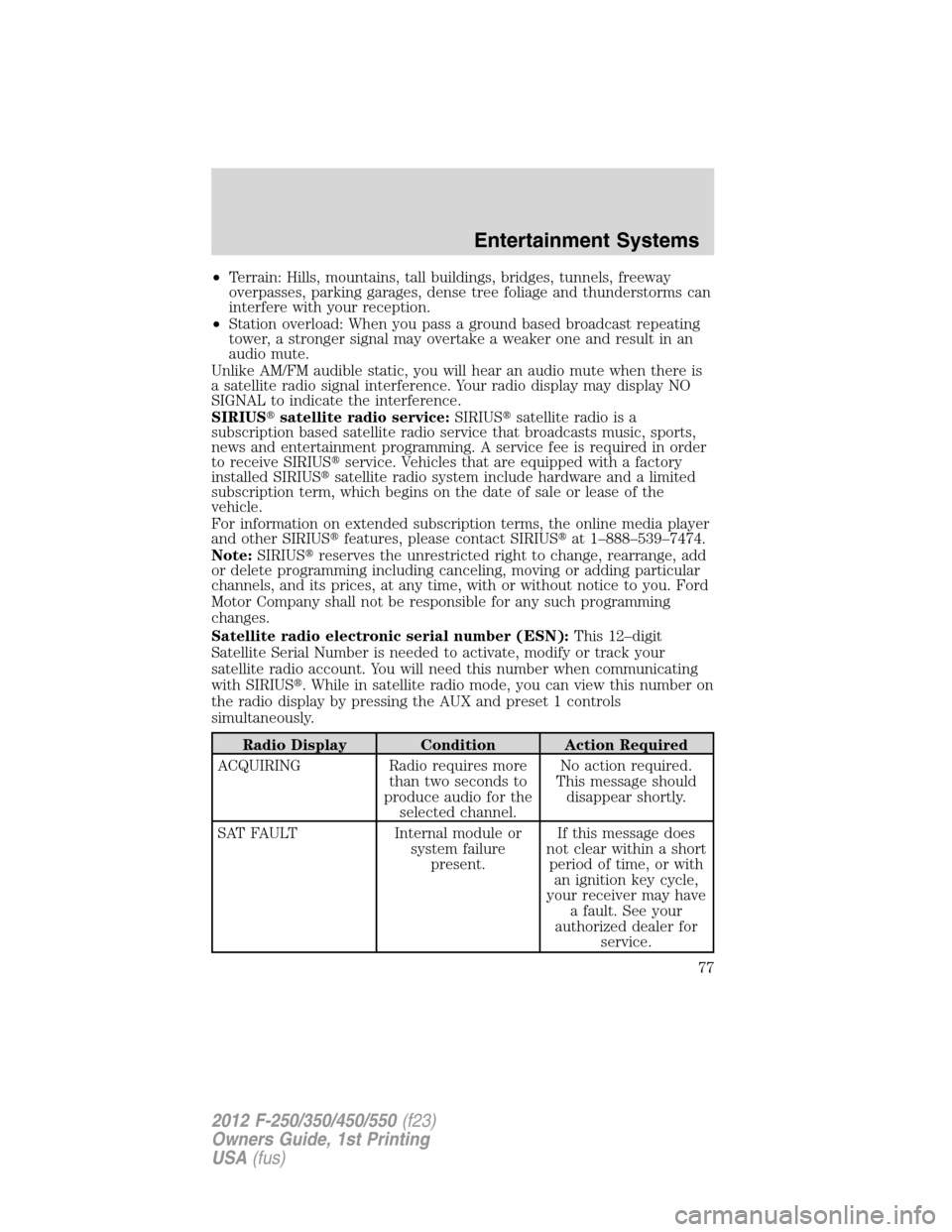
To open the bed extender into tailgate mode:
1. Pull the locking pin toward the
center of the vehicle.
2. Open the latches to release the
panels.
Driver Controls
130
2012 F-250/350/450/550(f23)
Owners Guide, 1st Printing
USA(fus)
Page 185 of 454
WARNING:Never place your arm over the airbag module as a
deploying airbag can result in serious arm fractures or other
injuries.
To properly position yourself away from the airbag:
•Move your seat to the rear as far as you can while still reaching the
pedals comfortably.
•Recline the seat slightly one or two degrees from the upright position.
WARNING:Do not put anything on or over the airbag module.
Placing objects on or over the airbag inflation area may cause
those objects to be propelled by the airbag into your face and torso
causing serious injury.
WARNING:Do not attempt to service, repair, or modify the
airbag supplemental restraint systems or its fuses. Contact your
authorized dealer as soon as possible.
WARNING:The front passenger airbag is not designed to offer
protection to an occupant in the center front seating position.
WARNING:Modifying or adding equipment to the front end of
the vehicle (including frame, bumper, front end body structure
and tow hooks) may affect the performance of the airbag system,
increasing the risk of injury. Do not modify the front end of the
vehicle.
WARNING:Additional equipment such as snowplow equipment
may effect the performance of the airbag sensors increasing the
risk of injury. Please refer to theBody Builders Layout Bookfor
instructions about the appropriate installation of additional equipment.
Seating and Safety Restraints
185
2012 F-250/350/450/550(f23)
Owners Guide, 1st Printing
USA(fus)
Page 188 of 454
•one or more impact and safing sensors,
•a readiness light and tone
•and the electrical wiring which connects the components.
The diagnostic module monitors its own internal circuits and the
supplemental airbag electrical system wiring (including the impact
sensors), the system wiring, the airbag system readiness light, the airbag
backup power and the airbag ignitors.
Seat-mounted side airbag system (if equipped)
WARNING:Do not place objects or mount equipment on or
near the airbag cover on the side of the seatbacks of the front
seats or in front seat areas that may come into contact with a
deploying airbag. Failure to follow these instructions may increase the
risk of personal injury in the event of a collision.
WARNING:Do not use accessory seat covers. The use of
accessory seat covers may prevent the deployment of the side
airbags and increase the risk of injury in an accident.
WARNING:Do not lean your head on the door. The side airbag
could injure you as it deploys from the side of the seatback.
WARNING:Do not attempt to service, repair, or modify the
airbag SRS, its fuses or the seat cover on a seat containing an
airbag. See an authorized dealer.
WARNING:All occupants of the vehicle should always wear
their safety belts even when an airbag SRS is provided.
Seating and Safety Restraints
188
2012 F-250/350/450/550(f23)
Owners Guide, 1st Printing
USA(fus)