Page 133 of 380
Rear dome/map lamp (if equipped)The dome lamp will turn on when:
•any door is opened.
• any of the remote entry controls are pressed and the vehicle
is off.
• switch 3 on the front dome/map lamp is pressed.
Press
to manually turn on the map lamp(s) (if equipped):
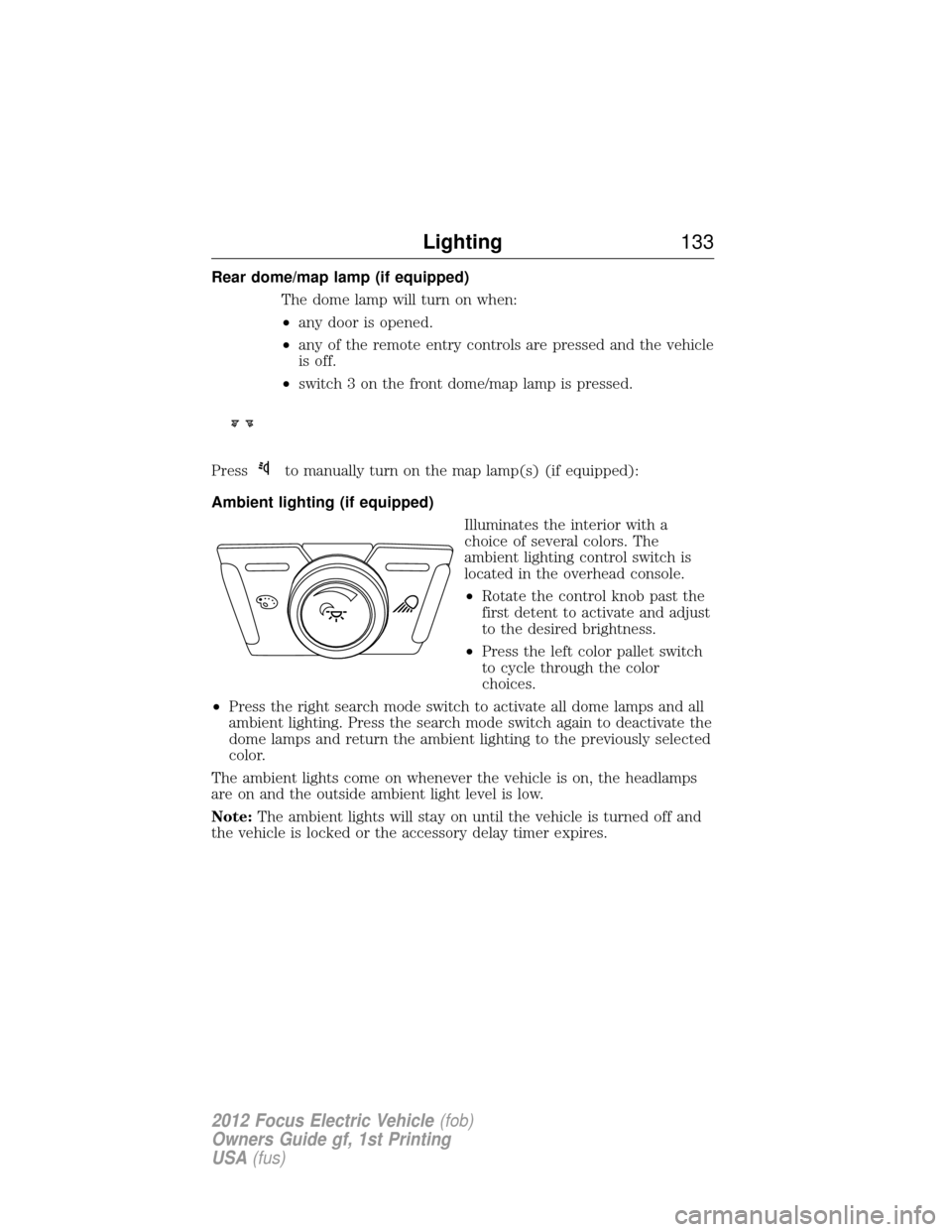
Ambient lighting (if equipped) Illuminates the interior with a
choice of several colors. The
ambient lighting control switch is
located in the overhead console.
•Rotate the control knob past the
first detent to activate and adjust
to the desired brightness.
• Press the left color pallet switch
to cycle through the color
choices.
• Press the right search mode switch to activate all dome lamps and all
ambient lighting. Press the search mode switch again to deactivate the
dome lamps and return the ambient lighting to the previously selected
color.
The ambient lights come on whenever the vehicle is on, the headlamps
are on and the outside ambient light level is low.
Note: The ambient lights will stay on until the vehicle is turned off and
the vehicle is locked or the accessory delay timer expires.
Lighting 133
2012 Focus Electric Vehicle (fob)
Owners Guide gf, 1st Printing
USA (fus)
Page 136 of 380
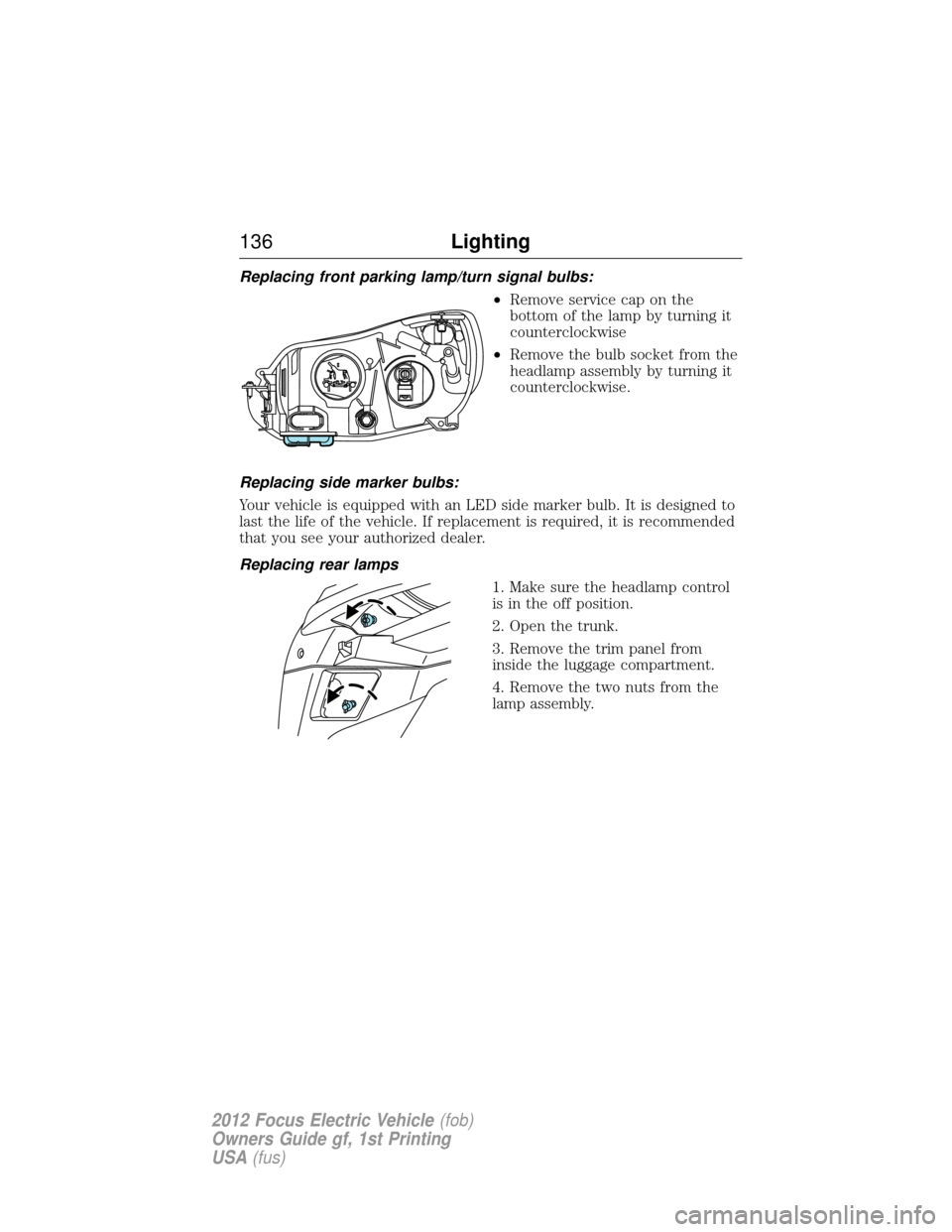
Replacing front parking lamp/turn signal bulbs:•Remove service cap on the
bottom of the lamp by turning it
counterclockwise
• Remove the bulb socket from the
headlamp assembly by turning it
counterclockwise.
Replacing side marker bulbs:
Your vehicle is equipped with an LED side marker bulb. It is designed to
last the life of the vehicle. If replacement is required, it is recommended
that you see your authorized dealer.
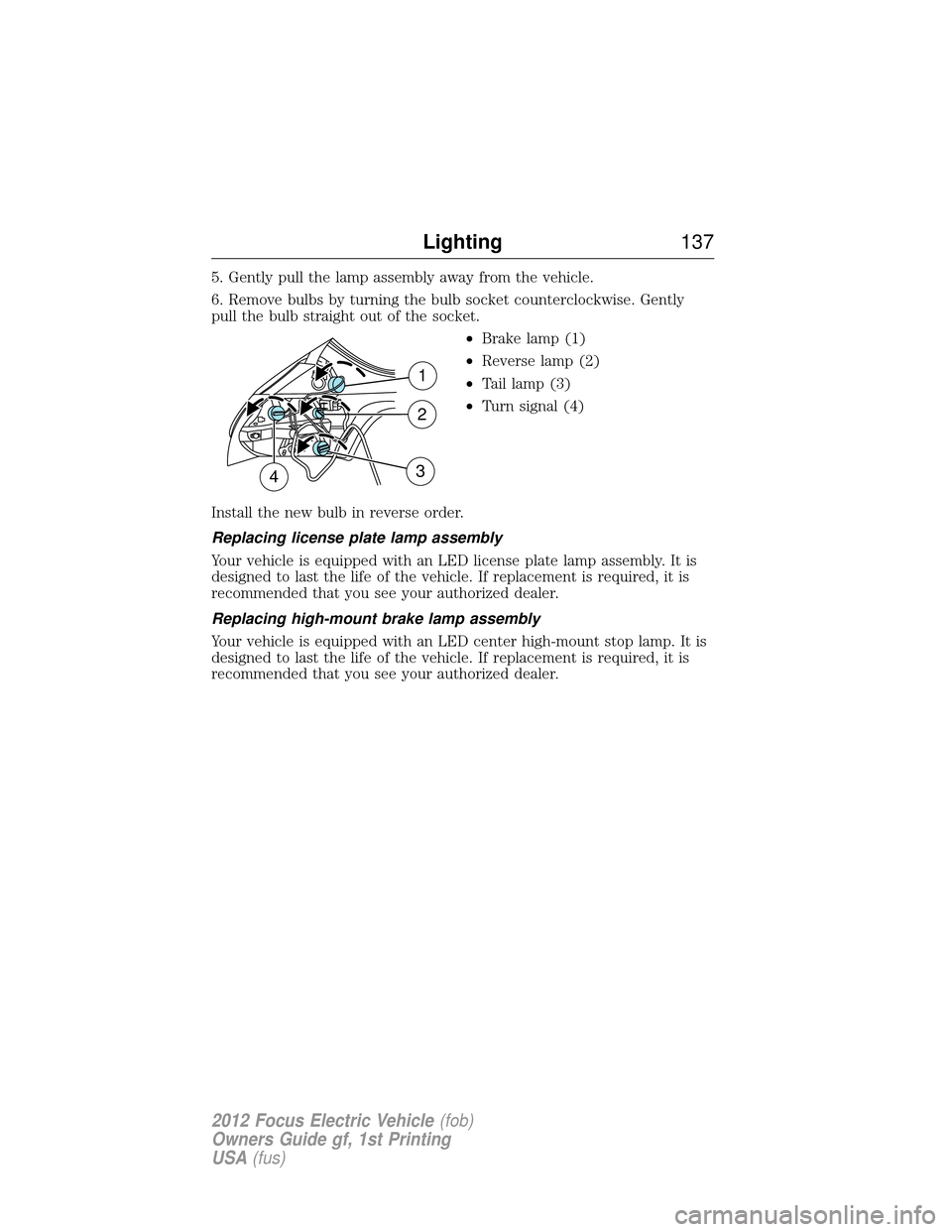
Replacing rear lamps 1. Make sure the headlamp control
is in the off position.
2. Open the trunk.
3. Remove the trim panel from
inside the luggage compartment.
4. Remove the two nuts from the
lamp assembly.
136Lighting
2012 Focus Electric Vehicle (fob)
Owners Guide gf, 1st Printing
USA (fus)
Page 137 of 380
5. Gently pull the lamp assembly away from the vehicle.
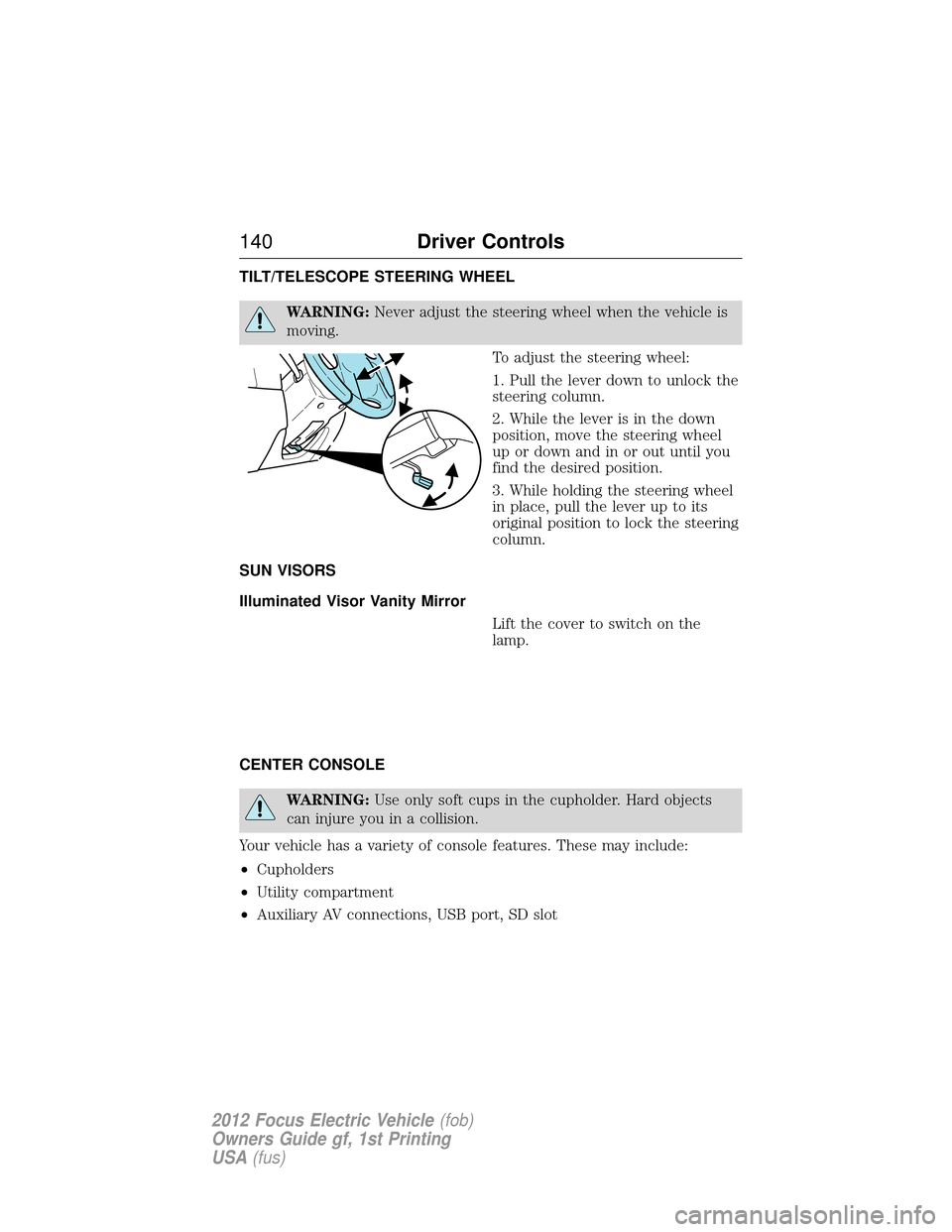
6. Remove bulbs by turning the bulb socket counterclockwise. Gently
pull the bulb straight out of the socket.•Brake lamp (1)
• Reverse lamp (2)
• Tail lamp (3)
• Turn signal (4)
Install the new bulb in reverse order.
Replacing license plate lamp assembly
Your vehicle is equipped with an LED license plate lamp assembly. It is
designed to last the life of the vehicle. If replacement is required, it is
recommended that you see your authorized dealer.
Replacing high-mount brake lamp assembly
Your vehicle is equipped with an LED center high-mount stop lamp. It is
designed to last the life of the vehicle. If replacement is required, it is
recommended that you see your authorized dealer.
1
2
43
Lighting 137
2012 Focus Electric Vehicle (fob)
Owners Guide gf, 1st Printing
USA (fus)
Page 140 of 380
TILT/TELESCOPE STEERING WHEEL
WARNING:Never adjust the steering wheel when the vehicle is
moving.
To adjust the steering wheel:
1. Pull the lever down to unlock the
steering column.
2. While the lever is in the down
position, move the steering wheel
up or down and in or out until you
find the desired position.
3. While holding the steering wheel
in place, pull the lever up to its
original position to lock the steering
column.
SUN VISORS
Illuminated Visor Vanity Mirror Lift the cover to switch on the
lamp.
CENTER CONSOLE
WARNING: Use only soft cups in the cupholder. Hard objects
can injure you in a collision.
Your vehicle has a variety of console features. These may include:
• Cupholders
• Utility compartment
• Auxiliary AV connections, USB port, SD slot
140 Driver Controls
2012 Focus Electric Vehicle (fob)
Owners Guide gf, 1st Printing
USA (fus)
Page 143 of 380
Overriding the bounce-back feature
To override this protection function when there is a resistance, e.g. in
the winter, proceed as follows:
1. Close the window twice until it reaches the resistance and let it reverse.
2. Close the window a third time to the resistance. The bounce-back
function is disabled and you can close the window manually. The window
will override the resistance and you can close it fully.
3. If the window does not close after the third attempt, contact your
authorized dealer as soon as possible.
Resetting the bounce-back feature
WARNING:The bounce-back function is deactivated until you
have reset the memory.
After the battery has been disconnected from the vehicle you must reset
the bounce-back memory separately for each window:
1. Lift and hold the switch until the window is fully closed, then release
the switch.
2. Lift the switch again for one more second.
3. Press and hold the switch until the window is fully open, then release
the switch.
4. Lift and hold the switch until the window is fully closed.
5. Open the window and try to close it automatically.
6. Reset and repeat procedure if the window does not close automatically.
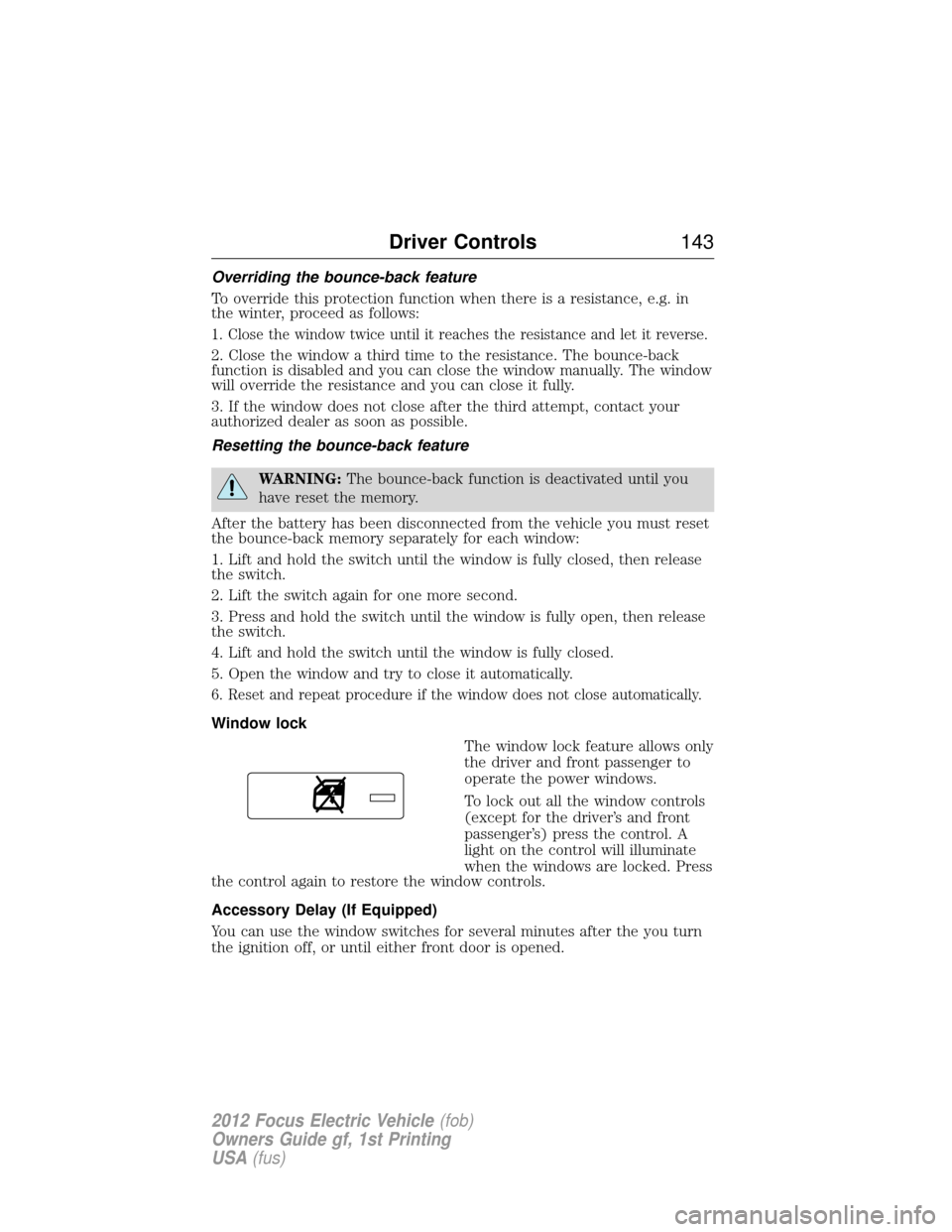
Window lock The window lock feature allows only
the driver and front passenger to
operate the power windows.
To lock out all the window controls
(except for the driver’s and front
passenger’s) press the control. A
light on the control will illuminate
when the windows are locked. Press
the control again to restore the window controls.
Accessory Delay (If Equipped)
You can use the window switches for several minutes after the you turn
the ignition off, or until either front door is opened.
Driver Controls 143
2012 Focus Electric Vehicle(fob)
Owners Guide gf, 1st Printing
USA (fus)
Page 144 of 380
INTERIOR MIRROR
WARNING:Do not adjust the mirror when your vehicle is
moving.
Note: Do not clean the housing or glass of any mirror with harsh
abrasives, fuel or other petroleum or ammonia based cleaning products.
You can adjust the interior mirror to your preference. Some mirrors also
have a second pivot point. This lets you move the mirror head up or
down and from side to side.
Pull the tab below the mirror toward you to reduce glare at night.
Auto-Dimming Mirror (If Equipped)
Note: Do not block the sensors on the front and back of the mirror.
Mirror performance may be affected. A rear center passenger or raised
rear center head restraint may also block light from reaching the sensor.
The mirror will dim automatically to reduce glare when bright lights are
detected from behind your vehicle. It will automatically return to normal
reflection when you select reverse gear to make sure you have a clear
view when backing up.
EXTERIOR MIRRORS
Power side view mirrors
WARNING: Do not adjust the mirror while the vehicle is in
motion.
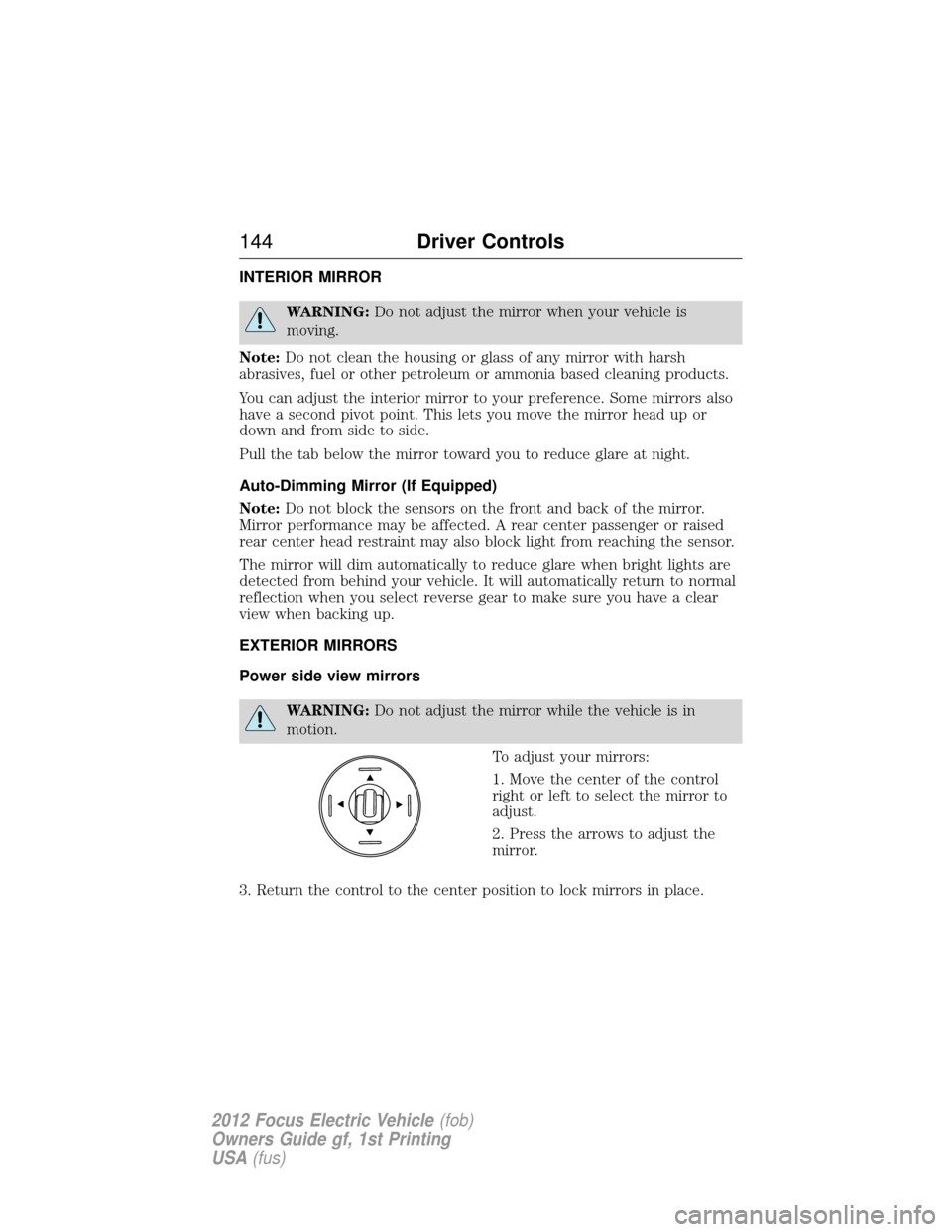
To adjust your mirrors:
1. Move the center of the control
right or left to select the mirror to
adjust.
2. Press the arrows to adjust the
mirror.
3. Return the control to the center position to lock mirrors in place.
144 Driver Controls
2012 Focus Electric Vehicle (fob)
Owners Guide gf, 1st Printing
USA (fus)
Page 149 of 380
HOMELINK�WIRELESS CONTROL SYSTEM (IF EQUIPPED)
WARNING:Make sure that the garage door and security device
are free from obstruction when you are programming. Do not
program the system with the vehicle in the garage.
WARNING: Do not use the system with any garage door opener
that does not have the safety stop and reverse feature as
required by U.S. Federal Safety Standards (this includes any garage
door opener manufactured before April 1, 1982).
Note: Make sure you keep the original remote control transmitter for
use in other vehicles as well as for future system programming.
Note: We recommend that upon the sale or lease termination of your
vehicle, you erase the programmed function buttons for security reasons.
See Erasing the function button codes later in this section.
Note: You can program a maximum of three devices. To change or
replace any of the three devices after it has been initially programmed,
you must first erase the current settings. See Erasing the function
button codes later in this section.
The universal garage door opener
replaces the common hand-held
garage door opener with a
three-button transmitter that is
integrated into the driver’s sun
visor.
The system includes two primary features, a garage door opener and a
platform for remote activation of devices with the home. As well as being
programmed for garage doors, the system transmitter can be
programmed to operate entry gate operators, security systems, entry
door locks, and home or office lighting.
Additional system information can be found on-line at
www.homelink.com or by calling the toll-free help line on
1-800-355-3515.
Programming
Note: Put a new battery in the hand-held transmitter. This will ensure
quicker training and accurate transmission of the radio-frequency signal.
Driver Controls 149
2012 Focus Electric Vehicle(fob)
Owners Guide gf, 1st Printing
USA (fus)
Page 151 of 380
Gate Operator & Canadian ProgrammingDuring programming, your
hand-held transmitter may
automatically stop transmitting —
not allowing enough time for
HomeLink�to accept the signal
from the hand-held transmitter.
After completing Step 1 outlined in the Programmingsection, replace
Step 2 with the following:
Note: If programming a garage door opener or gate operator, it is
advised to unplug the device during the “cycling” process to prevent
overheating.
• Continue to press and hold the HomeLink� button (note Step 2 in the
Programming section) while you press and release — every two
seconds (“cycle”) your hand-held transmitter until the frequency
signal has been accepted by the HomeLink�. The indicator light will
flash slowly and then rapidly after HomeLink� accepts the radio
frequency signal.
• Proceed with Step 3 in the Programmingsection.
Operating the HomeLink� Wireless Control System
To operate, simply press and release
the appropriate HomeLink� button.
Activation will now occur for the
trained product (garage door, gate
operator, security system, entry
door lock, or home or office lighting
etc.). For convenience, the
hand-held transmitter of the device
may also be used at any time. In the event that there are still
programming difficulties, contact HomeLink� atwww.homelink.com or
1–800–355–3515.
Driver Controls 151
2012 Focus Electric Vehicle(fob)
Owners Guide gf, 1st Printing
USA (fus)