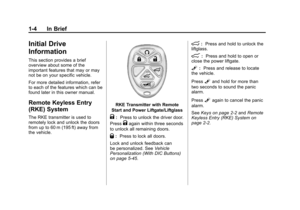
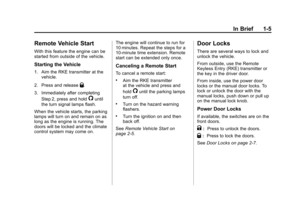
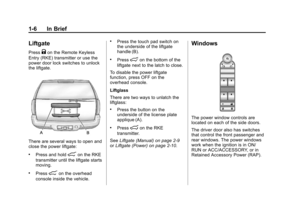
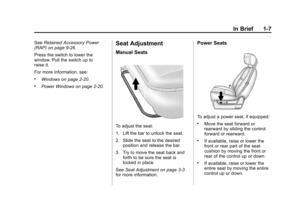
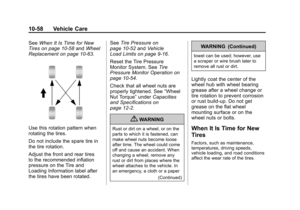
Page 257 of 514

Black plate (9,1)Chevrolet Tahoe/Suburban Owner Manual - 2012
Climate Controls 8-9
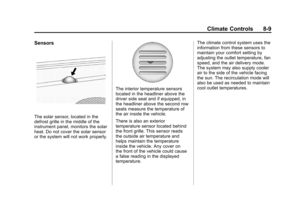
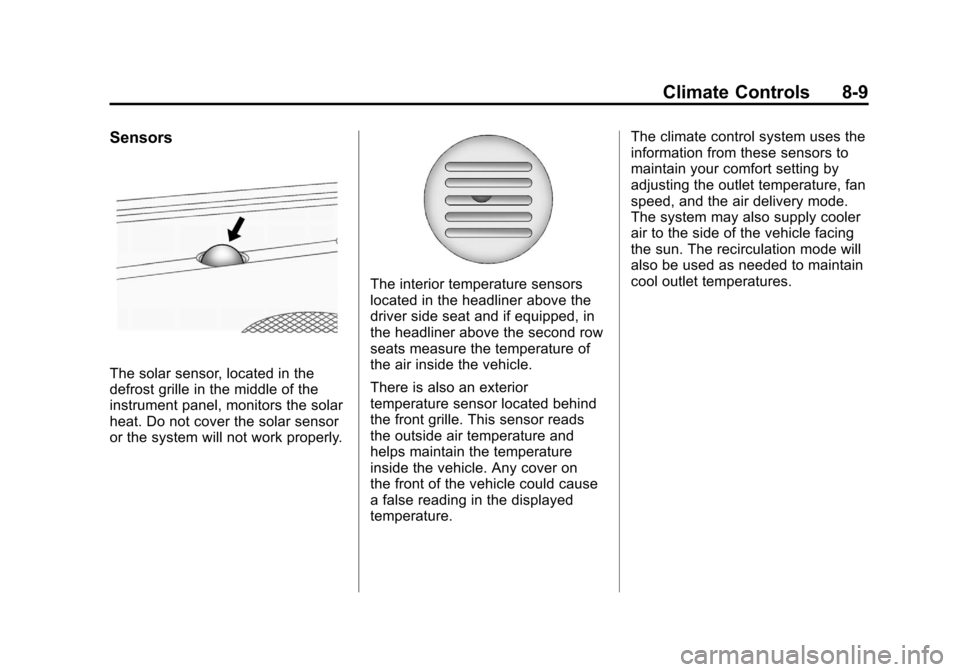
Sensors
The solar sensor, located in the
defrost grille in the middle of the
instrument panel, monitors the solar
heat. Do not cover the solar sensor
or the system will not work properly.
The interior temperature sensors
located in the headliner above the
driver side seat and if equipped, in
the headliner above the second row
seats measure the temperature of
the air inside the vehicle.
There is also an exterior
temperature sensor located behind
the front grille. This sensor reads
the outside air temperature and
helps maintain the temperature
inside the vehicle. Any cover on
the front of the vehicle could cause
a false reading in the displayed
temperature.The climate control system uses the
information from these sensors to
maintain your comfort setting by
adjusting the outlet temperature, fan
speed, and the air delivery mode.
The system may also supply cooler
air to the side of the vehicle facing
the sun. The recirculation mode will
also be used as needed to maintain
cool outlet temperatures.
Page 258 of 514

Black plate (10,1)Chevrolet Tahoe/Suburban Owner Manual - 2012
8-10 Climate Controls
Rear Climate Control System (Rear Climate
Control Only)
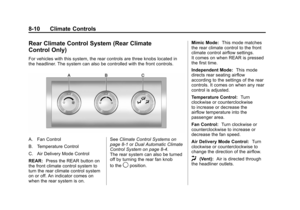
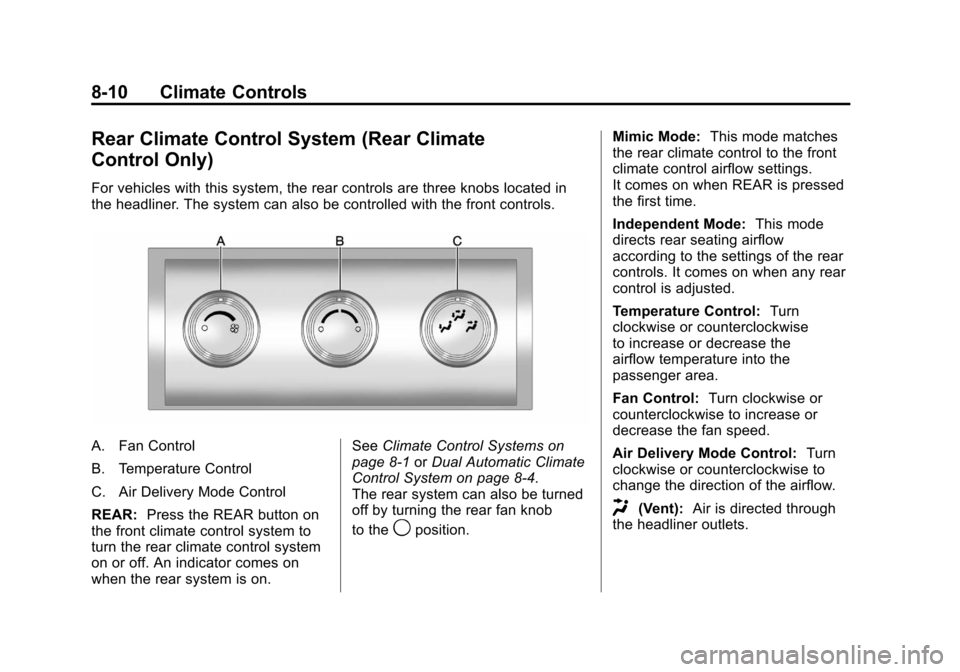
For vehicles with this system, the rear controls are three knobs located in
the headliner. The system can also be controlled with the front controls.
A. Fan Control
B. Temperature Control
C. Air Delivery Mode Control
REAR:Press the REAR button on
the front climate control system to
turn the rear climate control system
on or off. An indicator comes on
when the rear system is on. See
Climate Control Systems on
page 8‑1 orDual Automatic Climate
Control System on page 8‑4.
The rear system can also be turned
off by turning the rear fan knob
to the
9position. Mimic Mode:
This mode matches
the rear climate control to the front
climate control airflow settings.
It comes on when REAR is pressed
the first time.
Independent Mode: This mode
directs rear seating airflow
according to the settings of the rear
controls. It comes on when any rear
control is adjusted.
Temperature Control: Turn
clockwise or counterclockwise
to increase or decrease the
airflow temperature into the
passenger area.
Fan Control: Turn clockwise or
counterclockwise to increase or
decrease the fan speed.
Air Delivery Mode Control: Turn
clockwise or counterclockwise to
change the direction of the airflow.
H(Vent): Air is directed through
the headliner outlets.
Page 259 of 514

Black plate (11,1)Chevrolet Tahoe/Suburban Owner Manual - 2012
Climate Controls 8-11
)(Bi-Level):Air is directed
through the floor and headliner
outlets. The rear system floor
outlets are located directly behind
the second row seats. The flow can
be divided between vent and floor
outlets depending upon where the
knob is placed between the settings.
6(Floor): Air is directed to the
floor outlets. The rear system floor
outlets are located directly behind
the second row seats.
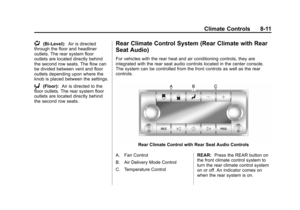
Rear Climate Control System (Rear Climate with Rear
Seat Audio)
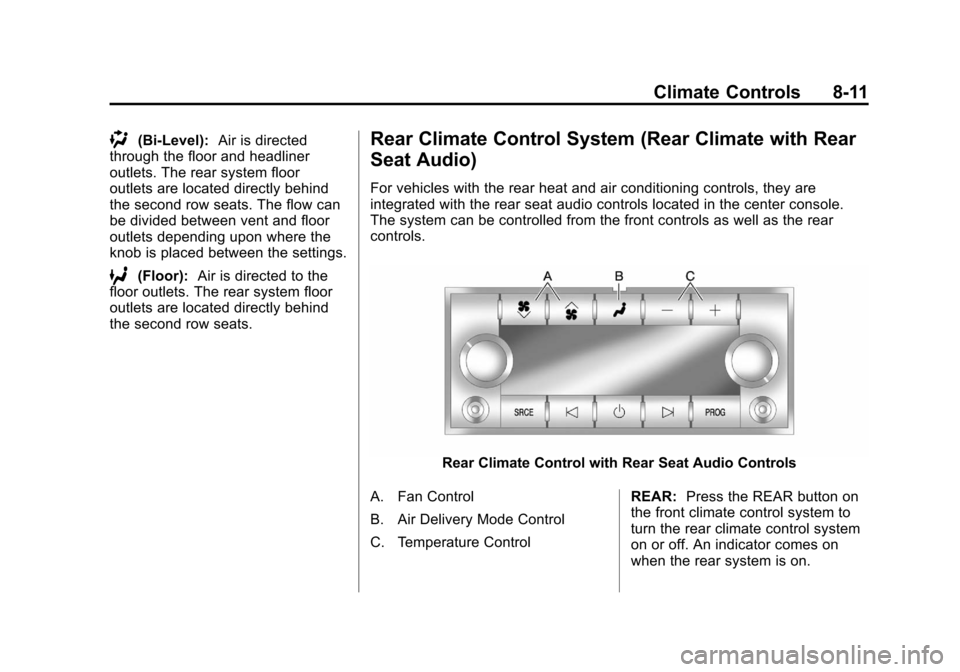
For vehicles with the rear heat and air conditioning controls, they are
integrated with the rear seat audio controls located in the center console.
The system can be controlled from the front controls as well as the rear
controls.
Rear Climate Control with Rear Seat Audio Controls
A. Fan Control
B. Air Delivery Mode Control
C. Temperature Control REAR:
Press the REAR button on
the front climate control system to
turn the rear climate control system
on or off. An indicator comes on
when the rear system is on.
Page 260 of 514

Black plate (12,1)Chevrolet Tahoe/Suburban Owner Manual - 2012
8-12 Climate Controls
The rear climate control system can
also be turned off by pressing and
holding the
Cbutton. To turn the
system on from the rear seats,
press any rear climate control
button, except the
Cbutton.
Mimic Mode: This mode matches
the rear climate control to the front
climate control airflow settings.
It comes on when REAR is pressed
the first time.
Independent Mode: This mode
directs rear seating airflow
according to the settings of the
rear controls.
To turn the system on from the
rear, press any rear climate control
button, except the
Cbutton.
Automatic Operation, If
Equipped
AUTO: Press the air delivery mode
button until this setting is selected to
control the inside temperature, air
delivery, and fan speed. AUTO
appears in the display when
automatic operation is active.
+ or −(Increase/Decrease
Temperature): Press the +
or −buttons to increase or
decrease the cabin temperature.
The rear control temperature
display will show the temperature
setting increasing or decreasing.
The display only indicates climate
control functions when the system is
in rear independent mode.
Manual Operation
D C(Fan Control): Press these
buttons on the rear seat audio
control panel to increase or
decrease the airflow. Pressing the
fan up button when the system is
off will turn the system on. The air
delivery mode will remain under
automatic control.
+ or −(Temperature Control):
Press these buttons to adjust
the temperature of the air flowing
into the passenger area. Press
the + button for warmer air and
press the −button for cooler air.
N(Air Delivery Mode Control):
Press the mode button to change
the direction of the airflow in the
vehicle. Repeatedly press the
button until the desired mode
appears on the display. Multiple
presses will cycle through the
delivery selections.
Page 261 of 514
Black plate (13,1)Chevrolet Tahoe/Suburban Owner Manual - 2012
Climate Controls 8-13
Air Vents
Use the air outlets located in the
center and on the side of the
instrument panel to direct the
airflow.
Operation Tips
.Keep the hood and front air
inlets free of ice, snow, or any
other obstruction (such as
leaves). The heater and
defroster will work far better,
reducing the chance of fogging
the inside of the windows.
.When you enter a vehicle in cold
weather, press the fan up button
to the maximum fan level before
driving. This helps clear the
intake ducts of snow and
moisture, and reduces the
chance of fogging the inside of
the window.
.Keep the air path under the front
seats clear of objects. This helps
air to circulate throughout the
vehicle.
.Adding outside equipment to the
front of the vehicle, such as
hood-air deflectors, may affect
the performance of the heating
and air conditioning system.
Check with your dealer before
adding equipment to the outside
of the vehicle.
Page 262 of 514
Black plate (14,1)Chevrolet Tahoe/Suburban Owner Manual - 2012
8-14 Climate Controls
2NOTES
Page 263 of 514

Black plate (1,1)Chevrolet Tahoe/Suburban Owner Manual - 2012
Driving and Operating 9-1
Driving and
Operating
Driving Information
Distracted Driving . . . . . . . . . . . . . 9-2
Defensive Driving . . . . . . . . . . . . . 9-3
Drunk Driving . . . . . . . . . . . . . . . . . 9-3
Control of a Vehicle . . . . . . . . . . . 9-4
Braking . . . . . . . . . . . . . . . . . . . . . . . 9-4
Steering . . . . . . . . . . . . . . . . . . . . . . . 9-4
Off-Road Recovery . . . . . . . . . . . . 9-5
Loss of Control . . . . . . . . . . . . . . . . 9-5
Off-Road Driving . . . . . . . . . . . . . . 9-6
Driving on Wet Roads . . . . . . . . 9-11
Highway Hypnosis . . . . . . . . . . . 9-12
Hill and Mountain Roads . . . . . 9-12
Winter Driving . . . . . . . . . . . . . . . 9-13
If the Vehicle Is Stuck . . . . . . . . 9-15
Vehicle Load Limits . . . . . . . . . . 9-16
Starting and Operating
New Vehicle Break-In . . . . . . . . 9-21
Adjustable Throttle and BrakePedal . . . . . . . . . . . . . . . . . . . . . . . 9-22
Ignition Positions . . . . . . . . . . . . 9-22 Starting the Engine . . . . . . . . . . 9-24
Engine Heater . . . . . . . . . . . . . . . 9-25
Retained Accessory
Power (RAP) . . . . . . . . . . . . . . . 9-26
Shifting Into Park . . . . . . . . . . . . 9-26
Shifting out of Park . . . . . . . . . . 9-28
Parking over Things
That Burn . . . . . . . . . . . . . . . . . . 9-28
Active Fuel Management
®. . . 9-28
Engine Exhaust
Engine Exhaust . . . . . . . . . . . . . . 9-29
Running the Vehicle While Parked . . . . . . . . . . . . . . . . . . . . . 9-30
Automatic Transmission
Automatic Transmission . . . . . 9-31
Manual Mode . . . . . . . . . . . . . . . . 9-34
Tow/Haul Mode . . . . . . . . . . . . . . 9-35
Drive Systems
Four-Wheel Drive (Two SpeedAutomatic
Transfer Case) . . . . . . . . . . . . . 9-36
Four-Wheel Drive (Single Speed Automatic
Transfer Case) . . . . . . . . . . . . . 9-41
Brakes
Antilock BrakeSystem (ABS) . . . . . . . . . . . . . . 9-43
Parking Brake . . . . . . . . . . . . . . . 9-44
Brake Assist . . . . . . . . . . . . . . . . . 9-44
Hill Start Assist (HSA) . . . . . . . 9-44
Ride Control Systems
StabiliTrak®System . . . . . . . . . 9-45
Locking Rear Axle . . . . . . . . . . . 9-48
Continuous Damping Control (CDC) . . . . . . . . . . . . . . 9-48
Automatic Level Control . . . . . 9-48
Cruise Control
Cruise Control . . . . . . . . . . . . . . . 9-49
Object Detection Systems
Ultrasonic Parking Assist . . . . 9-51
Side Blind Zone Alert (SBZA) . . . . . . . . . . . . . . . 9-53
Rear Vision Camera (RVC) . . . . . . . . . . . . . 9-55
Page 264 of 514

Black plate (2,1)Chevrolet Tahoe/Suburban Owner Manual - 2012
9-2 Driving and Operating
Fuel
Fuel . . . . . . . . . . . . . . . . . . . . . . . . . 9-60
Recommended Fuel . . . . . . . . . 9-60
Gasoline Specifications(U.S. and Canada Only) . . . . 9-60
California Fuel
Requirements . . . . . . . . . . . . . . 9-61
Fuels in Foreign Countries . . . 9-61
Fuel Additives . . . . . . . . . . . . . . . 9-61
Fuel E85 (85% Ethanol) . . . . . 9-62
Filling the Tank . . . . . . . . . . . . . . 9-63
Filling a Portable Fuel Container . . . . . . . . . . . . . . . . . . . 9-65
Towing
General TowingInformation . . . . . . . . . . . . . . . . . 9-65
Driving Characteristics and
Towing Tips . . . . . . . . . . . . . . . . 9-66
Trailer Towing . . . . . . . . . . . . . . . . 9-70
Towing Equipment . . . . . . . . . . . 9-75
Trailer Sway Control (TSC) . . . . . . . . . . . . . . 9-84
Conversions and Add-Ons
Add-On ElectricalEquipment . . . . . . . . . . . . . . . . . 9-85
Adding a Snow Plow or Similar Equipment . . . . . . . . . . 9-85
Driving Information
Distracted Driving
Distraction comes in many forms
and can take your focus from the
task of driving. Exercise good
judgment and do not let other
activities divert your attention
away from the road. Many local
governments have enacted laws
regarding driver distraction. Become
familiar with the local laws in
your area.
To avoid distracted driving, always
keep your eyes on the road, hands
on the wheel, and mind on the drive.
.Do not use a phone in
demanding driving situations.
Use a hands-free method to
place or receive necessary
phone calls.
.Watch the road. Do not
read, take notes, or look up
information on phones or
other electronic devices.
.Designate a front seat
passenger to handle potential
distractions.
.Become familiar with vehicle
features before driving, such as
programming favorite radio
stations and adjusting climate
control and seat settings.
Program all trip information into
any navigation device prior to
driving.
.Wait until the vehicle is parked
to retrieve items that have fallen
to the floor.
.Stop or park the vehicle to tend
to children.
.Keep pets in an appropriate
carrier or restraint.
.Avoid stressful conversations
while driving, whether with a
passenger or on a cell phone.