Page 45 of 248
1INSTRUMENTS and CONTROLS
43
16/9 colour screen
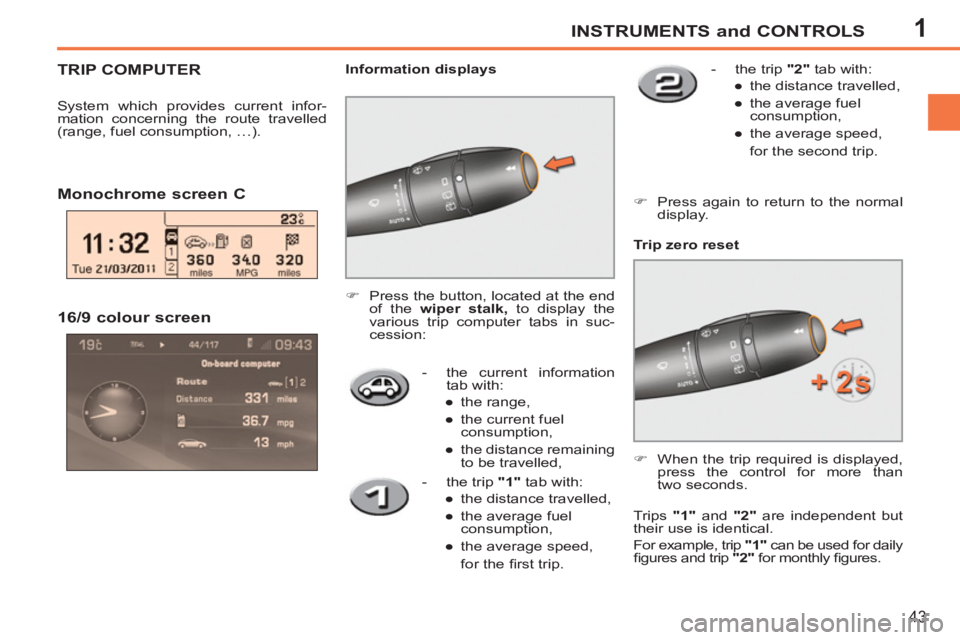
- the current information
tab with:
●
the range,
●
the current fuel
consumption,
●
the distance remaining
to be travelled,
Trip zero reset
Monochrome screen C
)
Press the button, located at the end
of the wiper stalk,
to display the
various trip computer tabs in suc-
cession:
Information displays
)
When the trip required is displayed,
press the control for more than
two seconds.
- the trip "1"
tab with:
●
the distance travelled,
●
the average fuel
consumption,
●
the average speed,
for the fi rst trip.
- the trip "2"
tab with:
●
the distance travelled,
●
the average fuel
consumption,
●
the average speed,
for the second trip.
TRIP COMPUTER
System which provides current infor-
mation concerning the route travelled
(range, fuel consumption, …).
Trips "1"
and "2"
are independent but
their use is identical.
For example, trip "1"
can be used for daily
fi gures and trip "2"
for monthly fi gures.
)
Press again to return to the normal
display.
Page 46 of 248
1
i
i
!
INSTRUMENTS and CONTROLS
44
Distance remaining to be
travelled
(miles or km)
This is the distance remaining
to be travelled to the fi nal destination. It
is calculated either instantly by the navi-
gation system if guidance is activated,
or entered by the user.
If the distance is not entered, dashes
are displayed in place of the digits.
Average speed
(mph or km/h)
This is the average speed calcu-
lated since the last trip computer
zero reset (ignition on).
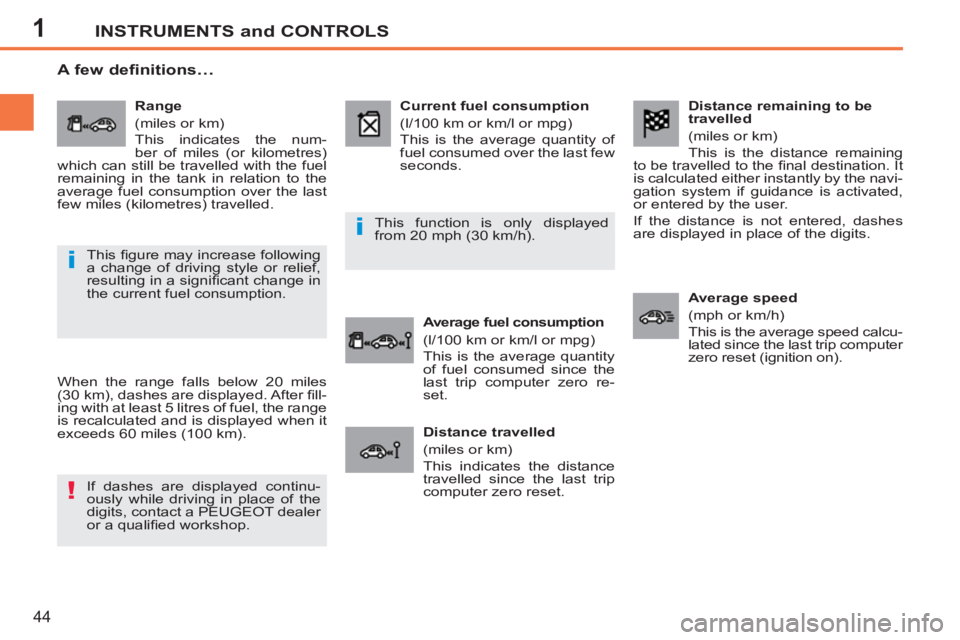
Range
(miles or km)
This indicates the num-
ber of miles (or kilometres)
which can still be travelled with the fuel
remaining in the tank in relation to the
average fuel consumption over the last
few miles (kilometres) travelled.
Current fuel consumption
(l/100 km or km/l or mpg)
This is the average quantity of
fuel consumed over the last few
seconds.
Average fuel consumption
(l/100 km or km/l or mpg)
This is the average quantity
of fuel consumed since the
last trip computer zero re-
set.
Distance travelled
(miles or km)
This indicates the distance
travelled since the last trip
computer zero reset.
A few definitions…
When the range falls below 20 miles
(30 km), dashes are displayed. After fi ll-
ing with at least 5 litres of fuel, the range
is recalculated and is displayed when it
exceeds 60 miles (100 km).
If dashes are displayed continu-
ously while driving in place of the
digits, contact a PEUGEOT dealer
or a qualifi ed workshop. This function is only displayed
from 20 mph (30 km/h).
This fi gure may increase following
a change of driving style or relief,
resulting in a signifi cant change in
the current fuel consumption.
Page 181 of 248

179
way that it will only operate in your vehicle. If it is to be
installed in another vehicle, contact a PEUGEOT dealer for confi guration of the system.
Certain functions described in this handbook will
become available during the year.
PEUGEOT CONNECT
NAVIGATION
For safety reasons, the driver must carry out operations which require prolonged attention while the vehicle is stationary.
When the en
gine is switched off and to prevent
discharging of the battery, the Peugeot Connect
Navigation switches off following the activation of the Energy Economy mode.
MULTIMEDIA AUDIO SYSTEM/BLUETOOTH TELEPHONE
SATELLITE NAVIGATION SYSTEM FOR EUROPE BY SD CARD
01 First steps
CONTENTS
02 Steering mounted controls
03 General operation
04 Navigation - Guidance
05 Traffic information
06 Radio
07 Music media players
08 Bluetooth telephone
09 Configuration
10 Trip computer p.
p.
p.
p.
p.
p.
p.
p.
p.
p.
11 Screen menu map
Frequently asked questions p.
p. 180
181
182
185
193
195
196
199
202
203
204
208
Page 182 of 248
180
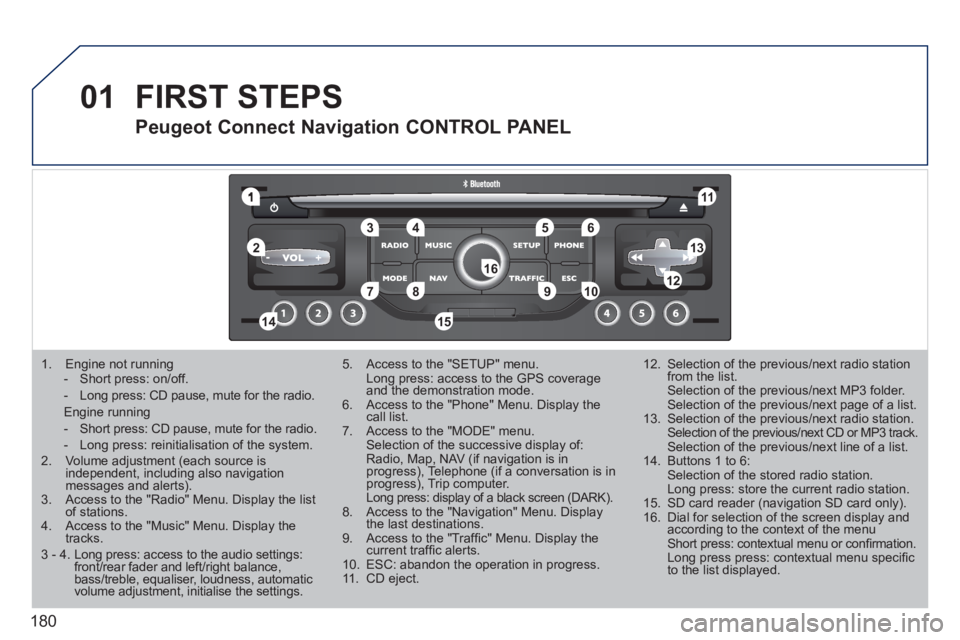
01
1
55
101
22
334466
131
111
99
144155
77881212161
1. Engine not running
- Short press: on/off.
- Long press: CD pause, mute for the radio.
Engine running
- Short press: CD pause, mute for the radio.
- Long press: reinitialisation of the system. 2. Volume adjustment (each source is independent, including also navigation messages and alerts).3. Access to the "Radio" Menu. Display the list of stations. 4. Access to the "Music" Menu. Display thetracks.
5. Access to the "SETUP" menu. Long press: access to the GPS coverage and the demonstration mode.6. Access to the "Phone" Menu. Display thecall list. 7. Access to the "MODE" menu. Selection of the successive display of:Radio, Map, NAV (if navigation is inprogress), Telephone (if a conversation is inprogress), Trip computer. Long press: display of a black screen (DARK).8. Access to the "Navigation" Menu. Display the last destinations.9. Access to the "Traffi c" Menu. Display thecurrent traffi c alerts. 10. ESC: abandon the operation in progress. 11. CD eject.
12. Selection of the previous/next radio station from the list. Selection of the previous/next MP3 folder. Selection of the previous/next page of a list.
13. Selection of the previous/next radio station. Selection of the previous/next CD or MP3 track. Selection of the previous/next line of a list.
14. Buttons 1 to 6: Selection of the stored radio station. Long press: store the current radio station.
15. SD card reader (navigation SD card only).
16. Dial for selection of the screen display andaccording to the context of the menu Short press: contextual menu or confi rmation. Long press press: contextual menu specifi c to the list displayed.
FIRST STEPS
Peugeot Connect Navigation CONTROL PANEL
3 - 4. Long press: access to the audio settings:front/rear fader and left/right balance,bass/treble, equaliser, loudness, automatic volume adjustment, initialise the settings.
Page 185 of 248
183
03GENERAL OPERATION
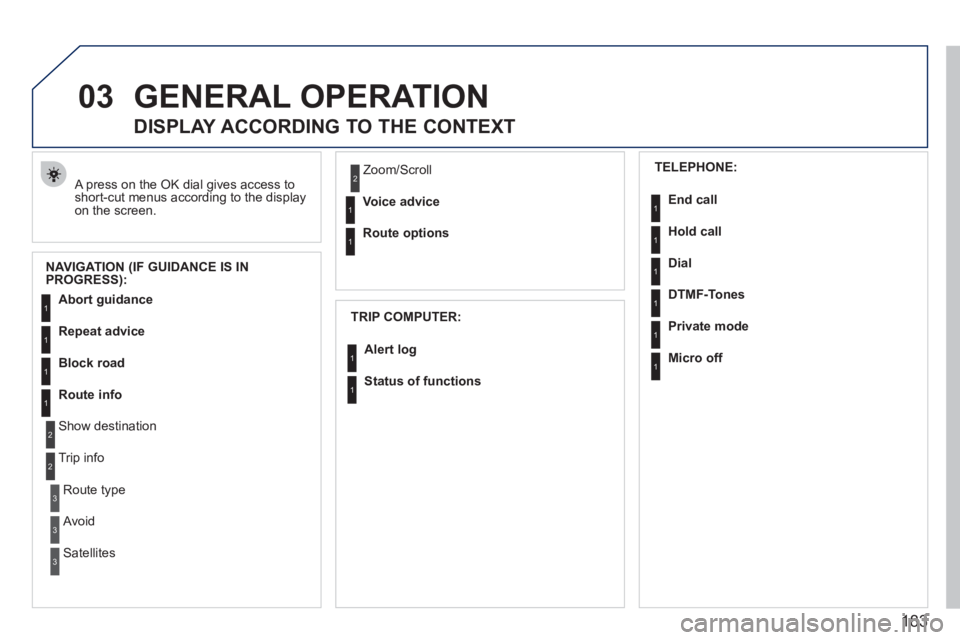
A press on the OK dial gives access to short-cut menus according to the displayon the screen.
DISPLAY ACCORDING TO THE CONTEXT
NAVIGATION (IF GUIDANCE IS IN
PROGRESS):
TRIP COMPUTER:
Abort guidance
Repeat advice
Block road
Route info
Show destination
Trip info
Route t
ype
Avoid
SatellitesZ
oom/Scroll
Voice advice
Route options
Alert log
Status of functions
1
2
3
3
2
1
1
1
3
1
1
1
1
2
TELEPHONE:
End call
Hold call
Dial
DTMF-Tones
Private mod
e
Micro off
1
1
1
1
1
1
Page 205 of 248
203
10
1
TRIP COMPUTER
TRIP COMPUTER
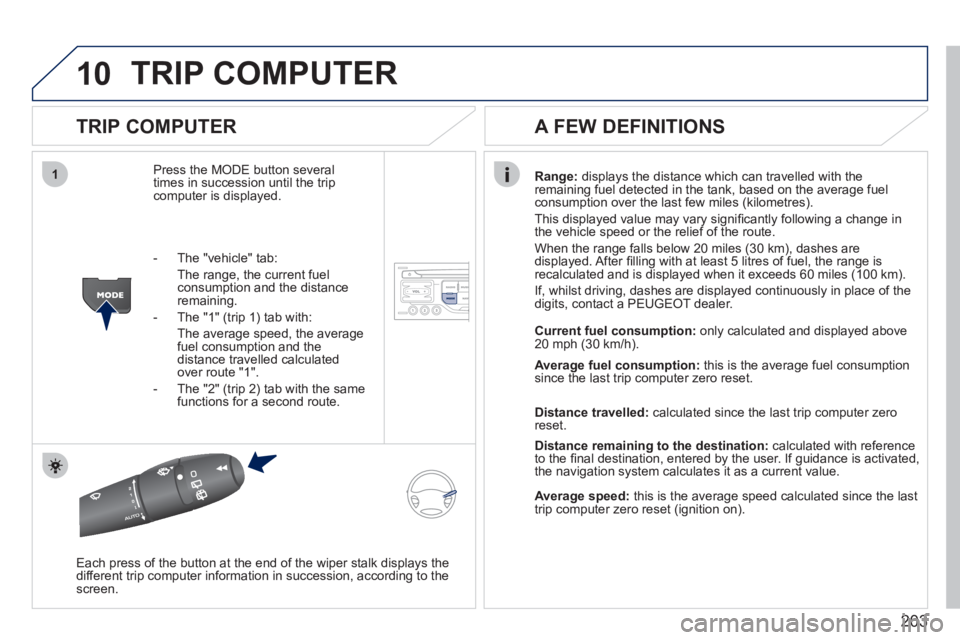
Press the MODE button several
times in succession until the tripcomputer is displayed.
Range: displays the distance which can travelled with the
remaining fuel detected in the tank, based on the average fuelconsumption over the last few miles (kilometres).
This displa
yed value may vary signifi cantly following a change in
the vehicle speed or the relief of the route.
When the range
falls below 20 miles (30 km), dashes are
displayed. After fi lling with at least 5 litres of fuel, the range is
recalculated and is displayed when it exceeds 60 miles (100 km).
If, whilst drivin
g, dashes are displayed continuously in place of the
digits, contact a PEUGEOT dealer.
Each press o
f the button at the end of the wiper stalk displays the
different trip computer information in succession, according to thescreen.
A FEW DEFINITIONS
- The "vehicle" tab:
The ran
ge, the current fuel consumption and the distance
remaining.
- The "1"
(trip 1) tab with:
The average speed, the average fuel consumption and thedistance travelled calculated over route "1".
- The "2"
(trip 2) tab with the same
functions for a second route.Current fuel consum
ption:only calculated and displayed above
20 mph (30 km/h).
Average fuel consumption: this is the average fuel consumption
since the last trip computer zero reset.
Distance travelled: calculated since the last trip computer zero
reset.
Distance remaining to the destination:calculated with referenceto the fi nal destination, entered by the user. If guidance is activated,
the navigation system calculates it as a current value.
Average speed:this is the average speed calculated since the last
trip computer zero reset (ignition on).
Page 215 of 248
213
PEUGEOT CONNECT SOUND
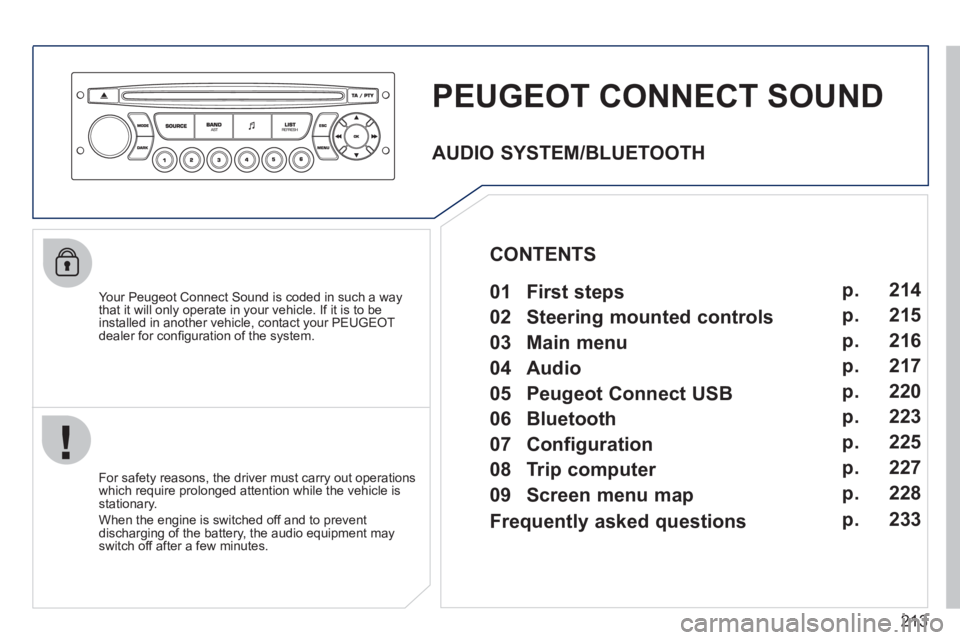
Your Peugeot Connect Sound is coded in such a way
that it will only operate in your vehicle. If it is to be
installed in another vehicle, contact your PEUGEOT
dealer for confi guration of the system.
For safet
y reasons, the driver must carry out operations
which require prolonged attention while the vehicle is stationary.
When the en
gine is switched off and to prevent
discharging of the battery, the audio equipment mayswitch off after a few minutes.
AUDIO SYSTEM/BLUETOOTH
01 First steps
02 Steering mounted controls
03 Main menu
04 Audio
05 Peugeot Connect USB
06 Bluetooth
07 Configuration
08 Trip computer
09 Screen menu map p.
p.
p.
p.
p.
p.
p.
p.
p. 214
215
216
217
220
223
225
227
228
CONTENTS
Frequently asked questions p. 233
Page 216 of 248
214
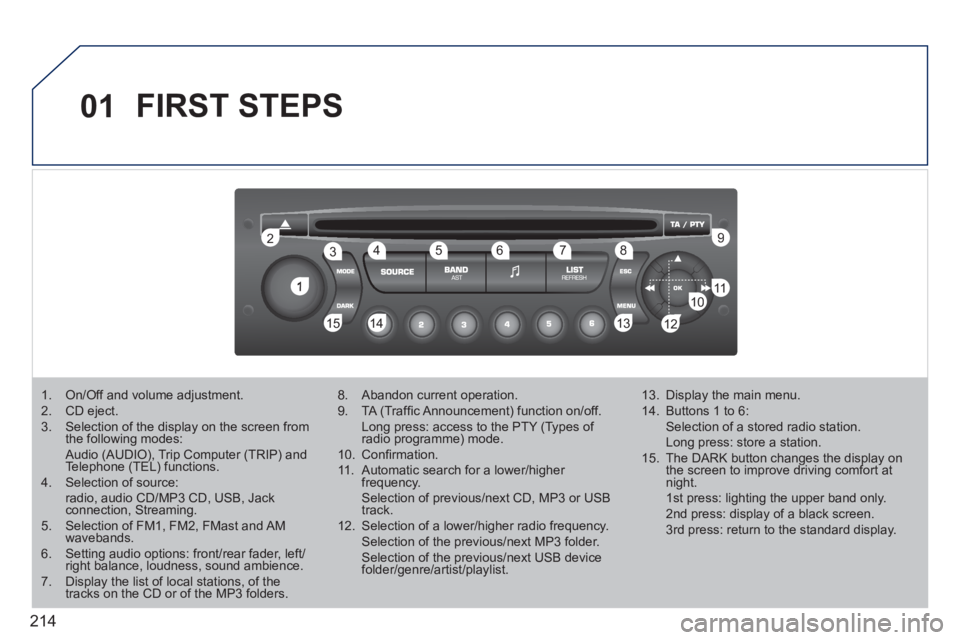
01
1
22
10101111
133144155
33445566778899
122
FIRST STEPS
1. On/Off and volume adjustment. 2. CD eject. 3. Selection of the display on the screen from the following modes: Audio (AUDIO), Trip Computer (TRIP) and Telephone (TEL) functions. 4. Selection of source: radio, audio CD/MP3 CD, USB, Jackconnection, Streaming. 5. Selection of FM1, FM2, FMast and AMwavebands.6. Setting audio options: front/rear fader, left/right balance, loudness, sound ambience.7. Display the list of local stations, of thetracks on the CD or of the MP3 folders.
8. Abandon current operation.
9. TA (Traffi c Announcement) function on/off. Long press: access to the PTY (Types of radio programme) mode.g
10. Confi rmation.
11. Automatic search for a lower/higher frequency. Selection of previous/next CD, MP3 or USB track.
12. Selection of a lower/higher radio frequency. Selection of the previous/next MP3 folder. Selection of the previous/next USB devicefolder/genre/artist/playlist.
13. Display the main menu.
14. Buttons 1 to 6: Selection of a stored radio station. Long press: store a station.
15. The DARK button changes the display on the screen to improve driving comfort at night. 1st press: lighting the upper band only. 2nd press: display of a black screen. 3rd press: return to the standard display.