2011 MITSUBISHI TRITON ECO mode
[x] Cancel search: ECO modePage 143 of 369

Selector lever positions
E00603800615
“P” PARK
This position locks the transmission
to prevent the
vehicle from moving. The engine can be started in
this position.
“R” REVERSE
This position is to back up. CAUTION
l
Never
shift into
the “P”
(PARK) or “R”
(REVERSE) position while the vehicle is
in motion to avoid transmission damage.
“N” NEUTRAL
At this position the transmission is disengaged. It is
the same as the neutral
position on a manual trans-
mission, and should be used when the vehicle is sta-
tionary for an extended length of time during driv-
ing, such as in a traffic jam. WARNING
l Never move the selector
lever
to the “N”
(NEUTRAL) position while driving. A se-
rious accident could occur since you
could accidentally move the selector lever
into the “P” (PARK) or “R” (REVERSE)
position or you will lose engine braking.
l On a gradient the engine should be star-
ted in the “P” (PARK) position, not in the
“N” (NEUTRAL) position. WARNING
l Always keep your right foot
on the brake
pedal when the vehicle is in “N” (NEU-
TRAL) position, or when shifting into or
out of “N” (NEUTRAL) position, to mini-
mize the risk of loss of control.
“D” DRIVE
This position is for normal
driving. The transmis-
sion automatically selects a suitable gear for your
speed and acceleration. CAUTION
l
Never shift into the
“D”
(DRIVE) posi-
tion from the “R” (REVERSE) position
while the vehicle is in motion to avoid
transmission damage.
“2” SECOND
This position is for extra
power when driving up
moderately steep hills, and for engine braking
when descending moderately steep gradients.
“L” LOW
This position is for driving up very steep hills and
for engine braking at low speeds when descending
steep gradients. WARNING
l This position can be used
for maximum
engine braking.
Be very careful not to shift into “L”
(LOW) position suddenly. Sudden engine
braking may cause the tyres to skid. To
avoid erroneous operation, move the selec-
tor lever firmly into each position and
briefly hold it there.
Select this position according to the road
conditions and vehicle speed.
NOTE l The A/T
has a control function
that prevents
over-revving. As a result, it may not perform
a shift when the selector lever is moved from
the “D” (DRIVE) position to the “2” (SEC-
OND) position or from the “2” (SECOND)
position to the “L” (LOW) position.
Overdrive control switch E00604000089
The overdrive control switch can be used while the
selector lever is in the “D” (DRIVE) position.
During normal driving
Press the overdrive control switch
to turn the over-
drive function on. The transmission will shift auto-
matically among the 1 st
, 2 nd
, 3 rd
, and 4 th
gears, ena-
bling fuel-efficient, economical driving. Starting and driving
4-18
4
OCRE12E1
Presented by http://mmc-manuals.ru/ \251
Page 146 of 369

When the automatic transmission makes no speed
change
E00604800478
If the transmission does not
change speeds while
driving, or your vehicle does not pick up enough
speed when starting on an uphill slope, it may be
that there is something unusual happening in the
transmission, causing a safety device to activate.
We recommend you to have your checked as soon
as possible.
NOTE
l When the selector lever position indicator in
the instrument panel blinks, it means that
there is an abnormal condition in the trans-
mission. Refer to “When the selector lever po-
sition indicator blinks” on page 4-19. Automatic transmission Sports
Mode 5A/T E00603200576
NOTE l During
running-in period or immediately
af-
ter reconnection of the battery cable, there
may be a case where gear shifts are not made
smoothly. This does not indicate a faulty trans-
mission.
Gear shifts will become smooth after the trans-
mission has been shifted several times by the
electronic control system.
Selector lever operation E00603300867
The transmission has 5 forward gears and 1 reverse
gear.
The individual gears are selected
automatically, de-
pending on the position of the gear selector lever,
the speed of the vehicle and the position of the ac-
celerator pedal.
The selector lever has 2 gates; the main gate (1)
and the manual gate (2). NOTE
l For
information on manual gate
operation,
please refer to “Sports mode” on page 4-23.
In the main gate, selector lever has 4 positions, and
is equipped with a lock button (A) to avoid inadver-
tent selection of the wrong gear. The lock button must be pushed to move the
selector lever.
The lock button need not be pushed to move
the selector lever. Starting and driving
4-21 4
OCRE12E1
Presented by http://mmc-manuals.ru/ \251
Page 150 of 369

CAUTION
l
Operating the accelerator pedal while the
other foot is resting on the brake pedal
will affect braking efficiency and may
cause premature wear of brake pads.
l Use the selector lever in the correct shift
position in accordance with driving condi-
tions.
Never coast downhill backward with the
driving shift position {“D” (DRIVE) or
sports mode} or coast forward with the
“R” (REVERSE) position.
The engine stops and the brake pedal ef-
fort or the steering wheel handling weight
increasing could lead to an accident.
l Do not race the engine with brake pedal
pressed when the vehicle is stationary.
This can damage the automatic transmis-
sion.
Passing acceleration E00604500329
To gain extra acceleration in “D” (DRIVE) posi-
tion, push the
accelerator to
the floor. The automat-
ic transmission will automatically downshift.
NOTE
l In “Sports mode”, downshifts do not take
place when the accelerator is depressed all
the way to the floor.
Waiting E00604600304
For short waiting periods, such as at traffic signals,
the vehicle can be left
in gear and held stationary
with the service brake. For longer waiting periods with the engine running,
place the selector lever
in
the “N” (NEUTRAL) po-
sition.. CAUTION
l
Never hold the vehicle
stationary
on a hill
using the accelerator pedal (without us-
ing the brake pedal). Always apply the
parking brake and/or service brakes.
l Unexpected acceleration may occur if the
selector lever is in a position other than
“P” (PARK) or “N” (NEUTRAL). Prior
to moving off after having stopped the ve-
hicle, make sure that the selector lever is
in the “D” (DRIVE) position.
Parking E00604700262
To park the vehicle, first bring it to a complete
stop, fully engage
the parking
brake, and then
move the selector lever to the “P” (PARK) position.
If you are going to leave the vehicle unattended, al-
ways switch off the engine and remove the ignition
key. NOTE
l On
a slope, be sure
to apply the parking
brake before moving the selector lever to the
“P” (PARK) position. If you move the selec-
tor lever to the “P” (PARK) position before
applying the parking brake, it may be diffi-
cult to disengage the selector lever from the
“P” (PARK) position when next you drive
the vehicle, requiring application of a strong
force to the selector lever to move from the
“P” (PARK) position.
When the automatic transmission makes no speed
change E00604800683
If the transmission does not change speeds while
driving, or your vehicle
does
not pick up enough
speed when starting on an uphill slope, it may be
that there is something unusual happening in the
transmission, causing a safety device to activate.
We recommend you to have your checked as soon
as possible. 1. If your vehicle has difficulty moving uphill,
shift the selector lever into 2 nd
gear of the
“Sports mode”.
This method might not work depending on
the type of transmission malfunction.
2. Once the vehicle is moving on a level road, move the selector lever back to “D” (DRIVE).
NOTE l When the selector lever position indicator in
the instrument panel blinks, it means that
there is an abnormal condition in the trans-
mission. Refer to “When the selector lever po-
sition indicator blinks” on page 4-19. Starting and driving
4-25 4
OCRE12E1
Presented by http://mmc-manuals.ru/ \251
Page 173 of 369

Active Stability Control function
E00616900056
The Active Stability Control function
is designed
to improve the vehicle’s stability by restraining its
tendency to slip sideways (for example, when round-
ing a curve in slippery conditions, or when the driv-
er takes rapid steering action to avoid an obstacle).
It works by controlling the engine output and brake
on each wheel.
NOTE
l On vehicles with the rear differential lock,
the Active Stability Control function does
not operate when the rear differential lock is
activated. “ASC OFF” switch
The
Active Stability Control function
is automati-
cally activated when the ignition switch is turned to
the “ON” position. You can deactivate the system
by pressing the “ASC OFF” switch when the vehi-
cle speed is below about 40 km/h (25 mph). To re-
activate the Active Stability Control function, press
the “ASC OFF” switch again. It is strongly recom-
mended that the Active Stability Control function
normally be kept activated.
Type 1
Type 2 NOTE
l If
the vehicle speed increases
to about
120 km/h (74 mph) with the Active Stability
Control function deactivated, the Active Sta-
bility Control function automatically starts op-
erating. To subsequently stop the Active Sta-
bility Control function, stop the vehicle and
press the “ASC OFF” switch again. Active Traction Control function
E00617000025
On slippery surfaces, active
traction
control func-
tion prevents the drive wheels from excessive spin-
ning, thus helping the vehicle to start moving from
a stop. It also provides sufficient driving force and
steering performance as the vehicle turns at acceler-
ated speeds. CAUTION
l
When driving a vehicle
on
a snowy or icy
road, be sure to install snow tyres and
drive the vehicle at moderate speeds.
ASTC indication lamp, ASTC OFF in-
dication lamp E00617100071
The Active Stability Control function and active
traction control function
share the
same indication
lamp.
The indication lamps should illuminate when the ig-
nition switch is turned to the “ON” position and
should go off after a few seconds.
If the indication lamps stay on or do not illuminate
when the ignition switch is turned to the “ON” po-
sition, we recommend you to have your vehicle in-
spected as soon as possible. indication lamp blinks when the Active Stabili-
ty Control function or active
traction control func-
tion is operating. Starting and driving
4-48
4
OCRE12E1
Presented by http://mmc-manuals.ru/ \251
Page 182 of 369
Additional precautions for vehicles equipped with
an automatic transmission
It is recommended the “2”
(SECOND) position
(4A/T) or 2 nd
gear in sports mode (5A/T) on slopes
or at low speed. Use the “L” (LOW) position
(4A/T) or 1 st
gear in sports mode (5A/T) in moun-
tainous areas in order to make better use of engine
braking and to assist the brake system. However,
be sure that the speed does not exceed the maxi-
mum speed limit for the selected gear. Starting and driving
4-57 4
OCRE12E1
Presented by http://mmc-manuals.ru/ \251
Page 188 of 369

CAUTION
l
Normally, use the “ ” (outside) posi-
tion to keep the
windscreen and side win-
dows clear and quickly remove fog or
frost from the windscreen.
If high cooling performance is desired, or
if the outside air is dusty or otherwise con-
taminated, use the “ ” (recirculation)
position. Set the air
selection lever to the
“ ” (outside) position periodically to in-
crease ventilation so that
the windows do
not become fogged up.
l Use of the “ ” (recirculation) position
for extended time may
cause the windows
to fog up.
Air conditioning switch* E00701500781
Push the switch, and the air conditioning compres-
sor will turn on. The
air conditioning indication
lamp (A) will come on. Push the switch again and the air conditioning com-
pressor will stop and the indication lamp goes off.
CAUTION
l
When using the air conditioning,
the
idling speed may slightly increase as the
air conditioning compressor is switched
on/off automatically. While the vehicle
with an A/T is stationary, fully depress
the brake pedal to prevent the vehicle
from creeping.
Operating the air conditioning system E00701800247
Heating
Set the mode selection dial
to the “ ” position
and set the air
selection lever to the “ ” (outside)
position. Turn the temperature control dial clockwise or anti-
clockwise to the desired temperature.
Select the de-
sired blower speed. NOTE
l For
maximum heat, set the
blower speed at
the 3 rd
position. For pleasant driving
5-05 5 LHD RHD LHD RHD
OCRE12E1
Presented by http://mmc-manuals.ru/ \251
Page 189 of 369

Cooling (vehicles with air conditioning)
E007019004241.
Set the mode selection dial
to the “ ” posi-
tion.
2. Set the air selection
lever to the “ ” (out-
side) position.
3. Push the air conditioning switch (B).
4. Change the
temperature by turning the con-
trol dial clockwise or anticlockwise.
5. Select the desired blower speed. CAUTION
l
If the outside air is
dusty or otherwise con-
taminated, or if high cooling performance
is desired, set air selection lever to the
“ ” (recirculation) position and the tem-
perature control dial all
the way to the left.
Set to the “ ” (outside) position period-
ically to increase ventilation
so that the
windows do not become fogged up.
Combination of unheated air and heated air E00702000451
Select the mode selection dial to the position
shown in the illustration and
set the air selection lev-
er to the “ ” (outside) position.
The air flow
will be
directed to the leg area and the
upper part of the passenger compartment. Select
the desired blower speed. Warm air flows to the leg area and unheated or
slightly warm air (depending
upon
temperature set-
ting) flows to the upper part of the passenger com-
partment.
Demisting of the windscreen and door windows E00702100579 CAUTION
l
For safety, make sure
you
have a clear
view through all the windows.
To remove frost or mist from the windscreen and
door windows, use
the mode
selection dial (“ ”
or “ ”).For pleasant driving
5-06
5LHD RHD LHD RHD
OCRE12E1
Presented by http://mmc-manuals.ru/ \251
Page 193 of 369
l
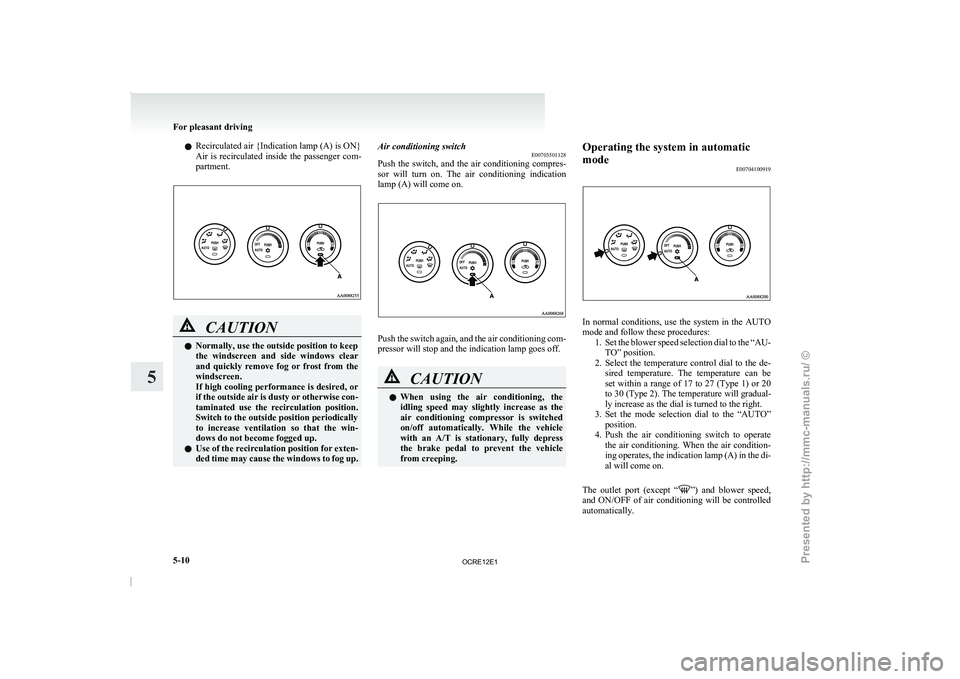
Recirculated air {Indication lamp (A) is ON}
Air is recirculated inside
the
passenger com-
partment. CAUTION
l
Normally, use the outside position to keep
the windscreen and side windows
clear
and quickly remove fog or frost from the
windscreen.
If high cooling performance is desired, or
if the outside air is dusty or otherwise con-
taminated use the recirculation position.
Switch to the outside position periodically
to increase ventilation so that the win-
dows do not become fogged up.
l Use of the recirculation position for exten-
ded time may cause the windows to fog up. Air conditioning switch
E00703501128
Push the switch, and the
air conditioning compres-
sor will turn on. The air conditioning indication
lamp (A) will come on. Push the switch again, and the air conditioning com-
pressor will stop and the indication lamp goes off.
CAUTION
l
When
using
the air
conditioning,
the
idling speed may slightly increase as the
air conditioning compressor is switched
on/off automatically. While the vehicle
with an A/T is stationary, fully depress
the brake pedal to prevent the vehicle
from creeping. Operating the system in automatic
mode
E00704100919 In normal conditions, use the system in the AUTO
mode and follow these procedures:
1. Set the blower speed selection
dial to the “AU-
TO” position.
2. Select the temperature control dial to the de- sired temperature. The temperature can be
set within a range of 17 to 27 (Type 1) or 20
to 30 (Type 2). The temperature will gradual-
ly increase as the dial is turned to the right.
3. Set the mode selection dial to the “AUTO” position.
4. Push the air conditioning switch to operate the air conditioning. When the air condition-
ing operates, the indication lamp (A) in the di-
al will come on.
The outlet port (except “ ”) and blower speed,
and ON/OFF of air
conditioning will be controlled
automatically. For pleasant driving
5-10
5
OCRE12E1
Presented by http://mmc-manuals.ru/ \251