2011 MERCEDES-BENZ M-CLASS SUV turn signal
[x] Cancel search: turn signalPage 112 of 389

The
K indicator lam pint he inst rument
cluster lights up when th emain-beam head-
lamps are switched on.
X To switch off the main-bea mhead-
lamps: move the combination switch back
to its normal position.
The K indicator lamp in the instrument
cluster goes out.
Headlam pflasher X
To switch on: turnthe key in the ignition
lock to position 1or 2or star tthe engine.
X Pull the combina tion switc hinthe direction
of arrow =. Hazard warning lam
psThe hazar
dwarning lamps automatically
switch on if:
R an airbag is deployed.
R the vehicle decelerates rapidly from a
spee dofm ore than 70 km /hand come sto
as tandstill.
X To switc honthe hazard warning lamp s:
press button :.
All turn signal sflash. If you now switc hon
at urns ignal using the combination switch,
only the tur nsignal lamp on the corre-
spondin gside of the vehicle will flash.
X To switch off th ehazard warning
lamps: press but ton:.
The hazar dwarnin glamps switc hoff auto-
matically if th evehicle reaches aspeed of over 10 km/h again after full brak
eapplica-
tion.
i The hazar dwarnin glamps still operat eif
the ignition is switched off. Intelligen
tLight System
Active light function The active light fun
ction is asystem that
moves the headlamps according to the steer-
ing movements of the front wheels. In this
way, relevan tarea sremai nilluminated while
driving. This allows you to recognise pedes-
trians, cyclists and animals.
Active: when the lights are switched on.
Cornering light function The cornering light func
tion improves the illu-
mination of the roa dover awide angle in the
direction you are turning, enabling better vis-
ibility in tight bends, for example. It can only
be activated when the dipped-beam head-
lamps are switched on. Exterior lighting
109Lightsand windsc reenwipers Z
Page 113 of 389

Active:
R
if you are driving at speeds below
40 km/h, the cor neringl ight function is
activated either by th eturns ignal or by the
steerin gwheel being turned.
R if you ar edriving at speeds between
40 km/h and 70 km/h ,the cornering light
func tion is activated by the steering wheel
being turned.
Not active: if you aredriving at speeds above
40 km/h or switc hoff th eturn signal or turn
the steering wheel to the straight-ahead posi-
tion.
The cornering light function may remain lit for
as hort time, but is automatically switched off
after no mor ethan three minutes.
Motorwa ymode Motorway mode increases the range of the
beam.
Active:
R if you are drivin gatspeeds above
11 0k m/h and do not make any larg esteer-
ing movement sfor 1000 m
R if you ar edriving at speeds above
130 km/h
Not active: if youare driving at speeds below
80 km/h followin gactivation. Extende
drang efoglamps The extended range foglamps reduce the
glare experienced by the driver and improve
the illumination of the edge of the carriage-
way.
Active: if you are drivin gatspeeds below
70 km/ hand you switch on the rear foglamp
Not active: if you are driving at speeds above
100 km/h or if you switch off the rear foglamp
following activation Adaptive Highbeam Assist
You can use this function to set the head-
lamps to chang ebetween dipped beam and
mai nbeam automatically. The system recog-
nises vehicles with their lights on, either
approaching from the opposite direction or
travelling in front of your vehicle, and conse-
quently switches the headlamps from main
beam to dipped beam.
The system automatically adapts the dipped-
beam headlamp range dependin gonthe dis-
tance to the other vehicle. Onc ethe system
no longer detec tsany other vehicles, it reac-
tivates the main-beam headlamps.
The system's optical senso risl ocated behind
the windscreen near the overhead con trol
panel. 110
Exterior lightingLights and windscreen wipers
Page 181 of 389

X
Select the Distance display function
using the on-b oard computer
(Y page 245).
i Youw ills ee the stored speed for about
five seconds when you act ivate DISTRONIC
PLUS.
Drivin gwithD ISTRONI CPLUS Pullin
gaway
X If the vehicle in fron tpullsa way: remove
you rfoot from the brake pedal.
X Briefl ypull the cruise control lever
(Y page 176 )towards you.
or
X Accelerate briefly.
Your vehicle pulls away and adapt sits
speed to that of the vehicle in front.
Driving G
WARNING
If you depres sthe brake, DI STRONIC PLUS is
deactivated unless your vehicle is stationary.
DISTRONIC PLUS then no longe rbrake syour
vehicle. In such cases, control the distance
from vehicles travelling in front with the brake
alone. You coul dotherwis ecause an accident
and thereby injure yourself and others. The
driver remains fully responsible for the vehi-
cle's distance from other vehicles, the speed
being driven and for braking in good time.
If there is no vehicle in front ,DISTRONIC
PLUS operate sinthe sam eway as cruise
control.
If DISTRONIC PLUS detect sthat the vehicle
in front has slowed down, it brakes your vehi-
cle. In this way ,the distanc eyou have selec-
ted is maintained.
If DI STRONIC PLUS detects afaster-moving
vehicle in front ,itaccelerates your vehicle,
but only up to the speed you have stored. Changing lanes
If you wis
htochange to the passin glane (in
countries where traffic drives on the right, the
passing lane is the left-hand lane), DIS-
TRONIC PLUS supports you if:
R you are driving faster than 60 km/h.
R DISTRONIC PLUS is maintainin gthe dis-
tan cetoav ehicle in front.
R you switc honthe appropriate tur nsignals.
R DISTRONIC PLU Sdoes not detec tadanger
of collision.
If these conditions are met, your vehicle is
accelerated. Acceleration will be interrupted
if changin glanes takes too long or if the dis-
tanc ebetween your vehicle and the vehicle in
front becomes too small. G
WARNING
DI ST RONIC PLUS and Active Blind Spot Assist
are only an aid designed to assist driving.
The ydon ot relieve you of the responsibility
of payin gattention. The driver remains fully
responsibl efor the vehicle' sdistance from
other vehicles, the vehicle's speed and for
braking in good time. Always pay attention to
traffic conditions and your surroundings. Oth-
erwise, you may fail to recognise dangers in
time, cause an accident and injur eyourself
and others.
Vehicles with COMAND Online
i The following function is not operational
in all coun tries.
DI ST RONIC PLUS uses additional information
from your navigation syste msothat it can
adapt to cer tain traffic situations. This is the
case if, while following avehicle, DI STRONIC
PLUS is active and you:
R approach or drive around aroundabout
R approach aTjunction
R turn off at amotorway exit
Even if the vehicle in front leaves the detec-
tion range, DI STRONIC PLUS temporarily
maintains the current driving speed and does 178
Driving systemsDrivin
gand parking
Page 211 of 389

Problems wit
hNight View Assist Plus Problem Possible causes/consequences and
M Solutions
The pictur
equality of
Night View Assis tPlus
has deteriorated. The windscreen wipers are smearin
gthe windscreen.
X Replace the wiper blades (Y page 117). The windscreen is smeared after the vehicle has been cleaned in
ac ar wash.
X Clea nthe windscreen (Y page 326). There is windscreen chip damage in the camera's field of vision.
X Replace the windscreen. The windscreen is misted up on the inside.
X Demist the windscreen (Y page 128). The windscreen is iced up.
X De-ice the windscreen (Y page 127). There is dir
tonthe insid eofthe windscreen.
X Clean the insid eofthe windscreen (Y page 326). Lan
eTracking package
General notes The Lane Tracking package consis
tsof Blind
Spot Assist (Y page 208) and Lane Keeping
Assist (Y page 210).
Blind Spot Assist Important safety notes
Blin dSpot Assist uses aradar senso rsystem
to monitor the areas on both side sofyour
vehicle. It supports you from speeds of
30 km/h. Awarning displ ay inthee xterior
mirrors draws your attention to vehicles
detected in the monitored area. If you then
switch on the corresponding turn signal to
chang elane, you will also receive an optical
and audible collisio nwarning. For monitoring,
Active Blind Spot Assis tuses sensor sinthe
rea rbumper. G
WARNING
Blind Spot Assis tiso nly an aid designe dto
assis tdriving. It may fail to detec tsome vehi-
cles and is no substitute for attentive driving.
Blin dSpot Assist cannot detect road and traf-
fic conditions. It may fail to detect narrow
vehicles, such as motor cycles or bicycles ,or
only detec tthem too late.
Monitorin gmay be affected by dirty sensors,
stron gspray or poor visibility caused by snow,
rain or mist, for example. In this case, vehicles
are detected late or not at all.
Alway spay attention to traffic conditions and
your surroundings. Otherwise ,you may fai lto
recognise dangers in time ,cause an accident
and injure yourself and others.
The radar senso rsystem is automatically
deactivated near radio telescope facilities
(Y page 380).
For Blind Spot Assist to assist you when driv-
ing, the radar sensor syste mmust be activa-
ted (Y page 249 )and operational. 208
Drivin
gsystemsDrivin gand parking
Page 213 of 389

the warning onl
yoccurs if the differenc ein
spee dislesst han 12 km/h.
The yellow indicator lamp goes out if reverse
gea rise ngaged. Blind Spot Assist is then
deactivated.
The brightness of the indicator/warning
lamps is adjusted automaticall yaccording to
the ambient light. G
WARNING
Blind Spot Assist is not active at speeds below
30 km/h, and the indicator lamps in the exte-
rior mirrors are yellow. Vehicles in the moni-
toring range are the nnot indicated.
Always pay attention to traffic condition sand
your surroundings .Otherwise, you may fail to
recognis edangers in time, cause an accident
and injure yoursel fand others.
Collisio nwarning
If av ehicle is detected in the mon itoring range
of Blind Spot Assis tand you switch on the turn
signal, adouble warnin gtone sounds. Red
warnin glamp :flashes .Ifthe tur nsignal
remains on, detected vehicles are indicated
by the flashing of red warnin glamp :.T here
ar enof urther warning tones.
Switching on Blind Spot Assist
X On vehicles without anavigation system,
make sure that the Becker ®
MAP PILOT is
connected; see the separate operating
instructions for Audio 20.
X Make sure that the radar senso rsystem
(Y page 249) and Blind Spot Assist
(Y page 245) are activated in the on-board
computer.
X Turn the key to position 2in the ignition
lock.
Warning lamps :ligh tupr ed in the exte-
rior mirror sfor approximately 1. 5seconds
and then tur nyellow.
Trailer towing
If you attach atrailer, make sure that yo uhave
correctly established the electrical connec-
tion. This can be accomplished by checking the trailer lighting
.Blind Spot Assist is then
deactivated. The indicator lamp in the exte-
rior mirrors lights up yellow, and the Blind Spot Assist currentl
yunavailable See Owner's Manual message appe
arsin
the multifunction display.
i You can deactivate the indicato rlamps in
the exterior mirrors.
To do so, switch off Blind Spot Assis tif:
R thek ey is in position 2in the ignition
lock.
R the engine is not running.
R the electrical connection to the trailer
has been established.
Lane Keeping Assist Important safety notes
Lan
eKeeping Assist monitor sthe area in
front of your vehicle by means of acamera at
the top of the windscreen. Lane Keeping
Assis tdetect slane markings on the road and
warns you before you leave your lane unin-
tentionally. :
Lane Keeping Assis tcamera
If you have chose nthe Displa yunit Speed-/odometer (Y
page 246) functio nin
the on-board computer and select km as the
unit of measurement, Active Lane Keeping
Assist is active from speeds of 60 km/h. If
the miles displa
yunit is selected ,the assis-
tance range begin sat40mph. 210
Driving systemsDriving and parking
Page 214 of 389
G
WARNING
Lane Keeping Assis tdoes not keep your vehi-
cle in its lane. It is only an aid and may detect
the lane markings on the road incorrectly or
not at all.
The system may be impaired or may not func-
tion if:
R there is poor visibility, e.g. due to insuffi-
cient illumination of the road, or due to
snow, rain, fog or spray.
R there is glare, e.g. from oncoming traffic,
the sun, or reflection from other vehicles.
R the windscreen is dirty, misted up or cov-
ered, for instance by asticker, in the vicinity
of the camera
R several or no lane markings for asingle lane
are present.
R the lane markings are worn away, dark or
covered up, e.g. by dirt or snow.
R the distanc etothe vehicle in fron tistoo
smal land the lane markings thus cannot be
detected.
R the lane markings on the road are unclear,
e.g. near roadworks.
R the lane markings change quickly ,e.g.
lanes branch off, cross one another or
merge.
R the road is narrow and winding.
Lane Keeping Assist cannot detect road and
traffic conditions. It is not asubstitute for
attentive driving. You are responsible for the
vehicle's speed, braking in good time, and
steering correctly. Always adapt your driving
style to suit the prevailing road and weather
conditions. Always pay attention to traffic
conditions and your surroundings. Otherwise,
you may fail to recognise dangers in time,
cause an accident and injure yourself and oth-
er s.
Aw arning may be given if afront wheel
pass esover alane marking. It will warn you
by mean sofintermitten tvibration in the
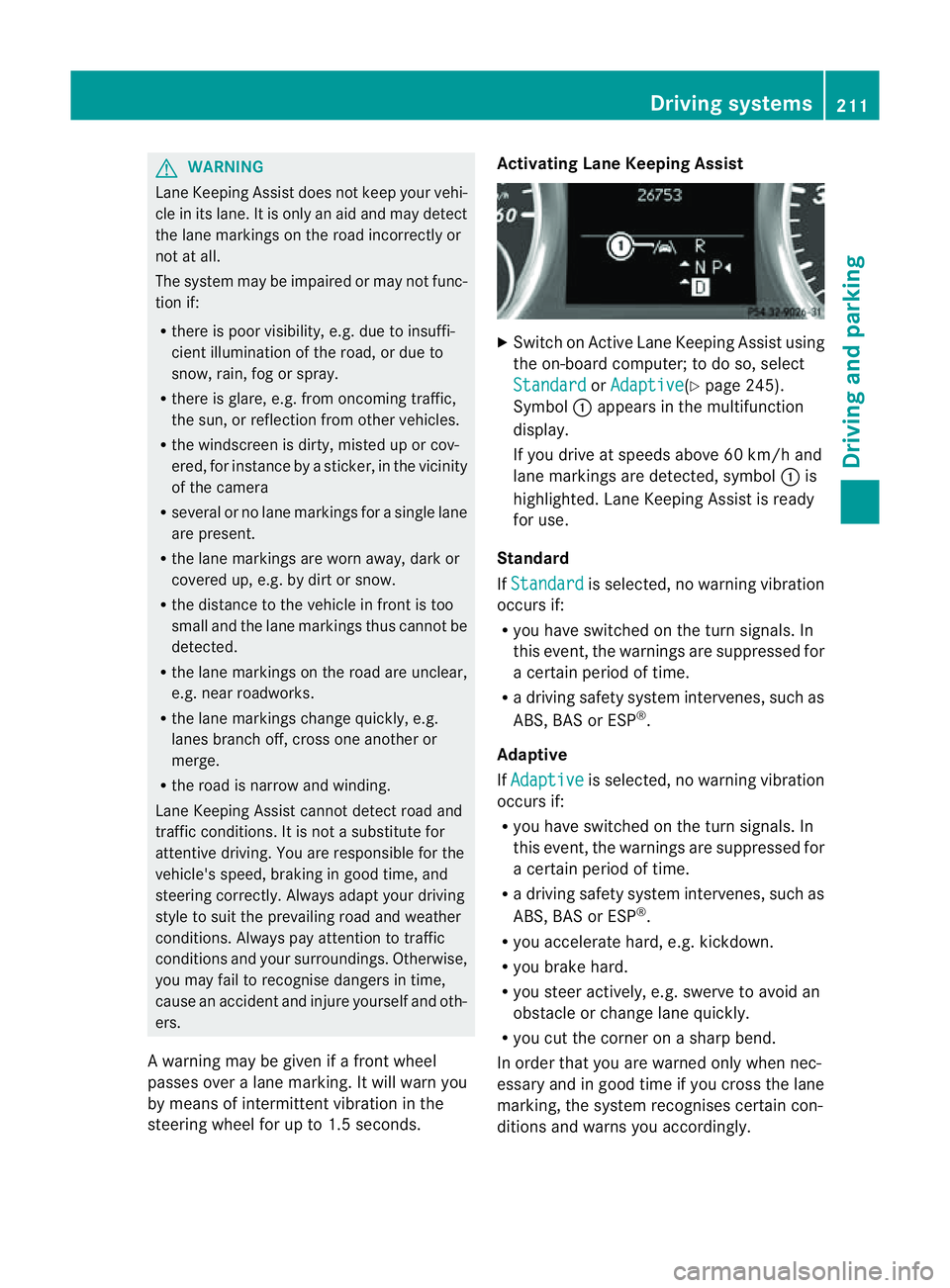
steerin gwheel for up to 1. 5seconds. Activating Lane Keeping Assist
X
Swit chon Activ eLane Keeping Assis tusing
the on-boar dcompu ter;to do so, select
Standa rd or
Adapti ve (
Y page 24 5).
Symbol :appears in the multifunction
display.
If you drive at speed sabove 60 km/ hand
lane markings are dete cted, symbol :is
highlighted. Lan eKeeping Assist is ready
for use.
Standard
If Standa rd is selected, no warnin
gvibration
occur sif:
R you have switche donthe tur nsignals. In
this event ,the warnings ar esuppressed for
ac ertain period of time.
R ad riving safety system intervenes, such as
ABS, BAS or ESP ®
.
Adaptive
If Adaptive is selected, no warning vibration
occurs if:
R yo uh ave switched on the turn signals .In
this event ,the warnings ar esuppressed for
ac ertain period of time.
R ad riving safety system intervenes, such as
ABS, BAS or ESP ®
.
R yo ua ccelerate hard ,e.g. kickdown.
R you brake hard.
R you steer actively, e.g. swerve to avoid an
obstacle or chang elane quickly.
R you cut the corner on ashar pbend.
In order that you are warned only when nec-
essary and in good tim eifyou cross the lane
marking, the system recognises cer tain con-
ditions and warns you accordingly. Drivin
gsystems
211Drivingand park ing Z
Page 215 of 389

The warnin
gvibration occur searlier if:
R you approach the outer lane markin gona
bend.
R the road has ver ywide lanes, e.g. amotor-
way.
R the system recognises solid lane markings.
The warnin gvibration occur slater if:
R the road has narrow lanes.
R you cut the corner on abend. Active Driving Assistance package
General notes The Active Drivin
gAssistanc epackage con-
sists of DISTRONIC PLUS (Y page 174), Active
Blind Spot Assis t(Ypage 212) and Active
Lan eKeeping Assist (Y page 215).
Active Blind Spot Assist Important safety notes
Active Blin dSpot Assist uses aradar sensor
system to monitor the side areas of your vehi-
cle which are in back of the driver. Awarning
display in the exter iormirror sdraws your
attention to vehicles detected in the moni-
tored area. If you then switch on the corre-
sponding turn signal to change lane, you will
also receive an optical and audible collision
warning. If arisk of lateral collision is detec-
ted, corrective brakin gmay help you avoid a
collision. To support the course-correcting
brake application, Active Blind Spot Assist
also uses the forward-facin gradar senso rsys-
tem. Active Blind Spot Assist supports you
from aspeed of approximately 30 km/h. G
WARNING
Active Blin dSpot Assist is only an aid and may
detect vehicles/obstacles incor rectly or not
at all. Th
es ystem may be impaired or may not func-
tion if:
R there is poo rvisibility, e.g. due to snow,
rain, fog or spray.
R the rear and/or fron tsensors are dirty.
Active Blin dSpot Assist may not detect nar-
row vehicles, such as motor cycles or bicycles,
or only detect the mtoo late. It can notd etect
vehicles which are overtaken at asmall dis-
tance and then enter th eblind spot area.
Active Blind Spot Assist cannot detect road
and traffic conditions. It is not asubstitute for
attentive driving. You are responsible for the
vehicle's speed, braking in good time, and
steering correctly. Always adapt your driving
style to suit the prevailing road and weather
conditions. Always pay attention to traffic
conditions and your surroundings. Otherwise,
you may fail to recognise dangers in time,
cause an accident and injure yourself and oth-
ers.
The radar sensor syste misautomatically
deactivated near radio telescope facilities
(Y page 380).
For Active Blind Spot Assis ttoassist you
when driving, the radar sensor syste mmust
be activated (Y page 249)and operational.
Monitoring range
Active Blind Spot Assist monitors the area up
to three metres behind your vehicl eand
directl ynext to your vehicle as shown in the
diagram. For this purpose, Active Blin dSpot
Assist uses rada rsensors in the rear bumper. 212
Driving systemsDriving and parking
Page 217 of 389
from th
eside .W hen you overtak eavehicle,
the warning only occurs if the difference in
speed is less than 12 km/h.
The yellow indicator lam pgoes out if reverse
gear is engaged. Active Blin dSpot Assist is
then no longer active.
The brightness of the indicator/warning
lamps is adjusted automatically accordin gto
the ambient light. G
WARNING
Active Blind Spot Assis tisn ot active at speeds
below 30 km/h. The indicator lamps in the
exterior mirror sare yello w.Vehicle sinthe
monitorin grange are then not indicated.
Always pay attention to traffic conditions and
your surroundings. Otherwise, you may fail to
recognise dangers in time, cause an accident
and injure yourself and others.
Visua land acoustic collision warning
If you switc honthe appropriate tur nsignals
and avehicle is detected in the side monitor-
ing range, you will receive avisual and acous-
tic collision warning. You will hear adouble
warnin gtonea nd red warning lamp :
flashes. If the turn signal remains on, dete c-
ted vehicle sare indicated by th eflashing of
red warnin glamp :.T here ar enofurther
warning tones.
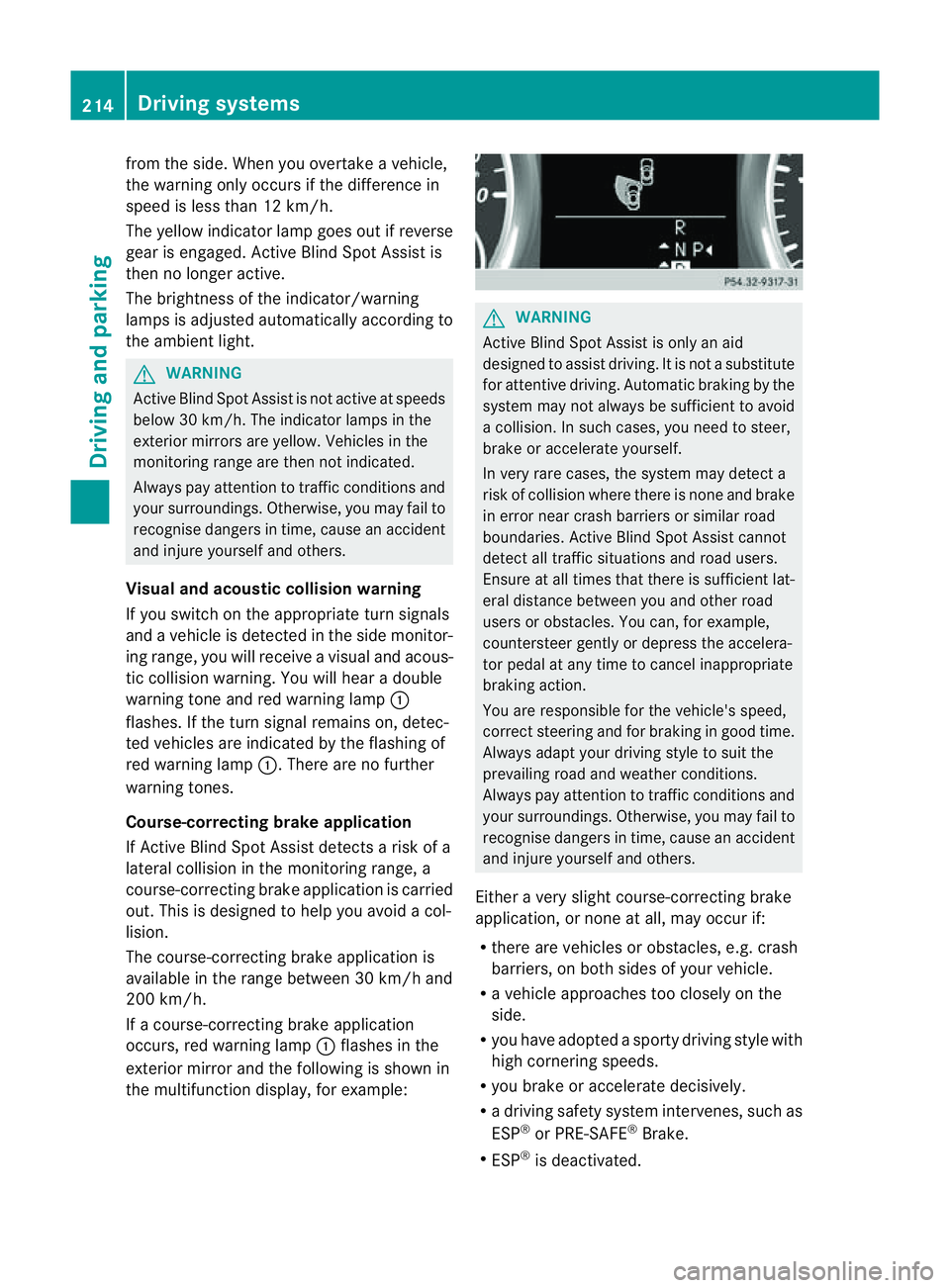
Course-correcting brak eapplication
If Active Blind Spo tAssist detects arisk of a
lateral collision in the monitoring range, a
course-correcting brake application is carried
out. This is designed to help you avoid acol-
lision.
The course-cor recting brake application is
availabl eint he range between 30 km /hand
200 km/h.
If ac ourse-correcting brake application
occ urs, red warnin glamp :flash esin the
exterio rmirror and th efollowing is shown in
the multifuncti on display,for example: G
WAR
NING
Activ eBlindS pot Assist is only an aid
designed to assist driving. It is not asubstitute
for attentive driving. Automatic braking by the
system may not always be sufficien ttoavoid
ac ollision .Insuch cases, you need to steer,
brake or accelerate yourself.
In very rare cases, the system may detect a
risk of collision where there is none and brake
in error near crash barriers or similar road
boundaries .Active Blind Spot Assist cannot
detect all traffic situations and road users.
Ensure at all times that there is sufficient lat-
eral distance betwee nyou and other road
users or obstacles. You can ,for example,
coun tersteer gently or depres sthe accelera-
tor pedal at any tim etocancel inappropriate
braking action.
You are responsible for the vehicle's speed,
correc tsteering and for braking in good time.
Alway sadapt your drivin gstyle to suit the
prevailing road and weather conditions.
Always pay attention to traffic conditions and
your surroundings. Otherwise, you may fail to
recognise dangers in time, cause an accident
and injure yoursel fand others.
Eithe ravery slight course-correcting brake
application, or non eatall, may occur if:
R there are vehicles or obstacles, e.g. crash
barriers, on both sides of your vehicle.
R av ehicle approaches too closely on the
side.
R you have adopted asporty driving style with
high cor nering speeds.
R you brake or accelerate decisively.
R ad riving safety system intervenes, such as
ESP ®
or PRE-SAFE ®
Brake.
R ESP ®
is deactivated. 214
Dri
ving systemsDriving and parking