Page 135 of 574
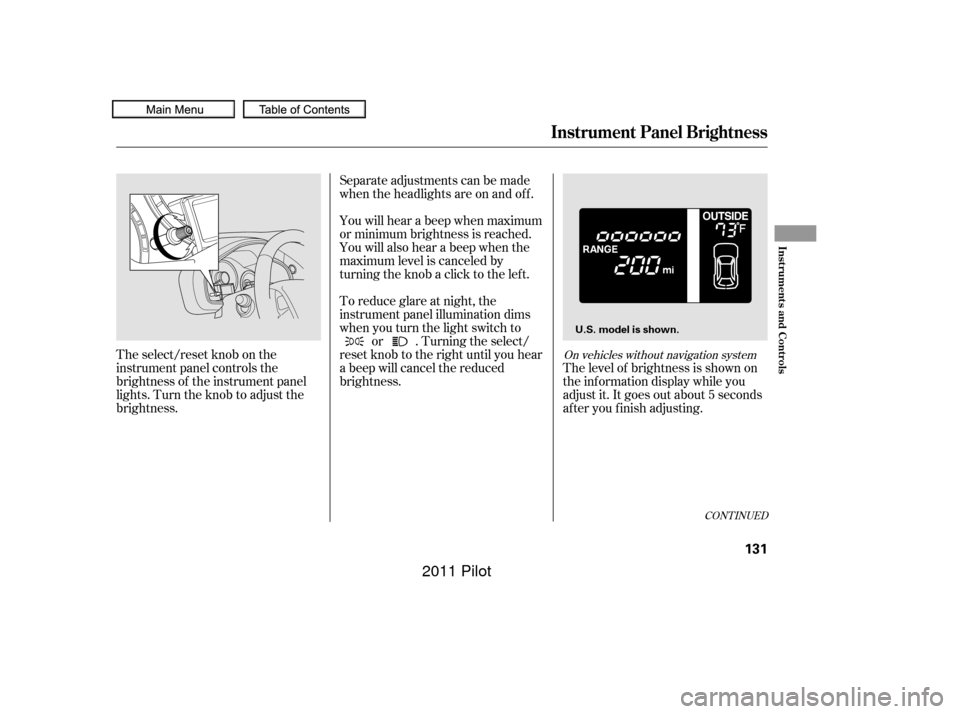
The select/reset knob on the
instrument panel controls the
brightness of the instrument panel
lights. Turn the knob to adjust the
brightness.Separate adjustments can be made
when the headlights are on and of f .
You will hear a beep when maximum
or minimum brightness is reached.
You will also hear a beep when the
maximum level is canceled by
turning the knob a click to the lef t.
To reduce glare at night, the
instrument panel illumination dims
when you turn the light switch to
or . Turning the select/
reset knob to the right until you hear
a beep will cancel the reduced
brightness. The level of brightness is shown on
the inf ormation display while you
adjust it. It goes out about 5 seconds
af ter you f inish adjusting.
CONT INUED
On vehicles without navigation system
Instrument Panel Brightness
Inst rument s and Cont rols
131
U.S. model is shown.
10/01/26 18:45:29 31SZA620_136
2011 Pilot
Page 138 of 574
These keys contain electronic
circuits that are activated by the
immobilizer system. They will not
work to start the engine if the
circuits are damaged.Protect the keys f rom direct
sunlight, high temperature, and
high humidity.
Donotdropthekeysorsetheavy
objects on them.
Keep the keys away f rom liquids.
If they get wet, dry them
immediately with a sof t cloth.
The master key fits all the locks on
your vehicle. The valet key works
only in the ignition and the driver’s
door lock. You can keep the glove
boxlockedwhenyouleaveyour
vehicle and the valet key at a parking
f acility. The valet key does not contain a
battery. Do not try to take it apart.
Youshouldhavereceivedakey
number tag with your keys. You will
need this key number if you ever
have to get a lost key replaced. Use
only Honda-approved key blanks.
Keys and Locks
134
KEY
NUMBER
TAG
MASTER KEY
WITH REMOTE
TRANSMITTER
VALET KEY
(Light Gray)
10/01/26 18:45:51 31SZA620_139
2011 Pilot
Page 141 of 574
�µ�µ
�µ
�µ
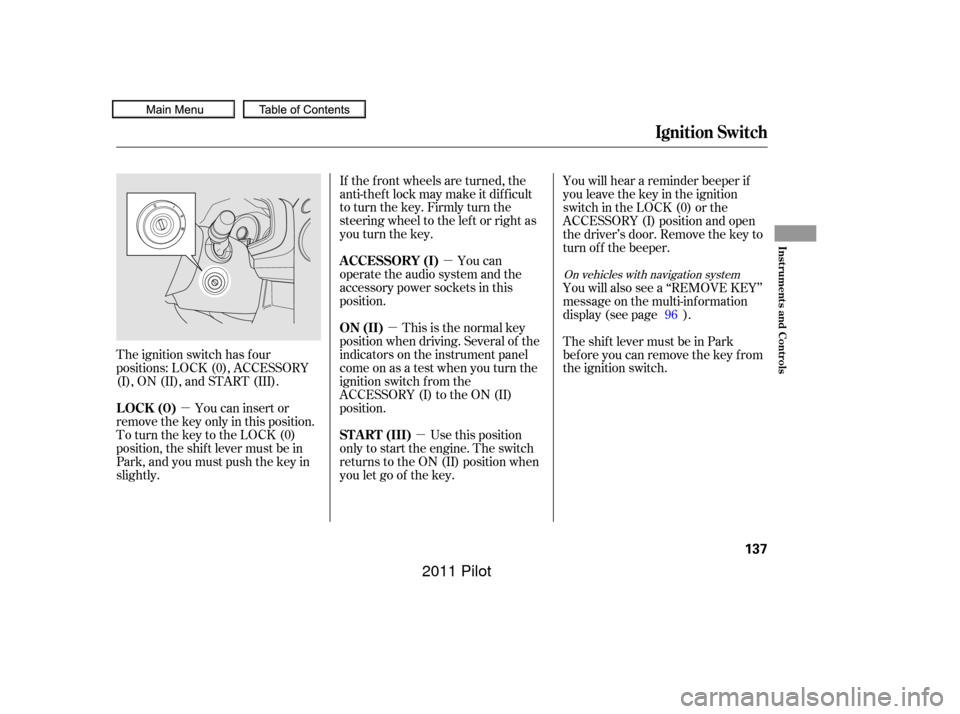
The ignition switch has f our
positions: LOCK (0), ACCESSORY
(I), ON (II), and START (III).
You can insert or
remove the key only in this position.
To turn the key to the LOCK (0)
position, the shif t lever must be in
Park, and you must push the key in
slightly. If the f ront wheels are turned, the
anti-theft lock may make it difficult
to turn the key. Firmly turn the
steering wheel to the lef t or right as
you turn the key.
You can
operate the audio system and the
accessory power sockets in this
position.
This is the normal key
position when driving. Several of the
indicators on the instrument panel
come on as a test when you turn the
ignition switch f rom the
ACCESSORY (I) to the ON (II)
position.
Use this position
only to start the engine. The switch
returns to the ON (II) position when
you let go of the key. You will hear a reminder beeper if
you leave the key in the ignition
switch in the LOCK (0) or the
ACCESSORY (I) position and open
the driver’s door. Remove the key to
turn of f the beeper.
You will also see a ‘‘REMOVE KEY’’
message on the multi-information
display (see page ).
TheshiftlevermustbeinPark
bef ore you can remove the key f rom
the ignition switch.
96
On vehicles with navigation system
Ignition Switch
LOCK (0) A CCESSORY (I)
ON (II)
ST A RT (III)
Inst rument s and Cont rols
137
10/01/26 18:46:14 31SZA620_142
2011 Pilot
Page 149 of 574
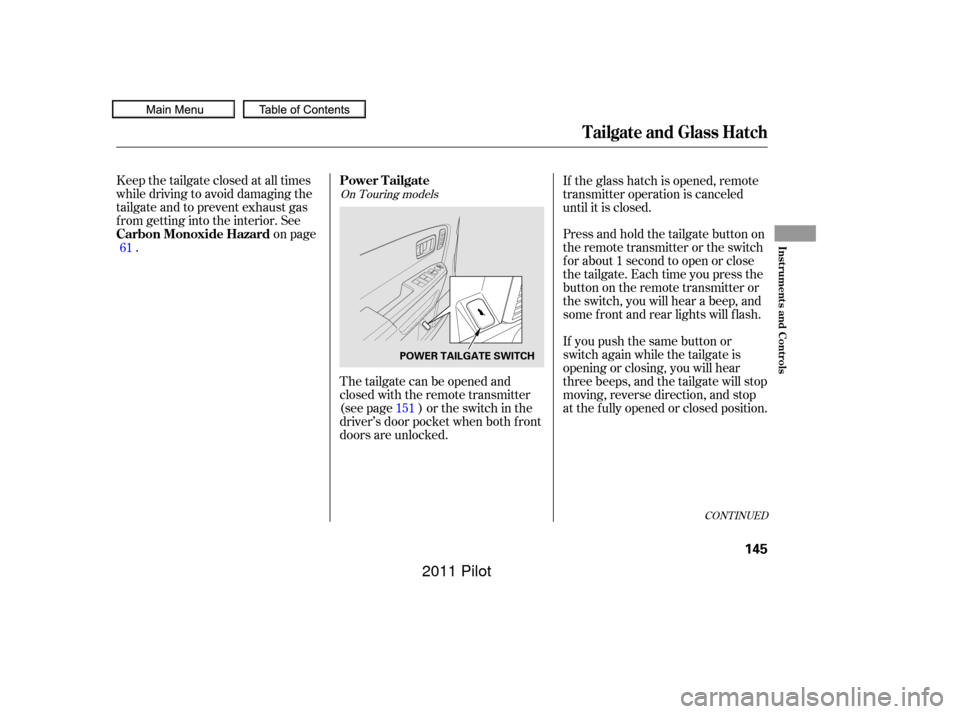
The tailgate can be opened and
closed with the remote transmitter
(see page ) or the switch in the
driver’s door pocket when both f ront
doors are unlocked.
Keep the tailgate closed at all times
while driving to avoid damaging the
tailgate and to prevent exhaust gas
f rom getting into the interior. See
on page
.
If you push the same button or
switch again while the tailgate is
opening or closing, you will hear
three beeps, and the tailgate will stop
moving, reverse direction, and stop
at the f ully opened or closed position. Press and hold the tailgate button on
the remote transmitter or the switch
f or about 1 second to open or close
the tailgate. Each time you press the
button on the remote transmitter or
the switch, you will hear a beep, and
some f ront and rear lights will f lash. If the glass hatch is opened, remote
transmitter operation is canceled
until it is closed.
61
151
CONT INUED
On Touring models
Power Tailgate
Carbon Monoxide Hazard
Tailgate and Glass Hatch
Inst rument s and Cont rols
145
POWER TAILGATE SWITCH
10/01/26 18:47:55 31SZA620_150
2011 Pilot
Page 154 of 574
�µ
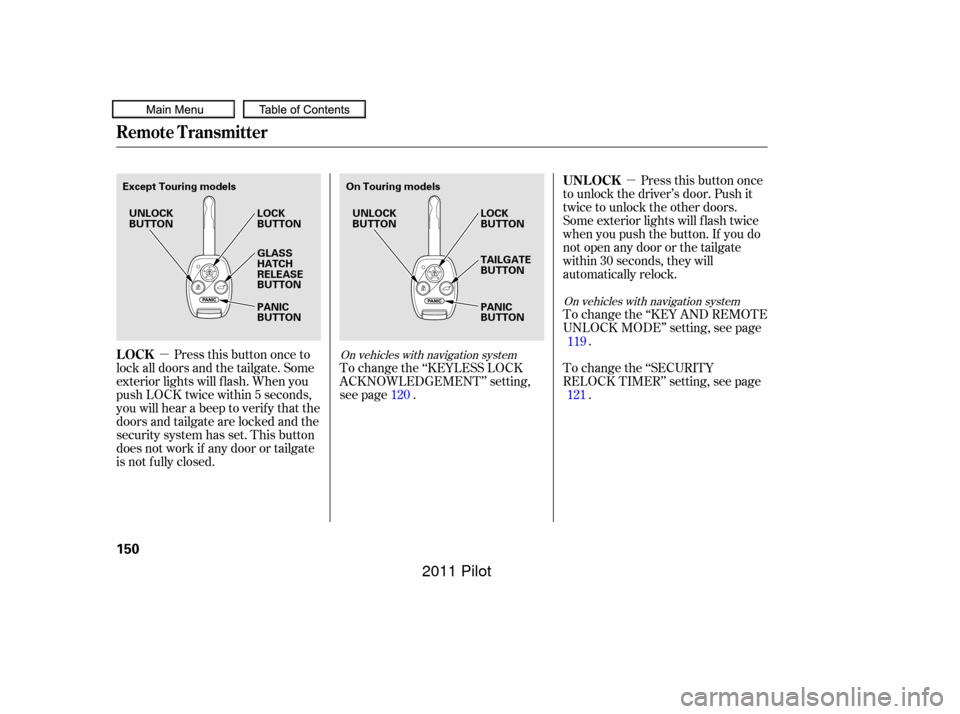
�µ Pressthisbuttononce
to unlock the driver’s door. Push it
twice to unlock the other doors.
Some exterior lights will f lash twice
when you push the button. If you do
not open any door or the tailgate
within 30 seconds, they will
automatically relock.
To change the ‘‘KEY AND REMOTE
UNLOCK MODE’’ setting, see page .
To change the ‘‘SECURITY
RELOCK TIMER’’ setting, see page .
Press this button once to
lock all doors and the tailgate. Some
exterior lights will f lash. When you
push LOCK twice within 5 seconds,
you will hear a beep to verify that the
doors and tailgate are locked and the
security system has set. This button
does not work if any door or tailgate
is not f ully closed. To change the ‘‘KEYLESS LOCK
ACKNOWLEDGEMENT’’ setting,
see page .
120 119
121
On vehicles with navigation system
On vehicles with navigation system
Remote Transmitter
UNL OCK
LOCK
150
Except Touring models On Touring models
UNLOCK
BUTTON UNLOCK
BUTTON
LOCK
BUTTON
PANIC
BUTTON LOCK
BUTTON
PANIC
BUTTON TAILGATE
BUTTON
GLASS
HATCH
RELEASE
BUTTON
10/01/26 18:48:47 31SZA620_155
2011 Pilot
Page 155 of 574

�µ
�µ
�µ Press and hold this
button for about 1 second to attract
attention; the horn will sound, and
the exterior lights will f lash f or about
30 seconds. To cancel panic mode,
press any other button on the remote
transmitter, or turn the ignition
switch to the ON (II) position. Panic
mode does not work when the key is
in the ignition switch.
Avoid dropping or throwing the
transmitter.
Protect the transmitter from
extreme temperature.
Do not immerse the transmitter in
any liquid.
If you lose a transmitter, the
replacement needs to be
reprogrammed by your dealer.
When you press the UNLOCK
button, the f ront and rear individual
map lights and the cargo area light,
depending on their switch positions,
will come on (see page ). If you
do not open any door or the tailgate,
the lights stay on for about 30
seconds, then go out. If you relock
thedoorsandthetailgatewiththe
remote transmitter before 30
seconds have elapsed, the lights will
go of f immediately.
If you push the same button again
while the tailgate is opening or
closing, three beeps sound, the
tailgate stops moving, reverses
direction and stops in the f ully
opened or f ully closed position.Press and hold the
TAILGATE button to open or close
the power tailgate. When the tailgate
begins to move, you will hear a beep,
and some f ront and rear lights will
flash.
Press this button f or about 1 second
to open the glass hatch. Even if the
glass hatch is open, the tailgate can
be locked with the remote
transmitter. 176
Except Touring models
On Touring models
Remote Transmitter
PA NIC
TAILGATE
GLASS HATCH RELEASE
Remote Transmitter Care
Inst rument s and Cont rols
151
10/01/26 18:48:59 31SZA620_156
2011 Pilot
Page 172 of 574
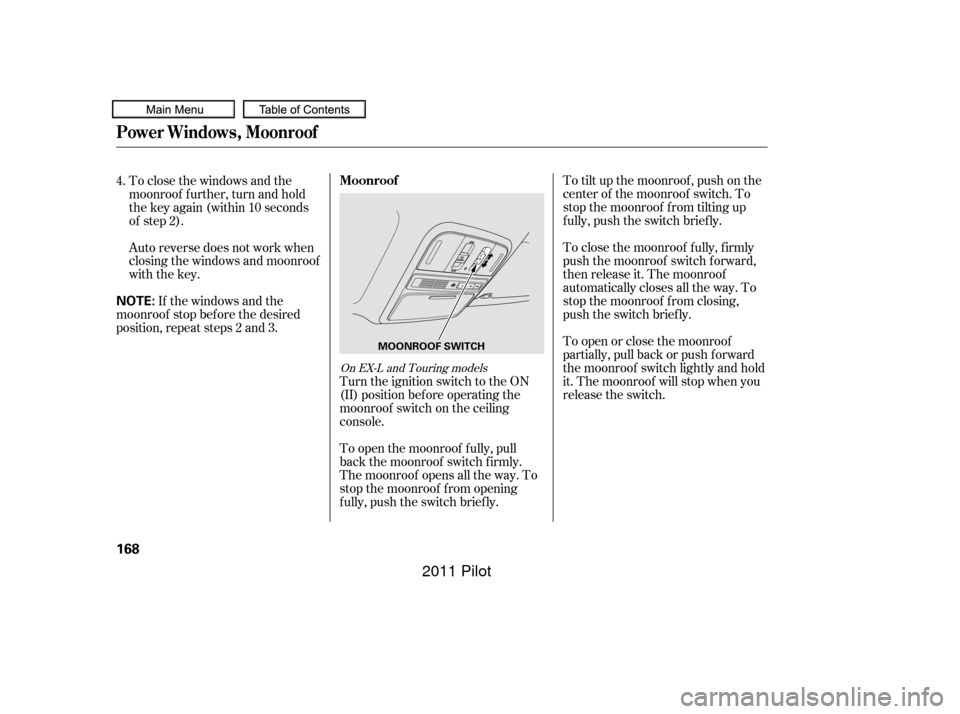
To tilt up the moonroof , push on the
center of the moonroof switch. To
stop the moonroof f rom tilting up
f ully, push the switch brief ly.
To close the moonroof f ully, f irmly
push the moonroof switch f orward,
then release it. The moonroof
automatically closes all the way. To
stop the moonroof f rom closing,
push the switch briefly.
To open or close the moonroof
partially, pull back or push f orward
the moonroof switch lightly and hold
it. The moonroof will stop when you
release the switch.
To close the windows and the
moonroof f urther, turn and hold
the key again (within 10 seconds
of step 2).
Auto reverse does not work when
closing the windows and moonroof
with the key.
If the windows and the
moonroof stop bef ore the desired
position, repeat steps 2 and 3.
Turn the ignition switch to the ON
(II) position bef ore operating the
moonroof switch on the ceiling
console.
To open the moonroof f ully, pull
back the moonroof switch f irmly.
The moonroof opens all the way. To
stop the moonroof f rom opening
f ully, push the switch brief ly.
4.
On EX-L and Touring models
Moonroof
Power Windows, Moonroof
168
NOTE:
MOONROOF SWITCH
10/01/26 18:52:06 31SZA620_173
2011 Pilot
Page 174 of 574

You will also see a ‘‘RELEASE
PARKING BRAKE’’ message on the
multi-inf ormation display (see page).
Keeptheinsideandoutsidemirrors
clean and adjusted f or best visibility.
Be sure to adjust the mirrors bef ore
you start driving.
The inside mirror has day and night
positions. The night position reduces
glare f rom headlights behind you.
Flip the tab on the bottom edge of
the mirror to select the day or night
position. Theinsidemirrorcanautomatically
darken to reduce glare. To turn on
this feature, press the button on the
bottom of the mirror. The AUTO
indicator comes on as a reminder.
When it is on, the mirror darkens
when it senses the headlights of a
vehicle behind you, then returns to
normal visibility when the lights are
gone. Press the button again to turn
of f this f eature.
95
On vehicles with navigation system
On LX and EX modelsOn EX-L and Touring models
Mirrors
Parking Brake, Mirrors
170
AUTO BUTTON
INDICATOR SENSOR
Driving the vehicle with the parking
brake applied can damage the rear
brakes and hubs. A beeper will sound if
the vehicle is driven with the parking
brake on.
10/01/26 18:52:26 31SZA620_175
2011 Pilot