Page 321 of 574
CONT INUED
Pressing the REAR CTRL OFF
button disables rear control. The
indicator in the button comes on and
your passengers can no longer
operate the system with the rear
control panel. When the button is
pressed, the ‘‘CTRL OFF’’ message
appears in the overhead screen to let
your passengers know that the
control panel is disabled.
The rear system selects the source it
waslastsetto.Ifthatsourcehas
been removed (the DVD has been
ejected f rom the player, f or example),you will see ‘‘DVD EJECT’’ in the
display. You should select another
source or insert a DVD.
Your vehicle is equipped with a rear
entertainment system that includes a
DVD player f or the enjoyment of the
rear passengers.
With this system, the rear
passengers can enjoy a dif f erent
entertainment source (radio, disc
changer, DVD player, XM Radio, or
optional CD changer/tape player)
than the front seat occupants. The
audio is broadcast through the
supplied wireless headphones.
The ignition switch must be in the
ACCESSORY (I) or the ON (II)
position to operate the rear
entertainment system. Whenyouturnonthesystem,the
rear speakers are automatically
turned of f if the rear system selects
a dif f erent entertainment source
than the front system. You will see
the Rear Speakers Of f icon in the
audio display. The sound f or the rear
system is sent to the wireless
headphones.
If youwanttoturntherearspeakers
on again, press and hold the REAR
PWR button until the Rear Speakers
Of f icon goes of f .
The rear speakers are
connected to the f ront system, so
they will always play the source that
the f ront system is set to.
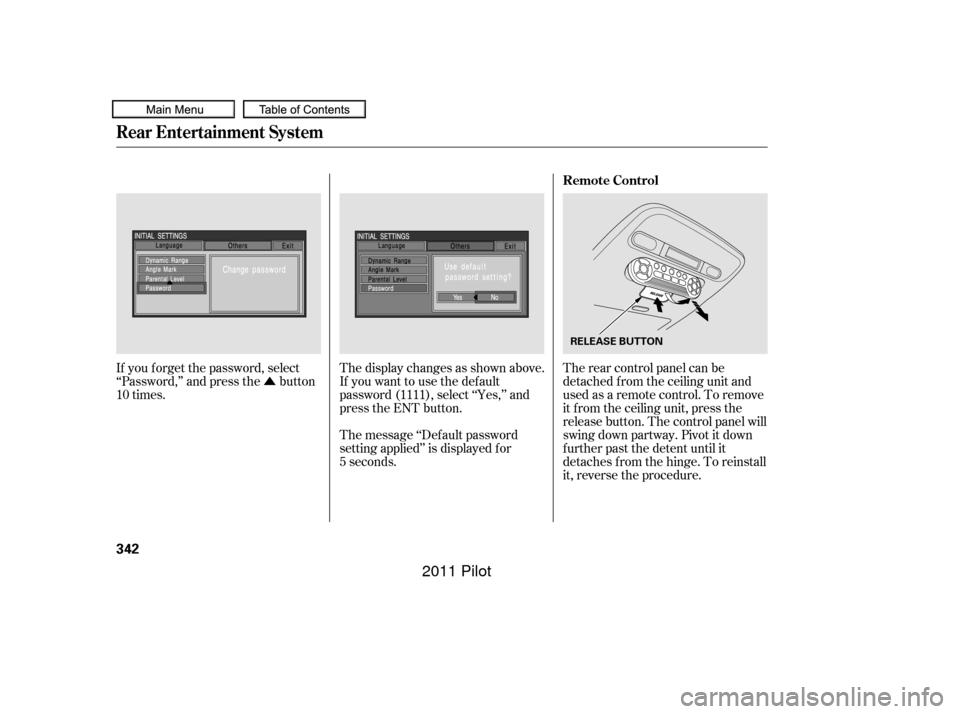
Press the REAR PWR button. The
indicator on the REAR PWR button
will come on. The rear seat
passengers can then operate the rear
system f rom the control panel in the
ceiling. The rear control panel can
also be detached and used as a
remote control, by pushing the
RELEASE button, and pulling the
remote toward you.
On vehicles with rear entertainment
systemTo Turn On the System
Rear Speakers
Rear Entertainment System
Features
317
NOTE:
10/01/26 19:17:15 31SZA620_322
2011 Pilot
Page 346 of 574
�Û
If you f orget the password, select
‘‘Password,’’ and press the button
10 times. The display changes as shown above.
If you want to use the def ault
password (1111), select ‘‘Yes,’’ and
press the ENT button.
The message ‘‘Def ault password
setting applied’’ is displayed f or
5 seconds.The rear control panel can be
detached f rom the ceiling unit and
used as a remote control. To remove
it f rom the ceiling unit, press the
release button. The control panel will
swing down partway. Pivot it down
f urther past the detent until it
detaches from the hinge. To reinstall
it, reverse the procedure.
Rear Entertainment System
Remote Control
342
RELEASE BUTTON
10/01/26 19:21:25 31SZA620_347
2011 Pilot
Page 347 of 574
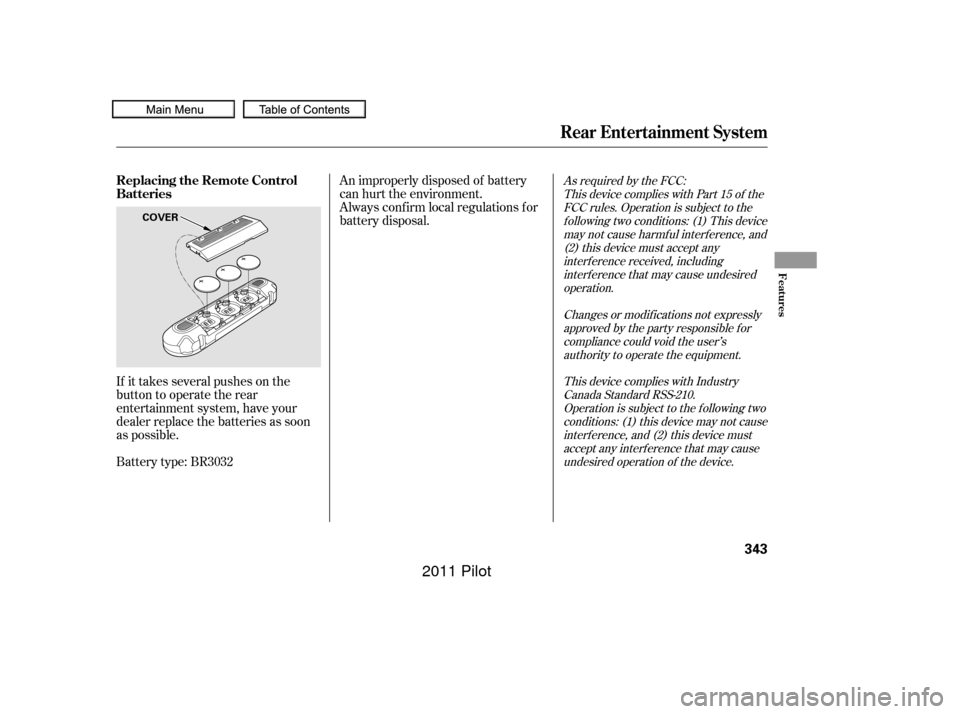
If it takes several pushes on the
button to operate the rear
entertainment system, have your
dealer replace the batteries as soon
as possible.
Battery type: BR3032An improperly disposed of battery
can hurt the environment.
Always conf irm local regulations f or
battery disposal.
As required by the FCC:
This device complies with Part 15 of theFCC rules. Operation is subject to thef ollowing two conditions: (1) This devicemay not cause harmf ul interf erence, and(2) this device must accept anyinterf erence received, includinginterf erence that may cause undesiredoperation.
Changes or modif ications not expresslyapproved by the party responsible f orcompliance could void the user’sauthority to operate the equipment.
This device complies with IndustryCanada Standard RSS-210.Operation is subject to the f ollowing twoconditions: (1) this device may not causeinterf erence, and (2) this device mustaccept any interf erence that may causeundesired operation of the device.
Rear Entertainment System
Replacing the Remote Control
Batteries
Features
343
COVER
10/01/26 19:21:33 31SZA620_348
2011 Pilot
Page 361 of 574
The HomeLinkUniversal
Transceiver built into your vehicle
canbeprogrammedtooperateupto
three remote controlled devices
around your home, such as garage
doors, lighting, or home security
systems. Bef ore programming your
HomeLink to operate a garage door
opener, conf irm that the opener has
an external entrapment protection
system, such as an ‘‘electronic eye,’’
or other saf ety and reverse stop
f eatures.
If your garage door was
manuf actured bef ore April 1, 1982,
you may not be able to program
HomeLink to operate it. These units
do not have safety features that
cause the motor to stop and reverse
it if an obstacle is detected during
closing, increasing the risk of injury.Do not use HomeLink with any
garage door opener that lacks saf ety
stop and reverse f eatures.
CONT INUED
Except LX modelsGeneral Saf ety Inf ormation
HomeL inkUniversal Transceiver
Features
357
10/01/26 19:23:50 31SZA620_362
2011 Pilot
Page 568 of 574

CONT INUED
............
Panel Brightness Control . 131
........................
Park Gear Position .414
...........................................
Parking .419
...............................
Parking Brake .169
Parking Brake and Brake .................
System Indicator . 71,523
...............................
Parking Lights .126
..
Parking Over Things that Burn . 419
....
Passenger Airbag Of f Indicator . 36.............................
PGM-FI System .548
...................................
Pollen Filter .490
........................
Power Door Locks .138
..............
Power Seat Adjustments . 154
...............
Power Socket Locations . 179
............................
Power Windows .165
.........
Pregnancy, Using Seat Belts . 20
.........
Protecting Adults and Teens . 13
...
Additional Safety Precautions . 21
.....
Advice f or Pregnant Women . 20
........................
Protecting Children .39
.....................
General Guidelines .39
.......................
Protecting Inf ants .44
.......
Protecting Larger Children . 57
.........
Protecting Small Children . 45
Using Child Seats with .....................................
Tethers .54
.............................
Using LATCH .49
...................
Radiator Overheating . 519
Radio/Disc Sound .......................
System .210, 227,253
.................
Radio Thef t Protection . 313
................................
RDS .213, 230,257 ...........................
Readiness Codes .550
.......................
Rear A/C Unit .197, 204
............
Rear Audio Control Panel . 321
........
Rear Entertainment System . 317
..
Rear Lights, Bulb Replacement . 486
...
Rearview Camera and Monitor . 390
...........................
Rearview Mirror .170
.......
Rear Window Def ogger . 194,203
Rear Window Wiper and .......................................
Washer .125
.....
Reclining the Seat Backs . 154,155
.........
Reclining the Second Seats . 159
.......................
Reminder Indicators .69
................
Remote Audio Controls . 311
.................
Remote Control (RES) . 322
.....................
Remote Transmitter .150
Replacement Inf ormation ................
Engine Oil and Filter . 473
..........................................
Fuses .525
................................
Light Bulbs .483
....................................
Schedule .469
................................
Timing Belt .482
...........................................
Tires .499
.............................
Wiper Blades .492
Oil
........................
Change, How to .473
......................
Change, When to .455
......................
Checking Engine .398
...............................
Lif e, Engine .455
..............
Pressure Indicator . 70,521
Selecting Proper Viscosity ......................................
Chart .472
.........
ON (Ignition Key Position) . 137
............................
Outside Mirrors .171
...............
Outside Temperature . 85, 90
....................
Overheating, Engine .519
....
Owner’s Maintenance Checks . 467
.........................
Oxygenated Fuels .394
Index
INDEX
P
R
VII
10/01/26 19:59:51 31SZA620_570
2011 Pilot