Page 415 of 574

CONT INUED
Check the adjustment of the
inside and outside mirrors (see
page ).
Check the steering wheel
adjustment (see page ).Without touching the accelerator
pedal, turn the ignition switch to
the START (III) position, then
release the ignition switch. You do
not need to hold the ignition
switch in the START (III) position
to start the engine. Depending on
the outside temperature, thestarter motor runs f or about 6 to 9
seconds until the engine starts.
If you hold the ignition switch in
the START (III) position f or more
than 7 seconds, the starter motor,
depending on the outside
temperature, runs f or about 10 to
25 seconds until the engine starts.
If the engine does not start, wait at
least 10 seconds bef ore trying
again.
Make sure the shif t lever is in
Park. Press on the brake pedal. In cold weather, turn of f all
electrical accessories to reduce
the drain on the battery. Apply the parking brake.
Fasten your seat belt. Check that
your passengers have f astened
their seat belts (see page ). Your vehicle’s starter system has an
auto control mode. When you turn
the ignition switch to the START
(III) position, this f eature keeps the
engine’s starter motor running until
the engine starts. Follow these
instructions to start the engine:
When you start the engine, check
the gauges and indicators in the
instrument panel, and the
messages on the inf ormation
display or multi-inf ormation
display (depending on models)
(seepages,,,and ).
Make sure the doors, the tailgate,
and the glass hatch are securely
closed and locked.
1.
2.
3.
4.
6.
7.
8.
9.
10. 170
133
17
67 68 82
94
Preparing to Drive, Starting the Engine
Starting the Engine
Driving
411
T he immobilizer system protects your
vehicle f rom thef t. If an improperly
coded key (or other device) is used, the
engine’s f uel system is disabled. For
more inf ormation, see page . 135
10/01/28 14:48:16 31SZA620_416
2011 Pilot
Page 416 of 574
If this message is on, the ignition
switchhastobeheldinthe
START (III) position manually
until the engine starts. The
ignitionswitchcanbeheldinthat
position up to 15 seconds.
Even though you may be able to
start the engine manually without
the auto control mode of the starter
system, have your dealer inspect
your vehicle.
If there is a problem with the starter
system, you will see a ‘‘CHECK
STARTER SYSTEM’’ message on
the multi-information display when
the ignition switch is turned to the
ON (II) position. You will also see
this message when the auto control
mode of the starter system has a
problem.
On vehicles with navigation system
Starting the Engine
Check Starter System Message
412
U.S.
CanadaThe engine is harder to start in cold
weather. Also, the thinner air f ound at
altitudes above 8,000 f eet (2,400
meters) adds to this problem.
10/01/26 19:34:34 31SZA620_417
2011 Pilot
Page 417 of 574
CONT INUED
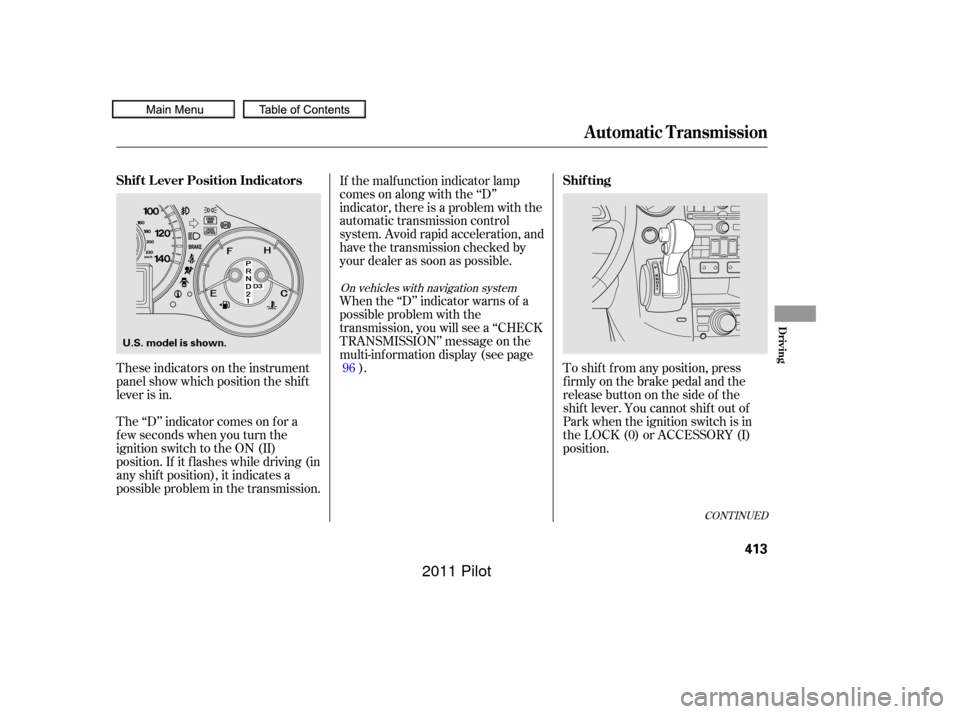
These indicators on the instrument
panel show which position the shif t
lever is in.
The ‘‘D’’ indicator comes on f or a
f ew seconds when you turn the
ignition switch to the ON (II)
position. If it f lashes while driving (in
any shif t position), it indicates a
possible problem in the transmission.If the malf unction indicator lamp
comes on along with the ‘‘D’’
indicator, there is a problem with the
automatic transmission control
system. Avoid rapid acceleration, and
have the transmission checked by
your dealer as soon as possible.
When the ‘‘D’’ indicator warns of a
possible problem with the
transmission, you will see a ‘‘CHECK
TRANSMISSION’’ message on the
multi-inf ormation display (see page
). To shif t f rom any position, press
f irmly on the brake pedal and the
release button on the side of the
shiftlever.Youcannotshiftoutof
Park when the ignition switch is in
the LOCK (0) or ACCESSORY (I)
position.
96
On vehicles with navigation system
Shif t L ever Position Indicators
Shif ting
Automatic Transmission
Driving
413
U.S. model is shown.
10/01/26 19:34:46 31SZA620_418
2011 Pilot
Page 418 of 574

�µ
�µ
�µ Use neutral if you
need to restart a stalled engine, or if
it is necessary to stop brief ly with
the engine idling. Shif t to the Park
position if you need to leave your
vehicle for any reason. Press on the
brake pedal when you are moving
the shift lever from neutral to
another gear.
If you have done all of the above and
still cannot move the lever out of
Park, see
on
page .
To avoid transmission damage, come
to a complete stop bef ore shif ting
into Park. The shif t lever must be in
Park bef ore you can remove the key
from the ignition switch.
Press the brake
pedal and the release button on the
frontoftheshiftlevertoshiftfrom
Park to reverse. To shif t f rom
reverse to neutral, come to a
completestop,andthenshift.Press
the release button bef ore shif ting
into reverse f rom neutral.
This position mechani-
cally locks the transmission. Use
Park whenever you are turning of f or
starting the engine. To shif t out of
Park, you must press on the brake
pedal and the release button on the
shif t lever. Make sure your f oot is of f
the accelerator pedal. 416Do this:
Press the brake pedal and the
shift lever release button.
Press the shift lever release
button.
Move the shift lever.
Press the D button.
To shift from:
PtoR
RtoP
NtoR Dto2 2to1
1to2
2toD
DtoN
NtoD RtoN
DtoD
DtoD
3
3
3
Automatic Transmission
Neutral (N)
Shif t L ock Release
Reverse (R)
Park (P)
414
10/01/26 19:34:54 31SZA620_419
2011 Pilot
Page 420 of 574

�µIf you exceed the maximum speed
f or the gear you are in, the engine
speed will enter into the tachometer’s
red zone. If this occurs, you may f eel
the engine cut in and out. This is
caused by a limiter in the engine’s
computer controls. The engine will
run normally when you reduce the
rpm below the red zone.
Bef ore downshif ting, make sure the
engine will not go into the
tachometer’s red zone. This allows you to move the shif t
lever out of Park if the normal
method of pushing on the brake
pedal and pressing the release
button does not work.
Remove the key from the ignition
switch. Set the parking brake.
To shif t f rom second to
first, press the release button on the
side of the shif t lever. This position
locks the transmission in f irst gear.
By upshif ting and downshif ting
through 1, 2, D , and D, you can
operate the transmission much like a
manual transmission without a
clutch pedal. 1.
2.
3
Engine Speed Limiter
Shift Lock Release
First (1)
Automatic Transmission
416
10/01/26 19:35:13 31SZA620_421
2011 Pilot
Page 421 of 574
Insert the built-in key into the shift
lock release slot.
Put a cloth on the edge of the shif t
lock release slot cover to prevent
scratches. Use a small f lat-tip
screwdriver or metal f ingernail f ile
to caref ully pry up the edge of the
cover and remove it from the slot. Push down on the key while you
pressthereleasebuttononthe
shif t lever and move the shif t lever
out of Park to neutral.If you need to use the shif t lock
release, it means your vehicle is
developing a problem. Have the
vehicle checked by a dealer.Remove the key from the shift
lock release slot, then install the
cover. Make sure the notch on the
cover is on the underside.
Insert the key back into the
ignition switch, press the brake
pedal, and restart the engine.
3. 4.
5.6.
Automatic Transmission
Driving
417
COVER
RELEASE BUTTON
SHIFT LOCK RELEASE SLOT
10/01/26 19:35:22 31SZA620_422
2011 Pilot
Page 422 of 574
The vehicle must be stopped with
the engine running.do
any of the f ollowing: Press the VTM-4 LOCK button.
Move the shift lever to D or D .
Move the shift lever to first (1),
second (2), or reverse (R) gear.
Turn the ignition switch to the
LOCK (0) position.
Press the VTM-4 LOCK button.
The indicator in the button comes
on.
The VTM-4 Lock will temporarily
disengage when the vehicle speed
exceeds 18 mph (30 km/h). The
indicator in the button will remain on.
To get unstuck, apply light pressure
to the accelerator pedal. Do not spin
the f ront tires f or more than a f ew
seconds. Because of the amount of
torque applied to the rear tires, they
should not spin. This is normal. If
you are not able to move the vehicle,
stop and reverse direction.
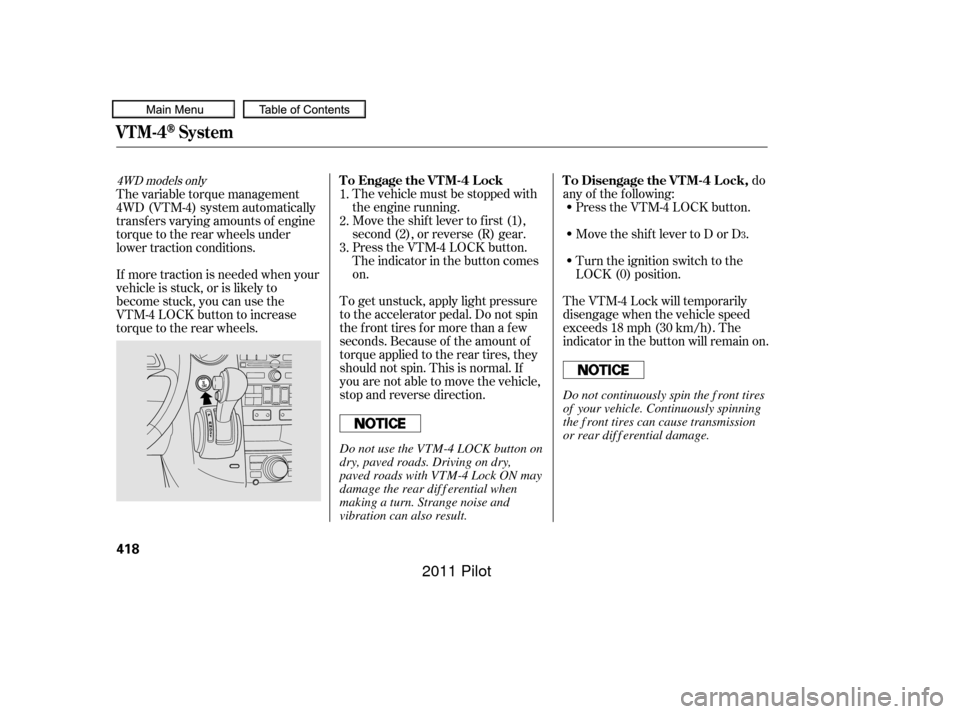
If more traction is needed when your
vehicle is stuck, or is likely to
become stuck, you can use the
VTM-4 LOCK button to increase
torque to the rear wheels. The variable torque management
4WD (VTM-4) system automatically
transf ers varying amounts of engine
torque to the rear wheels under
lower traction conditions.
1.
2.
3.
3
4WD models onlyTo Engage the VTM-4 Lock To Disengage the VTM-4 Lock,
VTM-4System
418
Do not continuously spin the f ront tires
of your vehicle. Continuously spinning
the f ront tires can cause transmission
or rear dif f erential damage.
Do not use the VTM-4 LOCK button on
dry, paved roads. Driving on dry,
paved roads with VTM-4 Lock ON may
damage the rear dif f erential when
making a turn. Strange noise and
vibration can also result.
10/01/26 19:35:36 31SZA620_423
2011 Pilot
Page 428 of 574
Although your tire pressure is
monitored, you must manually check
thetirepressuresmonthly.
Each tire, including the spare, should
be checked monthly when the
vehicle is cold, and set to the
recommended inf lation pressure as
specif ied on the vehicle placard and
intheowner’smanual(seepage).
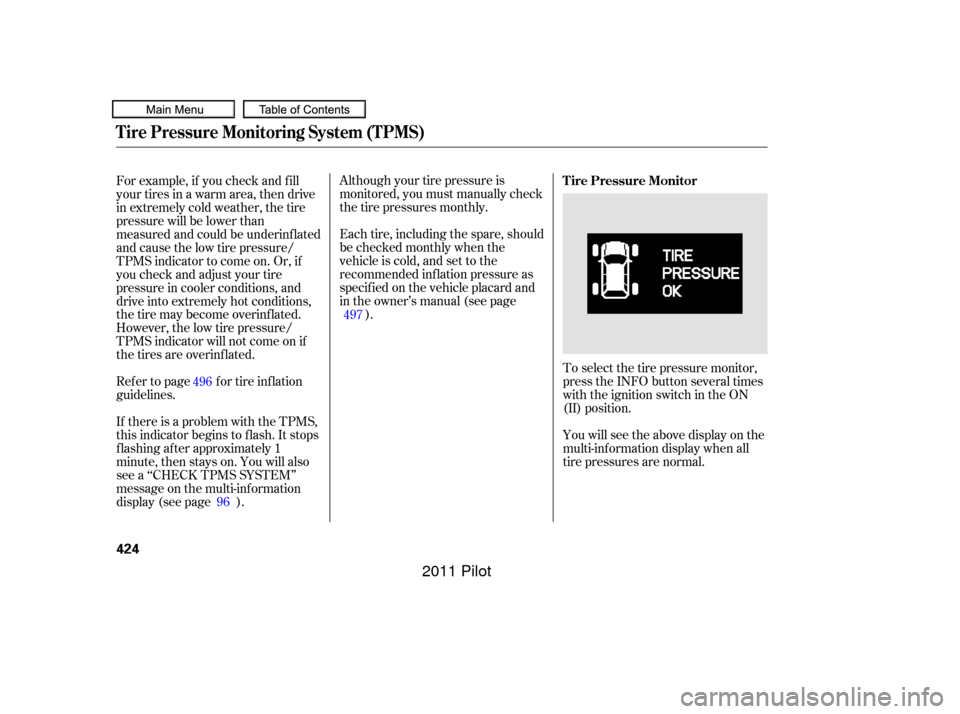
Toselectthetirepressuremonitor,
press the INFO button several times
with the ignition switch in the ON
(II) position.
You will see the above display on the
multi-inf ormation display when all
tire pressures are normal.
For example, if you check and f ill
your tires in a warm area, then drive
in extremely cold weather, the tire
pressure will be lower than
measured and could be underinf lated
and cause the low tire pressure/
TPMS indicator to come on. Or, if
youcheckandadjustyourtire
pressure in cooler conditions, and
drive into extremely hot conditions,
the tire may become overinf lated.
However, the low tire pressure/
TPMS indicator will not come on if
thetiresareoverinflated.
Refer to page for tire inflation
guidelines.
If there is a problem with the TPMS,
this indicator begins to f lash. It stops
flashing after approximately 1
minute, then stays on. You will also
see a ‘‘CHECK TPMS SYSTEM’’
message on the multi-inf ormation
display (see page ).
96 497
496 Tire Pressure Monitor
Tire Pressure Monitoring System (TPMS)
424
10/01/26 19:36:43 31SZA620_429
2011 Pilot

