Page 382 of 722
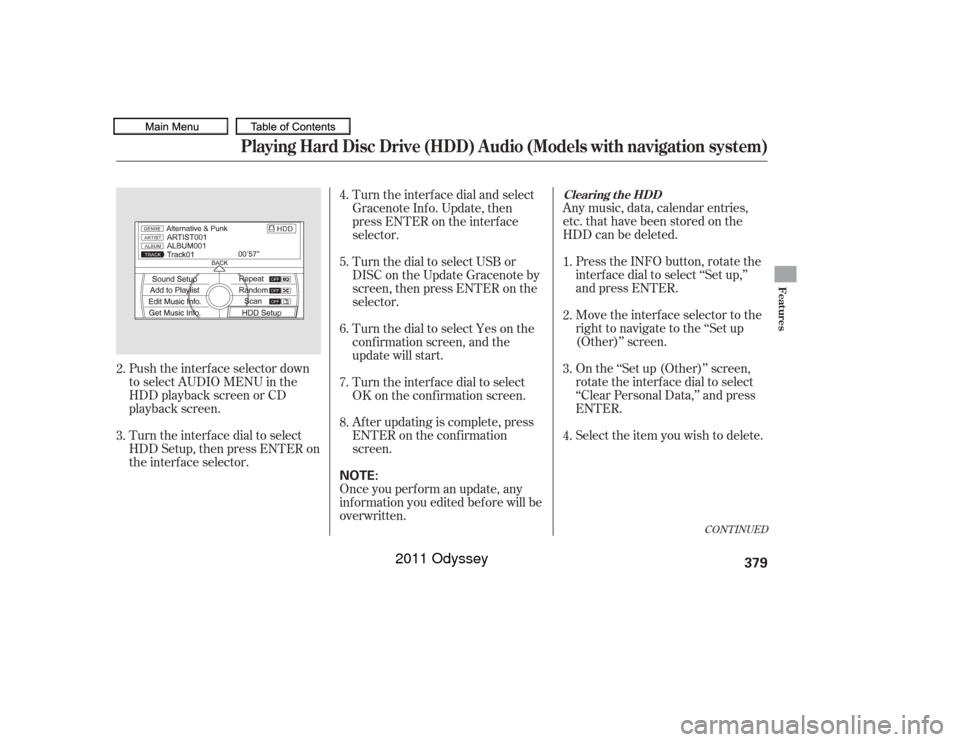
Push the interf ace selector down
to select AUDIO MENU in the
HDD playback screen or CD
playback screen.
Turn the interf ace dial to select
HDD Setup, then press ENTER on
the interf ace selector.Any music, data, calendar entries,
etc. that have been stored on the
HDD can be deleted.
Press the INFO button, rotate the
interf ace dial to select ‘‘Set up,’’
and press ENTER.
Move the interface selector to the
right to navigate to the ‘‘Set up
(Other)’’ screen.
On the ‘‘Set up (Other)’’ screen,
rotate the interface dial to select
‘‘Clear Personal Data,’’ and press
ENTER.
Select the item you wish to delete.
Turn the interf ace dial and select
Gracenote Inf o. Update, then
press ENTER on the interf ace
selector.
Once you perf orm an update, any
inf ormation you edited bef ore will be
overwritten. Af ter updating is complete, press
ENTER on the conf irmation
screen. Turn the interf ace dial to select
OK on the conf irmation screen. Turn the dial to select Yes on the
conf irmation screen, and the
update will start. Turn the dial to select USB or
DISC on the Update Gracenote by
screen,thenpressENTERonthe
selector.
2.
3. 4.
5.
6.
7.
8.
1.
2.
3.
4.
CONT INUED
Clearing t he HDD
Playing Hard Disc Drive (HDD) Audio (Models with navigation system)
Features
379
NOTE:
10/07/17 10:24:50 31TK8600_384
2011 Odyssey
Page 386 of 722
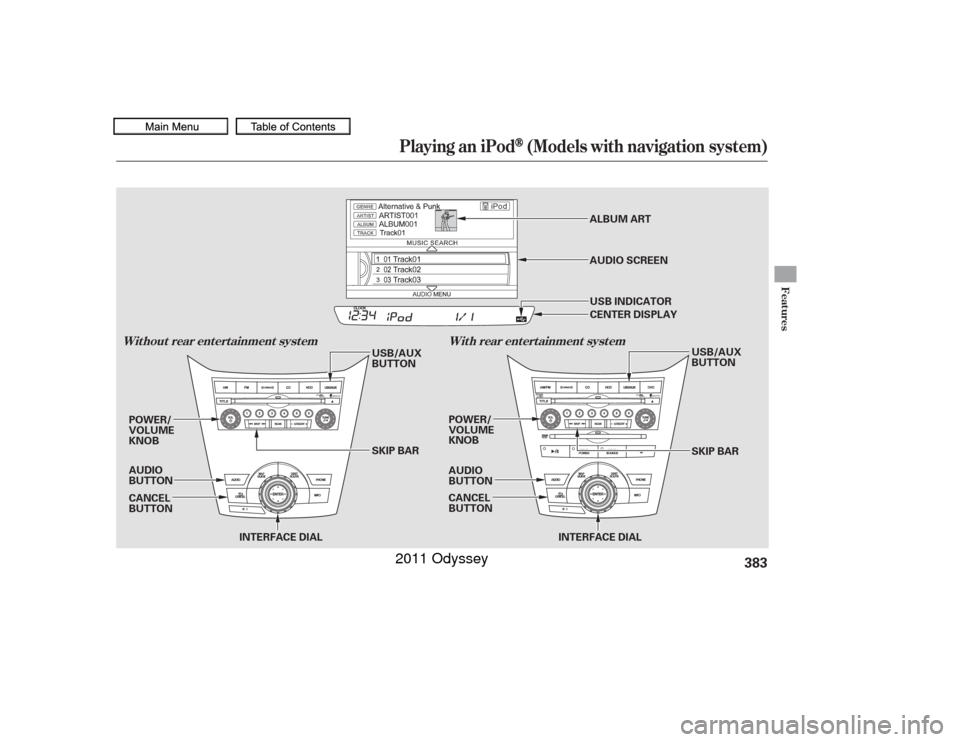
Playing an iPod
(Models with navigation system)
Features
Wit hout rear ent ert ainment syst emWit h rear ent ert ainment syst em
383
INTERFACE DIAL
POWER/
VOLUME
KNOB
POWER/
VOLUME
KNOB
AUDIO
BUTTON
INTERFACE DIAL
AUDIO
BUTTON
SKIP BAR USB/AUX
BUTTON
SKIP BAR USB/AUX
BUTTON
CANCEL
BUTTON CANCEL
BUTTONALBUM ART
USB INDICATOR AUDIO SCREEN CENTER DISPLAY
10/07/17 10:25:20 31TK8600_388
2011 Odyssey
Page 387 of 722
The audio system reads and plays
playable sound f iles on the iPod. The
system cannot operate an iPod as a
mass storage device. The system will
only play songs stored on the iPod
with iTunes.
iPod and iTunes are registered
trademarks owned by Apple Inc.
You can select the AUX mode by
using the voice control buttons.
This audio system can select and
play the audio f iles on the iPod
with
the same controls used f or the in-
dash disc player. To play an iPod,
connect it to the USB adapter cable
in the glove box by using your dock
connector, then press the USB/AUX
button. The ignition switch must be
in the ACCESSORY (I) or ON (II)
position. The iPod will also be
charged with the ignition switch in
these settings.
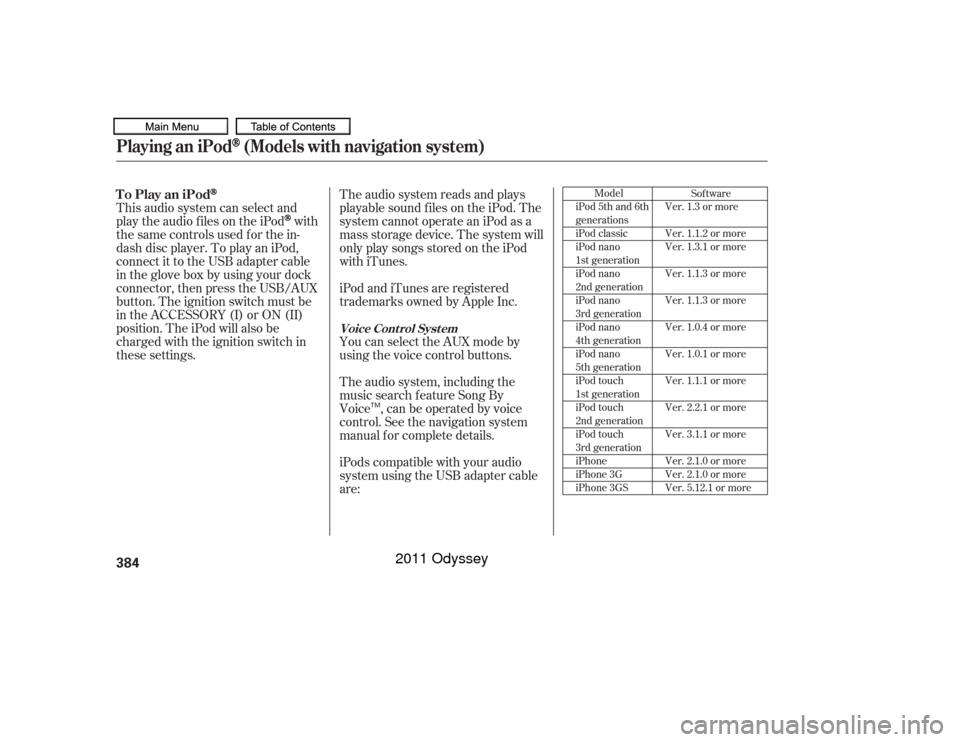
iPods compatible with your audio
system using the USB adapter cable
are: The audio system, including the
music search f eature Song By
Voice , can be operated by voice
control. See the navigation system
manual f or complete details.
Model
iPod 5th and 6th
generations
iPod classic
iPod nano
1st generation
iPod nano
2nd generation
iPod nano
3rd generation
iPod nano
4th generation
iPod nano
5th generation
iPod touch
1st generation
iPod touch
2nd generation
iPod touch
3rd generation
iPhone
iPhone 3G
iPhone 3GS Sof tware
Ver. 1.3 or more
Ver. 1.1.2 or more
Ver. 1.3.1 or more
Ver. 1.1.3 or more
Ver. 1.1.3 or more
Ver. 1.0.4 or more
Ver. 1.0.1 or more
Ver. 1.1.1 or more
Ver. 2.2.1 or more
Ver. 3.1.1 or more
Ver. 2.1.0 or more
Ver. 2.1.0 or more
Ver. 5.12.1 or more
To Play an iPod
Voice Cont rol Syst em
Playing an iPod
(Models with navigation system)
384
TM
10/07/17 10:25:28 31TK8600_389
2011 Odyssey
Page 388 of 722
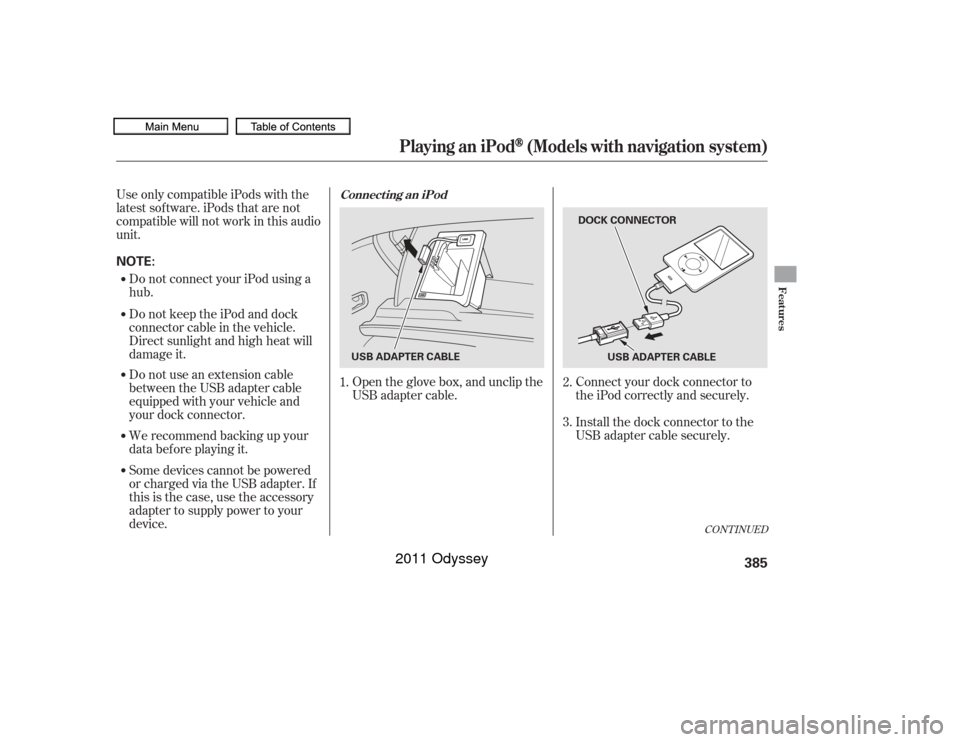
Connect your dock connector to
the iPod correctly and securely.
Install the dock connector to the
USB adapter cable securely.
Open the glove box, and unclip the
USB adapter cable.
UseonlycompatibleiPodswiththe
latest sof tware. iPods that are not
compatible will not work in this audio
unit.
Do not connect your iPod using a
hub.
Do not keep the iPod and dock
connector cable in the vehicle.
Direct sunlight and high heat will
damage it.
Do not use an extension cable
between the USB adapter cable
equipped with your vehicle and
your dock connector.
We recommend backing up your
data bef ore playing it.
Some devices cannot be powered
or charged via the USB adapter. If
this is the case, use the accessory
adapter to supply power to your
device. 1.
2.
3.
CONT INUED
Connect ing an iPod
Playing an iPod
(Models with navigation system)
Features
385
NOTE:
DOCK CONNECTOR
USB ADAPTER CABLE
USB ADAPTER CABLE
10/07/17 10:25:38 31TK8600_390
2011 Odyssey
Page 393 of 722
�Î
�ÎThe displayed message may
vary on models or versions. On
some models, there is no
message to disconnect.
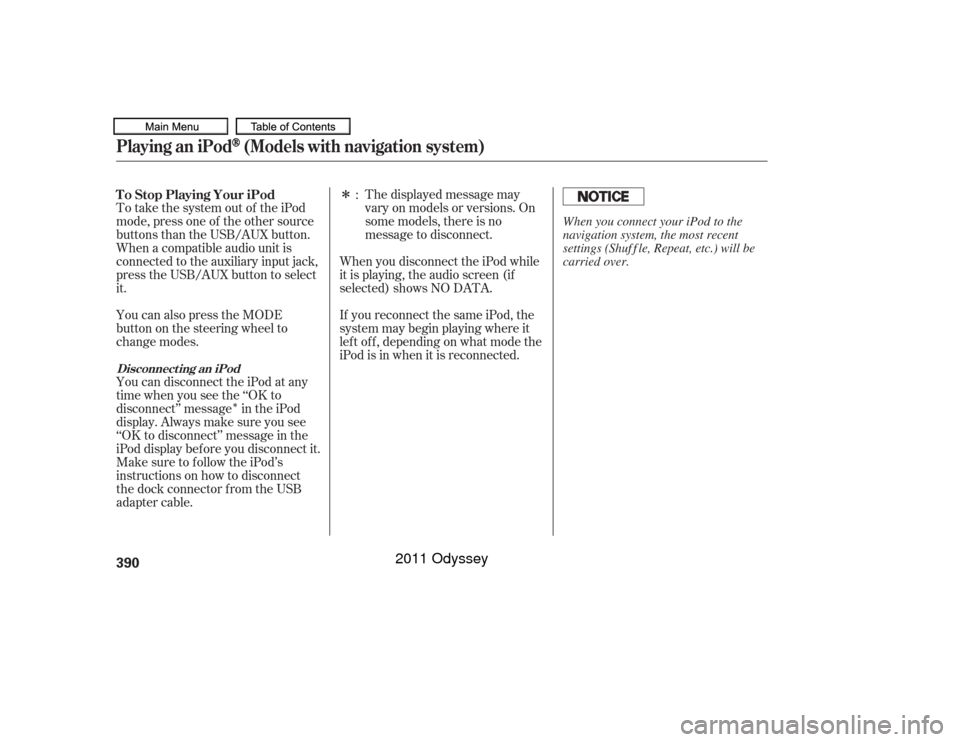
To take the system out of the iPod
mode, press one of the other source
buttons than the USB/AUX button.
When a compatible audio unit is
connected to the auxiliary input jack,
press the USB/AUX button to select
it. When you disconnect the iPod while
it is playing, the audio screen (if
selected) shows NO DATA.
If you reconnect the same iPod, the
system may begin playing where it
lef t of f , depending on what mode the
iPod is in when it is reconnected.
You can also press the MODE
buttononthesteeringwheelto
change modes.
You can disconnect the iPod at any
time when you see the ‘‘OK to
disconnect’’ message in the iPod
display. Always make sure you see
‘‘OK to disconnect’’ message in the
iPod display bef ore you disconnect it.
Make sure to f ollow the iPod’s
instructions on how to disconnect
the dock connector f rom the USB
adapter cable. :
T o Stop Playing Your iPod
Disconnect ing an iPodPlaying an iPod
(Models with navigation system)
390
When you connect your iPod to the
navigation system, the most recent
settings (Shuf f le, Repeat, etc.) will be
carried over.
10/07/17 10:26:20 31TK8600_395
2011 Odyssey
Page 395 of 722
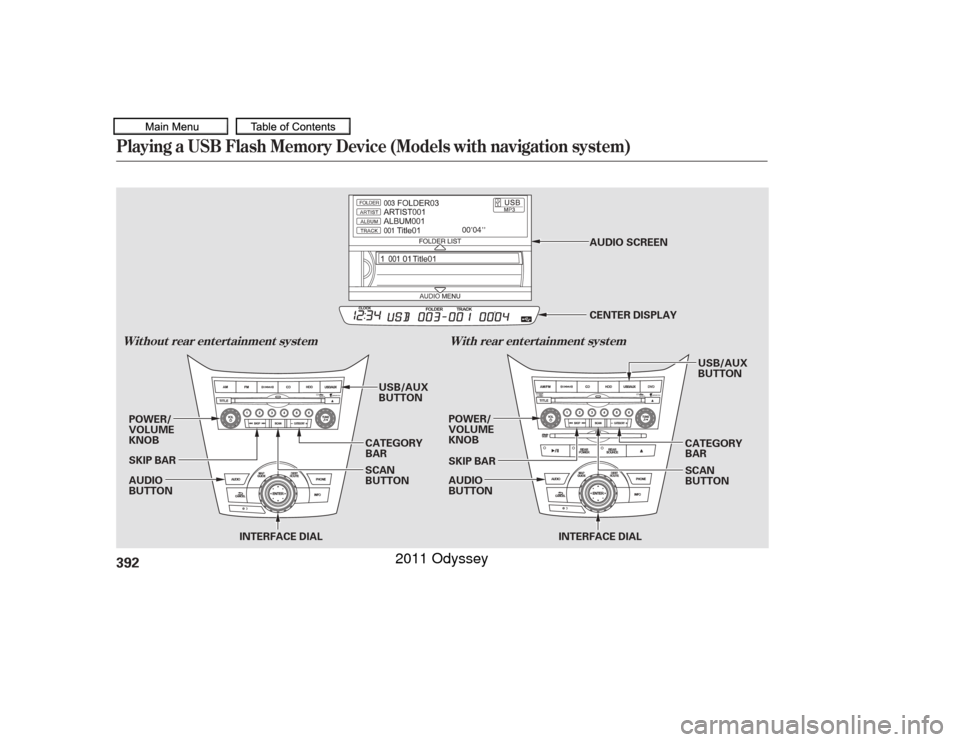
Playing a USB Flash Memory Device (Models with navigation system)Wit hout rear ent ert ainment syst emWit h rear ent ert ainment syst em392
INTERFACE DIAL
AUDIO
BUTTON POWER/
VOLUME
KNOB
POWER/
VOLUME
KNOB
AUDIO
BUTTON
INTERFACE DIAL
SKIP BAR
CATEGORY
BAR
SCAN
BUTTON CATEGORY
BAR
SCAN
BUTTON
SKIP BAR
USB/AUX
BUTTON
USB/AUX
BUTTON
CENTER DISPLAY AUDIO SCREEN
10/07/17 10:26:32 31TK8600_397
2011 Odyssey
Page 396 of 722
�Î
�ÎOnly AAC f ormat f iles recorded
with iTunes are playable on this
audio unit.
Some USB f lash memory devices
(such as devices with security lock-
out f eatures, etc.) will not work in
this audio unit. The recommended USB f lash
memory devices are 256 MB or
higher, and f ormatted with the FAT
f ile system. Some digital audio
players may be compatible as well.
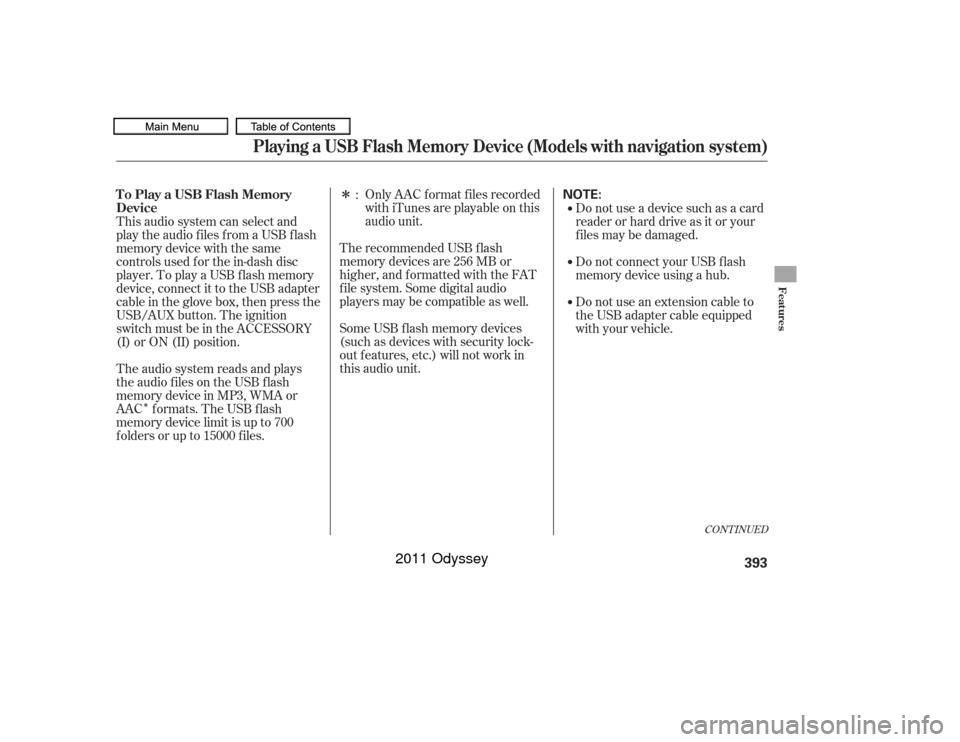
This audio system can select and
play the audio f iles f rom a USB f lash
memory device with the same
controls used f or the in-dash disc
player. To play a USB f lash memory
device, connect it to the USB adapter
cable in the glove box, then press the
USB/AUX button. The ignition
switch must be in the ACCESSORY
(I) or ON (II) position. Do not use a device such as a card
reader or hard drive as it or your
f iles may be damaged.
Do not connect your USB f lash
memory device using a hub.
Do not use an extension cable to
the USB adapter cable equipped
with your vehicle.
The audio system reads and plays
the audio f iles on the USB f lash
memory device in MP3, WMA or
AAC formats. The USB flash
memory device limit is up to 700
f olders or up to 15000 f iles. :
CONT INUED
To Play a USB Flash Memory
Device
Playing a USB Flash Memory Device (Models with navigation system)
Features
393
NOTE:
10/07/17 10:26:40 31TK8600_398
2011 Odyssey
Page 397 of 722

Some versions of MP3, WMA, or
AAC f ormat may not be supported. If
an unsupported f ile is f ound, the
audio unit displays UNSUPPORTED,
then skips to the next file.
Some devices cannot be powered
or charged via the USB adapter. If
this is the case, use the accessory
adapter to supply power to your
device.
You can select the AUX mode by
using the voice control buttons, but
cannot operate the play mode
f unctions. The order of f iles in USB playback
maybedifferentfromtheorderof
f iles displayed in PC or other
devices etc. Files are played in the
orderstoredinUSBflashmemory
device.
Do not keep a USB f lash memory
device in the vehicle. Direct
sunlight and high heat will damage
it.
Depending on the type and
number of f iles, it may take some
time bef ore they begin to play.
Depending on the sof tware the
f iles were made with, it may not be
possibletoplaysomefiles,or
displaysometextdata. We recommend backing up your
data bef ore playing a USB f lash
memory device.
Depending on the type of
encoding and writing sof tware
used, there may be cases where
character inf ormation does not
display properly.
Voice Cont rol Syst em
Playing a USB Flash Memory Device (Models with navigation system)394
10/07/17 10:26:49 31TK8600_399
2011 Odyssey