Page 418 of 722
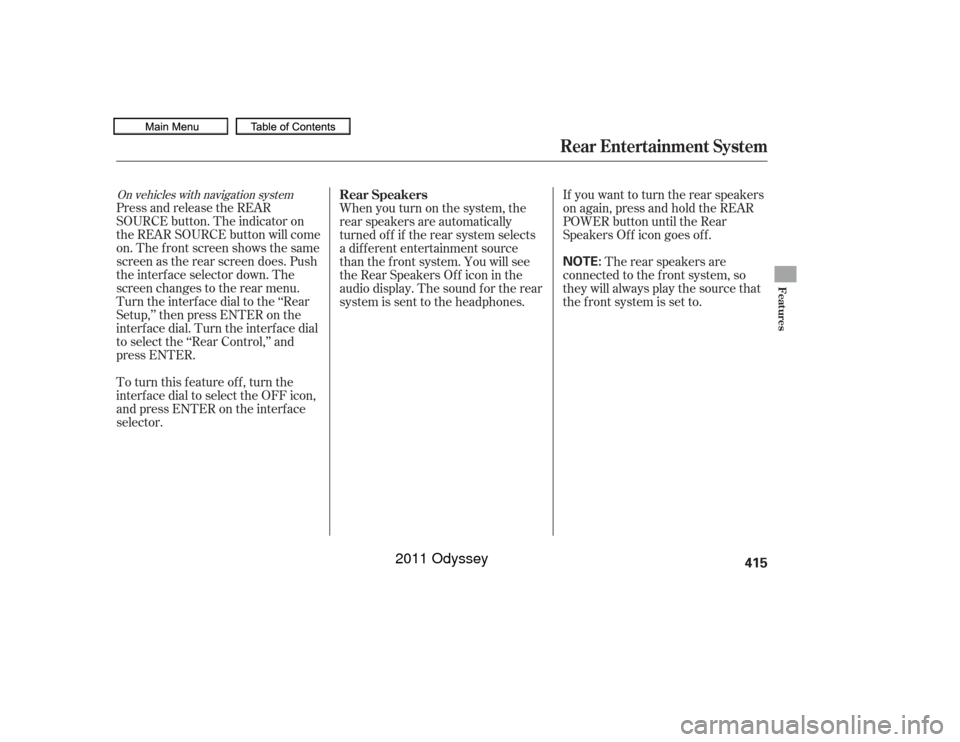
On vehicles with navigation systemPress and release the REAR
SOURCE button. The indicator on
the REAR SOURCE button will come
on. The f ront screen shows the same
screen as the rear screen does. Push
the interf ace selector down. The
screen changes to the rear menu.
Turn the interface dial to the ‘‘Rear
Setup,’’ then press ENTER on the
interf ace dial. Turn the interf ace dial
to select the ‘‘Rear Control,’’ and
press ENTER.Whenyouturnonthesystem,the
rear speakers are automatically
turned of f if the rear system selects
a dif f erent entertainment source
than the f ront system. You will see
the Rear Speakers Of f icon in the
audio display. The sound f or the rear
system is sent to the headphones.
If youwanttoturntherearspeakers
on again, press and hold the REAR
POWER button until the Rear
Speakers Of f icon goes of f .
The rear speakers are
connected to the f ront system, so
they will always play the source that
the f ront system is set to.
To turn this feature off, turn the
interf ace dial to select the OFF icon,
andpressENTERontheinterface
selector. Rear Speakers
Rear Entertainment System
Features
415
NOTE:
10/07/17 10:29:35 31TK8600_420
2011 Odyssey
Page 419 of 722
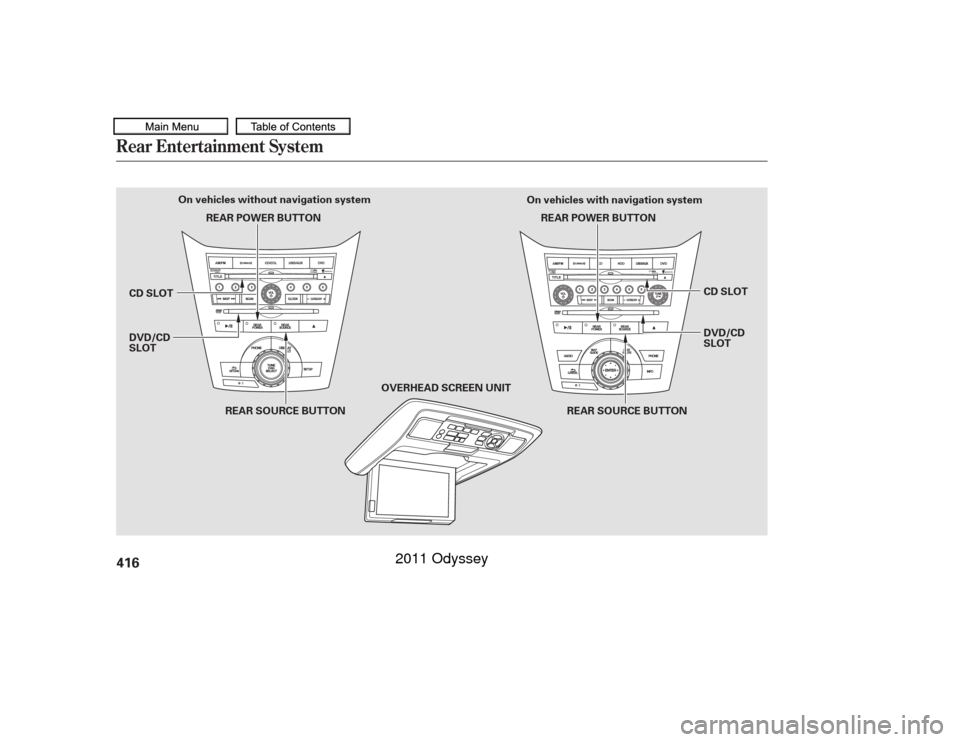
Rear Entertainment System416
OVERHEAD SCREEN UNIT
REAR SOURCE BUTTON
REAR POWER BUTTON
REAR POWER BUTTON
REAR SOURCE BUTTON
On vehicles without navigation system
On vehicles with navigation system
DVD/CD
SLOT CD SLOT DVD/CD
SLOT CD SLOT
10/07/17 10:29:41 31TK8600_421
2011 Odyssey
Page 420 of 722
To operate the rear entertainment
system f rom the f ront panel, press
the REAR SOURCE button. You will
hear two beeps and the indicator in
the button comes on to show that the
control panel is enabled.
When REAR SOURCE is selected,
the f ront entertainment system
audio controls can also be used to
operate the rear entertainment
system in all modes.To play the radio, the buttons for the
f ront entertainment system have the
same f unctions.
The media that the rear passengers
are listening to will then be heard
f rom the f ront speakers.
If you do not operate the rear
entertainment system f rom the f ront
panel within 20 seconds, the
indicator in the REAR SOURCE
button will go of f and the display will
return to the front entertainment
system automatically. If an audio CD is loaded into the
upper slot, select the CD/CDL or
CD button. If a DVD or CD is loaded
into the lower slot, select the DVD
button.
The DVD player in your rear
entertainment system can play DVD
video discs, audio CDs, MP3/WMA
discs and DTS CDs.
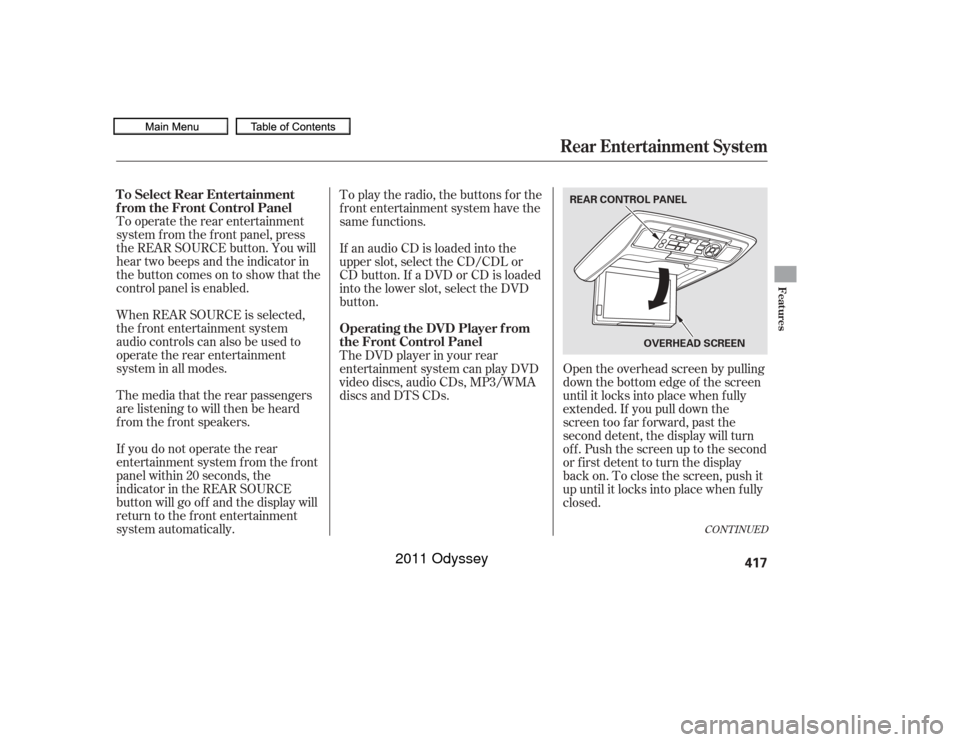
Open the overhead screen by pulling
down the bottom edge of the screen
until it locks into place when f ully
extended. If you pull down the
screen too far forward, past the
second detent, the display will turn
off. Push the screen up to the second
or first detent to turn the display
back on. To close the screen, push it
up until it locks into place when f ully
closed.
CONT INUED
To Select Rear Entertainment
f rom the Front Control Panel
Operating the DVD Player f rom
the Front Control Panel
Rear Entertainment System
Features
417
REAR CONTROL PANEL
OVERHEADSCREEN
10/07/17 10:29:50 31TK8600_422
2011 Odyssey
Page 421 of 722
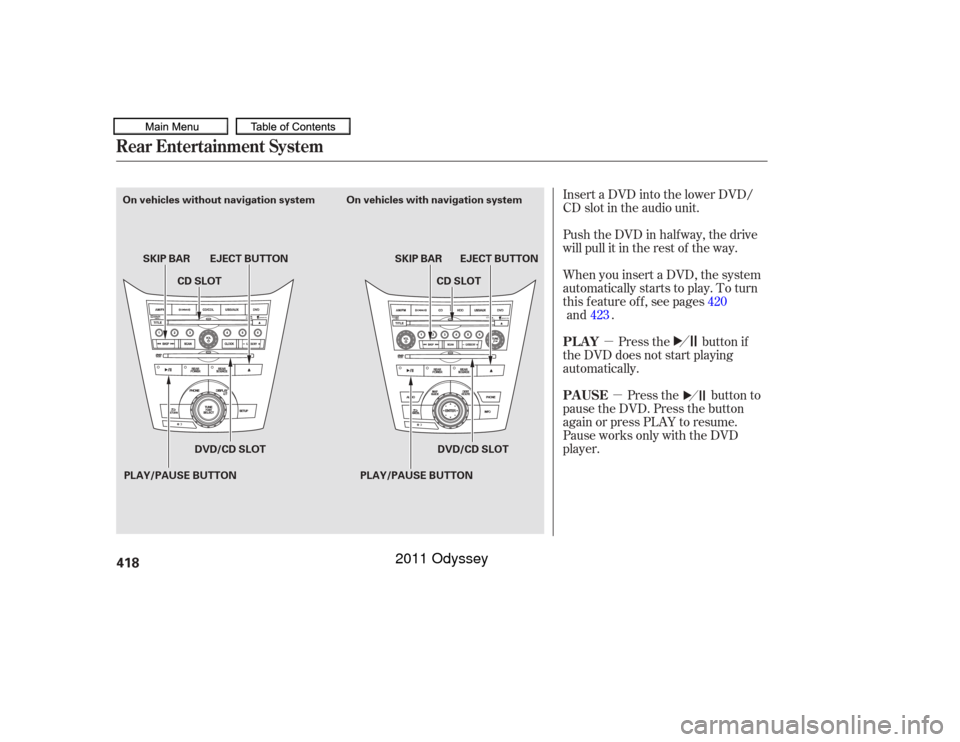
�µ�µ
Insert a DVD into the lower DVD/
CD slot in the audio unit.
Push the DVD in half way, the drive
will pull it in the rest of the way.
When you insert a DVD, the system
automatically starts to play. To turn
this f eature of f , see pages
.
Press the button if
the DVD does not start playing
automatically.
Press the button to
pause the DVD. Press the button
again or press PLAY to resume.
Pause works only with the DVD
player. 420
Rear Entertainment System
PL AY
PAUSE
418PLAY/PAUSE BUTTONSKIP BAR
PLAY/PAUSE BUTTONSKIP BAR EJECT BUTTON
EJECT BUTTON
On vehicles without navigation system On vehicles with navigation system
CD SLOT
CD SLOT
DVD/CD SLOT DVD/CD SLOT
10/07/17 10:29:59 31TK8600_423
and423
2011 Odyssey
Page 422 of 722
�µ
�µ Press the eject button to
remove the DVD from the drive.
Pressandholdthe
side of the SKIP bar to move
f orward. Press and hold the side of the SKIP bar to move
backward. Release the bar when the
system reaches the point you want.
Each time you press the side of
the SKIP bar and release it, the
system skips f orward to the
beginning of the next track or
chapter. Press and release the side of the SKIP bar to skip
backward to the beginning of the
current track. Press and release it
again to skip to the beginning of the
previous track or chapter.
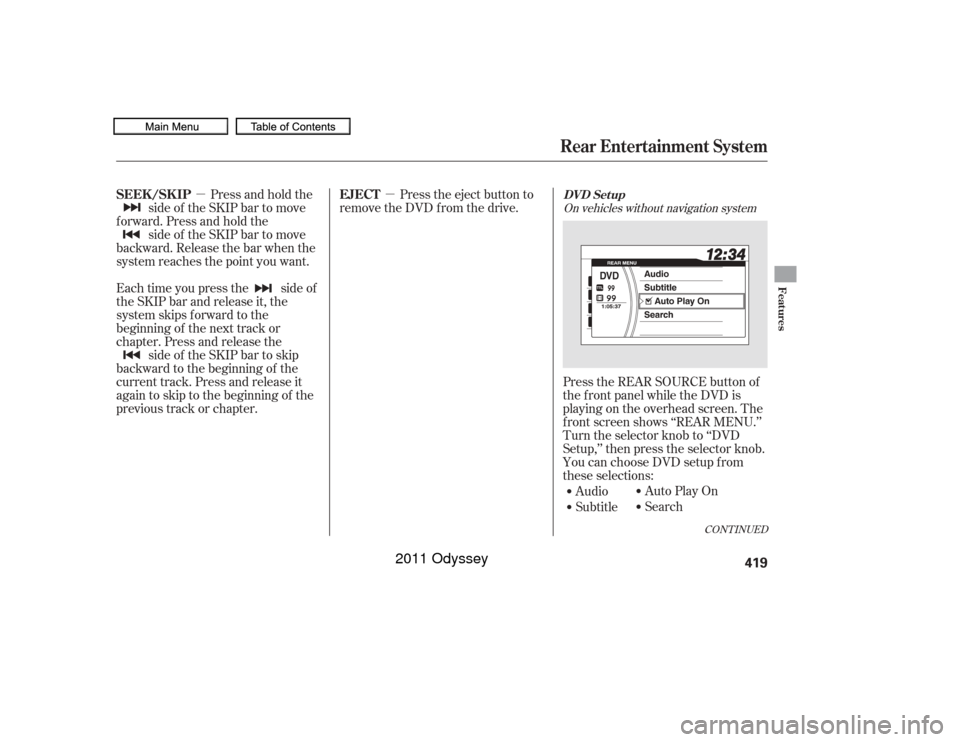
Audio
SubtitleAuto Play On
Search
Press the REAR SOURCE button of
the f ront panel while the DVD is
playing on the overhead screen. The
f ront screen shows ‘‘REAR MENU.’’
Turn the selector knob to ‘‘DVD
Setup,’’ then press the selector knob.
You can choose DVD setup f rom
these selections:
CONT INUED
On vehicles without navigation system
EJECT
SEEK /SK IP
Rear Entertainment SystemDVD Set up
Features
419
10/07/17 10:30:07 31TK8600_424
2011 Odyssey
Page 423 of 722
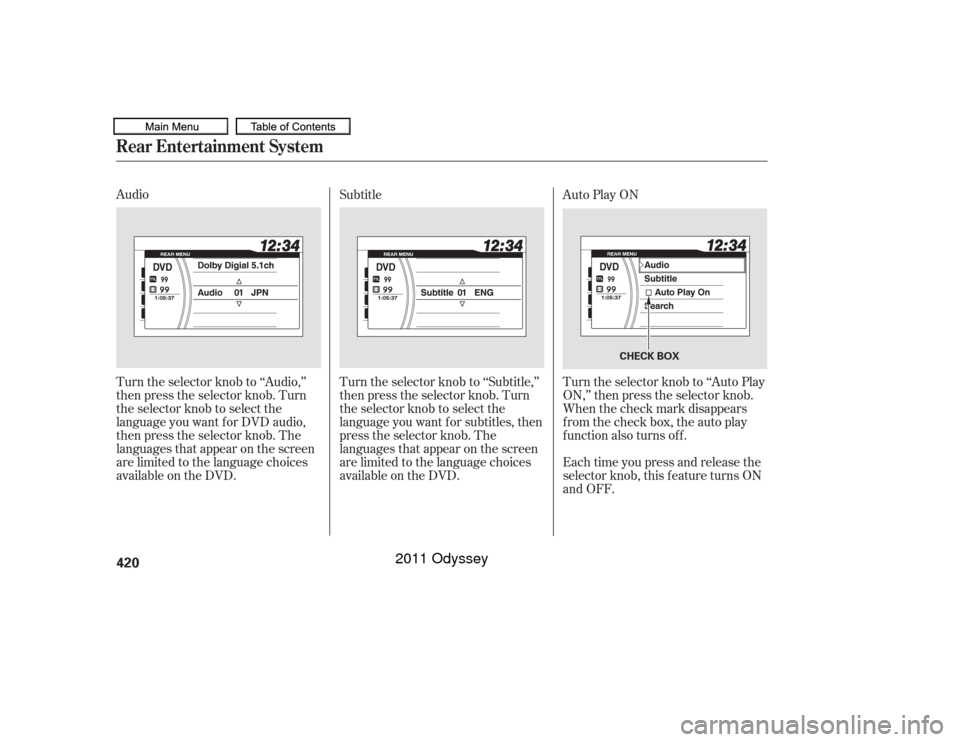
Audio
Turn the selector knob to ‘‘Audio,’’
then press the selector knob. Turn
the selector knob to select the
language you want f or DVD audio,
then press the selector knob. The
languages that appear on the screen
are limited to the language choices
available on the DVD.Turn the selector knob to ‘‘Subtitle,’’
then press the selector knob. Turn
the selector knob to select the
language you want f or subtitles, then
press the selector knob. The
languages that appear on the screen
are limited to the language choices
available on the DVD. Subtitle
Auto Play ON
Turn the selector knob to ‘‘Auto Play
ON,’’ then press the selector knob.
When the check mark disappears
from the check box, the auto play
function also turns off.
Each time you press and release the
selector knob, this f eature turns ON
and OFF.Rear Entertainment System420
CHECK BOX
10/07/17 10:30:15 31TK8600_425
2011 Odyssey
Page 424 of 722
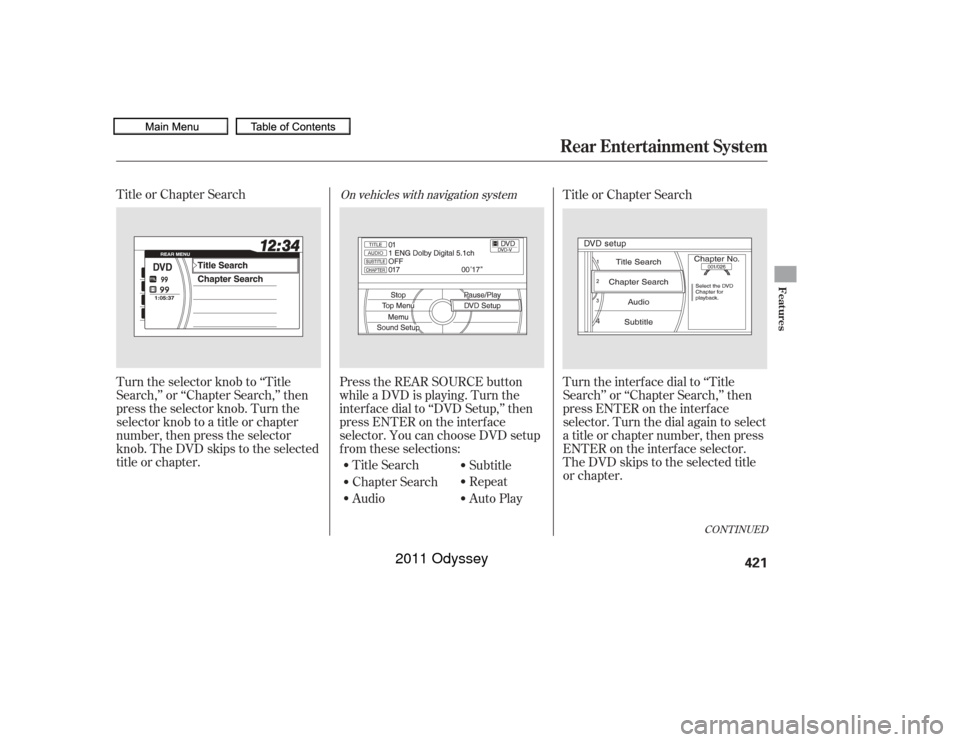
Title or Chapter Search
Turn the selector knob to ‘‘Title
Search,’’ or ‘‘Chapter Search,’’ then
press the selector knob. Turn the
selector knob to a title or chapter
number, then press the selector
knob. The DVD skips to the selected
title or chapter.Press the REAR SOURCE button
while a DVD is playing. Turn the
interface dial to ‘‘DVD Setup,’’ then
press ENTER on the interf ace
selector. You can choose DVD setup
f rom these selections:
Title Search
Chapter Search
Audio Subtitle
Repeat
Auto PlayTitle or Chapter Search
Turn the interf ace dial to ‘‘Title
Search’’ or ‘‘Chapter Search,’’ then
press ENTER on the interf ace
selector. Turn the dial again to select
a title or chapter number, then press
ENTER on the interf ace selector.
The DVD skips to the selected title
or chapter.
On vehicles with navigation system
CONT INUED
Rear Entertainment System
Features
421
10/07/17 10:30:24 31TK8600_426
2011 Odyssey
Page 425 of 722
Audio
Turn the interf ace dial to ‘‘Audio,’’
then press ENTER on the interf ace
selector. Turn the dial to select the
language you want f or DVD audio,
then press ENTER on the interf ace
selector. The languages that appear
on the screen are limited to the
language choicesavailable on Subtitle
Turn the interf ace dial to ‘‘Subtitle,’’
then press ENTER on the interf ace
selector. Turn the dial to select the
language you want f or subtitles, then
press ENTER on the interf ace
selector. The languages that appear
on the screen are limited to the
language choices
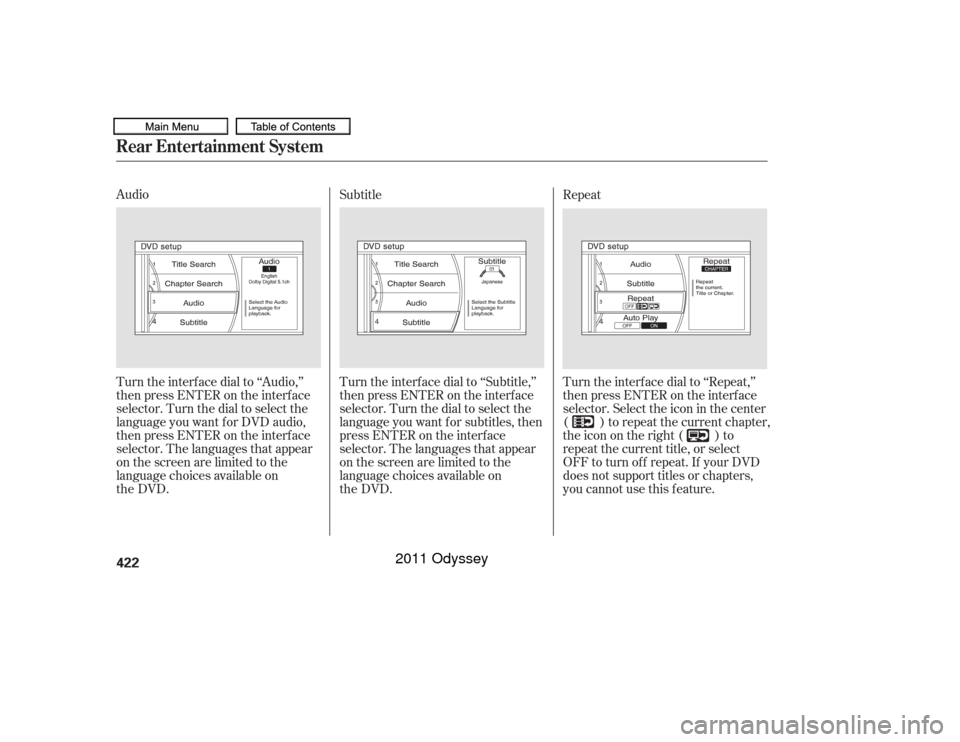
available on Turn the interf ace dial to ‘‘Repeat,’’
then press ENTER on the interf ace
selector. Select the icon in the center
( ) to repeat the current chapter,
theiconontheright( )to
repeat the current title, or select
OFF to turn of f repeat. If your DVD
does not support titles or chapters,
you cannot use this f eature. RepeatRear Entertainment System422
10/07/17 10:30:33 31TK8600_427
the DVD.
the DVD.
2011 Odyssey