Page 229 of 722
�Û
�Ý
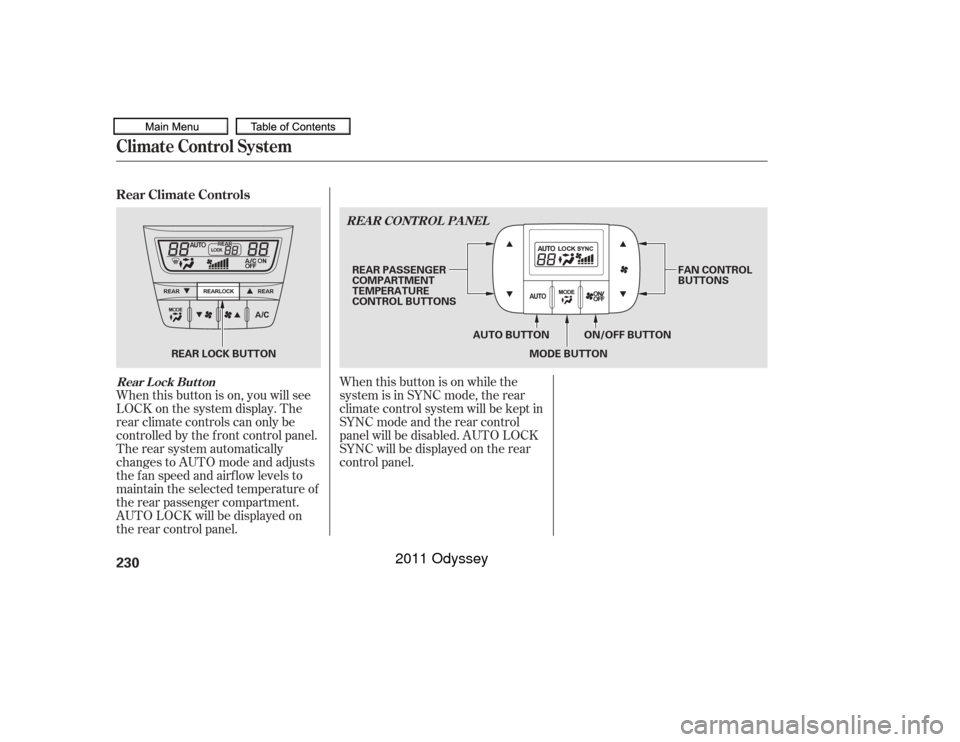
The automatic climate control
system in your vehicle maintains the
interior temperature you select. The
system also adjusts the f an speed
and airf low levels.
The climate control system f or your
vehicle can also be operated using
the voice control system. See the
navigation system manual f or
complete details.
Press the AUTO button.
Set the desired temperature with
the temperature control dial.
You can set the driver’s side
temperature, the passenger’s side
temperature, and the temperature
of the rear passenger
compartment separately.
The system automatically selects
the proper mix of conditioned
and/or heated air that will, as
quickly as possible, raise or lower
the interior temperature to your
pref erence. The system also
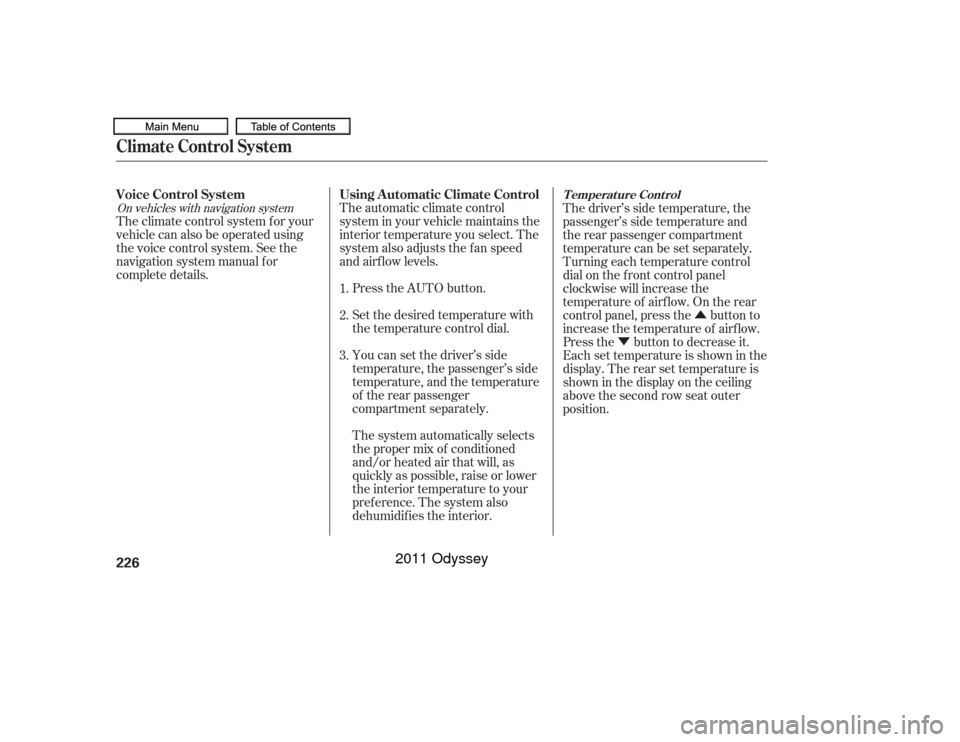
dehumidif ies the interior.The driver’s side temperature, the
passenger’s side temperature and
the rear passenger compartment
temperature can be set separately.
Turning each temperature control
dial on the f ront control panel
clockwise will increase the
temperature of airflow. On the rear
control panel, press the button to
increase the temperature of airf low.
Press the button to decrease it.
Each set temperature is shown in the
display. The rear set temperature is
shown in the display on the ceiling
above the second row seat outer
position.
1.
2.
3.
On vehicles with navigation system
Using A utomatic Climate Control
Voice Control System
Climate Control System
T emperat ure Cont rol
226
10/07/17 10:04:32 31TK8600_231
2011 Odyssey
Page 233 of 722
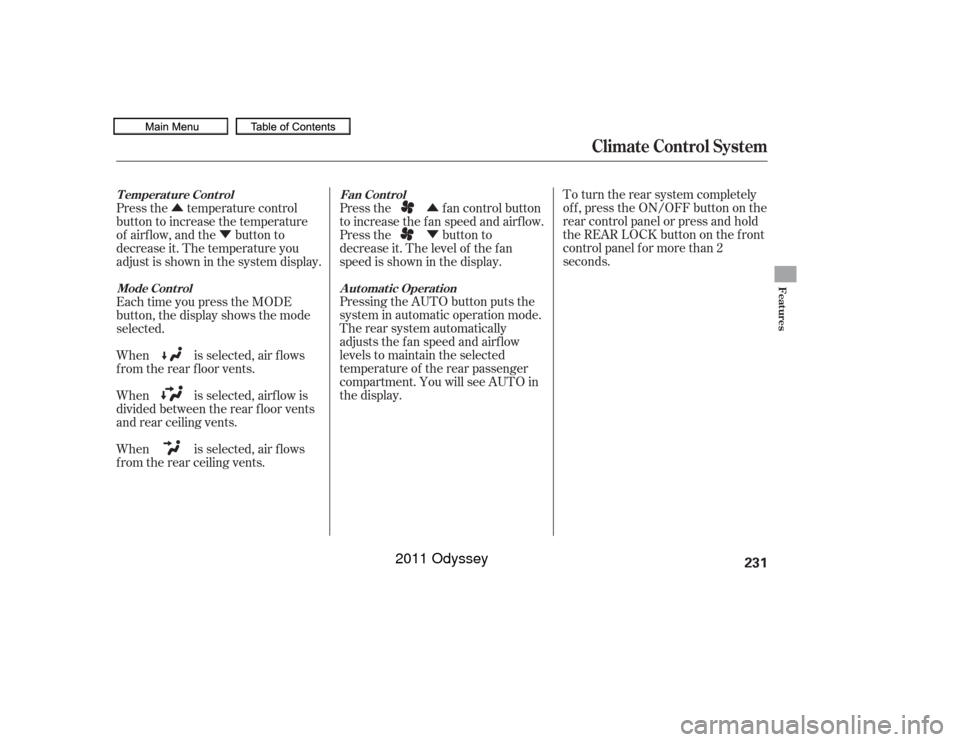
When this button is on, you will see
LOCK on the system display. The
rear climate controls can only be
controlled by the f ront control panel.
The rear system automatically
changes to AUTO mode and adjusts
the fan speed and airflow levels to
maintain the selected temperature of
the rear passenger compartment.
AUTO LOCK will be displayed on
the rear control panel.When this button is on while the
system is in SYNC mode, the rear
climate control system will be kept in
SYNC mode and the rear control
panel will be disabled. AUTO LOCK
SYNC will be displayed on the rear
control panel.
Rear Climate ControlsClimate Control SystemRear Lock Button
REA R CONT ROL PA NEL230
MODE BUTTON
AUTO BUTTON FAN CONTROL
BUTTONS
REAR PASSENGER
COMPARTMENT
TEMPERATURE
CONTROL BUTTONS
REAR LOCK BUTTON ON/OFF BUTTON
10/07/17 10:05:11 31TK8600_235
2011 Odyssey
Page 234 of 722
�Û
�Ý
�Û
�Ý To turn the rear system completely
of f , press the ON/OFF button on the
rear control panel or press and hold
the REAR LOCK button on the front
control panel f or more than 2
seconds.
Pressing the AUTO button puts the
system in automatic operation mode.
The rear system automatically
adjusts the fan speed and airflow
levels to maintain the selected
temperature of the rear passenger
compartment. You will see AUTO in
the display. Press the fan control button
to increase the f an speed and airf low.
Press the button to
decrease it. The level of the f an
speed is shown in the display.
Press the temperature control
button to increase the temperature
of airflow, and the button to
decrease it. The temperature you
adjust is shown in the system display.
Each time you press the MODE
button, the display shows the mode
selected.
When is selected, air f lows
f rom the rear f loor vents.
When is selected, airf low is
divided between the rear f loor vents
and rear ceiling vents.
When is selected, air f lows
f rom the rear ceiling vents.
Climate Control System
Mode Cont rol
A ut omat ic Operat ion
Fan Cont rol
T emperat ure Cont rol
Features
231
10/07/17 10:05:22 31TK8600_236
2011 Odyssey
Page 235 of 722
The temperatures of the driver’s side
and the front passenger’s side are
controlled independently.
When you set each temperature to
its lower limit or its upper limit, it will
be displayed as ‘‘ ’’ or ‘‘ ’’. When the REAR LOCK button is off,
the temperature of the rear
passenger compartment can be
controlled independently.Climate Control SystemTriple Zone Temperature Control232
Passenger’s side
Rear passenger compartment
Driver’s side
10/07/17 10:05:28 31TK8600_237
2011 Odyssey
Page 254 of 722

Most audio system f unctions can be
controlled by standard buttons, bars,
and knobs. In addition, you can
access some f unctions by using the
selector knob on the audio system.To select any setting such as the
clock or sound adjusting, press the
SETUP button. To use any audio
system f unction, the ignition switch
must be in the ACCESSORY (I) or
ON (II) position. You can select the
item by turning the selector knob.
To go back to the previous display,
press the RETURN button.
Pressing the SETUP button again
will also cancel the setup display
mode.
The knob turns lef t and right. Use it
to scroll through lists, or to make
selections or adjustments to a list or
menu item on the display. When you
make a selection, push the center of
the selector to go to that selection.
When the audio system is in XM
Radio mode or playing discs, pushing
the selector knob switches the
display between the normal display
andtheextendeddisplay.
Selector K nob
SET UP Display
Audio System (EX, EX-L models without navigation system)
Features
251
SELECTOR KNOB
RETURN BUTTON SETUP BUTTON
10/07/17 10:08:00 31TK8600_256
2011 Odyssey
Page 267 of 722
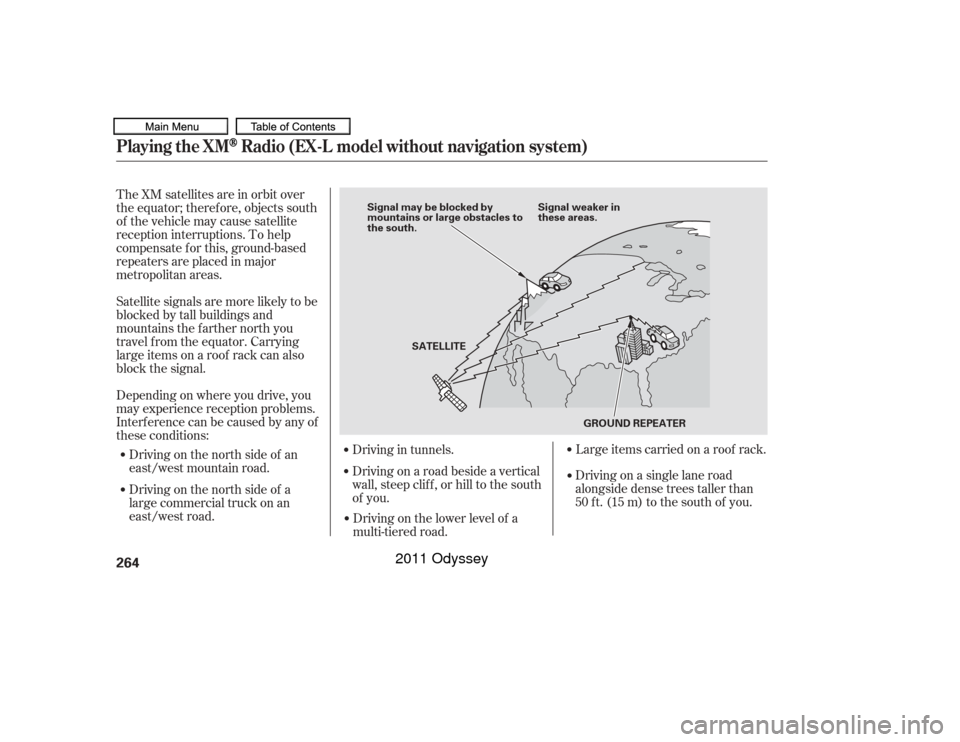
The XM satellites are in orbit over
the equator; therefore, objects south
of the vehicle may cause satellite
reception interruptions. To help
compensate f or this, ground-based
repeaters are placed in major
metropolitan areas.
Satellite signals are more likely to be
blocked by tall buildings and
mountains the f arther north you
travel f rom the equator. Carrying
large items on a roof rack can also
block the signal.
Depending on where you drive, you
may experience reception problems.
Interf erence can be caused by any of
these conditions:Driving on the north side of an
east/west mountain road.
Driving on the north side of a
large commercial truck on an
east/west road. Driving in tunnels.
Driving on a road beside a vertical
wall, steep clif f , or hill to the south
of you. Driving on the lower level of a
multi-tiered road. Large items carried on a roof rack.Playing the XM
Radio (EX-L model without navigation system)
264
Signal may be blocked by
mountains or large obstacles to
the south.
Signal weaker in
these areas.
SATELLITE GROUND REPEATER
10/07/17 10:09:49 31TK8600_269
Driving on a single lane road
alongside dense trees taller than
50 ft. (15 m) to the south of you.
2011 Odyssey
Page 299 of 722
Do not use a device such as a card
reader or hard drive as the device
or your f iles may be damaged.
Do not connect your USB f lash
memory device using a hub.
Do not use an extension cable to
the USB adapter cable equipped
with your vehicle.
Do not keep a USB f lash memory
device in the vehicle. Direct
sunlight and high heat will
This audio system can select and
play the audio f iles f rom a USB f lash
memory device with the same
controls used f or the in-dash disc
player. To play a USB f lash memory
device, connect it to the USB adapter
cable in the glove box, then press the
USB/AUX button. The ignition
switch must be in the ACCESSORY
(I) or ON (II) position. The recommended USB f lash
memory devices are 256 MB or
higher, and f ormatted with the FAT
f ile system. Some digital audio
players may be compatible as well.
Some USB f lash memory devices
(such as devices with security lock-
out f eatures, etc.) will not work in
this audio unit.
EX-L models without navigation system
and Canadian EX modelPlaying a USB Flash Memory Device (Models without navigation system)To Play a USB Flash Memory
Device296
NOTE:
10/07/17 10:13:56 31TK8600_301
damage it.
2011 Odyssey
Page 314 of 722
311
10/07/17 09:47:14 31TK8600_098
Wallpaper Setup
Features
Five uploaded images (in BMP or
JPEG format) can be saved.
If youattempttouploadanimage
withthesamenameasanexisting
image, a pop-up screen will appear,
asking if you want to overwrite the
existing image f ile.
You cannot import images while
driving.You can conf irm the wallpaper which
you selected. Press the DISPLAY
button, and select Wallpaper by
turning and pressing the selector
knob. You can also select ‘‘Default
Wallpaper’’ (Honda logo) or ‘‘Clock’’
(analog) on the list. On the wallpaper setup menu, select
‘‘Choose Wallpaper,’’ then press the
selector knob. The screen will
change to the wallpaper list. Select
desired wallpaper and press the
selector knob. Your selection will be
indicated by the f illed in circle.
Choose Wallpaper
On the wallpaper setup menu, select
‘‘Delete Picture f rom mem’’ and
press the selector knob. The screen
will change to the Delete Wallpaper
list. Select the picture that you want
to delete, then press the selector
knob. The conf irmation message will
appear. Select ‘‘Yes’’ to delete
completely.Delet e Wallpaper
2011 Odyssey