Page 242 of 400
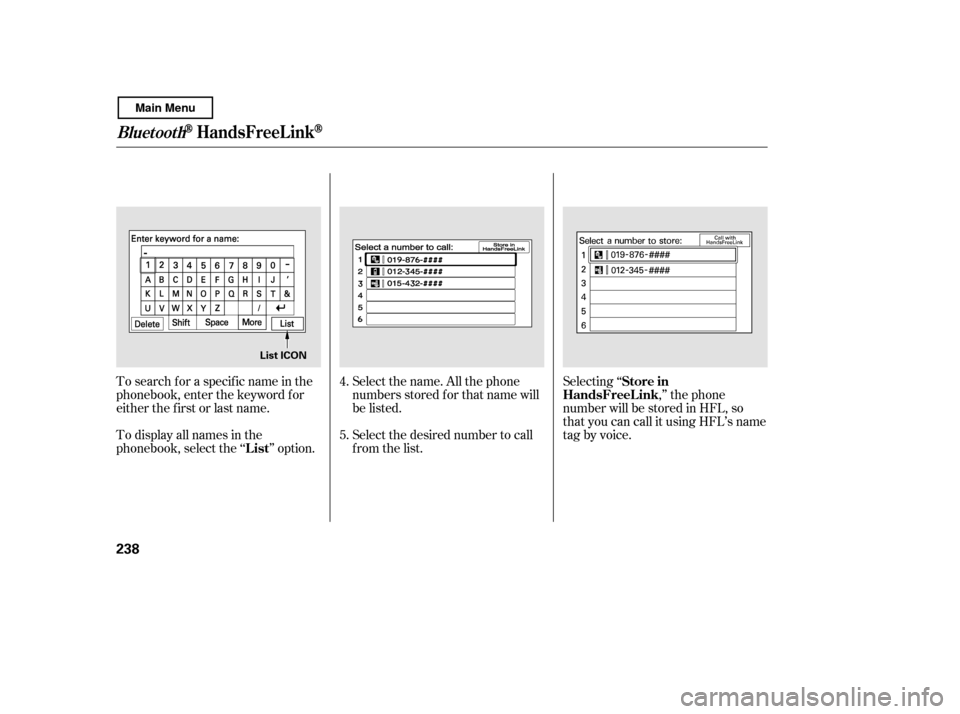
Select the name. All the phone
numbers stored f or that name will
be listed.
To search f or a specif ic name in the
phonebook, enter the keyword f or
either the f irst or last name.
To display all names in the
phonebook, select the ‘‘ ’’ option.
Select the desired number to call
from the list.Selecting ‘‘
,’’ the phone
number will be stored in HFL, so
that you can call it using HFL’s name
tag by voice.
4. 5.
List Store in
HandsFreeL ink
BluetoothHandsFreeL ink
238
List ICON
Main Menu
Page 247 of 400
(available on some phones)handsf reelink.honda.
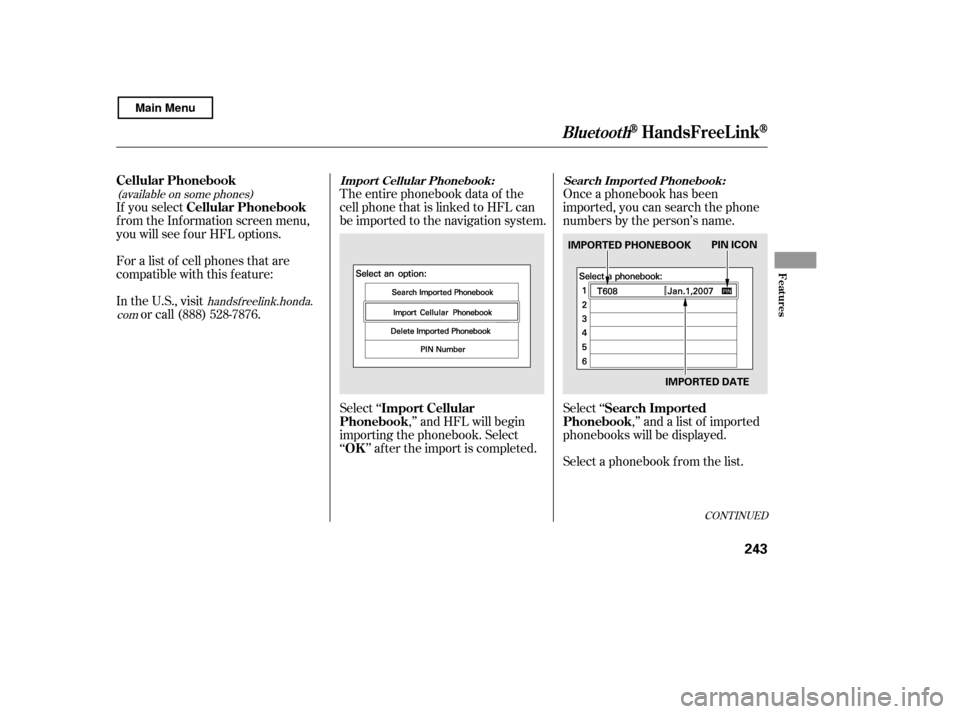
comThe entire phonebook data of the
cell phone that is linked to HFL can
be imported to the navigation system.
Select ‘‘ ,’’ and HFL will begin
importing the phonebook. Select
‘‘ ’’ af ter the import is completed. Once a phonebook has been
imported, you can search the phone
numbers by the person’s name.
Select ‘‘
,’’ and a list of imported
phonebooks will be displayed.
Select a phonebook f rom the list.
If you select
f rom the Inf ormation screen menu,
you will see f our HFL options.
For a list of cell phones that are
compatible with this f eature:
In the U.S., visit
or call (888) 528-7876.
CONT INUED
Cellular Phonebook
Import Cellular
Phonebook
OK Search Imported
Phonebook
Cellular PhonebookImport Cellular Phonebook: Search Import ed Phonebook:
BluetoothHandsFreeL ink
Features
243
IMPORTED DATE
PIN ICON
IMPORTED PHONEBOOK
Main Menu
Page 248 of 400
Select a person f rom the list. Up to
three category icons are displayed in
the lef t side of the list:
Select the person’s number you want
to call, and press the HFL Talk
button.
These indicate how many numbers
are stored for the name. If a name
has more than three category icons,
‘‘…’’ is displayed.
If the phonebook is PIN-protected,
you will need to enter the 4-digit PIN.
To search f or a specif ic name in the
phonebook, enter the keyword f or
either the f irst or last name.
To display all names in the
phonebook, select the ‘‘ ’’ option.
List
BluetoothHandsFreeL ink
244
Preference
Home Mobile
Work Pager Fax
Car
Voice
Other
List ICON
Main Menu
Page 249 of 400
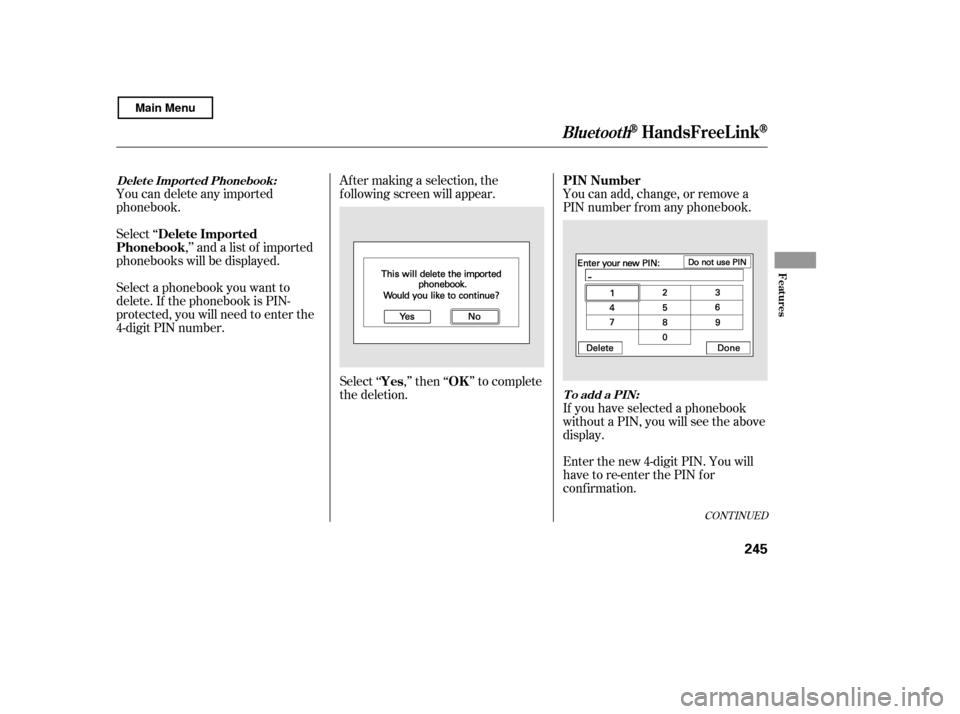
Select ‘‘,’’ and a list of imported
phonebooks will be displayed. Af ter making a selection, the
f ollowing screen will appear.
Select‘‘ ,’’then‘‘ ’’tocomplete
the deletion.You can add, change, or remove a
PIN number f rom any phonebook.
You can delete any imported
phonebook.
Select a phonebook you want to
delete. If the phonebook is PIN-
protected, you will need to enter the
4-digit PIN number.
If you have selected a phonebook
without a PIN, you will see the above
display.
Enter the new 4-digit PIN. You will
have to re-enter the PIN for
conf irmation.
CONT INUED
Delete Imported
Phonebook
Yes OKPIN Number
Delet e Import ed Phonebook:
To add a PIN:
BluetoothHandsFreeL ink
Features
245
Main Menu
Page 250 of 400
Select ‘‘ ,’’ then select
‘‘ ’’ af ter you enter
the current PIN.
Enter the new 4-digit PIN number.
You will be asked to re-enter the PIN
f or verif ication.
The display will change as shown
above.
Select the phonebook you want. The
display will change as shown above.
Enter the current PIN for this
phonebook.
To remove a PIN:
T o change t he PIN t o a new number:
PIN number
Do not use PIN
BluetoothHandsFreeL ink
246
Main Menu
Page 258 of 400

Park the vehicle, and set the
parking brake. Pull the hood
release handle under the lower lef t
corner of the dashboard. The
hood will pop up slightly.
Screw the f uel f ill cap back on
until it clicks at least once. If you
do not properly tighten the cap,
the malf unction indicator lamp
maycomeon(seepage ).You
will also see a ‘‘CHECK FUEL
CAP’’ message on the inf ormation
display.
Push the f uel f ill door closed until
it latches.
Remove the f uel f ill cap slowly.
You may hear a hissing sound as
pressure inside the tank equalizes.
The fuel fill cap is attached to the
f uel f iller with a tether. Place the
cap in the holder on the f uel f ill
door.
Stop f illing the tank af ter the f uel
nozzle automatically clicks of f . Do
not try to ‘‘top off’’ the tank. This
leaves some room in the f uel tank
for the fuel to expand with
temperature changes.
If thefuelnozzlekeepsclickingoff
even though the tank is not f ull,
there may be a problem with your
vehicle’s fuel vapor recovery
system. The system helps keep
f uel vapor f rom going into the
atmosphere. Try f illing at another
pump. If this does not f ix the
problem, consult your dealer.
1.
5. 6.
4.
3.
350
Service Station Procedures
Opening and Closing the Hood
254
HOOD RELEASE HANDLE
Main Menu
Page 263 of 400

�µ�µ
�µ �µ
�µ
�µ�µ
Aggressive driving (hard
acceleration and braking)
Excessive idling, accelerating and
braking in stop-and-go traf f ic
Cold engine operation (engines
aremoreefficientwhenwarmedup)
Driving with a heavy load or the
air conditioner running
Improperly inf lated tires
The f ollowing f actors can lower your
vehicle’s f uel economy:
A properly maintained vehicle
maximizes f uel economy. Poor
maintenance can signif icantly reduce
f uel economy. Always maintain your
vehicle according to the maintenance
messages displayed on the
inf ormation display (see
on page ).
For example: Rapid
acceleration, abrupt cornering,
and hard braking increase fuel
consumption.
Aerodynamic drag has a big ef f ect
on f uel economy at speeds above
45 mph (75 km/h). Reduce your
speed and you reduce the drag.
Trailers, car top carriers, roof
racks and bike racks are also big
contributors to increased drag.
If your vehicle has a
manual transmission, you can
boost your f uel economy by up
shif ting as early as possible.
Idling
results in 0 miles per gallon (0 kms
per liter).
An underinf lated tire increases
‘‘rolling resistance,’’ which reduces
f uel economy.
It puts a heavier
load on the engine, increasing f uel
consumption.
In
particular, a build-up of snow or
mud on your vehicle’s underside
adds weight and rolling resistance.
Frequent cleaning helps your f uel
economy.
296
CONT INUED
Fuel Economy
Fuel Economy Factors Use the recommended viscosity motor oil, displaying the A PI
Certif ication Seal (see page).
Improving Fuel Economy Owner’s
Maintenance Checks Drive moderately
Observe the speed limit
Always drive in the highest gear
possible
Avoid excessive idling
Maintain proper tire inf lation
A void carrying excess weight in
your vehicle
K eep your vehicle clean
300
Vehicle Maint enance Drive Ef f icient ly
Bef ore Driving
259
Main Menu
Page 293 of 400

This section explains why it is
important to keep your vehicle well
maintained and how to f ollow basic
maintenance saf ety precautions.
This section also includes
instructions on how to read the
Maintenance Minder messages on
the information display, and
instructions f or simple maintenance
tasks you may want to take care of
yourself .
If you have the skills and tools to
perf orm more complex maintenance
tasks on your vehicle, you may want
to purchase the service manual. See
page f or inf ormation on how to
obtain a copy, or see your dealer.U.S. Vehicles:
......................
Maintenance Saf ety . 290
.................
Maintenance Minder . 291
..............................
Fluid Locations . 298
........................
Adding Engine Oil . 300
.......
Recommended Engine Oil . 300
..............................
Synthetic Oil . 301
................
Engine Oil Additives . 301
Changing the Engine Oil and
...........................................
Filter . 302
..............................
Engine Coolant . 304
....................
Windshield Washers . 307
....
Automatic Transmission Fluid . 308
........
Manual Transmission Fluid . 309
................
Brake and Clutch Fluid . 310
....................
Power Steering Fluid . 311
.............................................
Lights . 312
................
Cleaning the Seat Belts . 319
.....................................
Floor Mats . 320
..................
Dust and Pollen Filter . 321
.................................
Wiper Blades . 321
...............................................
Tires . 323
...................
Checking the Battery . 333
.............................
Vehicle Storage . 335
..................................
Interior Care . 336
383
Maintenance
Maintenance, replacement, or
repair of emissions control
devices and systems may be done
by any automotive repair
establishment or individual using
parts that are ‘‘certif ied’’ to EPA
standards.
Maint enance
289
TM
Main Menu