2011 FORD F150 wheel
[x] Cancel search: wheelPage 295 of 461

To deactivate the tow/haul feature and return to normal driving mode,
press the button on the end of the gearshift lever. The TOW HAUL light
will no longer be illuminated. Tow/haul will also deactivate when the
vehicle is powered down.
WARNING:Do not use the tow/haul feature when driving in icy
or slippery conditions as the increased engine braking can cause
the rear wheels to slide and the vehicle to swing around with the
possible loss of vehicle control.
3 (Third) (column-shift only)
Transmission operates in third gear only.
Used for improved traction on slippery roads. Selecting 3 (Third)
provides engine braking.
2 (Second)
Transmission operates in 2nd gear only.
Use 2 (Second) to start-up on slippery roads or to provide additional
engine braking on downgrades.
1 (First)
•Transmission operates in 1st gear only.
•Provides maximum engine braking.
•Allows upshifts by moving gearshift lever.
•Will not downshift into 1 (First) at high speeds; allows for 1 (First)
when vehicle reaches slower speeds.
Forced downshifts
•Allowed in D (Drive) only.
•Press the accelerator to the floor.
•Allows transmission to select an appropriate gear.
Understanding your SelectShift Automatic™ transmission (SST)
gearshift lever
This vehicle is equipped with a SelectShift Automatic™ transmission
(SST) gearshift lever. The SST is an automatic transmission with the
ability for the driver to change gears up or down (without a clutch) as
desired. The SST feature has two modes: PRS and M mode.
Driving
295
2011 F-150(f12)
Owners Guide, 1st Printing
USA(fus)
Page 299 of 461
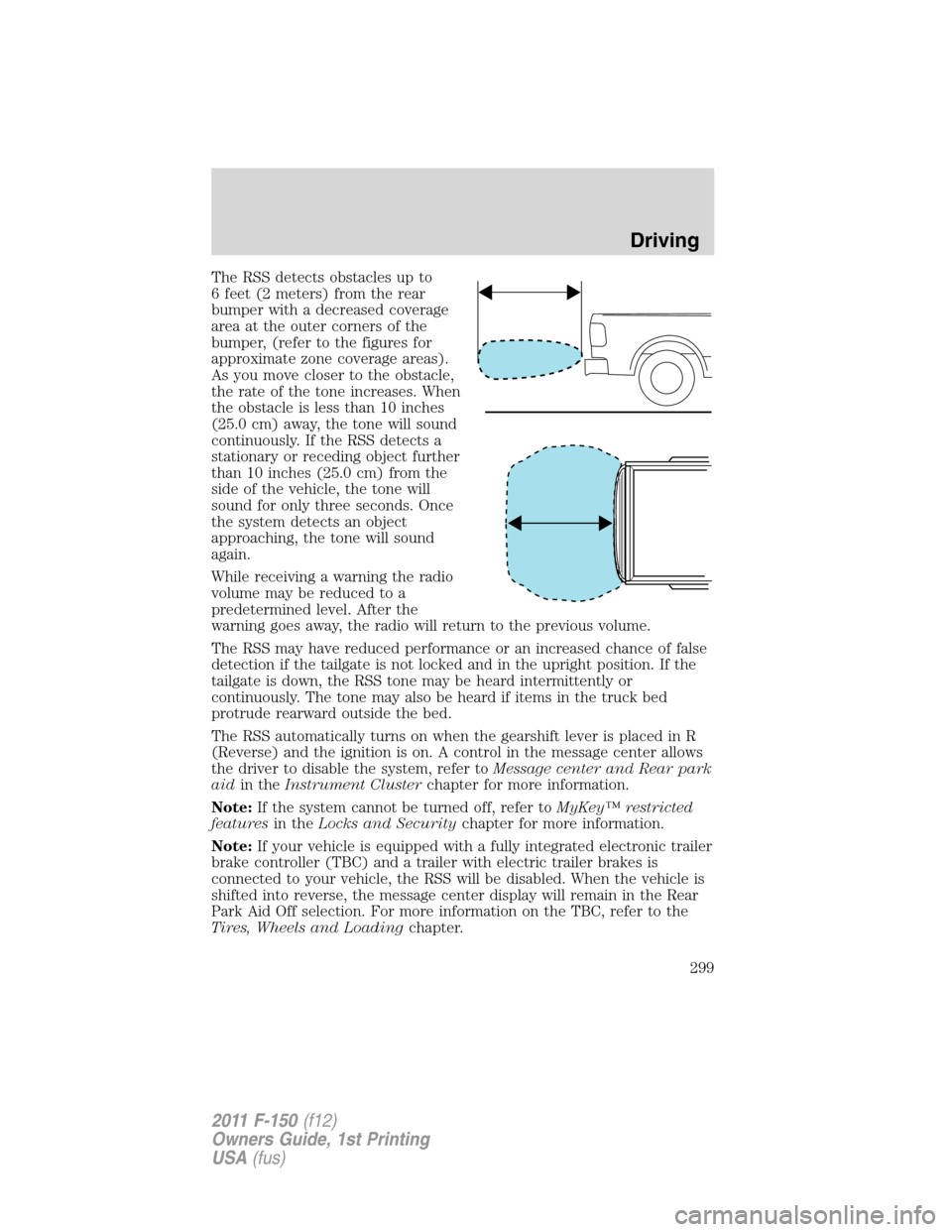
The RSS detects obstacles up to
6 feet (2 meters) from the rear
bumper with a decreased coverage
area at the outer corners of the
bumper, (refer to the figures for
approximate zone coverage areas).
As you move closer to the obstacle,
the rate of the tone increases. When
the obstacle is less than 10 inches
(25.0 cm) away, the tone will sound
continuously. If the RSS detects a
stationary or receding object further
than 10 inches (25.0 cm) from the
side of the vehicle, the tone will
sound for only three seconds. Once
the system detects an object
approaching, the tone will sound
again.
While receiving a warning the radio
volume may be reduced to a
predetermined level. After the
warning goes away, the radio will return to the previous volume.
The RSS may have reduced performance or an increased chance of false
detection if the tailgate is not locked and in the upright position. If the
tailgate is down, the RSS tone may be heard intermittently or
continuously. The tone may also be heard if items in the truck bed
protrude rearward outside the bed.
The RSS automatically turns on when the gearshift lever is placed in R
(Reverse) and the ignition is on. A control in the message center allows
the driver to disable the system, refer toMessage center and Rear park
aidin theInstrument Clusterchapter for more information.
Note:If the system cannot be turned off, refer toMyKey™ restricted
featuresin theLocks and Securitychapter for more information.
Note:If your vehicle is equipped with a fully integrated electronic trailer
brake controller (TBC) and a trailer with electric trailer brakes is
connected to your vehicle, the RSS will be disabled. When the vehicle is
shifted into reverse, the message center display will remain in the Rear
Park Aid Off selection. For more information on the TBC, refer to the
Tires, Wheels and Loadingchapter.
Driving
299
2011 F-150(f12)
Owners Guide, 1st Printing
USA(fus)
Page 302 of 461
When towing, the reverse camera system will only see what is being
towed behind the vehicle. This might not provide adequate coverage as it
usually provides in normal operation and some objects might not be
seen.
Fixed guidelines and visual park aid alert features are only available
when the vehicle is in R (Reverse).
Manual zoom
The manual zoom feature assists drivers with connecting their vehicle to
a trailer for the purpose of towing. It allows the driver to manually zoom
closer to an object behind the vehicle. The zoomed image keeps the
bumper in the image to provide a reference.
If equipped with touch screen display: To turn the manual zoom feature
on or off, do the following:
1. Place the vehicle in R (Reverse).
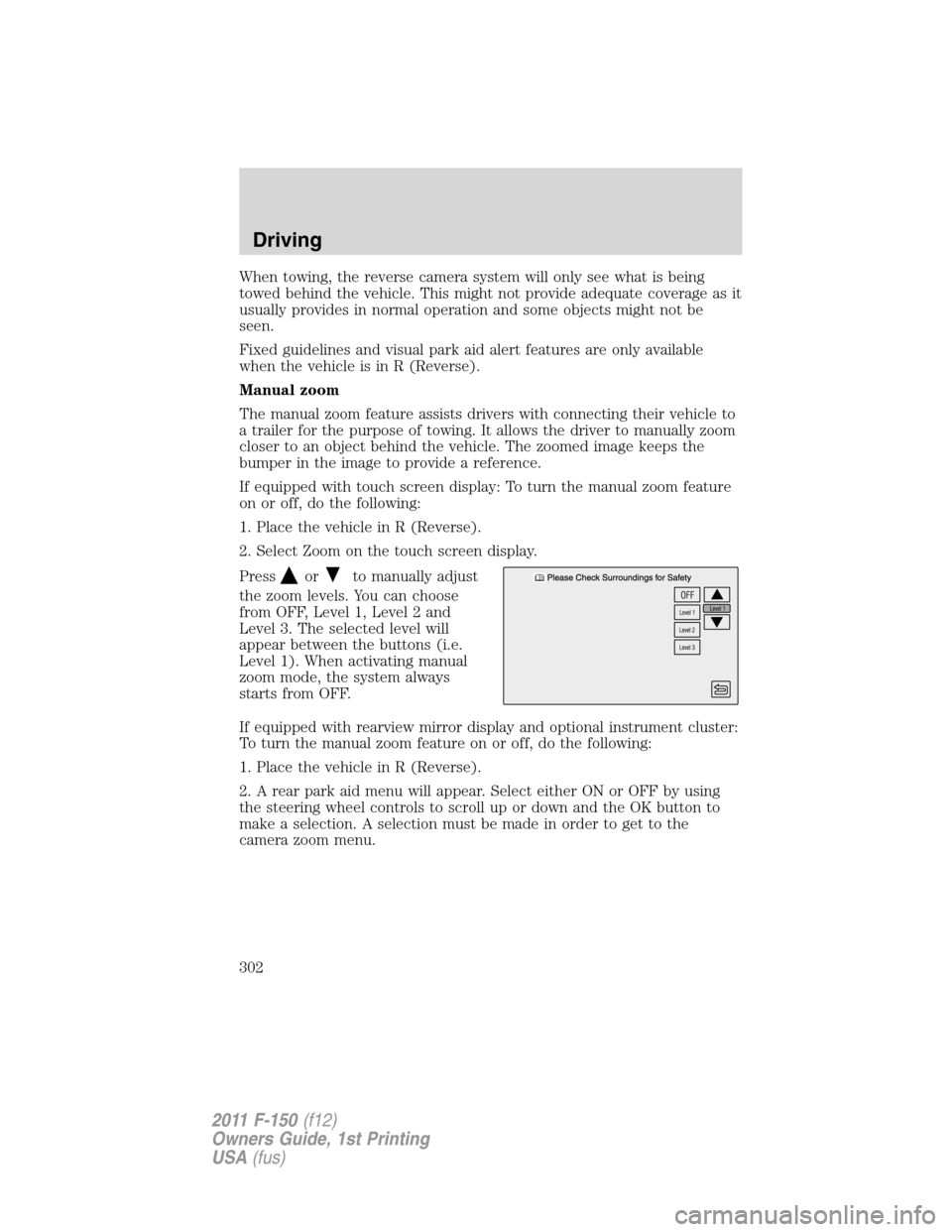
2. Select Zoom on the touch screen display.
Press
orto manually adjust
the zoom levels. You can choose
from OFF, Level 1, Level 2 and
Level 3. The selected level will
appear between the buttons (i.e.
Level 1). When activating manual
zoom mode, the system always
starts from OFF.
If equipped with rearview mirror display and optional instrument cluster:
To turn the manual zoom feature on or off, do the following:
1. Place the vehicle in R (Reverse).
2. A rear park aid menu will appear. Select either ON or OFF by using
the steering wheel controls to scroll up or down and the OK button to
make a selection. A selection must be made in order to get to the
camera zoom menu.
Driving
302
2011 F-150(f12)
Owners Guide, 1st Printing
USA(fus)
Page 303 of 461
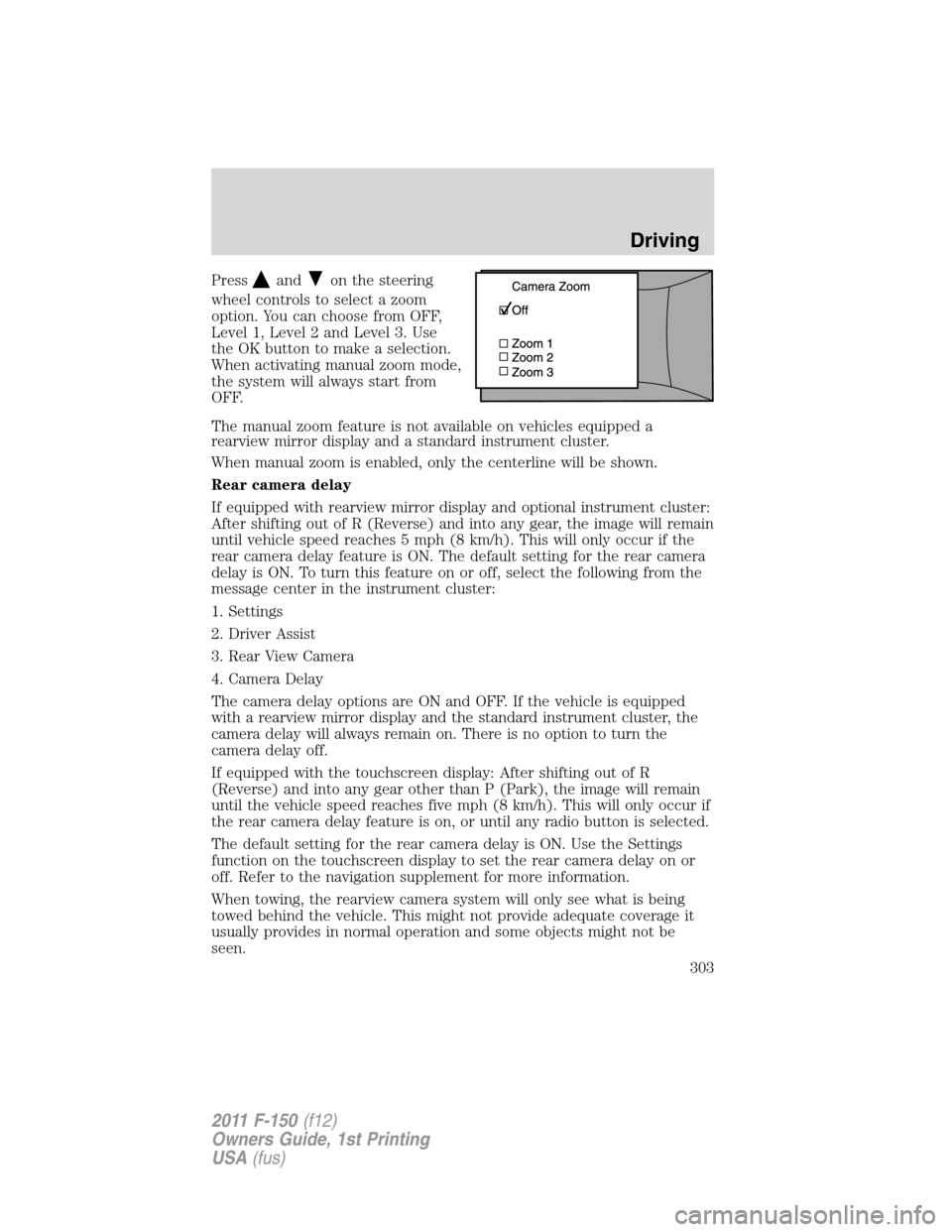
Pressandon the steering
wheel controls to select a zoom
option. You can choose from OFF,
Level 1, Level 2 and Level 3. Use
the OK button to make a selection.
When activating manual zoom mode,
the system will always start from
OFF.
The manual zoom feature is not available on vehicles equipped a
rearview mirror display and a standard instrument cluster.
When manual zoom is enabled, only the centerline will be shown.
Rear camera delay
If equipped with rearview mirror display and optional instrument cluster:
After shifting out of R (Reverse) and into any gear, the image will remain
until vehicle speed reaches 5 mph (8 km/h). This will only occur if the
rear camera delay feature is ON. The default setting for the rear camera
delay is ON. To turn this feature on or off, select the following from the
message center in the instrument cluster:
1. Settings
2. Driver Assist
3. Rear View Camera
4. Camera Delay
The camera delay options are ON and OFF. If the vehicle is equipped
with a rearview mirror display and the standard instrument cluster, the
camera delay will always remain on. There is no option to turn the
camera delay off.
If equipped with the touchscreen display: After shifting out of R
(Reverse) and into any gear other than P (Park), the image will remain
until the vehicle speed reaches five mph (8 km/h). This will only occur if
the rear camera delay feature is on, or until any radio button is selected.
The default setting for the rear camera delay is ON. Use the Settings
function on the touchscreen display to set the rear camera delay on or
off. Refer to the navigation supplement for more information.
When towing, the rearview camera system will only see what is being
towed behind the vehicle. This might not provide adequate coverage it
usually provides in normal operation and some objects might not be
seen.
Driving
303
2011 F-150(f12)
Owners Guide, 1st Printing
USA(fus)
Page 306 of 461
FOUR-WHEEL DRIVE (4WD) OPERATION (IF EQUIPPED)
WARNING:For important information regarding safe operation
of this type of vehicle, seePreparing to drive your vehiclein
this chapter.
Four–wheel drive (4WD) supplies power to all four wheels. 4WD should
not be operated on dry pavement; driveline damage may occur.
If equipped with the electronic shift 4WD system, and 4X4 low is
selected while the vehicle is moving above 3 mph (5 km/h), the
4WD system will not perform a shift. This is normal and should be
no reason for concern.Refer toShifting to/from 4L (4X4 Low)for
proper operation.
4WD indicator lights
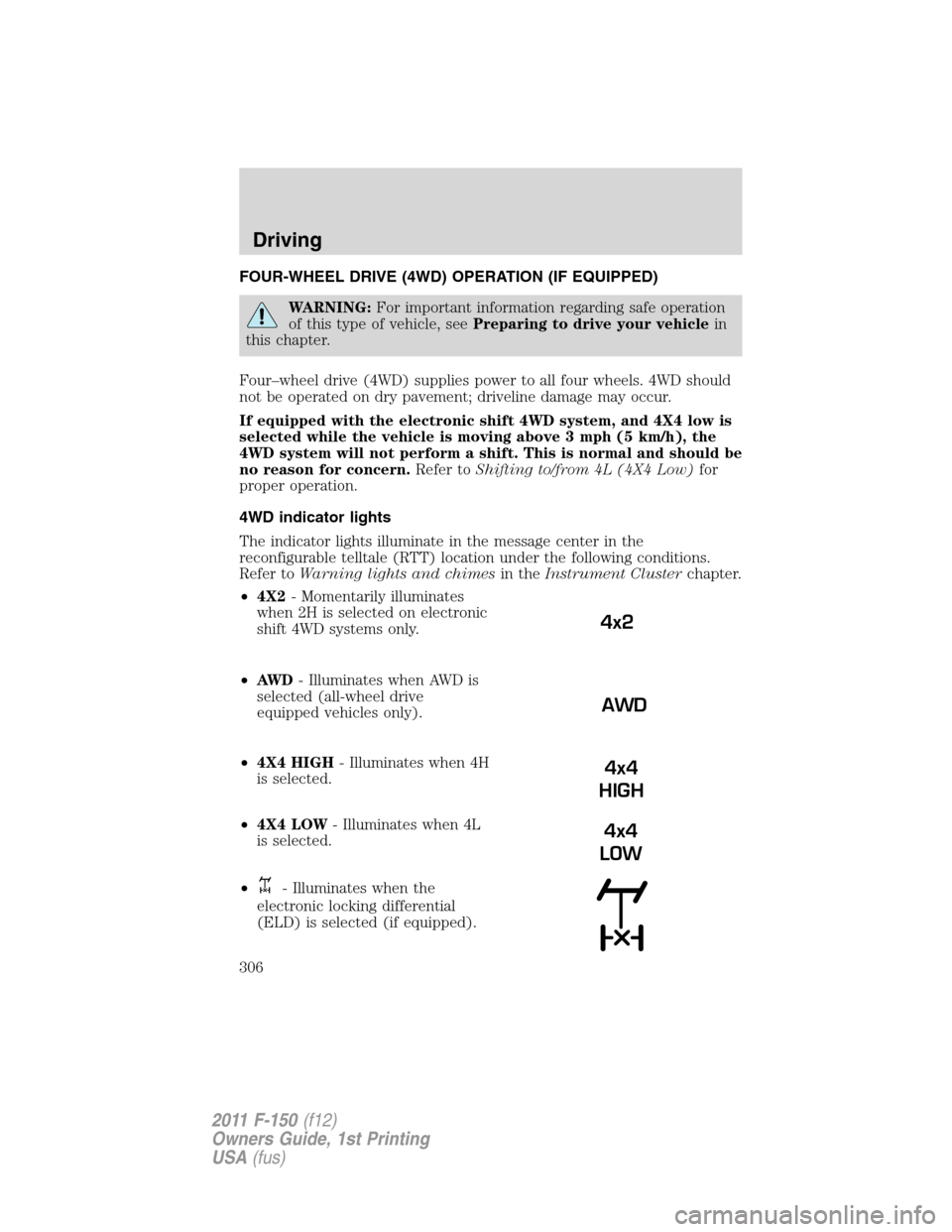
The indicator lights illuminate in the message center in the
reconfigurable telltale (RTT) location under the following conditions.
Refer toWarning lights and chimesin theInstrument Clusterchapter.
•4X2- Momentarily illuminates
when 2H is selected on electronic
shift 4WD systems only.
•AW D- Illuminates when AWD is
selected (all-wheel drive
equipped vehicles only).
•4X4 HIGH- Illuminates when 4H
is selected.
•4X4 LOW- Illuminates when 4L
is selected.
•
- Illuminates when the
electronic locking differential
(ELD) is selected (if equipped).
4x2
AWD
4x4
HIGH
4x4
LOW
Driving
306
2011 F-150(f12)
Owners Guide, 1st Printing
USA(fus)
Page 307 of 461
•CHECK 4X4- Displays when a
4X4 fault is present.
Note:When a 4X4 system fault is present, the system will typically
remain in whichever 4X4 mode was selected prior to the fault condition
occurring. It will not default to 4X2 in all circumstances. When this
warning is displayed, have your vehicle serviced by an authorized dealer.
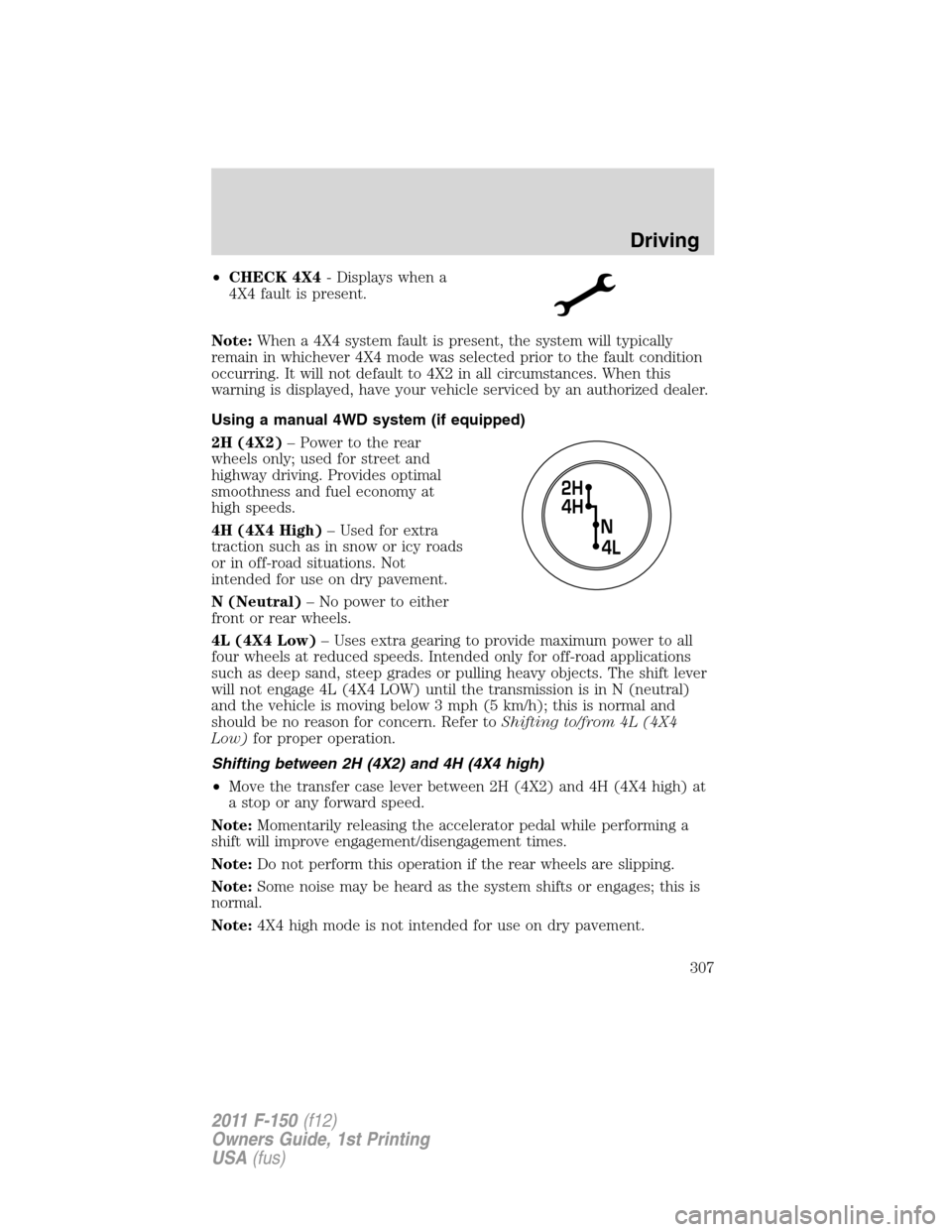
Using a manual 4WD system (if equipped)
2H (4X2)– Power to the rear
wheels only; used for street and
highway driving. Provides optimal
smoothness and fuel economy at
high speeds.
4H (4X4 High)– Used for extra
traction such as in snow or icy roads
or in off-road situations. Not
intended for use on dry pavement.
N (Neutral)– No power to either
front or rear wheels.
4L (4X4 Low)– Uses extra gearing to provide maximum power to all
four wheels at reduced speeds. Intended only for off-road applications
such as deep sand, steep grades or pulling heavy objects. The shift lever
will not engage 4L (4X4 LOW) until the transmission is in N (neutral)
and the vehicle is moving below 3 mph (5 km/h); this is normal and
should be no reason for concern. Refer toShifting to/from 4L (4X4
Low)for proper operation.
Shifting between 2H (4X2) and 4H (4X4 high)
•Move the transfer case lever between 2H (4X2) and 4H (4X4 high) at
a stop or any forward speed.
Note:Momentarily releasing the accelerator pedal while performing a
shift will improve engagement/disengagement times.
Note:Do not perform this operation if the rear wheels are slipping.
Note:Some noise may be heard as the system shifts or engages; this is
normal.
Note:4X4 high mode is not intended for use on dry pavement.
Driving
307
2011 F-150(f12)
Owners Guide, 1st Printing
USA(fus)
Page 309 of 461
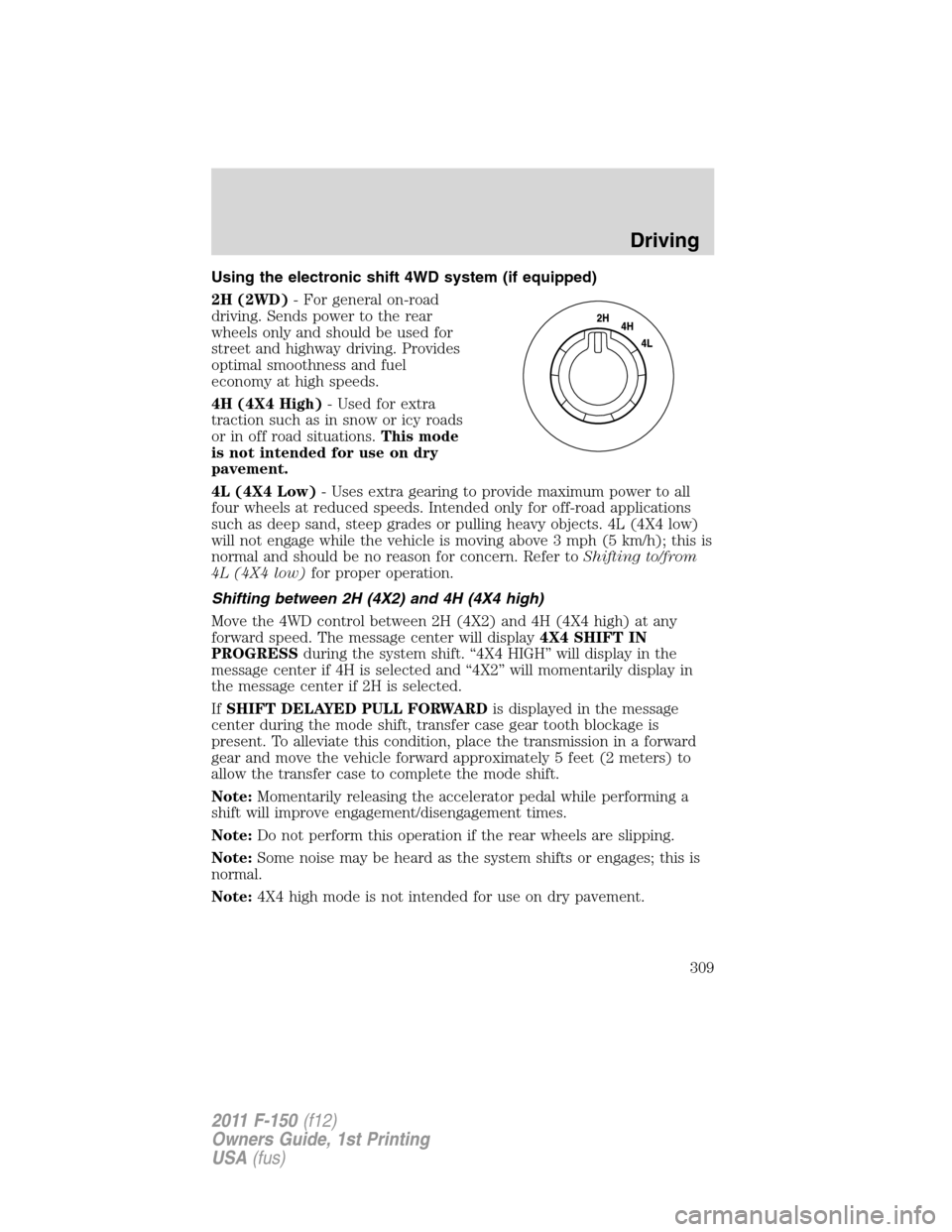
Using the electronic shift 4WD system (if equipped)
2H (2WD)- For general on-road
driving. Sends power to the rear
wheels only and should be used for
street and highway driving. Provides
optimal smoothness and fuel
economy at high speeds.
4H (4X4 High)- Used for extra
traction such as in snow or icy roads
or in off road situations.This mode
is not intended for use on dry
pavement.
4L (4X4 Low)- Uses extra gearing to provide maximum power to all
four wheels at reduced speeds. Intended only for off-road applications
such as deep sand, steep grades or pulling heavy objects. 4L (4X4 low)
will not engage while the vehicle is moving above 3 mph (5 km/h); this is
normal and should be no reason for concern. Refer toShifting to/from
4L (4X4 low)for proper operation.
Shifting between 2H (4X2) and 4H (4X4 high)
Move the 4WD control between 2H (4X2) and 4H (4X4 high) at any
forward speed. The message center will display4X4 SHIFT IN
PROGRESSduring the system shift. “4X4 HIGH” will display in the
message center if 4H is selected and “4X2” will momentarily display in
the message center if 2H is selected.
IfSHIFT DELAYED PULL FORWARDis displayed in the message
center during the mode shift, transfer case gear tooth blockage is
present. To alleviate this condition, place the transmission in a forward
gear and move the vehicle forward approximately 5 feet (2 meters) to
allow the transfer case to complete the mode shift.
Note:Momentarily releasing the accelerator pedal while performing a
shift will improve engagement/disengagement times.
Note:Do not perform this operation if the rear wheels are slipping.
Note:Some noise may be heard as the system shifts or engages; this is
normal.
Note:4X4 high mode is not intended for use on dry pavement.
Driving
309
2011 F-150(f12)
Owners Guide, 1st Printing
USA(fus)
Page 310 of 461

Shifting to/from 4L (4X4 low)
1. Bring the vehicle to a speed of 3 mph (5 km/h) or less.
2. Place the transmission in N (Neutral).
3. Move the 4WD control to the desired position.
The message center will display4X4 SHIFT IN PROGRESSduring the
shift. The message center will then display the system mode selected. If
any of the above shift conditions are not met, the shift will not occur and
the message center will display information guiding the driver through
the proper shifting procedures.
IfSHIFT DELAYED PULL FORWARDis displayed in the message
center, transfer case gear tooth blockage is present. To alleviate this
condition, place the transmission in a forward gear, move the vehicle
forward approximately 5 feet (1.5 m), and shift the transmission back to
neutral to allow the transfer case to complete the range shift.
Note:Some noise may be heard as the system shifts or engages; this is
normal.
Note:4x4 low mode is not intended for use on dry pavement.
Using the all-wheel drive (AWD) system
(if equipped, Harley-Davidson™ only)
This system includes an electronically controlled transfer case. The
system is interactive with the road, continually monitoring and adjusting
torque delivery to the front and rear wheels to optimize traction.
2H (4X2)- Power to the rear
wheels only; used for street and
highway driving. Provides optimal
smoothness and fuel economy at
high speeds. The message center
will momentarily display “4X2” when
this mode is selected.
AWD (4X4 auto)- Power delivered
to all four wheels, as required, for
increased traction.
4H (4X4 high)- Used for extra
traction on snow covered or icy roads and in off-road situations. This
position is not recommended for use on dry pavement. This position is
only intended for severe winter or off-road conditions, such as deep
snow, ice or deep sand. The message center will display “4X4 High”
when this mode is selected.
Driving
310
2011 F-150(f12)
Owners Guide, 1st Printing
USA(fus)