2011 CHEVROLET CORVETTE stop start
[x] Cancel search: stop startPage 252 of 428
Black plate (22,1)Chevrolet Corvette Owner Manual - 2011
9-22 Driving and Operating
Cell phone chargers can interfere
with the operation of the Keyless
Access System. Battery chargers
should not be plugged in when
starting or turning off the engine.
To start the vehicle, do the following:
1. For vehicles with an automatictransmission, with your foot
on the brake pedal, press the
START button located on the
instrument panel. For vehicles
with a manual transmission, you
must also press in the clutch
pedal while pressing the START
button.
If there is not a keyless access
transmitter in the vehicle or if
there is something causing
interference with it, the DIC will
display NO FOBS DETECTED.
See Key and Lock Messages on
page 5‑42 for more information. 2. When the engine begins
cranking, let go of the button and
the engine cranks automatically
until it starts. If the battery in the
keyless access transmitter is
weak, the DIC displays FOB
BATTERY LOW. You can still
drive the vehicle.
See “Battery Replacement”
under Remote Keyless Entry
(RKE) System Operation on
page 2‑3 for more information.
If the fob battery is dead, you
need to insert the fob into
the fob slot to enable engine
starting. See “NO FOBS
DETECTED” underKey and
Lock Messages on page 5‑42.
3. Do not race the engine immediately after starting it.
Operate the engine and
transmission gently until the
oil warms up and lubricates
all moving parts. 4. If the engine does not start and
no DIC message is displayed,
wait 15 seconds before trying
again to let the cranking motor
cool down.
If the engine does not start after
5-10 seconds, especially in very
cold weather (below −18°C
or 0°F), it could be flooded with
too much gasoline. Try pushing
the accelerator pedal all the way
to the floor while cranking for up
to 15 seconds maximum. Wait at
least 15 seconds between each
try, to allow the cranking motor
to cool down. When the engine
starts, let go of the accelerator.
If the vehicle starts briefly but
then stops again, repeat these
steps. This clears the extra
gasoline from the engine.
Page 253 of 428
Black plate (23,1)Chevrolet Corvette Owner Manual - 2011
Driving and Operating 9-23
Notice:Cranking the engine for
long periods of time, by pressing
the START button immediately
after cranking has ended, can
overheat and damage the
cranking motor, and drain the
battery. Wait at least 15 seconds
between each try, to allow the
cranking motor to cool down.
The vehicle has a
Computer-Controlled
Cranking System. This feature
assists in starting the engine
and protects components.
Once cranking has been initiated,
the engine continues cranking
for a few seconds or until the vehicle
starts. If the engine does not start,
cranking automatically stops after
15 seconds to prevent cranking
motor damage. To prevent gear
damage, this system also prevents
cranking if the engine is already
running. Notice:
The engine is designed
to work with the electronics in
the vehicle. If electrical parts
or accessories are added, you
could change the way the engine
operates. Before adding electrical
equipment, check with your
dealer. If you do not, the engine
might not perform properly. Any
resulting damage would not be
covered by the vehicle warranty.
Stopping the Engine
If the vehicle has an automatic
transmission, move the shift lever
to P (Park) and press and hold the
Acc. (Off/Accessory) button, located
on the instrument panel, until the
engine shuts off. If the shift lever
is not in P (Park), the engine shuts off and the vehicle goes into the
Accessory Mode. The DIC displays
SHIFT TO PARK. Once the shifter is
moved to P (Park), the vehicle turns
off. If the vehicle has a manual
transmission, it is recommended
that you move the shift lever to
R (Reverse) and set the parking
brake after you turn off the engine
by pressing and holding the Acc.
(Off/Accessory) button.
If the keyless access transmitter is
not detected inside the vehicle when
it is turned to off, the DIC displays
NO FOB
–OFF OR RUN?.
See Key and Lock Messages on
page 5‑42 for more information.
Page 258 of 428
Black plate (28,1)Chevrolet Corvette Owner Manual - 2011
9-28 Driving and Operating
Automatic
Transmission
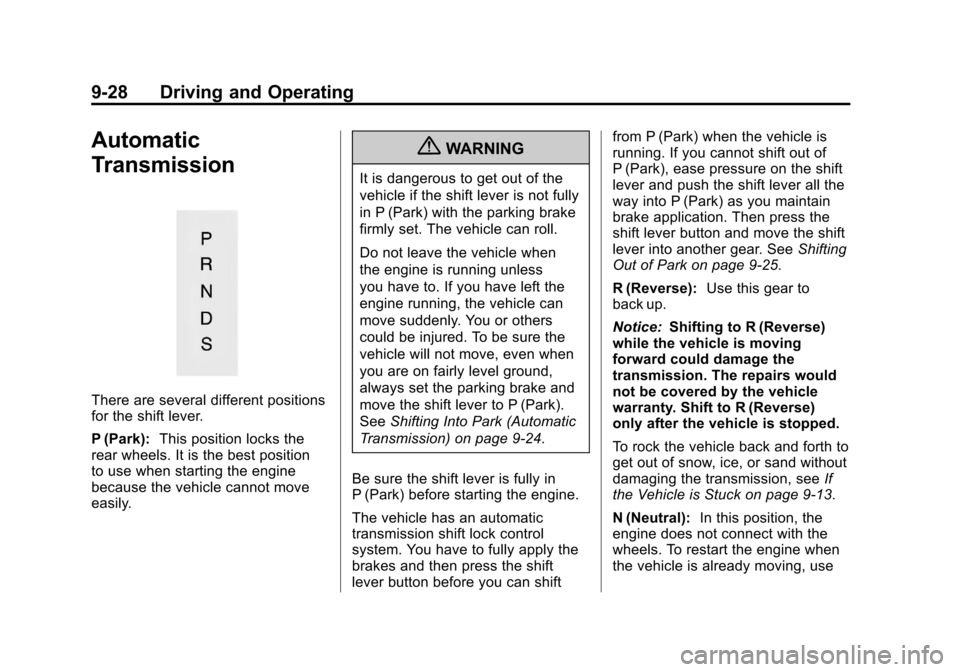
There are several different positions
for the shift lever.
P (Park):This position locks the
rear wheels. It is the best position
to use when starting the engine
because the vehicle cannot move
easily.
{WARNING
It is dangerous to get out of the
vehicle if the shift lever is not fully
in P (Park) with the parking brake
firmly set. The vehicle can roll.
Do not leave the vehicle when
the engine is running unless
you have to. If you have left the
engine running, the vehicle can
move suddenly. You or others
could be injured. To be sure the
vehicle will not move, even when
you are on fairly level ground,
always set the parking brake and
move the shift lever to P (Park).
See Shifting Into Park (Automatic
Transmission) on page 9‑24.
Be sure the shift lever is fully in
P (Park) before starting the engine.
The vehicle has an automatic
transmission shift lock control
system. You have to fully apply the
brakes and then press the shift
lever button before you can shift from P (Park) when the vehicle is
running. If you cannot shift out of
P (Park), ease pressure on the shift
lever and push the shift lever all the
way into P (Park) as you maintain
brake application. Then press the
shift lever button and move the shift
lever into another gear. See
Shifting
Out of Park on page 9‑25.
R (Reverse): Use this gear to
back up.
Notice: Shifting to R (Reverse)
while the vehicle is moving
forward could damage the
transmission. The repairs would
not be covered by the vehicle
warranty. Shift to R (Reverse)
only after the vehicle is stopped.
To rock the vehicle back and forth to
get out of snow, ice, or sand without
damaging the transmission, see If
the Vehicle is Stuck on page 9‑13.
N (Neutral): In this position, the
engine does not connect with the
wheels. To restart the engine when
the vehicle is already moving, use
Page 260 of 428

Black plate (30,1)Chevrolet Corvette Owner Manual - 2011
9-30 Driving and Operating
SeeTraction Control System (TCS)
on page 9‑36 Traction Control
System (TCS).
The Manual Paddle Shift system
can be deactivated by moving the
shifter from S (Sport Mode) back to
D (Drive), or by holding either
up‐shift button for more than
one second.
The driver may choose to briefly
activate the Manual Paddle Shift
system while in D (Drive). Tapping
either the upshift or downshift
controls will place the transmission
in Manual Paddle Shift mode. The
driver may then exit Manual Paddle
Shift mode by holding either upshift
control for two seconds. The system
will return to automatic shifting after
10 seconds of cruising at a steady
speed, or when the vehicle comes
to a stop.
While the Manual Paddle Shift
gear selection system is active,
the transmission will automatically
downshift through the gears as the
vehicle slows. The transmission will select 2 (Second) gear as the
vehicle stops. From a stop, the
vehicle will start from and hold
2 (Second) gear unless the driver
manually paddle shifts into a
different gear or selects D (Drive).
The driver can select 1 (First) gear
for maximum acceleration from
a stop.
When using the Manual Paddle
Shift feature while in S (Sport Mode),
the current gear will be displayed in
the Driver Information (DIC), or the
Head-Up Display (HUD), if the
vehicle has either of these features.
If the vehicle has a Navigation
system, see
“Head-Up
Display (HUD)” in the Index
of the navigation manual. The Manual Paddle Shift system
will not allow either an up-shift or a
down-shift if the vehicle speed is too
fast or too slow, nor will it allow a
start from 4 (Fourth) or higher gear.
If up-shifting does not occur when
needed, vehicle speed will be
limited to protect the engine.
When the transmission gear does
not respond to a shift change, the
DIC will show an X over the gear
display.
When a requested shift is denied
due to the speed restrictions shown,
the DIC will momentarily show an X
over the gear display and a chime
will sound.
Page 262 of 428
Black plate (32,1)Chevrolet Corvette Owner Manual - 2011
9-32 Driving and Operating
Manual Transmission
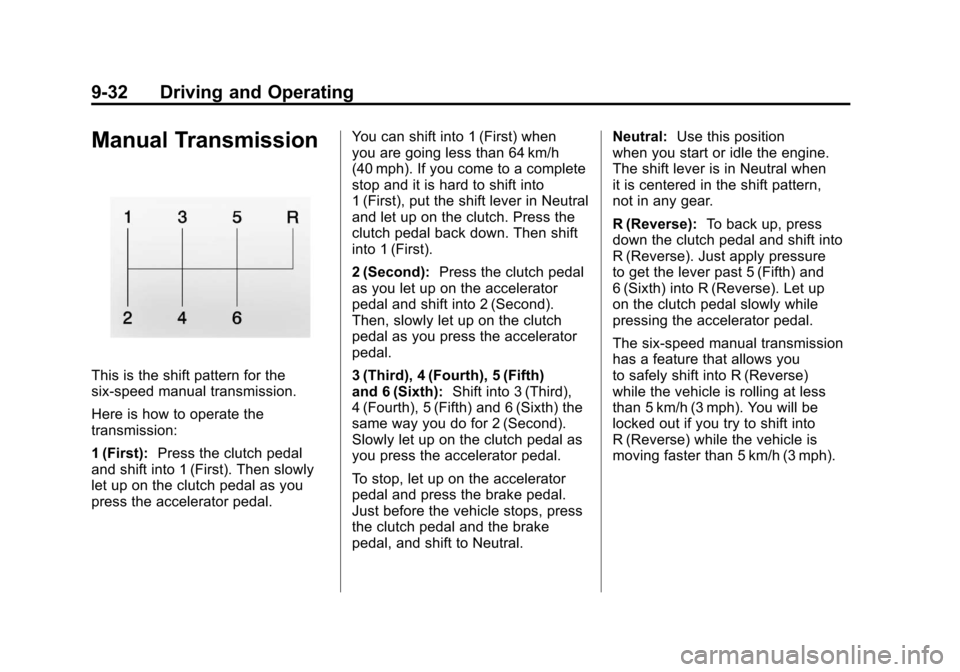
This is the shift pattern for the
six-speed manual transmission.
Here is how to operate the
transmission:
1 (First):Press the clutch pedal
and shift into 1 (First). Then slowly
let up on the clutch pedal as you
press the accelerator pedal. You can shift into 1 (First) when
you are going less than 64 km/h
(40 mph). If you come to a complete
stop and it is hard to shift into
1 (First), put the shift lever in Neutral
and let up on the clutch. Press the
clutch pedal back down. Then shift
into 1 (First).
2 (Second):
Press the clutch pedal
as you let up on the accelerator
pedal and shift into 2 (Second).
Then, slowly let up on the clutch
pedal as you press the accelerator
pedal.
3 (Third), 4 (Fourth), 5 (Fifth)
and 6 (Sixth): Shift into 3 (Third),
4 (Fourth), 5 (Fifth) and 6 (Sixth) the
same way you do for 2 (Second).
Slowly let up on the clutch pedal as
you press the accelerator pedal.
To stop, let up on the accelerator
pedal and press the brake pedal.
Just before the vehicle stops, press
the clutch pedal and the brake
pedal, and shift to Neutral. Neutral:
Use this position
when you start or idle the engine.
The shift lever is in Neutral when
it is centered in the shift pattern,
not in any gear.
R (Reverse): To back up, press
down the clutch pedal and shift into
R (Reverse). Just apply pressure
to get the lever past 5 (Fifth) and
6 (Sixth) into R (Reverse). Let up
on the clutch pedal slowly while
pressing the accelerator pedal.
The six-speed manual transmission
has a feature that allows you
to safely shift into R (Reverse)
while the vehicle is rolling at less
than 5 km/h (3 mph). You will be
locked out if you try to shift into
R (Reverse) while the vehicle is
moving faster than 5 km/h (3 mph).
Page 285 of 428

Black plate (1,1)Chevrolet Corvette Owner Manual - 2011
Vehicle Care 10-1
Vehicle Care
General Information
General Information . . . . . . . . . . 10-3
California Proposition65 Warning . . . . . . . . . . . . . . . . . 10-3
California Perchlorate Materials Requirements . . . . 10-3
Accessories and Modifications . . . . . . . . . . . . . . . 10-4
Lifting the Vehicle . . . . . . . . . . . . 10-5
Vehicle Checks
Doing Your Own Service Work . . . . . . . . . . . . . . . 10-8
Hood . . . . . . . . . . . . . . . . . . . . . . . . 10-9
Engine Compartment Overview . . . . . . . . . . . . . . . . . . 10-10
Engine Oil . . . . . . . . . . . . . . . . . . 10-15
Engine Oil Life System . . . . . 10-22
Automatic Transmission Fluid . . . . . . . . . . . . . . . . . . . . . . 10-23 Manual Transmission
Fluid . . . . . . . . . . . . . . . . . . . . . . 10-23
Hydraulic Clutch . . . . . . . . . . . . 10-24
Engine Air Cleaner/Filter . . . . 10-24
Cooling System (Engine) . . . 10-28
Cooling System (Intercooler) . . . . . . . . . . . . . . . 10-29
Engine Coolant . . . . . . . . . . . . . 10-29
Engine Overheating . . . . . . . . 10-34
Overheated Engine Protection
Operating Mode . . . . . . . . . . . 10-35
Power Steering Fluid . . . . . . . 10-36
Washer Fluid . . . . . . . . . . . . . . . 10-37
Brakes . . . . . . . . . . . . . . . . . . . . . 10-38
Brake Fluid . . . . . . . . . . . . . . . . . 10-41
Battery . . . . . . . . . . . . . . . . . . . . . 10-43
Rear Axle . . . . . . . . . . . . . . . . . . 10-44
Starter Switch Check . . . . . . . 10-44
Automatic Transmission Shift Lock Control Function
Check . . . . . . . . . . . . . . . . . . . . . 10-45 Park Brake and P (Park)
Mechanism Check . . . . . . . . 10-45
Wiper Blade Replacement . . . . . . . . . . . . . . 10-46
Windshield Replacement . . . 10-47
Headlamp Aiming
Headlamp Aiming . . . . . . . . . . 10-48
Bulb Replacement
Bulb Replacement . . . . . . . . . . 10-48
Halogen Bulbs . . . . . . . . . . . . . . 10-48
High Intensity Discharge
(HID) Lighting . . . . . . . . . . . . . 10-48
Headlamps, Front Turn Signal and Parking
Lamps . . . . . . . . . . . . . . . . . . . . 10-49
Taillamps, Turn Signal, and Stoplamps . . . . . . . . . . . . . . . . 10-50
Replacement Bulbs . . . . . . . . . 10-50
Page 335 of 428

Black plate (51,1)Chevrolet Corvette Owner Manual - 2011
Vehicle Care 10-51
Fuses and circuit breakers protect
the following in the vehicle:
.Headlamp Wiring
.Windshield Wiper Motor
.Power Windows and Other
Power Accessories
Replace a bad fuse with a new one
of the identical size and rating.
If there is a problem on the road
and a fuse needs to be replaced,
the same amperage fuse can be
borrowed. Choose some feature of
the vehicle that is not needed to use
and replace it as soon as possible.
Headlamp Wiring
An electrical overload may cause
the lamps to go on and off, or in
some cases to remain off. Have
the headlamp wiring checked right
away if the lamps go on and off or
remain off.
Windshield Wipers
If the wiper motor overheats due to
heavy snow or ice, the windshield
wipers will stop until the motor cools
and will then restart.
Although the circuit is protected
from electrical overload, overload
due to heavy snow or ice may
cause wiper linkage damage.
Always clear ice and heavy snow
from the windshield before using
the windshield wipers.
If the overload is caused by an
electrical problem and not snow
or ice, be sure to get it fixed.
Fuses and Circuit
Breakers
The wiring circuits in the vehicle
are protected from short circuits
by a combination of J-Case fuses,
mini-fuses and circuit breakers.
This greatly reduces the chance of
fires caused by electrical problems. Look at the silver-colored band
inside the fuse. If the band is broken
or melted, replace the fuse. Be sure
you replace a bad fuse with a new
one of the identical size and rating.
If you ever have a problem on the
road and do not have a spare fuse,
you can borrow one that has the
same amperage. Just pick some
feature of the vehicle that you can
get along without
—like the radio
or cigarette lighter —and use its
fuse, if it is the correct amperage.
Replace it as soon as you can.
Vehicles with the ZR‐1 package
have an intercooler relay located on
the fan shroud. See your dealer.
Vehicles with the ZR‐1 package also
have a fuel system mini-fuse. It is
located near the battery in the
battery storage compartment in
the rear of the vehicle.
Page 354 of 428

Black plate (70,1)Chevrolet Corvette Owner Manual - 2011
10-70 Vehicle Care
If the warning light comes on, stop
as soon as possible and inflate
the tires to the recommended
pressure shown on the tire loading
information label. SeeVehicle Load
Limits on page 9‑14.
At the same time a message to
check the pressure in a specific tire
appears on the Driver Information
Center (DIC) display. The low tire
pressure warning light and the DIC
warning message appear at each
ignition cycle until the tires are
inflated to the correct inflation
pressure. Using the DIC, tire
pressure levels can be viewed by
the driver. For additional information
and details about the DIC operation
and displays see Driver Information
Center (DIC) on page 5‑25 andTire
Messages on page 5‑51. The low tire pressure warning light
may come on in cool weather when
the vehicle is first started, and then
turn off as you start to drive. This
could be an early indicator that the
air pressure in the tire(s) are getting
low and need to be inflated to the
proper pressure.
A Tire and Loading Information
label, attached to your vehicle,
shows the size of your vehicle's
original equipment tires and the
correct inflation pressure for your
vehicle's tires when they are cold.
See
Vehicle Load Limits on
page 9‑14, for an example of the
Tire and Loading Information label
and its location on your vehicle.
Also see Tire Pressure on
page 10‑66 for additional
information. Your vehicle's TPMS can warn you
about a low tire pressure condition
but it does not replace normal tire
maintenance. See
Tire Inspection
on page 10‑72, Tire Rotation on
page 10‑72, When It Is Time for
New Tires on page 10‑72, and Tires
on page 10‑58.
Notice: Tire sealant materials are
not all the same. A non-approved
tire sealant could damage the Tire
Pressure Monitor System (TPMS)
sensors. TPMS sensor damage
caused by using an incorrect tire
sealant is not covered by the
vehicle warranty. Always use only
the GM approved tire sealant
available through your dealer
or included in the vehicle.