2011 CHEVROLET CORVETTE stop start
[x] Cancel search: stop startPage 142 of 428

Black plate (22,1)Chevrolet Corvette Owner Manual - 2011
5-22 Instruments and Controls
Antilock Brake System
(ABS) Warning Light
For vehicles with the Antilock Brake
System (ABS), this light comes on
briefly when the engine is started.
If it does not, have the vehicle
serviced by your dealer. If the
system is working normally the
indicator light then goes off.
If the ABS light stays on, turn the
ignition off. If the light comes on
while driving, stop as soon as it is
safely possible and turn the ignition
off. Then start the engine again to
reset the system. If the ABS light
stays on, or comes on again while
driving, the vehicle needs service.If the regular brake system warning
light is not on, the vehicle still has
brakes, but not antilock brakes.
If the regular brake system warning
light is also on, the vehicle does not
have antilock brakes and there is a
problem with the regular brakes.
See
Brake System Warning Light on
page 5‑21.One-to-Four Shift Light
(Manual Transmission)
When this light comes on, the
vehicle can only be shifted from
1 (First) to 4 (Fourth) instead of
1 (First) to 2 (Second). The shift must be completed into
4 (Fourth) to turn off this feature.
This helps the vehicle get the best
possible fuel economy.
After shifting to 4 (Fourth), the
vehicle can be downshifted to a
lower gear.
Notice:
Forcing the shift lever
into any gear except 4 (Fourth)
when the 1 TO 4 SHIFT light
comes on may damage the
transmission. Shift only from
1 (First) to 4 (Fourth) when the
light comes on.
This light comes on when:
.The engine coolant temperature
is higher than 76°C (169°F),
.The vehicle is going 24 to
31 km/h (15 to 19 mph) and
.The vehicle 21 percent throttle
or less.
Page 144 of 428
Black plate (24,1)Chevrolet Corvette Owner Manual - 2011
5-24 Instruments and Controls
When the TCS is turned off, this
light comes on and a TRACTION
SYSTEM OFF message displays
on the DIC. When this light is on,
the TCS system does not limit
wheel spin.
When the TCS is turned back on,
this light turns off and a TRACTION
SYSTEM ON message displays on
the DIC
This light also comes on while
the vehicle is in the Competitive
Driving Mode.
SeeTraction Control System (TCS)
on page 9‑36 andRide Control
System Messages on page 5‑44
for more information.
See Active Handling System on
page 9‑37 for more information on
Competitive Driving Mode and
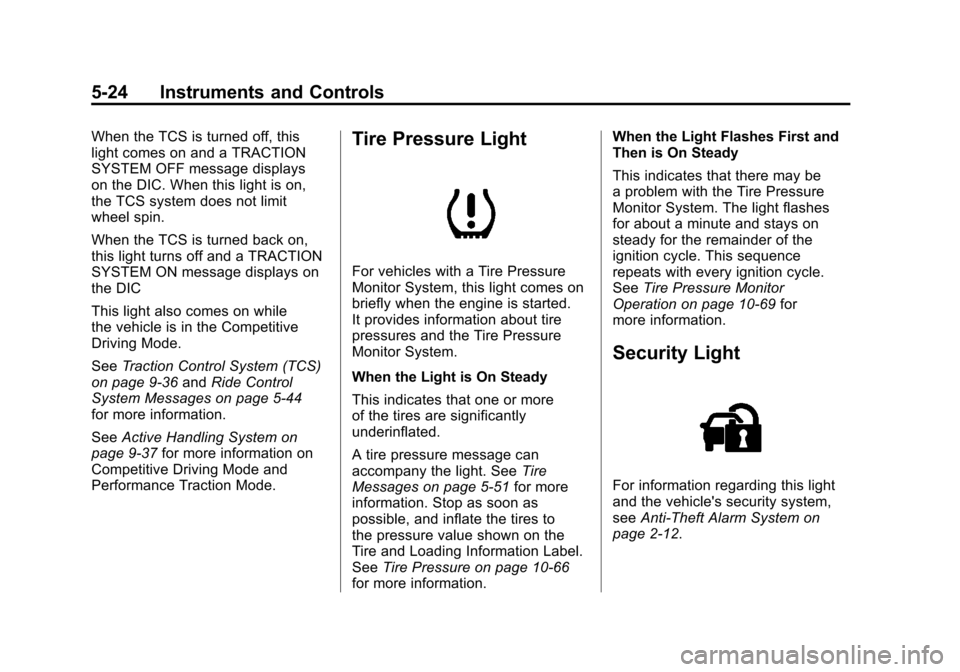
Performance Traction Mode.Tire Pressure Light
For vehicles with a Tire Pressure
Monitor System, this light comes on
briefly when the engine is started.
It provides information about tire
pressures and the Tire Pressure
Monitor System.
When the Light is On Steady
This indicates that one or more
of the tires are significantly
underinflated.
A tire pressure message can
accompany the light. See Tire
Messages on page 5‑51 for more
information. Stop as soon as
possible, and inflate the tires to
the pressure value shown on the
Tire and Loading Information Label.
See Tire Pressure on page 10‑66
for more information. When the Light Flashes First and
Then is On Steady
This indicates that there may be
a problem with the Tire Pressure
Monitor System. The light flashes
for about a minute and stays on
steady for the remainder of the
ignition cycle. This sequence
repeats with every ignition cycle.
See
Tire Pressure Monitor
Operation on page 10‑69 for
more information.
Security Light
For information regarding this light
and the vehicle's security system,
see Anti-Theft Alarm System on
page 2‑12.
Page 149 of 428

Black plate (29,1)Chevrolet Corvette Owner Manual - 2011
Instruments and Controls 5-29
Battery Voltage:This display
shows the current battery voltage.
Press the gauges button again to
display the battery voltage, such as:
.BATTERY VOLTAGE
13.5 VOLTS
Tire Pressure: This display shows
the tire pressure for each tire.
Press the gauges button again to
display the tire pressure for the front
tires, such as:
.FRONT TIRE PRESSURES
L 234 kPa R 228 kPa or
.FRONT TIRE PRESSURES
L 34 PSI R 33 PSI
Press the gauges button again to
display the tire pressure for the rear
tires, such as:
.REAR TIRE PRESSURES
L 234 kPa R 228 kPa or
.REAR TIRE PRESSURES
L 34 PSI R 33 PSI
TRIP Button
The TRIP button displays the
odometer, trip distance, elapsed
time, average speed, and oil life
remaining information.
Odometer: The odometer shows
how far your vehicle has been
driven in either kilometers or miles.
Press the TRIP button to display
odometer readings, such as:
.ODOMETER 20008 km or
.ODOMETER 12345 MI
You can also display the odometer
by turning on the parking lamps.
Trip Odometers: There are two trip
odometers. Press the TRIP button
to display TRIP ODOMETER A
readings and press the button again
to display TRIP ODOMETER B
readings, such as:
.TRIP ODOMETER A 209.9 km or
.TRIP ODOMETER A 130.5 MI
.TRIP ODOMETER B 483.5 km or
.TRIP ODOMETER B 300.5 MI Both of the trip odometers can
be used simultaneously. The trip
odometers can be reset by pressing
the RESET button on the DIC.
There is also a miles since last
ignition feature that displays the
number of kilometers (miles) driven
since you last started the vehicle.
Press and hold the RESET button
for three seconds, then release it.
The kilometers (miles) since the last
ignition cycle will be set into the trip
odometer.
Elapsed Timer:
Press the
TRIP button until ELAPSED
TIMER is displayed, such as
ELAPSED TIMER .00.
When the ignition is in on, the
DIC can be used as a stopwatch.
The display can show hours,
minutes and seconds. The elapsed
time indicator will record up to
23 hours, 59 minutes and
59 seconds, then it will reset to zero
and continue counting. The display
appears as ELAPSED TIMER .00
in the elapsed time function.
Page 150 of 428

Black plate (30,1)Chevrolet Corvette Owner Manual - 2011
5-30 Instruments and Controls
You can start or stop the elapsed
time by pressing the RESET button.
To reset the elapsed time to zero,
press the RESET button for
three seconds while the timer
is displayed.
Pressing and holding the RESET
button for at least 10 seconds will
reset the timer display to the time
since last ignition cycle.
Average Speed:Press the TRIP
button until the average speed is
displayed, such as:
.AVERAGE SPEED 100 km/h or
.AVERAGE SPEED 62 MPH
Press and hold the RESET button to
reset to 0.0 km/h (mph). Engine Oil Life:
Press the TRIP
button until the engine oil life is
displayed, such as OIL LIFE
REMAINING 89%.
This is an estimate of the engine
oil's remaining useful life. It will
show 100% when the system is
reset after an oil change. It will
alert you to change the oil on a
schedule consistent with your
driving conditions.
When the remaining oil life is low,
the system will alert you with the
message CHANGE ENGINE OIL.
Remember, you must reset the
engine oil life system yourself
after each oil change. It will not
reset itself. To reset the system,
see Engine Oil Life System on
page 10‑22. Be careful not to
reset the engine oil life system accidentally at any time other than
when the oil has just been changed.
It cannot be reset accurately until
the next oil change.
See
Scheduled Maintenance on
page 11‑2 andEngine Oil on
page 10‑15 for more information.
OPTION Button
The OPTION button allows you
to access the PERSONAL
OPTIONS menu and customize
the personalization settings on your
vehicle. See Vehicle Personalization
on page 5‑55 for more information.
RESET Button
The RESET button, used along
with other buttons, will reset
system functions and turn off or
acknowledge messages on the DIC.
Page 156 of 428

Black plate (36,1)Chevrolet Corvette Owner Manual - 2011
5-36 Instruments and Controls
SERVICE CHARGING SYSTEM
If this message displays while you
are driving, there may be a problem
with the electrical charging system.
It could mean that there is a loose
or broken drive belt or that there is
another electrical problem. Have the
vehicle checked right away by your
dealer. Driving while this message is
on could drain the battery.
If you must drive a short distance
with the message on, be certain to
turn off the vehicle's accessories,
such as the radio and air
conditioner.
Multiple chimes sound when this
message is displayed.
To acknowledge the message, press
the RESET button. The message
reappears every 10 minutes until
this condition changes.
Brake System Messages
ABS (Antilock Brake System)
ACTIVE
This message displays when the
Antilock Brake System (ABS) is
adjusting brake pressure to help
avoid a braking skid.
Slippery road conditions may exist
if this message is displayed, so
adjust your driving accordingly.
The message stays on for a few
seconds after the system stops
adjusting brake pressure. See
Antilock Brake System (ABS) on
page 9‑34for more information.
CHANGE BRAKE PADS
On vehicles with electronic brake
pad wear sensors, this message will
be displayed when the pads are
worn. See your dealer for service.
CHECK BRAKE FLUID
This message displays, a sound
will be heard, and the brake
system warning light on the
instrument panel cluster turns
on if the ignition is on to inform the
driver that the brake fluid level is
low. SeeBrake System Warning
Light on page 5‑21. Have the brake
system serviced by your dealer as
soon as possible. See Brakes on
page 10‑38.
SERVICE ANTILOCK BRAKES
If this message displays while
you are driving, stop as soon as
possible and turn the ignition off.
Then start the engine again to reset
the system. If the message stays
on, or comes back on again while
you are driving, the vehicle is in
need of service. See your dealer.
If the antilock brake system (ABS)
warning light is on and the regular
brake system warning light
is not on, you still have brakes,
but do not have ABS.
Page 160 of 428

Black plate (40,1)Chevrolet Corvette Owner Manual - 2011
5-40 Instruments and Controls
ENGINE OVERHEATED–
STOP ENGINE
This message displays and a sound
will be heard when the engine
has overheated. Stop and turn the
engine off immediately to avoid
severe engine damage. See Engine
Overheating on page 10‑34.
ENGINE PROTECTION
REDUCE ENGINE RPM
This message displays if the
engine oil temperature exceeds
160°C (320°F). Check the engine
coolant temperature and engine oil
level. If the engine is too hot, see
Engine Overheating on page 10‑34.
The vehicle may need service, so
see your dealer.
You can monitor the oil temperature
with the gauges button on the DIC.
See Driver Information Center (DIC)
on page 5‑25.
Multiple chimes sound when
this message is displayed. This
message remains displayed and
active until the issue is resolved.
HOT ENGINE AIR
CONDITIONING OFF
This message displays when
the engine coolant becomes
hotter than the normal operating
temperature. To avoid added strain
on a hot engine, the air conditioning
compressor is automatically turned
off. When the coolant temperature
returns to normal, the A/C operation
automatically resumes. You can
continue to drive the vehicle. If this
message continues to appear, have
the system repaired by your dealer
as soon as possible to avoid
compressor damage.
Engine Oil Messages
CHANGE ENGINE OIL
This message displays when the
life of the engine oil has expired.
See Scheduled Maintenance on
page 11‑2. After an oil change, the engine oil life system must be reset.
See
“Engine Oil Life” underDriver
Information Center (DIC) on
page 5‑25. Also, see Engine Oil on
page 10‑15 andEngine Oil Life
System on page 10‑22 for more
information.
CHECK OIL LEVEL
On some vehicles, this message
displays and two chimes sound if
the oil level in the vehicle is low.
Once the vehicle senses a change
in the engine oil level, the light
remains off.
If this message appears after
starting the engine, the engine oil
level may be too low. You may need
to add oil. See Engine Overheating
on page 10‑34.
To acknowledge the message, press
the RESET button. The message
reappears every 10 minutes until
this condition changes.
Page 173 of 428
Black plate (53,1)Chevrolet Corvette Owner Manual - 2011
Instruments and Controls 5-53
You can receive more than one
tire pressure message at a time.
To read other messages that may
have been sent at the same time,
press the RESET button. If a tire
pressure message appears on the
DIC, stop as soon as you can. Have
the tire pressures checked and set
to those shown on the Tire Loading
Information label. SeeRun-Flat
Tires on page 10‑59, Vehicle Load
Limits on page 9‑14, Tire Pressure
on page 10‑66, and Tire Pressure
Monitor System on page 10‑68.
The DIC also shows the tire
pressure values. See Driver
Information Center (DIC) on
page 5‑25.
To acknowledge the message, press
the RESET button. A message
reappears every 10 minutes until the
condition is corrected.Transmission Messages
SERVICE TRANSMISSION
This message displays when there
is a problem with the transmission.
See your dealer for service.
SHIFT TO PARK
If the vehicle has an automatic
transmission, this message displays
if the vehicle is not in P (Park)
when the engine is being turned off.
The vehicle will be in ACCESSORY
Once the shift lever is moved to
P (Park), the vehicle will turn off.
The vehicle will remain in
ACCESSORY, without the 20 minute
time-out period, until the shift lever
is moved to P (Park) or until the
driver presses the pushbutton to
restart the vehicle. See Ignition
Positions on page 9‑20 for more
information.
TRANSMISSION HOT IDLE
ENGINE
This message displays and four
chimes sound if the transmission
fluid temperature rises above
132°C (270°F) or rises rapidly.
The transmission may shift gears
or apply the torque converter clutch
to reduce the fluid temperature.
Driving aggressively or driving
on long hills can cause the
transmission fluid temperature
to be higher than normal. If this
message appears, you may
continue to drive at a slower speed.
Monitor the transmission fluid
temperature and allow it to cool
to at least 110°C (230°F). The
transmission fluid temperature can
be monitored with the gauges button
on the DIC. See “DIC Operation and
Displays” underDriver Information
Center (DIC) on page 5‑25 and
Automatic Transmission Fluid on
page 10‑23. Also check the engine
coolant temperature. If it is also
hot, see Engine Overheating on
page 10‑34.
Page 210 of 428
Black plate (12,1)Chevrolet Corvette Owner Manual - 2011
7-12 Infotainment System
Care of CDs
Store CD(s) in their original cases
or other protective cases and
away from direct sunlight and dust.
The CD player scans the bottom of
the disc. If the bottom of a CD is
damaged it may not play properly or
at all. Do not touch the bottom of a
CD while handling it. Pick up CDs
by grasping the outer edges or the
edge of the hole and the outer edge.
If the surface of a CD is dirty, take
a soft, lint free cloth or dampen a
clean, soft cloth in a mild, neutral
detergent solution mixed with water,
and clean it. Make sure the wiping
process starts from the center to
the edge.
Using the CD Player
The CD player can play smaller
8 cm (3 inch) single CDs with an
adapter ring.
A CD in the player it stays in the
player when the ignition is turned
off. When the ignition or radio is
turned on, the CD starts to play
where it stopped, if it was the last
selected audio source.
Loading a CD
Single CD Radio:
Insert the CD partway into the slot,
label side up, until the player pulls
the CD in. The CD begins playing
automatically.
The CD symbol displays when a CD
is inserted, and the track number
displays when each new track starts
to play.Six-Disc CD Radio:
If more than one CD has been
loaded, a number for each CD
displays.
M(Load):
Press to load CDs into
the CD player.
To insert one CD:
1. Press
M.
2. Load a CD and insert the CD partway into the slot, label side
up when INSERT CD # displays.
The player pulls the CD in.
To insert multiple CDs:
1. Press and hold
Mfor 2 seconds.
Two beeps sound and LOAD
ALL DISCS displays.
2. Load a CD and insert the CD partway into the slot, label side
up when INSERT CD # displays.
The player pulls the CD in.
3. Wait for INSERT CD # to display after the previous CD is loaded,
then load the next CD. The CD
player takes up to 6 CDs.