2011 CHEVROLET CORVETTE steering
[x] Cancel search: steeringPage 61 of 428

Black plate (29,1)Chevrolet Corvette Owner Manual - 2011
Keys, Doors and Windows 2-29
4. Return the convertible top frontlatch to the closed position.
5. Push and hold the bottom of thepower convertible top button,
located to the left of the steering
wheel, on the instrument panel. The convertible top will lower into
the rear of the vehicle. A chime will
sound when the convertible top has
lowered completely. If the radio is
on the sound may be muted for a
brief time due to a new audio
system equalization being loaded.
If the convertible top is operated
multiple times, the engine should
be running to prevent drain on the
vehicle's battery. Under certain
conditions, the Driver Information
Center (DIC) may display a
message regarding the power
convertible top. See
Convertible
Top Messages on page 5‑37 for
more information. Raising the Power Convertible Top
Notice:
If you raise or lower
the convertible top while the
vehicle is in motion, you could
damage the top or the top
mechanism. The repairs would
not be covered by your warranty.
Always put an automatic
transmission in (P) Park
or a manual transmission
in (N) Neutral before raising or
lowering the convertible top.
1. Park on a level surface. Start the engine. Shift an automatic
transmission into P (Park) and
set the parking brake. Shift
a manual transmission into
N (Neutral) and set the parking
brake.
2. Make sure the trunk lid is closed and the rear trunk partition in
the rear storage area is in the
fastened upright position, and
that no objects are forward of
the divider. See “Rear Trunk
Partition” underRear Storage on
page 4‑1.
Page 67 of 428
Black plate (3,1)Chevrolet Corvette Owner Manual - 2011
Seats and Restraints 3-3
Power Seat Adjustment
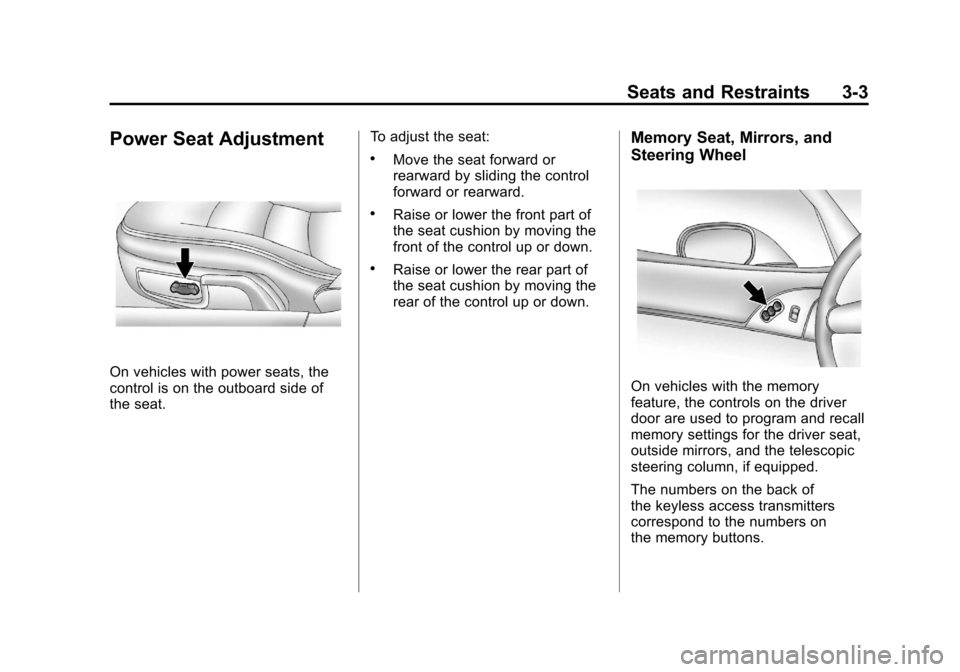
On vehicles with power seats, the
control is on the outboard side of
the seat.To adjust the seat:
.Move the seat forward or
rearward by sliding the control
forward or rearward.
.Raise or lower the front part of
the seat cushion by moving the
front of the control up or down.
.Raise or lower the rear part of
the seat cushion by moving the
rear of the control up or down.
Memory Seat, Mirrors, and
Steering Wheel
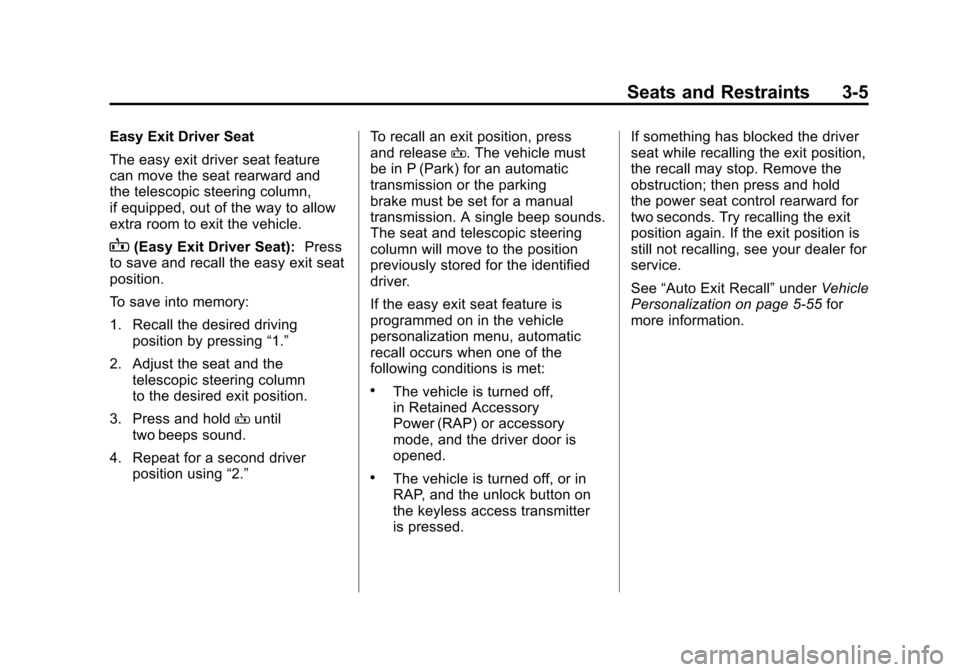
On vehicles with the memory
feature, the controls on the driver
door are used to program and recall
memory settings for the driver seat,
outside mirrors, and the telescopic
steering column, if equipped.
The numbers on the back of
the keyless access transmitters
correspond to the numbers on
the memory buttons.
Page 68 of 428

Black plate (4,1)Chevrolet Corvette Owner Manual - 2011
3-4 Seats and Restraints
Storing Memory Positions
To save into memory:
1. Adjust the driver seat, bothoutside mirrors, and the
telescopic steering column,
if equipped.
2. Press and hold “1”until
two beeps sound.
3. Repeat for a second driver position using “2.”
To recall a memory position:
.On vehicles with an automatic
transmission, press and release
“1” or“2.”
If the vehicle is in P (Park), a
single beep sounds and the
memory position is recalled
after a brief delay.
If the vehicle is not in P (Park),
three beeps sound and the
memory position is not recalled.
.On vehicles with a manual
transmission, when the vehicle
is on, the parking brake must be
set to recall a memory position.
Press and release “1”or“2.”
A single beep sounds and the
memory position is recalled after
a brief delay.
If the vehicle is on and the
parking brake is not set,
three beeps sound and the
memory position is not recalled.
Memory Remote Recall
(Automatic Transmission)
The memory feature can recall
the driver seat, outside mirrors,
and telescopic steering column,
if equipped, to stored positions
when entering the vehicle.
To activate memory remote recall,
enter the vehicle and start the
engine. The driver seat, outside
mirrors, and telescopic steering
column will move to the memory
position associated with the
transmitter used to unlock the
vehicle. The automatic recall feature can be
turned on or off using the vehicle
personalization menu. See
“Auto
Memory Recall” underVehicle
Personalization on page 5‑55 for
more information.
To stop recall movement, press one
of the power seat controls, power
mirror or memory buttons, or the
telescopic steering column switch.
If something has blocked the driver
seat while recalling a memory
position, the recall may stop.
Remove the obstruction; then
press and hold the appropriate
manual control for the memory item
that is not recalling for two seconds.
Try recalling the memory position
again by pressing the appropriate
memory button. If the memory
position is still not recalling,
see your dealer for service.
Page 69 of 428
Black plate (5,1)Chevrolet Corvette Owner Manual - 2011
Seats and Restraints 3-5
Easy Exit Driver Seat
The easy exit driver seat feature
can move the seat rearward and
the telescopic steering column,
if equipped, out of the way to allow
extra room to exit the vehicle.
B(Easy Exit Driver Seat):Press
to save and recall the easy exit seat
position.
To save into memory:
1. Recall the desired driving
position by pressing “1.”
2. Adjust the seat and the telescopic steering column
to the desired exit position.
3. Press and hold Buntil
two beeps sound.
4. Repeat for a second driver position using “2.” To recall an exit position, press
and release
B. The vehicle must
be in P (Park) for an automatic
transmission or the parking
brake must be set for a manual
transmission. A single beep sounds.
The seat and telescopic steering
column will move to the position
previously stored for the identified
driver.
If the easy exit seat feature is
programmed on in the vehicle
personalization menu, automatic
recall occurs when one of the
following conditions is met:
.The vehicle is turned off,
in Retained Accessory
Power (RAP) or accessory
mode, and the driver door is
opened.
.The vehicle is turned off, or in
RAP, and the unlock button on
the keyless access transmitter
is pressed. If something has blocked the driver
seat while recalling the exit position,
the recall may stop. Remove the
obstruction; then press and hold
the power seat control rearward for
two seconds. Try recalling the exit
position again. If the exit position is
still not recalling, see your dealer for
service.
See
“Auto Exit Recall” underVehicle
Personalization on page 5‑55 for
more information.
Page 86 of 428
Black plate (22,1)Chevrolet Corvette Owner Manual - 2011
3-22 Seats and Restraints
Replacing Safety Belt
System Parts After a
Crash
{WARNING
A crash can damage the safety
belt system in the vehicle.
A damaged safety belt system
may not properly protect the
person using it, resulting in
serious injury or even death in
a crash. To help make sure the
safety belt systems are working
properly after a crash, have them
inspected and any necessary
replacements made as soon as
possible.After a minor crash, replacement of
safety belts may not be necessary.
But the safety belt assemblies that
were used during any crash may
have been stressed or damaged.
See your dealer to have the safety
belt assemblies inspected or
replaced.
New parts and repairs may be
necessary even if the safety belt
system was not being used at the
time of the crash.
Have the safety belt pretensioners
checked if the vehicle has been in a
crash, or if the airbag readiness light
stays on after you start the vehicle
or while you are driving. See
Airbag
Readiness Light on page 5‑16.
Airbag System
The vehicle has the following
airbags:
.A frontal airbag for the driver.
.A frontal airbag for the right front
passenger.
.A seat-mounted side impact
airbag for the driver.
.A seat-mounted side impact
airbag for the right front
passenger.
All of the airbags in the vehicle will
have the word AIRBAG embossed
in the trim or on an attached label
near the deployment opening.
For frontal airbags, the word
AIRBAG will appear on the middle
part of the steering wheel for the
driver and on the instrument panel
for the right front passenger.
With seat-mounted side impact
airbags, the word AIRBAG will
appear on the side of the seatback
closest to the door.
Page 88 of 428
Black plate (24,1)Chevrolet Corvette Owner Manual - 2011
3-24 Seats and Restraints
{WARNING
Children who are up against,
or very close to, any airbag
when it inflates can be seriously
injured or killed. Airbags plus
lap-shoulder belts offer protection
for adults and older children, but
not for young children and infants.
Neither the vehicle's safety belt
system nor its airbag system
is designed for them. Young
children and infants need the
protection that a child restraint
system can provide. Always
secure children properly in
your vehicle. To read how, see
Older Children on page 3‑37or
Infants and Young Children on
page 3‑39.
There is an airbag readiness light
on the instrument panel, which
shows the airbag symbol.
The system checks the airbag
electrical system for malfunctions.
The light tells you if there is an
electrical problem. See Airbag
Readiness Light on page 5‑16
for more information.
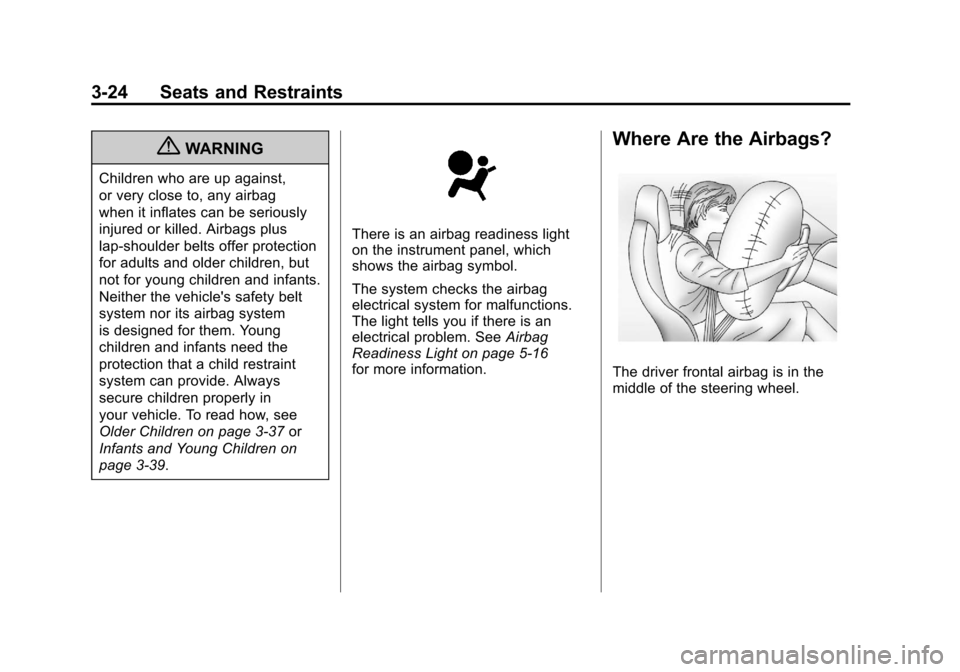
Where Are the Airbags?
The driver frontal airbag is in the
middle of the steering wheel.
Page 89 of 428
Black plate (25,1)Chevrolet Corvette Owner Manual - 2011
Seats and Restraints 3-25
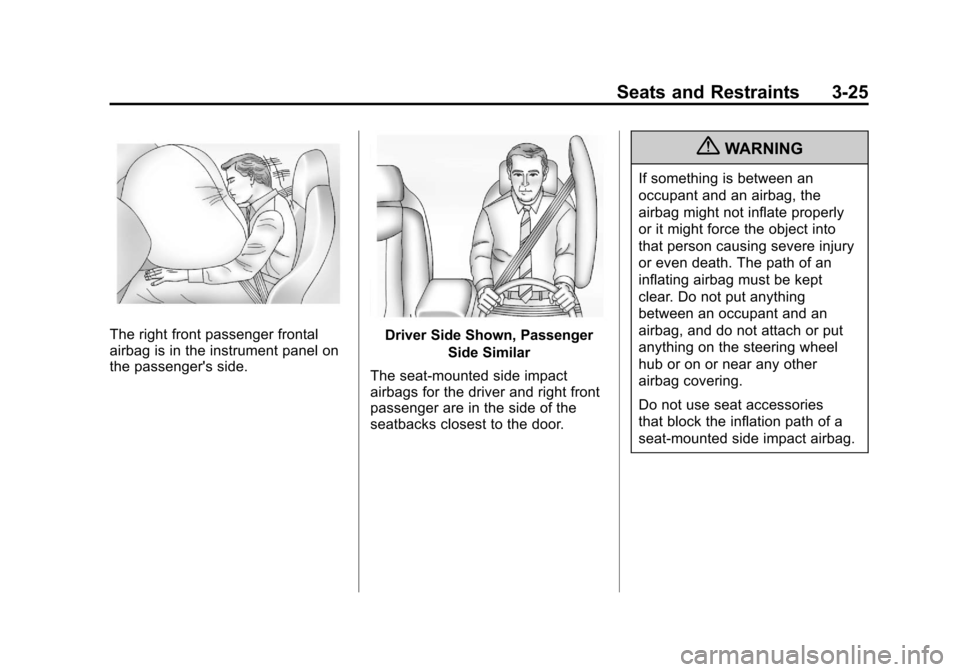
The right front passenger frontal
airbag is in the instrument panel on
the passenger's side.Driver Side Shown, PassengerSide Similar
The seat-mounted side impact
airbags for the driver and right front
passenger are in the side of the
seatbacks closest to the door.
{WARNING
If something is between an
occupant and an airbag, the
airbag might not inflate properly
or it might force the object into
that person causing severe injury
or even death. The path of an
inflating airbag must be kept
clear. Do not put anything
between an occupant and an
airbag, and do not attach or put
anything on the steering wheel
hub or on or near any other
airbag covering.
Do not use seat accessories
that block the inflation path of a
seat-mounted side impact airbag.
Page 91 of 428

Black plate (27,1)Chevrolet Corvette Owner Manual - 2011
Seats and Restraints 3-27
Your vehicle may have one or
two seat position sensors,
depending on what model you
have. The seat position sensor(s)
enable the sensing system to
monitor the position of the driver
seat (all models except Z06
and ZR1) and the right front
passenger seat (all models).
Seat position sensor(s) provide
information that is used to determine
if the airbags should deploy at a
reduced level or at full deployment.
Your vehicle may or may not have
seat-mounted side impact airbags.
SeeAirbag System on page 3‑22.
Seat-mounted side impact airbags
are intended to inflate in moderate
to severe side crashes. Seat-mounted side impact airbags
will inflate if the crash severity
is above the system's designed
threshold level. The threshold level
can vary with specific vehicle
design.
Seat-mounted side impact
airbags are not intended to inflate
in frontal impacts, near-frontal
impacts, rollovers, or rear impacts.
A seat-mounted side impact airbag
is intended to deploy on the side of
the vehicle that is struck.
In any particular crash, no one
can say whether an airbag should
have inflated simply because of
the damage to a vehicle or because
of what the repair costs were. For
seat-mounted side impact airbags,
deployment is determined by the
location and severity of the side
impact.What Makes an Airbag
Inflate?
In a deployment event, the sensing
system sends an electrical signal
triggering a release of gas from the
inflator. Gas from the inflator fills the
airbag causing the bag to break out
of the cover and deploy. The inflator,
the airbag, and related hardware are
all part of the airbag module.
Frontal airbag modules are located
inside the steering wheel and
instrument panel. For vehicles with
seat-mounted side impact airbags,
there are airbag modules in the side
of the front seatbacks closest to
the door.