2011 AUDI S8 steering
[x] Cancel search: steeringPage 110 of 302

108 Audi drive select
pedal movements, and steering is sporty and
more direct*. The sport differentia l* provides
mo re agility, the air suspension is tighter and
the transm ission shifts at a higher RPM. The
cornering light also reac ts in a sporty way. The
setting is ideal for sporty driving.
Individual
You can adapt this mode to your personal
needs in the MMI
¢page 108.
A WARNING
Pay attention to traff ic when operating Au
di dr ive se lect to prevent potent ial risk of
an accident .
Adjusting the Individual mode
You can adjust the vehicle settings to your
personal preference s.
.. Se lect : I CAR ! function button > Set individu-
al
control button.
The
individual driving mode will automatical
l y be activated when yo u have finished config
uring the settings.
The equipmen t in your veh icle w ill de termine
which settings you can adj ust.
(D Tips
Your individual mode settings are auto
mat ica lly stored and assigned to the re
mote control key being used.
Raising/lowering the
vehicle
Raising the vehicle
You can raise your ve hicle temporarily, for ex
ample to drive over a tall curb .
.. Select the following in the MMI: ICAR!func
t ion button >
Raise cont ro l button .
.. Wait for the arrows in the display to stop
blinking and the vehicle to reach its final po
s it ion.
Lowering the vehicle
.. To lower the vehicle, se lect the following in
the MMI : ICAR ! f u nct ion button>
Lower con
trol button.
.. Wait for the arrows in the display to stop
blinking and the veh icle to lower comp lete
ly .
Q) Note
- Remember that your vehicle is not suita
ble for dr iv ing offroad even when it is
raised. There is not enough ground clear
ance .
- If the vehicle is raised, it will lower auto
matically when driving 62 mph (100 km/
h) or faster.
Driver messages
Air suspension : vehicle currently too low .
Level control running
Air suspension : vehicle currently too high.
Level control running
T he driver message switches off when the lev
el control process is complete.
Page 111 of 302

Night vision assistant
Description
Applies to vehicles: with night vision assistant
Fig. 110 Display: nightv ision assistant
"Night v ision assistant with pedestrian detec
tion" uses an infrared camera to mon itor the
area in front of your vehicle at night . Within
the limits of the system, it can display objects
up to about 1000 feet (300 mete rs) away. The
heat image of a pedestrian detected by the
camera is shown in the instrument cluster dis
p lay
¢ fig. 110. Warm areas appear lighter
and cold areas appear darker.
Pedestrian detection
Applies to vehicles: with night vision assistant
Fig. 111 Display: yellow pedestrian marking
Fig. 112 Display: symbol when infra red image is not
visib le
Night vision assistant 109
Night vision assistant can detect pedestrians
that are between about 50 and 300 feet (15
and 90 meters) in front of the vehicle, under ideal conditions . If a pedestrian is detected
when it is dark outside and the vehicle head
lights are switched on, the pedestrian is high
lighted in yellow
~ fig. 111, ¢page 110,
General information .
If another display such
as navigat ion replaces the image from the
night vis ion assistant, the symbo l
~11 appears
in a tab
¢fig. 112.
(D Tips
-If the night vision assistant image does
not appear when the system is switched
on, you can access it with the buttons on
the multifunction steering whee l
~page 24.
Pedestrian warning
Applies to vehicles: with night vision assistant
Fig . 113 D isp lay: pedestr ian wa rning
Fig. 114 Disp lay: pedestrian wa rnin g with anot her dis
play
If a pedestrian is detected in an area in front
of the vehicle that the system considers criti
cal, the pedestrian is highlighted in red
¢fig . 113 and a warning tone sounds. This
area is based on the vehicle speed and
Page 112 of 302
110 Night vis ion assis tant
steering angle. The pedestrian warning
prompts you to pay even closer attention to
the area in front of the vehicle and to watch
out for pedestrians.
I f another display such as the tr ip computer
replaces the image from the night vision as
sistant, the indicator light turns red when
there is a pedestrian warning
I c:> fig. 114.
@ Tips
The pedestrian marking and warning tone
can be adjusted in the MMI
r::!)poge 111.
General information
Applies to vehicles: with night vision assistant
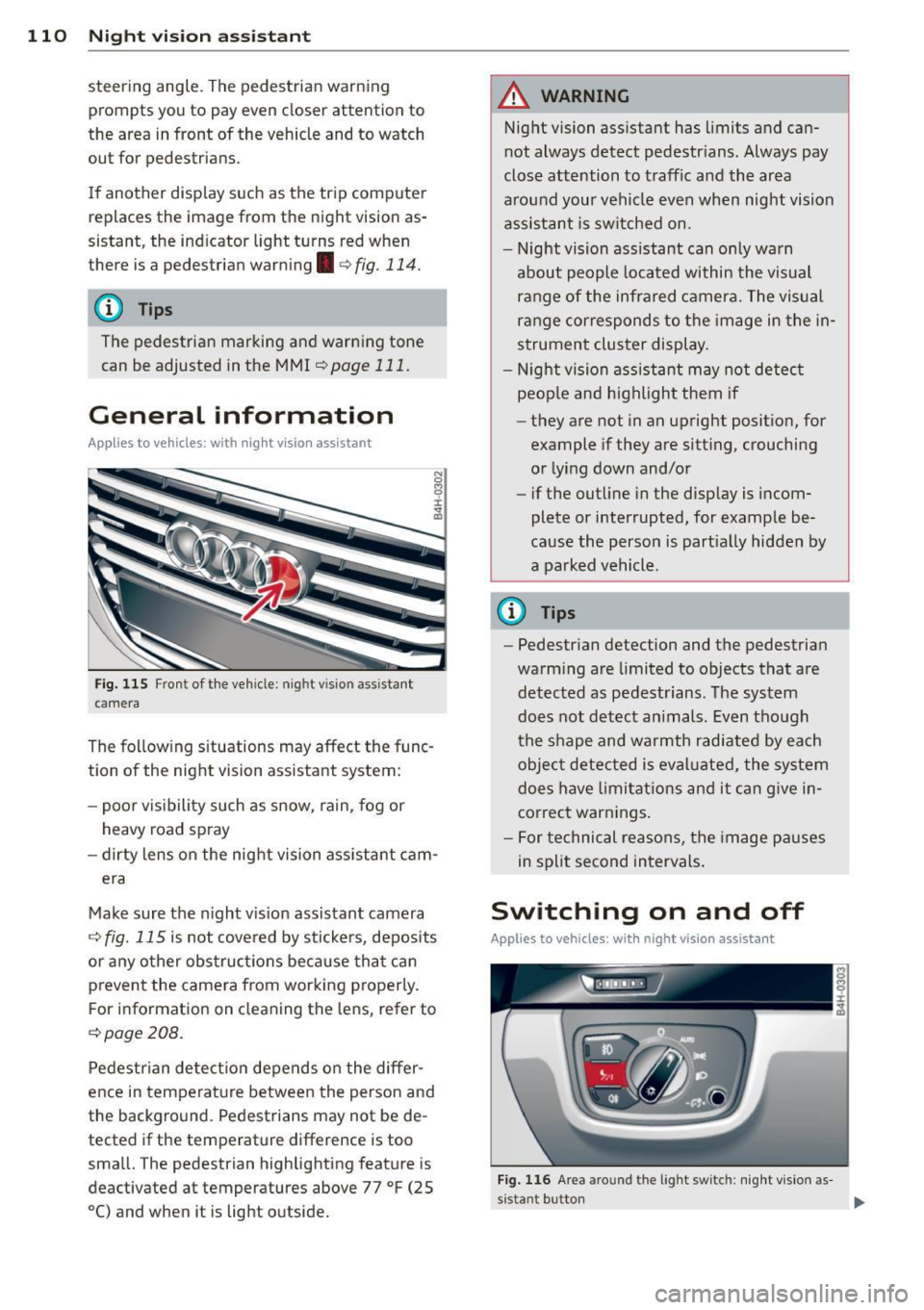
Fig. 115 Front of the vehi cle: night vision assistant
camera
The following s ituations may affect the func
tion of the night vision assistant system:
- poor vis ibility such as snow, ra in , fog or
heavy road spray
- dirty lens on the night vision ass istant cam -
era
Make sure the night vis ion assistant camera
r::!) fig. 115 is not cove red by stickers, deposits
or any other obstruc tions because tha t can
p revent the camera from working p roperly.
F or information on cleaning the lens, refer to
r::!) page 208.
Pedestrian detect ion depends o n the differ
ence in temperat ure between the person and
the background. Pedestrians may not be de
tected if the temperature difference is too
small. The pedestrian highlighting feature is
deactivated at temperatures above 77 °F (25
0
() and when it is light outside.
A WARNING
--
Night vision assistant has limits and can
not always detect pedestrians . Always pay
close attention to traffic and the area
around your vehicle even when night vision
assis tant is sw itched on.
- Night vision assistant can only warn
about people located within the visual
range of the infrared camera. The visual
ra nge corresponds to the image in the in
strument cluster display .
- Night vision assistant may not detect
peop le and highlight them if
- they are not in an upright posit ion, for
example if they are sitting, crouching
o r lying down and/or
- if the outline in the disp lay is incom
plete or interrupted, for example be
cause the perso n is part ial ly hidden by
a parked vehicle.
@ Tips
- Pedestrian detection and the pedestrian
warm ing are limited to objects that are
detected as pedest rians . The system
does not detect an imals. Even though
the shape and warmth radiate d by each
objec t detected is eval uated, the system
does have limitat ions and it can g ive in
correct warnings .
- For technical reasons, the image pauses
in split second intervals.
Switching on and off
Applies to vehicles : with night vision assistant
Fig. 116 Area around the light switch: night vis ion as-
s istant button ..,_
Page 123 of 302

Reverse Parking
Applies to vehicles: with parking system advanced
Parking mode 1 can be used when parking in
a garage or into a parking space.
Fig. 130 MMI display: a im ing at a park ing spot
Fig. 131 MMI display : al ign ing the veh icle
... Turn the steer ing wheel until the orange ori
entat ion lines
(D appear in the park ing spot
Q fig . 130. Use the markings @to help you
est imate the distance from an obstacle.
E ach marking rep resents 3
ft (1 meter). The
blue area represents an ex tension of the ve
hicle 's outline by approx imately 16
ft (5 me
ters) to the rear .
... While driving in reverse gear, adjust the
steering wheel angle to fit the parking space
with the aid of the orange orientation lines
c>(D. @ marks the rear bumper. Stop the
vehicle when the red orientation line © bor
ders an object
c::> _& !
..&, WARNING
- The rear view came ra does not show the
entire area beh ind the veh icle
c::>page 118, fig. 126 . Watch out espe
cially for small children and animals . The
Ad vanced Parking S yste m 12 1
rear view camera cannot always detect
them, posing risk of an accident!
- Please note that objects not touching the
ground can appear to be further away
than they really are (for example, the
bumper of a parked vehicle, a trailer
hitch, or the rea r ofa truck). In this case,
you shou ld not use the help lines to help
with parking, wh ich pose s danger of an
accident!
(D Note
In the MMI d isplay, the direction of travel
of the vehicle rear is represented depend ing on the steering wheel angle. The vehi
cle front swings out more than the vehicle
r ear. Maintai n plenty of d istance so that
your outside mirror or a corner o f your ve
hicle does not co llide with any obstacles.
This can damage to your vehicle .
Parallel Parking
Applies to vehicles: with parking system advanced
Use parking mode 2 to help you parallel park
along the side of a street .
F ig . 1 32 MMI display: blue surface in the park ing spot
F ig . 1 33 MMI disp lay: Blue curve on the curb
Page 124 of 302

122 Advanc ed Parking S ystem
The following steps app ly only when there is
no obstacle such as a wall near the parking
spot. Otherwise, please read the information
prov ided in the "P arking Next to Obs tacles"
section
<=> page 122.
.. Activate the turn signal.
.. Position your vehicle parallel to the edge of
the street, approximately 3 ft (1 meter)
from a parked vehicle.
.. Switch the MMI on and se lect reverse gear .
The parking aid turns on and parking mode
1 appears on the disp lay .
.. Press the cont rol button (!)
<=>fig . 132 on
the MMI control conso le. Parki ng mode 2
appears .
.. Back up and align yo ur vehicle so the blue
area @ borders on the rear end of the vehi
cle or on the parking spot line. The bl ue area
represents an extension of the veh icle's out
line by approximately 16 ft (5 meters) to the
rear . The long side of the blue area should
be o n the curb. The entire blue area must fit
into the parking spot .
.. With the veh icle stopped, turn the s teer ing
wheel to the right as far as it w ill go.
.. Back into the par king spot until the blue
c ur ve touches the curb<=>
fig. 133. Stop the
vehicle.
.. With the vehicle stopped, turn the steering
wheel to the left as far as it will go.
.. Continue to back into the parking spot un til
the veh icle is parked parallel to the curb. @
marks the rear bumper . Stop the vehicle
when the red orientation line@ borders an
obje ct ¢
& -Keep an eye on the front of
yo ur vehicle while doing this ¢0 .
Parking n ext to obstacles
When t here is an obstacle (such as a wall)
next to the pa rk ing spot, choose a spot w ith
more space on t he sides. Pos ition the long
side of the blue area so that there is sufficie nt
space from the curb. The area m ust no t be on
the c urb. You wi ll also need to start turning
the steering wheel much earlier. There should
be a suffic ient amo unt of space between the
curb and the blue curve, and the blue c urve
c;> fig. 133 mus t not touch the curb.
A WARNING
- The rear view camera does not show the
entire area behind the vehicle
c::;, page 118, fig . 126 . Watch out espe
cially fo r small chi ldren and anima ls . The
rea r view came ra ca nnot always dete ct
them, posing ris k of an accident!
- Please note that objects not touching the
ground can appear to be further away
t han they really a re (for examp le, the
bumper of a parked vehicle, a trailer
hitch, or the rea r of a truck) . In this case,
you shou ld not use the help lines to help
with parking, which poses danger of an accident!
(D Note
In the MMI display, the direction of travel
of the vehicle rear is represented depend
i ng on the steering wheel angle . The vehi
cle front swings out more than the vehicle rear . Maintain plenty of distance so that
your outside mirror or a corner of you r ve
hicle does not collide with any obstacles.
This ca n damage to your ve hicle .
(D Tips
The left o r right orientation lines and su r
faces will be disp layed, depending on t he
tu rn s ignal being used .
Adjusting the display
and warning tones
Applies to vehicles: wi th parking system advanced
The display and warning tones can be adjust
ed in the MMI.
.. Select: !CAR I function button> Car sy stem s
cont ro l button > Driver a ssist > Parking aid
> Setting s control b utton.
Display
On -when the parking system is switched on,
either the vis ual d isp lay or the picture from
the rear view camera is disp layed .
II>-
Page 130 of 302

128 Driving S afel y
• Make sure to use the right child rest raint
correct ly to protect children <=:>
page 169,
Child Safety.
• Sit properly in your seat and make sure that
your passengers do the same
r::::> page 54,
General recommendations.
• Fasten your safety belt a nd wear it properly .
Also instruct your passengers to fasten their
safety belts proper ly
i;::;, page 13 7 .
What impairs driving safety?
Safe driving is directly related to the condi
tion of the vehicle, the driver as well as the
driver 's ability to concentrate on the road
without being distracted.
The driver is respons ible for the safety of the
vehi cle and all of its occupants.
If you r ability
to drive is impa ired, safety r isks for everybody
i n the vehicle increase and yo u also become a
hazard to everyone else on the road
i;::;, .&_ .
Therefore:
• Do no t let yourself be distracted by passe n
gers or by using a cellular telephone.
• NEV ER drive when your driving ability is im
paired (by medications, alcohol, drugs, etc.).
• Observe all traffic laws, rules of the road
and speed limits and plain common sense .
• ALWAYS adjust your speed to road, traff ic
and weather condit ions .
• Take frequent breaks on long trips . Do not
dr ive for more than two hours at a stretch.
• Do NO T drive when you are t ired, under
pressure or when you are stressed.
_8. WARNING
Impaired driving safety increases the risk
of serious personal injury and death when
ever a vehicle is being used.
Proper occupant
seating positions
Proper seating position for the driver
The proper driver seating position is impor
tant for safe, relaxed driving.
Fig. 1 36 Correct seat ing pos it ion
For your own safety and to reduce the risk of
injury in the event of an accident, we recom
mend that you adjust the driver's seat to the
follow ing pos ition:
• Adjust the driver's seat so that you can easi
ly push the pedals all the way to the floor
while keeping your knee(s) slightly bent
¢ A.
• Ad just the angle of the seatback so that it is
in an upr ight position so that your back
comes in full contact with it when you drive.
• Adj ust the steering wheel so that there is a
d istance of at least 10 inches (25 cm) be
tween the steering wheel and your breast
bone
i;::;, fig. 136. If not possible, see your au
thorized Audi dealership about adaptive equipment.
• Adjust the steering wheel so that the steer
ing wheel and airbag cover points at your
chest and not at your face .
• Grasp the top of the steer ing whee l with
your elbow(s) slightly bent.
• Adjust the head rest raint so the upper edge
is as even as possible with the top of your
head.
If that is not possible, try to adjust
the head restraint so that it is as close to
this position as possib le.
• Fasten and wear safety belts correctly
¢page 140.
Page 131 of 302

~ Always keep both feet in the footwell so
that you are in control of the vehicle at all
times.
For detailed information on how to adjust the
driver's seat, see
c:> page 55.
A WARNING
Drivers who are unbelted, out of position
or too close to the airbag can be seriously
injured by an airbag as it unfolds. To help
reduce the risk of serious personal injury:
- Always adjust the driver's seat and the
steering wheel so that there are at least
10 inches (25 cm) between your breast
bone and the steering wheel.
- Always adjust the driver's seat and the
steering wheel so that there are at least
4 inches (10 cm) between the knees and
the lower part of the instrument panel.
- Always hold the steering wheel on the
outside of the steering wheel rim with
your hands at the 9 o'clock and 3 o'clock positions to help reduce the risk of per
sonal injury if the driver's airbag inflates.
- Never hold the steering wheel at the
12 o'clock position or with your hands at
other positions inside the steering wheel
rim or on the steering wheel hub. Hold
ing the steering wheel the wrong way
can cause serious injuries to the hands,
arms and head if the driver's airbag in
flates
- Pointing the steering wheel toward your
face decreases the ability of the supple
mental driver's airbag to protect you in a
collision .
- Always sit in an upright position and nev
er lean against or place any part of your
body too close to the area where the air
bags are located.
- Before driving, always adjust the front
seats and head restraints properly and
make sure that all passengers are prop
erly restrained.
- Never adjust the seats while the vehicle
is moving. Your seat may move unexpect-
Driving Safely 129
ed ly and you could lose control of the ve
hicle.
- Never drive with the backrest reclined or
tilted far back! The farther the backrests
are tilted back, the greater the risk of in
jury due to incorrect positioning of the safety belt and improper seating posi
tion .
- Children must always ride in child seats
c:> page 169 . Special precautions apply
when installing a child seat on the front passenger seat
c:> page 145.
Proper seating position for the front
passenger
The proper front passenger seating position
is important for safe, relaxed driving.
For your own safety and to reduce the risk of
injury in the event of an accident, we recom
mend that you adjust the seat for the front
passenger to the following position :
~ Adjust the angle of the seatback so that it is
in an upright position and your back comes
in full contact with it whenever the vehicle is
moving.
~ Adjust the head restraint so the upper edge
is as even as possible with the top of your
head. If that is not possible, try to adjust
the head restraint so that it is as close to
this position as possible
<=:>page 131.
~ Keep both feet flat on the floor in front of
the front passenger seat .
~ Fasten and wear safety belts correctly
c:> page 140.
For detailed information on how to adjust the
front passenger's seat, see
c:> page 54 .
A WARNING
Front seat passengers who are unbelted,
out of position or too close to the airbag
can be seriously injured or killed by the air
bag as it unfolds. To help reduce the risk of
serious personal injury:
•
•
Page 141 of 302
occupant will slam violently into the steering
wheel, instrument panel, windshield , or what
ever else is in the way
c::> fig. 141. This impact
with the vehicle interior has all the energy
they had just before the crash.
Never rely on airbags alone for protection.
Even when they deploy, airbags provide only
additional protection. Airbags are not sup
posed to deploy in all kinds of accidents. Al
though your Audi is equipped with airbags, all
vehicle occupants, including the driver, must
wear safety belts correctly in order to mini
mize the risk of severe injury or death in a
crash.
Remember too, that airbags will deploy only
once and that your safety belts are always
there to offer protection in those accidents in
which airbags are not supposed to deploy or
when they have already deployed. Unbelted
occupants can also be thrown out of the vehi
cle where even more severe or fatal injuries
can occur.
It is also important for the rear passengers to
wear safety belts correctly. Unbelted passen
gers in the rear seats endanger not only them
selves but also the driver and other passen
gers
c::> fig. 142. In a frontal collision they will
be thrown forward violently, where they can
hit and injure the driver and/or front seat pas
senger.
Safety belts protect
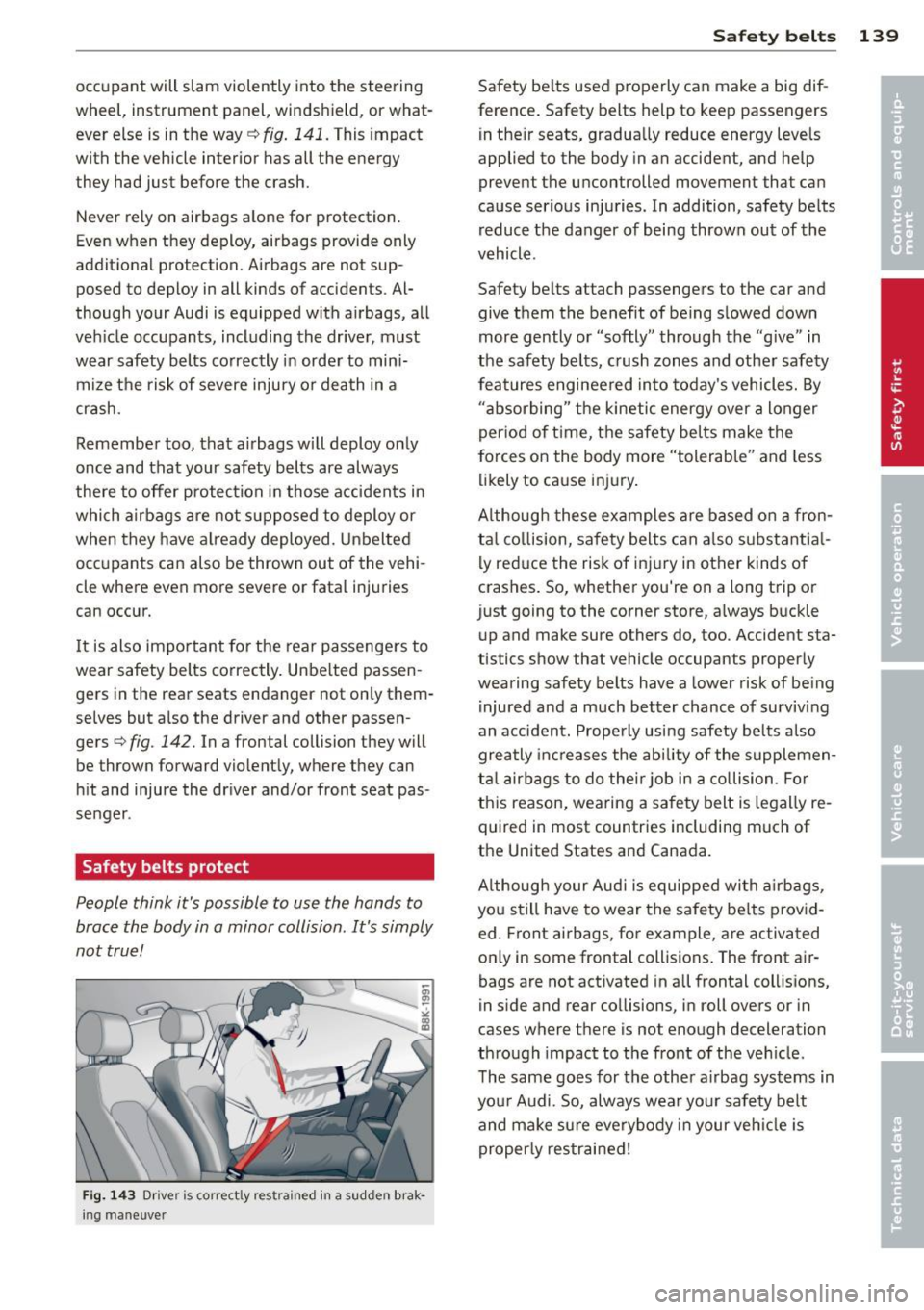
People think it's possible to use the hands to
brace the body in a minor collision . It's simply
not true!
Fig. 143 Driver is correct ly res trained in a sudden brak
ing maneuve r
Safety belts 139
Safety belts used properly can make a big dif
ference. Safety belts help to keep passengers
in their seats, gradually reduce energy levels
applied to the body in an accident, and help
prevent the uncontrolled movement that can
cause serious injuries . In addition, safety belts
reduce the danger of being thrown out of the
vehicle .
Safety belts attach passengers to the car and
give them the benefit of being slowed down
more gently or "softly" through the "give" in
the safety belts, crush zones and other safety
features engineered into today's vehicles. By
"absorbing" the kinetic energy over a longer
period of time, the safety belts make the
forces on the body more "tolerable" and less
likely to cause injury.
Although these examples are based on a fron
tal collision, safety belts can also su bsta ntia l
ly reduce the risk of injury in other kinds of
crashes. So, whether you're on a long trip or
just going to the corner store, always buckle
up and make sure others do, too. Accident sta
tistics show that vehicle occupants properly
wearing safety belts have a lower risk of being
injured and a much better chance of surviving
an accident. Properly using safety belts also
greatly increases the ability of the supplemen
tal airbags to do their job in a collision . For
this reason, wearing a safety belt is legally re
quired in most countries including much of
the United States and Canada.
Although your Audi is equipped with airbags,
you still have to wear the safety belts provid
ed. Front airbags, for example, are activated
only in some frontal collisions. The front air
bags are not activated in all frontal collisions,
in side and rear collisions, in roll overs or in
cases where there is not enough deceleration
through impact to the front of the vehicle.
The same goes for the other airbag systems in
your Audi. So, always wear your safety belt
and make sure everybody in your vehicle is
properly restrained!