2011 AUDI S8 steering
[x] Cancel search: steeringPage 84 of 302
82 On the road
-Occasiona l noises when the parking
brake is applied and re leased are norma l
and are not a cause for concern .
- When the vehicle is parked, the parking
brake goes through a se lf-test cycle at
regular intervals. Any assoc iated noises
are norma l.
Parking
Various rules apply to prevent the parked ve
hicle from rolling away accidentally.
P ar king
,. Stop the vehicle w ith the foot brake.
,. Pull the switch© to apply the parking
brake.
,. Se lect the
P se lector lever position
9 page 112.
,. Turn the eng ine off q _&. .
In addition on incline s and grad es
,. Turn the steering whee l so that your vehicle
wi ll ro ll against the curb in case it should
start to move .
A WARNING
-When you leave your veh icle -even if on
ly briefly -always take the ignition key
with you. This applies particularly when children remain in the veh icle. Otherw ise
the ch ildren could sta rt t he engine, re
lease the p arking brake or operate e lec
trical equipment (e .g. power windows) .
T he re is the risk of an accident.
- When the vehicle is loc ked, no one -par
t icu la rly not children sho uld remain in
the vehicle . Locked doors make it more
difficult for emergency workers to get in
to the vehicle -putt ing lives at risk.
Start ing from rest
The starting assist function ensures that the
parking brake is released automatically upon starting.
Stopping and appl ying par kin g brake
,. Pull the switch© to apply the parking
brake.
St arting and automatic ally rel easi ng the
parking b rake
,. When you start to dr ive as usual, the park
ing brake is automat ically released and your
veh icle beg ins to move.
When stopping at a traffic signal or stopping in city traffic, the parking brake can be ap
plied . The vehicle does not have to be held
with the footbrake . The parking brake elimi
nates the tendency to creep w ith a dr ive range
engaged. As soo n as you d rive off as usual,
the pa rking brake is re leased automatically
and the vehicle s tarts to move.
Sta rting on slopes
When starting on inclines, the starting assist
prevents the veh icle from u nintent ionally roll
i ng back. The braking fo rce of the par kin g
brake is not re leased unti l su ff ic ient d riving
f orce has been built up a t the wheels.
(D Tips
Fo r safety reasons, the pa rking bra ke is re
l eased automatically o nly when t he d riv
er's safety belt is engaged in the buckle.
Starting off with a trailer
To prevent rolling back unintentionally on an
incline, do the following:
,. Keep the sw itch(®) pulled and depress the
accelerator. The pa rking brake stays applied
and p revents the vehicle from roll ing back
ward .
,. You can release the switch© once you are
sure that you are developing enough for
ward momentum at the whee ls as you de
press the acce lerator.
Page 91 of 302

Adaptive cru ise co ntrol and b rakin g guar d 89
You must also press the b rake pedal when
the vehicle is stopped.
Sw itching adapti ve cruis e co ntrol off
~ Push the lever away from you into position
@ until it clic ks into p lace. The message
A CC off appears.
I ndicator lamps and messages in the instru
ment cluster display inform you about the c ur
rent system status and settings.
@ Indic ator light s
fl-adaptive cruise control is sw itched on . No
veh icles are detected up ahead . The stored
speed is ma inta ined.
I -A moving vehicle is detected up ahead .
The adaptive cruise control system regulates
the speed and distance to the moving veh icle
ahead and accelerates/brakes automat ically.
f:i -adaptive cru ise control is switched on. A
mov ing vehicle up ahead was detected. Your
veh icle remains stopped and will not start
driving automatically.
I -When automat ic braking is not able to
keep enough distance to a previously detected
mov ing vehicle up ahead, you must take con
trol and brake¢
page 90, Prompt for driver
intervention.
© Di splay
If adaptive cruise control is not shown in the
d isplay, you can call it up with the multifunc
tion steering wheel buttons
¢ page 23 .
Based on the symbols in the display, you can
determine if the system is maintaining a dis
tance to the vehicle ahead and what that d is
tance is .
No v ehicle -No vehicle ahead was detected.
White vehicle -A vehicle ahead was detected .
Red ve hicl e -Prompt for the d river to take ac
tion
¢ page 90.
Both arr ow s on the scal e© indicate the dis
tance to the vehicle ahead . No ar row appears
when the vehicle is on an open road and there is no object ahead.
If an object is detected
ahead, the arrow moves on the scale .
T he green zone on the sca le shows the stored
distance. For informat ion on changing the
stored distance ¢
page 91. If the distance
selected is too close or may soon become too
close, the arrows move into the red zone on
the scale .
A WARNING
Improper use of the adaptive cruise con
trol can cause collisions, other accidents
and serious personal injur ies .
- Pressing the
!SET ! button when driv ing at
speeds below
20 mph (30 km/h), w ill au
tomatically accelerate the vehicle to
20
mph (30 km/h), wh ich is the minimum
speed that can be set .
(D Tips
- If you switch the ignit ion or the adaptive
cruise control off, the set speed is e rased
from the system memory.
- You cannot switch the Electron ic Stabili
zation Program (ESP) to the SPORT mode
when adaptive c ruise control is sw itched
on.
Driving in stop-and-go traffic
Appl ies to vehicles: wi th adap tive c ruise control
T he adaptive cru ise contro l system also as
sists yo u in stop-and-go traffic. If a previous
detected vehicle ahead stops, your vehicle wi ll
brake to a stop, within the limits of the sys
tem.
~ To resume driving with adaptive cruise con
trol, tap the acce lerator pedal or
~ Pull the lever toward you into position @
¢ page 88, fig. 89.
(D Tips
- If adaptive cruise control is act ive and
your vehicle does not start driving as ex pected after pu lling the lever once, you
can start out again by tapping the acce l-
erator peda l. ..,.
Page 94 of 302

92 Adaptive cruise control and braking guard
-Your standard settings are automatically
stored and assigned to the remote con
trol key being used .
Audi braking guard
Description
Applies to vehicles: wit h adapt ive c ru ise control
Fig. 94 Instrument cluster: approach warn ing
Audi brak ing guard uses radar sensors and a
video camera . It is active at speeds above
about 6.2 mph (10 km/h) and also works
within system limits when adaptive cruise control is switched off.
On vehicles with aAdaptive cruise control and
Audi side assist (Audi pre sense plus), system
functions also engage when a co llision is im
minent
¢page 188.
What can Audi braking guard do?
When detected in time, the system can assess
situations when a vehicle ahead brakes sud
denly or if your own veh icle is traveling at a
h igh speed and approaching a vehicle up
ahead that is moving more slowly. Audi brak
ing guard does not react if it cannot detect
the situation.
The system advises you of various kinds situa tions :
- The
distance warning is given if you are too
close to the vehicle ahead for a long time. If
the vehicle ahead brakes sharply, you will not be able to avoid a coll is ion. The ind icator
light
I i n the d isplay comes on. Take imme
diate action to avoid the coll is ion and in
crease the distance to the vehicle up ahead. -
The
approach warning is given when a de
tected vehicle up ahead in your lane is mov
ing much more slowly that you are or if it
brakes sharp ly. When this warning is given,
it may only be possible to avoid a collision
by swerving or braking sharp ly . The indicator
light
I and the symbol in the disp lay will
warn you about the danger
c:> fig. 94 . You
w ill also hear an acoustic signal.
If you do not react fast enough or do not react
at all to the situation, Aud i braking guard w ill
intervene by braking and the message
braking
guard intervention
w ill appear.
- If a coll is ion is imminent, the system will
first provide an
acute warning by brak ing
sharply .
- If you do not react to the acute warning, Au
di braking guard will brake w ith increased
force in severa l stages to reduce the speed
in a possible collisio n. On ve hicles w ith
adaptive cruise contro l and Audi side assist
(Audi pre sense plus), the system can brake
with increasing force up to maximum decel
eration shortly before a sensed collision
¢ page 188.
- If
the Audi braking g uard senses that you
are not braking hard enough when a colli
sion is imminent, it can increase the braking
force.
Audi braking guard takes the driver's reaction
time into consideration in order to provide
timely warnings. The system reaction time de creases automatically in some situations, for
example when it detects accelerator pedal use
or steering input . The Audi braking guard in
tervent ion stops in certa in situations, for ex
amp le if you press the accelerato r pedal to
pass the vehicle moving ahead of you in your
lane.
Which functions can be controlled?
You can switch Audi braking guard and the
distance/approach warning on or off in the
M M I c:> page 93, Settings in the MMI.
Page 97 of 302

Audi lane assist Lane assist
De scription
App lies to vehicles: with la ne ass ist
Lane assist helps you keep your vehicle in your
lane.
Lane assist uses a camera to detect lane boun
dary lines . If the system detects that your ve
hicle is about to cross a detected lane boun
dary line, the steering wheel
vibrates to alert
the driver . Lane assist is operable when the
line marking the lane is detected on at least
one side of the veh icle. This is ind icated by a
g reen indicator light. in the instrument
cluster.
If the system is in active standby mode and
the turn signal is activated before driving over
the bounda ry line, the warn ing does not occur
since the system allows for intentional lane
changes.
The system is designed for driv ing on free
ways and expanded highways and thus works
only at speeds of 40 mph (65 km/h) or more.
A WARNING
- Lane assist will not keep your vehicle in
your lane . The system only warns the
driver when the vehicle is leaving the
lane . The driver is always responsible for
keeping the vehicle in the lane .
- The camera is not able to detect all lane
boundary lines and in some cases might
also detect lane structures or objects as
boundary lines . This can lead to incorrect
warnings or wa rnings tha t fail to go off
at all.
- The camera's visibility can be impaired by
vehicles ahead of you, for instance, or by
rain, snow, heavy spray o r light sh in ing
into the camera lens. Th is can cause lane
assist to fa il to detect boundary lines.
Audi lane a ssis t 95
Act ivating and deactivating
App lies to vehicles: wit h lane assist
Fig. 95 Turn sign al lever: Lane assist button
Fig . 96 W inds hield: La n e ass ist camera vi ewing w in
dow
"' Press the Q fig . 95 button to activate or de
ac tivate the system . The/: indicator light
on the instr ument cluster will illuminate or
go out.
Instrum ent clu ster ind icat or light
• Rea dy:
The green indicator light shows
that the system is ready to use.
A warning
alerts the driver when the vehicle drives over
detected lane bounda ry lines.
• Not r ea dy: The yellow indicator light
shows that the system is turned on but unable
to send a warning. This can be due to the fol low ing :
- There is no lane boundary line .
- The boundary lines are not detected (e.g .
due to snow, d irt, wet conditions or l ight
shin ing into the camera lens) .
- The vehicle 's speed is below the speed need
ed to activate it, which is about 40 mph (65
km/h).
- The lane is narrower than about 8
ft. (2 .5
m) .
-The curve is too sharp .
Page 98 of 302
96 Audi lane assist
Messages in the instrument cluster
display
When the lane assist turns off automatically,
the instrument cluster indicator goes out and
one of the following messages appears on the
display:
Audi lane assist not available: Currently no
sensor vision
This message appears when the camera can
no longer function because it cannot detect
the boundary lines. This may be due to the
following:
- T he exterior side of the camera viewing win
dow
r:!:> fig. 96 is covered with dirt or ice.
Clean this part of the windshield.
- The camera viewing window is fogged up on
the inside. In this case, wait until the fog
disappears before turning lane assist on
again.
- The system was unab le to detect boundary
lines over an extended period of time due to
road conditions (such as snow-covered
lanes). Do not turn lane assist on again until
the lines can be more easily detected.
Audi lane assist not available
A temporary malfunction is preventing lane
assist from operating. Try turning on lane as
sist again at a later t ime.
Audi lane assist: system fault
The system should be checked by an author
ized Audi dealer or other qualified workshop.
(D} Tips
-Make sure that the camera v iewing win
dow
r:!:> fig. 96 is not covered by st ickers
or similar objects.
- Always keep the camera viewing window
clean . This can usually be done by oper
at ing the w indshield wipers.
Lane assist display in the instrument
cluster
Applies to vehicles: with lane assist
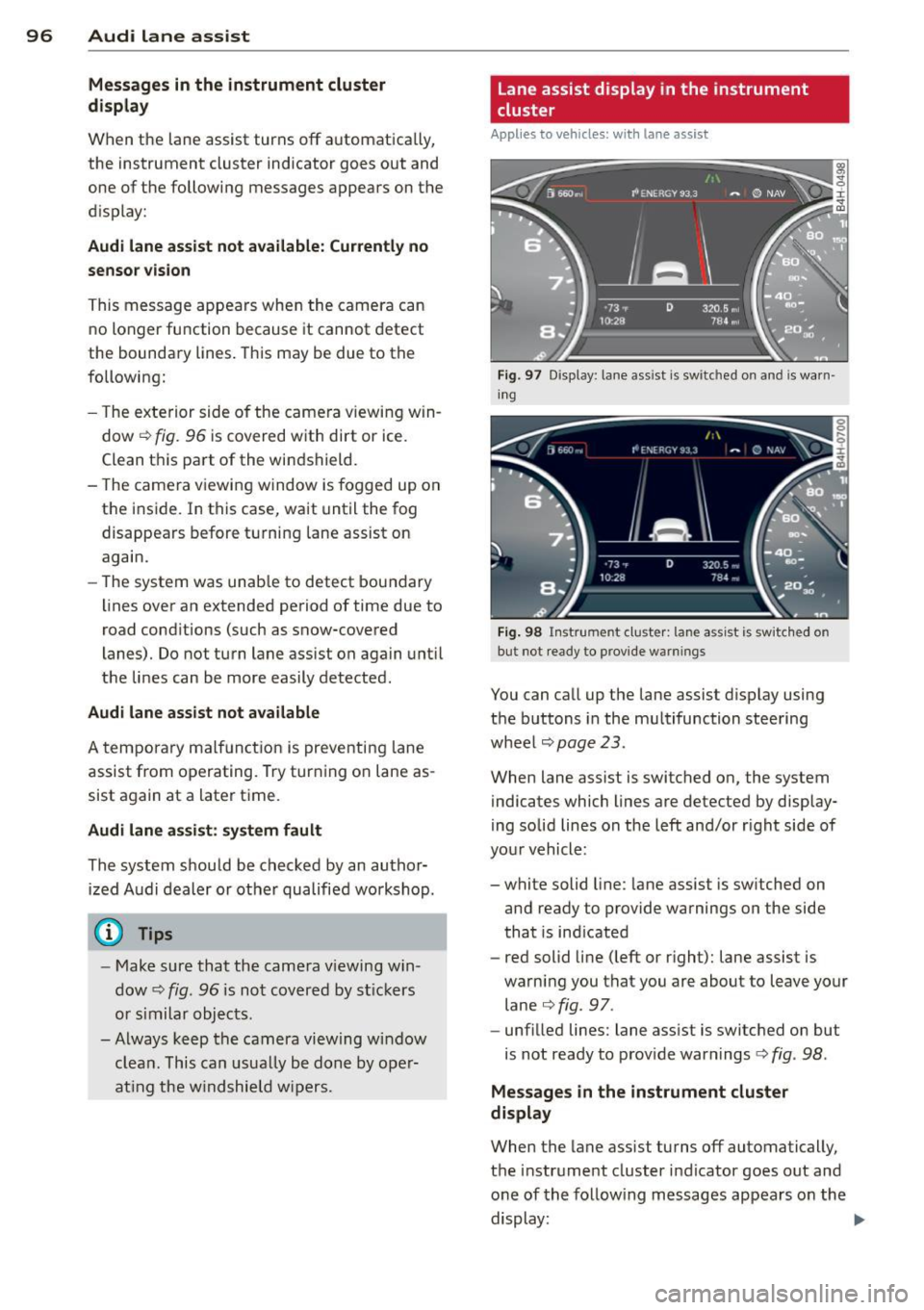
Fig. 97 Display: lane assist is switched on and is warn
ing
Fig. 98 Instrument cluster: lane assist is sw itc hed on
but not ready to provide warn ings
You can call up the lane assist display using
the buttons in the mu ltifunction steering
wheel
r:!:> page 2 3.
When lane assist is switched on, the system
indicates which lines are detected by display
ing solid lines on the left and/or r ight side of
you r vehicle:
- white solid line: lane assist is sw itched on
and ready to provide warnings on the side
that is ind icated
- red solid line (left or right): lane assist is
warning you that you are about to leave your lane
¢fig. 97 .
- unf illed lines: lane assist is switched on but
is not ready to provide warnings
r:!:> fig . 98.
Message s in the instrument cluster
display
When the lane assist turns off automatically,
the instrument cluster indicator goes out and
o ne of the following messages appears on the
display: ..,.
Page 99 of 302

Audi lane assist: currently not available. no
sensor vision
This message appears if the camera is unable
to detect the lines. This could happen if:
- The camera field of view
c::> page 95, fig . 96
is dirty or covered in ice. Clean the area on
the windshield.
- The camera field of view is fogged over. Wait
until the fog has cleared before switching
lane assist on.
- The system has been unable to detect the
lanes for an extended period of time due to
road conditions such as lanes covered in
snow. Switch lane assist back on when the
lines are more visible.
Audi lane assist: currently not available
There is a temporary lane assist malfunction.
Try switching lane assist on again later.
Audi lane assist: system fault
Drive to your authorized Audi dealer immedi
ately to have the malfunction corrected.
Setting the warning point and steering
wheel vibration
App lies to vehicles: with lane ass ist
You can adjust individual settings in the MMI.
~ Select : ICARI function button> Car systems
control button > Driver assist > Audi lane
assist.
Setting the warning point Early:
With this setting, a warning is provided
before a wheel touches the detected lane
boundary line. The warning depends on the
angle in which the vehicle is approaching the
line. The distance at which the warning is giv
en increases as the angle becomes sharper. If
you drive toward a boundary line at a very sharp angle, the warning will come just before
a wheel touches the line.
Medium: With this setting, the warning point
is adapted to the course of the road, the lane
width and the speed. You will still be warned
Audi lane assist 97
if you cross slightly over a dotted line when
driving on curves.
Late: This setting has the same properties as
medium. You will only be warned once a
wheel crosses a detected line.
Setting the steering wheel vibration
The steering wheel vibration can be set to
Low, Medium or Strong. Selecting each of the
settings will cause the steering wheel to vi
brate so you can check the strength of the vi
bration in that setting.
(D Tips
Your settings are automatically stored and
assigned to the remote control key being
used.
Page 108 of 302
106 Audi drive select
Audi drive select
Driving settings
Introduction
Aud i d rive select mak es it possible to expe ri
e nce diffe ren t types of vehi cle se ttings in o ne
ve hicl e. The dr ive r can se lect th ree
C o mfort ,
Description
The vehicle setup in each mode depends on
the vehicle's features. The engine, t ransm is
sion, steering and adapt ive a ir s uspension/
sport* are always involved. The dynamic steer
ing*, sport differential* and cornering lig ht"
can also be ad justed . The revers ible safety
belt tensioners ¢ page
188 are adap ted to
the dynamic mode.
Depending on the mode, the
Engine /Trans
mission
respond more quickly or i n a more
balanced manne r to acce le rator pedal move
men ts.
The power
Steer ing (servotronic) ¢ page 194
can also be adapted to driving situations .
The adaptive air suspension/adaptive air sus
pension sport *
(Air suspension in the MMI) is
an electronically contro lled air suspension and
dampi ng system . They are adjusted depend
ing on the selected dr iving mode , the dr ive r's
ste ering, braking and acceleration input and
the r oad s urfa ce, ve hicle speed and load . A
spor ty se tti ng i s generally use d in vehicl es
with a dap tive air s usp ension spo rt *. T he vehi
cle clea rance varies depending on the selected
mode and the speed .
Th e highway set ting is activ ated au to ma tically
when yo u drive above 75 mph (120 km/h) for
Systems Comfort
Engine /
bala nced
Transmission
Air suspension
comfortabl e
Steering comfortable
Auto and Dynamic modes in the MMI to
switch between a spo rty and a comfo rtable
driv ing mode.
You can also adjus t the se tt ing accord ing to
yo ur prefe rences in the
ind ividual mode. For
example , you can combine settings such as a
spo rty engine tuning w it h light stee ring .
more than 30 seconds in the
auto or dynamic
mode. The gro und clea rance is increased a uto
matically if the speed drops below 44 mph
(70 km/h) f or more than 120 seco nds.
Dynamic steering* changes the stee ring ratio
as a function of the dr iving speed in o rder to
optimize the driver's req uired steering effort.
This sets the steering to be less sensit ive at
highe r speeds in order to provide improved ve
hicle control. At reduced speeds, steer ing is
more direct in or der to keep the s teer ing ef
fo rt as minima l as poss ible wh en th e drive r is
maneuveri ng the vehicle . At low and average
speeds, dynam ic stee rin g* addition ally pro
vides more responsive steering performance .
T he driver can set the basic steering ratio
c h aracteristics i n the Audi dr ive se lect .
A s a c ompone nt o f the all whee l dr ive sys te m
(quat tro ®) ¢ page
19 4, th e Sport differen·
tial*
di stributes the driving powe r to t he rear
axle depending on the situation . The distri bu
tion o f power varies depending on the mode
selected. The goal is a high level of agi lity and
ability t o accelerate on curves . The ve hicle is
very respons ive to steering .
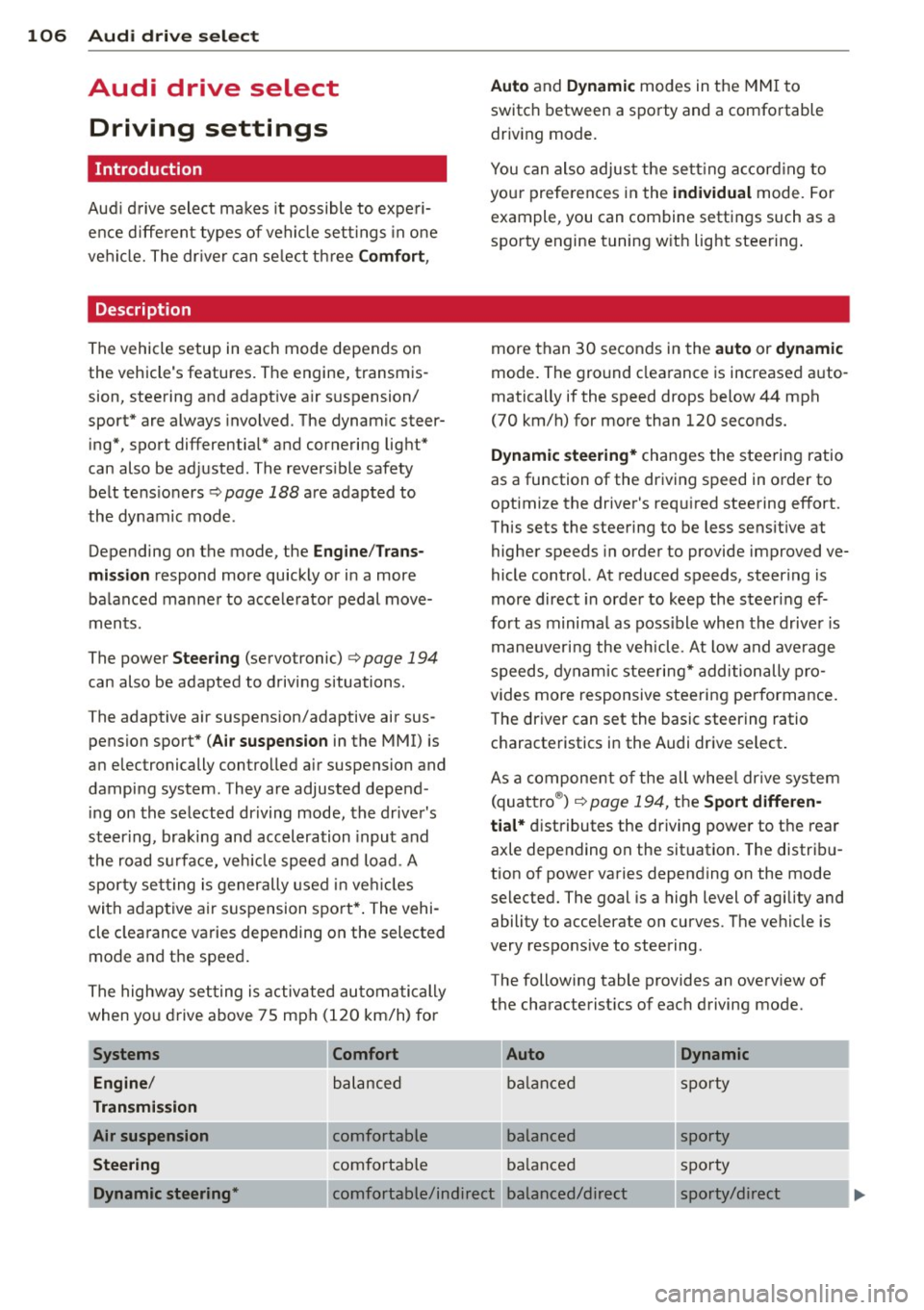
The following table provides an ove rv iew of
the characterist ics of each d riving mode.
Auto Dynamic
balance d sp orty
bala nced sporty
ba lanced sp orty
Dynamic steering* comfor table/indirec t balanced/direc t sporty/direct
Page 109 of 302

Systems Comfort
Spo rt different ial*
balanced
Belt tensioner Standard
If your vehicle is equipped with Dynam ic
steer ing*, steering settings can also be ad
justed under the
Dynamic steering* menu
item.
(D Note
- Make sure there is enough clearance
above and below the vehicle when park
i ng. The height of the vehicle can change
once it is parked due to temperature
fluctuations, changes to the load condi
tions and changes to the driving modes,
which can affect clearance .
- When transporting the veh icle on a car
carr ier, train, ship or by other means, on
ly tie the vehicle down at the running
surface of the tires, which is the outer
circumference . Secur ing the vehicle at
the axle components, suspension struts
or towing eyes is not permit ted because
the pressure in the air suspension struts
can change during transport. The vehicle
may not be secured sufficient ly if this
happens.
- If you a re going to tow a trailer, you
must activate the trailer operation mode
~ page 202.
@ Tips
-Se lecting the dynamic mode results in
sporty sh ifting character istics . The
S
gear position engages automatically .
- In vehicles that have dynamic steering*, operating noise is heard when starting or
stopping the engine. This does not indi
cate a problem.
- In vehicles with the sport d ifferential*,
the
dynamic mode is deactivated when
tow ing a trailer.
- In some models, the maximum vehicle
speed can only be reached in the
auto
and dynamic modes.
Audi drive select 107
Auto Dynamic
agile sporty
Standard Deployment time
adapted
Selecting the driving mode
You con choose between Comfort, Auto , Dy
namic and Individual.
Fig. 109 MMI : Dr ive select
.,. To select the mode, select the following in
the MMI:
ICARI function button > Comfort,
Auto , Dynamic or Individual.
You can change the driving mode when the ve
hicle is stationary or wh ile driving. If traffic
permits, after changing modes, briefly take
your foot off the accelerator pedal so that the
recently selected mode is also activated for
the engine.
Comfort
The Comfort mode prov ides a comfortable ve
hicle setting . The engine, transmission* and
sport differential* respond in a balanced man
ner when the accelerator pedal is pressed or
released. The steering moves easily and is less
direct* and the air suspension and cornering
light react comfortably. The setting is ideal
for driv ing on long stretches, such as on free
ways .
Auto
Auto
provides a comfortable yet dynamic feel.
T he setting is perfect fo r daily use.
Dynamic
Dynamic
gives the vehicle a sporty feeling.
The engine responds quickly to accelerator