2010 SUBARU TRIBECA ECO mode
[x] Cancel search: ECO modePage 209 of 422

5-22Audio
! How to insert a CD(s)
! Inserting a CD
1. Briefly press the “LOAD ”button (10). If
the magazine in the player has an idle
position where you can insert a disc, the
disc number indicator associated with the
idle position will blink.
If no indicator blinks, it means that there is
no idle position in the magazine.
2. After the disc number indicator has
started to flash, insert the disc when“ LOAD ”flashes on the display. The disc
will then be automatically drawn in, and
the player will begin to play back the first
track of the disc. . To insert more discs in succession,
repeat Steps 1 and 2. The magazine will
be loaded with discs in the ascending
order of position number.
If you do not insert any disc in 15 seconds
after you have pressed the “LOAD ”button,
the player will begin to play back the first
track of the last disc you have inserted. . The disc indicator steadily lights up if a
disc is already inserted in the correspond-
ing position of the magazine. . While the player is in the loading mode,
if you press “FM AM ”button, the player will
enter the standby mode. Press the “CD ”
button (1) to start playback. !
Inserting a disc in a desired position
1. Briefly press the “LOAD ”button (10). If
the magazine in the player has an idle
position where you can insert a disc, the
disc number indicator associated with the
idle position will blink.
The positions in the magazine the indica-
tor of which steadily lights up are already
loaded with discs.
2. Press the disc select button (9) at the
position where you want to insert a disc.
3. Insert the disc when “LOAD ”flashes
on the display. The disc will then be
automatically drawn in, and the player will
begin to play the first track on the disc. . If you wish to insert another disc,
repeat the procedure beginning with step 1.
If you do not insert any disc in 15 seconds
after you have pressed the “LOAD ”button,
the player will begin to play back the first
track of the last disc you have inserted. . While the player is in the loading mode,
if you press “FM AM ”button, the player will
enter standby mode. Press the “CD ”
button (1) to start playback. ! Loading all the magazine (full disc
loading mode)
1. If you continue to press the “LOAD ”button (10) for more than 1.5 seconds, the
player will produce beep sound and will
enter the full disc loading mode.
2. A
“disc number ”indicator will blink,
and “ALL LOAD ”will be on display for a
period of 15 seconds. If a disc is success-
fully loaded during this period, the disc
number indicator will stop blinking and will
steadily light.
3. When the loading of a disc is com-
plete, the next disc number indicator will
blink. Then repeat Step 2.
4. When the magazine is filled with discs
by repeating Steps 2 and 3, the player will
start playback of the discs, beginning with
the one inserted first.
If you fail to insert any disc during each 15
seconds interval, the full disc loading
mode will be canceled, and the player will
start playback of the disc inserted first. ! How to play back a CD or make a pause
! When there is no CD inserted:
Properly insert a CD. Refer to “How to
insert a CD(s) ”F 5-22.
When a CD is loaded, the player will start
playback of the CD, beginning with the
first track.
Page 212 of 422

next one in the following sequence.
If you accidentally press the button and
cancel the random mode, press it again
to reselect the random mode..Random playback will be cancelled
if you perform any of the followingsteps.
–Press the “RPT ”button
– Press the “SCAN ”button
– Press the “
”button
– Select the radio mode
– Press the “RSE AUX ”button
– Press the “
”or “”side of the
“ SEEK FLDR ”button
– Turn off the power of the audio
equipment – Turn the ignition switch to the
“ LOCK ”position
! SCAN
The scan mode lets you listen to the first
10 seconds of each track/file (track) in
succession. Press the “SCAN ”button (7)
to start scanning upward beginning with
the track/file (track) following the currently
selected one. When all tracks/files (tracks)
in the disc/folder have been scanned, normal playback will be resumed. To
cancel the scan mode, press the buttonagain.
NOTE
The scan mode will be cancelled if you
perform any of the following steps. . Press the “RPT ”button
. Press the “RDM ”button
. Press the “
”or “”side of the
“ TUNE TRACK ”button
. Press the “
”or “”side of the
“ SEEK FLDR ”button (MP3 disc)
. Press the “
”button
. Press the disc select button
. Select the radio mode
. Press the “RSE AUX ”button
. Turn off the power of the audio
equipment . Turn the ignition switch to the
“ LOCK ”position
! Display selection (MP3 disc)
If you press the “AUDIO ”button (3) during
playback, the indication will change to the
next one in the following sequence.
! Page (track/folder title) scroll (MP3 disc)
If, having pressed the “AUDIO ”button (3)
to select track title or folder title display,
you press the “AUDIO ”button again for
less than 0.5 second, the title will be
scrolled so you can see all of it. You will
see eight characters at a time. NOTE
The display is designed to show titles
for up to three pages (64 characters intotal). ! Folder selection (MP3 disc)
Press the “
”side of the “SEEK FLDR ”
button (4) briefly to select the next folder.
Pressing the “
”side of the same button
the first time makes the player go back to
the beginning of the currently selected file;
pressing it a second time makes it go back
to the previously selected file. NOTE
Only MP3 folders are recognized when
an attempt to select the next or pre-
vious folder is made. If no appropriate
folder exists on the disc, pressing the“
” or “”side of the “SEEK FLDR ”
button has no effect. Audio
5-25
– CONTINUED –
Page 214 of 422

waveband will be displayed.
*2: Only when a CD is in the player.
*3: Only vehicle equipped with RSE (Rear Seat Entertainment)
! “
”and “”buttons
! With radio mode selected
Press the “
”button to select the next
channel and press the “”button to select
the previous channel.
That station ’s frequency will be shown on
the audio display. ! With CD mode selected
Press the “
”button to skip forward in the
track/file (track) order. Pressing the “”
button the first time makes the player go
back to the beginning of the current track/ file (track); pressing it the second time
makes it go back to the previous track/file(track).
The track/file (track) number will be shown
on the audio display. !
Volume control buttons
Press the “+ ” button to increase the
volume. Press the “ ” button to reduce
the volume.
A number indicating the volume will be
shown on the audio display. !
MUTE button
Press this button if you wish to immedi-
ately cut the volume to zero.
The audio display will show “MUTE ”.
If you press the button again, the original
sound volume will return and “MUTE ”
turns off.
NOTE
If your vehicle is equipped with a
genuine SUBARU navigation system,
the display will show “
”.Audio
5-27
Page 218 of 422

Interior light......................................................... 6-2
Dome light .......................................................... 6-2
Cargo area light .................................................. 6-3
Rear gate light .................................................... 6-3
Map light ............................................................. 6-3
Automatic ambient light for center console area (if equipped) ...................................................... 6-4
Sun visors ........................................................... 6-4
Sun visor extension plate .................................... 6-5
Vanity mirror with light ........................................ 6-5
Storage compartment ......................................... 6-6
Glove box ........................................................... 6-6
Center console box ............................................. 6-6
Rear console ....................................................... 6-7
Overhead console ............................................... 6-8
Cup holder ........................................................... 6-8
Front passenger ’s cup holder .............................. 6-8
Rear seat (5-seater models)/Second-row seat (7-seater models) passenger ’s cup holder .......... 6-9
Third-row seat cup holders (7-seater models) ....... 6-9
Bottle holders ...................................................... 6-9
Accessory power outlets ................................... 6-10
Coat hook ........................................................... 6-12
Shopping bag hook ............................................ 6-13
Floor mat ............................................................ 6-13 Cargo area cover (if equipped)
......................... 6-14
Using the cover ................................................. 6-14
To remove the cover .......................................... 6-15
To install the cover housing ............................... 6-15
Convenient tie-down hooks .............................. 6-16
Under-floor storage compartment .................... 6-16
5-seater models ................................................. 6-16
7-seater models ................................................. 6-17
HomeLink ®Wireless Control System
(if equipped) .................................................... 6-17
Garage door opener programming in the U.S.A. .............................................................. 6-18
Programming rolling-code-protected garage door openers in the U.S.A. ....................................... 6-19
Programming for entrance gates and garage door openers in Canada ........................................... 6-20
Programming other devices ............................... 6-21
Operating the HomeLink ®Wireless Control
System ............................................................ 6-21
Reprogramming a single HomeLink ®button .. ..... 6-21
Erasing HomeLink ®button memory ................... 6-21
In case a problem occurs ................................... 6-21
Rear view camera (if equipped) ........................ 6-22
How to use the rear view camera ....................... 6-23
Viewing range on the screen .............................. 6-23
Help line ............................................................ 6-24 Interior equipment
6
Page 219 of 422

6-2Interior equipment
Interior light
When leaving your vehicle, make sure the
light is turned off to avoid battery dis-charge. &Dome light
Models with Rear Seat Entertainment
Models without Rear Seat Entertainment
1) ON
2) DOOR
3) OFF
The dome light switch has the following
three positions. ON: The light remains on continuously.
OFF: The light remains off.
DOOR: The dome light illuminates auto-
matically in the following cases. . Any of the doors or the rear gate is
opened.. The doors or the rear gate are un-
locked using the remote keyless entry
transmitter. . The ignition switch is turned from the
“ Acc ”position to the “LOCK ”position. The automatically illuminated dome light
remains on for several seconds and then
gradually turns off after all doors and the
rear gate are closed. While the light is
illuminated, if any of the following opera-
tions are performed, the dome light turns
off immediately. .
The ignition switch is turned from the
“ LOCK ”position to “Acc ”or “ON ”position.
. All doors and the rear gate are locked
using the remote keyless entry transmitter.
The setting of the period for which the light
remains on (OFF delay timer) can be
changed by a SUBARU dealer. Contact
the nearest SUBARU dealer for details.
Page 226 of 422
&Rear seat (5-seater models)/
Second-row seat (7-seater
models) passenger ’s cup
holder
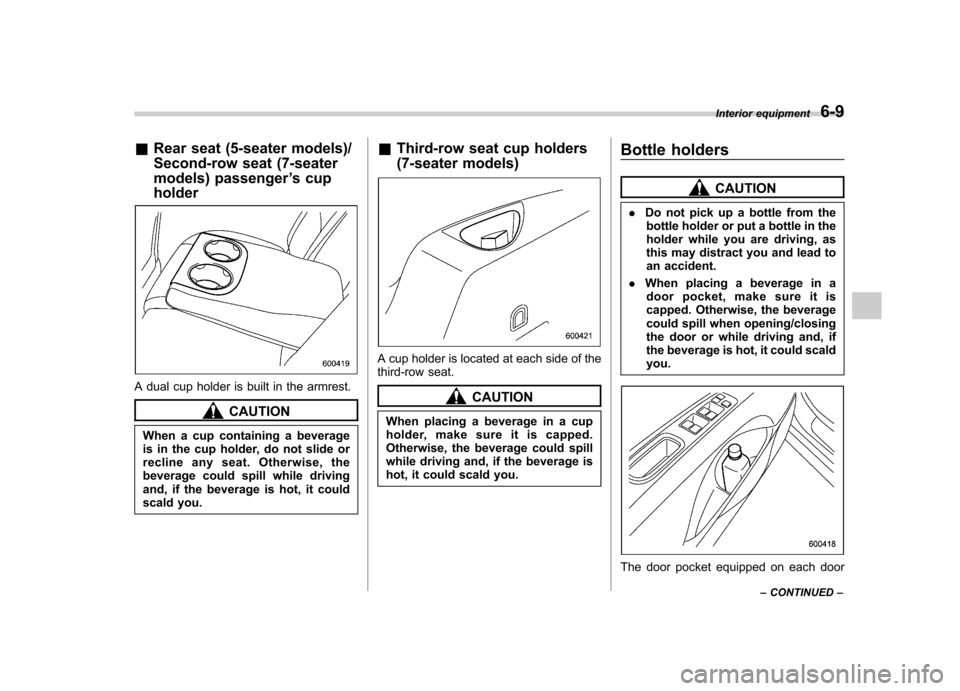
A dual cup holder is built in the armrest.
CAUTION
When a cup containing a beverage
is in the cup holder, do not slide or
recline any seat. Otherwise, the
beverage could spill while driving
and, if the beverage is hot, it could
scald you. &
Third-row seat cup holders
(7-seater models)
A cup holder is located at each side of the
third-row seat.
CAUTION
When placing a beverage in a cup
holder, make sure it is capped.
Otherwise, the beverage could spill
while driving and, if the beverage is
hot, it could scald you. Bottle holders
CAUTION
. Do not pick up a bottle from the
bottle holder or put a bottle in the
holder while you are driving, as
this may distract you and lead to
an accident.
. When placing a beverage in a
door pocket, make sure it is
capped. Otherwise, the beverage
could spill when opening/closing
the door or while driving and, if
the beverage is hot, it could scaldyou.
The door pocket equipped on each door Interior equipment
6-9
– CONTINUED –
Page 229 of 422
6-12Interior equipment
compartment) and the lid. It is also
possible to pass the cord through a
groove in the lid and up to the center
console (upper compartment). Coat hook
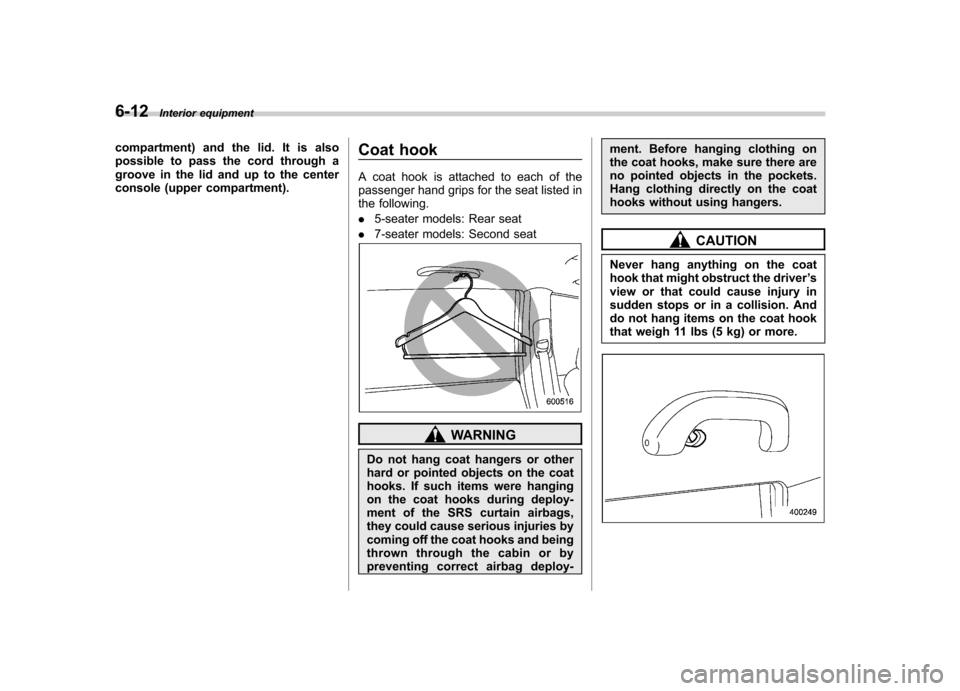
A coat hook is attached to each of the
passenger hand grips for the seat listed in
the following. .
5-seater models: Rear seat
. 7-seater models: Second seat
WARNING
Do not hang coat hangers or other
hard or pointed objects on the coat
hooks. If such items were hanging
on the coat hooks during deploy-
ment of the SRS curtain airbags,
they could cause serious injuries by
coming off the coat hooks and being
thrown through the cabin or by
preventing correct airbag deploy- ment. Before hanging clothing on
the coat hooks, make sure there are
no pointed objects in the pockets.
Hang clothing directly on the coat
hooks without using hangers.
CAUTION
Never hang anything on the coat
hook that might obstruct the driver ’s
view or that could cause injury in
sudden stops or in a collision. And
do not hang items on the coat hook
that weigh 11 lbs (5 kg) or more.
Page 233 of 422
6-16Interior equipment
Convenient tie-down hooks
CAUTION
The convenient tie-down hooks are
designed only for securing light
cargo. Never try to secure cargo
that exceeds the capacity of the
hooks. The maximum load capacity
is 44 lbs (20 kg) per hook.
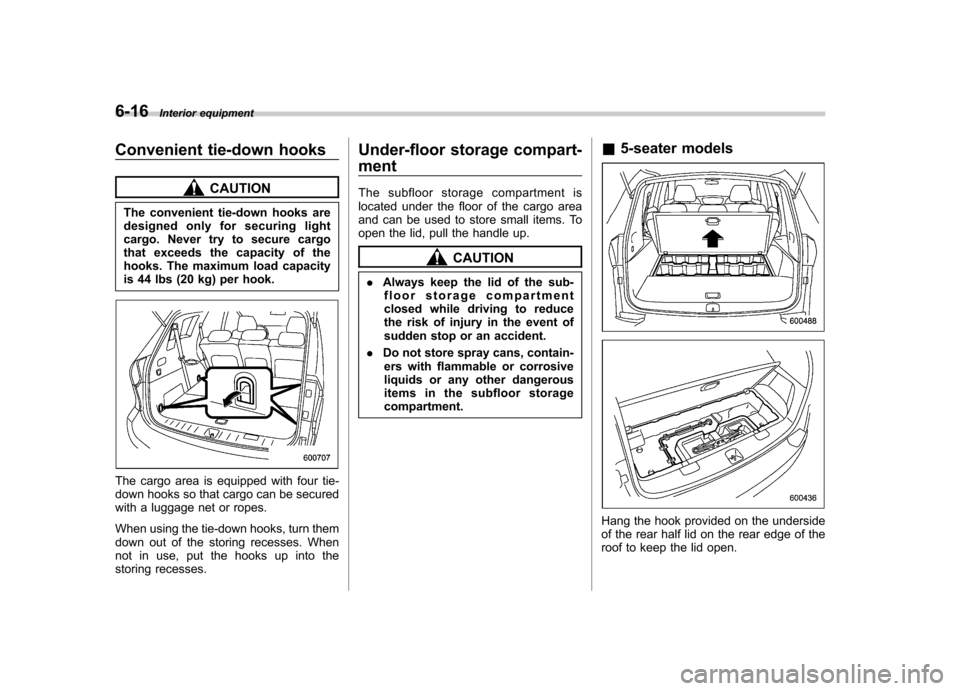
The cargo area is equipped with four tie-
down hooks so that cargo can be secured
with a luggage net or ropes.
When using the tie-down hooks, turn them
down out of the storing recesses. When
not in use, put the hooks up into the
storing recesses. Under-floor storage compart- ment
The subfloor storage compartment is
located under the floor of the cargo area
and can be used to store small items. To
open the lid, pull the handle up.
CAUTION
. Always keep the lid of the sub-
floor storage compartment
closed while driving to reduce
the risk of injury in the event of
sudden stop or an accident.
. Do not store spray cans, contain-
ers with flammable or corrosive
liquids or any other dangerous
items in the subfloor storagecompartment. &
5-seater models
Hang the hook provided on the underside
of the rear half lid on the rear edge of the
roof to keep the lid open.