Page 352 of 514
Comfort controls
5-33
5
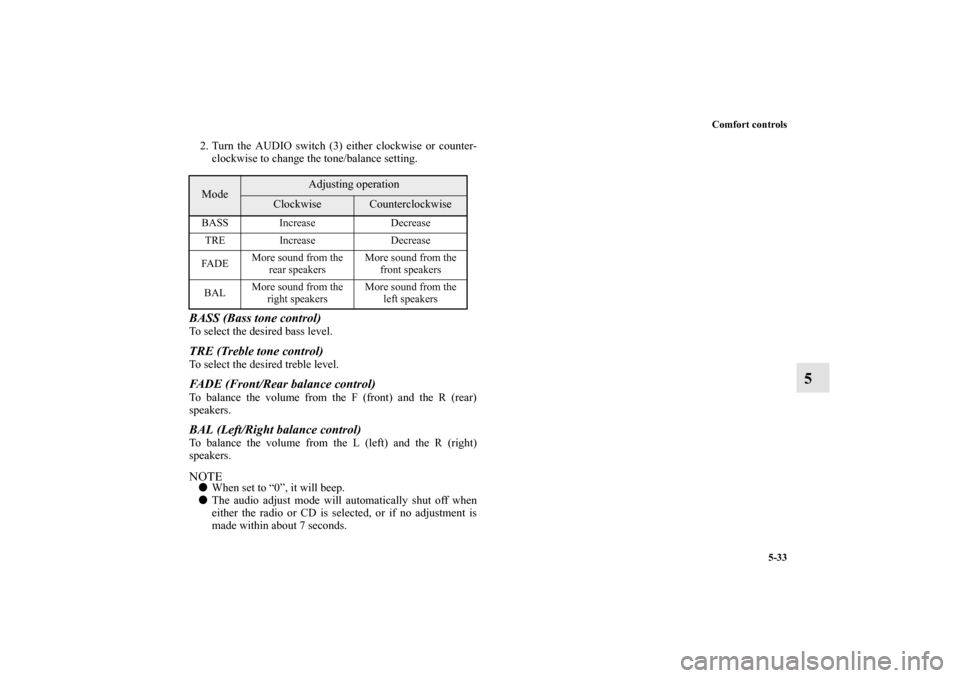
2. Turn the AUDIO switch (3) either clockwise or counter-
clockwise to change the tone/balance setting.BASS (Bass tone control) To select the desired bass level. TRE (Treble tone control) To select the desired treble level. FADE (Front/Rear balance control) To balance the volume from the F (front) and the R (rear)
speakers. BAL (Left/Right balance control) To balance the volume from the L (left) and the R (right)
speakers.NOTE�When set to “0”, it will beep.
�The audio adjust mode will automatically shut off when
either the radio or CD is selected, or if no adjustment is
made within about 7 seconds.Mode
Adjusting operation
Clockwise
Counterclockwise
BASS Increase Decrease
TRE Increase Decrease
FA D EMore sound from the
rear speakers More sound from the
front speakers
BAL More sound from the
right speakers More sound from the
left speakers
BK0102600US.book 33 ページ 2009年3月30日 月曜日 午後2時2分
Page 358 of 514
Comfort controls
5-39
5
To fast forward/reverse the discTo fast forward or reverse, use the TRACK button (6 or 7).
Fast forward
You can fast forward by holding down the side of the
TRACK button (6) for more than about 1 second.
Fast reverse
You can fast reverse by holding down the side of the
TRACK button (7) for more than about 1 second.
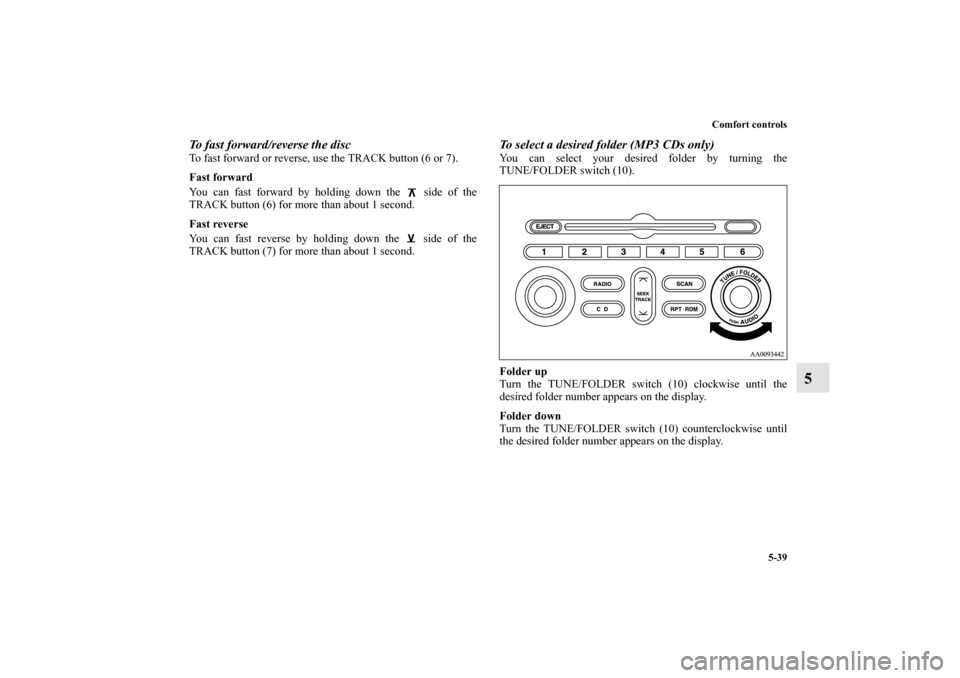
To select a desired folder (MP3 CDs only)You can select your desired folder by turning the
TUNE/FOLDER switch (10).
Folder up
Turn the TUNE/FOLDER switch (10) clockwise until the
desired folder number appears on the display.
Folder down
Turn the TUNE/FOLDER switch (10) counterclockwise until
the desired folder number appears on the display.
BK0102600US.book 39 ページ 2009年3月30日 月曜日 午後2時2分
Page 363 of 514

5-44 Comfort controls
5
To adjust the volume
N00712000349
VOL (Volume control) Turn the VOL knob (2) clockwise to increase the volume;
counterclockwise to decrease the volume.
The status will be displayed in the display (5).NOTE�The volume control mode will shut off automatically if
either the radio or CD mode is selected, or if no adjust-
ment is made within about 2 seconds.
To adjust the tone
N00712100630
1. Press the AUDIO switch (4) repeatedly to select your
desired sound customization setting to change. The order
is: SUB GAIN → BASS → MID → TREBLE → FADER
→ BALANCE → SOUND FIELD → EQ TYPE →
SOUND PRESET → Sound customization mode off.
The status will be displayed in the display (5).
QUICK ACCESS MODE
To access the sound customization features quickly, push
and hold the AUDIO switch (4), then turn the switch
clockwise or counterclockwise to access your desired
sound customization setting. Release the switch to adjust
the setting.Example
BK0102600US.book 44 ページ 2009年3月30日 月曜日 午後2時2分
Page 364 of 514

Comfort controls
5-45
5
2. Turn the AUDIO switch (4) either clockwise or counter-
clockwise to adjust the sound customization features.SUB GAIN (Subwoofer tone control) To select the desired subwoofer GAIN level. BASS (Bass tone control) To select the desired bass level.
MID (Midrange tone control) To select the desired midrange level. TREBLE (Treble tone control) To select the desired treble level. FADER (Front/Rear balance control) To balance the volume from the F (front) and the R (rear)
speakers. BALANCE (Left/Right balance control) To balance the volume from the L (left) and the R (right)
speakers.SOUND FIELD (Sound field type select)To select the desired sound field.
Mode
Adjusting operation
Clockwise
Counterclockwise
SUB GAIN Increase Decrease
BASS Increase Decrease
MID Increase Decrease
TREBLE Increase Decrease
FA D E RMore sound from
the rear speakers More sound from
the front speakers
BALANCEMore sound from
the right speakers More sound from
the left speakers
SOUND FIELDNORMAL → STU-
DIO → CLUB →
CONCERTCONCERT →
CLUB→ STUDIO
→ NORMAL
EQ TYPENONE → POP →
ROCK →
R+B/R&B →
COUNTRYCOUNTRY→
R+B/R&B →
ROCK → POP →
NONE
SOUND PRESET — —
Sound field type
Description
NORMALOptimized for accurate vocal and instrument
reality.
STUDIOPlaces the listener in the control room of a
recording studio with a crisp and accurate
forward placed sound stage.
CLUBPlaces the listener in the music at a dance or
jazz club with sound coming from all direc-
tions.
CONCERTUtilizing sound reflections in the Digital
Signal Processor, CONCERT gives the
impression that the listener is at concert hall
performance.
BK0102600US.book 45 ページ 2009年3月30日 月曜日 午後2時2分
Page 366 of 514
Comfort controls
5-47
5
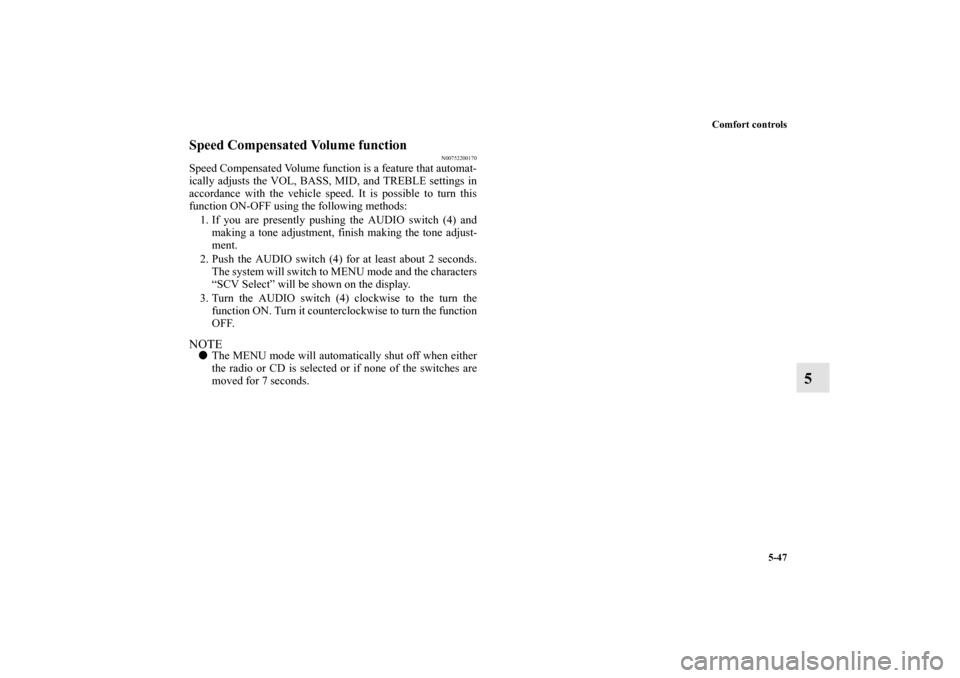
Speed Compensated Volume function
N00752200170
Speed Compensated Volume function is a feature that automat-
ically adjusts the VOL, BASS, MID, and TREBLE settings in
accordance with the vehicle speed. It is possible to turn this
function ON-OFF using the following methods:
1. If you are presently pushing the AUDIO switch (4) and
making a tone adjustment, finish making the tone adjust-
ment.
2. Push the AUDIO switch (4) for at least about 2 seconds.
The system will switch to MENU mode and the characters
“SCV Select” will be shown on the display.
3. Turn the AUDIO switch (4) clockwise to the turn the
function ON. Turn it counterclockwise to turn the function
OFF.NOTE�The MENU mode will automatically shut off when either
the radio or CD is selected or if none of the switches are
moved for 7 seconds.
BK0102600US.book 47 ページ 2009年3月30日 月曜日 午後2時2分
Page 373 of 514
5-54 Comfort controls
5
NOTE�Once you have stored channels in memory, you can
instantly call up a desired channel by just pushing the cor-
responding memory select buttons (7).SIRIUS ID indication
N00700800034
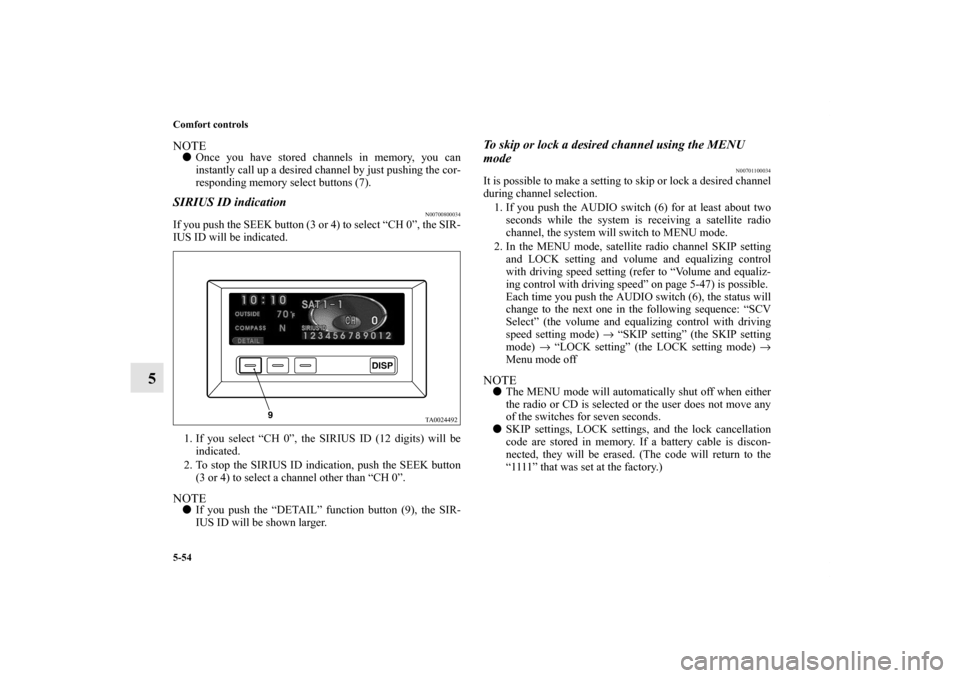
If you push the SEEK button (3 or 4) to select “CH 0”, the SIR-
IUS ID will be indicated.
1. If you select “CH 0”, the SIRIUS ID (12 digits) will be
indicated.
2. To stop the SIRIUS ID indication, push the SEEK button
(3 or 4) to select a channel other than “CH 0”.NOTE�If you push the “DETAIL” function button (9), the SIR-
IUS ID will be shown larger.
To skip or lock a desired channel using the MENU
mode
N00701100034
It is possible to make a setting to skip or lock a desired channel
during channel selection.
1. If you push the AUDIO switch (6) for at least about two
seconds while the system is receiving a satellite radio
channel, the system will switch to MENU mode.
2. In the MENU mode, satellite radio channel SKIP setting
and LOCK setting and volume and equalizing control
with driving speed setting (refer to “Volume and equaliz-
ing control with driving speed” on page 5-47) is possible.
Each time you push the AUDIO switch (6), the status will
change to the next one in the following sequence: “SCV
Select” (the volume and equalizing control with driving
speed setting mode) → “SKIP setting” (the SKIP setting
mode) → “LOCK setting” (the LOCK setting mode) →
Menu mode offNOTE�The MENU mode will automatically shut off when either
the radio or CD is selected or the user does not move any
of the switches for seven seconds.
�SKIP settings, LOCK settings, and the lock cancellation
code are stored in memory. If a battery cable is discon-
nected, they will be erased. (The code will return to the
“1111” that was set at the factory.)
BK0102600US.book 54 ページ 2009年3月30日 月曜日 午後2時2分
Page 374 of 514
Comfort controls
5-55
5
SKIP setting (SKIP setting mode)
N00701200035
It is possible to set a channel to be skipped during channel
selection. It is also possible to cancel a skip setting.
By turning the AUDIO switch (6), you can select “SKIP CH”
or “UNSKIP ALL”. These functions are described below.LOCK setting (LOCK setting mode)
N00701300036
It is possible to lock a channel. It is also possible to cancel a
lock setting.
By turning the AUDIO switch (6), you can select “LOCK CH”
(or “UNLOCK CH”), “UNLOCK ALL”, or “CODE EDIT”.
These functions are described below:NOTE�When the channel that is currently being received is not
locked, you can select “LOCK CH”. When the channel
that is currently being received is locked, you can select
“UNLOCK CH”.
To skip a desired channel
N00701400037
It is possible to set a channel to not be received during channel
selection.
1. Select the channel you wish to be skipped.
2. Push the AUDIO switch (6) for at least about two seconds
to select the MENU mode. Then select the SKIP setting
mode.
3. In the SKIP setting mode, turn the AUDIO switch (6) to
select “SKIP CH”.
4. Push the AUDIO switch (6) to set the channel that is cur-
rently being received to be skipped. When you have made
the setting, the system will return to the SKIP setting
mode. (The display will show “SKIP setting” after show-
ing “STORED”.)NOTE�Any channel for which a skip setting has been made is
automatically skipped during channel selection.
�A channel that is stored in the preset memory is also
skipped during channel selection. If you push the corre-
sponding memory select buttons (7) to call up the channel,
the display will show “SKIPD” or “SKIPPED CHAN-
NEL” and the audio will be muted.
SKIP CH : Sets the channel that is currently being
received to be skipped.
UNSKIP ALL : Cancels all channel skip settings.
LOCK CH : Sets the channel that is currently being
received to be locked.
UNLOCK CH : Sets the channel that is currently being
received to be unlocked.
UNLOCK ALL : Cancels all channel lock settings.
CODE EDIT : Changes the lock cancellation code.
BK0102600US.book 55 ページ 2009年3月30日 月曜日 午後2時2分
Page 375 of 514
5-56 Comfort controls
5
To cancel skip settings
N00701500038
It is possible to cancel channel skip settings.
1. Push the AUDIO switch (6) for at least about two seconds
to select the MENU mode. Then select the SKIP setting
mode.
2. In the SKIP setting mode, turn the AUDIO switch (6) to
select “UNSKIP ALL”.
3. Push the AUDIO switch (6). All channel skip settings will
be canceled. Then, the system will return to the SKIP set-
ting mode. (The display will show “SKIP setting” after
showing “STORED”.)To lock a desired channel
N00701600039
It is possible to lock a desired channel so that it cannot be
selected.
1. Select the channel you wish to lock.
2. Push the AUDIO switch (6) for at least about two seconds
to select the MENU mode. Then select the LOCK setting
mode.
3. In the LOCK setting mode, turn the AUDIO switch (6) to
select “LOCK CH”.
4. Push the AUDIO switch (6). The channel currently being
received will be locked. Then, the system will return to
the LOCK setting mode.NOTE�If you attempt to select a locked channel, the display will
show “LOCKED” or “PARENTAL LOCK”.
�Channels stored in the preset memory are also locked.
To unlock locked channels
N00701700043
You can unlock one or all locked channels. Unlocking one or
more channels requires entry of the code.
1. If you wish to unlock a single desired channel, select the
channel you wish to unlock. (If you wish to unlock all
locked channels, it doesn’t matter which channel you
select.)
2. Push the AUDIO switch (6) for at least about two seconds
to select the MENU mode. Then select the LOCK setting
mode.
3. In the LOCK setting mode, turn the AUDIO switch (6) to
select “UNLOCK CH” if you wish to unlock a single
desired channel or “UNLOCK ALL” if you wish to
unlock all locked channels.
4. Push the AUDIO switch (6). The code entry window will
display.
BK0102600US.book 56 ページ 2009年3月30日 月曜日 午後2時2分