2010 MERCEDES-BENZ SLS COUPE alarm
[x] Cancel search: alarmPage 7 of 361
A
ABS (Anti-lock Braking System) .........46
Warning lamp ................................. 308
Accident
Notes ............................................. 313
Acoustic warning signal
see Warning tone
Active partition (US Bdevices only)
Selecting ........................................ 189
Active Service System PLUS
see ASSYS TPLUS service interval
display ........................................... 279
ADAPTIVE BRAKE ................................. 49
Adaptive brake lamps .........................46
Address book Calling up ....................................... 149
Changing an entry .......................... 154
Connecting acall........................... 154
Creating an entry ........................... 151
Deleting an entry ........................... 153
Detail sabout an entry ................... 153
Importing data ............................... 155
Menu overview .............................. 151
Searching for an entry ...................152
Selecting an entry ..........................151
Starting route guidance .................155
Voice entry .................................... 155
Address input menu
Calling up ........................................ .93
Airbag
Fron tpassenger kneebag ................39
Headbag .......................................... 40
Airbags
Activation ......................................... 35
Control unit ...................................... 35
Driver's ............................................ 38
Driver's knee airba g......................... 39
Front ................................................ 38
Front passenger ............................... 38
PASSENGER AIRBAG OFF warning
lamp .............................................. 307
Sidebag ............................................ 39
System ............................................. 37
Airc onditioning
Activating/deactivating .................253
Activating/deactivating air-recir-
culation mode ................................ 256Controlling automatically
...............253
Convenience opening/closing
(air-recirculatio nmode) ................. 256
Cooling with aird ehumidification..253
Demisting the windscreen .............255
Malfunction indicator lamp ............307
Misted-up windows ........................255
Rea rwindow heatin g..................... 256
Setting the aird istribution.............254
Setting the airflow .........................255
Setting the airv ents...................... 254
Setting the temperature ................254
THERMOTRONIC 2-zone auto-
matic climate control .....................252
Air-conditioning system
see Air conditioning
Air pressure
see Tyre pressure
Alphabetical track selection ............188
Alternative route ............................... 117
AMG Button ............................................ 225
Menu (on-board computer) ............241
RACETIMER (on-board computer) ..241
SETUP ............................................ 241
Anti-loc kBraking System
se eA BS ........................................... 46
Anti-theft alarm system
see ATA ............................................ 49
Anti-theft systems ............................... 49
Area Avoiding ........................................... 86
Ashtray ............................................... 259
ASSYST PLUS see ASSYST PLUS service interval
displa y........................................... 279
ASSYST PLUS service interval dis-
play ..................................................... 279
Calling up the date (on-board
computer) ...................................... 280
Display message ............................ 279
ATA (anti-theft alarm system) ............49
Switching off the alarm ....................49
Audio
On-board computer .......................235
Audio AUX mode ............................... 1894
Index BA 197 ECE RE 2010/6a; 1; 2, en-GB
sabbae uV ersion: 3.0.3.6
2010-05-07T14:19:43+02:00 - Seite 4
Page 18 of 361
Stowage compartments
...................257
Armrest (under) ............................. 258
Cuph older..................................... 258
Glove compartment .......................257
Telephone compartment ................258
Submenu (on-board computer)
Convenience .................................. 240
Factory setting ............................... 240
Instrument cluster .........................238
Lights ............................................ .238
Standard displa y............................ 233
Vehicle .......................................... .240
Sub-programmes (DAB) ....................165
Summer and standard time Switching ......................................... 73
Summer opening
see Convenience opening
Sun visor ............................................ 259
Supplemental Restraint System see SRS ........................................... 35
See SRS ........................................... 35
Surround lighting
Switching on/off (on-board com-
puter) ............................................. 239
Switching off the alarm
ATA .................................................. 49
Syste mlanguage
Setting ............................................. 78
Syste mmenu....................................... 71
Syste msettings
Menu overview ................................ .71T
Tail lamps Display message ............................ 301
Tail pipes
Cleaning ......................................... 284
Tank
see Fuel tank
Tank capacity .................................... 349
Technical data ................................... 352
Emergency spare wheel .................355
Telephone
Accepting/ending call ...................144
Accepting or rejecting a waiting
call ................................................. 146
Ending an active call ......................146Entering phone numbers ................ 145
Incoming call
................................. 144
Outgoing call ................................. 144
Reception and transmission vol-
ume ............................................... 135
see Mobile phone .......................... 236
Sending DTMF tones ..................... .146
Single call ...................................... 145
Switching hands-free microphone
on/off ............................................ 146
Telephone basic menu
Bluetooth interface ........................132
Convenience telephony .................134
Telephone compartment ..................258
Telephone mode Redialling ....................................... 145
Telephone number
Entering ......................................... 144
Temperature
Engine oil ....................................... 229
Engine oil (on-board computer) ...... 241
Outside temperature ..................... .230
Transmissio noil (on-board com-
puter )............................................. 241
Text message (SMS) (convenience
telephone)
Calling the sende r.......................... 148
Deleting ......................................... 149
Incoming ........................................ 147
Read-aloud function .......................148
Reading .......................................... 148
Storing the sende rinthe address
book ...................................... 148, 149
THERMOTRONIC
Malfunction indicator lamp ............307
Tightening torque .............................. 332
Time Lap time (on-board computer) .......241
Setting ............................................. 72
Time format
Setting ............................................. 72
Timer (on-board computer) ..............241
Time zone Setting ............................................. 73
TIREFIT kit
Using ............................................. 326
TMCPro ............................................... 119 Index
15 BA 197 ECE RE 2010/6a; 1; 2, en-GB
sabbae uV ersion: 3.0.3.6
2010-05-07T14:19:43+02:00 - Seite 15
Page 52 of 361
EBD (Electronic Brake-force Distribu-
tion)
EBD monitors and controls the brake pres-
sure on the rear wheels to improve driving
stability while braking. G
Ris
kofa ccident
If EBV is malfunctioning, the brake system is
still available with full brak eboosting effect.
However, the rear wheels can still lock, e.g.
under full braking. This could cause you to
lose control of your vehicle and cause an acci-
dent. You should therefore adapt your driving
style to the different handling characteristics. ADAPTIVE BRAKE
ADAPTIVE BRAKE enhances braking safety
and offers increased braking comfort. In addi-
tion to the braking function, ADAPTIVE BRAKE
also features the hill start assist function
(Y page 221). For further information, see
Driving tips (Y page 277). Anti-theft systems
Immobiliser
The immobiliser prevents your vehicle from
being started without the correc tkey.
Activating the immobiliser X
While the engine is running turn the Start/
Stop button to key position 0
(Y page 202).
The engine switches off.
or
X Remove the key from the ignition lock.
Deactivating the immobiliser X
Turn the Start/Stop button to key position
2without depressing the brake pedal.
i The immobiliser is always deactivated
when you start the engine. ATA (Anti-Theft Alarm system)
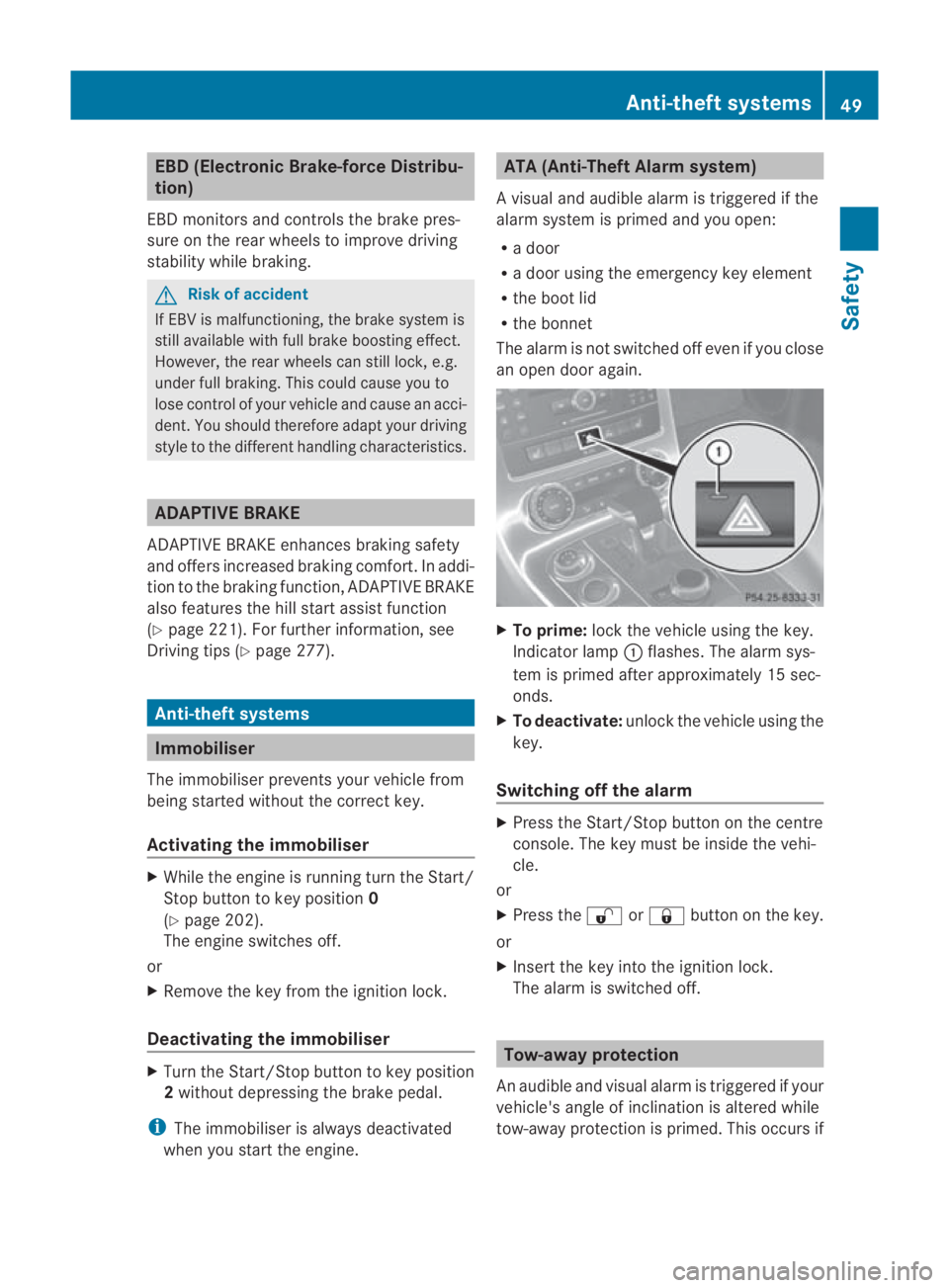
Av isual and audible alarm is triggered if the
alarm system is primed and you open:
R a door
R a door using the emergency key element
R the boot lid
R the bonnet
The alarm is not switched off even if you close
an open door again. X
To prime: lock the vehicle using the key.
Indicator lamp 0001flashes .The alarm sys-
tem is primed after approximately 15 sec-
onds.
X To deactivate: unlock the vehicle using the
key.
Switching off the alarm X
Press the Start/Stop button on the centre
console. The key must be inside the vehi-
cle.
or
X Press the 000Bor0009 button on the key.
or
X Insert the key into the ignition lock.
The alarm is switched off. Tow-away protection
An audible and visual alarm is triggered if your
vehicle's angle of inclination is altered while
tow-away protection is primed. This occurs if Anti-theft systems
49Safety
BA 197 ECE RE 2010/6a; 1; 2, en-GB
sabbaeu Version: 3.0.3.6 2010-05-07T14:19:43+02:00 - Seite 49 Z
Page 53 of 361
the vehicle is jacked up on one side, for exam-
ple.
Priming tow-away protection X
Loc kthe vehicle using the key.
Tow-away protection is primed after
approximately 30 seconds.
Deactivating tow-away protection Tow-away protection is automatically deacti-
vated when you unlock your vehicle using the
key.
To prevent a false alarm, deactivate tow-away
protection manually if your vehicle:
R is being transported
R is being loaded, e.g. onto a ferry or car
transporter
R is parked on a movable surface, e.g. in a
split-level garage X
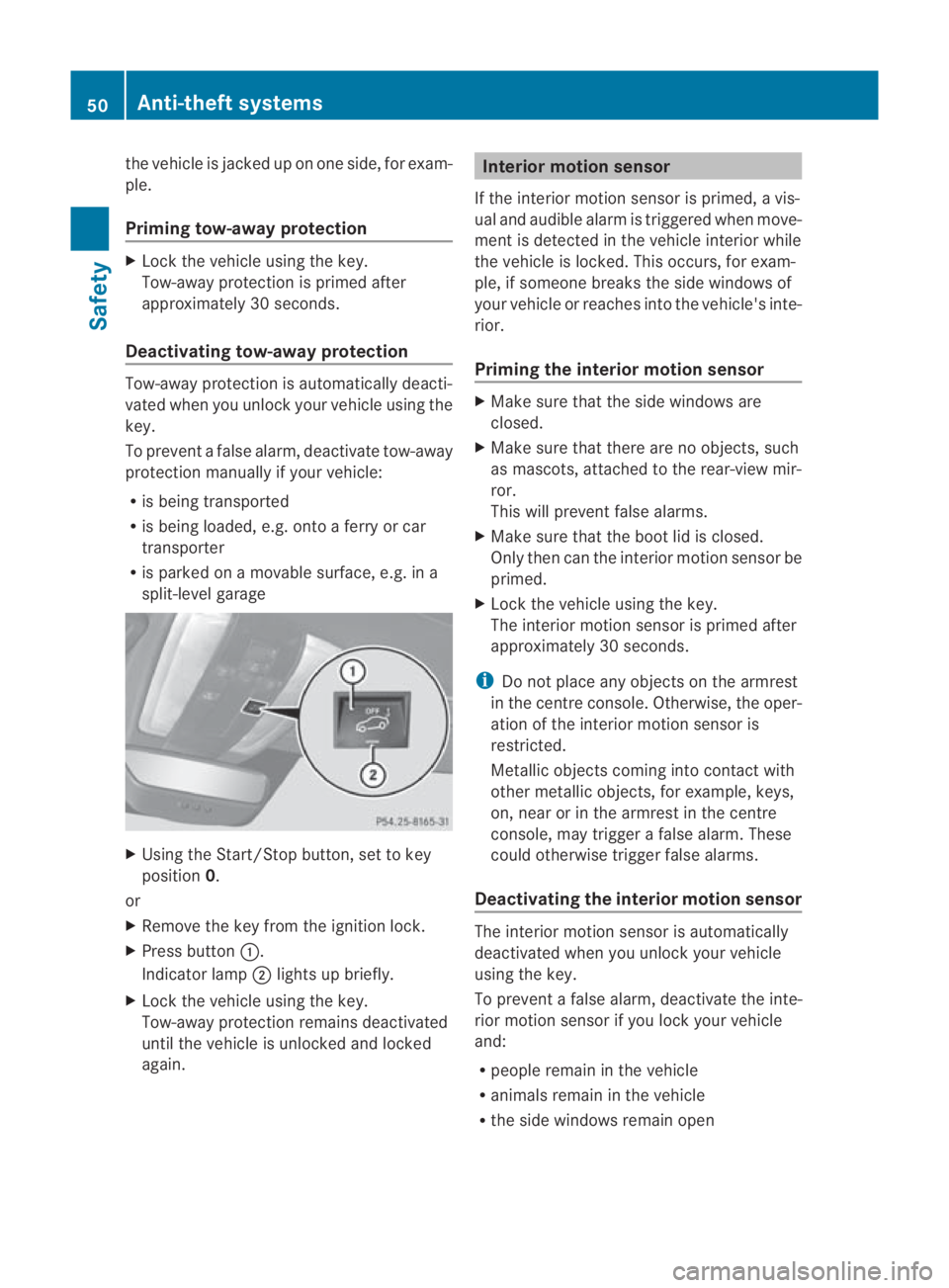
Using the Start/Stop button, set to key
position 0.
or
X Remove the key from the ignition lock.
X Press button 0001.
Indicator lamp 0002lights up briefly.
X Lock the vehicle using the key.
Tow-away protection remains deactivated
until the vehicle is unlocked and locked
again. Interior motion sensor
If the interior motion sensor is primed, a vis-
ual and audible alarm is triggered when move-
ment is detected in the vehicle interior while
the vehicle is locked. This occurs, for exam-
ple, if someone breaks the side windows of
your vehicle or reaches into the vehicle's inte-
rior.
Priming the interior motion sensor X
Make sure that the side windows are
closed.
X Make sure that there are no objects, such
as mascots, attached to the rear-view mir-
ror.
This will prevent false alarms.
X Make sure that the boot lid is closed.
Only then can the interior motion sensor be
primed.
X Lock the vehicle using the key.
The interior motion sensor is primed after
approximately 30 seconds.
i Do not place any objects on the armrest
in the centre console. Otherwise, the oper-
ation of the interior motion sensor is
restricted.
Metallic objects coming into contact with
other metallic objects, for example, keys,
on, near or in the armrest in the centre
console, may trigger a false alarm. These
could otherwise trigger false alarms.
Deactivating the interior motion sensor The interior motion sensor is automatically
deactivated when you unlock your vehicle
using the key.
To prevent a false alarm, deactivate the inte-
rior motion sensor if you lock your vehicle
and:
R people remain in the vehicle
R animals remain in the vehicle
R the side windows remain open 50
Anti-theft systemsSafety
BA 197 ECE RE 2010/6a; 1; 2, en-GB
sabbaeu
Version: 3.0.3.6 2010-05-07T14:19:43+02:00 - Seite 50
Page 315 of 361
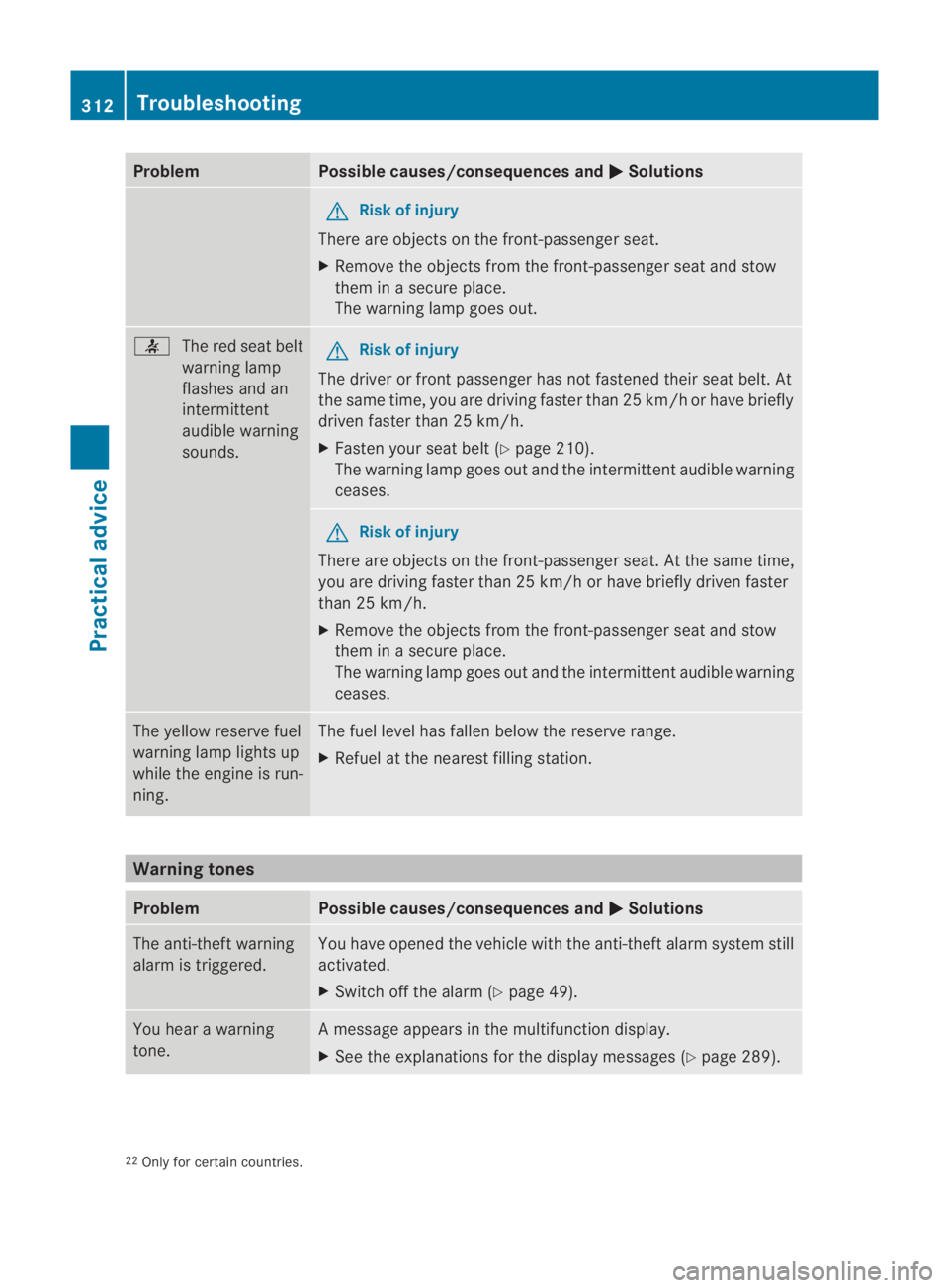
Problem Possible causes/consequences and
0003 Solutions
G
Risk of injury
There are objects on the front-passenger seat.
X Remove the objects from the front-passenger seat and stow
them in a secure place.
The warning lamp goes out. 0019
The red seat belt
warning lamp
flashes and an
intermittent
audible warning
sounds. G
Risk of injury
The driver or front passenger has not fastened their seat belt. At
the same time, you are driving faster than 25 km/ho rhave briefly
driven faster than 25 km/h.
X Faste nyour seat belt (Y page 210).
The warning lamp goes out and the intermittent audible warning
ceases. G
Risk of injury
There are objects on the front-passenger seat. At the same time,
you are driving faster than 25 km/h or have briefly driven faster
than 25 km/h.
X Remove the objects from the front-passenger seat and stow
them in a secure place.
The warning lamp goes out and the intermittent audible warning
ceases. The yellow reserve fuel
warning lamp lights up
while the engine is run-
ning. The fuel level has fallen below the reserve range.
X
Refuel at the nearest filling station. Warning tones
Problem Possible causes/consequences and
0003 Solutions
The anti-theft warning
alarm is triggered. You have opened the vehicle with the anti-theft alarm system still
activated.
X
Switch off the alarm (Y page 49).You hear a warning
tone. Am
essage appears in the multifunction display.
X See the explanations for the display messages ( Ypage 289). 22
Only for certain countries. 312
TroubleshootingPractical advice
BA 197 ECE RE 2010/6a; 1; 2, en-GB
sabbaeu
Version: 3.0.3.6 2010-05-07T14:19:43+02:00 - Seite 312
Page 324 of 361
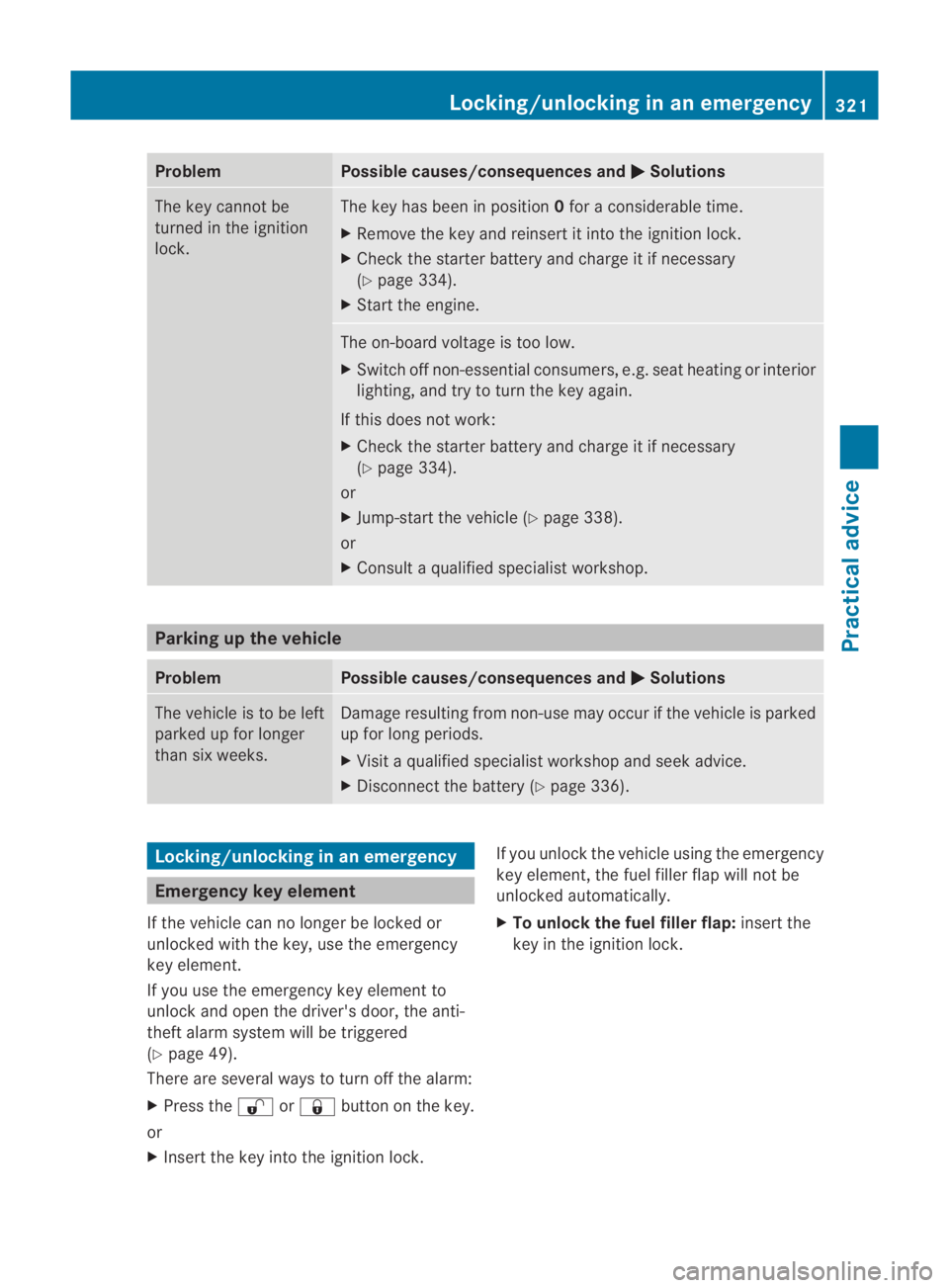
Problem Possible causes/consequences and
0003 Solutions
The key cannot be
turned in the ignition
lock. The key has been in position
0for a considerable time.
X Remove the key and reinsert it into the ignition lock.
X Check the starter battery and charge it if necessary
(Y page 334).
X Start the engine. The on-board voltage is too low.
X
Switch off non-essential consumers, e.g. seat heating or interior
lighting, and try to turn the key again.
If this does not work:
X Check the starter battery and charge it if necessary
(Y page 334).
or
X Jump-start the vehicle (Y page 338).
or
X Consult a qualified specialist workshop. Parking up the vehicle
Problem Possible causes/consequences and
0003 Solutions
The vehicle is to be left
parked up for longer
than six weeks. Damage resulting from non-use may occur if the vehicle is parked
up for long periods.
X
Visit a qualified specialist workshop and seek advice.
X Disconnect the battery (Y page 336).Locking/unlocking in an emergency
Emergency key element
If the vehicle can no longer be locked or
unlocked with the key, use the emergency
key element.
If you use the emergency key element to
unlock and open the driver's door, the anti-
theft alarm system will be triggered
(Y page 49).
There are several ways to turn off the alarm:
X Press the 000Bor0009 button on the key.
or
X Insert the key into the ignition lock. If you unlock the vehicle using the emergency
key element, the fuel filler flap will not be
unlocked automatically.
X
To unlock the fuel filler flap: insert the
key in the ignition lock. Locking/unlocking in an emergency
321Practical advice
BA 197 ECE RE 2010/6a; 1; 2, en-GB
sabbaeu Version: 3.0.3.6 2010-05-07T14:19:43+02:00 - Seite 321 Z
Page 325 of 361
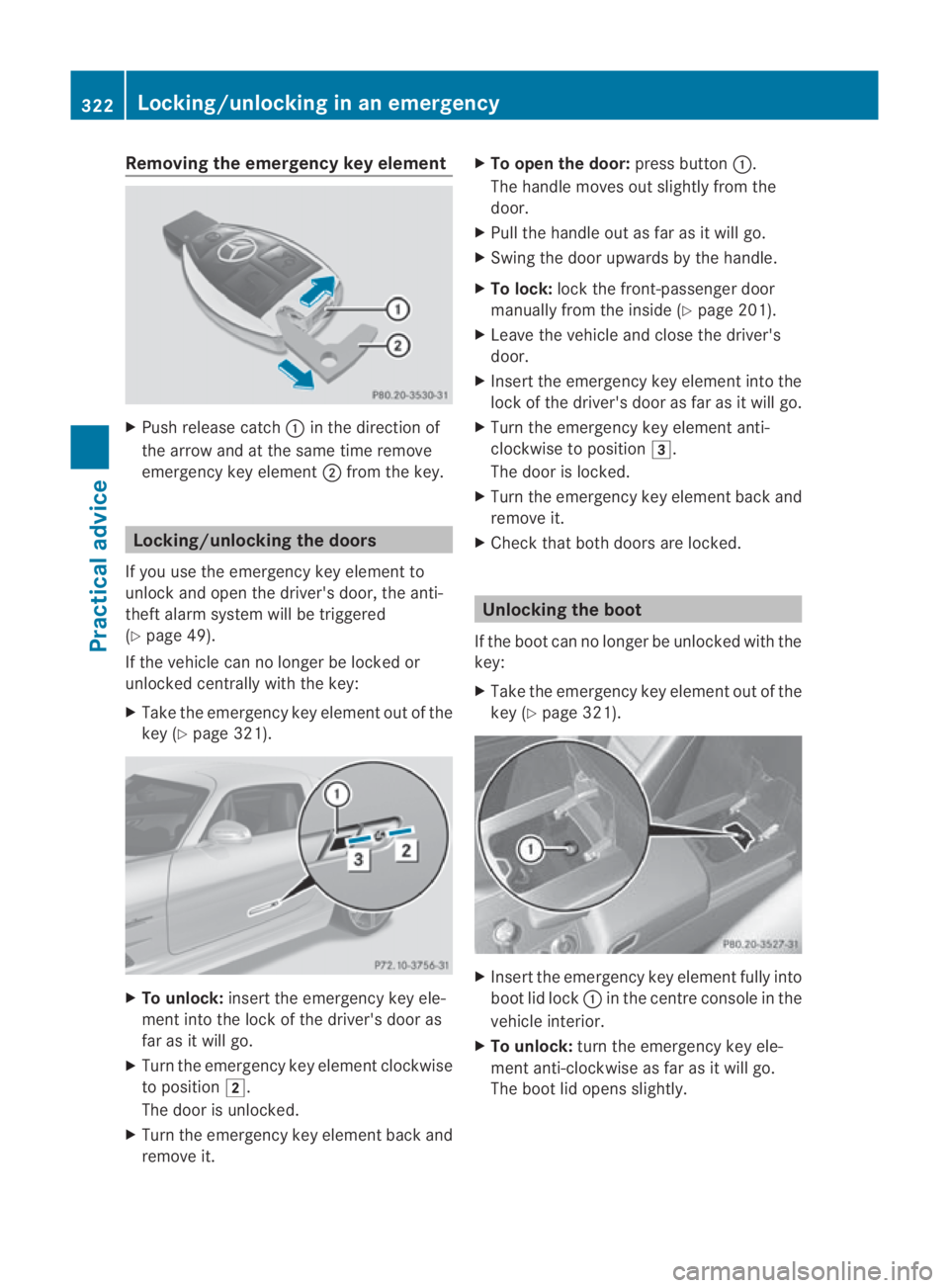
Removing the emergenc
ykey element X
Push release catch 0001in the direction of
the arrow and at the same time remove
emergency key element 0002from the key. Locking/unlocking the doors
If you use the emergency key element to
unlock and open the driver's door, the anti-
theft alarm system will be triggered
(Y page 49).
If the vehicle can no longer be locked or
unlocked centrally with th ekey:
X Take the emergency key element out of the
key (Y page 321). X
To unlock: insert the emergency key ele-
ment into the lock of the driver's door as
far as it will go.
X Turn the emergency key element clockwise
to position 0004.
The door is unlocked.
X Turn the emergency key element back and
remove it. X
To open the door: press button0001.
The handle moves out slightly from the
door.
X Pull the handle out as far as it will go.
X Swing the door upwards by the handle.
X To lock: lock the front-passenger door
manually from the inside (Y page 201).
X Leave the vehicle and close the driver's
door.
X Inser tthe emergency key element into the
lock of the driver's door as far as it will go.
X Turn the emergency key element anti-
clockwise to position 0005.
The door is locked.
X Turn the emergency key element back and
remove it.
X Check that both doors are locked. Unlocking the boot
If the boot can no longer be unlocked with the
key:
X Take the emergency key element out of the
key (Y page 321). X
Insert the emergency key element fully into
boot lid lock 0001in the centre console in the
vehicle interior.
X To unlock: turn the emergency key ele-
ment anti-clockwise as far as it will go.
The boot lid opens slightly. 322
Locking/unlocking in an emergencyPractical advice
BA 197 ECE RE 2010/6a; 1; 2, en-GB
sabbaeu Version: 3.0.3.6 2010-05-07T14:19:43+02:00 - Seite 322