Page 1946 of 3039
Published: 11-May-2011
Information and Entertainment System - Audio System - System Operation
and Component Description
Description and Operation
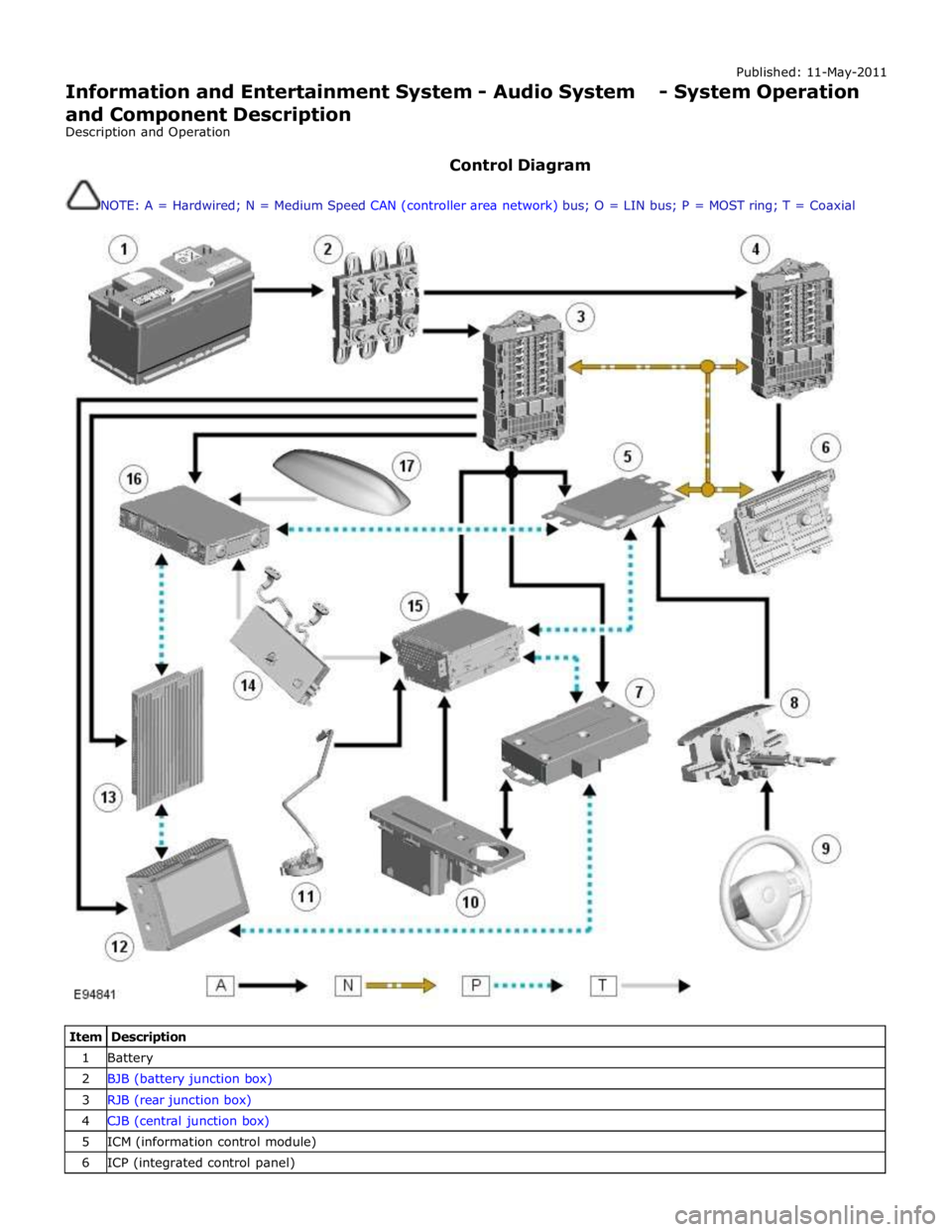
Control Diagram
NOTE: A = Hardwired; N = Medium Speed CAN (controller area network) bus; O = LIN bus; P = MOST ring; T = Coaxial
Item Description 1 Battery 2 BJB (battery junction box) 3 RJB (rear junction box) 4 CJB (central junction box) 5 ICM (information control module) 6 ICP (integrated control panel)
Page 1991 of 3039
Information and Entertainment System - Audio Unit
Removal and Installation
Removal
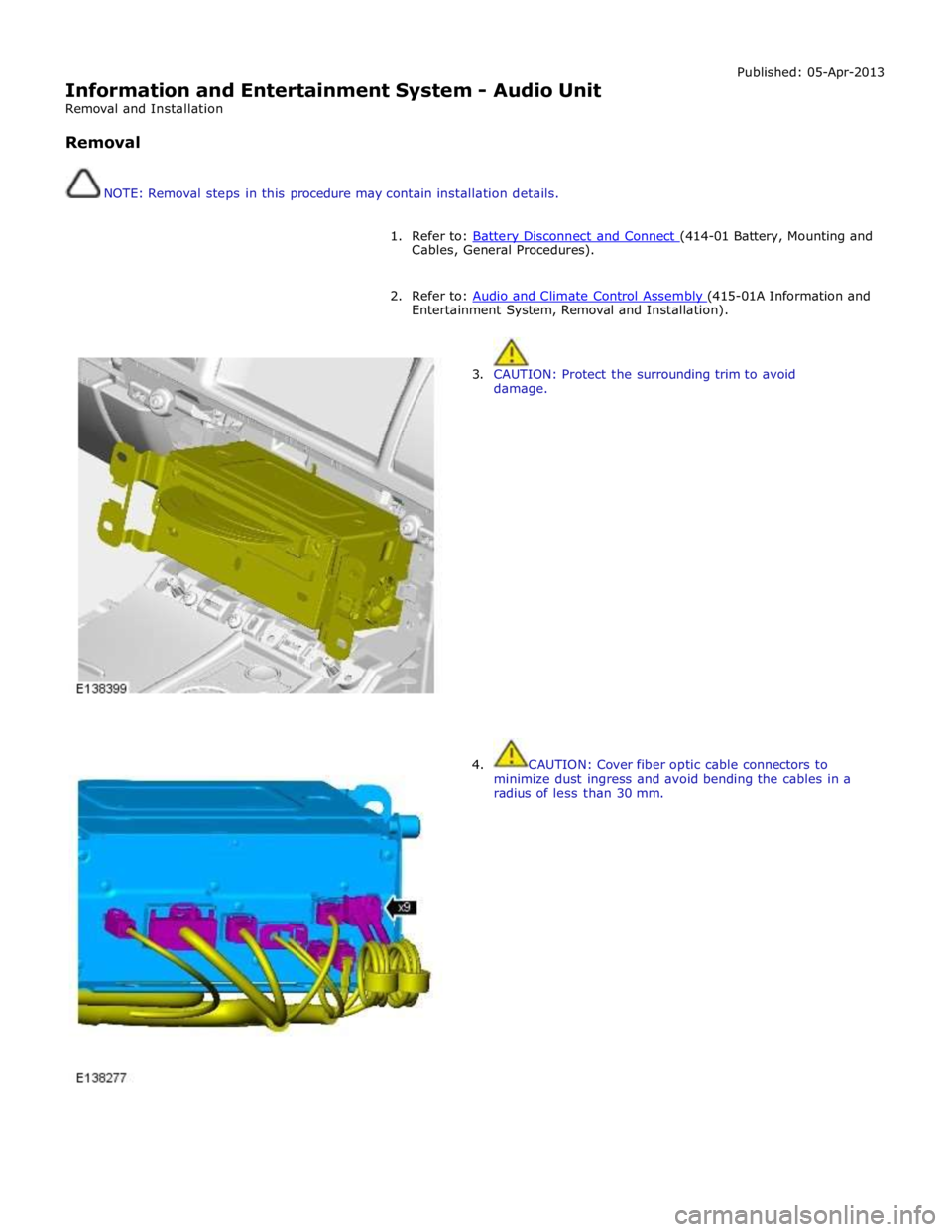
NOTE: Removal steps in this procedure may contain installation details. Published: 05-Apr-2013
1. Refer to: Battery Disconnect and Connect (414-01 Battery, Mounting and Cables, General Procedures).
2. Refer to: Audio and Climate Control Assembly (415-01A Information and Entertainment System, Removal and Installation).
3. CAUTION: Protect the surrounding trim to avoid
damage.
4. CAUTION: Cover fiber optic cable connectors to
minimize dust ingress and avoid bending the cables in a
radius of less than 30 mm.
Page 1993 of 3039
Published: 11-May-2011
Information and Entertainment System - Audio Unit Antenna Amplifier
Removal and Installation
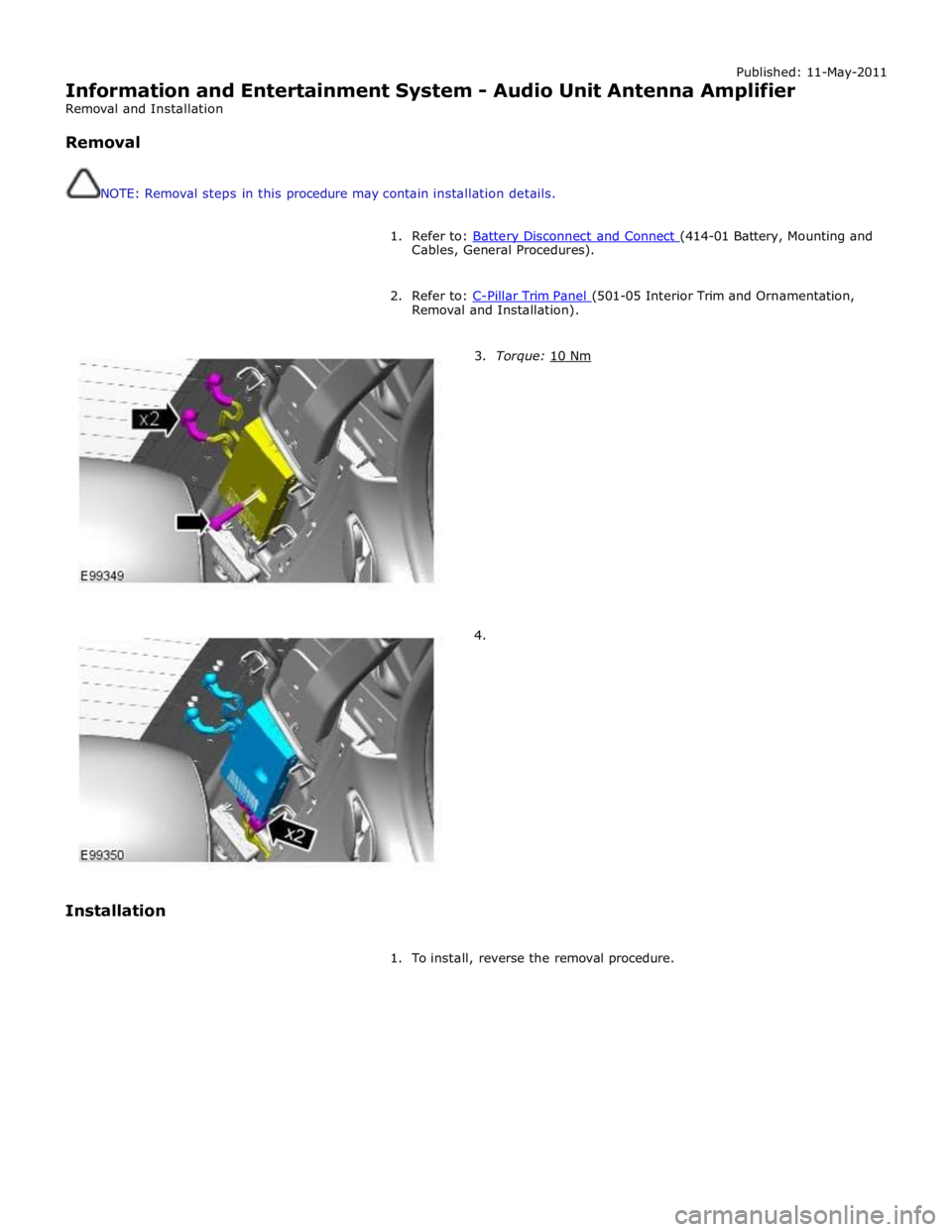
Removal
NOTE: Removal steps in this procedure may contain installation details.
1. Refer to: Battery Disconnect and Connect (414-01 Battery, Mounting and Cables, General Procedures).
2. Refer to: C-Pillar Trim Panel (501-05 Interior Trim and Ornamentation, Removal and Installation).
Installation
3. Torque: 10 Nm
4.
1. To install, reverse the removal procedure.
Page 1996 of 3039
Published: 11-May-2011
Information and Entertainment System - Information and Entertainment Display
Removal and Installation
Removal
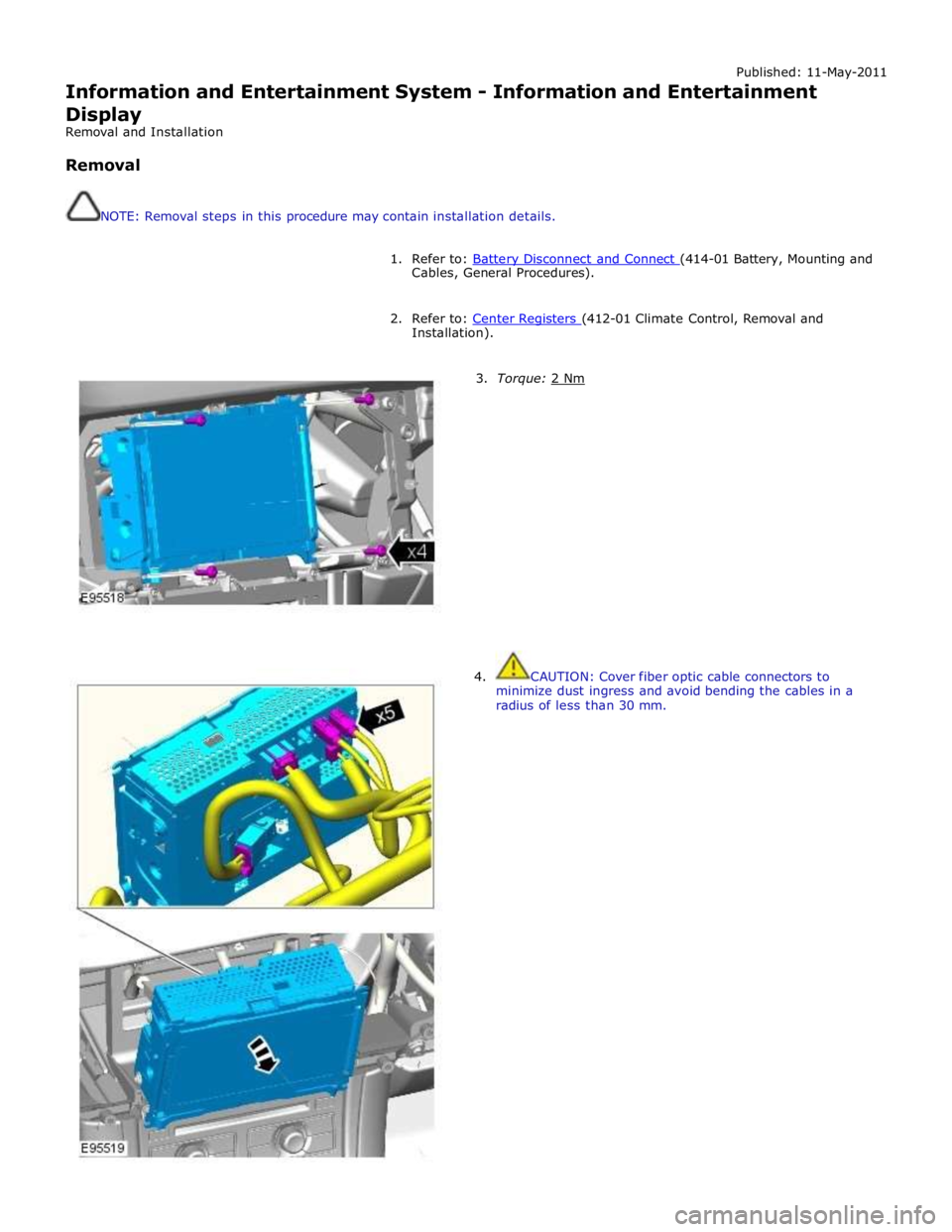
NOTE: Removal steps in this procedure may contain installation details.
1. Refer to: Battery Disconnect and Connect (414-01 Battery, Mounting and Cables, General Procedures).
2. Refer to: Center Registers (412-01 Climate Control, Removal and Installation).
3. Torque: 2 Nm 4. CAUTION: Cover fiber optic cable connectors to
minimize dust ingress and avoid bending the cables in a
radius of less than 30 mm.
Page 1998 of 3039
Published: 11-May-2011
Information and Entertainment System - Information and Entertainment Module
Removal and Installation
Removal
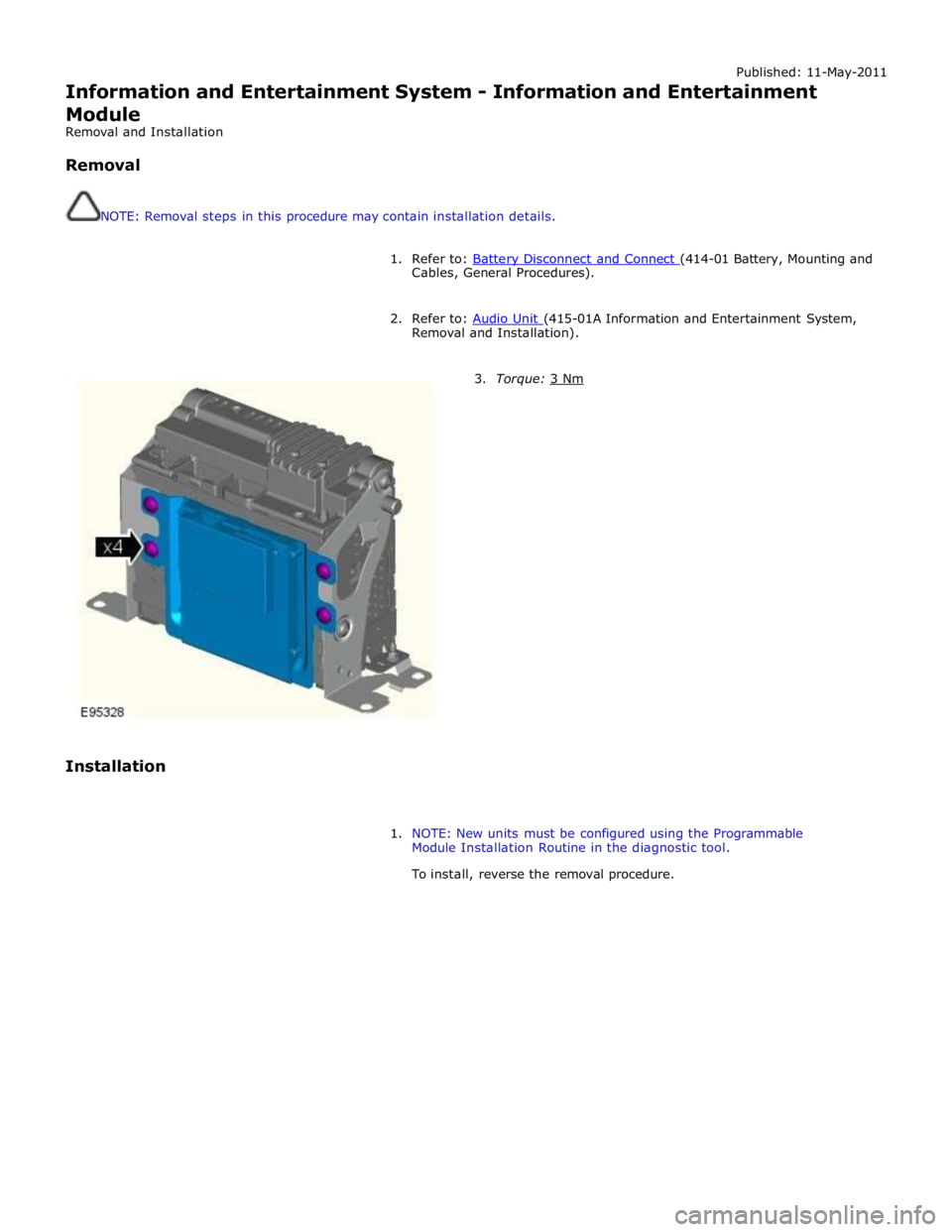
NOTE: Removal steps in this procedure may contain installation details.
1. Refer to: Battery Disconnect and Connect (414-01 Battery, Mounting and Cables, General Procedures).
2. Refer to: Audio Unit (415-01A Information and Entertainment System, Removal and Installation).
Installation
3. Torque: 3 Nm
1. NOTE: New units must be configured using the Programmable
Module Installation Routine in the diagnostic tool.
To install, reverse the removal procedure.
Page 1999 of 3039
Published: 11-May-2011
Information and Entertainment System - Instrument Panel Speaker
Removal and Installation
Removal
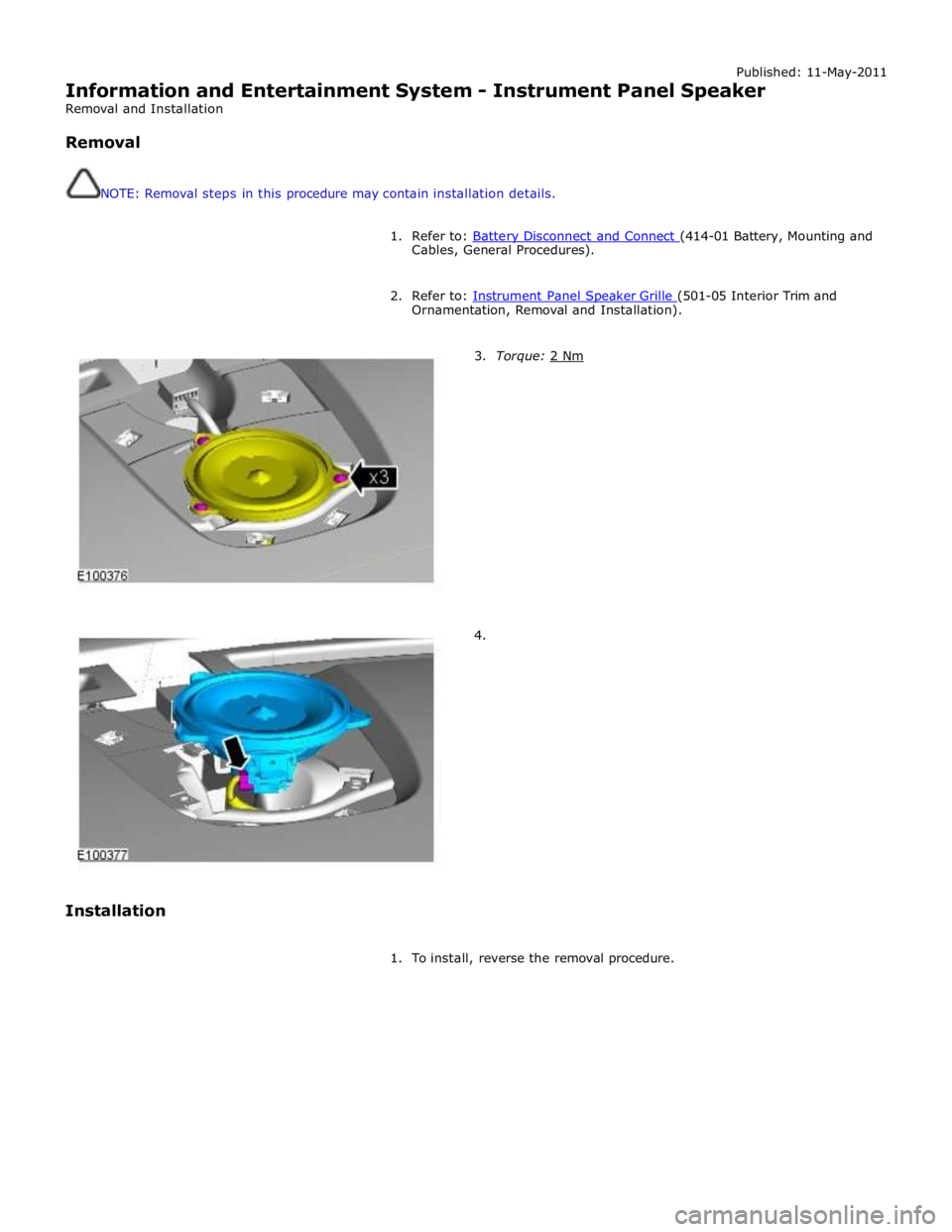
NOTE: Removal steps in this procedure may contain installation details.
1. Refer to: Battery Disconnect and Connect (414-01 Battery, Mounting and Cables, General Procedures).
2. Refer to: Instrument Panel Speaker Grille (501-05 Interior Trim and Ornamentation, Removal and Installation).
Installation
3. Torque: 2 Nm
4.
1. To install, reverse the removal procedure.
Page 2003 of 3039
Information and Entertainment System - Subwoofer Amplifier
Removal and Installation
Removal
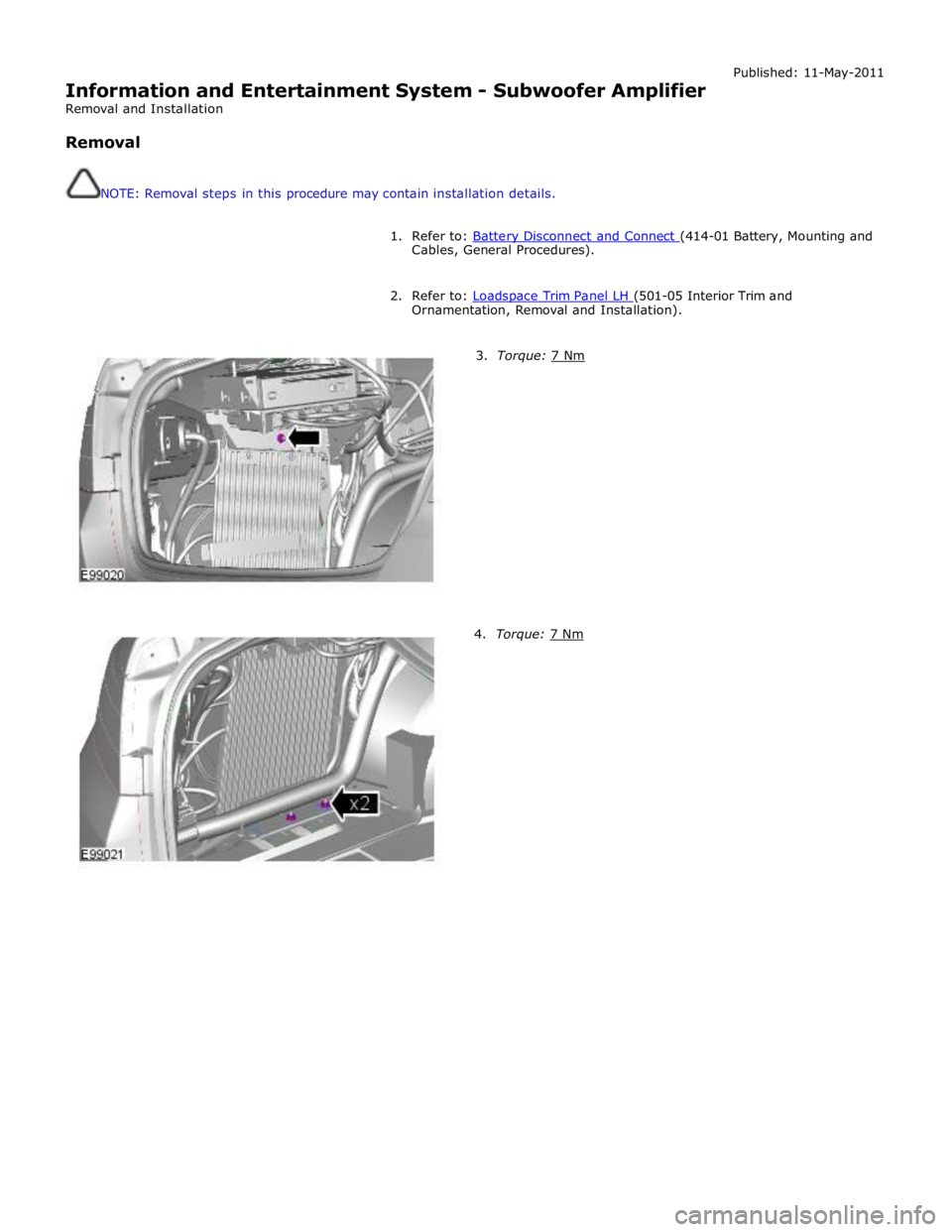
NOTE: Removal steps in this procedure may contain installation details. Published: 11-May-2011
1. Refer to: Battery Disconnect and Connect (414-01 Battery, Mounting and Cables, General Procedures).
2. Refer to: Loadspace Trim Panel LH (501-05 Interior Trim and Ornamentation, Removal and Installation).
3. Torque: 7 Nm 4. Torque: 7 Nm
Page 2005 of 3039
Information and Entertainment System - Subwoofer Speaker
Removal and Installation
Removal
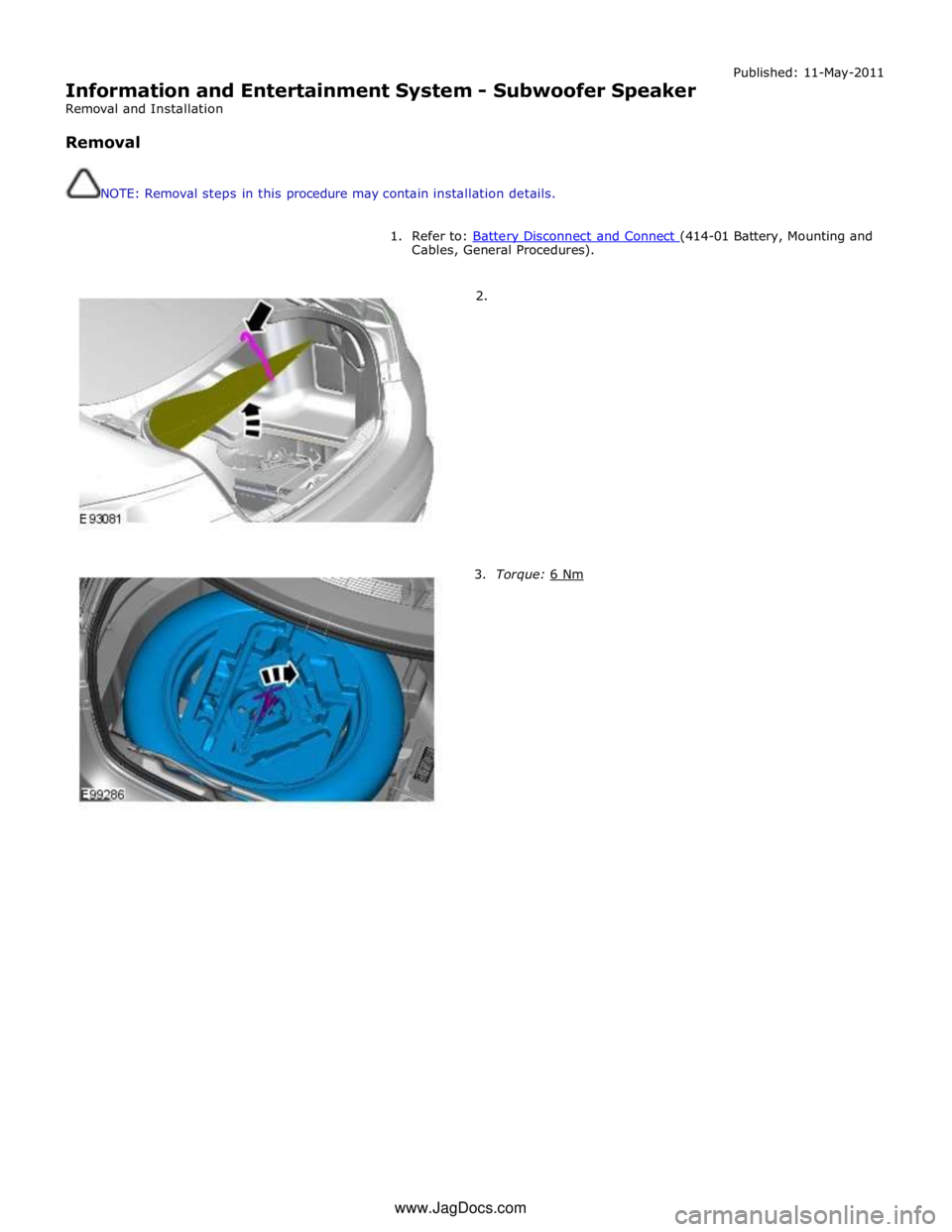
NOTE: Removal steps in this procedure may contain installation details. Published: 11-May-2011
1. Refer to: Battery Disconnect and Connect (414-01 Battery, Mounting and Cables, General Procedures).
2.
3. Torque: 6 Nm www.JagDocs.com