Page 39 of 120

Antilock Brake System (ABS)
Warning Light
For vehicles with the
Antilock Brake System
(ABS), this light comes on
briefly when the engine is
in ON/RUN.
That is normal. If the light does not come on then, have
it fixed so it will be ready to warn if there is a problem.
If the ABS light stays on, turn the ignition off, if the light
comes on while driving, stop as soon as it is safely
possible and turn the ignition off. Then start the engine
again to reset the system. If the ABS light still stays on,
or comes on again while driving, the vehicle needs
service. If the regular brake system warning light is not
on, the vehicle still has brakes, but not antilock brakes.
If the regular brake system warning light is also on, the
vehicle does not have antilock brakes and there is a
problem with the regular brakes. See Brake System
Warning Light on page 4‑6.
For vehicles with a Driver Information Center (DIC),
see DIC Warnings and Messages
on page 4‑12for all
brake related DIC messages.
StabiliTrak®Indicator Light
For vehicles with
StabiliTrak, this warning
light comes on briefly
when the ignition is in
ON/RUN.
If it does not, have the vehicle serviced by your
dealer/retailer. If the system is working normally the
indicator light goes off.
If the light comes on and stays on while driving, there
could be a problem with the StabiliTrak system and the
vehicle might need service. When this warning light is
on, the StabiliTrak system is off and does not limit
wheel spin.
The light flashes if the system is active and is working
to assist the driver with directional control of the vehicle
in difficult driving conditions.
See the owner manual for more information.
4-7
Page 40 of 120
Engine Coolant Temperature Gage
United StatesCanada
This gage shows the engine coolant temperature.
It also provides an indicator of how hard the vehicle is
working. During a majority of the operation, the gage
reads 210° F (100° C) or less. If a load is being pulled
or going up hills, it is normal for the temperature to
fluctuate and go over the 235° F (113° C) mark.
However, if the gage reaches the 260° F (125° C) mark,
it indicates that the cooling system is working beyond its
capacity.
Oil Pressure Gage
United StatesCanada
The oil pressure gage shows the engine oil pressure
in psi (pounds per square inch) when the engine is
running. Canadian vehicles indicate pressure in
kPa (kilopascals).
Oil pressure should be 29 to 80 psi (200 to 550 kPa).
In certain situations, such as long extended idles on
hot days, it could read as low as 15 psi (105 kPa) and
still be considered normal.
4-8
Page 41 of 120

A reading in the low pressure zone may be caused by
a dangerously low oil level or some other problem
causing low oil pressure. Check the oil as soon as
possible.
{WARNING:
Do not keep driving if the oil pressure is low.
The engine can become so hot that it catches fire.
Someone could be burned. Check the oil as soon
as possible and have the vehicle serviced.
Notice: Lack of proper engine oil maintenance can
damage the engine. The repairs would not be
covered by the vehicle warranty. Always follow the
maintenance schedule in this manual for changing
engine oil.
AUTO STOP
When the engine goes into Automatic Engine Stop,
the oil pressure gage drops to zero when the
tachometer is at the AUTO STOP position. This is
normal and oil pressure returns to the normal operating
range once the engine starts.
See Starting the Vehicle
on page 3‑3for more
information.
AUTO STOP displays in the Driver Information
Center (DIC) when the vehicle speed is zero.
See DIC Warnings and Messages
on page 4‑12for more information.
4-9
Page 42 of 120
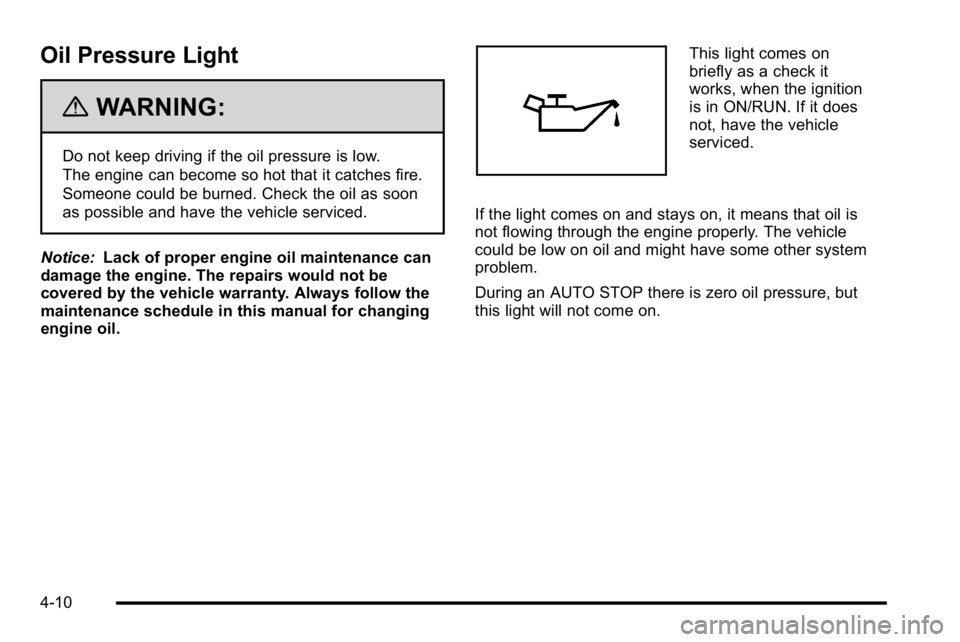
Oil Pressure Light
{WARNING:
Do not keep driving if the oil pressure is low.
The engine can become so hot that it catches fire.
Someone could be burned. Check the oil as soon
as possible and have the vehicle serviced.
Notice: Lack of proper engine oil maintenance can
damage the engine. The repairs would not be
covered by the vehicle warranty. Always follow the
maintenance schedule in this manual for changing
engine oil.
This light comes on
briefly as a check it
works, when the ignition
is in ON/RUN. If it does
not, have the vehicle
serviced.
If the light comes on and stays on, it means that oil is
not flowing through the engine properly. The vehicle
could be low on oil and might have some other system
problem.
During an AUTO STOP there is zero oil pressure, but
this light will not come on.
4-10
Page 45 of 120

hood is closed, you should have the hood switch
serviced. Failure to service the hood switch properly
can result in an Auto Start condition.
Auto Stops will be disabled when this message is
displayed. If the vehicle is in auto stop mode when this
message appears, the engine will instantly start.
OIL PRESSURE LOW STOP ENGINE
If engine oil pressure is low, this message will be
displayed on the DIC. Stop the vehicle as soon as
safely possible and do not operate it until the cause of
the low oil pressure has been corrected. Check your oil
level as soon as possible and have your vehicle
serviced. See“Engine Oil”in the owner manual Index.
SERVICE 4 WHEEL DRIVE
This message may display if a problem occurs with the
four-wheel-drive system. If this message appears, stop
as soon as possible and turn off the vehicle. Make sure
the key is in the LOCK/OFF position for at least
one minute and then restart the vehicle and check for
the message on the DIC display. If the message is still
displayed or appears again when you begin driving,
the four-wheel-drive system needs service. See your
dealer/retailer.
SERVICE BATTERY CHARGING
SYSTEM
If the 12V battery system faults or fails this message will
appear on the DIC. The battery/charging system light
will appear in the instrument panel cluster. See “Battery
Warning Light” in the owner manual Index. Driving with
this message on could drain the battery. Have the
electrical system checked as soon as possible.
SERVICE BRAKE SYSTEM
This message will be displayed if there is a problem
with the brake system. You will still be able to brake, but
it will be noticeably more difficult. Pull off the road to a
safe location and have your vehicle towed to the
nearest dealer/retailer for service. See “Brakes,”
“Brake System Warning Light,” and“ABS Brake System
Warning Light” in the owner manual Index.
SERVICE HYBRID SYSTEM
If this message is displayed on the DIC, the vehicle may
continue to operate, but you need to have it serviced as
soon as possible.
SERVICE POWER STEERING
This message displays if a problem has been detected
with the electric power steering. Have your vehicle
serviced by your dealer/retailer immediately.
4-13
Page 46 of 120
Audio System(s)
Navigation/Radio System
For vehicles with a navigation radio system, see the
Navigation System manual for more information.
To view the hybrid screen, press the MENU button on
the radio. The hybrid screen displays when entering the
Configuration Menu.The display shows:
.Auto Stop
.Battery Charging
.Engine Idle
.2‐Wheel and 4‐Wheel Drive Modes for:
‐
Engine Power
‐ Battery Power
‐ Hybrid Power
4-14
Page 50 of 120

Four-Wheel-Drive Vehicles (Except Denali)
Use the following procedure to dinghy tow a
four-wheel-drive vehicle:1. Position the vehicle being towed behind the tow vehicle and shift the transmission to P (Park).
2. Turn the engine off and firmly set the parking brake. See “Parking Brake” in the owner manual
index.
3. Securely attach the vehicle being towed to the tow vehicle.
{WARNING:
Shifting a four-wheel-drive vehicle's transfer case
into N (Neutral) can cause the vehicle to roll even
if the transmission is in P (Park). The driver or
others could be injured. Make sure the parking
brake is firmly set before the transfer case is
shifted to N (Neutral).
4. Shift the transfer case to N (Neutral). See “Shifting
into N (Neutral)” underFour-Wheel Drive
on
page 3‑10for the proper procedure to select the
Neutral position for the vehicle.
5. Release the parking brake only after the vehicle being towed is firmly attached to the towing
vehicle.
6. Turn the ignition to LOCK/OFF and remove the key —the steering wheel will still turn.
5-4
Page 57 of 120

Section 6 Service and Appearance Care
Service. . . . . . . . . . . . . . . . . . . . . . . . . . . . . . . . . . . . . . . . . . . . . 6-2
Doing Your Own Service Work . . . . . . . . . . . . . . . . . . 6-2
Checking Things Under the Hood . . . . . . . . . . . . . . . . .6-3
High Voltage Devices and Wiring . . . . . . . . . . . . . . . 6-3
Engine Compartment Overview . . . . . . . . . . . . . . . . . 6-4
Automatic Transmission Fluid . . . . . . . . . . . . . . . . . . . 6-5
Drive Motor/Generator Control Module (DMCM) Coolant Surge Tank Pressure Cap . . . . . . . . . . . . 6-8
Drive Motor/Generator Control Module (DMCM) Cooling System . . . . . . . . . . . . . . . . . . . . . . . . . . . . . . . 6-9
Power Steering Fluid . . . . . . . . . . . . . . . . . . . . . . . . . . 6-13
Brakes . . . . . . . . . . . . . . . . . . . . . . . . . . . . . . . . . . . . . . . . . 6-13
Battery . . . . . . . . . . . . . . . . . . . . . . . . . . . . . . . . . . . . . . . . . 6-16
Jump Starting . . . . . . . . . . . . . . . . . . . . . . . . . . . . . . . . . . 6-18
Bulb Replacement . . . . . . . . . . . . . . . . . . . . . . . . . . . . . . . . 6-24
Taillamps, Turn Signal, Stoplamps and Back-up Lamps . . . . . . . . . . . . . . . . . . . . . . . . . . . . . . 6-24
Replacement Bulbs . . . . . . . . . . . . . . . . . . . . . . . . . . . . 6-25 Electrical System
. . . . . . . . . . . . . . . . . . . . . . . . . . . . . . . . . 6-25
High Voltage Devices and Wiring . . . . . . . . . . . . . . 6-25
Fuses and Circuit Breakers . . . . . . . . . . . . . . . . . . . . 6-26
Underhood Fuse Block . . . . . . . . . . . . . . . . . . . . . . . . 6-26
Tires . . . . . . . . . . . . . . . . . . . . . . . . . . . . . . . . . . . . . . . . . . . . . . . 6-28
Inflation - Tire Pressure . . . . . . . . . . . . . . . . . . . . . . . . 6-28
Tire Pressure Monitor Operation . . . . . . . . . . . . . . . 6-29
Tire Inspection and Rotation . . . . . . . . . . . . . . . . . . . 6-33
Tire Chains . . . . . . . . . . . . . . . . . . . . . . . . . . . . . . . . . . . . 6-34
If a Tire Goes Flat . . . . . . . . . . . . . . . . . . . . . . . . . . . . . 6-34
Tire Sealant and Compressor Kit (Without Selector Switch) . . . . . . . . . . . . . . . . . . . . 6-35
Tire Sealant and Compressor Kit (With Selector Switch) . . . . . . . . . . . . . . . . . . . . . . . 6-45
Tire Sealant and Compressor Kit Storage . . . . . . 6-55
Appearance Care . . . . . . . . . . . . . . . . . . . . . . . . . . . . . . . . . 6-56
Vehicle Care/Appearance Materials . . . . . . . . . . . . 6-56
Capacities and Specifications . . . . . . . . . . . . . . . . . . .6-57
6-1