Page 285 of 465
must be turned to the ON or START position (engine is
running or not) and the brake pedal must be pressed.
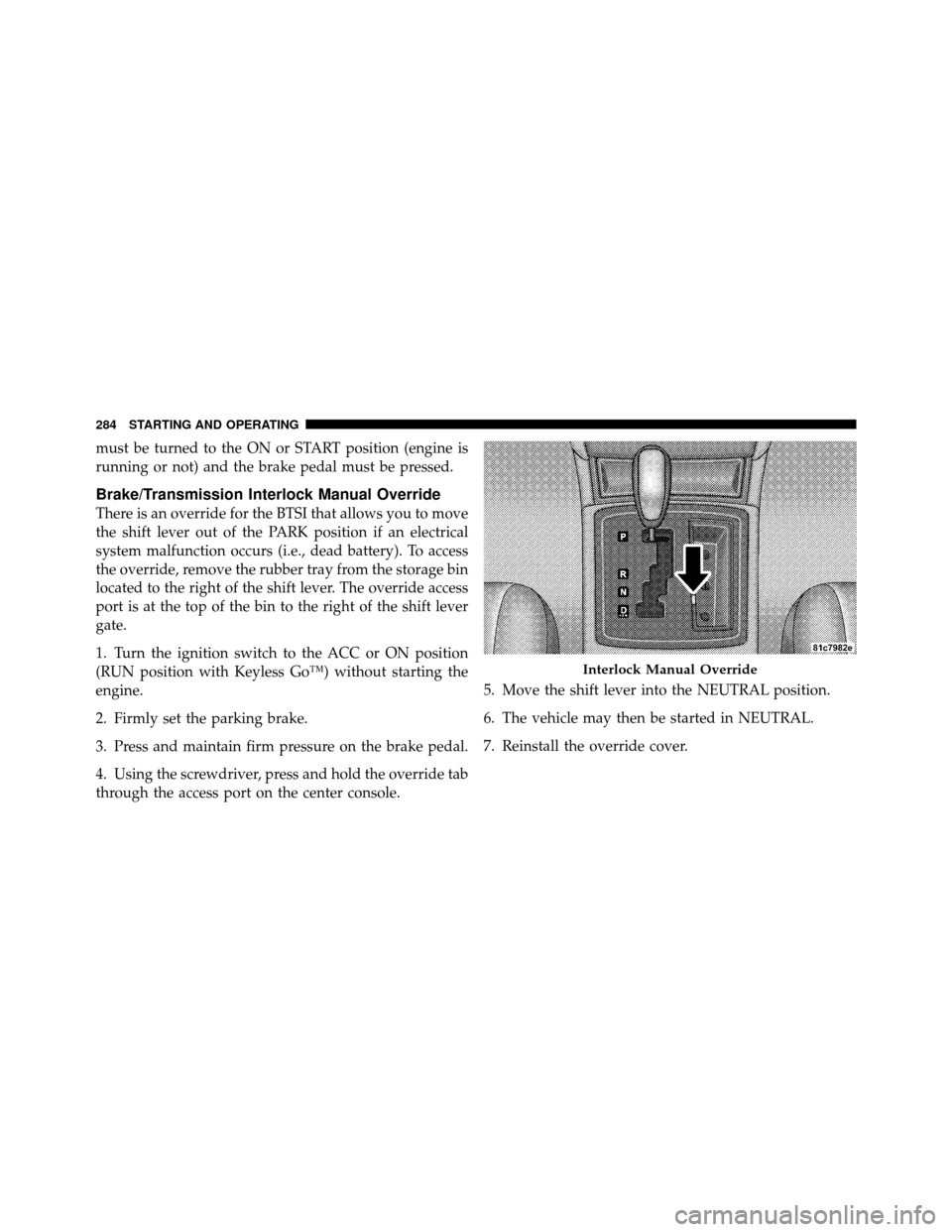
Brake/Transmission Interlock Manual Override
There is an override for the BTSI that allows you to move
the shift lever out of the PARK position if an electrical
system malfunction occurs (i.e., dead battery). To access
the override, remove the rubber tray from the storage bin
located to the right of the shift lever. The override access
port is at the top of the bin to the right of the shift lever
gate.
1. Turn the ignition switch to the ACC or ON position
(RUN position with Keyless Go™) without starting the
engine.
2. Firmly set the parking brake.
3. Press and maintain firm pressure on the brake pedal.
4. Using the screwdriver, press and hold the override tab
through the access port on the center console.5. Move the shift lever into the NEUTRAL position.
6. The vehicle may then be started in NEUTRAL.
7. Reinstall the override cover.
Interlock Manual Override
284 STARTING AND OPERATING
Page 287 of 465
When parking on a flat surface, place the shift lever in the
PARK position first, and then apply the parking brake.
When parking on a hill, it is important to set the parking
brake before placing the shift lever in PARK, otherwise
the load on the transmission locking mechanism may
make it difficult to move the shift lever out of PARK. As
an added precaution, turn the front wheels toward the
curb on a downhill grade and away from the curb on an
uphill grade.
WARNING!
Never use the PARK position as a substitute for the
parking brake. Always apply parking brake fully
when parked to guard against vehicle movement and
possible injury or damage.
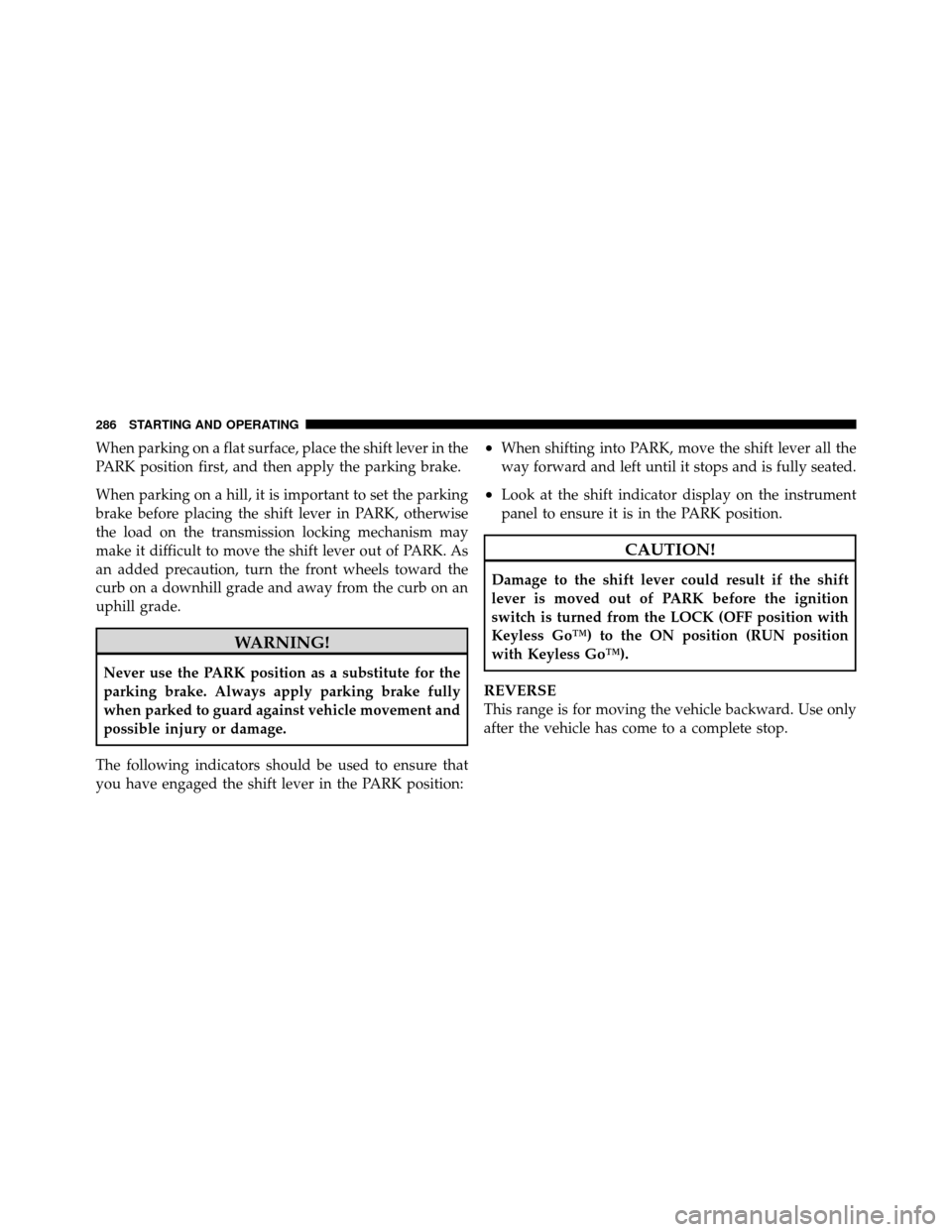
The following indicators should be used to ensure that
you have engaged the shift lever in the PARK position:
•When shifting into PARK, move the shift lever all the
way forward and left until it stops and is fully seated.
•Look at the shift indicator display on the instrument
panel to ensure it is in the PARK position.
CAUTION!
Damage to the shift lever could result if the shift
lever is moved out of PARK before the ignition
switch is turned from the LOCK (OFF position with
Keyless Go™) to the ON position (RUN position
with Keyless Go™).
REVERSE
This range is for moving the vehicle backward. Use only
after the vehicle has come to a complete stop.
286 STARTING AND OPERATING
Page 288 of 465
NEUTRAL
This range is used when vehicle is standing for pro-
longed periods with engine running. Engine may be
started in this range. Set the parking brake if you must
leave the vehicle.
CAUTION!
Coasting the vehicle or driving for any other reason
with the shift lever in NEUTRAL can result in
transmission damage.
WARNING!
Do not coast in NEUTRAL and never turn off the
ignition to coast down a hill. These are unsafe
practices that limit your response to changing traffic
or road conditions. You might lose control of the
vehicle and have an accident.
DRIVE
This range should be used for most city and highway
driving. It provides the smoothest upshifts and down-
shifts and the best fuel economy.
The transmission automatically upshifts through fifth
gear. The DRIVE position provides optimum driving
characteristics under all normal operating conditions.
When frequent transmission shifting occurs when using
the Overdrive range, such as when operating the vehicle
under heavy loading conditions (in hilly terrain, travel-
ing into strong head winds, or while towing heavy
trailers, use the AutoStick�mode and select the “3”
range.
Delayed Shifts in Cold Temperatures
During cold temperature operation, you may notice
delayed upshifts depending on engine and transmission
5
STARTING AND OPERATING 287
Page 297 of 465
When the parking brake is applied with the ignition
switch in the ON position, the “Brake Warning Light” in
the instrument cluster will illuminate.
NOTE:
•When the parking brake is applied and the transmis-
sion is placed in gear, the “Brake Warning Light” will
flash. If vehicle speed is detected, a chime will sound
to alert the driver. Fully release the parking brake
before attempting to move the vehicle.
•This light only shows that the parking brake is ap-
plied. It does not show the degree of brake application.
When parking on a hill, it is important to turn the front
wheels toward the curb on a downhill grade and away
from the curb on an uphill grade. Apply the parking
brake before placing the shift lever in PARK, otherwise
the load on the transmission locking mechanism may make it difficult to move the shift lever out of PARK. The
parking brake should always be applied whenever the
driver is not in the vehicle.
WARNING!
•Never use the PARK position as a substitute for
the parking brake. Always apply the parking
brake fully when parked to guard against vehicle
movement and possible injury or damage.
•Never leave children alone in a vehicle. Leaving
unattended children in a vehicle is dangerous for a
number of reasons. A child or others could be
seriously or fatally injured.
•Do not leave the key fob in the ignition switch. A
child could operate power windows, other con-
trols, or move the vehicle.
(Continued)
296 STARTING AND OPERATING
Page 301 of 465
All vehicle wheels and tires must be the same size and
type and tires must be properly inflated to produce
accurate signals for the computer.
Anti-Lock Brake Light
The “Anti-Lock Brake Light” monitors the anti-
lock brake system. The light will come on when
the ignition switch is turned to the ON position and may
stay on for as long as four seconds.
If the “Anti-Lock Brake Light” remains on or comes on
while driving, it indicates that the anti-lock portion of the
brake system is not functioning and that service is
required. However, the conventional brake system will
continue to operate normally if the “Brake Warning
Light” is not on.
If the “Anti-Lock Brake Light” is on, the brake system
should be serviced as soon as possible to restore the
benefits of anti-lock brakes. If the “Anti-Lock Brake Light” does not come on when the ignition switch is
turned to the ON position, have the bulb repaired as soon
as possible.
If both the “Brake Warning Light” and the “Anti-Lock
Brake Light” remain on, the ABS and EBD systems are
not functioning. Immediate repair to the ABS system is
required.
ELECTRONIC BRAKE CONTROL SYSTEM
Your vehicle is equipped with an advanced electronic
brake control system commonly referred to as ESP. This
system includes the Anti-Lock Brake System (ABS), the
Traction Control System (TCS), the Brake Assist System
(BAS), and the Electronic Stability Program (ESP). These
systems work together to enhance both vehicle stability
and control in various driving conditions.
300 STARTING AND OPERATING
Page 307 of 465

WARNING!
With the ESP switched OFF, the enhanced vehicle
stability offered by ESP is unavailable. In an emer-
gency evasive maneuver, the ESP system will not
engage to assist in maintaining stability. The “Full
Off” ESP mode is intended for off-highway or off-
road only.
Synchronizing ESP
The Malfunction Indicator Light for the ESP is
combined with BAS indicator. If the power
supply is interrupted (battery disconnected or
discharged), the “ESP/BAS Malfunction Indi-
cator Light” may illuminate with the engine running. If
this should occur, turn the steering wheel completely to
the left and then to the right. The “ESP/BAS Malfunction
Indicator Light” should go out. However, if the light
remains on, have the ESP and BAS checked at your
authorized dealer as soon as possible.
ESP/BAS Malfunction Indicator Light and
ESP/TCS Indicator Light
The Malfunction Indicator Light for the ESP is
combined with the BAS indicator. The “ESP/
BAS Malfunction Indicator Light” and the
“ESP/TCS Indicator Light” in the instrument
cluster both come on when the ignition switch is turned
to the ON position. They should go out with the engine
running.
The system will turn the “ESP/BAS Malfunction Indica-
tor Light” on continuously while the engine is running if
it detects a malfunction in either the ESP or the BAS or
both. If the light remains on after several ignition cycles
and you have driven the vehicle several miles (kilome-
ters) at speeds greater than 30 mph (48 km/h), and the
ESP is synchronized (refer to Synchronizing ESP), see
your authorized dealer as soon as possible to have the
problem diagnosed and corrected.
306 STARTING AND OPERATING
Page 308 of 465
NOTE:
•The “ESP/TCS Indicator Light” and the “ESP/BAS
Malfunction Indicator Light” will turn on momen-
tarily each time the ignition switch is turned to the ON
position.
•Each time the ignition switch is turned to the ON
position, the ESP System will be ON even if it was
turned OFF previously.
•The ESP Control System will make buzzing or clicking
sounds when it is active. This is normal; the sounds
will stop when the ESP becomes inactive following the
maneuver that caused the ESP activation.
TIRE SAFETY INFORMATION
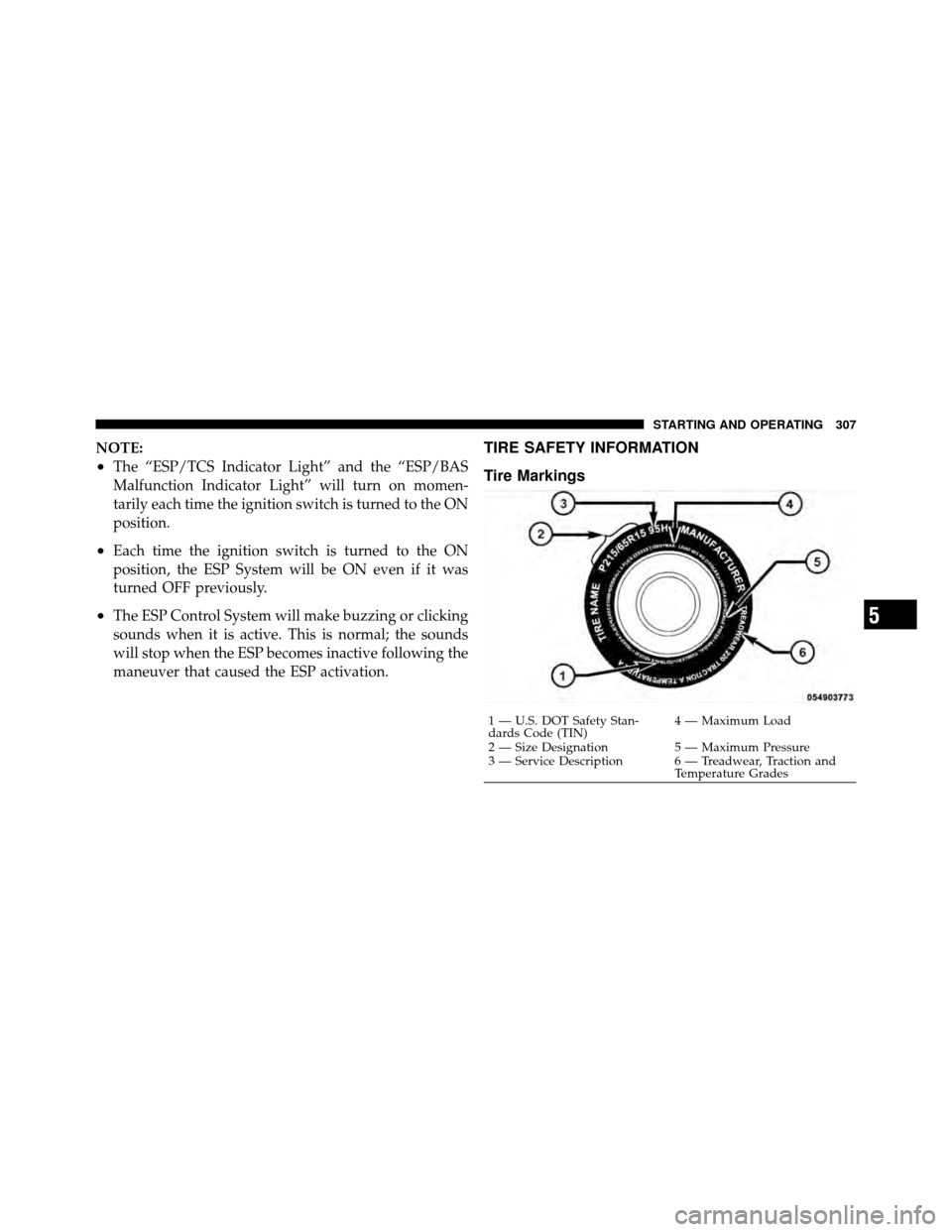
Tire Markings
1 — U.S. DOT Safety Stan-
dards Code (TIN)4 — Maximum Load
2 — Size Designation 5 — Maximum Pressure
3 — Service Description 6 — Treadwear, Traction and Temperature Grades
5
STARTING AND OPERATING 307
Page 331 of 465
turn off. The vehicle may need to be driven for up to
20 minutes above 15 mph (25 km/h) in order for the
TPMS to receive this information.
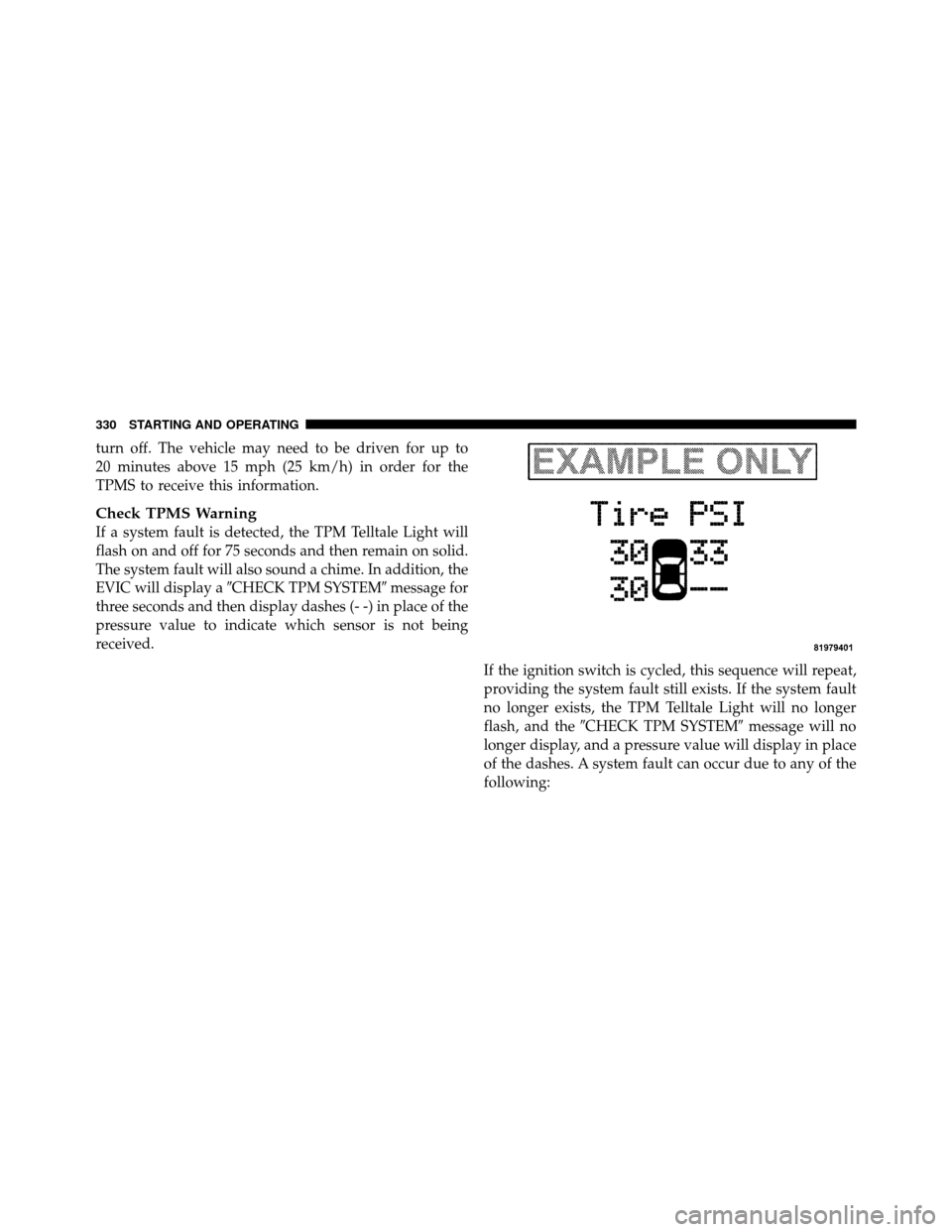
Check TPMS Warning
If a system fault is detected, the TPM Telltale Light will
flash on and off for 75 seconds and then remain on solid.
The system fault will also sound a chime. In addition, the
EVIC will display a�CHECK TPM SYSTEM� message for
three seconds and then display dashes (- -) in place of the
pressure value to indicate which sensor is not being
received.
If the ignition switch is cycled, this sequence will repeat,
providing the system fault still exists. If the system fault
no longer exists, the TPM Telltale Light will no longer
flash, and the�CHECK TPM SYSTEM� message will no
longer display, and a pressure value will display in place
of the dashes. A system fault can occur due to any of the
following:
330 STARTING AND OPERATING