Page 94 of 538
WARNING!
Vehicles and other objects seen in the passenger side
convex mirror will look smaller and farther away
than they really are. Relying too much on your
passenger side convex mirror could cause you to
collide with another vehicle or other object. Use your
inside mirror when judging the size or distance of a
vehicle seen in the passenger side convex mirror.
Outside Mirrors Folding Feature — If Equipped
Some models have outside mirrors that are hinged. The
hinge allows the mirror to pivot forward and rearward to
resist damage. The hinge has three detent positions: full
forward, full rearward and normal.
Driver’s Automatic Dimming Mirror — If Equipped
The driver’s outside mirror will automatically adjust for
glare from vehicles behind you. This feature is controlled
by the inside automatic dimming mirror and can beturned on or off by pressing the button at the base of the
inside mirror. The mirror will automatically adjust for
headlight glare when the inside mirror adjusts.
NOTE:
This feature is also available on the passenger’s
side when equipped with turn signal and approach
lighting.
Outside Mirrors with Turn Signal and Approach
Lighting — If Equipped
Driver and passenger outside mirrors with turn signal
and approach lighting contain four LEDs, which are
located in the upper outer corner of each mirror.
Three of the LEDs are turn signal indicators, which flash
with the corresponding turn signal lights in the front and
rear of the vehicle. Turning on the Hazard Warning
flashers will also activate these LEDs.
The fourth (uppermost) LED supplies illuminated entry
lighting, which turns on in both mirrors when you use
3
UNDERSTANDING THE FEATURES OF YOUR VEHICLE 93
Page 98 of 538

•www.jeep.com/uconnect
•or call 1–877–855–8400
Uconnect™ Phone allows you to transfer calls between
the system and your cellular phone as you enter or exit
your vehicle and enables you to mute the system’s
microphone for private conversation.
The Uconnect™ Phone is driven through your
Bluetooth� “Hands-Free Profile” cellular phone.
Uconnect™ features Bluetooth� technology - the global
standard that enables different electronic devices to con-
nect to each other without wires or a docking station, so
Uconnect™ Phone works no matter where you stow your
cellular phone (be it your purse, pocket, or briefcase), as
long as your phone is turned on and has been paired to
the vehicle’s Uconnect™ Phone. The Uconnect™ Phone
allows up to seven cellular phones to be linked to the system. Only one linked (or paired) cellular phone can be
used with the system at a time. The system is available in
English, Spanish, or French languages.
WARNING!
Any voice commanded system should be used only
in safe driving conditions following local laws and
phone use. All attention should be kept on the
roadway ahead. Failure to do so may result in an
accident causing serious injury or death.
Uconnect™ Phone Button Depending on the vehicle options, either the
radio or the mirror will contain the two control
buttons
(Uconnect™ Phone button) and
(Voice Command button) that will en-
able you to access the system.
3
UNDERSTANDING THE FEATURES OF YOUR VEHICLE 97
Page 111 of 538
If the phone is not reachable and the Uconnect™ Phone is
operational, you may reach the emergency number as
follows:
•Press thebutton to begin.
•After the�Ready�prompt and the following beep, say
�Emergency� and the Uconnect™ Phone will instruct
the paired cellular phone to call the emergency num-
ber. This feature is supported in the U.S., Canada, and
Mexico.
NOTE:
•The emergency number dialed is based on the country
where the vehicle is purchased (911 for the U.S. and
Canada and 060 for Mexico). The number dialed may
not be applicable with the available cellular service
and area.
•If supported, this number may be programmable on
some systems. To do this, press the
button and
say ‘Setup’, followed by ‘Emergency’.
•The Uconnect™ Phone does slightly lower your
chances of successfully making a phone call as to that
for the cellular phone directly.
WARNING!
Your phone must be turned on and paired to the
Uconnect™ Phone System to allow use of this vehicle
feature in emergency situations, when the cellular
phone has network coverage and stays paired to the
Uconnect™ Phone System.
Towing Assistance
If you need towing assistance:
•Press thebutton to begin.
110 UNDERSTANDING THE FEATURES OF YOUR VEHICLE
Page 125 of 538

General Information
This device complies with Part 15 of the FCC rules and
RSS 210 of Industry Canada. Operation is subject to the
following conditions:
•Changes or modifications not expressly approved by
the party responsible for compliance could void the
user’s authority to operate the equipment.
•This device may not cause harmful interference.
•This device must accept any interference received,
including interference that may cause undesired
operation.
VOICE COMMAND — IF EQUIPPED
Voice Command System Operation
This Voice Command system allows you to
control your AM, FM radio, satellite radio, disc
player, and a memo recorder.NOTE:
Take care to speak into the Voice Interface
System as calmly and normally as possible. The ability of
the Voice Interface System to recognize user voice com-
mands may be negatively affected by rapid speaking or a
raised voice level.
WARNING!
Any voice commanded system should be used only
in safe driving conditions following local laws and
phone use. All attention should be kept on the
roadway ahead. Failure to do so may result in an
accident causing serious injury or death.
When you press the Voice Command
button, you
will hear a beep. The beep is your signal to give a
command.
124 UNDERSTANDING THE FEATURES OF YOUR VEHICLE
Page 130 of 538
NOTE:Keep in mind that you have to press the Voice
Command
button first and wait for the beep
before speaking the “Barge In” commands.
Voice Training
For users experiencing difficulty with the system recog-
nizing their voice commands or numbers the Uconnect™
Voice “Voice Training” feature may be used.
1. Press the Voice Command
button, say “System
Setup” and once you are in that menu then say “Voice
Training.” This will train your own voice to the system
and will improve recognition.
2. Repeat the words and phrases when prompted by
Uconnect™ Voice. For best results, the “Voice Training”
session should be completed when the vehicle is parked,
engine running, all windows closed, and the blower fan
switched off. This procedure may be repeated with a new
user. The system will adapt to the last trained voice only.
SEATS
Seats are a primary part of the Occupant Restraint System
of the vehicle. They need to be used properly for safe
operation of the vehicle.
WARNING!
•DO NOT allow people to ride in any area of your
vehicle that is not equipped with seats and seat
belts. In a collision, people riding in these areas
are more likely to be seriously injured or killed.
•Be sure everyone in your vehicle is in a seat and
using a seat belt properly.
3
UNDERSTANDING THE FEATURES OF YOUR VEHICLE 129
Page 131 of 538
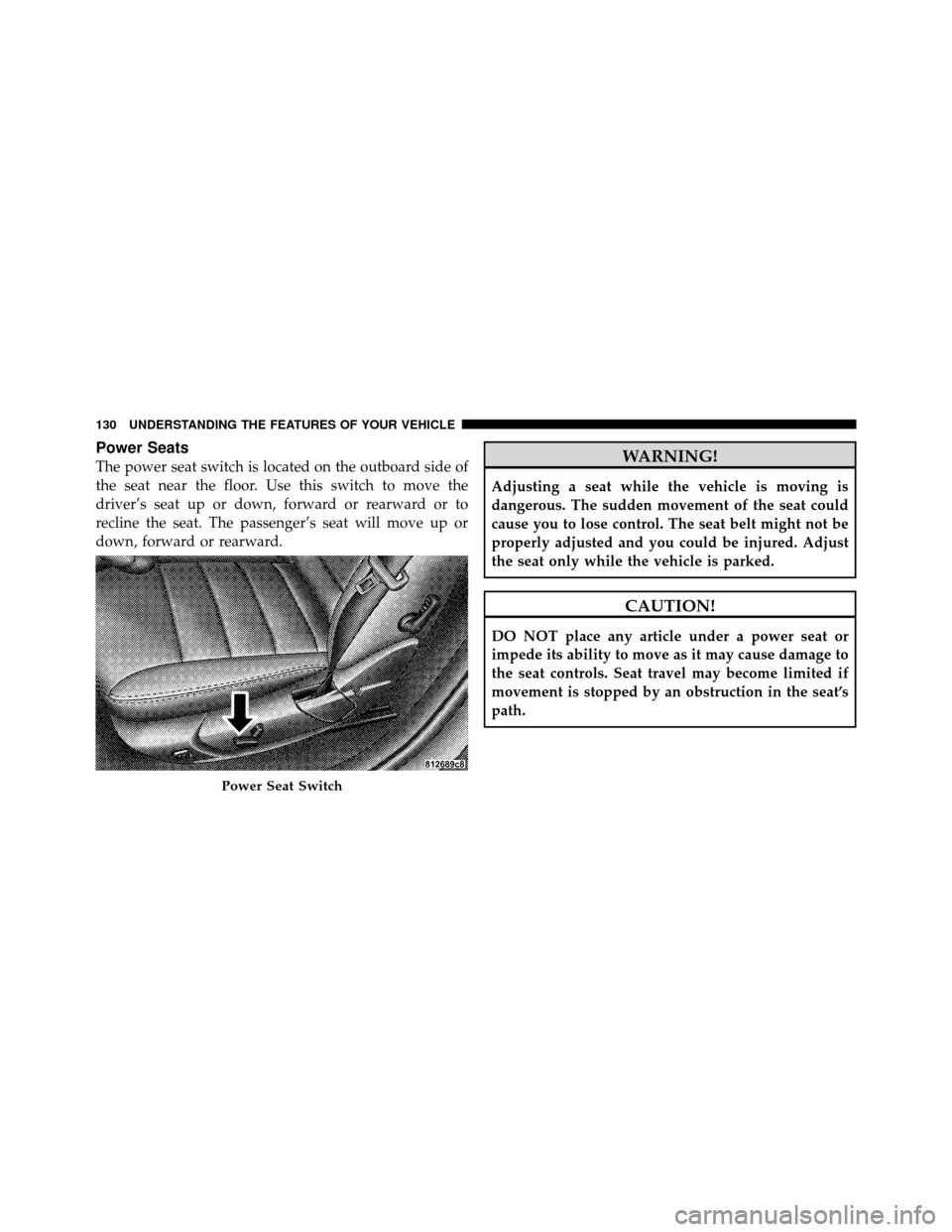
Power Seats
The power seat switch is located on the outboard side of
the seat near the floor. Use this switch to move the
driver’s seat up or down, forward or rearward or to
recline the seat. The passenger’s seat will move up or
down, forward or rearward.WARNING!
Adjusting a seat while the vehicle is moving is
dangerous. The sudden movement of the seat could
cause you to lose control. The seat belt might not be
properly adjusted and you could be injured. Adjust
the seat only while the vehicle is parked.
CAUTION!
DO NOT place any article under a power seat or
impede its ability to move as it may cause damage to
the seat controls. Seat travel may become limited if
movement is stopped by an obstruction in the seat’s
path.
Power Seat Switch
130 UNDERSTANDING THE FEATURES OF YOUR VEHICLE
Page 133 of 538
WARNING!
Do not ride with the seatback reclined so that the
shoulder belt is no longer resting against your chest.
In a collision you could slide under the seat belt and
be seriously or even fatally injured. Use the recliner
only when the vehicle is parked.
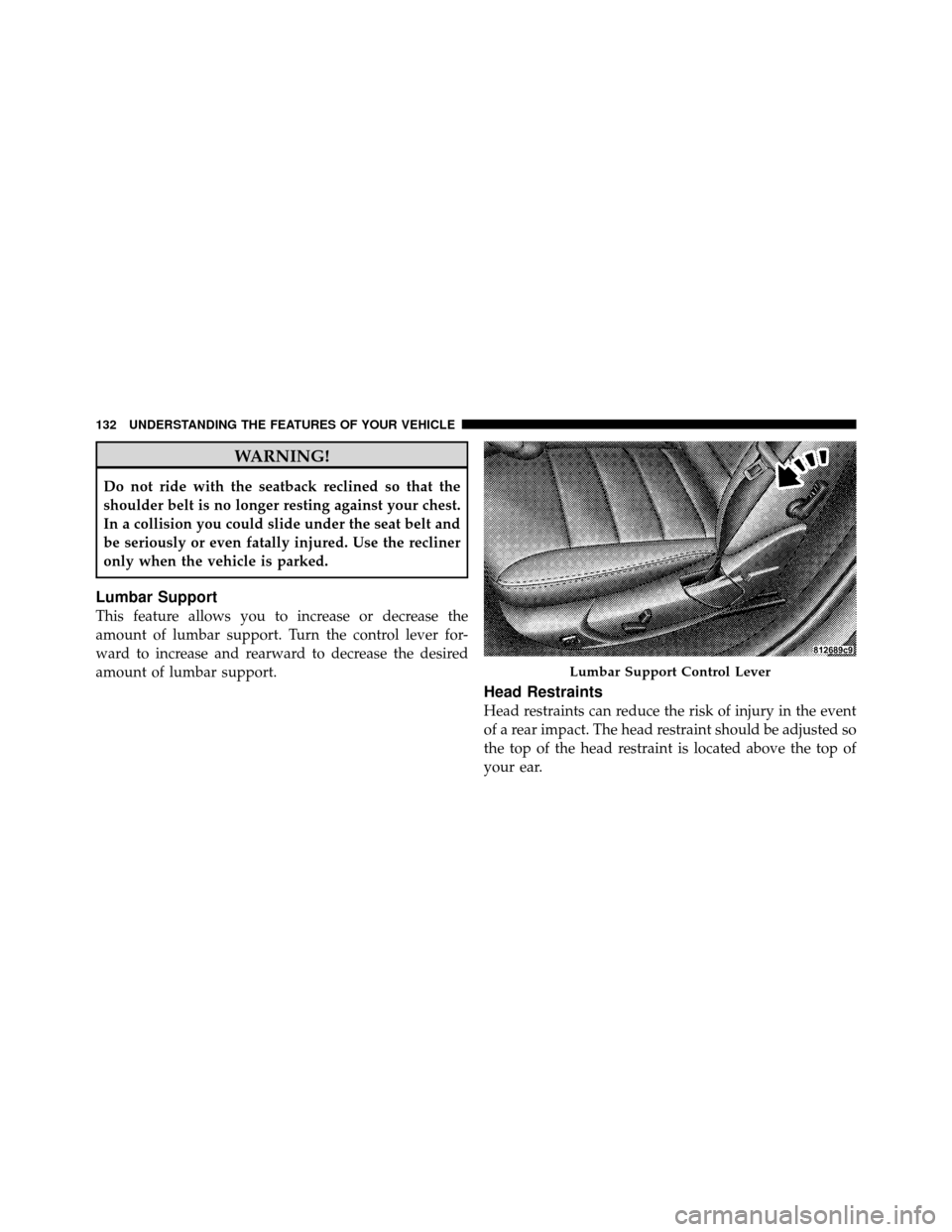
Lumbar Support
This feature allows you to increase or decrease the
amount of lumbar support. Turn the control lever for-
ward to increase and rearward to decrease the desired
amount of lumbar support.
Head Restraints
Head restraints can reduce the risk of injury in the event
of a rear impact. The head restraint should be adjusted so
the top of the head restraint is located above the top of
your ear.
Lumbar Support Control Lever
132 UNDERSTANDING THE FEATURES OF YOUR VEHICLE
Page 135 of 538
To install the head restraint, insert the head restraint rods
into each guide, apply pressure down on the headrest
until the head restraint reaches the first lock position,
push the large button in and push down and adjust head
restraint to desired position.
NOTE:Ensure that the front of the head restraint is
facing toward the front of the vehicle.
WARNING!
Driving a vehicle with the head restraints removed or
improperly adjusted could cause serious injury or
death in the event of a collision. The head restraints
should always be checked prior to operating the
vehicle and never adjusted while the vehicle is in
motion. Always adjust the head restraints when the
vehicle is in PARK.
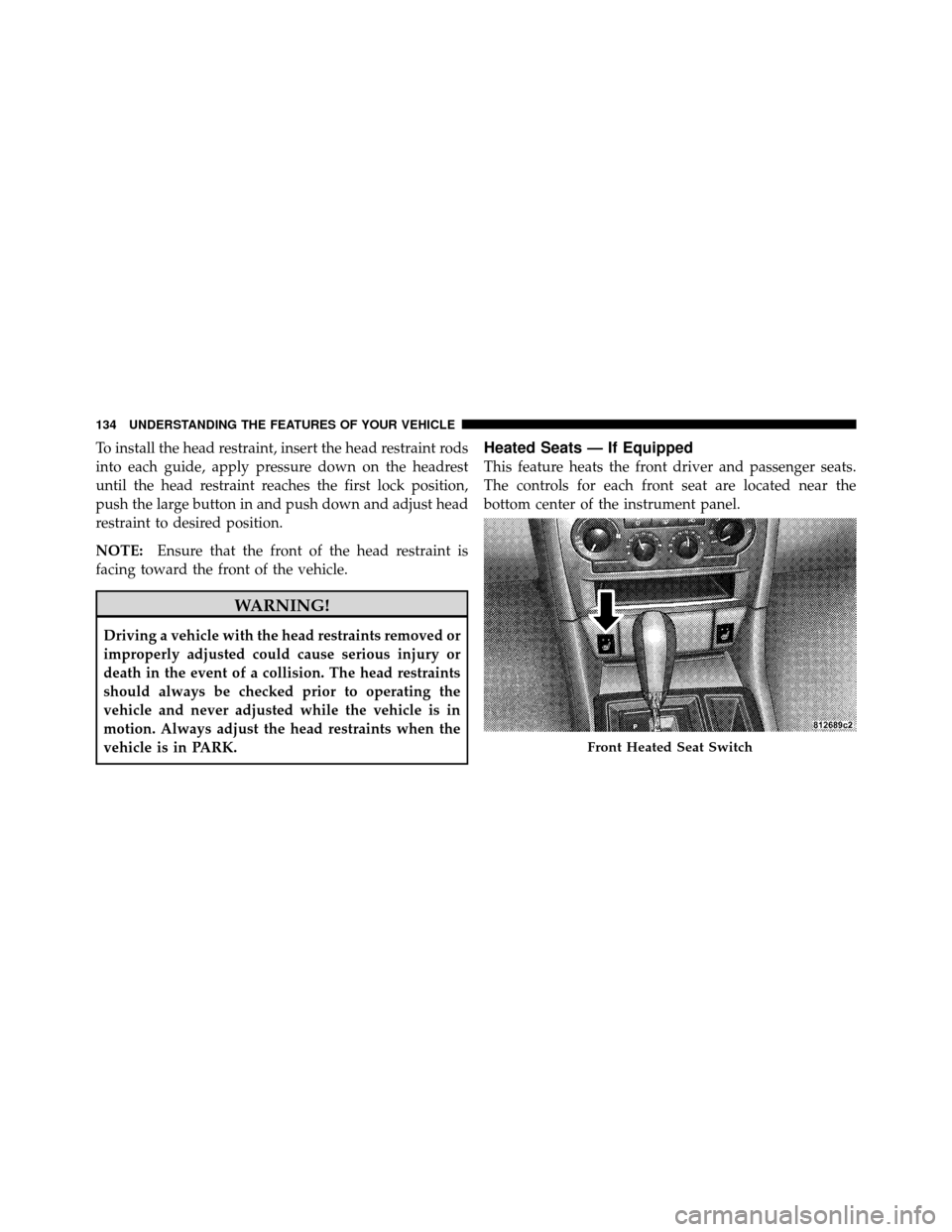
Heated Seats — If Equipped
This feature heats the front driver and passenger seats.
The controls for each front seat are located near the
bottom center of the instrument panel.
Front Heated Seat Switch
134 UNDERSTANDING THE FEATURES OF YOUR VEHICLE