2010 CHEVROLET IMPALA display
[x] Cancel search: displayPage 221 of 432

Preprogrammed PlaylistsPreprogrammed playlists that were created using
WinAmp™, MusicMatch™, or Real Jukebox™ software
can be accessed, however, you do not have playlist
editing capability using the radio. These playlists
are treated as special folders containing compressed
audio song files.Playing an MP3f
(Tune):Turn this knob to select MP3 files on the CD
currently playing.
©
SEEK
¨
:Press the left SEEK arrow to go to the
start of the current MP3 file, if more than ten seconds
have played. Press the right SEEK arrow to go to
the next MP3 file. If either SEEK arrow is held or
pressed multiple times, the player continues moving
backward or forward through MP3 files on the CD.
Sc
(Previous Folder):Press the softkey under the
Folder tab to go to the first track in the previous folder.
cT
(Next Folder):Press the softkey under the
Folder tab to go to the first track in the next folder.
s
REV (Reverse):Press and hold to reverse playback
quickly within an MP3 file. Sound is heard at a reduced
volume. Release this button to resume playing the
file. The elapsed time of the file displays.
\
FWD (Fast Forward):Press and hold to advance
playback quickly within an MP3 file. Sound is heard
at a reduced volume. Release this button to resume
playing the file. The elapsed time of the file displays.
RDM (Random):MP3 files can be listened to
on a CD in random, rather than sequential order.
To use random:
1. To play MP3 files in random order from the CD that
is currently playing, press the softkey under the
RDM tab until Random Current Disc displays. Press
the same softkey again to turn off random play.
h
(Music Navigator):If the radio has the MP3
feature, it has the music navigator feature to play MP3
files on the CD-R or CD-RW in order by artist or album.
Press the softkey below the music navigator tab. The
player scans the disc to sort the files by artist and album
ID3 tag information. It can take several minutes to scan
the disc depending on the number of MP3 files recorded
to the CD-R or CD-RW. The radio might begin playing
while it is scanning the disc in the background. When the
scan is finished, the CD begins playing again.
4-71
Page 222 of 432

Once the disc has scanned, the player defaults to playing
MP3 files in order by artist. The current artist playing is
shown on the second line of the display between the
arrows. Once all songs by that artist are played, the
player moves to the next artist in alphabetical order on
the CD and begins playing MP3 files by that artist. If you
want to listen to MP3 files by another artist, press the
softkey below either arrow button. The CD goes to the
next or previous artist in alphabetical order. Continue
pressing either button until the desired artist displays.
To change from playback by artist to playback by album,
press the softkey below the Sort By tab. From the sort
screen, push one of the softkeys below the album button.
Press the softkey below the back tab to return to the main
music navigator screen. Now the album name displays on
the second line between the arrows and songs from the
current album begins to play. Once all songs from that
album have played, the player moves to the next album
in alphabetical order on the CD and begins playing MP3
files from that album.
To exit music navigator mode, press the softkey below
the Back tab to return to normal MP3 playback.
XM Radio MessagesXL (Explicit Language Channels):These channels,
or any others, can be blocked at a customer’s request,
by calling 1-800-852-XMXM (9696).
XM Updating:The encryption code in the receiver is
being updated, and no action is required. This process
should take no longer than 30 seconds.
No XM Signal:The system is functioning correctly,
but the vehicle is in a location that is blocking the XM™
signal. When the vehicle is moved into an open area,
the signal should return.
Loading XM:The audio system is acquiring and
processing audio and text data. No action is needed.
This message should disappear shortly.
Channel Off Air:This channel is not currently in
service. Tune in to another channel.
Channel Unauth:This channel is blocked or cannot be
received with your XM Subscription package.
4-72
Page 242 of 432
Using ABSDo not pump the brakes. Just hold the brake pedal
down firmly and let antilock work. A slight brake pedal
pulsation might be felt or some noise might be
heard, but this is normal.Braking in EmergenciesABS allows the driver to steer and brake at the same
time. In many emergencies, steering can help more than
even the very best braking.Electronic Stability Control (ESC)Your vehicle may have an Electronic Stability Control
(ESC) system which combines antilock brake, traction
and stability control systems and helps the driver
maintain directional control of the vehicle in most driving
conditions.
When you first start your vehicle and begin to drive
away, the system performs several diagnostic checks to
ensure there are no problems. You may hear or feel
the system working. This is normal and does not mean
there is a problem with your vehicle. The system
should initialize before the vehicle reaches 20 mph
(32 km/h).If the system fails to turn on or activate, the ESC/TCS
light will be on solid, and the SERVICE STABILITRAK
message will be displayed.
For more information, seeDriver Information Center
(DIC) on page 4-37.
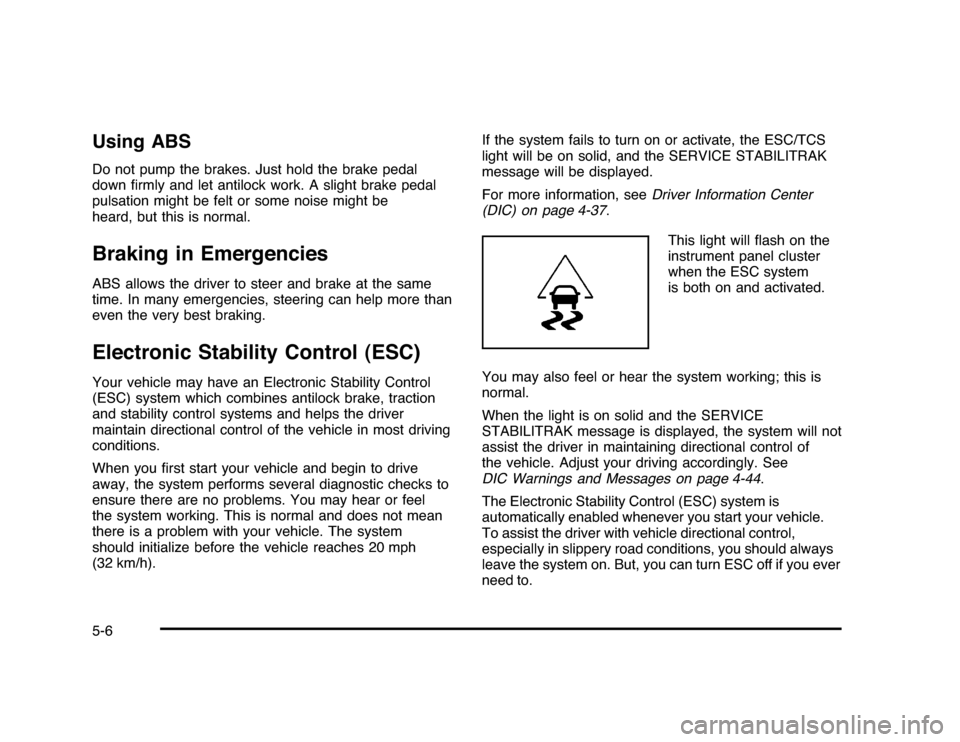
This light will flash on the
instrument panel cluster
when the ESC system
is both on and activated.
You may also feel or hear the system working; this is
normal.
When the light is on solid and the SERVICE
STABILITRAK message is displayed, the system will not
assist the driver in maintaining directional control of
the vehicle. Adjust your driving accordingly. See
DIC Warnings and Messages on page 4-44.
The Electronic Stability Control (ESC) system is
automatically enabled whenever you start your vehicle.
To assist the driver with vehicle directional control,
especially in slippery road conditions, you should always
leave the system on. But, you can turn ESC off if you ever
need to.5-6
Page 281 of 432
{
WARNING:
Fuel can spray out on you if you open the fuel cap
too quickly. If you spill fuel and then something
ignites it, you could be badly burned. This spray
can happen if the tank is nearly full, and is more
likely in hot weather. Open the fuel cap slowly and
wait for any hiss noise to stop. Then unscrew the
cap all the way.
Be careful not to spill fuel. Do not top off or overfill the
tank and wait a few seconds after you have finished
pumping before removing the nozzle. Clean fuel from
painted surfaces as soon as possible. SeeWashing
Your Vehicle on page 6-91.
When replacing the fuel cap, turn it clockwise until it
clicks. Make sure the cap is fully installed. The diagnostic
system can determine if the fuel cap has been left off or
improperly installed. This would allow fuel to evaporate
into the atmosphere. SeeMalfunction Indicator Lamp on
page 4-31.The TIGHTEN GAS CAP message displays on the
Driver Information Center (DIC) if the fuel cap is
not properly installed. SeeDIC Warnings and Messages
on page 4-44for more information.
{
WARNING:
If a fire starts while you are refueling, do not
remove the nozzle. Shut off the flow of fuel by
shutting off the pump or by notifying the station
attendant. Leave the area immediately.
Notice:If you need a new fuel cap, be sure to get
the right type. Your dealer/retailer can get one
for you. If you get the wrong type, it may not fit
properly. This may cause the malfunction indicator
lamp to light and may damage the fuel tank and
emissions system. SeeMalfunction Indicator Lamp
on page 4-31.
6-11
Page 289 of 432
How to Reset the Engine Oil Life
SystemThe Engine Oil Life System calculates when to change
the engine oil and filter based on vehicle use. Whenever
the oil is changed, reset the system so it can calculate
when the next oil change is required. If a situation occurs
where the oil is changed prior to a CHANGE ENGINE OIL
SOON message being turned on, reset the system.
Always reset the engine oil life to 100% after every oil
change. It will not reset itself. To reset the Engine
Oil Life System:
1. Display the OIL LIFE REMAINING on the DIC.
2. Press and hold the SET/RESET button on the DIC
for more than five seconds. The oil life will change
to 100%.
If the CHANGE ENGINE OIL SOON message comes
back on when the vehicle is started, the Engine Oil Life
System has not reset. Repeat the procedure.
What to Do with Used OilUsed engine oil contains certain elements that can be
unhealthy for your skin and could even cause cancer.
Do not let used oil stay on your skin for very long. Clean
your skin and nails with soap and water, or a good
hand cleaner. Wash or properly dispose of clothing or
rags containing used engine oil. See the manufacturer’s
warnings about the use and disposal of oil products.
Used oil can be a threat to the environment. If you
change your own oil, be sure to drain all the oil from the
filter before disposal. Never dispose of oil by putting it
in the trash, pouring it on the ground, into sewers, or into
streams or bodies of water. Recycle it by taking it to a
place that collects used oil.Engine Air Cleaner/FilterThe engine air cleaner/filter is located in the engine
compartment on the driver’s side of the vehicle.
SeeEngine Compartment Overview on page 6-14for
more information on location.
6-19
Page 300 of 432
In addition, you will find an ENGINE OVERHEATED
IDLE ENGINE and an ENGINE OVERHEATED STOP
ENGINE message displayed on the vehicle’s Driver
Information Center (DIC). SeeDIC Warnings and
Messages on page 4-44DIC Warnings and Messages
for more information.
You may decide not to lift the hood when this warning
appears, but instead get service help right away.
SeeRoadside Assistance Program on page 8-7.
If you do decide to lift the hood, make sure the vehicle
is parked on a level surface.
Then check to see if the engine cooling fans are
running. If the engine is overheating, both fans should
be running. If they are not, do not continue to run
the engine and have the vehicle serviced.
Notice:Engine damage from running the engine
without coolant is not covered by the warranty.
Notice:If the engine catches fire while driving with
no coolant, the vehicle can be badly damaged.
The costly repairs would not be covered by
the vehicle warranty. SeeOverheated Engine
Protection Operating Mode on page 6-32for
information on driving to a safe place in an
emergency.
If Steam Is Coming From The Engine
Compartment
{
WARNING:
Steam from an overheated engine can burn you
badly, even if you just open the hood. Stay away
from the engine if you see or hear steam coming
from it. Turn it off and get everyone away from the
vehicle until it cools down. Wait until there is no sign
of steam or coolant before you open the hood.
If you keep driving when the vehicles engine is
overheated, the liquids in it can catch fire. You or
others could be badly burned. Stop the engine if it
overheats, and get out of the vehicle until the
engine is cool.
SeeOverheated Engine Protection Operating Mode
on page 6-32for information on driving to a safe
place in an emergency.
6-30
Page 301 of 432
If No Steam Is Coming From The
Engine CompartmentIf an engine overheat warning is displayed but no steam
can be seen or heard, the problem may not be too
serious. Sometimes the engine can get a little too hot
when the vehicle:•
Climbs a long hill on a hot day.
•
Stops after high-speed driving.
•
Idles for long periods in traffic.
•
Tows a trailer.
If the overheat warning is displayed with no sign of
steam:
1. Turn the air off.
2. Turn the heater on to the highest temperature and
to the highest fan speed. Open the windows as
necessary.3. In heavy traffic, let the engine idle in N (Neutral)
while stopped. If it is safe to do so, pull off the
road, shift to P (Park) or N (Neutral) and let
the engine idle.
If the temperature overheat gage is no longer in the
overheat zone or an overheat warning no longer
displays, the vehicle can be driven. Continue to drive
the vehicle slow for about 10 minutes. Keep a safe
vehicle distance from the car in front of you. If the
warning does not come back on, continue to drive
normally.
If the warning continues, pull over, stop, and park the
vehicle right away.
If there is no sign of steam, idle the engine for
three minutes while parked. If the warning is still
displayed, turn off the engine until it cools down. Also,
see ‘‘Overheated Engine Protection Operating Mode’’
later in this section.
6-31
Page 304 of 432
Adding Washer FluidA WASHER FLUID LOW ADD FLUID message will
be displayed on the Driver Information Center (DIC)
when you need to add windshield washer fluid to your
vehicle. SeeDIC Warnings and Messages on page 4-44
for more information.
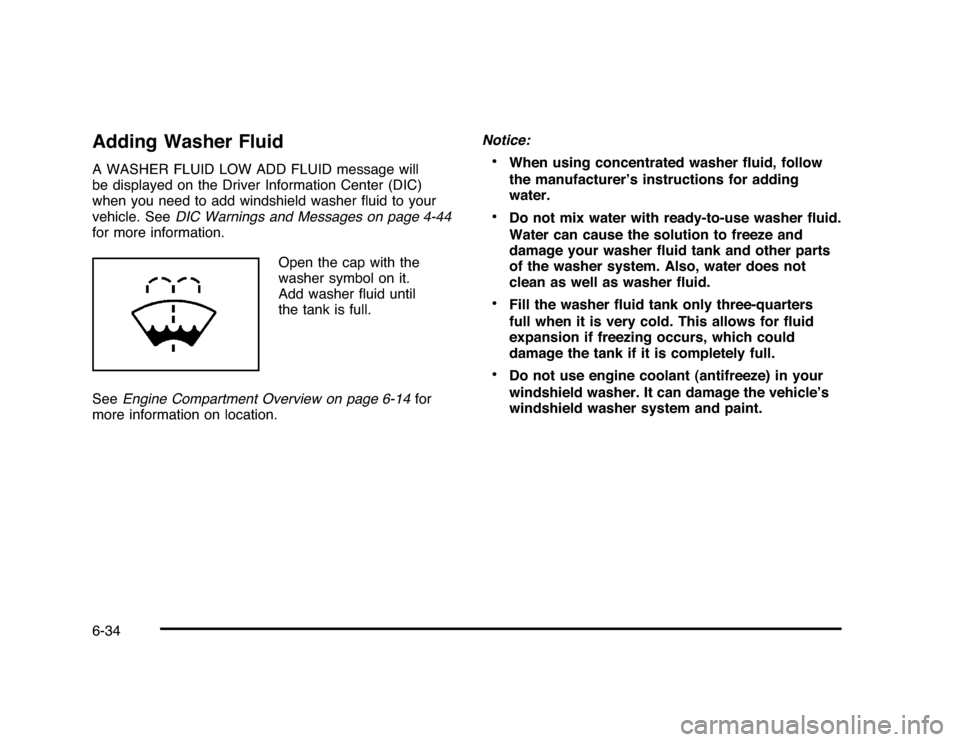
Open the cap with the
washer symbol on it.
Add washer fluid until
the tank is full.
SeeEngine Compartment Overview on page 6-14for
more information on location.Notice:
•
When using concentrated washer fluid, follow
the manufacturer’s instructions for adding
water.
•
Do not mix water with ready-to-use washer fluid.
Water can cause the solution to freeze and
damage your washer fluid tank and other parts
of the washer system. Also, water does not
clean as well as washer fluid.
•
Fill the washer fluid tank only three-quarters
full when it is very cold. This allows for fluid
expansion if freezing occurs, which could
damage the tank if it is completely full.
•
Do not use engine coolant (antifreeze) in your
windshield washer. It can damage the vehicle’s
windshield washer system and paint.
6-34