Page 168 of 480
Section 4 Instrument Panel
Fog Lamp Light . . . . . . . . . . . . . . . . . . . . . . . . . . . . . . . . 4-39
Highbeam On Light . . . . . . . . . . . . . . . . . . . . . . . . . . . . 4-39
Fuel Gauge . . . . . . . . . . . . . . . . . . . . . . . . . . . . . . . . . . . . 4-40
Boost Gauge . . . . . . . . . . . . . . . . . . . . . . . . . . . . . . . . . . 4-40
Reconfigurable PerformanceDisplay (RPD) . . . . . . . . . . . . . . . . . . . . . . . . . . . . . . . 4-41
Driver Information Center (DIC) . . . . . . . . . . . . . . . . . . 4-46
DIC Operation and Displays . . . . . . . . . . . . . . . . . . . 4-46
DIC Warnings and Messages . . . . . . . . . . . . . . . . . . 4-48
DIC Vehicle Personalization . . . . . . . . . . . . . . . . . . . 4-54 Audio System(s)
. . . . . . . . . . . . . . . . . . . . . . . . . . . . . . . . . . 4-60
Setting the Clock . . . . . . . . . . . . . . . . . . . . . . . . . . . . . . 4-61
Radio(s) . . . . . . . . . . . . . . . . . . . . . . . . . . . . . . . . . . . . . . . 4-62
Using an MP3 . . . . . . . . . . . . . . . . . . . . . . . . . . . . . . . . . 4-74
XM Radio Messages . . . . . . . . . . . . . . . . . . . . . . . . . . . 4-80
Bluetooth
®. . . . . . . . . . . . . . . . . . . . . . . . . . . . . . . . . . . . . 4-82
Theft-Deterrent Feature . . . . . . . . . . . . . . . . . . . . . . . . 4-92
Audio Steering Wheel Controls . . . . . . . . . . . . . . . . 4-92
Radio Reception . . . . . . . . . . . . . . . . . . . . . . . . . . . . . . . 4-94
Fixed Mast Antenna . . . . . . . . . . . . . . . . . . . . . . . . . . . 4-95
XM™ Satellite Radio Antenna System . . . . . . . . . 4-95
Chime Level Adjustment . . . . . . . . . . . . . . . . . . . . . . . 4-95
4-2
Page 169 of 480
Instrument Panel Overview
Hazard Warning Flashers
|(Hazard Warning Flasher):Press this button
located on the instrument panel, to make the front and
rear turn signal lamps flash on and off. This warns
others that you are having trouble.
Press
|again to turn the flashers off.
Horn
To sound the horn, press the horn symbols located on
the steering wheel.
Tilt Wheel
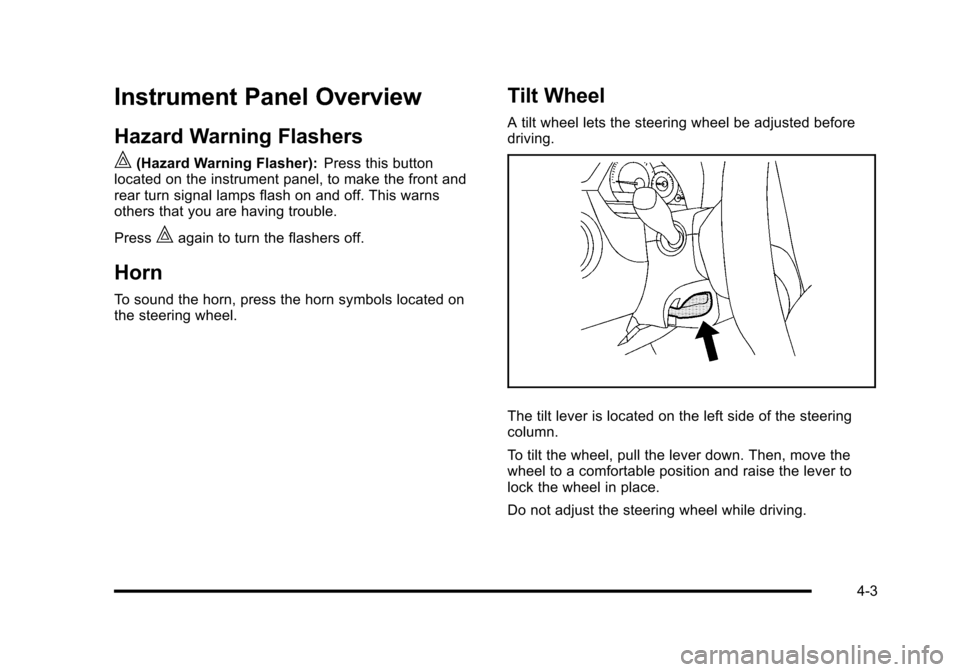
A tilt wheel lets the steering wheel be adjusted before
driving.
The tilt lever is located on the left side of the steering
column.
To tilt the wheel, pull the lever down. Then, move the
wheel to a comfortable position and raise the lever to
lock the wheel in place.
Do not adjust the steering wheel while driving.
4-3
Page 171 of 480
Headlamp High/Low-Beam Changer
To change the headlamps from low beam to high beam,
push the turn signal lever away from you.
This indicator light
appears on the instrument
panel cluster when the
high beams are on.
To change the headlamps from high beam to low beam,
pull the turn signal lever toward you.
Flash-to-Pass
To signal to a driver in front of you that you want to
pass, pull the turn signal/multifunction lever until the
high-beam headlamps come on. Then release the lever
to turn them off.
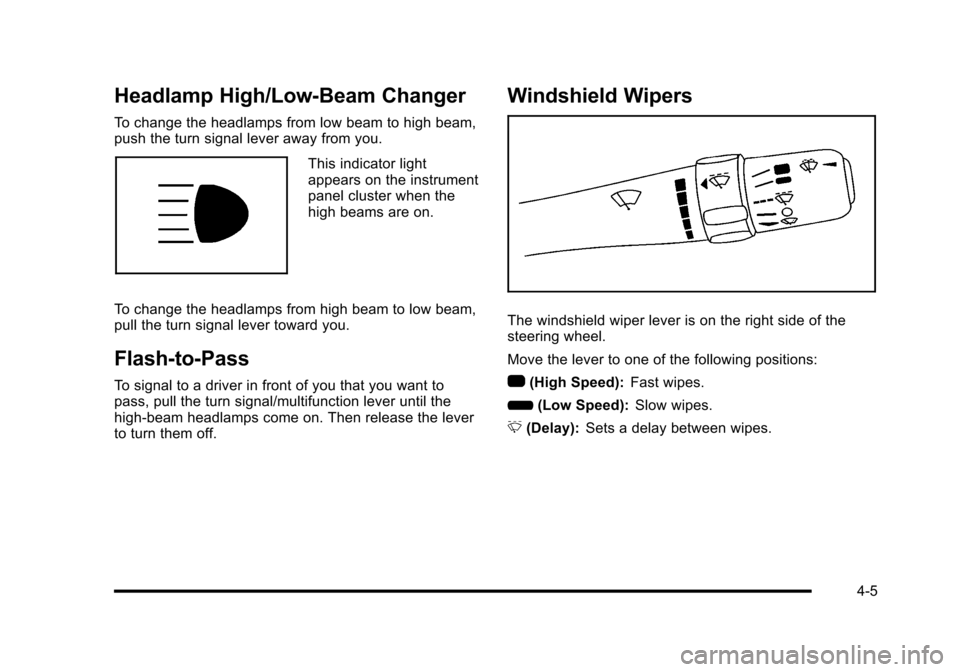
Windshield Wipers
The windshield wiper lever is on the right side of the
steering wheel.
Move the lever to one of the following positions:
1 (High Speed): Fast wipes.
6 (Low Speed): Slow wipes.
& (Delay): Sets a delay between wipes.
4-5
Page 174 of 480
Cruise Control
With cruise control, a speed of about 40 km (25 mph) or
more can be maintained without keeping your foot on
the accelerator. Cruise control does not work at speeds
below 40 km (25 mph).
The brake must be applied at least one time, after the
vehicle has been started, before cruise control will
function.
{WARNING:
Cruise control can be dangerous where you
cannot drive safely at a steady speed. So, do
not use the cruise control on winding roads or in
heavy traffic.
Cruise control can be dangerous on slippery
roads. On such roads, fast changes in tire traction
can cause excessive wheel slip, and you could
lose control. Do not use cruise control on slippery
roads.
Setting Cruise Control
{WARNING:
If you leave your cruise control on when you are
not using cruise, you might hit a button and go
into cruise when you do not want to. You could be
startled and even lose control. Keep the cruise
control switch off until you want to use cruise
control.
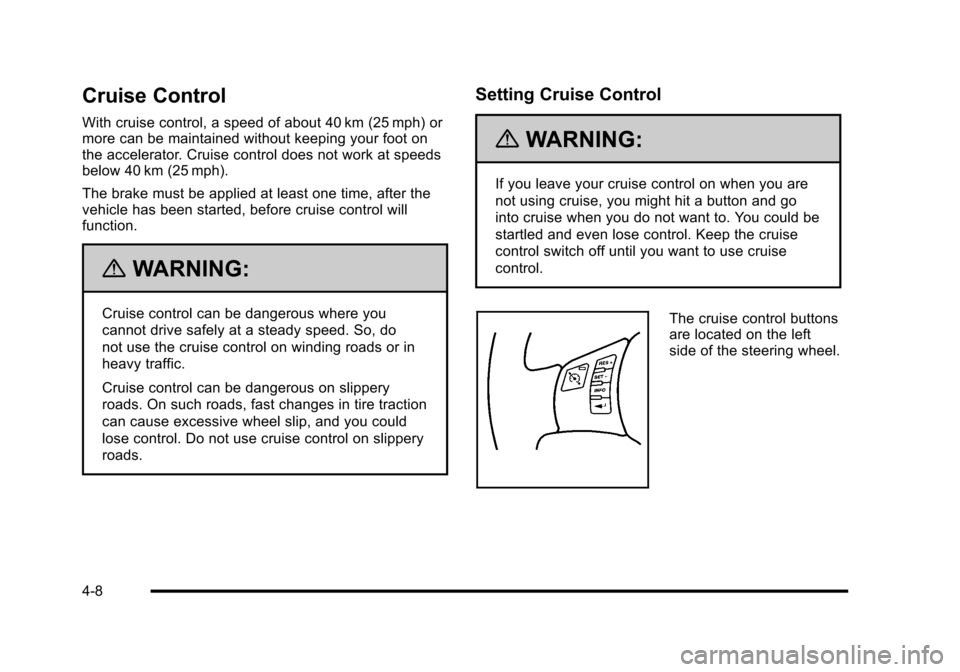
The cruise control buttons
are located on the left
side of the steering wheel.
4-8
Page 179 of 480

There is a delay in the transition between the daytime
and nighttime operation of the automatic lamp control
system so that driving under bridges or bright overhead
street lights does not affect the system. The automatic
lamp control system will only be affected when the light
sensor sees a change in lighting lasting longer than
this delay.
If the vehicle is started in a dark garage, the automatic
lamp system turns on immediately. Once the vehicle
exits the garage, it will take about 20 seconds for the
automatic lamp system to change to DRL if it is light
outside. During that delay, the instrument panel
cluster may not be as bright as usual. Make sure the
instrument panel brightness control is in the full bright
position. SeeInstrument Panel Brightness
on
page 4‑14.
To idle the vehicle with the system off, turn the ignition
on and turn the exterior light switch to the off/on
position. For vehicles first sold in Canada, the
transmission must stay in P (Park) for this function
or the parking brake must be set for vehicles with
manual transmissions.
Turn on the regular headlamps when they are needed.
Fog Lamps
For vehicles with fog lamps, the button is located on the
instrument panel, to the right of the steering wheel.
The ignition must be on to use the fog lamps.
#: Press to turn the fog lamps on and off. An indicator
light on the button comes on when the fog lamps
are on.
The parking lamps automatically turn on and off when
the fog lamps are turned on and off.
The fog lamps will turn off while the high-beam
headlamps are turned on.
Some localities have laws that require the headlamps to
be on along with the fog lamps.
4-13
Page 180 of 480
Instrument Panel Brightness
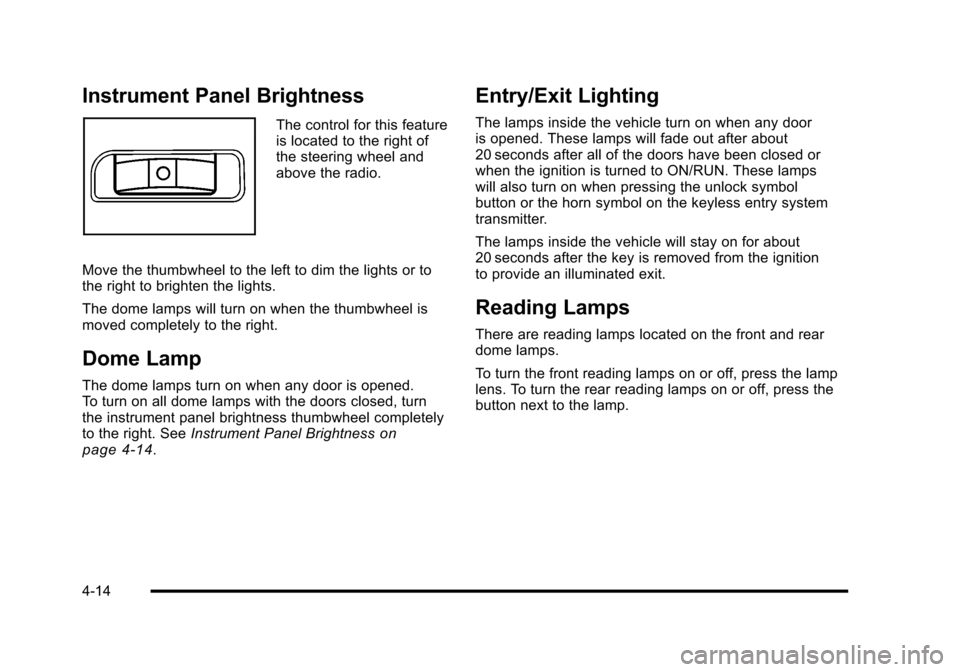
The control for this feature
is located to the right of
the steering wheel and
above the radio.
Move the thumbwheel to the left to dim the lights or to
the right to brighten the lights.
The dome lamps will turn on when the thumbwheel is
moved completely to the right.
Dome Lamp
The dome lamps turn on when any door is opened.
To turn on all dome lamps with the doors closed, turn
the instrument panel brightness thumbwheel completely
to the right. See Instrument Panel Brightness
on
page 4‑14.
Entry/Exit Lighting
The lamps inside the vehicle turn on when any door
is opened. These lamps will fade out after about
20 seconds after all of the doors have been closed or
when the ignition is turned to ON/RUN. These lamps
will also turn on when pressing the unlock symbol
button or the horn symbol on the keyless entry system
transmitter.
The lamps inside the vehicle will stay on for about
20 seconds after the key is removed from the ignition
to provide an illuminated exit.
Reading Lamps
There are reading lamps located on the front and rear
dome lamps.
To turn the front reading lamps on or off, press the lamp
lens. To turn the rear reading lamps on or off, press the
button next to the lamp.
4-14
Page 212 of 480
Driver Information Center (DIC)
Your vehicle has a Driver Information Center (DIC). The
DIC display gives you the status of many of your
vehicle's systems. The DIC is also used to display
driver personalization menu modes and warning/status
messages. All messages will appear in the DIC display,
located at the bottom of the instrument panel cluster.
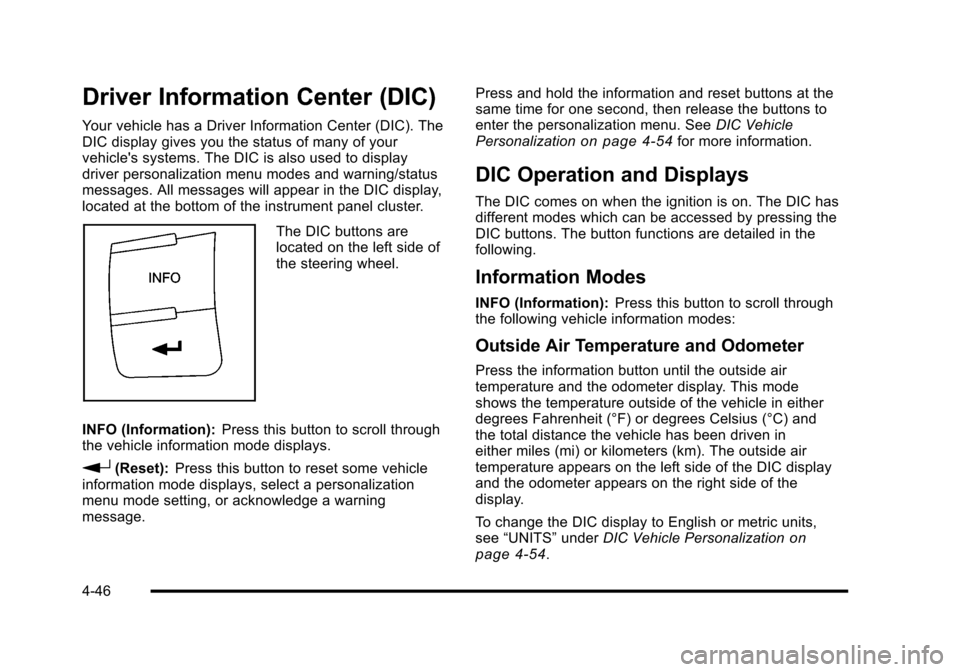
The DIC buttons are
located on the left side of
the steering wheel.
INFO (Information): Press this button to scroll through
the vehicle information mode displays.
r(Reset): Press this button to reset some vehicle
information mode displays, select a personalization
menu mode setting, or acknowledge a warning
message. Press and hold the information and reset buttons at the
same time for one second, then release the buttons to
enter the personalization menu. See
DIC Vehicle
Personalization
on page 4‑54for more information.
DIC Operation and Displays
The DIC comes on when the ignition is on. The DIC has
different modes which can be accessed by pressing the
DIC buttons. The button functions are detailed in the
following.
Information Modes
INFO (Information): Press this button to scroll through
the following vehicle information modes:
Outside Air Temperature and Odometer
Press the information button until the outside air
temperature and the odometer display. This mode
shows the temperature outside of the vehicle in either
degrees Fahrenheit (°F) or degrees Celsius (°C) and
the total distance the vehicle has been driven in
either miles (mi) or kilometers (km). The outside air
temperature appears on the left side of the DIC display
and the odometer appears on the right side of the
display.
To change the DIC display to English or metric units,
see “UNITS” underDIC Vehicle Personalization
on
page 4‑54.
4-46
Page 218 of 480
LOW TRACTION
If your vehicle has the Enhanced Traction System
(ETS) or Traction Control System (TCS), this message
displays and the ETS light or the ESC/TCS light on the
instrument panel cluster flashes when the system is
actively limiting wheel spin. Slippery road conditions
may exist if this message is displayed, so adjust your
driving accordingly. This message stays on for a few
seconds after the system stops limiting wheel spin.
SeeEnhanced Traction System (ETS)
on page 5‑11orTraction Control System (TCS)on page 5‑9and
Enhanced Traction System (ETS) Indicator/Warning
Light
on page 4‑32or Electronic Stability Control
(ESC)/Traction Control System (TCS) Indicator/Warning
Light
on page 4‑33for more information.
PARKING BRAKE
This message displays if the parking brake is left
engaged. See Parking Brakeon page 3‑34for
more information.
POWER STEERING
This message displays if a problem has been detected
with the electric power steering. Have your vehicle
serviced by your dealer/retailer immediately.
SERVICE AIR BAG
This message displays when there is a problem with
the airbag system. Have your vehicle serviced by your
dealer/retailer immediately.
SERVICE ESC (ELECTRONIC STABILITY
CONTROL)
If your vehicle has Electronic Stability Control (ESC),
this message displays and a chime sounds if there has
been a problem detected with ESC. The ESC/TCS light
also appears on the instrument panel cluster. This light
stays on solid as long as the detected problem remains
present. When this message displays, the system is not
working. Adjust your driving accordingly. See Electronic
Stability Control (ESC)
on page 5‑6and Electronic
Stability Control (ESC)/Traction Control System (TCS)
Indicator/Warning Light
on page 4‑33for more
information.
If this message turns on while you are driving, pull off
the road as soon as possible and stop carefully. Try
resetting the system by turning the ignition off and then
back on. If this message still stays on or turns back on
again while you are driving, your vehicle needs service.
Have the ESC inspected by your dealer/retailer as soon
as possible.
4-52