2010 CHEVROLET EQUINOX door lock
[x] Cancel search: door lockPage 17 of 394
Keys, Doors and Windows 1-11
If you power open the liftgate and
the liftgate support struts have lost
pressure, the turn signals flash and
a chime sounds. The liftgate stays
open temporarily, then slowly
closes. See your dealer for service
before using the liftgate.
Obstacle Detection Features
If the liftgate encounters an obstacle
during a power open or close cycle,
a warning chime will sound and the
liftgate will automatically reverse
direction to the full closed or open
position. After removing the
obstruction, the power liftgate
operation can be used again. If the
liftgate encounters multiple
obstacles on the same power cycle,
the power function will deactivate.
The“Manually Close Power Liftgate”
warning message in the Driver
Information Center (DIC) will
display. After removing the
obstructions, the liftgate will resume
normal power operation. Your vehicle has pinch sensors
located on the side edges of the
liftgate. If an object is caught
between the liftgate and the body
and presses against this sensor, the
liftgate will reverse direction and
open fully. The liftgate will remain
open until it is activated again or
closed manually.Setting the Power Liftgate
3/4 Mode
To change the liftgate stop position:
1. Turn the liftgate switch to the
3/4 mode position and power
open the liftgate.
2. Stop the liftgate movement at the desired height by pressing
any switch.
3. Press and hold the button on the liftgate adjacent to the latch until
the turn signals flash and a beep
sounds to indicate that the new
setting is recorded. When power opened with the
3/4 mode selected, the liftgate
stops at the new set position.
There is a minimum that the power
liftgate must already be open for the
system to hold it open. The liftgate
cannot be set to stop below that
minimum.
Manual Operation of Power
Liftgate
To change the liftgate to manual
operation, turn the mode switch to
the OFF position.
With the power liftgate disabled and
all of the doors unlocked, the liftgate
can be manually opened and
closed. Manual operation of a
liftgate that also has power
operation requires more effort than
with a standard manual liftgate.
To open the liftgate, press the
touchpad on the handle on the
outside of the liftgate, and lift the
gate open. To close the liftgate, use
the pull cup to lower the liftgate
and close. With the power liftgate
Page 18 of 394
1-12 Keys, Doors and Windows
disabled the liftgate electric latch will
still power latch once contact is
made with the striker. Always close
the liftgate before driving.
If the RKE button is pressed while
power operation is disabled, the turn
signals flash and the liftgate will
not move.
The liftgate has an electric latch.
If the battery is disconnected or has
low voltage, the liftgate will not
open. The liftgate will resume
operation when the battery is
reconnected and charged.Vehicle Security
Vehicle theft is big business,
especially in some cities. This
vehicle has theft-deterrent features,
however, they do not make it
impossible to steal.
Anti-Theft Alarm System
This vehicle has an anti-theft alarm
system.
Arming the System
To arm the system, either:
.PressQon the RKE transmitter.
.Or, lock the vehicle using the
key in the driver door.
The alarm automatically arms after
about 30 seconds. The security
light, located on the instrument
panel, flashes.
Press
Von the RKE transmitter to
open the liftgate without setting off
the alarm. The system rearms when
the liftgate is closed.
Disarming the System
To disarm the system, do one of the
following:
.PressKon the RKE transmitter.
.Turn the ignition to ON/RUN.
.Allow the alarm to time out after
about 30 seconds and reset
itself.
The alarm automatically disarms.
If the system is armed and any door
is unlocked without pressing
Kon
the RKE transmitter the alarm
sounds.
How to Detect a Tamper
Condition
IfKis pressed and the horn
sounds, an attempted break-in has
occurred while the system was
armed.
Page 19 of 394
Keys, Doors and Windows 1-13
If the alarm has been activated, the
“Theft Attempted”message will
appear on the DIC. See Key and
Lock Messages
on page 4‑31for
additional information.
Immobilizer
See Radio Frequency Statementon
page 12‑16for information
regarding Part 15 of the Federal
Communications Commission (FCC)
Rules and RSS-210/211 of Industry
Canada.
Immobilizer Operation
This vehicle has a passive
theft-deterrent system.
The system does not have to be
manually armed or disarmed.
The vehicle is automatically
immobilized when the key is
removed from the ignition. The system is automatically
disarmed when the vehicle is
started with the correct key. The key
uses a transponder that matches
an immobilizer control unit in the
vehicle and automatically disarms
the system. Only the correct key
starts the vehicle. The vehicle may
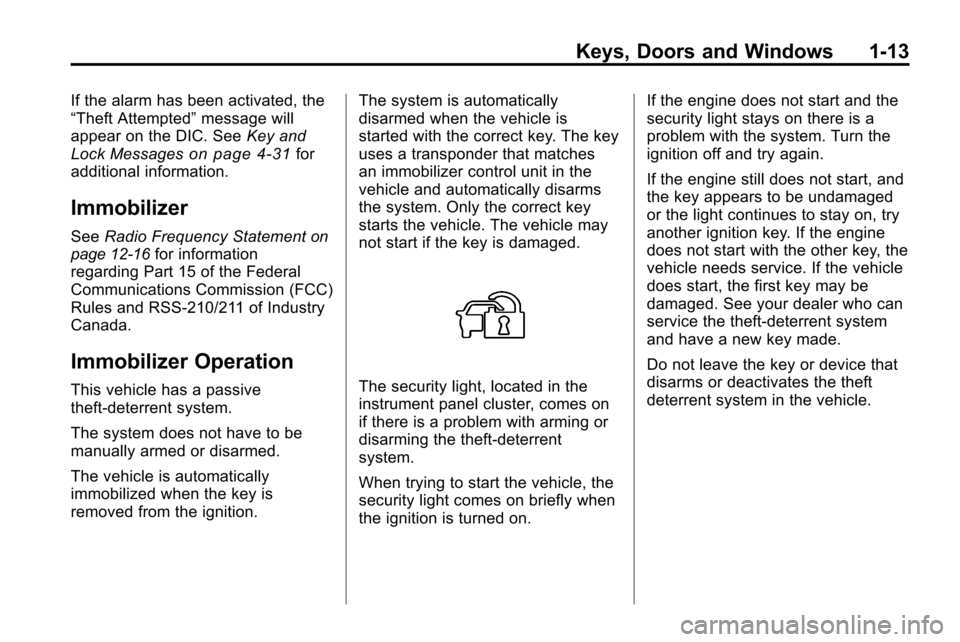
not start if the key is damaged.The security light, located in the
instrument panel cluster, comes on
if there is a problem with arming or
disarming the theft-deterrent
system.
When trying to start the vehicle, the
security light comes on briefly when
the ignition is turned on.If the engine does not start and the
security light stays on there is a
problem with the system. Turn the
ignition off and try again.
If the engine still does not start, and
the key appears to be undamaged
or the light continues to stay on, try
another ignition key. If the engine
does not start with the other key, the
vehicle needs service. If the vehicle
does start, the first key may be
damaged. See your dealer who can
service the theft-deterrent system
and have a new key made.
Do not leave the key or device that
disarms or deactivates the theft
deterrent system in the vehicle.
Page 21 of 394
Keys, Doors and Windows 1-15
Park Tilt Mirrors
If the vehicle has the memory
package, the outside mirrors have
a park tilt feature. This feature
autiomatically tilts the outside
mirrors to a preselected position
when the vehicle is in R (Reverse).
This allows the driver to view the
curb for parallel parking.
The passenger and driver mirrors
return to their original position
when the vehicle is shifted out of
R (Reverse), or the ignition is turned
off or to OFF/LOCK.
This feature can be turned on or
off through the Driver Information
Center (DIC). SeeVehicle
Personalization
on page 4‑34for
more information.
Interior Mirrors
Manual Rearview Mirror
Hold the inside rearview mirror in
the center to move it for a clearer
view of behind your vehicle. Adjust
the mirror to avoid glare from the
headlamps behind you. Push the
tab forward for daytime use and pull
it for nighttime use.
Vehicles with OnStar
®have three
additional control buttons located at
the bottom of the mirror. See your
dealer for more information on the
system and how to subscribe to
OnStar. See the OnStar owner's
guide for more information about the
services OnStar provides.
Automatic Dimming
Rearview Mirror
The vehicle may have an automatic
dimming inside rearview mirror.
Vehicles with OnStar
®have three
additional control buttons located at
the bottom of the mirror. See your
dealer for more information on the
system and how to subscribe to
OnStar. See the OnStar owner's
guide for more information about the
services OnStar provides.
O: Press to turn automatic
dimming on or off.
If the vehicle has a rear vision
camera (RVC) the
Obutton for
turning the automatic dimming
feature on or off will not be
available. See Rear Vision Camera
(RVC)
on page 8‑49for more
information.
Page 23 of 394
Keys, Doors and Windows 1-17
WARNING (Continued)
if caught in the path of a closing
window. Do not leave keys in a
vehicle with children.
When there are children in the
rear seat use the window lockout
button to prevent unintentional
operation of the windows.
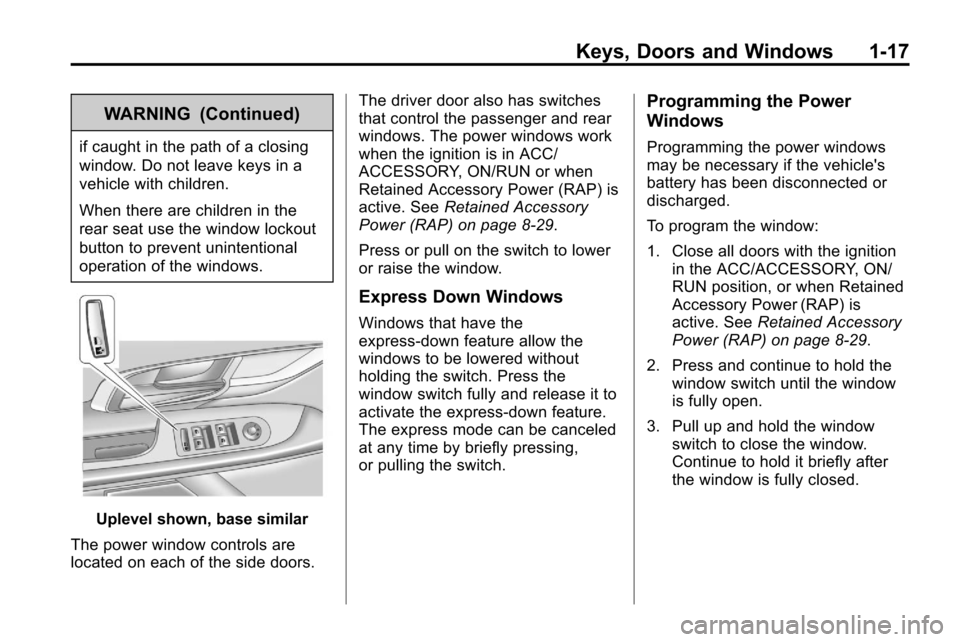
Uplevel shown, base similar
The power window controls are
located on each of the side doors. The driver door also has switches
that control the passenger and rear
windows. The power windows work
when the ignition is in ACC/
ACCESSORY, ON/RUN or when
Retained Accessory Power (RAP) is
active. See
Retained Accessory
Power (RAP) on page 8‑29.
Press or pull on the switch to lower
or raise the window.
Express Down Windows
Windows that have the
express‐down feature allow the
windows to be lowered without
holding the switch. Press the
window switch fully and release it to
activate the express‐down feature.
The express mode can be canceled
at any time by briefly pressing,
or pulling the switch.
Programming the Power
Windows
Programming the power windows
may be necessary if the vehicle's
battery has been disconnected or
discharged.
To program the window:
1. Close all doors with the ignition in the ACC/ACCESSORY, ON/
RUN position, or when Retained
Accessory Power (RAP) is
active. See Retained Accessory
Power (RAP) on page 8‑29.
2. Press and continue to hold the window switch until the window
is fully open.
3. Pull up and hold the window switch to close the window.
Continue to hold it briefly after
the window is fully closed.
Page 24 of 394
1-18 Keys, Doors and Windows
Window Lockout
o(Window Lockout): The window
lockout switch is located on the
driver door. This feature prevents
the rear passenger windows from
operating, except from the driver
position. Press the switch to turn
the lockout feature on or off. An
indicator light shows the feature
is on.
Sun Visors
Pull the sun visor down to block
glare. Detach the sun visor from the
center mount and slide it along the
rod from side-to-side to cover the
driver or passenger side of the front
window. Swing the sun visor to the
side to cover the side window. It can
be moved along the rod from
side-to-side in this position also.
Roof
Sunroof
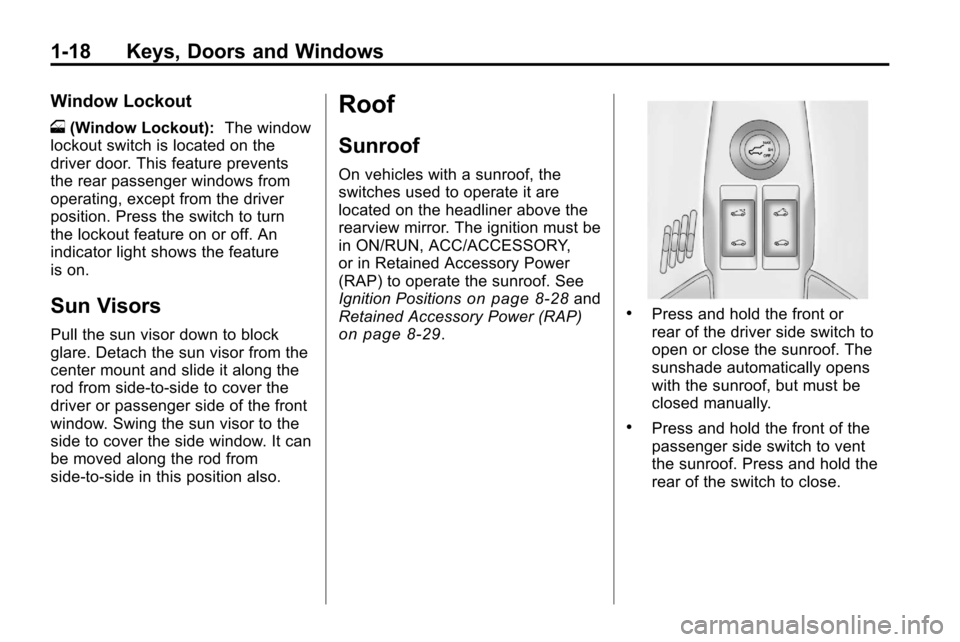
On vehicles with a sunroof, the
switches used to operate it are
located on the headliner above the
rearview mirror. The ignition must be
in ON/RUN, ACC/ACCESSORY,
or in Retained Accessory Power
(RAP) to operate the sunroof. See
Ignition Positions
on page 8‑28and
Retained Accessory Power (RAP)
on page 8‑29.
.Press and hold the front or
rear of the driver side switch to
open or close the sunroof. The
sunshade automatically opens
with the sunroof, but must be
closed manually.
.Press and hold the front of the
passenger side switch to vent
the sunroof. Press and hold the
rear of the switch to close.
Page 31 of 394
Seats and Restraints 2-5
To stop recall movement of the RKE
remote recall feature, press one of
the power seat controls, memory
buttons, or power mirror buttons.
Memory Seat recall may stop if
the seat is blocked. Remove the
obstruction and then press the
memory button again. If the memory
function does not work properly, see
your dealer for service.
Easy Exit Seat
If the easy exit seat feature is on in
the Driver Information Center (DIC),
automatic adjustment occurs when
the ignition is turned to LOCK/OFF
and the driver door is opened. The
driver seat moves back.
SeeVehicle Personalization
on
page 4‑34for more information.
Lumbar Adjustment
Power Lumbar
Seats with power lumbar have
controls located on the outboard
side of the seat. See Power Seat
Adjustment
on page 2‑3for more
information.
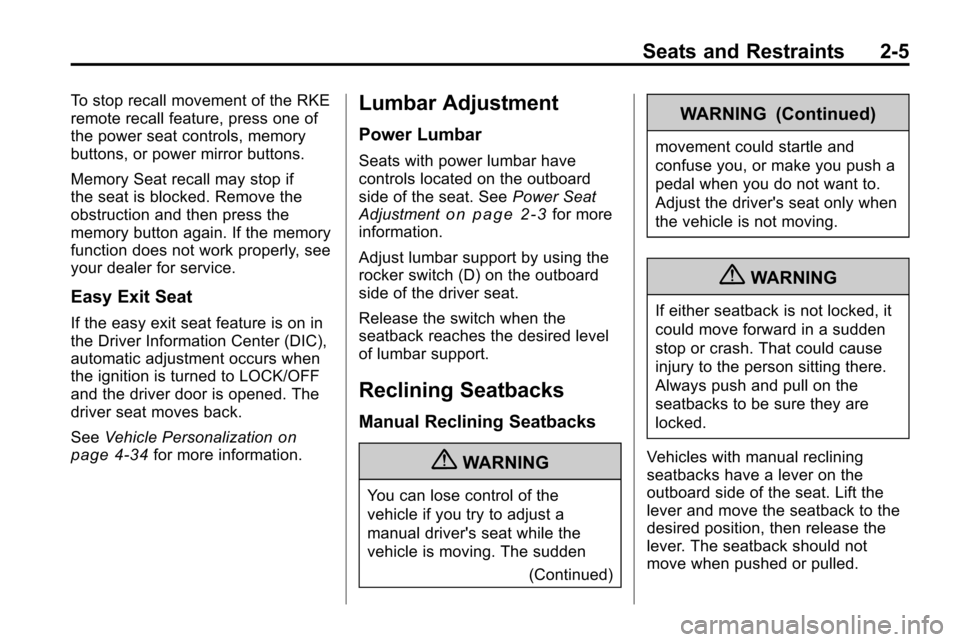
Adjust lumbar support by using the
rocker switch (D) on the outboard
side of the driver seat.
Release the switch when the
seatback reaches the desired level
of lumbar support.
Reclining Seatbacks
Manual Reclining Seatbacks
{WARNING
You can lose control of the
vehicle if you try to adjust a
manual driver's seat while the
vehicle is moving. The sudden
(Continued)
WARNING (Continued)
movement could startle and
confuse you, or make you push a
pedal when you do not want to.
Adjust the driver's seat only when
the vehicle is not moving.
{WARNING
If either seatback is not locked, it
could move forward in a sudden
stop or crash. That could cause
injury to the person sitting there.
Always push and pull on the
seatbacks to be sure they are
locked.
Vehicles with manual reclining
seatbacks have a lever on the
outboard side of the seat. Lift the
lever and move the seatback to the
desired position, then release the
lever. The seatback should not
move when pushed or pulled.
Page 44 of 394
2-18 Seats and Restraints
To unlatch the belt, push the button
on the buckle. For outboard seating
positions, slide the latch plate up
the safety belt webbing when the
safety belt is not in use. The latch
plate should rest on the stitching on
the safety belt, near the guide loop.
Before a door is closed, be sure the
safety belt is out of the way. If a
door is slammed against a safety
belt, damage can occur to both the
safety belt and the vehicle.
Shoulder Belt Height Adjuster
The vehicle has a shoulder belt
height adjuster for the driver and
right front passenger seating
positions.
Adjust the height so that the
shoulder portion of the belt is
centered on the shoulder. The belt
should be away from the face and
neck, but not falling off the shoulder.
Improper shoulder belt height
adjustment could reduce the
effectiveness of the safety belt
in a crash.
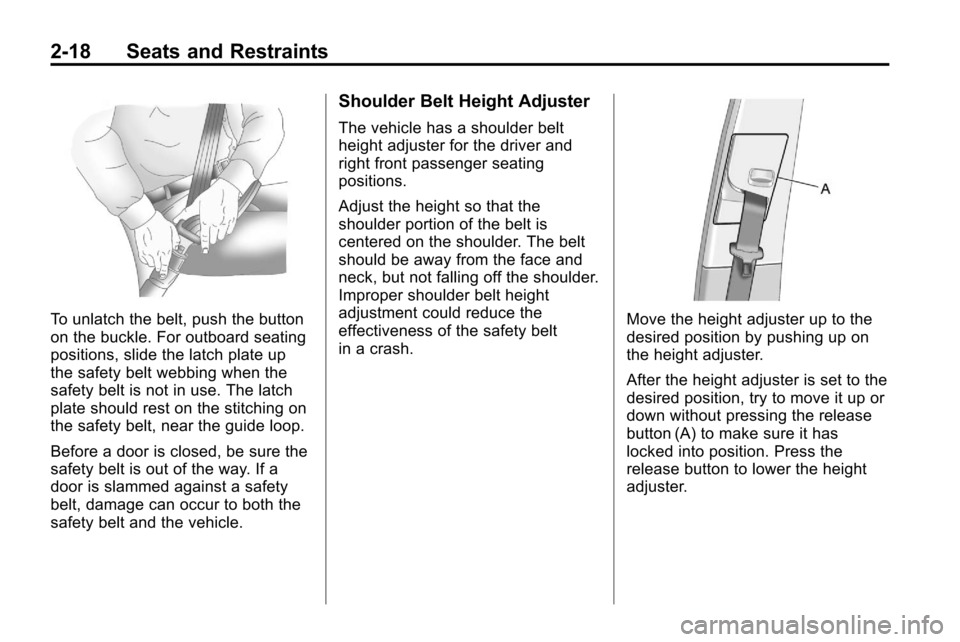
Move the height adjuster up to the
desired position by pushing up on
the height adjuster.
After the height adjuster is set to the
desired position, try to move it up or
down without pressing the release
button (A) to make sure it has
locked into position. Press the
release button to lower the height
adjuster.