2010 CHEVROLET CORVETTE reset
[x] Cancel search: resetPage 205 of 472
This light comes on briefly while starting the engine. If it
does not come on, have it fixed so it is ready to warn if
there is a problem.
{WARNING:
The brake system might not be working properly if
the brake system warning light is on. Driving with
the brake system warning light on can lead to a
crash. If the light is still on after the vehicle has
been pulled off the road and carefully stopped,
have the vehicle towed for service.
If this warning light stays on after the engine is started,
the parking brake may still be set or there could be a
brake problem. Refer to Parking Brake
on page 3‑34to
see if it is set. If the parking brake is not set, have the
brake system inspected right away.
If the light comes on while driving and a CHECK
BRAKE FLUID message shows on the DIC, pull off the
road and stop carefully. The pedal may be harder to
push or the pedal may go closer to the floor. It may take
longer to stop. If the light is still on, have the vehicle
towed for service. See Towing Your Vehicle
on
page 5‑33and DIC Warnings and Messageson
page 4‑52for more information.
Antilock Brake System (ABS)
Warning Light
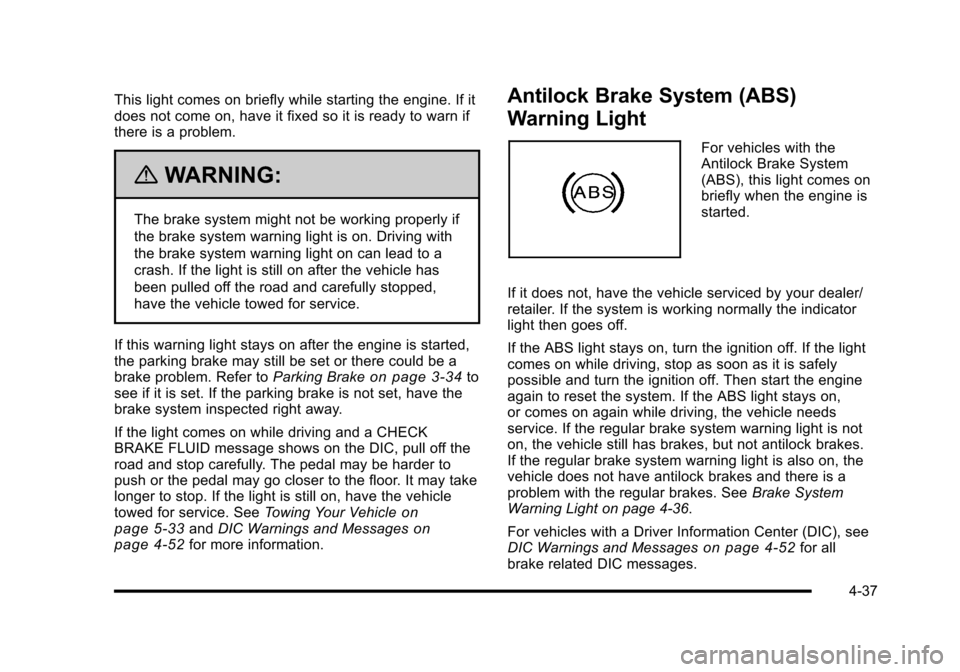
For vehicles with the
Antilock Brake System
(ABS), this light comes on
briefly when the engine is
started.
If it does not, have the vehicle serviced by your dealer/
retailer. If the system is working normally the indicator
light then goes off.
If the ABS light stays on, turn the ignition off. If the light
comes on while driving, stop as soon as it is safely
possible and turn the ignition off. Then start the engine
again to reset the system. If the ABS light stays on,
or comes on again while driving, the vehicle needs
service. If the regular brake system warning light is not
on, the vehicle still has brakes, but not antilock brakes.
If the regular brake system warning light is also on, the
vehicle does not have antilock brakes and there is a
problem with the regular brakes. See Brake System
Warning Light on page 4‑36.
For vehicles with a Driver Information Center (DIC), see
DIC Warnings and Messages
on page 4‑52for all
brake related DIC messages.
4-37
Page 214 of 472
Fuel Gauge
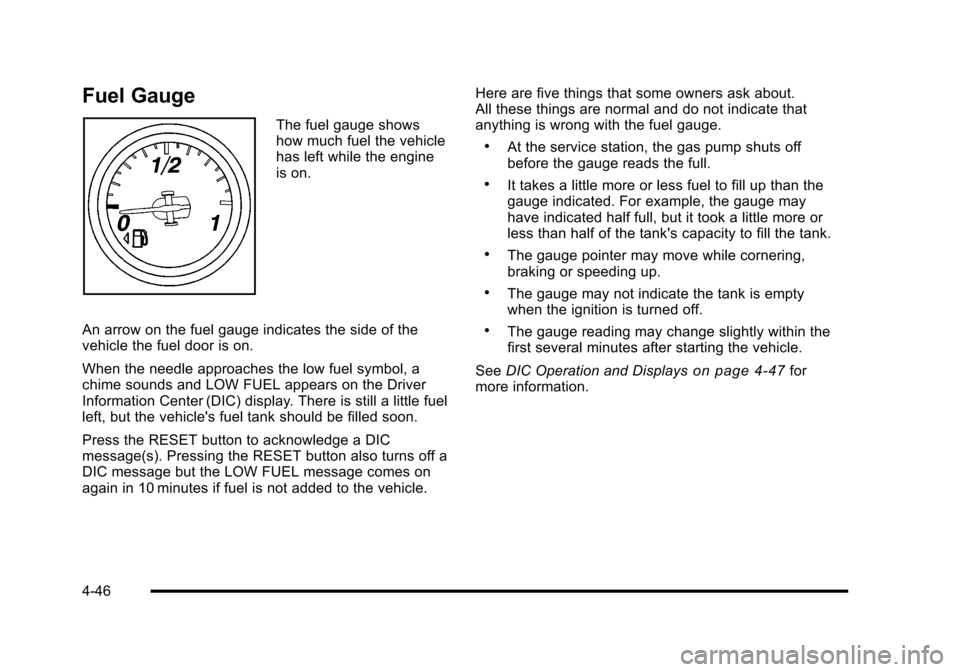
The fuel gauge shows
how much fuel the vehicle
has left while the engine
is on.
An arrow on the fuel gauge indicates the side of the
vehicle the fuel door is on.
When the needle approaches the low fuel symbol, a
chime sounds and LOW FUEL appears on the Driver
Information Center (DIC) display. There is still a little fuel
left, but the vehicle's fuel tank should be filled soon.
Press the RESET button to acknowledge a DIC
message(s). Pressing the RESET button also turns off a
DIC message but the LOW FUEL message comes on
again in 10 minutes if fuel is not added to the vehicle. Here are five things that some owners ask about.
All these things are normal and do not indicate that
anything is wrong with the fuel gauge.
.At the service station, the gas pump shuts off
before the gauge reads the full.
.It takes a little more or less fuel to fill up than the
gauge indicated. For example, the gauge may
have indicated half full, but it took a little more or
less than half of the tank's capacity to fill the tank.
.The gauge pointer may move while cornering,
braking or speeding up.
.The gauge may not indicate the tank is empty
when the ignition is turned off.
.The gauge reading may change slightly within the
first several minutes after starting the vehicle.
See DIC Operation and Displays
on page 4‑47for
more information.
4-46
Page 216 of 472
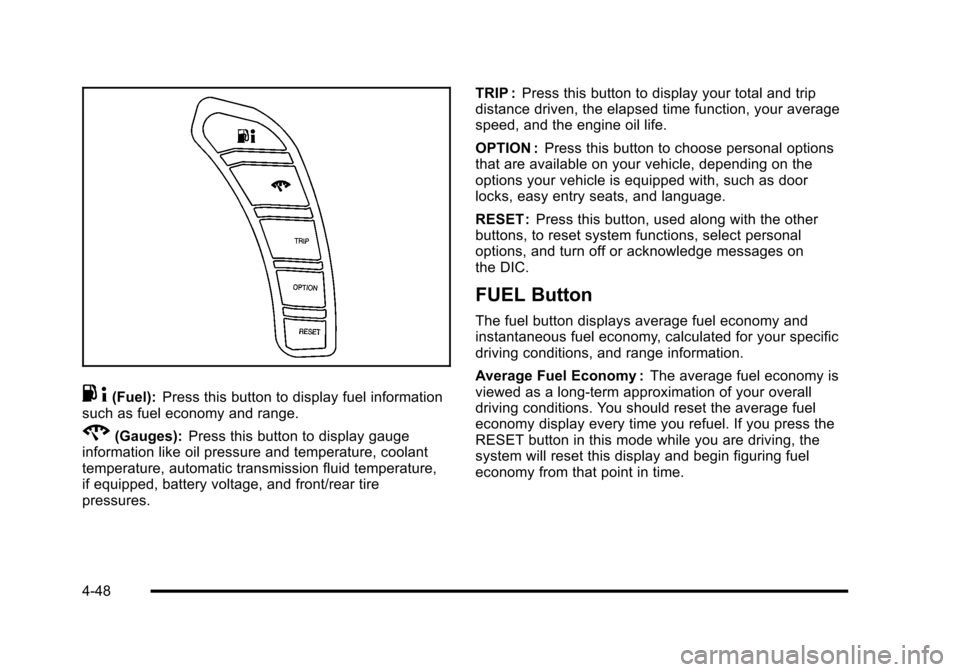
.4(Fuel): Press this button to display fuel information
such as fuel economy and range.
2(Gauges): Press this button to display gauge
information like oil pressure and temperature, coolant
temperature, automatic transmission fluid temperature,
if equipped, battery voltage, and front/rear tire
pressures. TRIP :
Press this button to display your total and trip
distance driven, the elapsed time function, your average
speed, and the engine oil life.
OPTION : Press this button to choose personal options
that are available on your vehicle, depending on the
options your vehicle is equipped with, such as door
locks, easy entry seats, and language.
RESET : Press this button, used along with the other
buttons, to reset system functions, select personal
options, and turn off or acknowledge messages on
the DIC.
FUEL Button
The fuel button displays average fuel economy and
instantaneous fuel economy, calculated for your specific
driving conditions, and range information.
Average Fuel Economy : The average fuel economy is
viewed as a long-term approximation of your overall
driving conditions. You should reset the average fuel
economy display every time you refuel. If you press the
RESET button in this mode while you are driving, the
system will reset this display and begin figuring fuel
economy from that point in time.
4-48
Page 217 of 472
Press the fuel button to display average fuel economy,
such as:
.AVERAGE FUEL ECONOMY 11.7 L/100 km or
.AVERAGE FUEL ECONOMY 20.1 MPG
Instantaneous Fuel Economy : Instantaneous fuel
economy reflects only the fuel economy that the vehicle
has right now and will change frequently as driving
conditions change. Unlike average fuel economy, this
menu item cannot be reset.
Press the fuel button again to display instantaneous fuel
economy, such as:
.INSTANT FUEL ECONOMY 11.7 L/100 km or
.INSTANT FUEL ECONOMY 20.1 MPG
Fuel Range : The range calculates the remaining
distance you can drive without refueling. It is based
on fuel economy and the fuel remaining in the tank.
Press the fuel button again to display the range,
such as:
.RANGE 48 km or
.RANGE 30 MI
If the LOW FUEL warning is displayed or if RANGE is
less than 64 km (40 miles), the display will read
RANGE LOW. The fuel economy data used to determine fuel range is
an average of recent driving conditions. As your driving
conditions change, this data is gradually updated
automatically.
If the vehicle has been idling for a long time, the
range displayed on the DIC could be abnormally low.
The vehicle must be driven 8–16 km (5–10 miles) to
get an accurate reading.
GAGES Button
The gauges button displays oil pressure, oil
temperature, coolant temperature, transmission fluid
temperature for automatic transmission vehicles only,
battery voltage, and tire pressure information.
Oil Pressure :
This display shows the oil pressure.
Press the gauges button to display the oil pressure,
such as:
.OIL PRESSURE 276 kPa or
.OIL PRESSURE 40 PSI
Oil Temperature : This display shows the oil
temperature.
Press the gauges button again to display the oil
temperature, such as:
.OIL TEMPERATURE 112°C or
.OIL TEMPERATURE 234°F
4-49
Page 219 of 472
TRIP Button
The TRIP button displays the odometer, trip distance,
elapsed time, average speed, and oil life remaining
information.
Odometer : The odometer shows how far your vehicle
has been driven in either kilometers or miles. Press the
TRIP button to display odometer readings, such as:
.ODOMETER 20008 km or
.ODOMETER 12345 MI
You can also display the odometer by turning on the
parking lamps.
Trip Odometers : There are two trip odometers.
Press the TRIP button to display TRIP ODOMETER A
readings and press the button again to display TRIP
ODOMETER B readings, such as:
.TRIP ODOMETER A 209.9 km or
.TRIP ODOMETER A 130.5 MI
.TRIP ODOMETER B 483.5 km or
.TRIP ODOMETER B 300.5 MI
Both of the trip odometers can be used simultaneously.
The trip odometers can be reset by pressing the RESET
button on the DIC. There is also a miles since last ignition feature that
displays the number of kilometers (miles) driven since
you last started the vehicle. Press and hold the RESET
button for three seconds, then release it. The kilometers
(miles) since the last ignition cycle will be set into the
trip odometer.
Elapsed Timer :
Press the TRIP button until ELAPSED
TIMER is displayed, such as ELAPSED TIMER .00.
When the ignition is in on, the DIC can be used as a
stopwatch. The display can show hours, minutes and
seconds. The elapsed time indicator will record up to
23 hours, 59 minutes and 59 seconds, then it will reset
to zero and continue counting. The display appears as
ELAPSED TIMER .00 in the elapsed time function.
You can start or stop the elapsed time by pressing the
RESET button. To reset the elapsed time to zero, press
the RESET button for three seconds while the timer is
displayed.
Pressing and holding the RESET button for at least
10 seconds will reset the timer display to the time since
last ignition cycle.
Average Speed : Press the TRIP button until the
average speed is displayed, such as:
.AVERAGE SPEED 100 km/h or
.AVERAGE SPEED 62 MPH
4-51
Page 220 of 472
Press and hold the RESET button to reset to
0.0 km/h (mph).
Engine Oil Life : Press the TRIP button until the engine
oil life is displayed, such as OIL LIFE REMAINING 89%.
This is an estimate of the engine oil's remaining useful
life. It will show 100% when the system is reset after
an oil change. It will alert you to change the oil on a
schedule consistent with your driving conditions.
When the remaining oil life is low, the system will alert
you with the message CHANGE ENGINE OIL.
Remember, you must reset the engine oil life system
yourself after each oil change. It will not reset itself.
To reset the system, see Engine Oil Life System
on
page 6‑25. Be careful not to reset the engine oil life
system accidentally at any time other than when the oil
has just been changed. It cannot be reset accurately
until the next oil change.
See Scheduled Maintenance
on page 7‑3andEngine
Oilon page 6‑19for more information.
OPTION Button
The OPTION button allows you to access the
PERSONAL OPTIONS menu and customize the
personalization settings on your vehicle. See DIC
Vehicle Personalization
on page 4‑71for more
information.
RESET Button
The RESET button, used along with other buttons, will
reset system functions and turn off or acknowledge
messages on the DIC.
DIC Warnings and Messages
Messages are displayed on the DIC to notify the driver
that the status of the vehicle has changed and that
some action may be needed by the driver to correct the
condition. Multiple messages may appear one after
another. You can scroll through the messages that
may have been sent at the same time. The DIC is
continuously updated with the vehicle performance
status.
Some messages may not require immediate action, but
you can press the RESET button to acknowledge that
you received the messages and to clear them from the
display.
Some messages cannot be cleared from the DIC
display because they are more urgent. These
messages require action before they can be cleared.
You should take any messages that appear on the
display seriously and remember that clearing the
messages will only make the messages disappear,
not correct the problem.
The following are the possible messages that can be
displayed and some information about them.
4-52
Page 222 of 472
BUCKLE PASSENGER
This message reminds you to buckle the passenger's
safety belt.
This message displays and a sound will be heard when
the ignition is on, the driver's safety belt is buckled, the
passenger's safety belt is unbuckled with the passenger
airbag enabled, and the vehicle is in motion. You should
have the passenger buckle their safety belt.
The reminder will be repeated if the ignition is on, the
vehicle is in motion, the driver is buckled and the
passenger is still unbuckled, and the passenger airbag
is enabled. If the passenger's safety belt is already
buckled, this message will not come on.
BUCKLE SEATBELT
This message reminds you to buckle the driver's
safety belt.
This message displays and a sound will be heard when
the ignition is on, the driver's safety belt is unbuckled,
and the vehicle is in motion. You should buckle your
safety belt.
If the driver remains unbuckled when the ignition is
on and the vehicle is in motion, the reminder will be
repeated. If the driver's safety belt is already buckled,
this message will not come on. This message is an additional reminder to the safety
belt reminder light in the instrument panel cluster.
See
Safety Belt Reminders
on page 4‑32for more
information.
CHANGE BRAKE PADS
On vehicles with electronic brake pad wear sensors,
this message will be displayed when the pads are worn.
See your dealer/retailer for service.
CHANGE ENGINE OIL
This message displays when the life of the engine
oil has expired. See Scheduled Maintenanceon
page 7‑3. After an oil change, the engine oil life
system must be reset. See “Engine Oil Life”under
DIC Operation and Displays
on page 4‑47. Also, see
Engine Oilon page 6‑19and Engine Oil Life Systemon page 6‑25for more information.
CHECK BRAKE FLUID
This message displays, a sound will be heard, and the
brake system warning light on the instrument panel
cluster turns on if the ignition is on to inform the driver
that the brake fluid level is low. See Brake System
Warning Light
on page 4‑36. Have the brake system
serviced by your dealer/retailer as soon as possible.
See Brakes on page 6‑43.
4-54
Page 223 of 472
CHECK COOLANT LEVEL
This message displays when the engine coolant level is
low. Have the cooling system serviced by your dealer/
retailer as soon as possible. See Engine Coolant
on
page 6‑34.
CHECK GAS CAP
This message displays if the fuel cap has not been fully
tightened. Check the fuel cap to make sure that it is on
properly. Once tightened, it takes at least one overnight
park to reset or clear this message. If both the CHECK
GAS CAP message and the malfunction indicator lamp
in the instrument panel cluster are on, you may need to
see your dealer/retailer for service. See Malfunction
Indicator Lamp
on page 4‑41for more information.
CHECK OIL LEVEL
On some vehicles, this message displays and two
chimes sound if the oil level in the vehicle is low. Once
the vehicle senses a change in the engine oil level, the
light remains off.
If this message appears after starting the engine, the
engine oil level may be too low. You may need to add
oil. See Engine Overheating on page 6‑38.
To acknowledge the message, press the RESET button.
The message reappears every 10 minutes until this
condition changes.
CLOSE TRUNK TO MOVE TOP
This message displays and a sound will be heard if
the trunk is open while you are trying to operate the
convertible top. Make sure the trunk is closed before
operating the convertible top. See Convertible Top
(Manual)
on page 3‑59or Convertible Top (Power)on
page 3‑66.
COMPETITIVE DRIVING MODE
This message displays and a sound will be heard
when the Competitive Driving mode is selected.
The instrument panel cluster light will be on when
the Competitive Driving mode is selected. If your
vehicle is equipped with a manual transmission,
Launch Control is available when this mode selected.
The Traction Control System (TCS) will not be operating
while in the Competitive Driving mode. Adjust your
driving accordingly. This system is available on all
models except ZR1. See Competitive Driving Mode
on
page 5‑9, including the “Launch Control” information,
and Racing or Other Competitive Drivingon page 5‑19for more information.
4-55