2010 CHEVROLET CORVETTE lights
[x] Cancel search: lightsPage 179 of 472
Exterior Lamps
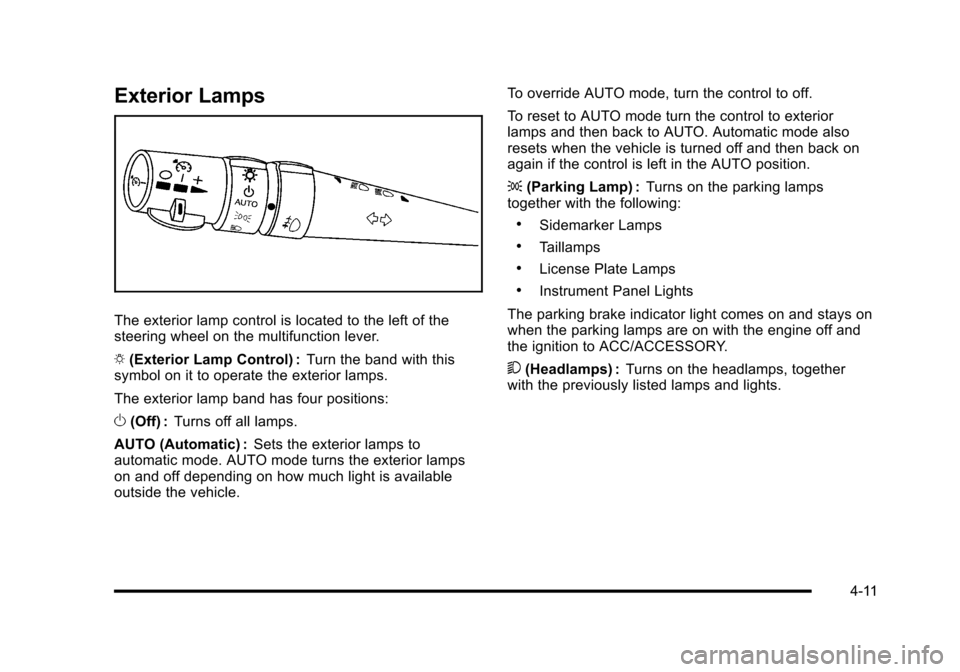
The exterior lamp control is located to the left of the
steering wheel on the multifunction lever.
O (Exterior Lamp Control) : Turn the band with this
symbol on it to operate the exterior lamps.
The exterior lamp band has four positions:
O (Off) : Turns off all lamps.
AUTO (Automatic) : Sets the exterior lamps to
automatic mode. AUTO mode turns the exterior lamps
on and off depending on how much light is available
outside the vehicle. To override AUTO mode, turn the control to off.
To reset to AUTO mode turn the control to exterior
lamps and then back to AUTO. Automatic mode also
resets when the vehicle is turned off and then back on
again if the control is left in the AUTO position.
;
(Parking Lamp) : Turns on the parking lamps
together with the following:
.Sidemarker Lamps
.Taillamps
.License Plate Lamps
.Instrument Panel Lights
The parking brake indicator light comes on and stays on
when the parking lamps are on with the engine off and
the ignition to ACC/ACCESSORY.
5 (Headlamps) : Turns on the headlamps, together
with the previously listed lamps and lights.
4-11
Page 180 of 472

Wiper Activated Headlamps
This feature activates the headlamps and parking
lamps after the windshield wipers have been in use for
approximately 15 seconds and deactivates and returns
to ambient lighting conditions 15 seconds after the
wipers are turned off.
If the exterior lamp control has been turned off or is in
the parking lamp position while the wiper control is
active in any position, the HEADLAMPS SUGGESTED
message appears on the Driver Information Center
(DIC). See DIC Warnings and Messages on page 4‑52.
When the ignition is turned off, the wiper-activated
headlamps will immediately turn off.
Headlamps on Reminder
A warning chime will sound if the exterior lamp control
is left on in either the headlamp or parking lamp position
and the driver's door is opened with the ignition off.
Daytime Running Lamps (DRL)
Daytime Running Lamps (DRL) can make it easier for
others to see the front of your vehicle during the day.
Fully functional daytime running lamps are required on
all vehicles first sold in Canada.
The DRL system makes the front turn signal lamps
come on when the following conditions are met:
.It is still daylight and the ignition is on.
.The exterior lamp control is in the AUTO position.
.The transmission is not in P (Park) or the parking
brake is off.
.The parking brake is off or the vehicle speed is
greater than 8 mph (13 km/h).
When DRL are on, only the front turn signal lamps will
be on. The parking lamps, taillamps, instrument panel
lights, or other exterior lamps will not be on when the
DRL are being used.
When it is dark enough outside, the front turn signal
lamps turn off and the normal low-beam headlamps
turn on.
4-12
Page 183 of 472
Exterior Lighting Battery Saver
If the manual parking lamps or headlamps have been
left on, the exterior lamps will turn off as soon as the
ignition is turned off or Retained Accessory Power
(RAP) is active. This protects against draining the
battery in case you have accidentally left the headlamps
or parking lamps on. The battery saver does not work if
the headlamps are turned on after the ignition switch is
turned to off.
If you need to leave the lamps on, use the exterior lamp
control to turn the lamps back on.
Instrument Panel Brightness
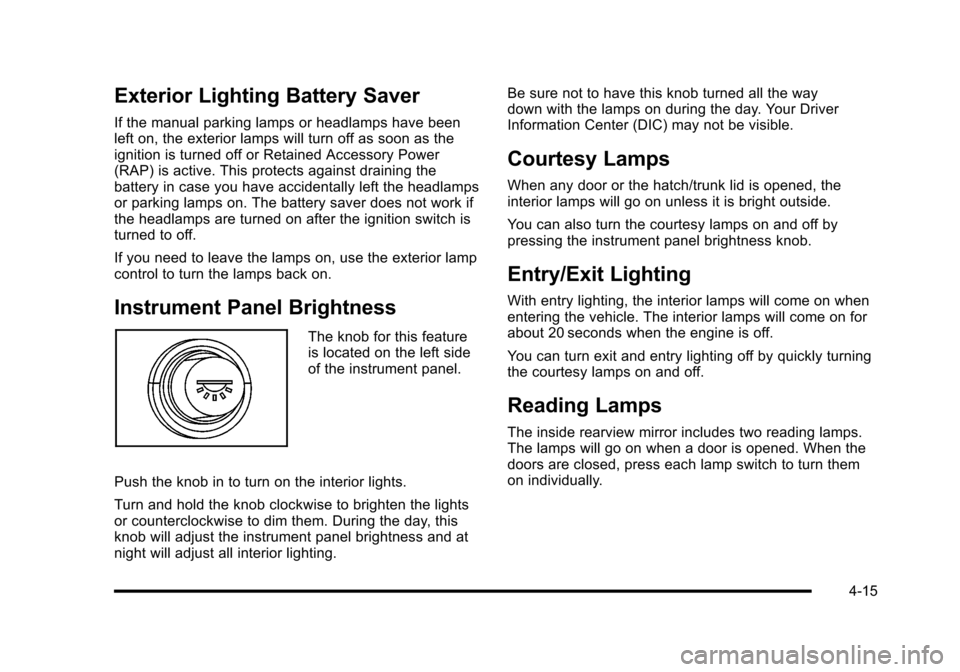
The knob for this feature
is located on the left side
of the instrument panel.
Push the knob in to turn on the interior lights.
Turn and hold the knob clockwise to brighten the lights
or counterclockwise to dim them. During the day, this
knob will adjust the instrument panel brightness and at
night will adjust all interior lighting. Be sure not to have this knob turned all the way
down with the lamps on during the day. Your Driver
Information Center (DIC) may not be visible.
Courtesy Lamps
When any door or the hatch/trunk lid is opened, the
interior lamps will go on unless it is bright outside.
You can also turn the courtesy lamps on and off by
pressing the instrument panel brightness knob.
Entry/Exit Lighting
With entry lighting, the interior lamps will come on when
entering the vehicle. The interior lamps will come on for
about 20 seconds when the engine is off.
You can turn exit and entry lighting off by quickly turning
the courtesy lamps on and off.
Reading Lamps
The inside rearview mirror includes two reading lamps.
The lamps will go on when a door is opened. When the
doors are closed, press each lamp switch to turn them
on individually.
4-15
Page 197 of 472
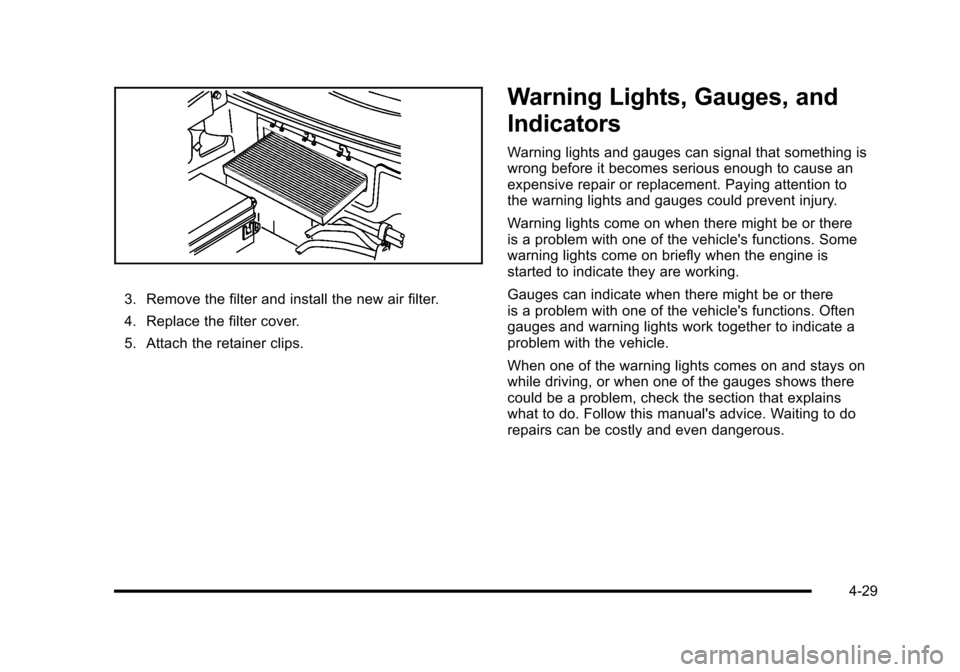
3. Remove the filter and install the new air filter.
4. Replace the filter cover.
5. Attach the retainer clips.
Warning Lights, Gauges, and
Indicators
Warning lights and gauges can signal that something is
wrong before it becomes serious enough to cause an
expensive repair or replacement. Paying attention to
the warning lights and gauges could prevent injury.
Warning lights come on when there might be or there
is a problem with one of the vehicle's functions. Some
warning lights come on briefly when the engine is
started to indicate they are working.
Gauges can indicate when there might be or there
is a problem with one of the vehicle's functions. Often
gauges and warning lights work together to indicate a
problem with the vehicle.
When one of the warning lights comes on and stays on
while driving, or when one of the gauges shows there
could be a problem, check the section that explains
what to do. Follow this manual's advice. Waiting to do
repairs can be costly and even dangerous.
4-29
Page 203 of 472
If, after several seconds, both status indicator lights
remain on, or if there are no lights at all, there may be
a problem with the lights or the passenger sensing
system. See your dealer/retailer for service.
{WARNING:
If the airbag readiness light ever comes on and
stays on, it means that something may be wrong
with the airbag system. To help avoid injury to
yourself or others, have the vehicle serviced right
away. See Airbag Readiness Light
on page 4‑33
for more information, including important safety
information.
Voltmeter Gauge
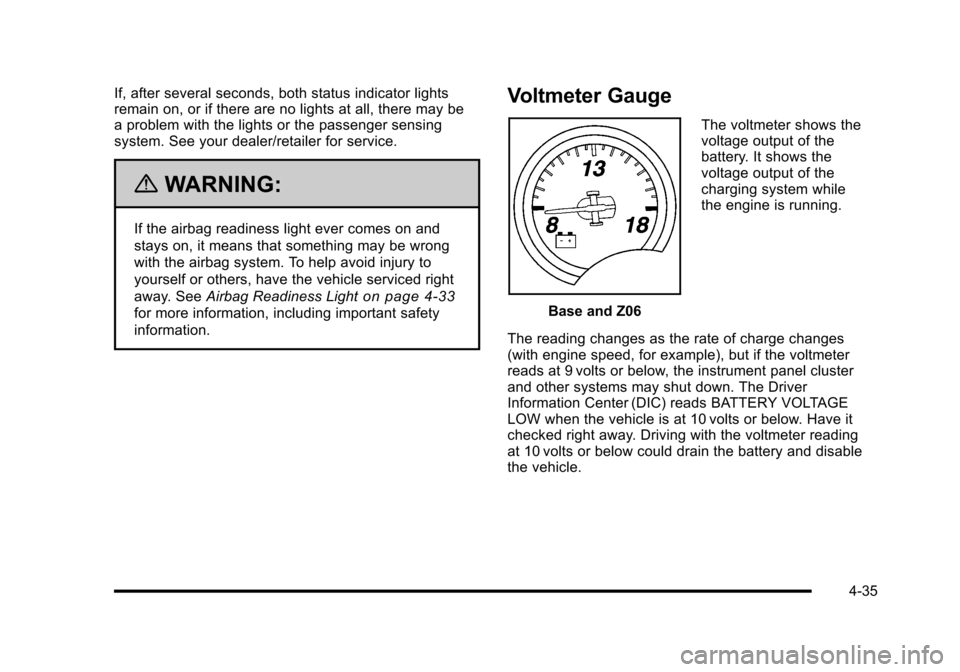
Base and Z06 The voltmeter shows the
voltage output of the
battery. It shows the
voltage output of the
charging system while
the engine is running.
The reading changes as the rate of charge changes
(with engine speed, for example), but if the voltmeter
reads at 9 volts or below, the instrument panel cluster
and other systems may shut down. The Driver
Information Center (DIC) reads BATTERY VOLTAGE
LOW when the vehicle is at 10 volts or below. Have it
checked right away. Driving with the voltmeter reading
at 10 volts or below could drain the battery and disable
the vehicle.
4-35
Page 213 of 472
The engine oil pressure can also be displayed using the
GAGES button on the Driver Information Center (DIC).
See Driver Information Center (DIC) on page 4‑47.
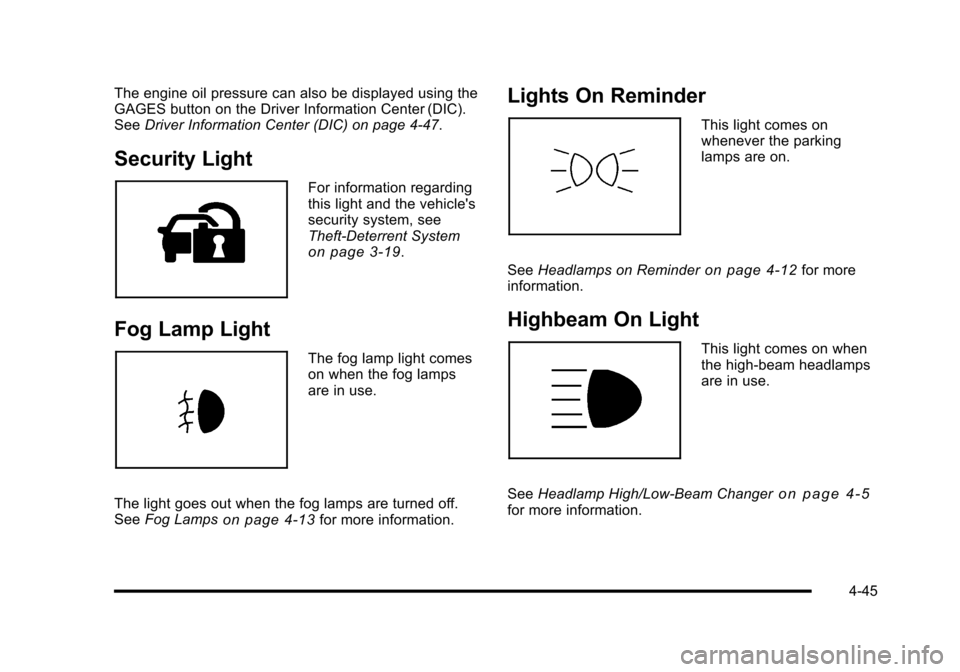
Security Light
For information regarding
this light and the vehicle's
security system, see
Theft-Deterrent System
on page 3‑19.
Fog Lamp Light
The fog lamp light comes
on when the fog lamps
are in use.
The light goes out when the fog lamps are turned off.
See Fog Lamps
on page 4‑13for more information.
Lights On Reminder
This light comes on
whenever the parking
lamps are on.
See Headlamps on Reminder
on page 4‑12for more
information.
Highbeam On Light
This light comes on when
the high-beam headlamps
are in use.
See Headlamp High/Low-Beam Changer
on page 4‑5for more information.
4-45
Page 231 of 472
SERVICE ACTIVE HANDLING SYSTEM
This message displays if there is a problem with the
Active Handling System and the vehicle needs service.
The active handling system light on the instrument
panel cluster also turns on and a sound will be heard.
See your dealer/retailer. When this message is
displayed, the system is not working. Adjust your driving
accordingly. See Active Handling System
on page 5‑8for more information.
SERVICE AIR CONDITIONING
This message displays when the electronic sensors
that control the air conditioning and heating systems
are no longer working. Have the climate control system
serviced by your dealer/retailer if you notice a drop in
heating and air conditioning efficiency.
SERVICE ANTILOCK BRAKES
If this message displays while you are driving, stop as
soon as possible and turn the ignition off. Then start the
engine again to reset the system. If the message stays
on, or comes back on again while you are driving, the
vehicle is in need of service. See your dealer/retailer. If the antilock brake system (ABS) warning light is on
and the regular brake system warning light is not on,
you still have brakes, but do not have ABS. If the
regular brake system warning light is also on, you do
not have ABS and there is a problem with the brakes.
See
Antilock Brake System (ABS) Warning Light
on
page 4‑37and Brake System Warning Lighton
page 4‑36.
If this message is displayed, the Traction Control
System (TCS) and the Active Handling System will
also be disabled. The DIC will scroll three messages:
SERVICE ANTILOCK BRAKES, SERVICE TRACTION
SYSTEM, and SERVICE ACTIVE HANDLING, and the
instrument panel cluster lights will come on along with a
sound. When the service message is displayed, the
computer controlled systems will not assist the driver.
Have the system repaired by your dealer/retailer as
soon as possible. Adjust your driving accordingly.
To acknowledge these messages, press the RESET
button.
4-63
Page 242 of 472
Approach Lights :This option briefly turns on the
parking lamps, the high-beam headlamps and the
back-up lamps during low light periods when the
keyless access transmitter is used to unlock the vehicle.
Press the OPTION button until APPROACH LIGHTS
appears on the display, then press the RESET button to
scroll through the following modes:
.OFF
.ON (default)
If you choose OFF, this option will turn off.
If you choose ON, the parking lamps, the high-beam
headlamps, and the back-up lamps will come on for
20 seconds during low light periods when all of the
following occurs:
.You press the unlock button on the keyless access
transmitter.
.Both of the doors are closed.
.The vehicle is off or in RAP.
The lamps remain on for 20 seconds or until a door
is opened, the lock button on the keyless access
transmitter is pressed or the vehicle is no longer
off or in RAP.
See Keyless Access System
on page 3‑5for more
information. When the mode you want is selected, press the
OPTION button to set your choice and advance to
the next personal option.
Twilight Delay :
This option allows you to set the
amount of time you want the parking lamps and
high-beam headlamps to remain on after you exit the
vehicle. This will occur when the vehicle is off or in
RAP and the headlamps are on due to the automatic
headlamp system. The parking lamps and high-beam
headlamps will remain on until the driver selected time
expires, the exterior lamp control is activated or the
vehicle is no longer off or in RAP.
Press the OPTION button until TWILIGHT DELAY
appears on the display, then press the RESET button to
scroll through the following modes:
.OFF
.15 S
.30 S (default)
.90 S
If you choose OFF, this option will turn off.
If you choose 15 S, the twilight delay time will be set to
15 seconds.
If you choose 30 S, the twilight delay time will be set to
30 seconds.
4-74